理论知识:
用于处理spider中获取的items,可以对获取的数据进行进一步处理(将获取的items保存至文件或者数据库等)如果要使用pipelines模块中定义的各pipelines类,必须在settings模块中指定,格式如下:pipeline的权重值越小优先级越高

代码部分:
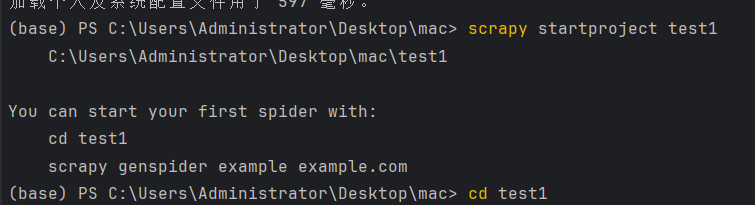
- 创建一个新的项目 test1 命令:scrapy startproject test1
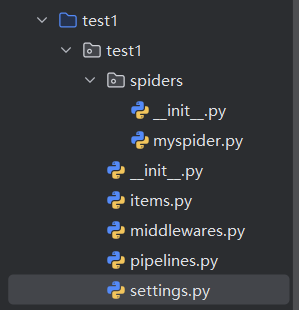
- 重写items.py文件,定义title属性
python
import scrapy


class Test1Item(scrapy.Item):
    # define the fields for your item here like:
    # name = scrapy.Field()
title=scrapy.Field()- 修改setting文件,指定要使用的pipeline对应的类。将下面这行代码解注释
python
ITEM_PIPELINES = {
   "test1.pipelines.Mytest": 300,
}- 在spider目录下创建爬虫文件myspider.py 命令:scrapy genspider -t basic myspider baidu.com

python
import scrapy
from test1.items import Test1Item

class MyspiderSpider(scrapy.Spider):
    name = "myspider"
    allowed_domains = ["sina.com.cn"]
    start_urls = ["http://sina.com.cn/"]

    def parse(self, response):
        item = Test1Item()
        item['title'] = response.xpath("/html/head/title").extract_first()
        print(item['title'])
yield item- 重写pipeline.py文件
python
import codecs

class Mytest(object):
    def __init__(self):
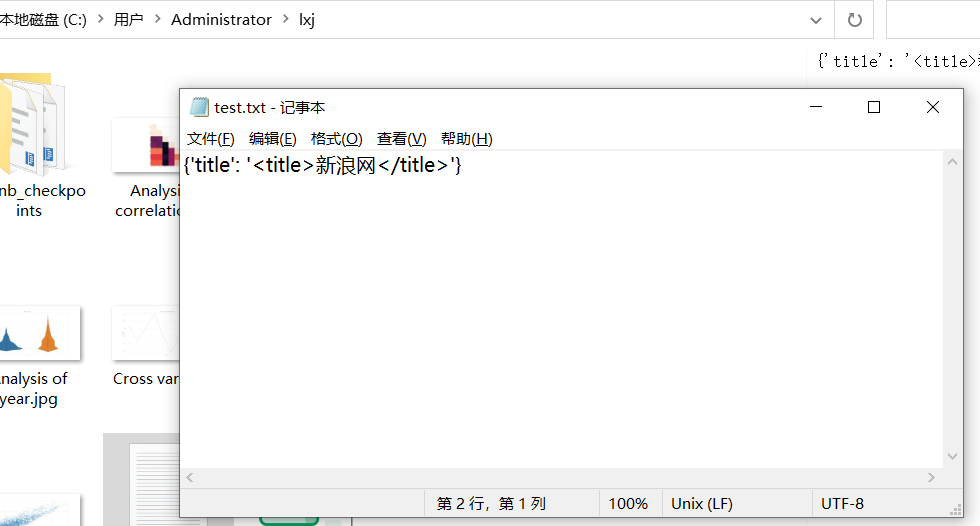
        self.file = codecs.open("C:/Users/Administrator/lxj/test.txt","wb",encoding="utf-8")

    def process_item(self, item, spider):
        ll=str(item)+'\n'
        self.file.write(ll)
        return item
    def close_spider(self,spider):
self.file.close()- 执行行爬虫文件 命令:scrapy crawl myspider --nolog