一、设定前置情况
1、要求服务器参数
●GPU: NVIDIA T4 16GB ×1
●CPU:8核
●内存:32G
●磁盘:≥100 GB SSD
●NVIDIA驱动: ≥570.117(CUDA 12.8 配套)
●CUDA/cuDNN:容器内置 CUDA 12.8 + cuDNN 9
●Python: 3.12
●推理框架: PyTorch 2.10.0 + torchvision 0.25.0
2、本地电脑参数
- GPU:NVIDIA GeForch GTX 1660Ti
- CUDA Version: 11.6
- Driver Version: 511.23
- NVIDIA-SMI 511.23
- 处理器:Intel(R) Core(TM) i5-9400 CPU @ 2.90GHz 2.90 GHz
- 机带RAM:8.00 GB (7.84 GB 可用)
- 系统类型:64 位操作系统, 基于 x64 的处理器
- Windows规格:版本:Windows 11 家庭中文版 版本号:23H2 操作系统版本:22631.5624
- 显存:6G
二、在本地电脑参数的基础上安装
python
# CUDA 12.8
pip install torch==2.10.0 torchvision==0.25.0 torchaudio==2.10.0 --index-url https://download.pytorch.org/whl/cu128
安装成功后,验证pytorch是否可用:
python
>>> import torch
>>> print(torch.__version__)
2.10.0+cu128
>>> print(torch.cuda.is_available())
E:\Users\Hasee\anaconda3\envs\pytorch\Lib\site-packages\torch\cuda\__init__.py:184: UserWarning: CUDA initialization: The NVIDIA driver on your system is too old (found version 11060). Please update your GPU driver by downloading and installing a new version from the URL: http://www.nvidia.com/Download/index.aspx Alternatively, go to: https://pytorch.org to install a PyTorch version that has been compiled with your version of the CUDA driver. (Triggered internally at C:\actions-runner\_work\pytorch\pytorch\pytorch\c10\cuda\CUDAFunctions.cpp:119.)
  return torch._C._cuda_getDeviceCount() > 0
False
由验证结果可以看到,pytorch安装成功了,但是不可用。原因如下:
问题根源:驱动版本不匹配
本地显卡驱动版本是511.23, 最高只支持到 CUDA 11.6。
- PyTorch (cu128) 所需最低驱动 :
570.65(Windows 版)
两者之间存在巨大的版本差距,所以 PyTorch 无法调用 GPU。
解决方案:更新驱动或更换 PyTorch 版本
有两种方案可以选择:
方案一:更新 NVIDIA 显卡驱动(推荐)
这是最直接、最推荐的方法,能继续使用 PyTorch(CUDA 12.8)。
GTX 1660 Ti 完全能够通过更新驱动,来使用PyTorch (CUDA 12.8)。报错核心原因就是驱动版本过低,而不是显卡硬件本身不支持。
为什么GTX 1660 Ti显卡支持?
GTX 1660 Ti 基于 NVIDIA 的 Turing 架构 ,其计算能力(Compute Capability)为 7.5。
关键在于,从 CUDA 12.8 开始,NVIDIA 和 PyTorch 都明确将 Turing 架构(计算能力 7.5)作为最低支持门槛 。这意味着你的显卡正好在官方支持列表之内。PyTorch 社区也确认,在即将到来的 2.11 版本中,CUDA 12.8 构建将继续支持 Turing (7.5) 架构。
操作步骤如下:
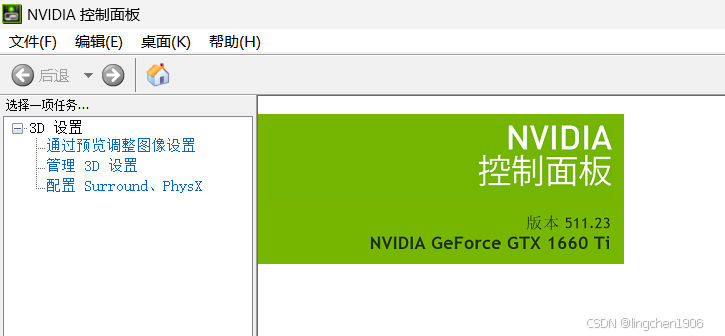
- 确认显卡型号:在"设备管理器"的"显示适配器"中,或在 NVIDIA 控制面板的"系统信息"里,找到NVIDIA 显卡型号。如下图:
- 下载驱动 :访问 NVIDIA 官方驱动下载页面
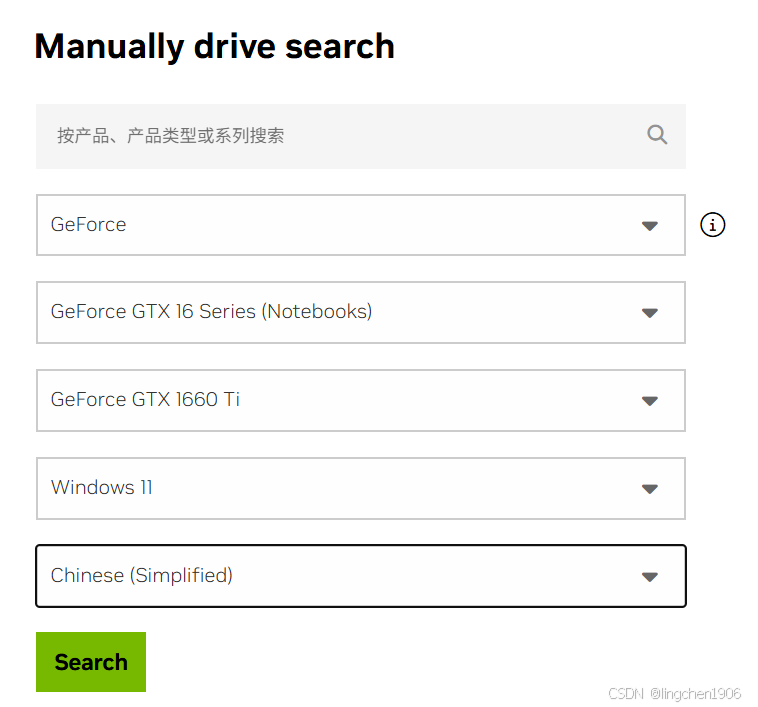
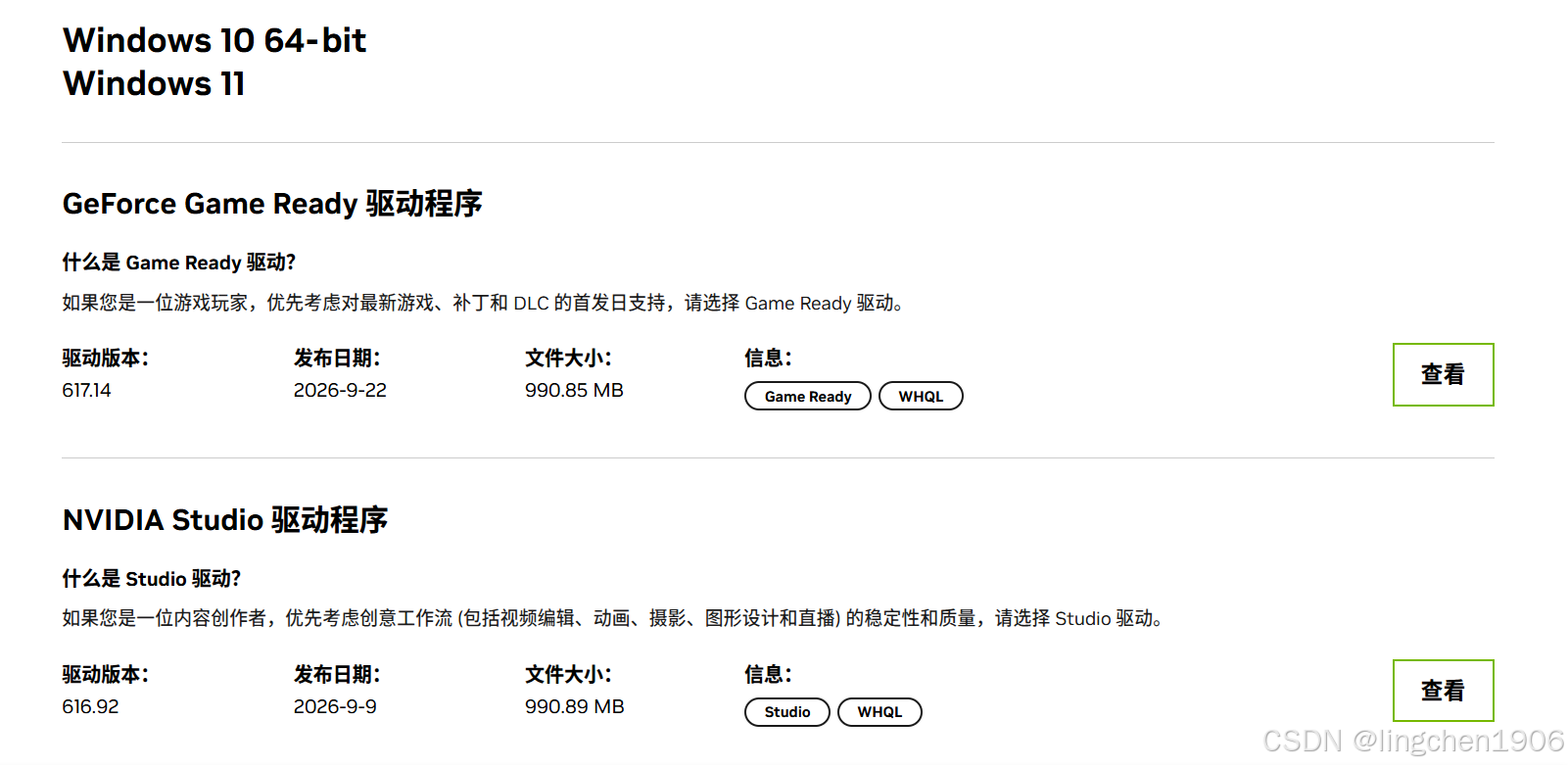
https://www.nvidia.com/Download/index.aspx,手动选择你的显卡型号和操作系统,下载最新版驱动。如下图:
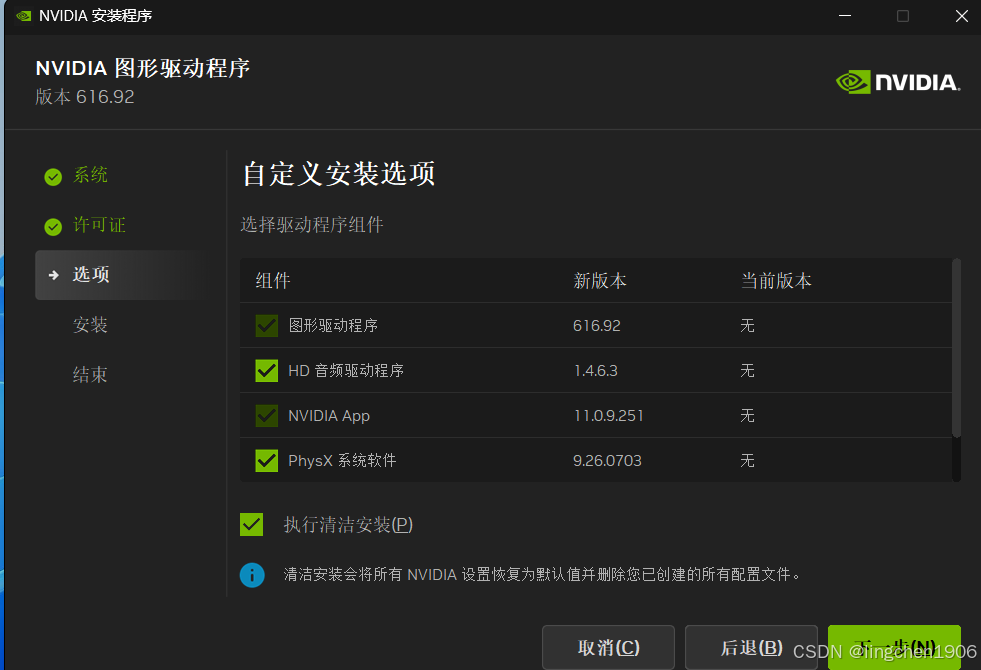
- 安装驱动 :运行下载的安装程序。建议在安装选项中勾选"执行清洁安装 ",以避免旧文件冲突。安装完成后务必重启电脑。
方案二:降级 PyTorch 到与当前驱动兼容的版本
如果你暂时不想或不能更新驱动,可以选择安装一个支持你当前 CUDA 11.6 驱动的 PyTorch 版本。
-
推荐版本 :
torch==1.13.0或torch==2.0.0等支持 CUDA 11.6 或 11.7 的版本。 -
安装命令:卸载当前的 PyTorch 后,使用以下命令安装兼容版本:
python
# 以 torch 1.13.0 + cu116 为例
pip install torch==1.13.0 torchvision==0.14.0 torchaudio==0.13.0 --index-url https://download.pytorch.org/whl/cu116-
注意 :请根据你实际需要的版本,去 PyTorch 官网找到对应的
cu116或cu117安装命令。
三、验证:
无论选择哪种方案,完成后都建议在 Python 中运行以下命令来验证 GPU 是否可用:
python
import torch
print(torch.__version__)
print(torch.cuda.is_available())
如果输出 True,就说明 PyTorch 已经可以正常使用 GPU 了。
本电脑更新驱动后验证结果如下:
python
(pytorch) C:\Users\Hasee>python
Python 3.12.14 | packaged by Anaconda, Inc. | (main, Aug 27 2026, 14:37:13) [MSC v.1942 64 bit (AMD64)] on win32
Type "help", "copyright", "credits" or "license" for more information.
>>> import torch
>>> print(torch.cuda.is_available())
True
>>> print(torch.__version__)
2.10.0+cu128