SpringBoot4 MyBatisPlus 枚举类型(enum)
前言
SpringBoot 版本:4.0.8
JDK 版本:21.0.11

IDEA 开发工具版本:2026.2
MySQL 数据库版本:8.4.11.LTS
-
关于项目
MybatisPlus 更多使用,可参考官网:https://baomidou.com/
相关依赖包坐标,可参考官网:https://mvnrepository.com/artifact/com.mysql/mysql-connector-j
-
建表 SQL
sql
 CREATE TABLE tb_client (
    id BIGINT NOT NULL PRIMARY KEY AUTO_INCREMENT COMMENT '自增ID',
    client_id BIGINT NOT NULL COMMENT 'ID编号',
    user_no VARCHAR(30) COMMENT '账号',
    user_password VARCHAR(60) COMMENT '密码',
    nick_name VARCHAR(30) COMMENT '昵称',
    real_name VARCHAR(30) COMMENT '真实姓名',
    status TINYINT NOT NULL DEFAULT 0 COMMENT '状态(0:可用,1:禁用)',
    info JSON COMMENT '扩展信息',
    created_time DATETIME NOT NULL DEFAULT CURRENT_TIMESTAMP COMMENT '创建时间',
    upated_time DATETIME NOT NULL DEFAULT CURRENT_TIMESTAMP COMMENT '更新时间'
) COMMENT = '客户端信息表';


INSERT INTO tb_client
(client_id, user_no, user_password, nick_name, real_name, info)
VALUES
(100001, 'zhangsan', '123456', '张三', '张三', '{"age": 25, "gender": "male", "city": "上海"}'),
(100002, 'lisi', '123456', '李四', '李四', '{"age": 28, "gender": "male", "city": "北京"}'),
(100003, 'wangwu', '123456', '王五', '王五', '{"age": 30, "gender": "male", "city": "深圳"}');
创建工程
参考《SpringBoot4 MyBatisPlus 代码自动生成》,
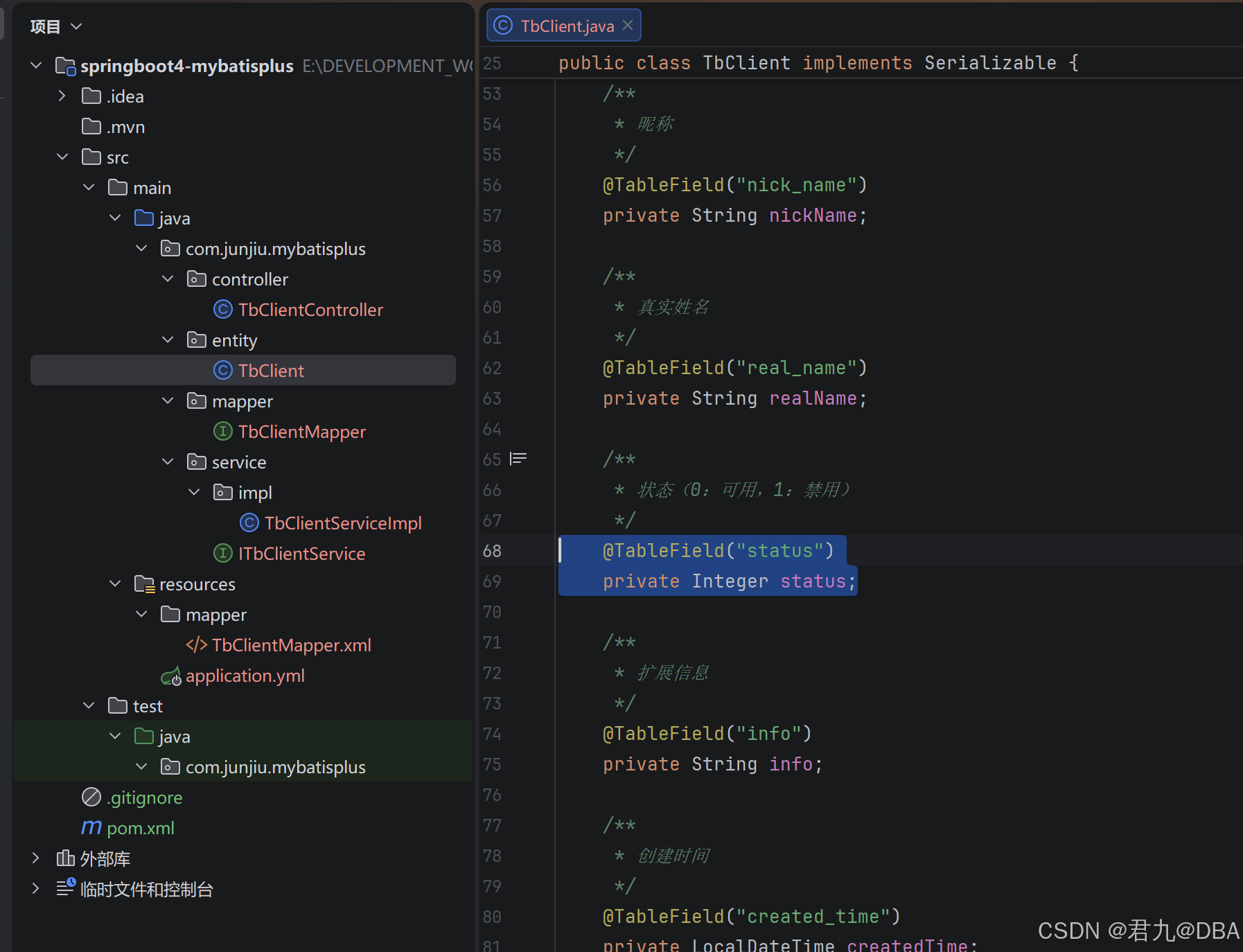
使用代码自动生成如下:
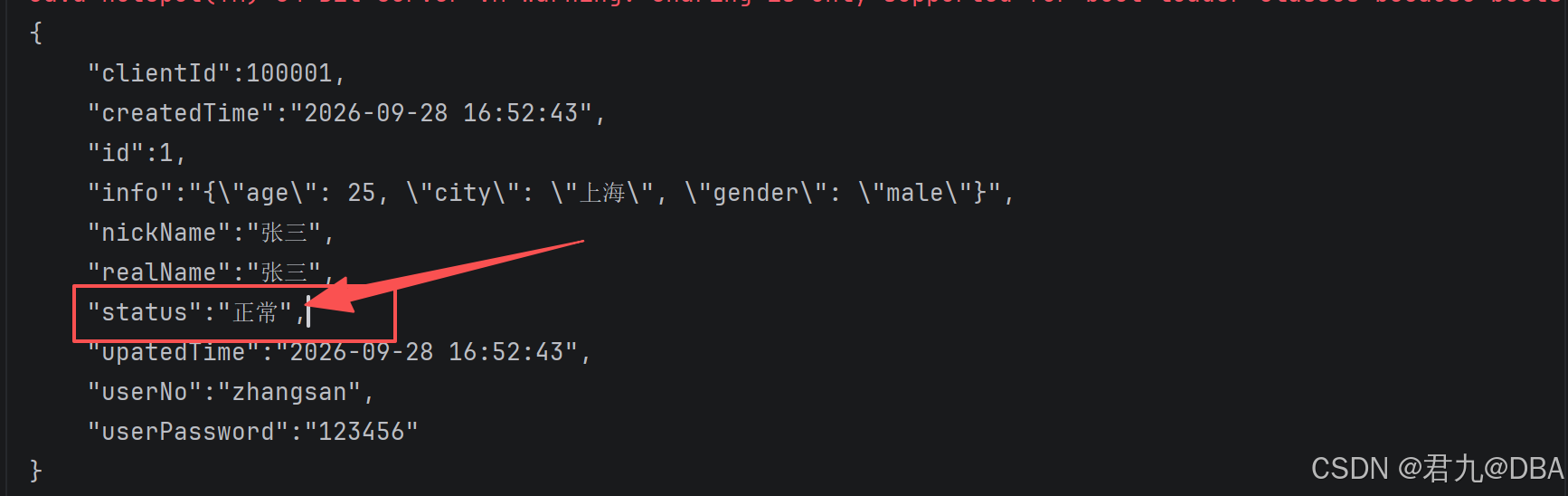
用户状态(status)是 Integer 类型,建议修改为 枚举 类型.
pom.xml
xml
<project xmlns="http://maven.apache.org/POM/4.0.0" xmlns:xsi="http://www.w3.org/2001/XMLSchema-instance"
  xsi:schemaLocation="http://maven.apache.org/POM/4.0.0 http://maven.apache.org/xsd/maven-4.0.0.xsd">

  <parent>
    <groupId>org.springframework.boot</groupId>
    <artifactId>spring-boot-starter-parent</artifactId>
    <version>4.0.8</version>
    <relativePath/>
  </parent>

  <modelVersion>4.0.0</modelVersion>

  <groupId>com.junjiu.mybatisplus</groupId>
  <artifactId>springboot4-mybatisplus</artifactId>
  <version>1.0-SNAPSHOT</version>
  <packaging>jar</packaging>

  <name>springboot4-mybatisplus</name>
  <url>http://maven.apache.org</url>


  <properties>
    <maven.compiler.source>21</maven.compiler.source>
    <maven.compiler.target>21</maven.compiler.target>
    <project.build.sourceEncoding>UTF-8</project.build.sourceEncoding>

    <mybatis-plus.version>3.5.17</mybatis-plus.version>
    <fastjson2.version>2.0.65</fastjson2.version>
    <druid.version>1.2.28</druid.version>

  </properties>


  <dependencies>

    <dependency>
      <groupId>org.springframework.boot</groupId>
      <artifactId>spring-boot-starter-webmvc</artifactId>
    </dependency>

    <!-- ======================================= -->
    <!-- MyBatis Plus -->
    <!-- ======================================= -->
    <dependency>
      <groupId>com.baomidou</groupId>
      <artifactId>mybatis-plus-spring-boot4-starter</artifactId>
      <version>${mybatis-plus.version}</version>
    </dependency>

    <!-- ======================================= -->
    <!-- MySQL -->
    <!-- Spring Boot 4.0.8 BOM 管理版本:9.7.0 -->
    <!-- ======================================= -->
    <dependency>
      <groupId>com.mysql</groupId>
      <artifactId>mysql-connector-j</artifactId>
      <scope>runtime</scope>
    </dependency>

    <!-- ======================================= -->
    <!-- Druid -->
    <!-- ======================================= -->
    <dependency>
      <groupId>com.alibaba</groupId>
      <artifactId>druid-spring-boot-4-starter</artifactId>
      <version>1.2.28</version>
    </dependency>

    <dependency>
      <groupId>org.projectlombok</groupId>
      <artifactId>lombok</artifactId>
      <scope>annotationProcessor</scope>
    </dependency>

    <dependency>
      <groupId>com.alibaba.fastjson2</groupId>
      <artifactId>fastjson2</artifactId>
      <version>${fastjson2.version}</version>
    </dependency>

    <dependency>
      <groupId>org.springframework.boot</groupId>
      <artifactId>spring-boot-starter-test</artifactId>
    </dependency>

  </dependencies>

</project>
application.yml
yaml
spring:
  application:
    name: springboot3-mybatisplus-pro
  datasource:
    type: com.alibaba.druid.pool.DruidDataSource
    driver-class-name: com.mysql.cj.jdbc.Driver
    url: jdbc:mysql://192.168.88.101:3305/testdb?useUnicode=true&characterEncoding=UTF-8&serverTimezone=Asia/Shanghai&useSSL=false&allowPublicKeyRetrieval=true
    username: admin
    password: Qwer@1314

    druid:
      # 初始化连接数
      initial-size: 5
      # 最小空闲连接数
      min-idle: 5
      # 最大连接数
      max-active: 20
      # 获取连接最大等待时间
      max-wait: 60000
      # 定期检测空闲连接
      time-between-eviction-runs-millis: 60000
      # 最小空闲时间
      min-evictable-idle-time-millis: 300000
      # 连接有效性检测
      validation-query: SELECT 1
      test-while-idle: true
      test-on-borrow: false
      test-on-return: false
      # SQL 统计
      filter:
        stat:
          enabled: true
          log-slow-sql: true
          slow-sql-millis: 2000
        wall:
          enabled: true

mybatis-plus:
  mapper-locations: classpath*:/mapper/**/*.xml
  type-aliases-package: com.junjiu.**.entity
  configuration:
    map-underscore-to-camel-case: true
    cache-enabled: false
  global-config:
    banner: false
    db-config:
      id-type: assign_id
      logic-delete-field: deleted
      logic-delete-value: 1
      logic-not-delete-value: 0
创建枚举类(UserStatusEnum)
java
package com.junjiu.mybatisplus.entity;

import com.baomidou.mybatisplus.annotation.EnumValue;
import lombok.Getter;

/**
 * 用户状态枚举
 *
 */
@Getter
public enum UserStatusEnum {

    NORMAL(0, "正常"),
    FREEZE(1, "冻结");

    @EnumValue
    private Integer code;
    private String message;

    UserStatusEnum(Integer code, String message) {
        this.code = code;
        this.message = message;
    }

}
调整实体类(TbClient)
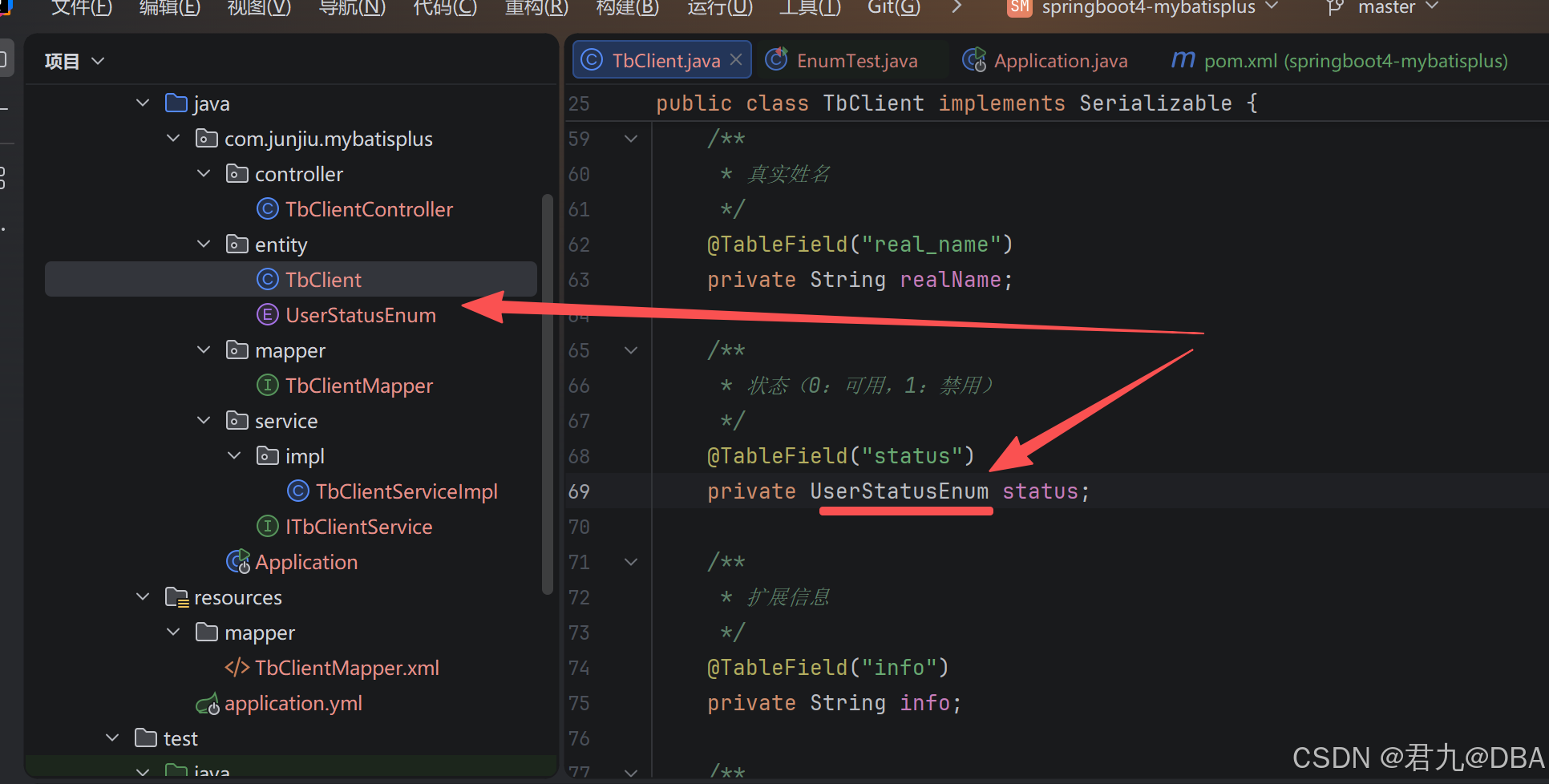
将用户状态(status)的类型由 Integer 修改为枚举类型(UserStatusEnum)
创建测试类
EnumTest
java
package com.junjiu.mybatisplus;

import com.alibaba.fastjson2.JSON;
import com.alibaba.fastjson2.JSONWriter;
import com.junjiu.mybatisplus.entity.TbClient;
import com.junjiu.mybatisplus.service.ITbClientService;
import org.junit.jupiter.api.Test;
import org.springframework.beans.factory.annotation.Autowired;
import org.springframework.boot.test.context.SpringBootTest;

@SpringBootTest
public class EnumTest {

    @Autowired
    ITbClientService clientService;

    @Test
    public void testSelect() {

        TbClient client = clientService.getById(1);
        System.out.println(JSON.toJSONString(client, JSONWriter.Feature.PrettyFormat));
    }
}
运行结果如下:
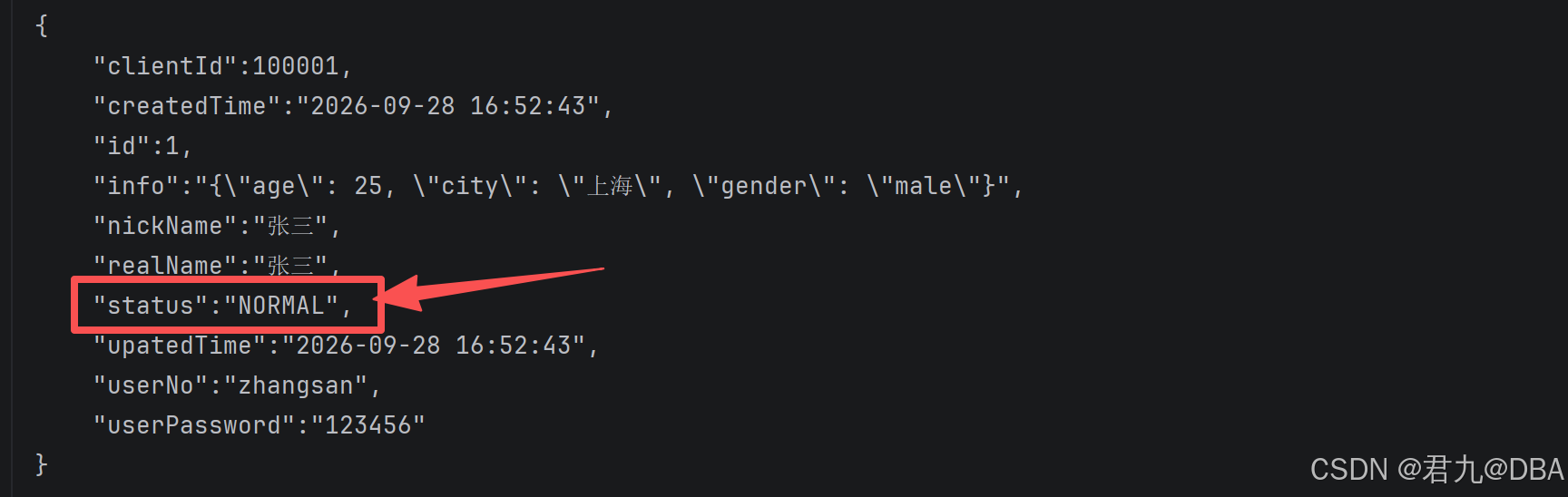
若想让结果显示为 code 或者 message ,则需要在 enum 上面添加 @JSONField 注解。
例如:
java
    @JSONField
    private String message;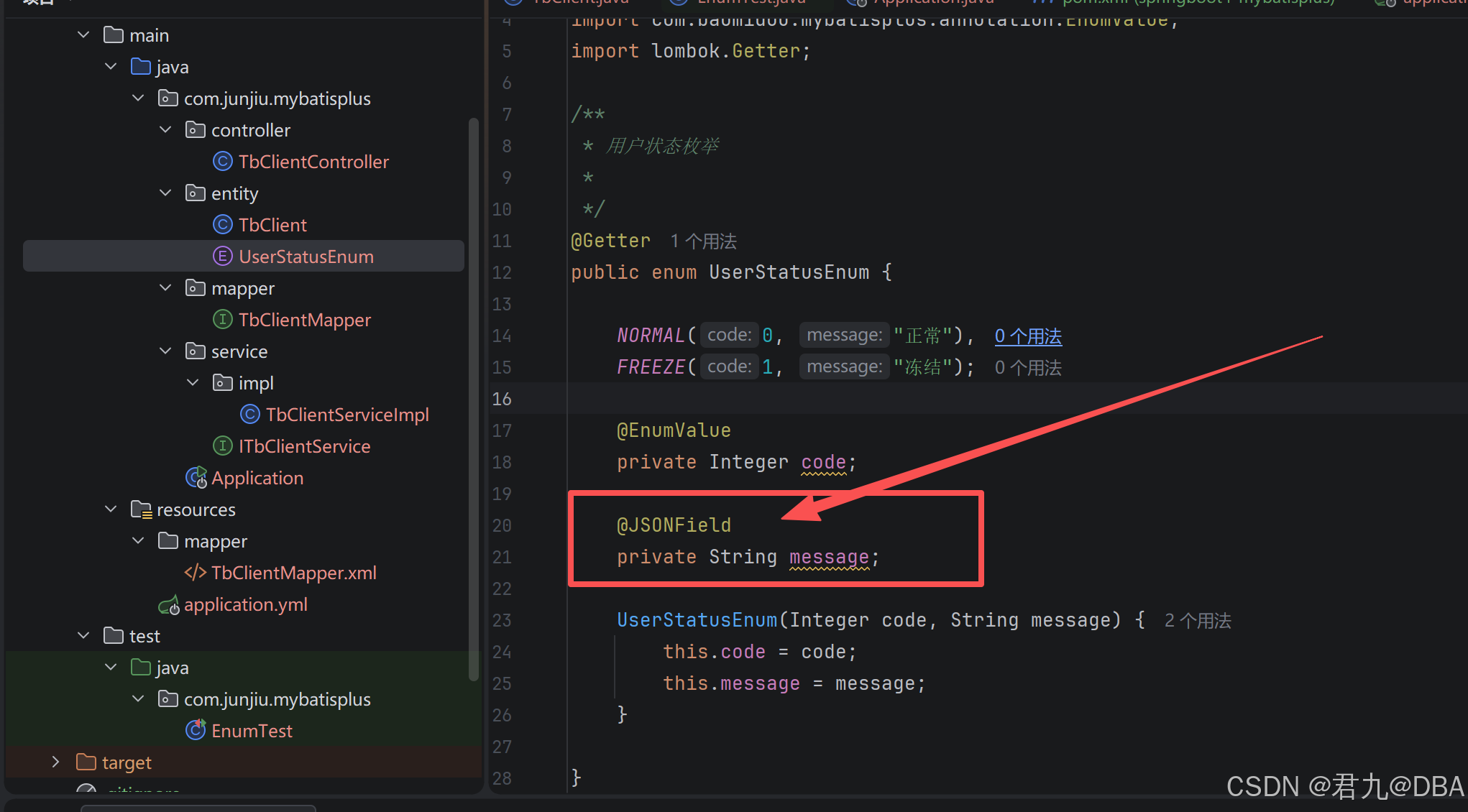
再次运行测试结果,如下: