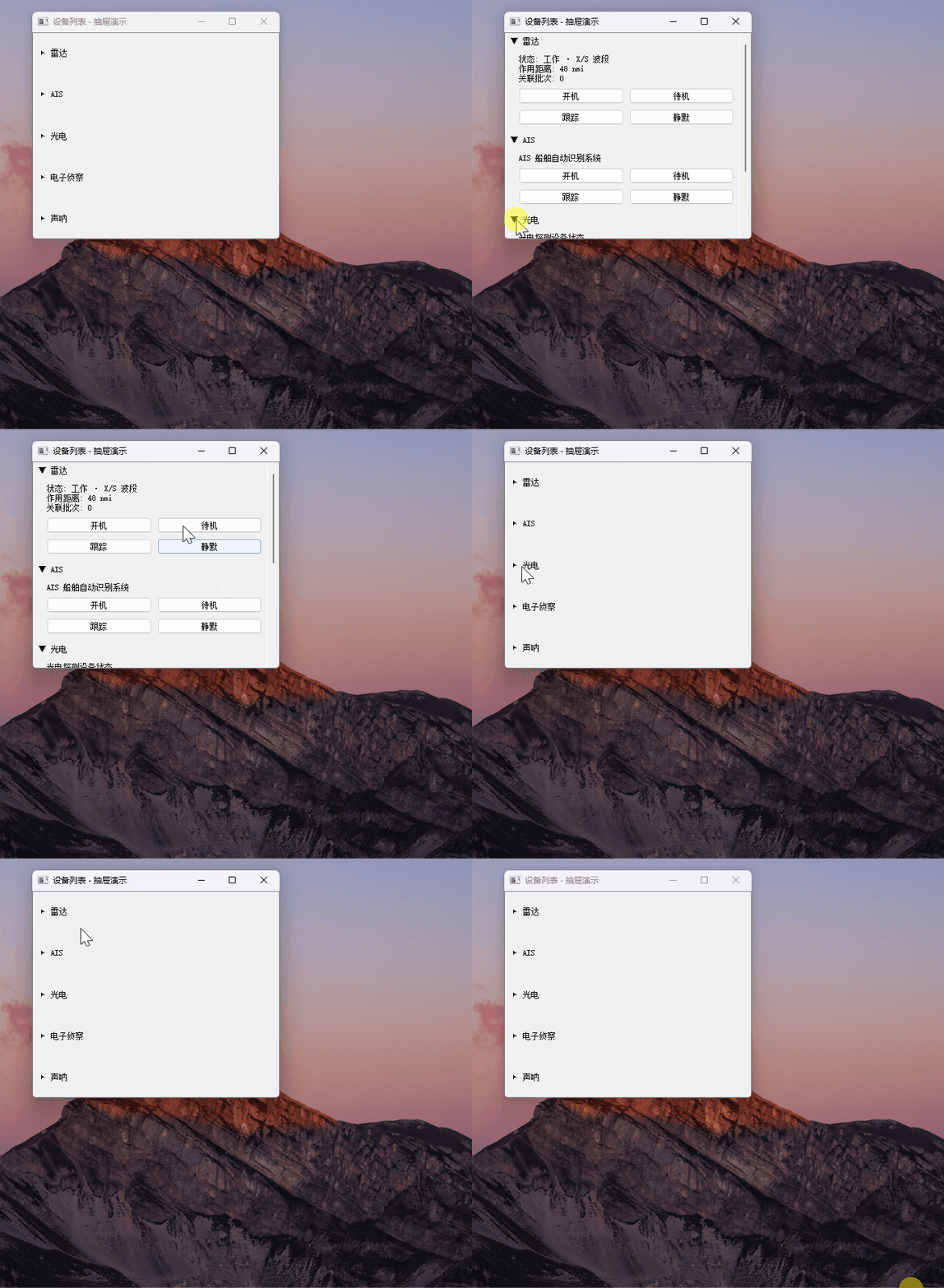
cpp
#ifndef DRAWERITEM_H
#define DRAWERITEM_H

#include <QWidget>
#include <QLabel>
#include <QVBoxLayout>

/**
 * @brief 抽屉项: 标题栏(可点击切换) + 内容区(由调用者塞入)
 *
 * 多展开模式: 每个抽屉项独立开合,互不影响。
 * 无动画,无样式表,内容区由调用方通过 setContentWidget() 注入。
 */
class DrawerItem : public QWidget
{
    Q_OBJECT
public:
    explicit DrawerItem(const QString& title, QWidget* parent = nullptr);

    // 注入内容区。旧的 contentWidget 会被自动释放。
    void setContentWidget(QWidget* w);

    // 展开/收起
    void setExpanded(bool on);
    bool isExpanded() const { return expanded; }

    // 修改标题
    void setTitle(const QString& t);

signals:
    // 展开/收起状态变化通知(多展开模式下可选,用于外部联动)
    void expandedChanged(bool expanded);

protected:
    // 监听标题栏及其子控件的点击
    bool eventFilter(QObject* obj, QEvent* e) override;

private:
    void updateArrow();

    QWidget*     headerWidget;   // 标题栏容器
    QLabel*      arrowLabel;     // ▶ / ▼ 指示
    QLabel*      titleLabel;     // 标题文字
    QWidget*     contentWidget;  // 调用方注入的内容区
    QVBoxLayout* outerLayout;    // 自身的纵向布局
    bool         expanded;
};

#endif // DRAWERITEM_H
cpp
#include "DrawerItem.h"
#include <QHBoxLayout>
#include <QEvent>
#include <QMouseEvent>

DrawerItem::DrawerItem(const QString& title, QWidget* parent)
    : QWidget(parent)
    , headerWidget(nullptr)
    , arrowLabel(nullptr)
    , titleLabel(nullptr)
    , contentWidget(nullptr)
    , outerLayout(nullptr)
    , expanded(false)
{
    outerLayout = new QVBoxLayout(this);
    outerLayout->setContentsMargins(0, 0, 0, 0);
    outerLayout->setSpacing(0);

    // 标题栏
    headerWidget = new QWidget(this);
    auto* headerLay = new QHBoxLayout(headerWidget);
    headerLay->setContentsMargins(8, 6, 8, 6);
    headerLay->setSpacing(6);

    arrowLabel = new QLabel(QStringLiteral("\u25B6"), headerWidget);  // ▶
    arrowLabel->setFixedWidth(12);
    arrowLabel->setAlignment(Qt::AlignCenter);

    titleLabel = new QLabel(title, headerWidget);

    headerLay->addWidget(arrowLabel);
    headerLay->addWidget(titleLabel);
    headerLay->addStretch();

    outerLayout->addWidget(headerWidget);

    // 让标题栏容器及其子控件的点击都触发开合切换
    headerWidget->installEventFilter(this);
    arrowLabel->installEventFilter(this);
    titleLabel->installEventFilter(this);
}

void DrawerItem::setContentWidget(QWidget* w)
{
    // 移除并释放旧内容区
    if (contentWidget) {
        outerLayout->removeWidget(contentWidget);
        contentWidget->deleteLater();
    }

    contentWidget = w;
    if (w) {
        w->setParent(this);
        outerLayout->addWidget(w);
        w->setVisible(expanded);  // 按当前状态决定可见性
    }
}

void DrawerItem::setExpanded(bool on)
{
    if (expanded == on) return;
    expanded = on;

    if (contentWidget)
        contentWidget->setVisible(expanded);

    updateArrow();
    emit expandedChanged(expanded);
}

void DrawerItem::setTitle(const QString& t)
{
    titleLabel->setText(t);
}

void DrawerItem::updateArrow()
{
    // 展开 ▼, 收起 ▶
    arrowLabel->setText(expanded ? QStringLiteral("\u25BC") : QStringLiteral("\u25B6"));
}

bool DrawerItem::eventFilter(QObject* obj, QEvent* e)
{
    if (e->type() == QEvent::MouseButtonPress) {
        if (obj == headerWidget || obj == arrowLabel || obj == titleLabel) {
            setExpanded(!expanded);
            return true;  // 事件已处理,不再向下传递
        }
    }
    return QWidget::eventFilter(obj, e);
}
cpp
#include <QApplication>
#include <QMainWindow>
#include <QScrollArea>
#include <QVBoxLayout>
#include <QHBoxLayout>
#include <QLabel>
#include <QPushButton>
#include <QGridLayout>

#include "DrawerItem.h"

// 占位内容区:模拟你自己实现的内容(状态文字 + 一组操作按钮)
// 你只需要照着这个方式 new 一个 QWidget, 然后 setContentWidget() 塞进来。
static QWidget* makePlaceholderContent(const QString& statusLine)
{
    auto* w = new QWidget;
    auto* lay = new QVBoxLayout(w);
    lay->setContentsMargins(20, 8, 8, 8);
    lay->setSpacing(8);

    auto* info = new QLabel(statusLine, w);
    lay->addWidget(info);

    // 2x2 操作按钮占位
    auto* btnLay = new QGridLayout();
    const QStringList names = {
        QStringLiteral("开机"), QStringLiteral("待机"),
        QStringLiteral("跟踪"), QStringLiteral("静默")
    };
    for (int i = 0; i < 4; ++i) {
        auto* btn = new QPushButton(names.value(i), w);
        btnLay->addWidget(btn, i / 2, i % 2);
    }
    lay->addLayout(btnLay);
    lay->addStretch();
    return w;
}

int main(int argc, char** argv)
{
    QApplication app(argc, argv);

    // 抽屉容器: 抽屉项紧密排列, 不加 addStretch(否则收起后会有空隙下坠)
    auto* container = new QWidget;
    auto* layout = new QVBoxLayout(container);
    layout->setContentsMargins(0, 0, 0, 0);
    layout->setSpacing(2);

    // 多展开模式: 每项独立开合
    auto* radar  = new DrawerItem(QStringLiteral("雷达"), container);
    radar->setContentWidget(makePlaceholderContent(
        QStringLiteral("状态: 工作 · X/S 波段\n作用距离: 48 nmi\n关联批次: 0")));
    radar->setExpanded(true);  // 默认展开第一个

    auto* ais    = new DrawerItem(QStringLiteral("AIS"), container);
    ais->setContentWidget(makePlaceholderContent(QStringLiteral("AIS 船舶自动识别系统")));

    auto* photo  = new DrawerItem(QStringLiteral("光电"), container);
    photo->setContentWidget(makePlaceholderContent(QStringLiteral("光电探测设备状态")));

    auto* esm    = new DrawerItem(QStringLiteral("电子侦察"), container);
    esm->setContentWidget(makePlaceholderContent(QStringLiteral("电子侦察 / ESM")));

    auto* sonar  = new DrawerItem(QStringLiteral("声呐"), container);
    sonar->setContentWidget(makePlaceholderContent(QStringLiteral("水下声学探测")));

    layout->addWidget(radar);
    layout->addWidget(ais);
    layout->addWidget(photo);
    layout->addWidget(esm);
    layout->addWidget(sonar);

    // 多展开必备: 滚动区, 防止所有项都展开时被裁切
    auto* scroll = new QScrollArea;
    scroll->setWidget(container);
    scroll->setWidgetResizable(true);

    QMainWindow win;
    win.setWindowTitle(QStringLiteral("设备列表 - 抽屉演示"));
    win.resize(360, 600);
    win.setCentralWidget(scroll);
    win.show();

    return app.exec();
}
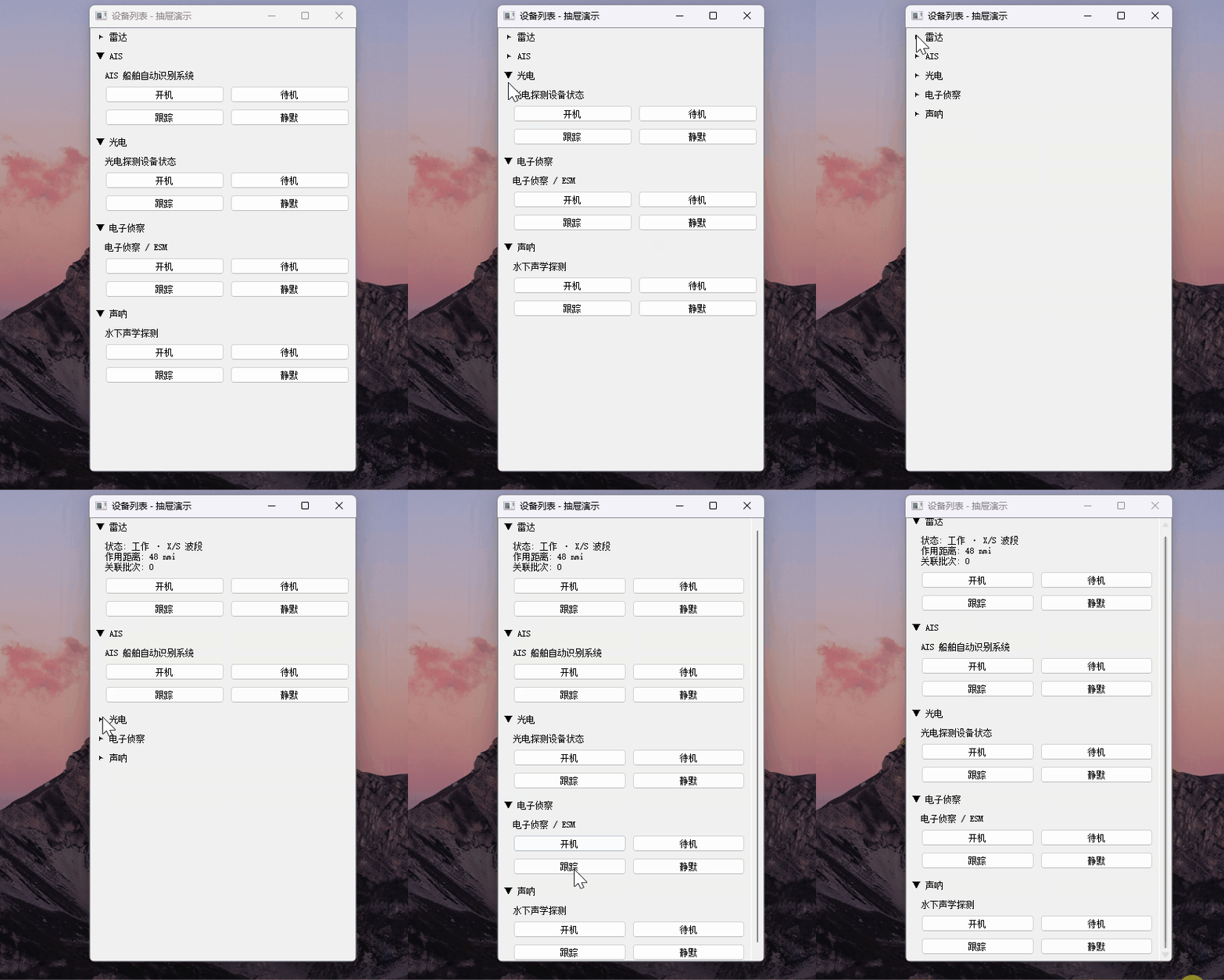
优化1:
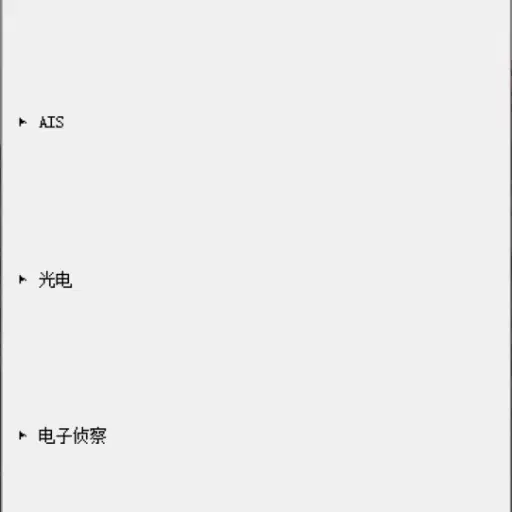
能不能往下面加一个弹簧,我觉得间距太大了
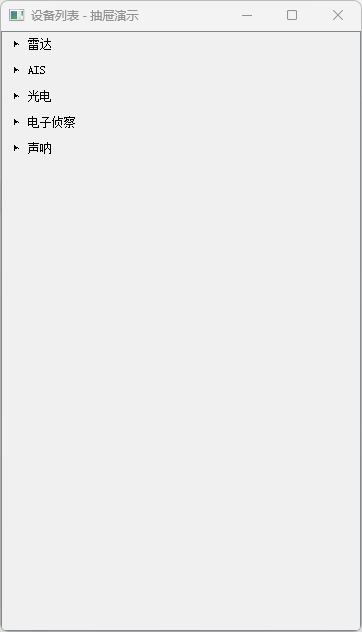
改完了。在 main.cpp#L72 末尾加了一行`layout->addStretch();` 。
效果:5 个抽屉项被推到顶部紧凑排列,下方空白由弹簧占据。
补丁2:
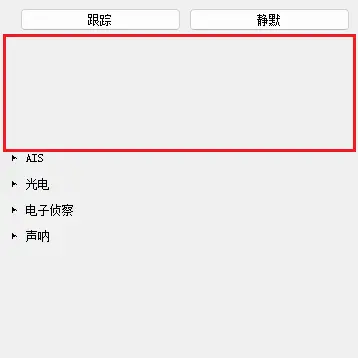
你看,这中间的空白很多,我希望DrawerItem是紧凑的,不要延展
改完了,两处改动:
- DrawerItem.cpp#L42-L44:构造里加
setSizePolicy(Preferred,Maximum),禁止 vertical 方向被拉得比sizeHint高。 - DrawerItem.cpp#L72:
setExpanded末尾加updateGeometry(),让父 layout 在开合切换时重新协商高度。
改完后的效果
-
收起状态 :`sizeHint` = 标题栏高度(约 30 像素),DrawerItem 紧贴,不会被拉高。
-
展开状态 :`sizeHint` = 标题栏 + 内容区,`contentWidget` 不被外层拉伸,内部`addStretch()` 占 0 空间, 没有大块空白 。
-
底部弹簧 :末尾`addStretch()`仍然把所有抽屉顶到上面,下方空白由弹簧占据。
原理说明(避免以后踩坑)
| size policy (vertical) | 行为 |
|---|---|
Preferred(默认) |
layout 可以把它拉得比 sizeHint 高 → 容易出现空白 |
Maximum(现在用的) |
不能比 sizeHint 高 → 紧凑 |
Fixed |
高度永远 = sizeHint,不能被压缩 |
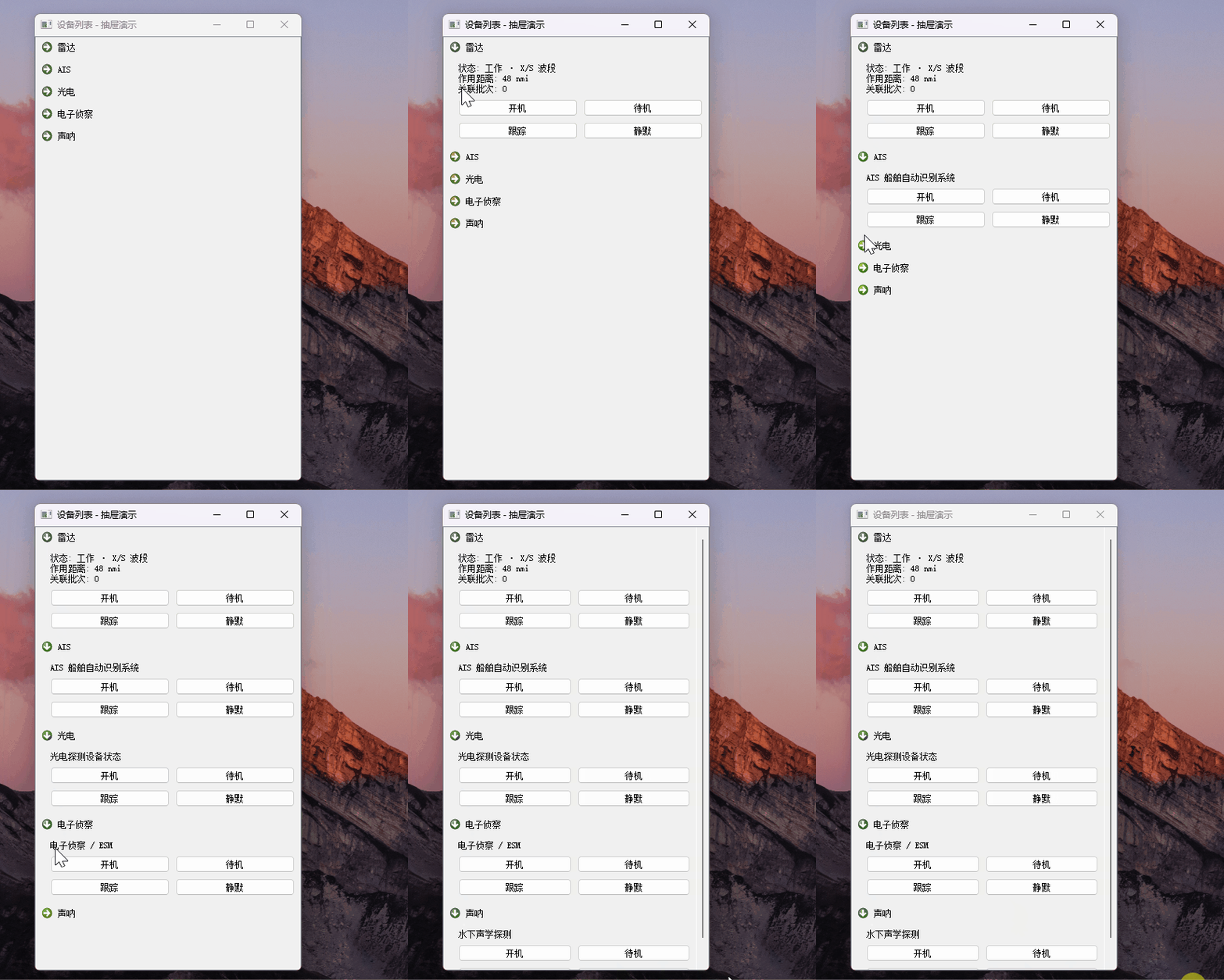
我觉得这个三角图标有点丑,我在考虑还是使用真实的图片
效果说明
-
收起:→ 系统风格的右箭头(`SP_ArrowRight` )
-
展开:↓ 系统风格的下箭头(`SP_ArrowDown` )
-
图标尺寸 16×16,跟随当前 QStyle(Windows 上默认是 Windows 风格的箭头,比 Unicode 三角精致很多)
cpp
#include "DrawerItem.h"
#include <QHBoxLayout>
#include <QEvent>
#include <QMouseEvent>
#include <QStyle>
#include <QIcon>
#include <QPixmap>

DrawerItem::DrawerItem(const QString& title, QWidget* parent)
    : QWidget(parent)
    , headerWidget(nullptr)
    , arrowLabel(nullptr)
    , titleLabel(nullptr)
    , contentWidget(nullptr)
    , outerLayout(nullptr)
    , expanded(false)
{
    outerLayout = new QVBoxLayout(this);
    outerLayout->setContentsMargins(0, 0, 0, 0);
    outerLayout->setSpacing(0);

    // 标题栏
    headerWidget = new QWidget(this);
    auto* headerLay = new QHBoxLayout(headerWidget);
    headerLay->setContentsMargins(8, 6, 8, 6);
    headerLay->setSpacing(6);

    arrowLabel = new QLabel(headerWidget);
    arrowLabel->setFixedWidth(16);
    arrowLabel->setAlignment(Qt::AlignCenter);

    titleLabel = new QLabel(title, headerWidget);

    headerLay->addWidget(arrowLabel);
    headerLay->addWidget(titleLabel);
    headerLay->addStretch();

    outerLayout->addWidget(headerWidget);

    // 让标题栏容器及其子控件的点击都触发开合切换
    headerWidget->installEventFilter(this);
    arrowLabel->installEventFilter(this);
    titleLabel->installEventFilter(this);

    // 紧凑模式: vertical 方向用 Maximum, 不允许 layout 把 DrawerItem 拉得比 sizeHint 高
    // 否则展开项内部的 contentWidget 会被拉高, 内部的 stretch 会形成大块空白
    setSizePolicy(QSizePolicy::Preferred, QSizePolicy::Maximum);

    updateArrow();   // 设置初始箭头图标(收起态)
}

void DrawerItem::setContentWidget(QWidget* w)
{
    // 移除并释放旧内容区
    if (contentWidget) {
        outerLayout->removeWidget(contentWidget);
        contentWidget->deleteLater();
    }

    contentWidget = w;
    if (w) {
        w->setParent(this);
        outerLayout->addWidget(w);
        w->setVisible(expanded);  // 按当前状态决定可见性
    }
}

void DrawerItem::setExpanded(bool on)
{
    if (expanded == on) return;
    expanded = on;

    if (contentWidget)
        contentWidget->setVisible(expanded);

    updateArrow();
    updateGeometry();   // 通知父 layout: 我的 sizeHint 变了, 请重新分配
    emit expandedChanged(expanded);
}

void DrawerItem::setTitle(const QString& t)
{
    titleLabel->setText(t);
}

void DrawerItem::updateArrow()
{
    // 用 Qt 内置标准箭头图标: 展开向下(▼), 收起向右(▶)
    QStyle::StandardPixmap sp = expanded ? QStyle::SP_ArrowDown
                                          : QStyle::SP_ArrowRight;
    QIcon icon = style()->standardIcon(sp);
    arrowLabel->setPixmap(icon.pixmap(16, 16));
}

bool DrawerItem::eventFilter(QObject* obj, QEvent* e)
{
    if (e->type() == QEvent::MouseButtonPress) {
        if (obj == headerWidget || obj == arrowLabel || obj == titleLabel) {
            setExpanded(!expanded);
            return true;  // 事件已处理,不再向下传递
        }
    }
    return QWidget::eventFilter(obj, e);
}
帮我写个qss文件,然后软件读取并全局加载
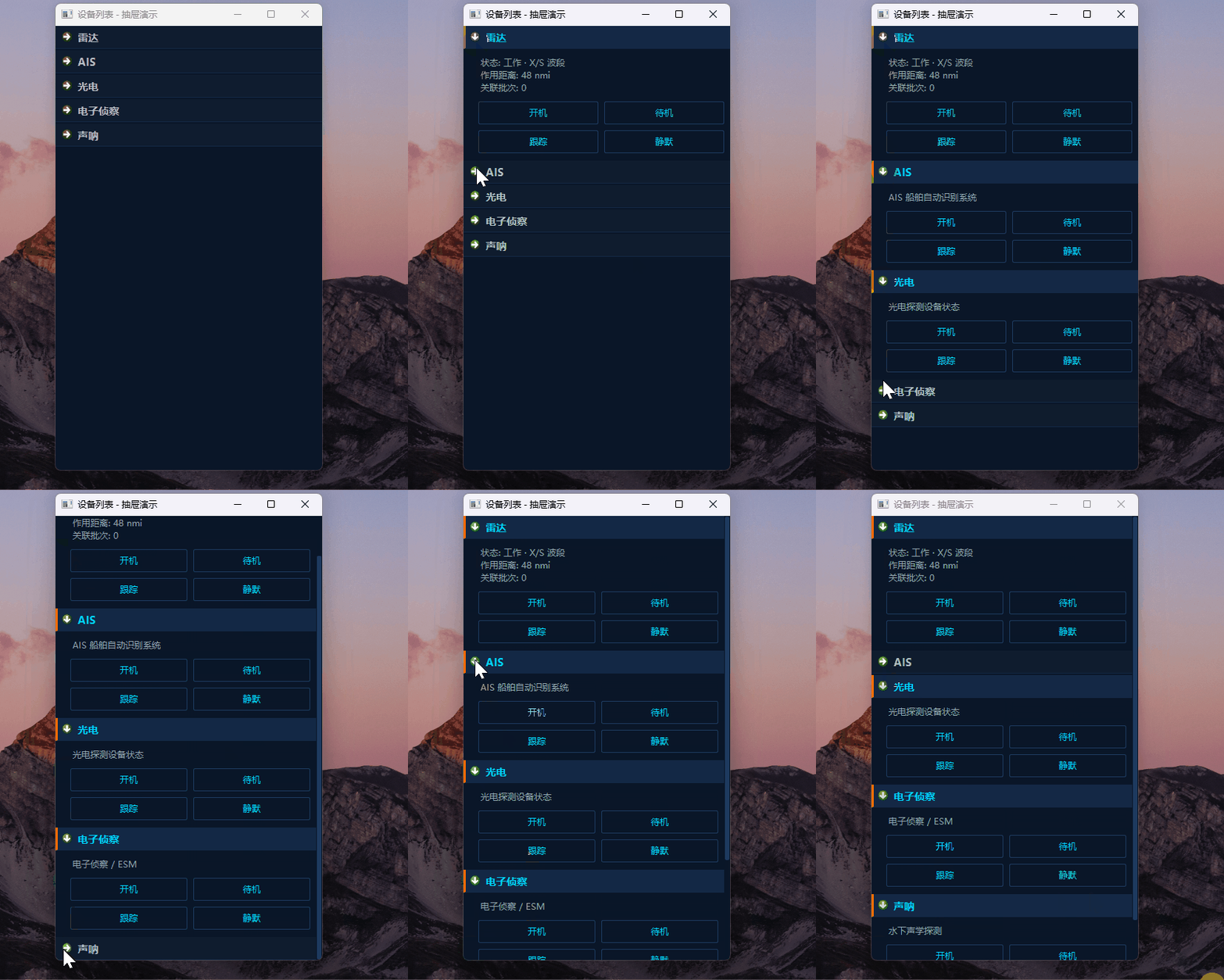
样式效果
| 元素 | 收起态 | 展开态 |
|---|---|---|
| 标题栏背景 | #0f1c2e |
#142845 |
| 标题栏左边线 | 透明 | 橙色 #ff6b00(active 标识) |
| 标题文字 | #b0bec5 灰色 |
#00d4ff 青色高亮 |
| 按钮 | 透明底 + #1e3a5f 边框 + 青色文字 |
hover 时背景变深蓝、边框变青、文字变白 |