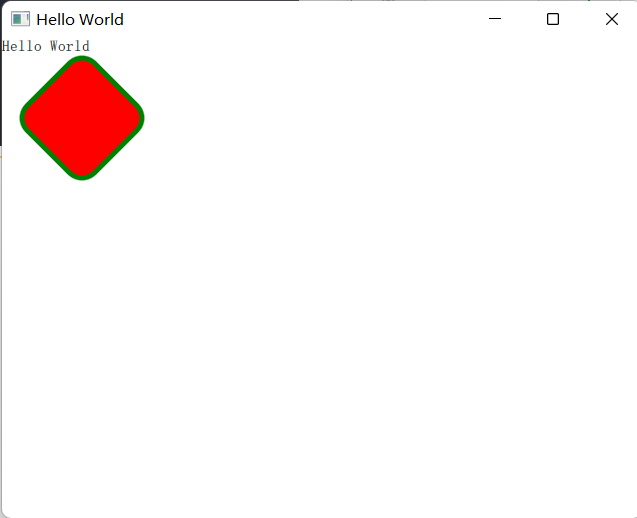
1.rectangle元素是用来绘制实心矩形
Rectangle{
        x: 30
        y: 30
        color: "red" //矩形填充色
        width: 100
        height: 100
        border.color: "green"
        border.width: 5
        radius: 20 //四个角的圆角半径
        antialiasing: true //抗锯齿,让圆角边缘平滑
        rotation: 45 //相对元素中心点顺时针旋转45°
    }
运行结果:
2.rectangle线性渐变
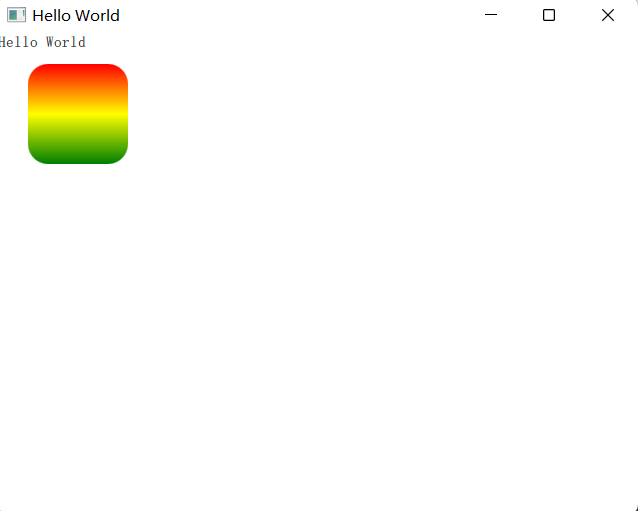
gradient属性默认是从上往下渐变,通过GrandientStop制定每个位置上的颜色,例如:
Rectangle{
        x: 30
        y: 30
        color: "red" //矩形填充色
        width: 100
        height: 100
        radius: 20
        gradient: Gradient{
            GradientStop { position: 0.0; color: "red"}
            GradientStop { position: 0.5; color: "yellow"}
            GradientStop { position: 1.0; color: "green"}
        }
    }
运行结果:
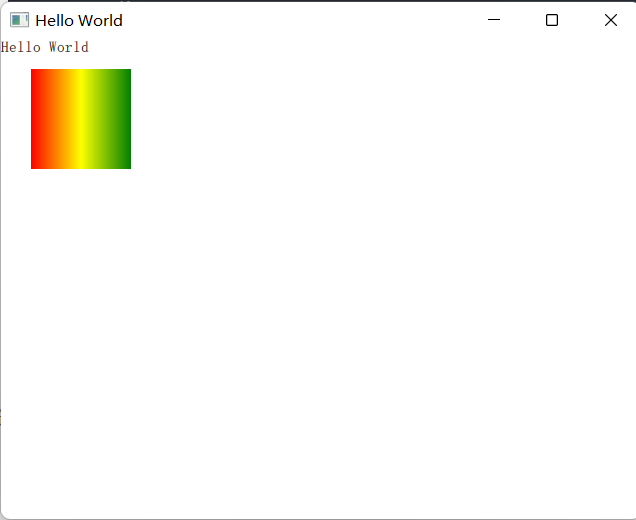
如果想要实现水平渐变、斜角渐变,则要使用LinearGradient对象,必须使用start和end属性来指定渐变的方向
start: Qt.point(int x1, int y1)
end: Qt.point(int x2, int y2)
如果x1=x2,则表示垂直渐变
如果y1=y2,则表示平行渐变
如果都不相等,则表示斜角线性渐变
Rectangle{
        x: 30
        y: 30
        color: "red" //矩形填充色
        width: 100
        height: 100
        radius: 20
        antialiasing: true; //抗锯齿
        LinearGradient{
            anchors.fill: parent //填满整个父元素
            start: Qt.point(0, 0)
            end: Qt.point(parent.width, 0)
            gradient: Gradient{
                GradientStop { position: 0.0; color: "red"}
                GradientStop { position: 0.5; color: "yellow"}
                GradientStop { position: 1.0; color: "green"}
            }
        }
    }
运行结果:
圆锥渐变------ConicalGradient
常用属性:
- angle:起始的顺时针角度位置
- horizontalOffset:中心点水平偏移位置
- verticalOffset:中心点垂直偏移位置