DataPulse一款开箱即用的SCADA(二)-安装
目录
本章节介绍DataPulse的安装,并如何运转起来
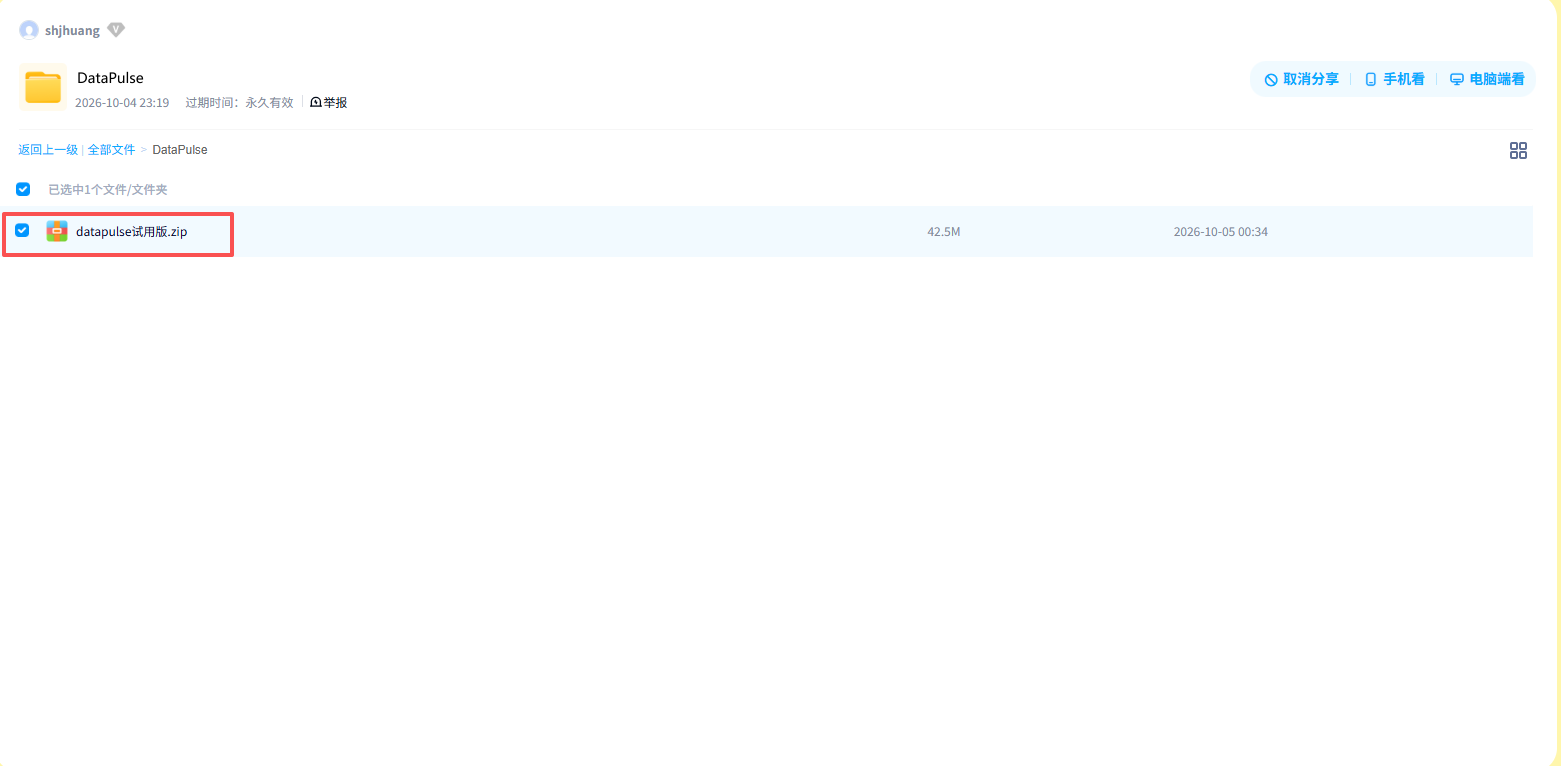
第1步:下载软件
链接: https://pan.baidu.com/s/1bupP2JqrWeJgyqdepIaueA 提取码: sr6e
找到:DataPulse试用版.zip,下载到本地电脑。
第2步:安装软件(X86)
说明:DataPulse已经把所有需要的环境打包到一起,数据采用Sqlite数据库,不需要安装其他的基础库或者数据库。当然,如果需要用到MySQL等数据库,可告警安装,本次不再多述。
- 将DataPulse解压到本地目录,例如c:\DataPulse\
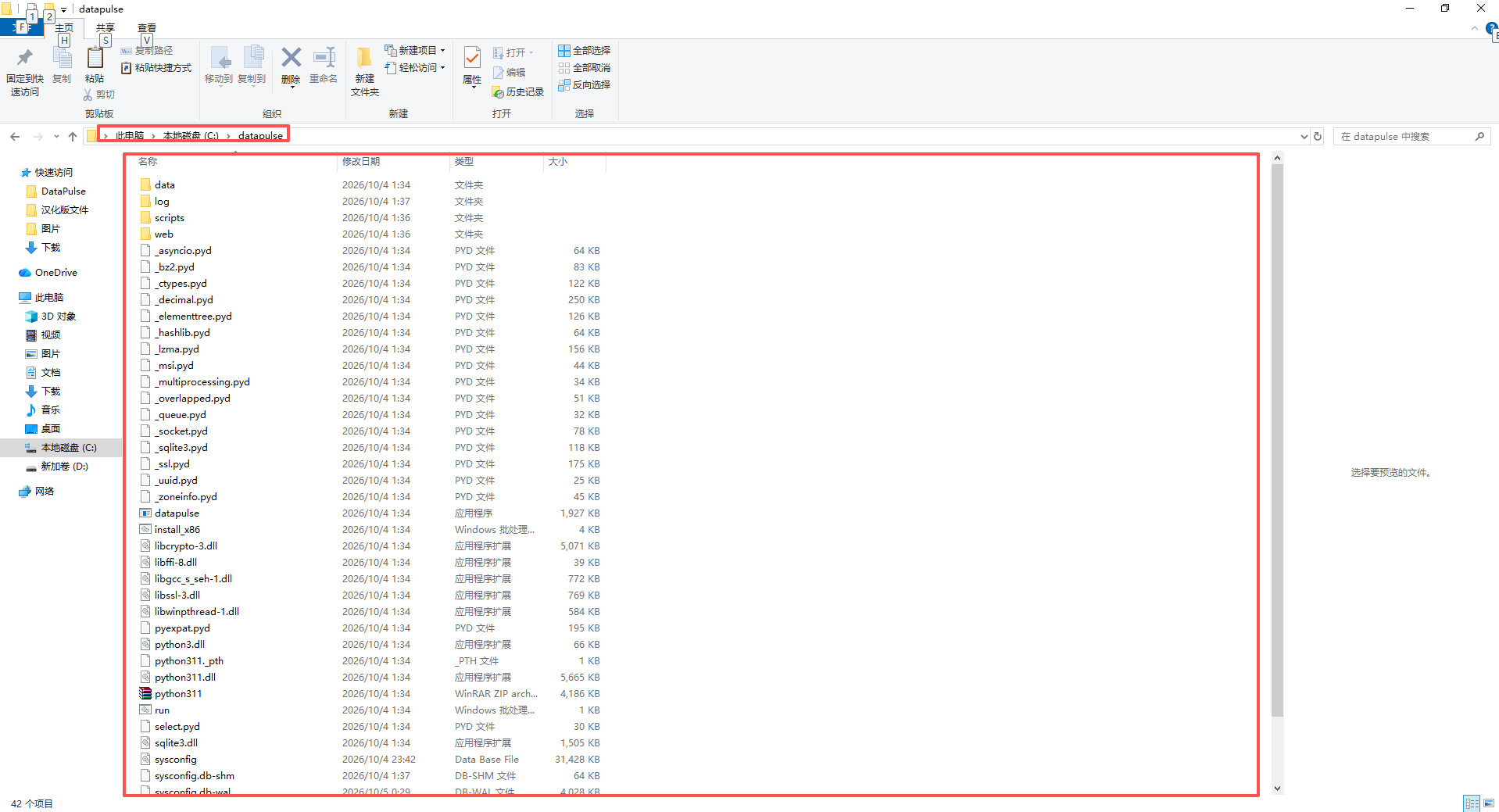
- 以管理员方式运行目录中的install_x86.bat
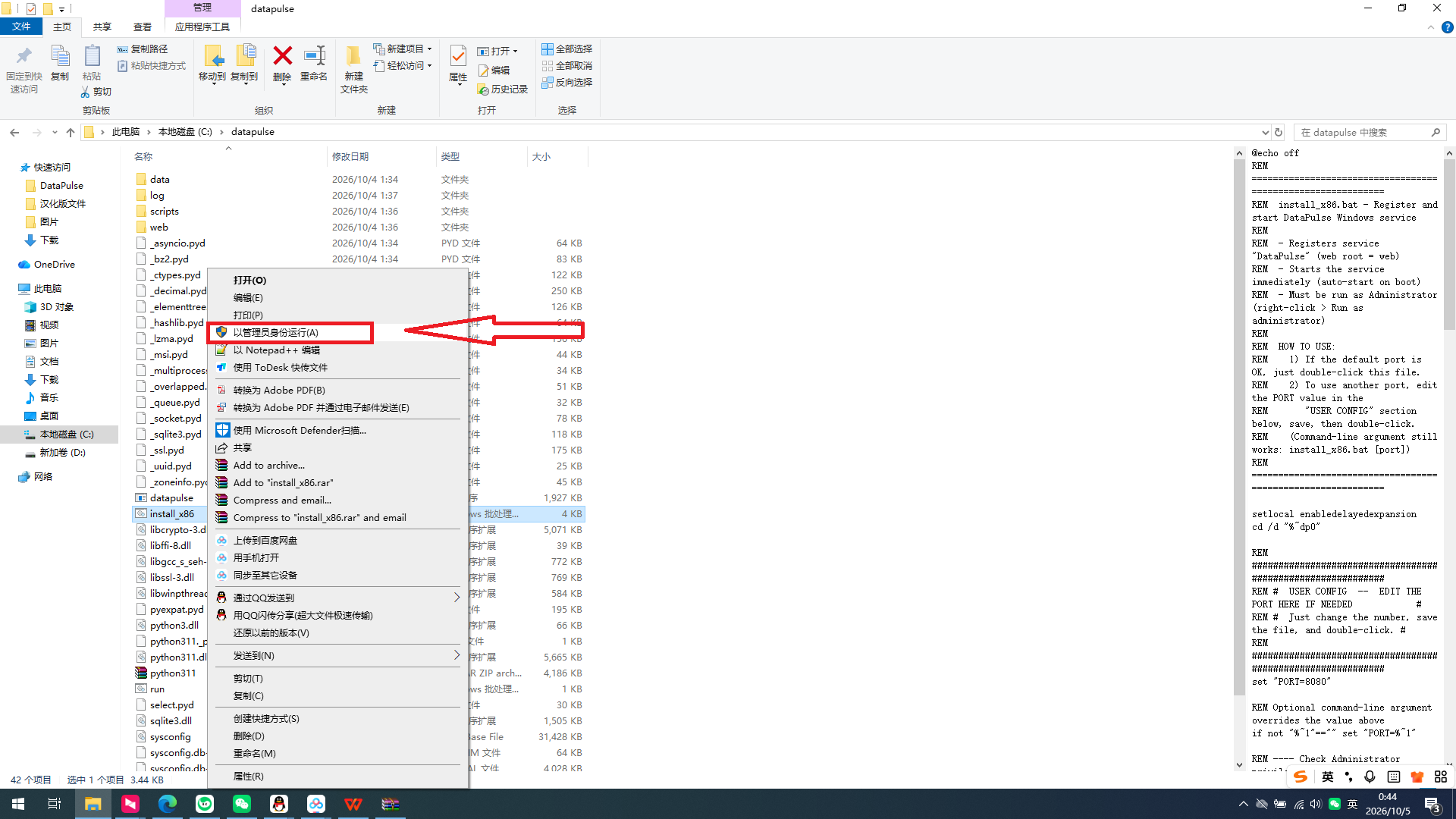
如下图 提示"服务安装成功",即可完成安装。
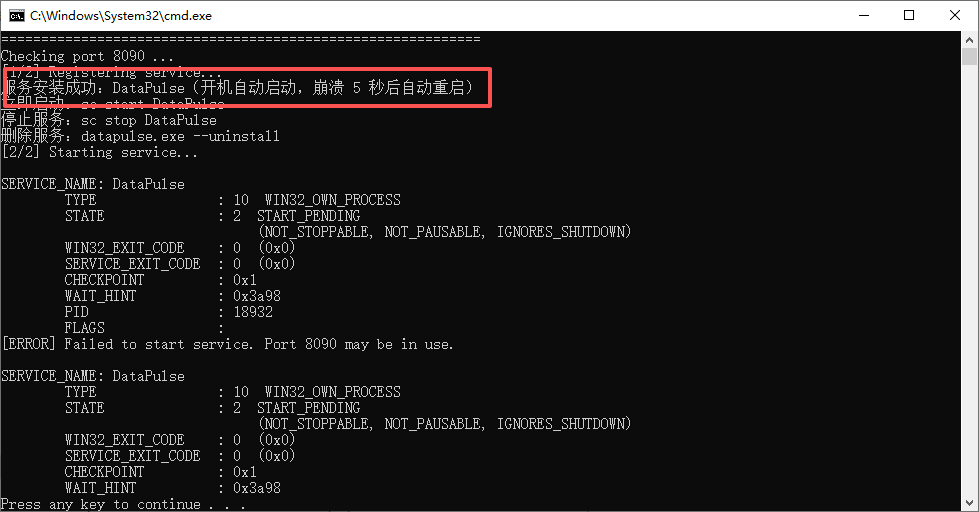
可能提示的安装错误,会提示以下内容,大概率是端口号被占用导致。
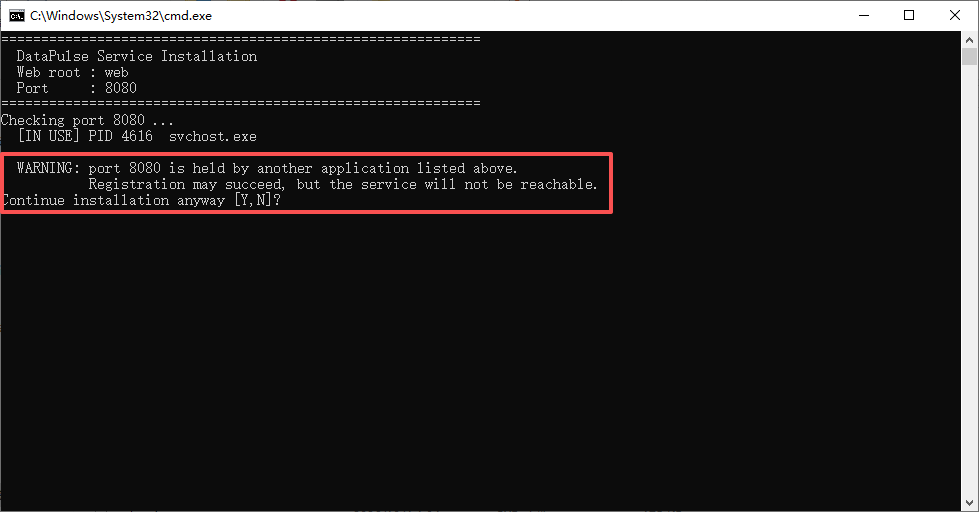
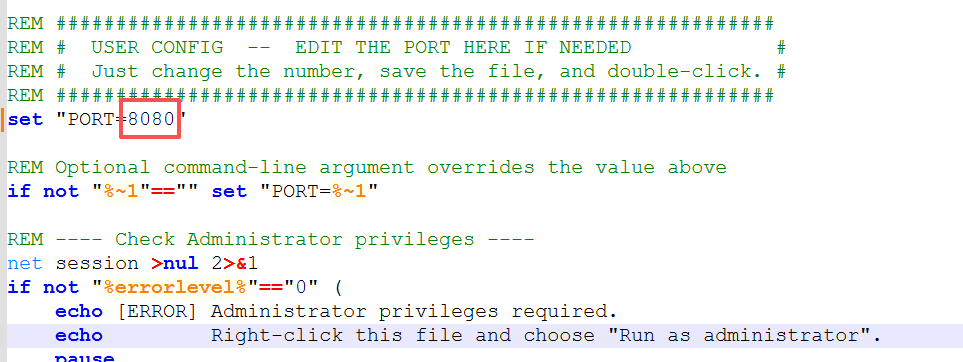
解决方案,右键以文本方式打开install_x86.bat,把set "PORT=8080"当中的8000改成未被占用的端口号即可。当然,也可以自行解决端口号占用问题。
cs
@echo off
REM ============================================================
REM  install_x86.bat - Register and start DataPulse Windows service
REM
REM  - Registers service "DataPulse" (web root = web)
REM  - Starts the service immediately (auto-start on boot)
REM  - Must be run as Administrator (right-click > Run as administrator)
REM
REM  HOW TO USE:
REM    1) If the default port is OK, just double-click this file.
REM    2) To use another port, edit the PORT value in the
REM       "USER CONFIG" section below, save, then double-click.
REM    (Command-line argument still works: install_x86.bat [port])
REM ============================================================

setlocal enabledelayedexpansion
cd /d "%~dp0"

REM ############################################################
REM #  USER CONFIG  --  EDIT THE PORT HERE IF NEEDED            #
REM #  Just change the number, save the file, and double-click. #
REM ############################################################
set "PORT=8080"

REM Optional command-line argument overrides the value above
if not "%~1"=="" set "PORT=%~1"

REM ---- Check Administrator privileges ----
net session >nul 2>&1
if not "%errorlevel%"=="0" (
    echo [ERROR] Administrator privileges required.
    echo         Right-click this file and choose "Run as administrator".
    pause
    exit /b 1
)

REM ---- Check executable ----
if not exist "datapulse.exe" (
    echo [ERROR] datapulse.exe not found in:
    echo         %cd%
    pause
    exit /b 1
)

echo ============================================================
echo   DataPulse Service Installation
echo   Web root : web
echo   Port     : %PORT%
echo ============================================================

REM ---- Check whether the port is already in use ----
echo Checking port %PORT% ...
set OTHER_BUSY=0
for /f "tokens=5" %%P in ('netstat -ano -p TCP ^| findstr /R /C:":%PORT% .*LISTENING"') do (
    set OCC_NAME=
    for /f "tokens=1 delims=," %%N in ('tasklist /FI "PID eq %%P" /FO CSV /NH 2^>nul') do set OCC_NAME=%%~N
    if /I "!OCC_NAME!"=="datapulse.exe" (
        echo   Port held by DataPulse itself ^(PID %%P^), reinstall scenario - OK.
    ) else (
        set OTHER_BUSY=1
        echo   [IN USE] PID %%P  !OCC_NAME!
    )
)
if "!OTHER_BUSY!"=="1" (
    echo.
    echo   WARNING: port %PORT% is held by another application listed above.
    echo            Registration may succeed, but the service will not be reachable.
    choice /C YN /M "Continue installation anyway"
    if errorlevel 2 (
        echo.
        echo Installation cancelled. Free the port or run: install_x86.bat ^<other-port^>
        pause
        exit /b 1
    )
)

REM ---- Register / update service ----
echo [1/2] Registering service...
datapulse.exe --install -w web -p %PORT%
if not "%errorlevel%"=="0" (
    echo [ERROR] Service registration failed.
    pause
    exit /b 1
)

REM ---- Start service if not already running ----
sc query DataPulse | findstr /I "RUNNING" >nul
if "%errorlevel%"=="0" (
    echo [2/2] Service is already running.
) else (
    echo [2/2] Starting service...
    sc start DataPulse
    if not "%errorlevel%"=="0" (
        echo [ERROR] Failed to start service. Port %PORT% may be in use.
        sc query DataPulse
        pause
        exit /b 1
    )
)

echo.
echo ============================================================
echo   Done. DataPulse service is running.
echo   Open: http://localhost:%PORT%
echo ============================================================
echo.
pause
endlocal
第3步:试运行
安装成功后,在IE输入127.0.0.1:8080,或者在其他电脑输入本机的IP地址+端口号也可以,例如192.168.1.100:8080,以下是我电脑的登录效果图,备注:我注册的端口号是8090端口。
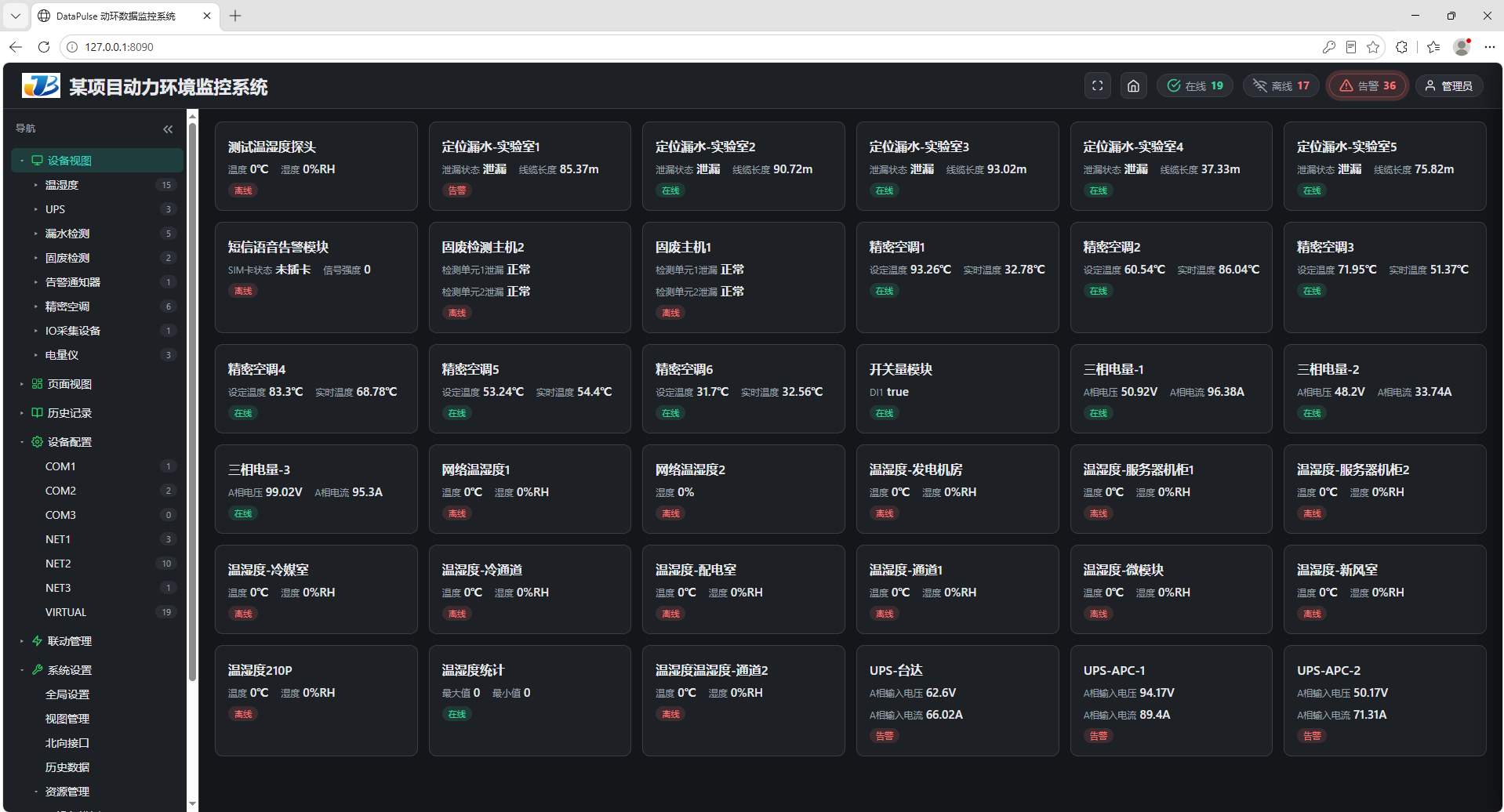
如能打开web,代表安装成功。