Tauri 套壳桌面应用实战总结
项目目标
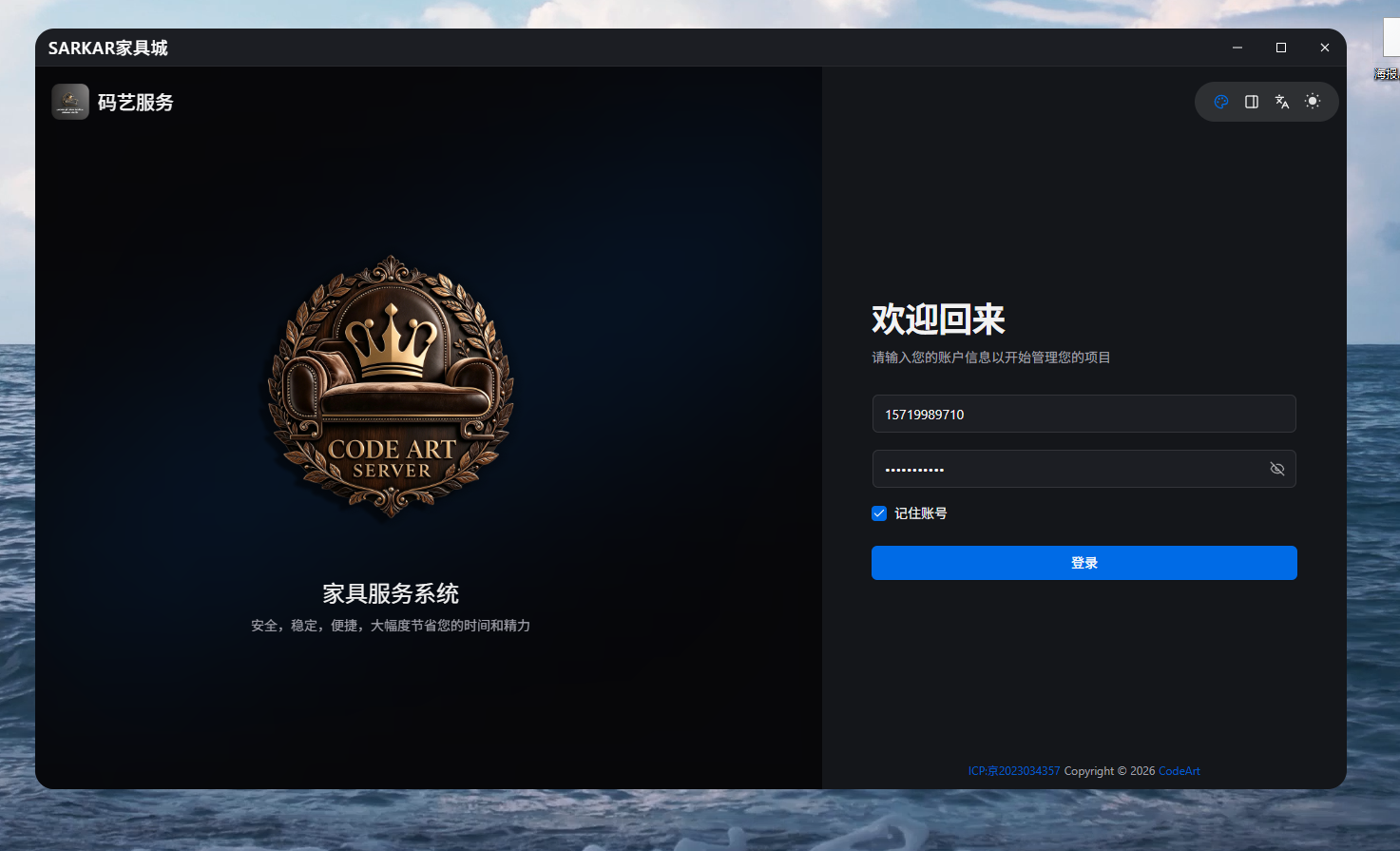
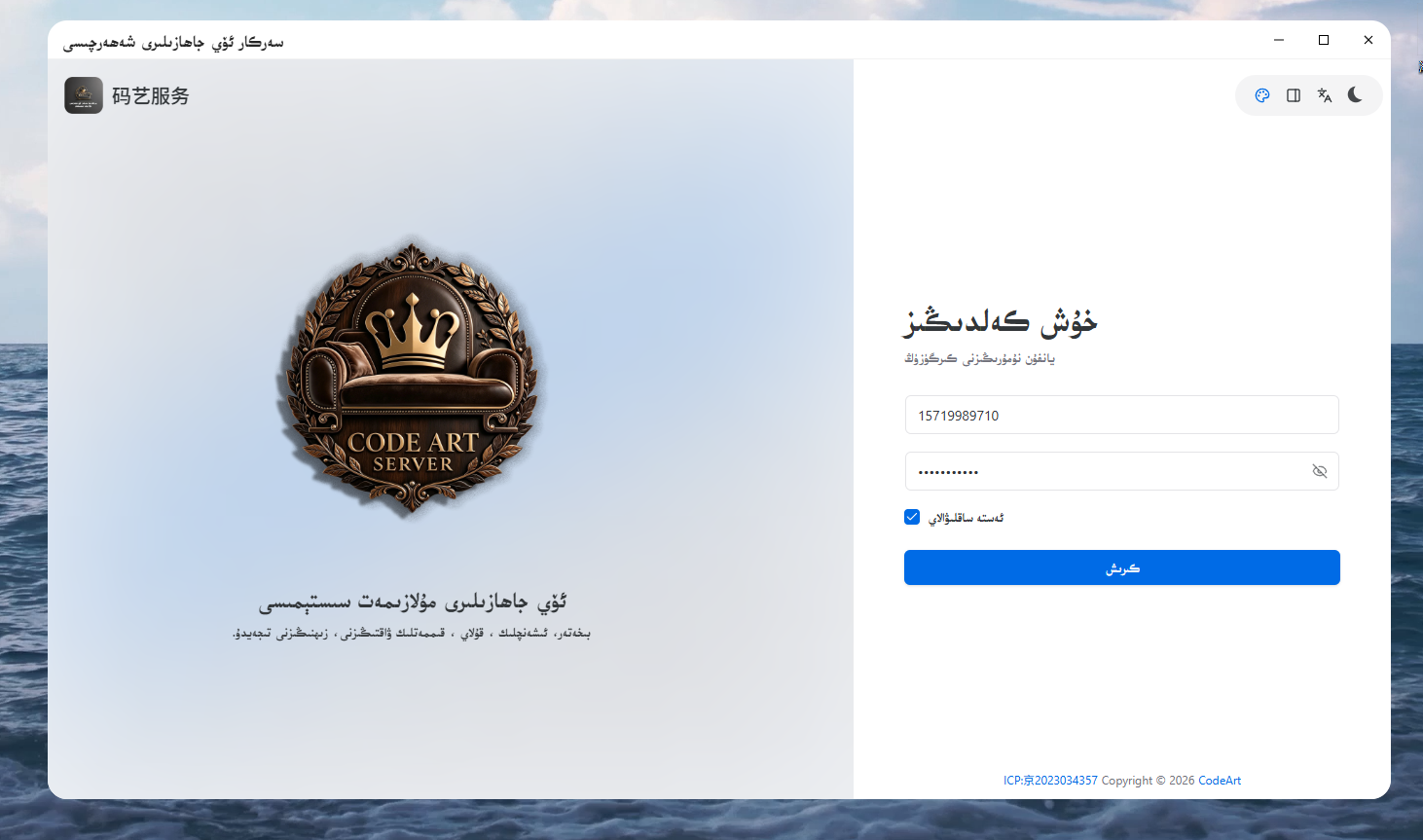
把一个已经构建好的 Vue 前端 dist/,原封不动包装成一个 Windows 桌面应用:
- 只保留窗口 + 托盘 + 单实例 + 自定义标题栏
- 前端资源全部本地
- 输出 NSIS 安装包
阶段一:环境确认
1.1 检查工具链
powershell
node -v          # >= 18
pnpm -v          # 没有就 npm i -g pnpm
rustc -V         # >= 1.77
cargo -V
1.2 前置条件
- Windows 装 Visual Studio Build Tools(C++ 桌面开发)
- Win10/11 自带 WebView2 Runtime,没有就要装
1.3 本次环境
Node v22.23.3
pnpm 12.8.1
rustc 1.98.0
cargo 1.98.0
阶段二:初始化 Tauri 项目
2.1 空文件夹里初始化
powershell
cd E:\TauriWebtoWiin\JjFms
pnpm create tauri-app .
选项:
Project name        · jjfms
Identifier          · com.administrator.jjfms-app   (后来改成 top.hayatim.sr)
Frontend language   · TypeScript / JavaScript
Package manager     · pnpm
UI template         · Vanilla
UI flavor           · TypeScript
生成结构:
JjFms\
├─ .vscode\
├─ src-tauri\
│  ├─ capabilities\
│  ├─ icons\
│  ├─ src\
│  │  ├─ lib.rs
│  │  └─ main.rs
│  ├─ .gitignore
│  ├─ build.rs
│  ├─ Cargo.toml
│  └─ tauri.conf.json
├─ .gitignore
├─ package.json
└─ README.md
2.2 关键理解
- crate 名
jjfms-app,lib 名jjfms_app_lib main.rs只调jjfms_app_lib::run(),逻辑都在lib.rs- 这是 Tauri 2 的标准 lib + bin 结构
阶段三:放入自己的 dist
3.1 把现成 dist/ 放到项目根
dist/ 原来错放在 src-tauri/dist/,需要挪:
powershell
Move-Item .\src-tauri\dist .\dist最终布局:
JjFms\
├─ dist\                ← Vue 构建产物,原封不动
│  ├─ css\
│  ├─ js\
│  ├─ jse\
│  ├─ index.html
│  ├─ favicon.ico
│  ├─ app.webp / logo.webp / avatar.webp
│  └─ ALKATIP YAZMA TOM.TTF
├─ src-tauri\
├─ package.json
3.2 删掉多余的压缩包
powershell
Remove-Item .\dist.zip阶段四:替换 4 个核心文件
4.1 package.json
关键:去掉 beforeDevCommand / beforeBuildCommand,直接跑 Tauri。
json
{
  "name": "jjfms",
  "private": true,
  "version": "0.1.0",
  "type": "module",
  "scripts": {
    "tauri": "tauri",
    "dev": "tauri dev",
    "build": "tauri build"
  },
  "devDependencies": {
    "@tauri-apps/cli": "^2.5.0"
  }
}
4.2 src-tauri/tauri.conf.json
关键点:
build里只有frontendDist: "../dist",没有devUrl、没有 beforeXXXwindows[0]加 label、尺寸、url: "index.html"bundle.targets改成["nsis"](不要"all")- 加
nsis.languages: ["SimpChinese"]、installerIcon webviewInstallMode用downloadBootstrapper- 无边框 + 透明 :
decorations: false、transparent: true、shadow: false
json
{
  "$schema": "https://schema.tauri.app/config/2",
  "productName": "码艺服务",
  "version": "0.1.0",
  "identifier": "top.hayatim.sr",
  "build": {
    "frontendDist": "../dist"
  },
  "app": {
    "withGlobalTauri": false,
    "windows": [
      {
        "label": "main",
        "url": "index.html",
        "visible": true,
        "title": "码艺服务",
        "width": 1200,
        "height": 800,
        "minWidth": 960,
        "minHeight": 640,
        "resizable": true,
        "dragDropEnabled": true,
        "backgroundThrottling": "disabled",
        "decorations": false,
        "transparent": true,
        "shadow": false,
        "alwaysOnTop": false,
        "fullscreen": false
      }
    ],
    "security": { "csp": null }
  },
  "bundle": {
    "active": true,
    "targets": ["nsis"],
    "icon": [
      "icons/32x32.png",
      "icons/128x128.png",
      "icons/128x128@2x.png",
      "icons/icon.ico"
    ],
    "windows": {
      "nsis": {
        "languages": ["SimpChinese"],
        "installerIcon": "icons/icon.ico"
      },
      "webviewInstallMode": {
        "type": "downloadBootstrapper",
        "silent": true
      }
    }
  }
}
4.3 src-tauri/Cargo.toml
关键点:
[lib]保留staticlib/cdylib/rlib- 加
tray-iconfeature - 加
chrono、tauri-plugin-single-instance - release 优化:
lto、codegen-units=1、strip、panic=abort
toml
[package]
name = "jjfms-app"
version = "0.1.0"
description = "JjFms Tauri Shell"
authors = ["you"]
edition = "2021"

[lib]
name = "jjfms_app_lib"
crate-type = ["staticlib", "cdylib", "rlib"]

[build-dependencies]
tauri-build = { version = "2", features = [] }

[dependencies]
tauri = { version = "2", features = ["tray-icon"] }
serde = { version = "1", features = ["derive"] }
serde_json = "1"
chrono = "0.4"
tauri-plugin-single-instance = "2"

[profile.release]
codegen-units = 1
lto = true
opt-level = 3
panic = "abort"
strip = true
4.4 src-tauri/src/lib.rs
最小可用的窗口 + 托盘 + 单实例:
ExitSync:退出同步show_main_window:显示 / 反最小化 / 聚焦graceful_exit:先 emitapp-exiting,等前端 1.5 秒,然后退出setup:- 托盘菜单:显示窗口、退出应用
- 托盘左键点击显示窗口
on_window_event:拦截 CloseRequested,改成 hide 到托盘invoke_handler:greet、confirm_exitRunEvent::ExitRequested:拦截退出,走graceful_exit
src-tauri/src/main.rs 保持:
rust
#![cfg_attr(not(debug_assertions), windows_subsystem = "windows")]

fn main() {
    jjfms_app_lib::run()
}
阶段五:Tauri 2 的 capabilities 权限系统
5.1 遇到的问题
capabilities/default.json 里模板带 "opener:default",但 Cargo.toml 里删掉了 tauri-plugin-opener,编译报:
Permission opener:default not found5.2 修复
改成:
json
{
  "$schema": "../gen/schemas/desktop-schema.json",
  "identifier": "default",
  "description": "Capability for the main window",
  "windows": ["main"],
  "permissions": ["core:default"]
}
5.3 加自定义标题栏后,权限扩成
json
"permissions": [
  "core:default",
  "core:window:allow-minimize",
  "core:window:allow-maximize",
  "core:window:allow-unmaximize",
  "core:window:allow-toggle-maximize",
  "core:window:allow-close",
  "core:window:allow-is-maximized",
  "core:window:allow-start-dragging"
]
关键教训 :Tauri 2 里前端调任何窗口 API 都要声明权限 ,漏一个就在 Console 报 not allowed。
阶段六:跑起来 + 排查字体问题
6.1 首次 pnpm dev
第一次编译 Rust 1--5 分钟,窗口出来后显示 dist 首页。
6.2 维吾尔文字体加载失败排查
现象:
GET http://127.0.0.1:1430/ALKATIP%20YAZMA%20TOM.TTF
Status: 200
Content-Type: text/html       ← 不是 font/ttf
Content-Length: 4452关键发现:
- 1430 是 Tauri dev 内置的 dev server
- 请求带空格的文件名
%20时,Tauri dev server 会 fallback 返回index.html - 结果是 HTML 被当作字体解析,字体不生效
验证:
powershell
Get-CimInstance Win32_Process -Filter "ProcessId=4536" | Select-Object CommandLine
# → node "...\@tauri-apps\cli\tauri.js" dev解决:
- 不要带空格 :重命名
ALKATIP YAZMA TOM.TTF→ALKATIP.ttf,同步改 CSS - 或 URL 编码 :
url("/ALKATIP%20YAZMA%20TOM.TTF") - 或 放到 CSS 同级 + 相对路径 :
url("./ALKATIP.ttf")
核心教训:
- 不要在浏览器里验证 Tauri 应用,浏览器访问 1430 是 Tauri dev server 的兜底行为,会误导
- 真正验证要看 Tauri 窗口 F12 → Network 的
Content-Type
阶段七:测试自定义无边框窗口
7.1 造一个独立测试页 dist/test_window.html
包含:
#app-shell:圆角容器#titlebar+data-tauri-drag-region:可拖动标题栏- 三个按钮:最小化、最大化、关闭
- 底部状态:实时显示窗口状态
7.2 改 tauri.conf.json 临时指向
json
"url": "test_window.html",
"decorations": false,
"transparent": true,
"shadow": false,
"withGlobalTauri": true
7.3 结果
- 无边框窗口
- 拖动标题栏移动窗口
- 三个按钮生效
- 圆角外面仍有白底 ------ WebView2 的默认合成背景,
transparent: true不够
7.4 结论
Windows 上"真圆角 + 透明"这条路上有坑,务实做法是:
- 方案 1 :接受无边框矩形(不追求圆角)
- 方案 2 :用
tauri-plugin-decorum保留系统圆角 + Snap Layout - 方案 3:CSS 圆角 + 不透明背景,四角接受黑色
阶段八:把自定义标题栏做进 Vben 源码
8.1 位置
Vben 源码工程 F:\vue\JjFms\apps\web-antd:
- 装依赖:
pnpm add @tauri-apps/api@^2 - 新建组件:
src/components/WindowTitleBar.vue - 修改:
src/app.vue引入组件
8.2 WindowTitleBar.vue 的最终设计
(1)动态探测 Tauri 环境 + 加 data-is-tauri 属性
ts
let appWindow: any = null;

async function getWindow() {
  if (appWindow) return appWindow;
  try {
    const mod = await import('@tauri-apps/api/window');
    appWindow = mod.getCurrentWindow();
    isTauri.value = true;
    document.documentElement.setAttribute('data-is-tauri', 'yes');
    return appWindow;
  } catch {
    isTauri.value = false;
    return null;
  }
}- 浏览器里跑 Vben 时,
import('@tauri-apps/api/window')会失败,isTauri = false,标题栏display: none - Tauri 里跑时才生效,同时给
<html>打上data-is-tauri="yes",让全局样式只在 Tauri 里生效
(2)窗口 API 封装
ts
async function refreshMaximized() {
  const win = await getWindow();
  if (!win) return;
  try { isMaximized.value = await win.isMaximized(); } catch {}
}

async function onMinimize() {
  const win = await getWindow();
  if (!win) return;
  await win.minimize();
}

async function onToggleMaximize() {
  const win = await getWindow();
  if (!win) return;
  await win.toggleMaximize();
  await refreshMaximized();
}

async function onClose() {
  const win = await getWindow();
  if (!win) return;
  await win.close();
}(3)onMounted 里同步最大化状态
ts
onMounted(async () => {
  await refreshMaximized();

  const win = await getWindow();
  if (!win) return;

  try {
    const unlisten = await win.onResized(() => {
      refreshMaximized();
    });
    onBeforeUnmount(() => unlisten?.());
  } catch {}
});
(4)模板结构
- 外层
.window-titlebar,:class="{ 'is-tauri': isTauri }" - 左侧
.window-titlebar__title,加data-tauri-drag-region(可拖动) - 右侧
.window-titlebar__buttons,三个<button>:最小化、最大化/还原、关闭 - 每个按钮用 SVG 图标,不用文字符号,避免字体差异
(5)样式:html[class="dark"] 支持暗色主题
css
html[class="dark"]{
  .window-titlebar{
    background: #1c1e23;
    border-bottom: 1px solid #ffffff0d;
  }
  .window-titlebar__title-text{ color: white; }
  .window-titlebar__btn{ color: #ffffff; }
  .window-titlebar__btn:hover {
    background: rgba(250, 250, 250, 0.137);
    color: #ffffff;
    font-weight: bold;
  }
}
(6)按钮交互细节
.window-titlebar__btn46px 宽、满高border-radius: 10px-webkit-app-region: no-drag(防止按钮被当成拖动区)- hover 时背景变灰,
svg加 180° 旋转动画:
css
@keyframes qogla {
  to { transform: rotate(180deg); }
}
.window-titlebar__btn:hover svg{
  animation: qogla 0.2s linear 1 forwards;
}
(7)标题文字动画
css
.window-titlebar__title-text {
  line-height: 40px;
  font-size: 18px;
  color: rgb(37, 37, 37);
  animation: asta 10s linear infinite;
}

@keyframes asta {
  0%, 80%, 100% { transform: rotateY(0deg) scale(1); }
  90%           { transform: rotateY(180deg) scale(0.8); }
}
8.3 全局样式:html[data-is-tauri="yes"]
核心思路 :所有"只在 Tauri 里生效"的全局样式,都挂在 html[data-is-tauri="yes"] 下。
css
/* 浏览器默认背景 */
body, .ant-app {
  background: white !important;
}

/* 暗色主题 */
html[class="dark"]{
  body, .ant-app {
    background: #1c1e23 !important;
  }
}

/* ⭐ 只在 Tauri 里:透明 + 圆角 + 给标题栏让位 */
html[data-is-tauri="yes"] {
  background: transparent !important;
  border-radius: 20px !important;
  overflow: hidden !important;
  transform: scale(1);

  body, #app {
    background: transparent !important;
    border-radius: 20px !important;
    overflow: hidden !important;
    transform: scale(1);

    .ant-app {
      max-height: calc(100% - 40px) !important;
      transform: translateY(40px) !important;
    }
  }
}关键教训:
- 不要用
<style>静态全局注入(浏览器里也会生效) - 用
data-*属性 + CSS 属性选择器 做条件样式 document.documentElement.setAttribute('data-is-tauri', 'yes')是开关.ant-app整体下移 40px,给固定的标题栏让位
8.4 app.vue 引入标题栏
html
<script lang="ts" setup>
import { computed } from 'vue';

import { useAntdDesignTokens } from '@vben/hooks';
import { preferences, usePreferences } from '@vben/preferences';

import { App as AntdApp, ConfigProvider, theme } from 'ant-design-vue';

// ⭐ 引入自定义标题栏
import WindowTitleBar from '#/components/WindowTitleBar.vue';
import { antdLocale } from '#/locales';

defineOptions({ name: 'App' });

const { isDark } = usePreferences();
const { tokens } = useAntdDesignTokens();

const tokenTheme = computed(() => {
  const algorithm = isDark.value
    ? [theme.darkAlgorithm]
    : [theme.defaultAlgorithm];

  if (preferences.app.compact) {
    algorithm.push(theme.compactAlgorithm);
  }

  return { algorithm, token: tokens };
});
</script>

<template>
  <!-- ⭐ 自定义窗口标题栏(只在 Tauri 里显示) -->
  <WindowTitleBar :title="$t('page.win.title')" />

  <ConfigProvider :locale="antdLocale" :theme="tokenTheme">
    <AntdApp>
      <RouterView />
    </AntdApp>
  </ConfigProvider>
</template>注意:
WindowTitleBar放在ConfigProvider外面,因为它是窗口级 UI,不受 antd 主题影响- 标题从 i18n 取:
$t('page.win.title'),多语言切换自动生效
阶段九:图标替换
9.1 生成全套图标
准备一张 ≥ 1024×1024 的 PNG:
powershell
pnpm tauri icon .\app-icon.png生成到 src-tauri/icons/:
32x32.png            32×32
128x128.png          128×128
128x128@2x.png       256×256     ← @2x 表示 2 倍图
icon.icns            macOS
icon.ico             Windows(多尺寸)
icon.png             512×512 源图
Square*.png / StoreLogo.png   UWP 尺寸
9.2 关键点
-
128x128@2x.png实际尺寸是 256×256 (名字是128 * 2) -
Windows 任务栏图标只认
icon.ico -
换了图标后必须 清
target/debug才会重新嵌入:powershellRemove-Item -Recurse -Force .\src-tauri\target\debug pnpm dev
9.3 图标缓存问题
如果 exe 图标换了但任务栏还是旧的:
powershell
Stop-Process -Name explorer -Force
Remove-Item "$env:LOCALAPPDATA\IconCache.db" -Force
Remove-Item "$env:LOCALAPPDATA\Microsoft\Windows\Explorer\iconcache*" -Force
Start-Process explorer
阶段十:打包安装包
10.1 首次打包失败
Downloading https://tauri-apps.github.io/.../nsis-3.11.zip
failed to bundle project: `timeout: global`原因:网络问题,NSIS 工具下载超时。
10.2 手动方案(备用)
- 下载
nsis-3.11.zip和nsis_tauri_utils.dll - 解压到
%LOCALAPPDATA%\tauri\NSIS\ dll放到%LOCALAPPDATA%\tauri\NSIS\Plugins\x86-unicode\additional\- 重新
pnpm build
10.3 第二次打包成功
Built application at: ...\target\release\jjfms-app.exe
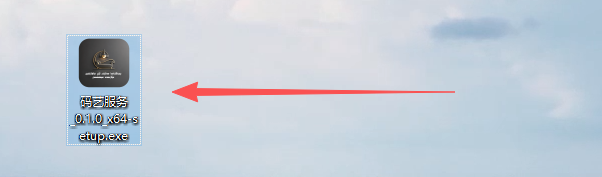
Running makensis to produce ...\码艺服务_0.1.0_x64-setup.exe
Finished 1 bundle at:
  ...\码艺服务_0.1.0_x64-setup.exe (3.92 MiB)
10.4 产物位置
E:\TauriWebtoWiin\JjFms\src-tauri\target\release\bundle\nsis\码艺服务_0.1.0_x64-setup.exe10.5 关于体积
3.92 MB 的原因:
- 主程序 exe 极小(lto + strip + opt-level=3)
- WebView2 用
downloadBootstrapper(在线下载),没打进包
10.6 离线安装
如果目标机器没网:
json
"webviewInstallMode": {
  "type": "offlineInstaller",
  "silent": true
}
安装包变大约 130 MB,但离线可装。
阶段十一:安全性认知
11.1 Tauri 打包后前端能还原吗?
能。
- Tauri 把
dist/前端用 Brotli 压缩后嵌入 exe - 社区工具
tauri-dumper/untauri能扫描并解压出原始文件 - 前端 HTML/CSS/JS 本质上无法加密,因为 WebView 必须能读
11.2 Rust 侧相对安全
- Rust 编译成原生机器码
- 提取工具通常无法还原 Rust 源码
11.3 保护策略
前端:
- 用
javascript-obfuscator等工具在构建流程里混淆 - 删掉所有
.map文件(sourcemap) - 提高阅读难度,但不能阻止有决心的逆向
后端:
- 把 API 密钥、授权逻辑、核心算法移到 Rust
- 通过
#[tauri::command]暴露给前端 - 这是 Tauri 对比 Electron 的核心优势
结论 :不要把敏感信息放前端。前端混淆 + 后端承载秘密,才是正解。
最终项目结构
E:\TauriWebtoWiin\JjFms\
├─ dist\                     ← Vue 构建产物,原封不动
│  ├─ css\
│  ├─ js\
│  ├─ jse\
│  ├─ index.html
│  ├─ favicon.ico
│  ├─ *.webp
│  └─ ALKATIP YAZMA TOM.TTF
├─ src-tauri\
│  ├─ capabilities\
│  │  └─ default.json        ← 权限声明
│  ├─ icons\                 ← 全套图标
│  ├─ src\
│  │  ├─ lib.rs              ← 窗口 + 托盘 + 单实例
│  │  └─ main.rs             ← 薄入口
│  ├─ build.rs
│  ├─ Cargo.toml
│  └─ tauri.conf.json
├─ package.json
└─ .gitignore
Vben 源码侧新增:
F:\vue\JjFms\apps\web-antd\src\
├─ components\
│  └─ WindowTitleBar.vue     ← 自定义标题栏
└─ app.vue                   ← 引入标题栏
核心经验清单
frontendDist: "../dist"+ 无 beforeXXX 命令 = 纯套壳decorations: false+data-tauri-drag-region= 自定义标题栏- Tauri 2 权限系统:前端调窗口 API 必须在 capabilities 声明
- 不要在浏览器验证 Tauri 应用,1430 端口是 Tauri dev server 的兜底
- 字体/资源路径不要带空格,否则 dev server 会 fallback 到 HTML
- Windows 上真圆角透明有坑,务实方案是不追求圆角或用 decorum
- 图标换完必须清
target/debug,否则 exe 内嵌的还是旧图标 - 前端无法加密,敏感逻辑移到 Rust
- 打包失败先看是不是网络,NSIS 工具可以手动下
- 3.92 MB 装一个 Vue 应用,这就是 Tauri 的价值
后续可选增强
tauri-plugin-updater:自动更新tauri-plugin-decorum:保留 Snap Layout 的圆角窗口- 代码签名:消 SmartScreen 警告
- 托盘菜单细化:检查更新、关于、打开日志目录
- 单实例 argv 处理:支持
app.exe some-file
html
<script lang="ts" setup>
import { onBeforeUnmount, onMounted, ref } from 'vue';

defineOptions({ name: 'WindowTitleBar' });

withDefaults(defineProps<Props>(), {
  title: '码艺服务',
});

interface Props {
  title?: string;
}

const isMaximized = ref(false);
const isTauri = ref(false);

let appWindow: any = null;

/** 动态 import,避免在浏览器里跑时崩掉 */
async function getWindow() {
  if (appWindow) return appWindow;
  try {
    const mod = await import('@tauri-apps/api/window');
    appWindow = mod.getCurrentWindow();
    isTauri.value = true;
    document.documentElement.setAttribute('data-is-tauri', 'yes');
    return appWindow;
  } catch {
    isTauri.value = false;
    return null;
  }
}

async function refreshMaximized() {
  const win = await getWindow();
  if (!win) return;
  try {
    isMaximized.value = await win.isMaximized();
  } catch {
    // ignore
  }
}

async function onMinimize() {
  const win = await getWindow();
  if (!win) return;
  await win.minimize();
}

async function onToggleMaximize() {
  const win = await getWindow();
  if (!win) return;
  await win.toggleMaximize();
  await refreshMaximized();
}

async function onClose() {
  const win = await getWindow();
  if (!win) return;
  await win.close();
}

onMounted(async () => {
  await refreshMaximized();

  const win = await getWindow();
  if (!win) return;

  // 监听窗口尺寸变化,同步最大化状态
  try {
    const unlisten = await win.onResized(() => {
      refreshMaximized();
    });
    onBeforeUnmount(() => {
      unlisten?.();
    });
  } catch {
    // ignore
  }
});
</script>

<template>
  <div class="window-titlebar" :class="{ 'is-tauri': isTauri }">
    <!-- 左侧:标题(可拖动区域) -->
    <div
      class="window-titlebar__title"
      data-tauri-drag-region
    >
      <slot name="title">
        <span class="window-titlebar__title-text">{{ title }}</span>
      </slot>
    </div>

    <!-- 右侧:窗口按钮 -->
    <div class="window-titlebar__buttons">
      <button
        class="window-titlebar__btn"
        type="button"
        title="最小化"
        @click="onMinimize"
      >
        <svg width="12" height="12" viewBox="0 0 12 12" aria-hidden="true">
          <rect x="1" y="5.5" width="10" height="1" fill="currentColor" />
        </svg>
      </button>

      <button
        class="window-titlebar__btn"
        type="button"
        :title="isMaximized ? '还原' : '最大化'"
        @click="onToggleMaximize"
      >
        <svg
          v-if="!isMaximized"
          width="12"
          height="12"
          viewBox="0 0 12 12"
          aria-hidden="true"
        >
          <rect
            x="1.5"
            y="1.5"
            width="9"
            height="9"
            fill="none"
            stroke="currentColor"
            stroke-width="1"
          />
        </svg>
        <svg v-else width="12" height="12" viewBox="0 0 12 12" aria-hidden="true">
          <rect
            x="3"
            y="1"
            width="7"
            height="7"
            fill="none"
            stroke="currentColor"
            stroke-width="1"
          />
          <rect
            x="1"
            y="3"
            width="7"
            height="7"
            fill="none"
            stroke="currentColor"
            stroke-width="1"
          />
        </svg>
      </button>

      <button
        class="window-titlebar__btn window-titlebar__btn--close"
        type="button"
        title="关闭"
        @click="onClose"
      >
        <svg width="12" height="12" viewBox="0 0 12 12" aria-hidden="true">
          <path
            d="M2 2 L10 10 M10 2 L2 10"
            stroke="currentColor"
            stroke-width="1.2"
            fill="none"
          />
        </svg>
      </button>
    </div>
  </div>
</template>

<style scoped lang="scss">
html[class="dark"]{
  .window-titlebar{
    background: #1c1e23;
    border-bottom: 1px solid #ffffff0d;
  }
  .window-titlebar__title-text{
    color:white;
  }
  .window-titlebar__btn{
    color: #ffffff;
  }
  .window-titlebar__btn:hover {
    background: rgba(250, 250, 250, 0.137);
    color: #ffffff;
    font-weight: bold;
  }
}
.window-titlebar {
  /* 固定顶部 */
  position: fixed;
  top: 0;
  left: 0;
  right: 0;
  height: 40px;
  background: white;
  display: flex;
  align-items: center;
  justify-content: space-between;

  /* 深色标题栏,可按需改 */
  color: #ddd;
  font-size: 13px;
  user-select: none;

  /* 顶部圆角(配合窗口装饰/自绘圆角) */
  border-top-left-radius: 12px;
  border-top-right-radius: 12px;

  /* 阴影让标题栏和下方内容有层次 */
  box-shadow: 0 1px 0 rgba(255, 255, 255, 0.04);
  border-bottom: 1px solid #0000000d;
}

/* 只有在 Tauri 里才显示标题栏(在浏览器里跑 Vben 时不显示) */
.window-titlebar:not(.is-tauri) {
  display: none;
}

.window-titlebar__title {
  flex: 1 1 auto;
  height: 100%;
  display: flex;
  align-items: center;
  padding-left: 14px;
  overflow: hidden;
  cursor: grab;
}

.window-titlebar__title:active {
  cursor: grabbing;
}

.window-titlebar__title-text {
  white-space: nowrap;
  overflow: hidden;
  text-overflow: ellipsis;
  font-weight: 500;
  letter-spacing: 0.5px;
  line-height: 40px;
  font-size: 18px;
  color:rgb(37, 37, 37);
  animation: asta 10s linear infinite;
}

@keyframes asta {
  0%,80%,100%{
    transform: rotateY(0deg) scale(1);
  }
  90%{
    transform: rotateY(180deg) scale(0.8);
  }
}

.window-titlebar__buttons {
  flex: 0 0 auto;
  display: flex;
  height: 100%;
}

.window-titlebar__btn {
  width: 46px;
  height: 100%;
  border: 0;
  padding: 0;
  background: transparent;
  color: #000000;
  display: flex;
  align-items: center;
  justify-content: center;
  cursor: pointer;
  transition: background 0.12s ease, color 0.12s ease;
  border-radius: 10px;
  /* 按钮不能被当作拖动区域 */
  -webkit-app-region: no-drag;
}

@keyframes qogla {
  to{
    transform: rotate(180deg);
  }
}
.window-titlebar__btn:hover {
  background: rgba(0, 0, 0, 0.137);
  color: #000000;
}
.window-titlebar__btn:hover svg{
  animation: qogla 0.2s linear 1 forwards;
}

.window-titlebar__btn--close:hover {
  background: rgba(0, 0, 0, 0.137);
  color: #000000;
}
</style>

<style lang="scss">
   body,.ant-app {
    background: white !important;
  }

  html[class="dark"]{
    body,.ant-app{
      background: #1c1e23 !important;
  }
  }

  html[data-is-tauri="yes"] {
    background: transparent !important;
    border-radius: 20px !important;
    overflow: hidden !important;
    transform: scale(1);
    body,#app{
        background: transparent !important;
        border-radius: 20px !important;
        overflow: hidden !important;
        transform: scale(1);
        .ant-app{
          max-height: calc(100% - 40px) !important;
          transform: translateY(40px) !important;
        }
    }
  }
</style>
从零到安装包,一共走了这 11 个阶段 。核心难点其实只有三个:权限系统、字体空格、图标嵌入,其他都是配置活。以后再套第二个 Vue/React 项目,一小时能搞定。