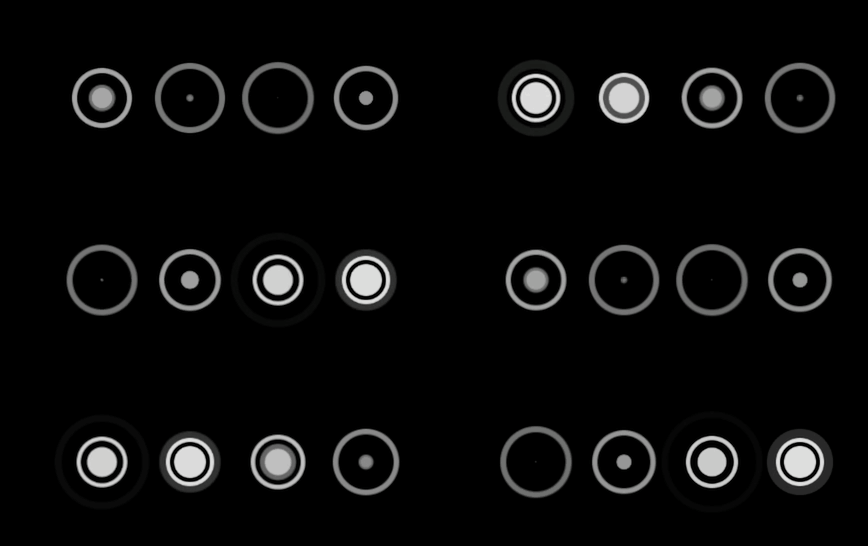
html
typescript
   <div class="loader">
        <div class="circle">
            <div class="dot"></div>
            <div class="outline"></div>
        </div>
        <div class="circle">
            <div class="dot"></div>
            <div class="outline"></div>
        </div>
        <div class="circle">
            <div class="dot"></div>
            <div class="outline"></div>
        </div>
        <div class="circle">
            <div class="dot"></div>
            <div class="outline"></div>
        </div>
    </div>
css
typescript
<style>
    body {
        background-color: #000;
    }
    .loader {
        margin-top: 200px;
        display: flex;
        justify-content: center;
        align-items: center;
        --color: hsl(0, 0%, 87%);
        --animation: 2s ease-in-out infinite;
    }

    .loader .circle {
        display: flex;
        align-items: center;
        justify-content: center;
        position: relative;
        width: 20px;
        height: 20px;
        border: solid 2px var(--color);
        border-radius: 50%;
        margin: 0 10px;
        background-color: transparent;
        animation: circle-keys var(--animation);
    }

    .loader .circle .dot {
        position: absolute;
        transform: translate(-50%, -50%);
        width: 16px;
        height: 16px;
        border-radius: 50%;
        background-color: var(--color);
        animation: dot-keys var(--animation);
    }

    .loader .circle .outline {
        position: absolute;
        transform: translate(-50%, -50%);
        width: 20px;
        height: 20px;
        border-radius: 50%;
        animation: outline-keys var(--animation);
    }

    .circle:nth-child(2) {
        animation-delay: 0.3s;
    }

    .circle:nth-child(3) {
        animation-delay: 0.6s;
    }

    .circle:nth-child(4) {
        animation-delay: 0.9s;
    }

    .circle:nth-child(5) {
        animation-delay: 1.2s;
    }

    .circle:nth-child(2) .dot {
        animation-delay: 0.3s;
    }

    .circle:nth-child(3) .dot {
        animation-delay: 0.6s;
    }

    .circle:nth-child(4) .dot {
        animation-delay: 0.9s;
    }

    .circle:nth-child(5) .dot {
        animation-delay: 1.2s;
    }

    .circle:nth-child(1) .outline {
        animation-delay: 0.9s;
    }

    .circle:nth-child(2) .outline {
        animation-delay: 1.2s;
    }

    .circle:nth-child(3) .outline {
        animation-delay: 1.5s;
    }

    .circle:nth-child(4) .outline {
        animation-delay: 1.8s;
    }

    .circle:nth-child(5) .outline {
        animation-delay: 2.1s;
    }

    @keyframes circle-keys {
        0% {
            transform: scale(1);
            opacity: 1;
        }

        50% {
            transform: scale(1.5);
            opacity: 0.5;
        }

        100% {
            transform: scale(1);
            opacity: 1;
        }
    }

    @keyframes dot-keys {
        0% {
            transform: scale(1);
        }

        50% {
            transform: scale(0);
        }

        100% {
            transform: scale(1);
        }
    }

    @keyframes outline-keys {
        0% {
            transform: scale(0);
            outline: solid 20px var(--color);
            outline-offset: 0;
            opacity: 1;
        }

        100% {
            transform: scale(1);
            outline: solid 0 transparent;
            outline-offset: 20px;
            opacity: 0;
        }
    }
</style>