- [实验十二 综合网络实验](#实验十二 综合网络实验)
- 实验过程
- [OSPF Cost配置简要说明](#OSPF Cost配置简要说明)
- 总公司与分公司跑BGP
- [流量控制使 A 流走 R2->R4 B 流走 R3->R5](#流量控制使 A 流走 R2->R4 B 流走 R3->R5)
- 路由引入,这里没有做过滤,需要注意的是一个邻居的一个方向只能调用一个路由策略,所有在过滤是使用过滤技术。
- [过滤不让办事处的 B 流与分公司的 B 流互通](#过滤不让办事处的 B 流与分公司的 B 流互通)
- 静默接口不允许出现协议报文
- [只传递本 AS 的路由](#只传递本 AS 的路由)
- 按照实验指导书上面的内容就做完了,现在我们来检查各部分的情况进行截图。
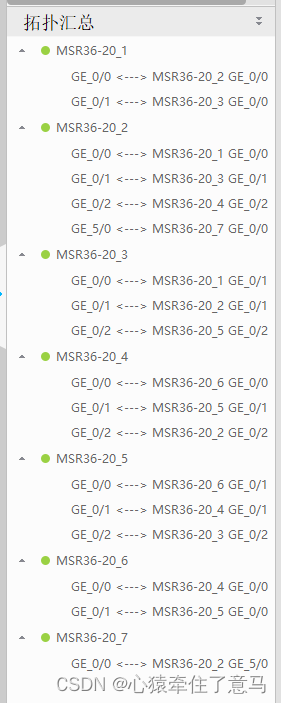
- 拓扑汇总
- 实验踩坑说明和额外说明
实验十二 综合网络实验
实验过程
IP配置说明
markdown
[R1-GigabitEthernet0/0]ip address 10.0.0.1 255.255.255.252
[R1-GigabitEthernet0/1]ip address 10.0.0.5 255.255.255.252

[R2-GigabitEthernet0/0]ip address 10.0.0.2 255.255.255.252
[R2-GigabitEthernet0/1]ip address 10.0.0.9 255.255.255.252
[R2-GigabitEthernet0/2]ip address 10.0.0.13 255.255.255.252
[R2-GigabitEthernet5/0]ip address 10.0.0.34 255.255.255.252

[R3-GigabitEthernet0/0]ip address 10.0.0.10 255.255.255.252
[R3-GigabitEthernet0/1]ip address 10.0.0.10 255.255.255.252
[R3-GigabitEthernet0/2]ip address 10.0.0.17 255.255.255.252

[R4-GigabitEthernet0/2]ip address 10.0.0.14 255.255.255.252
[R4-GigabitEthernet0/1]ip address 10.0.0.21 255.255.255.252
[R4-GigabitEthernet0/0]ip address 10.0.0.25 255.255.255.252

[R5-GigabitEthernet0/2]ip address 10.0.0.18 255.255.255.252
[R5-GigabitEthernet0/0]ip address 10.0.0.29 255.255.255.252
[R5-GigabitEthernet0/1]ip address 10.0.0.22 255.255.255.252

[R6-GigabitEthernet0/0]ip address 10.0.0.26 255.255.255.252
[R6-GigabitEthernet0/1]ip address 10.0.0.30 255.255.255.252

ip address 10.0.0.33 255.255.255.252
参考连线
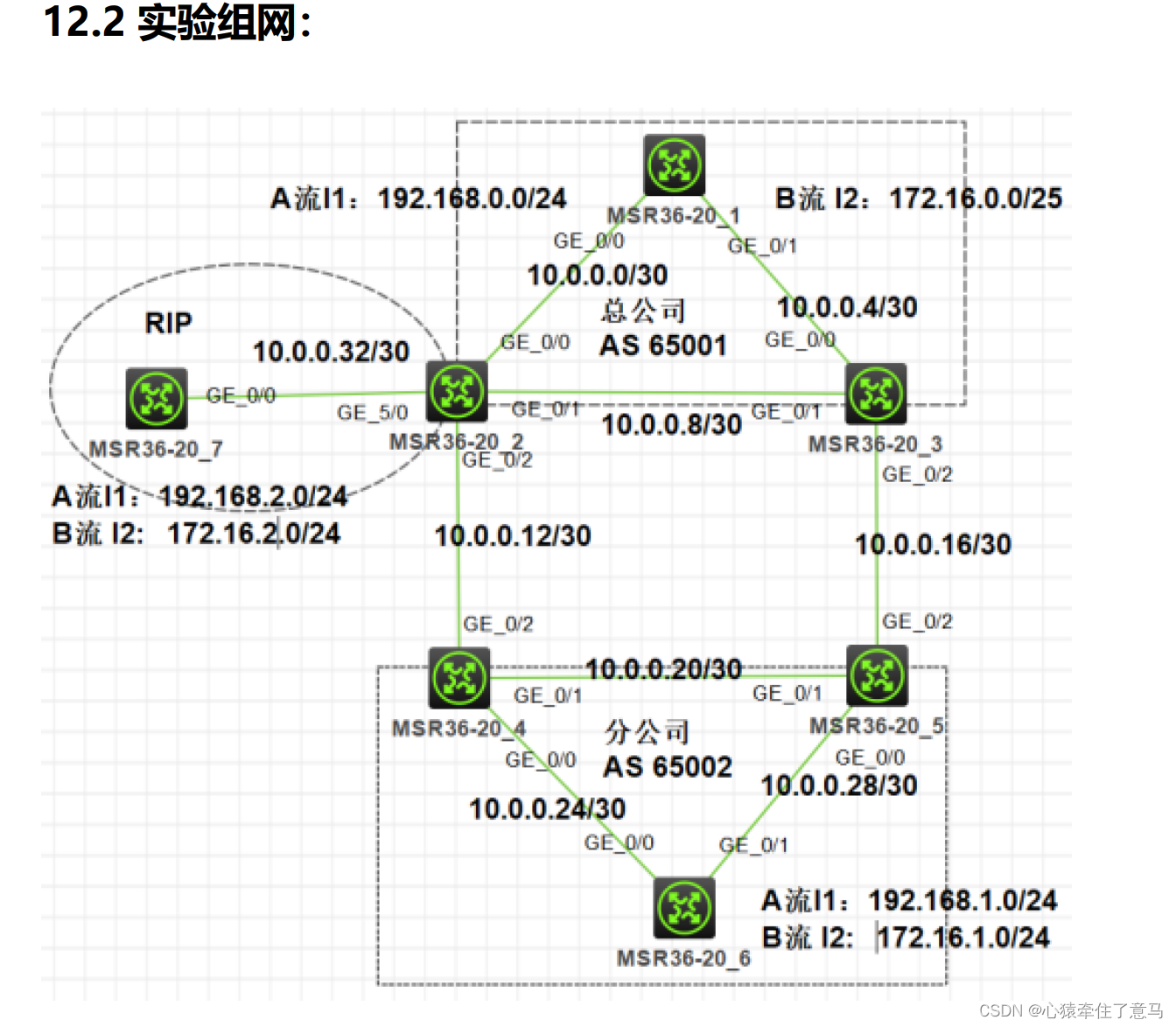
下面是我们实际的连线,一比一复刻

配置OSPF使公司内部联通
对三个路由器R1、R2、R3进行分析,展示它们在配置OSPF(Open Shortest Path First)协议时的细节。这些配置主要用于在公司内部实现网络互通。以下是对每个路由器配置的详细分析:
路由器R1的OSPF配置
sys
sysname R1

ospf r 1.1.1.1
a 0
net 1.1.1.1 0.0.0.0
net 10.0.0.0 0.0.0.3
net 10.0.0.4 0.0.0.3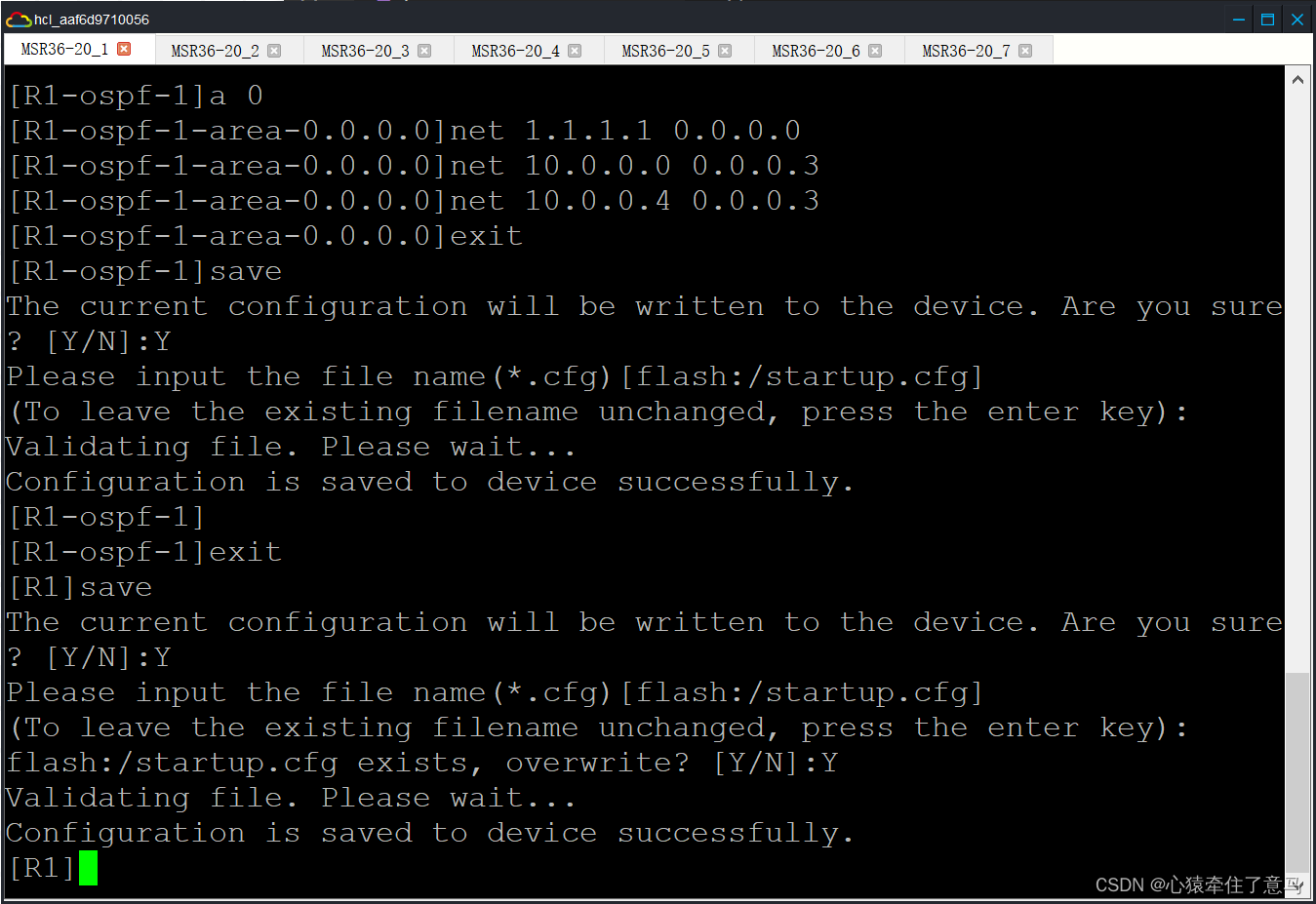
路由器R2的OSPF配置
sys
sysname R2
ospf r 2.2.2.2
a 0
net 2.2.2.2 0.0.0.0
net 10.0.0.0 0.0.0.3
net 10.0.0.8 0.0.0.3
路由器R3的OSPF配置
sys
sysname R3
ospf r 3.3.3.3
a 0
net 3.3.3.3 0.0.0.0
net 10.0.0.4 0.0.0.3
net 10.0.0.8 0.0.0.3
R1、R2、R3的相关解释
- R1和R2通过网络10.0.0.0/30连接。
- R1和R3通过网络10.0.0.4/30连接。
- R2和R3通过网络10.0.0.8/30连接。
- a 0的意思是进入area 0,进入区域0
路由器R4的OSPF配置
sys
sysname R4
ospf r 4.4.4.4
a 0
net 4.4.4.4 0.0.0.0
net 10.0.0.20 0.0.0.3
net 10.0.0.24 0.0.0.3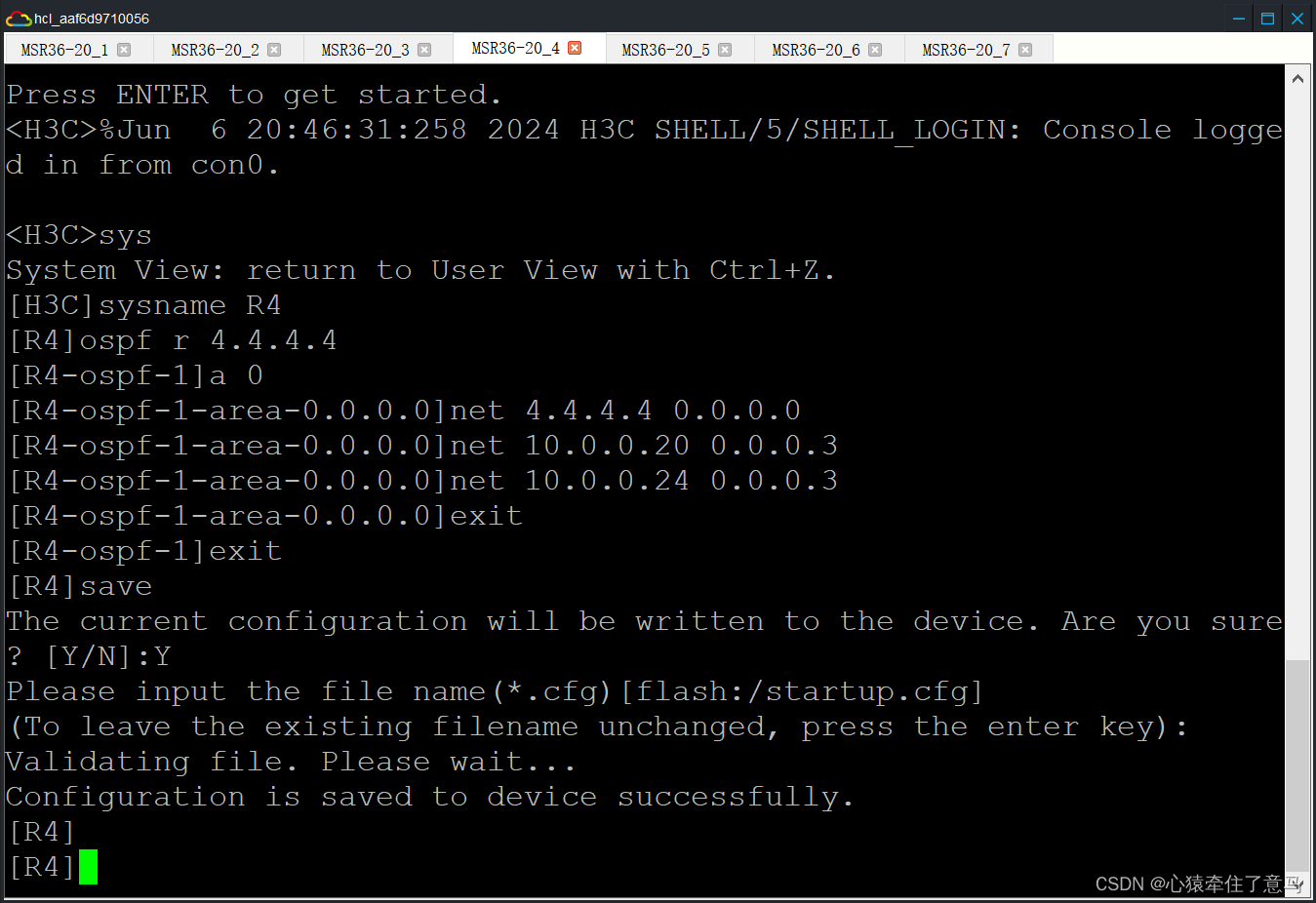
路由器R5的OSPF配置
sys
sysname R5
ospf r 5.5.5.5
a 0
net 5.5.5.5 0.0.0.0
net 10.0.0.20 0.0.0.3
net 10.0.0.28 0.0.0.3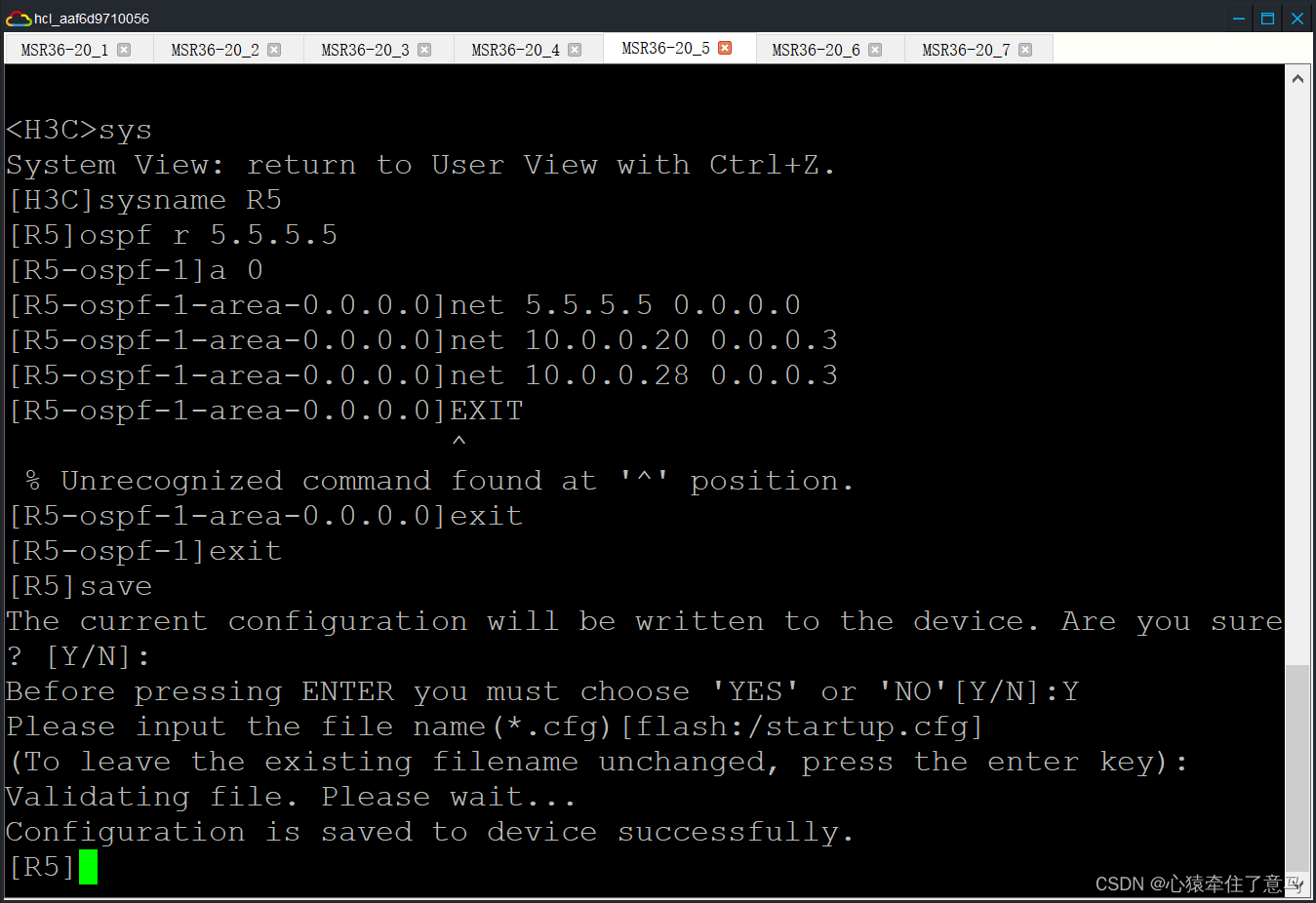
路由器R6的OSPF配置
sys
sysname R6
ospf r 6.6.6.6
a 0
net 6.6.6.6 0.0.0.0
net 10.0.0.24 0.0.0.3
net 10.0.0.28 0.0.0.3
R4、R5、R6解释:
- R4和R5通过网络10.0.0.20/30连接。
- R4和R6通过网络10.0.0.24/30连接。
- R5和R6通过网络10.0.0.28/30连接。
路由器R2的RIP配置
注意要在系统视图下面实现,即 R2 而不是< R2 >
rip
v 2
un summary
net 10.0.0.32
路由器R7的RIP配置
rip
v 2
un s
un summary
net 10.0.0.32
net 192.168.2.0
net 172.16.2.0
总结
- R2:
- 启用RIP协议,使用版本2。
- 禁用路由汇总。
- 发布网络10.0.0.32。
- R7:
- 启用RIP协议,使用版本2。
- 禁用路由汇总。
- 发布网络10.0.0.32、192.168.2.0和172.16.2.0。。
OSPF Cost配置简要说明
-
R1
GigabitEthernet0/1接口的OSPF cost设为10。GigabitEthernet0/0接口的OSPF cost设为20。
-
R2
GigabitEthernet0/0接口的OSPF cost设为20。
-
R3
GigabitEthernet0/0接口的OSPF cost设为10。
分公司
-
R4
GigabitEthernet0/1接口的OSPF cost设为20。
-
R5
GigabitEthernet0/0接口的OSPF cost设为10。GigabitEthernet0/1接口的OSPF cost设为20。
-
R6
GigabitEthernet0/1接口的OSPF cost设为10。
代码配置和截图
# 总公司
[R1]interface g0/1
[R1-GigabitEthernet0/1]ospf cost 10
[R1-GigabitEthernet0/1]exit

[R1]interface g0/0
[R1-GigabitEthernet0/0]ospf cost 20
[R1-GigabitEthernet0/0]exit

[R2]interface g0/0
[R2-GigabitEthernet0/0]ospf cost 20
[R2-GigabitEthernet0/0]exit

[R3]interface g0/0
[R3-GigabitEthernet0/0]ospf cost 10
[R3-GigabitEthernet0/0]exit

分公司:
[R5]interface g0/0
[R5-GigabitEthernet0/0]ospf cost 10
[R5-GigabitEthernet0/0]exit

[R5]interface g0/1
[R5-GigabitEthernet0/1]ospf cost 20
[R5-GigabitEthernet0/1]exit

[R4]interface g0/1
[R4-GigabitEthernet0/1]ospf cost 20
[R4-GigabitEthernet0/1]exit

[R6]interface g0/1
[R6-GigabitEthernet0/1]ospf cost 10
[R6-GigabitEthernet0/1]exit


总公司与分公司跑BGP
markdown
# [R1输入]
bgp 65001
router-id 1.1.1.1
peer 2.2.2.2 as 65001
peer 3.3.3.3 as 65001
peer 2.2.2.2 connect-interface GigabitEthernet0/0
peer 3.3.3.3 connect-interface GigabitEthernet0/1
address-family ipv4 unicast
peer 2.2.2.2 enable
peer 3.3.3.3 enable
peer 2.2.2.2 ne
peer 3.3.3.3 ne
markdown
# [R2输入]
bgp 65001
router-id 2.2.2.2
peer 1.1.1.1 as 65001
peer 3.3.3.3 as 65001
peer 10.0.0.14 as 65002
peer 1.1.1.1 connect-interface GigabitEthernet0/0
peer 3.3.3.3 connect-interface GigabitEthernet0/1
peer 10.0.0.14 connect-interface GigabitEthernet0/2
address-family ipv4 unicast
peer 1.1.1.1 enable
peer 3.3.3.3 enable
peer 10.0.0.14 enable
peer 1.1.1.1 ne
peer 3.3.3.3 ne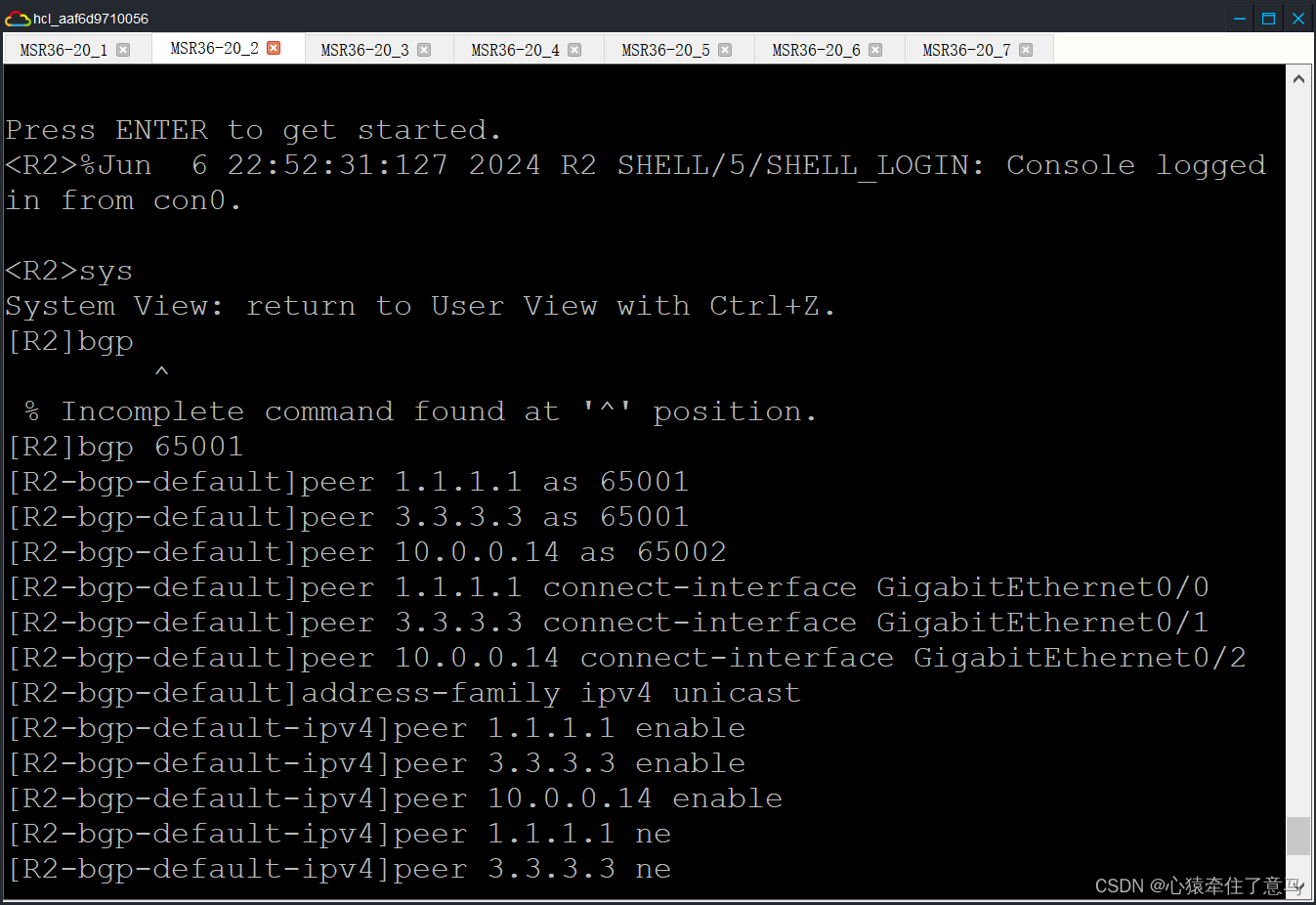
markdown
# R3
bgp 65001
router-id 3.3.3.3
peer 1.1.1.1 as 65001
peer 2.2.2.2 as 65001
peer 10.0.0.18 as 65002
peer 1.1.1.1 connect-interface GigabitEthernet0/0
peer 2.2.2.2 connect-interface GigabitEthernet0/1
peer 10.0.0.18 connect-interface GigabitEthernet0/2
address-family ipv4 unicast
peer 1.1.1.1 enable
peer 2.2.2.2 enable
peer 10.0.0.18 enable
peer 1.1.1.1 ne
peer 2.2.2.2 ne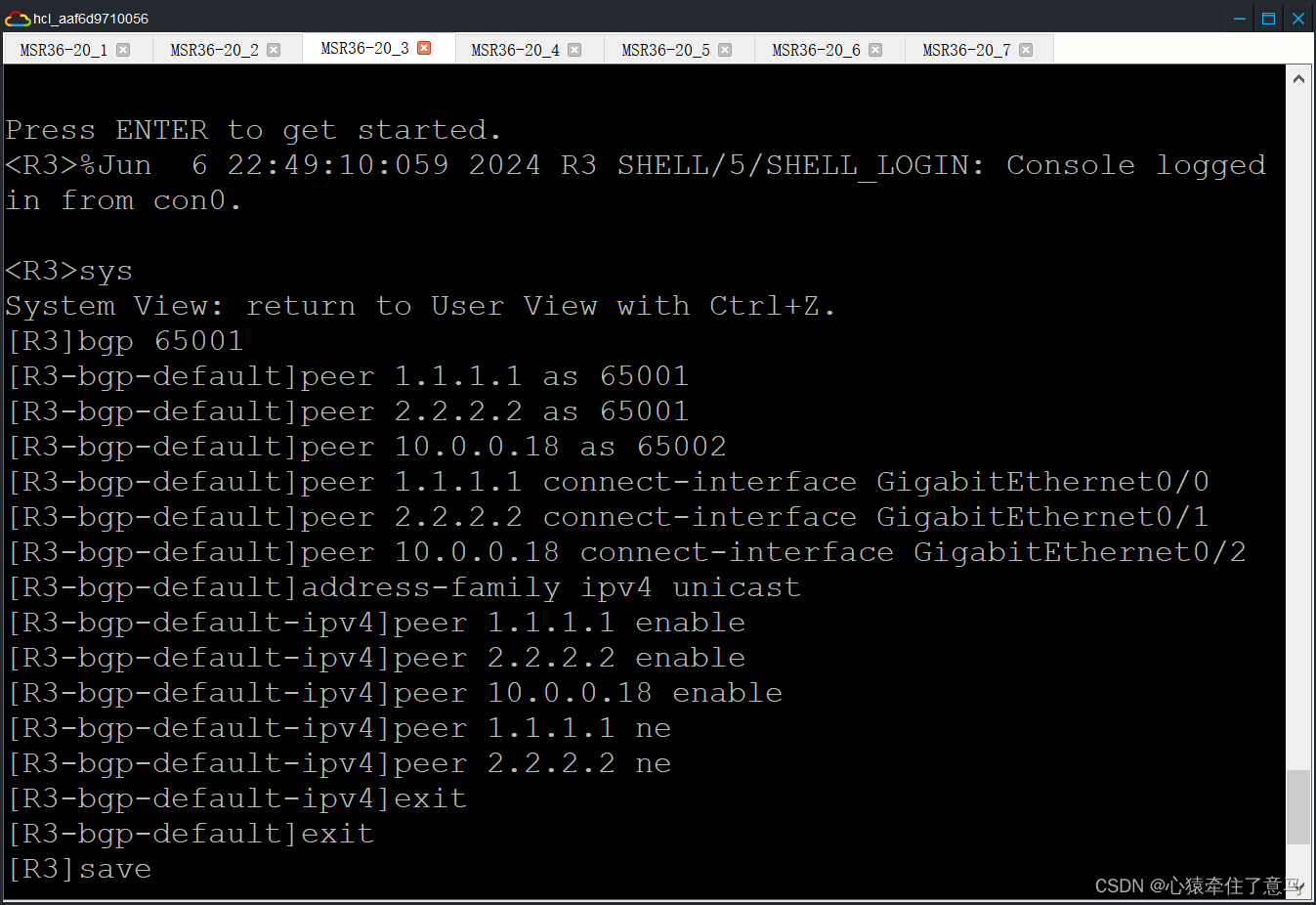
markdown
# R4
bgp 65002
router-id 4.4.4.4
peer 5.5.5.5 as 65002
peer 6.6.6.6 as 65002
peer 10.0.0.13 as 65001
peer 5.5.5.5 connect-interface GigabitEthernet0/1
peer 6.6.6.6 connect-interface GigabitEthernet0/0
peer 10.0.0.13 connect-interface GigabitEthernet0/2
address-family ipv4 unicast
peer 5.5.5.5 enable
peer 6.6.6.6 enable
peer 10.0.0.13 enable
peer 5.5.5.5 ne
peer 6.6.6.6 ne
markdown
# R5
bgp 65002
router-id 5.5.5.5
peer 5.5.5.5 as 65002
peer 6.6.6.6 as 65002
peer 10.0.0.17 as 65001
peer 4.4.4.4 connect-interface GigabitEthernet0/1
peer 6.6.6.6 connect-interface GigabitEthernet0/0
peer 10.0.0.17 connect-interface GigabitEthernet0/2
address-family ipv4 unicast
peer 4.4.4.4 enable
peer 6.6.6.6 enable
peer 10.0.0.17 enable
peer 4.4.4.4 ne
peer 6.6.6.6 ne
markdown
# R6
bgp 65002
router-id 6.6.6.6
peer 4.4.4.4 as 65002
peer 5.5.5.5 as 65002
peer 4.4.4.4 connect-interface GigabitEthernet0/0
peer 5.5.5.5 connect-interface GigabitEthernet0/1
address-family ipv4 unicast
peer 4.4.4.4 enable
peer 5.5.5.5 enable
peer 4.4.4.4 ne
peer 5.5.5.5 ne
流量控制使 A 流走 R2->R4 B 流走 R3->R5
markdown
[R2]acl ba 2000
[R2-acl-ipv4-basic-2000]ru per s 172.16.0.0 0.0.0.255
The rule already exists.
[R2-acl-ipv4-basic-2000]exit
[R2]route-policy bl per node 10
You are modifying an existing routing policy node.
[R2-route-policy-bl-10]if-match ip add acl 2000
[R2-route-policy-bl-10]apply as-path 200
[R2-route-policy-bl-10]exit
[R2]route-policy bl per node 20
You are modifying an existing routing policy node.
[R2-route-policy-bl-20]exit
[R2]bgp 65001
[R2-bgp-default]address-family ipv4 unicast
[R2-bgp-default-ipv4]peer 10.0.0.14 route-policy bl ex
[R2-bgp-default-ipv4]quit
markdown
[R4]acl ba 2000
[R4-acl-ipv4-basic-2000]ru per s 172.16.0.0 0.0.0.255
[R4-acl-ipv4-basic-2000]exit
[R4]route-policy bl per node 10
Routing policy node created.
[R4-route-policy-bl-10]if-match ip add acl 2000
[R4-route-policy-bl-10]apply as-path 200
[R4-route-policy-bl-10]exit
[R4]route-policy bl per node 20
Routing policy node created.
[R4-route-policy-bl-20]exit
[R4]bgp 65002
[R4-bgp-default]address-family ipv4 unicast
[R4-bgp-default-ipv4]peer 10.0.0.13 route-policy bl ex
[R4-bgp-default-ipv4]quit
markdown
[R3]acl ba 2000
[R3-acl-ipv4-basic-2000]ru per s 192.168.0.0 0.0.0.255
[R3-acl-ipv4-basic-2000]quit
[R3]route-policy al per node 10
Routing policy node created.
[R3-route-policy-al-10]if-match ip add acl 2000
[R3-route-policy-al-10]apply as-path 100
[R3-route-policy-al-10]quit
[R3]route-policy al per node 20
Routing policy node created.
[R3-route-policy-al-20]quit
[R3]bgp 65001
[R3-bgp-default]address-family ipv4 unicast
[R3-bgp-default-ipv4]peer 10.0.0.18 route-policy bl ex
[R3-bgp-default-ipv4]quit
[R3-bgp-default]quit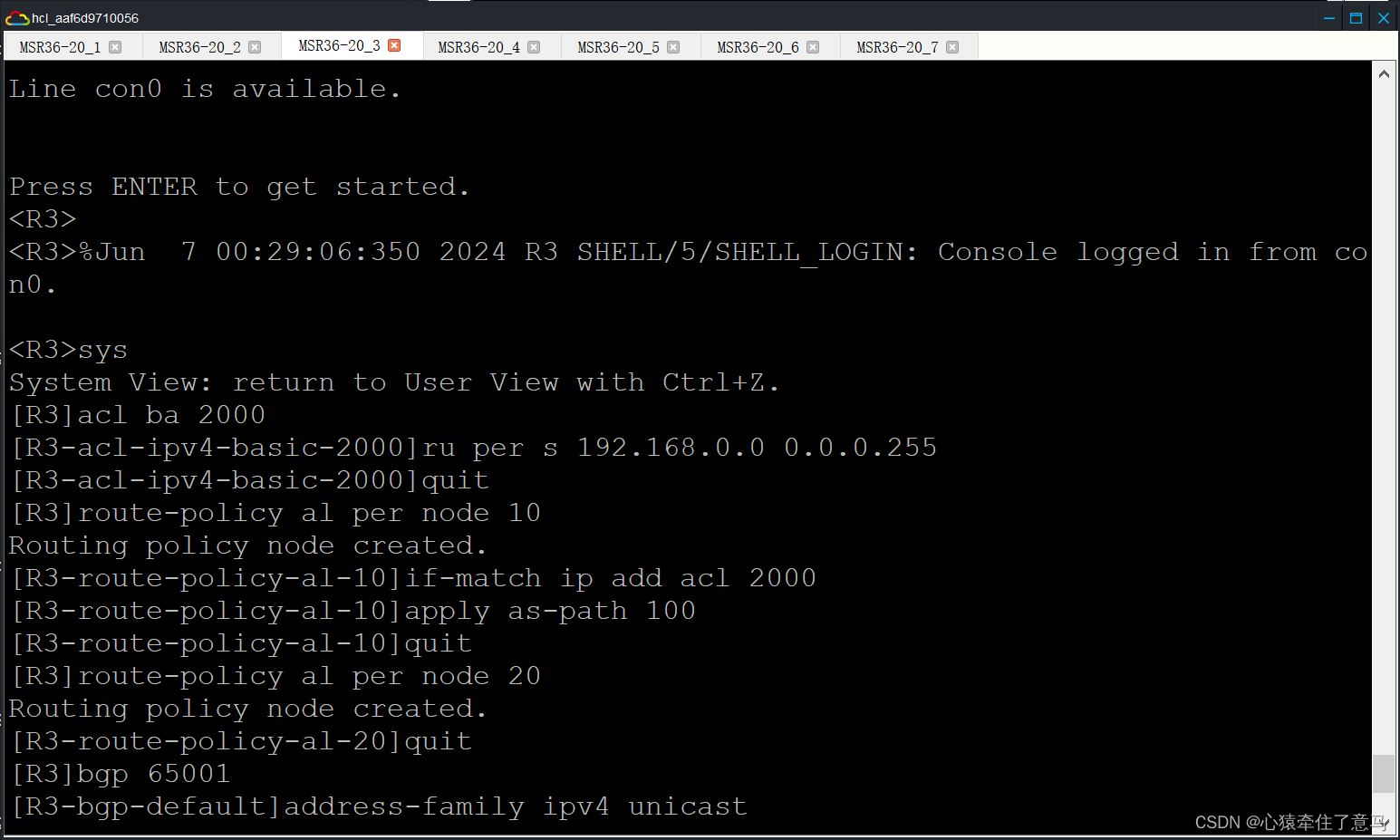
markdown
acl ba 2000
ru per s 192.168.0.0 0.0.0.255
quit
route-policy al per node 10
if-match ip add acl 2000
apply as-path 100
quit
route-policy al per node 20
quit
bgp 65001
address-family ipv4 unicast
peer 10.0.0.18 route-policy bl ex
路由引入,这里没有做过滤,需要注意的是一个邻居的一个方向只能调用一个路由策略,所有在过滤是使用过滤技术。
[R2-bgp-default-ipv4]import-route rip
[R2]rip
[R2-rip-1]import-route bgp
[R2-rip-1]quit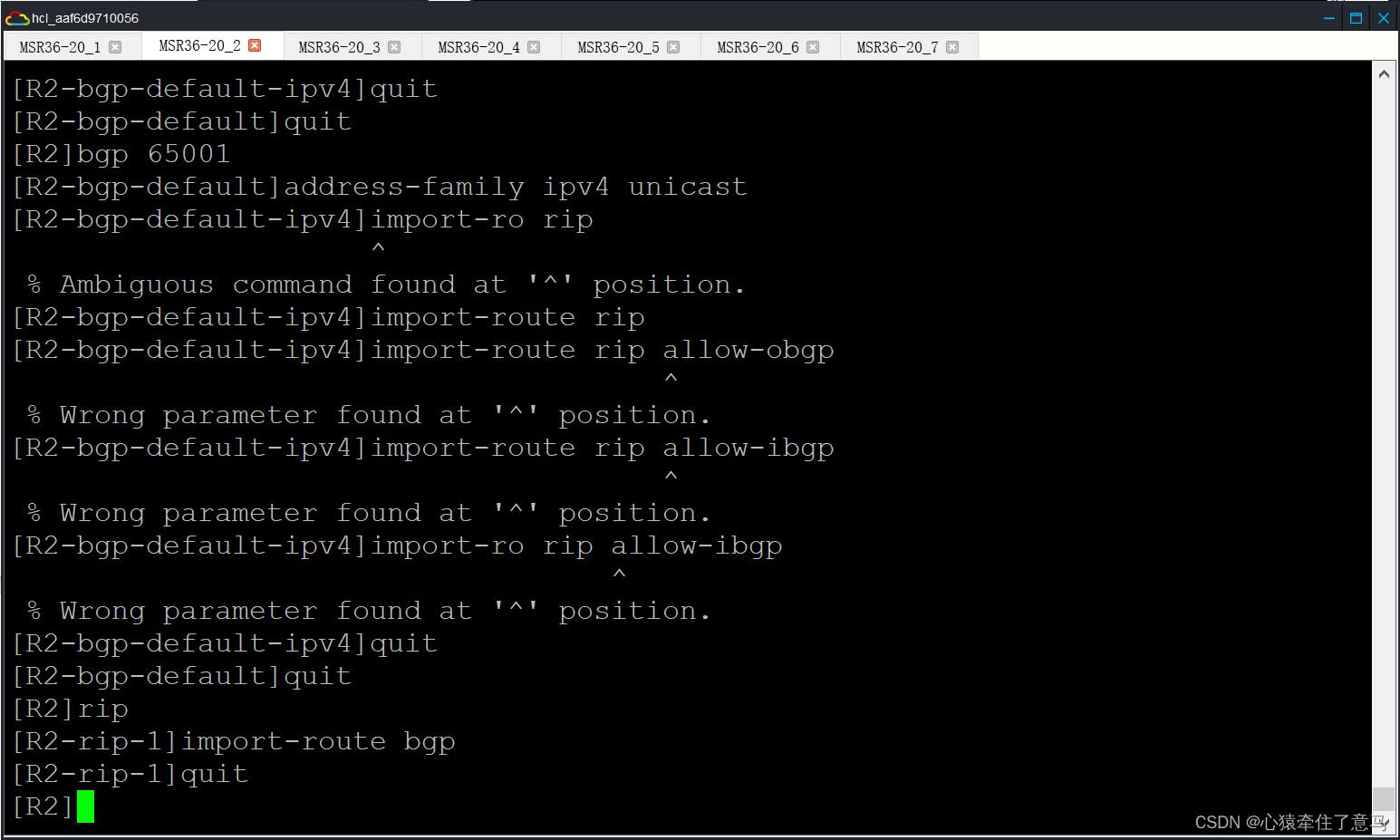
过滤不让办事处的 B 流与分公司的 B 流互通
[R2]acl basic 2001
[R2-acl-ipv4-basic-2001]rule 0 deny source 172.16.1.0 0.0.0.255
[R2-acl-ipv4-basic-2001]rule 5 permit
[R2]int g5/0
[R2-GigabitEthernet5/0]packet-filter 2001 outbound
[R2]acl basic 2002
[R2-acl-ipv4-basic-2002]rule 0 deny source 172.16.2.0 0.0.0.255
[R2-acl-ipv4-basic-2002]rule 5 permit
[R2-acl-ipv4-basic-2002]quit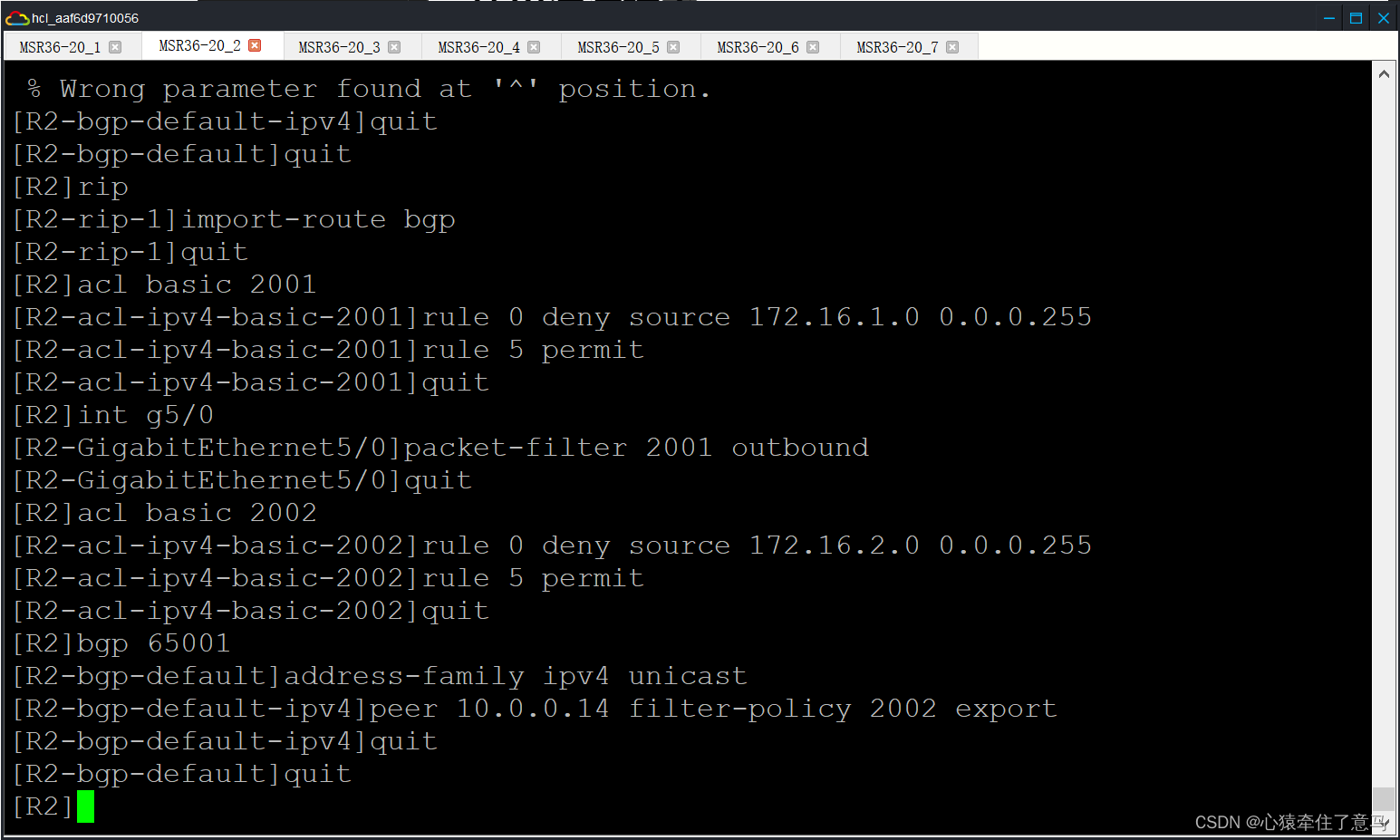
<R3>sys
System View: return to User View with Ctrl+Z.
[R3]acl basic 2001
[R3-acl-ipv4-basic-2001]rule 0 deny source 172.16.2.0 0.0.0.255
[R3-acl-ipv4-basic-2001]rule 5 permit
[R3-acl-ipv4-basic-2001]quit
[R3]bgp 65001
[R3-bgp-default]address-family ipv4 unicast
[R3-bgp-default-ipv4]peer 10.0.0.18 filter-policy 2001 export
[R3-bgp-default-ipv4]quit
[R3-bgp-default]quit
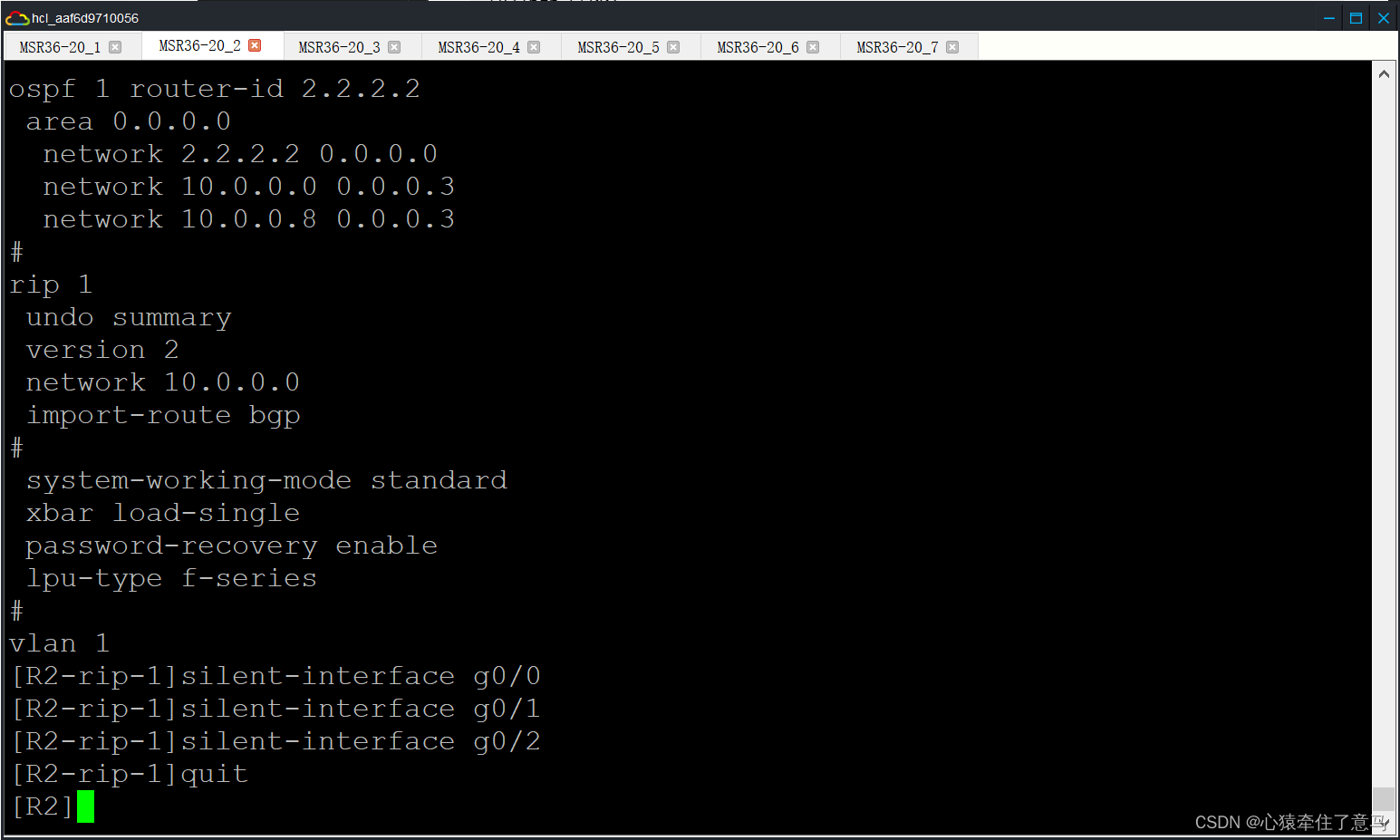
静默接口不允许出现协议报文
···
R2-rip-1silent-interface g0/0
R2-rip-1silent-interface g0/1
R2-rip-1silent-interface g0/2
···
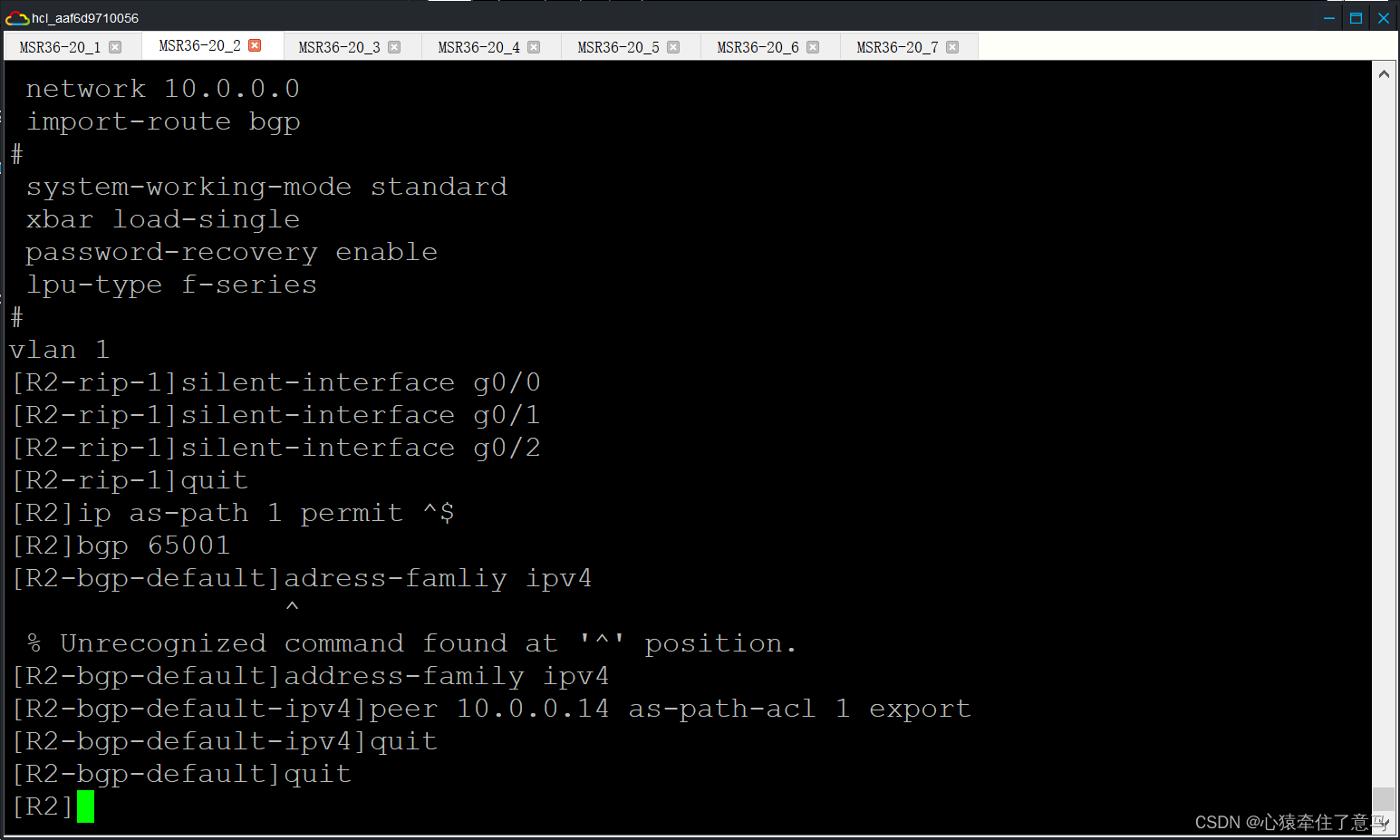
只传递本 AS 的路由
···
R2ip as-path 1 permit ^$
R2bgp 65001
R2-bgp-defaultaddress-family ipv4
R2-bgp-default-ipv4peer 10.0.0.14 as-path-acl 1 export
R2-bgp-default-ipv4quit
R2-bgp-defaultquit
R3ip as-path 1 permit ^$
R3bgp 65001
R3-bgp-defaultaddress-family ipv4
R3-bgp-default-ipv4peer 10.0.0.18 as-path-acl 1 export
R3-bgp-default-ipv4quit
R3-bgp-defaultquit
···
按照实验指导书上面的内容就做完了,现在我们来检查各部分的情况进行截图。
检查OSPF PEER(R2&R6):

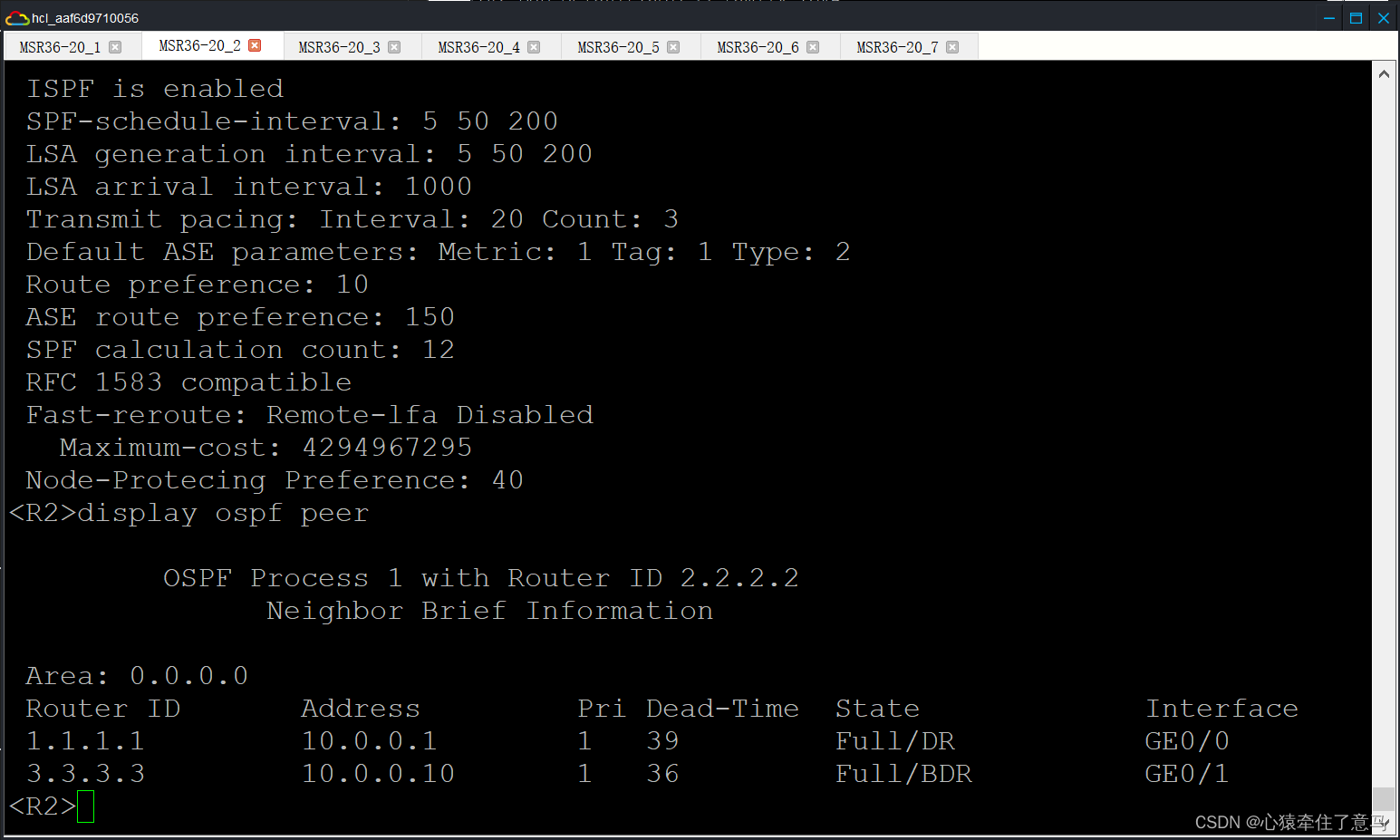
一切正常!
拓扑汇总
实验踩坑说明和额外说明
在实验过程中经常出现指导书的指令输入进去虚拟机但是经常报错的时候,有可能是以下三个原因造成的:
- 它给的指令就是错误的,这个分几种情况讨论
- 指令简写了
- 指令扩写了
- 指令压根不存在,没有更新
- 我们的IP地址没有配,比如我是做到陪完BGP的时候感到非常奇怪,为什么一直没有连接上?后来我发现我没有把每一个接口都分配地址,我直接略过了流程的第一步,导致我的网络在后面不起反应
- 在错误的街口下操作。比如原本要在R2-XXX-XXX操作的,但是我们一直在R2下操作,当然会一直报错了。
- 通过这次实验,我极大程度上掌握了H3C的路由器配置,这对我来说虽然痛苦但是很有收获。
46903)]
按照实验指导书上面的内容就做完了,现在我们来检查各部分的情况进行截图。
检查OSPF PEER(R2&R6):
外链图片转存中...(img-SwIzoGlw-1717695746903)
外链图片转存中...(img-MiHZC6XW-1717695746903)
一切正常!
拓扑汇总
外链图片转存中...(img-A0NZleeK-1717695746903)
实验踩坑说明和额外说明
在实验过程中经常出现指导书的指令输入进去虚拟机但是经常报错的时候,有可能是以下三个原因造成的:
- 它给的指令就是错误的,这个分几种情况讨论
- 指令简写了
- 指令扩写了
- 指令压根不存在,没有更新
- 我们的IP地址没有配,比如我是做到陪完BGP的时候感到非常奇怪,为什么一直没有连接上?后来我发现我没有把每一个接口都分配地址,我直接略过了流程的第一步,导致我的网络在后面不起反应
- 在错误的街口下操作。比如原本要在R2-XXX-XXX操作的,但是我们一直在R2下操作,当然会一直报错了。
- 通过这次实验,我极大程度上掌握了H3C的路由器配置,这对我来说虽然痛苦但是很有收获。