一.Python与Elasticsearch交互示例
这段代码是使用Python的elasticsearch模块与Elasticsearch进行交互的示例:
python
from elasticsearch import Elasticsearch

# 一.创建连接
# 建立到Elasticsearch的连接,指定主机和端口,设置请求超时时间为3600秒
es = Elasticsearch(hosts="http://localhost:9200").options(request_timeout=3600)

# 二.创建索引
# 创建一个名为 'news' 的索引。如果索引已存在,会忽略掉400错误(IndexAlreadyExistsException)
es.indices.create(index='news', ignore=400)

# 三.删除索引
# 删除名为 'news' 的索引。ignore=[400, 404] 表示忽略索引不存在(404)和索引被删除前存在(400)的错误。
result = es.indices.delete(index="news", ignore=[400, 404])

# 四.添加数据
# 向 'news' 索引中添加一条文档,文档ID为'3',内容为data字典中的数据
data = {"name": "莫慧汝", "sex": "女", "age": 24}
es.index(index="news", id='3', body=data)

# 五.修改数据
# 根据ID修改数据,将ID为'1'的文档的'arg'字段的值修改为25
data = {"doc": {'arg': 25}}
es.update(index="news", id="1", body=data)

# 根据条件修改数据,使用update_by_query来更新满足条件的文档
script = {
    "source": "ctx._source.province ='四川省'",
    "lang": "painless"
}
query = {
    "match": {
        "id": "0cb0643c4dab9b544299b11c4215aafb"
    }
}
data = {
    'script': script,
    'query': query
}
es.update_by_query(index="regulations", body=data)

# 六.删除数据
# 根据ID删除文档,从 'news' 索引中删除ID为'3'的文档
result = es.delete(index="news", id="3")

# 根据条件删除文档,使用delete_by_query来删除满足条件的文档
query = {
    "match": {
        "id": "0cb0643c4dab9b544299b11c4215aafb"
    }
}
data = {
    'query': query
}
es.delete_by_query(index="regulations", body=data)

# 七.全部查询
# 执行全文档查询,返回 'news' 索引中所有文档的查询结果
account_index = "news"
query = {
    'query': {
        'match_all': {}
    }
}
result = es.search(index=account_index, body=query)
for row in result['hits']['hits']:
    print(row)
二.代码逐行解释
1.创建连接
使用 Elasticsearch 类建立与 Elasticsearch 的连接。指定主机为 localhost,端口为 9200,并设置请求超时时间为 3600 秒。
2.创建索引
使用 es.indices.create 方法创建一个名为 'news' 的索引。ignore=400 表示忽略已存在的索引的错误(即索引已存在时不抛出异常)。
3.删除索引
使用 es.indices.delete 方法删除名为 'news' 的索引。ignore=[400, 404] 表示忽略索引不存在和索引被删除前存在的错误。
4.添加数据
使用 es.index 方法向 'news' 索引中添加一条文档。文档的 ID 为 '3',内容为 data 字典中的数据。
5.修改数据
使用 es.update 方法根据文档 ID 修改数据。在示例中,将 ID 为 '1' 的文档的 'arg' 字段的值修改为 25。
6.条件修改数据
使用 es.update_by_query 方法根据条件(这里根据匹配 'id': '0cb0643c4dab9b544299b11c4215aafb')来更新文档。使用 Painless 脚本将匹配的文档的 'province' 字段设置为 '四川省'。
lang 指定了脚本语言,这里是 "painless"。Painless 是 Elasticsearch 内置的一种安全的脚本语言,用于执行复杂的文档更新操作和查询操作。
7.删除数据
使用 es.delete 方法根据文档 ID 删除数据。在示例中,删除 'news' 索引中 ID 为 '3' 的文档。
8.条件删除数据
使用 es.delete_by_query 方法根据条件(这里根据匹配 'id': '0cb0643c4dab9b544299b11c4215aafb')来删除文档。
9.全部查询
使用 es.search 方法执行全文档查询。在示例中,执行一个匹配所有文档的查询,并遍历打印查询结果中的每个文档。
三.ES-King:ES GUI客户端
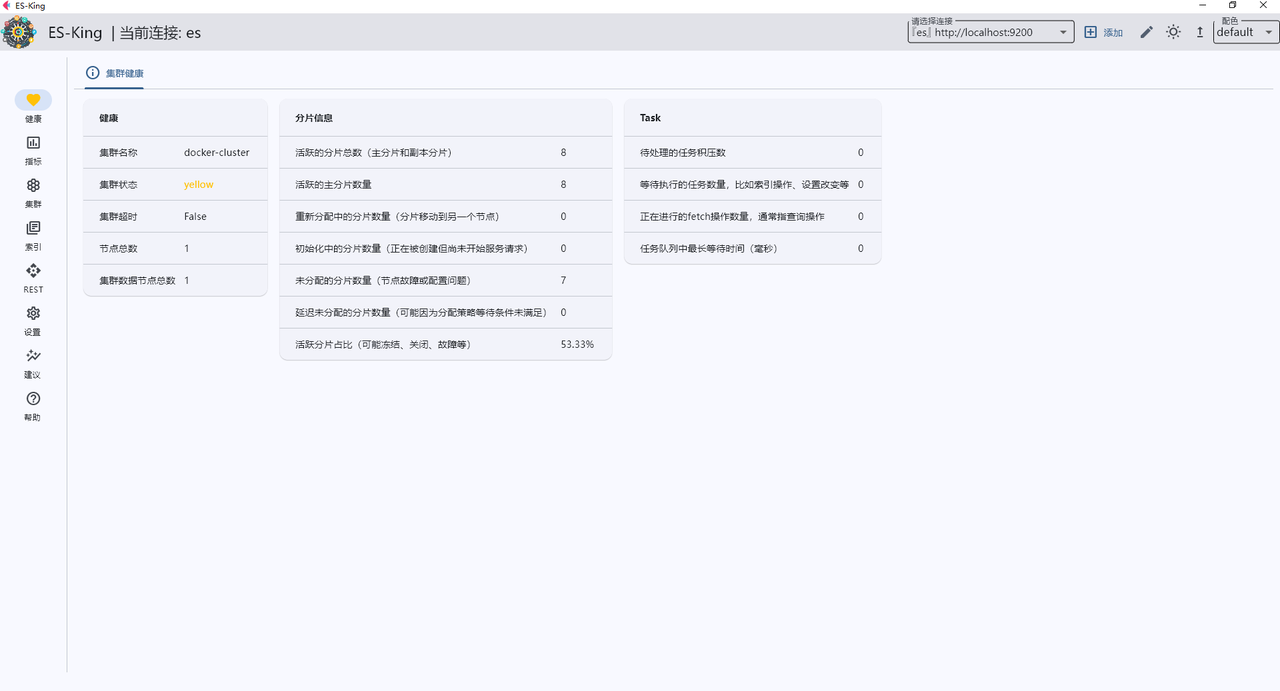
1.集群健康
包括健康、分片信息和Task如下:
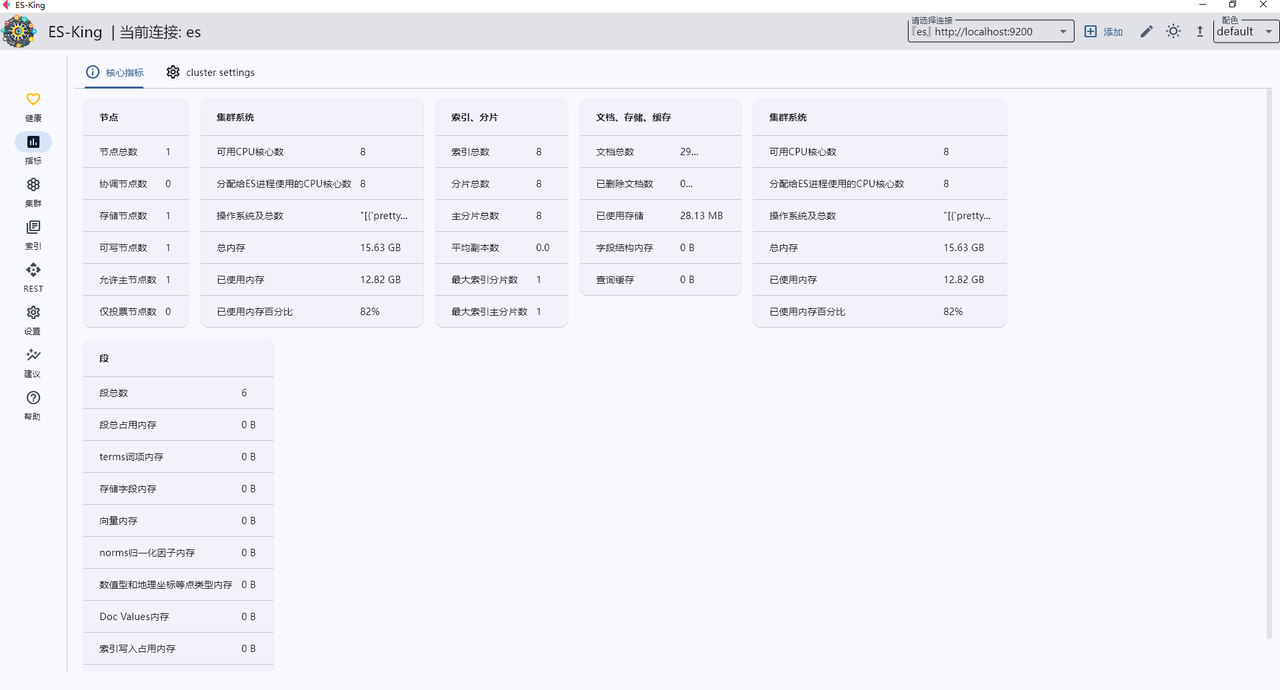
2.核心指标
包括节点、集群系统、索引|分片、文档|存储|缓存、集群系统、段如下:
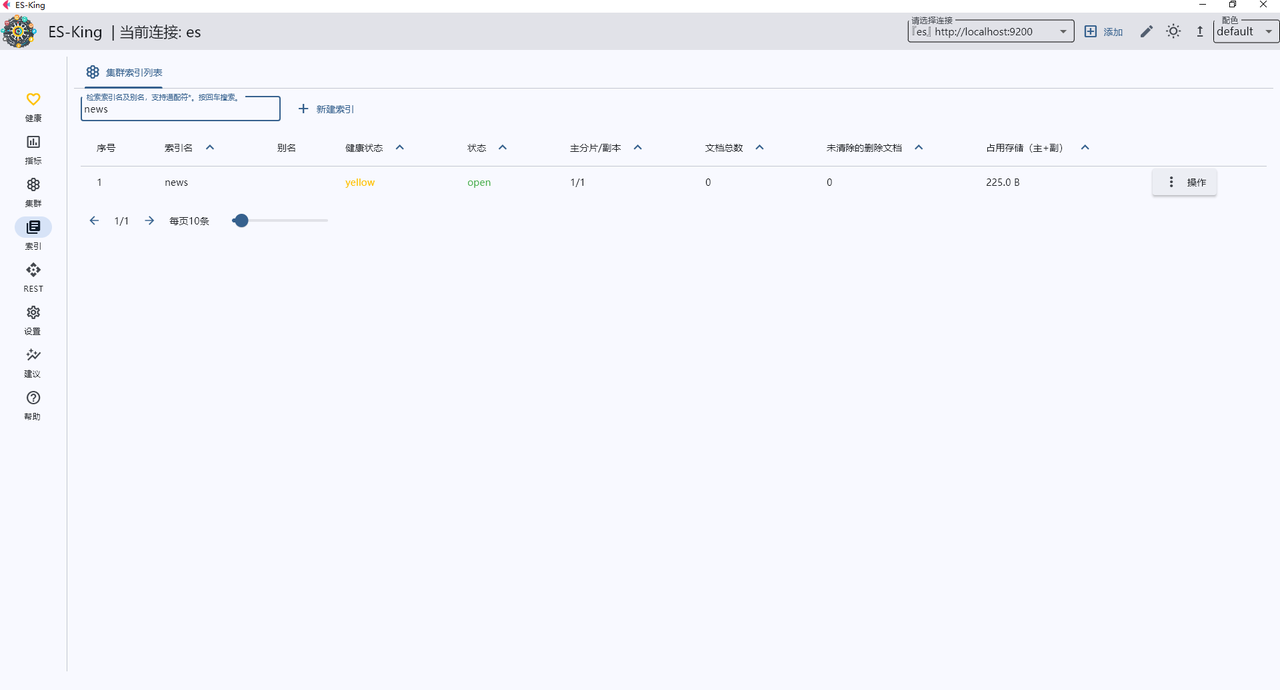
3.集群索引列表
刚才创建的索引名news如下:
参考文献
1 Python Elasticsearch client:https://elasticsearch-py.readthedocs.io/en/v8.14.0/quickstart.html
2 Python Elasticsearch Client:https://github.com/elastic/elasticsearch-py/blob/v8.14.0/docs/sphinx/index.rst
3 elasticsearch-py:https://github.com/elastic/elasticsearch-py
4 ES REST APIs:https://www.elastic.co/guide/en/elasticsearch/reference/current/rest-apis.html
5 Linux下安装ElasticSearch和使用:https://zhuanlan.zhihu.com/p/700225380
6 python操作elasticsearch:https://zhuanlan.zhihu.com/p/692832220
7 elasticsearch之python操作:https://www.cnblogs.com/xingxia/p/elasticsearch_python.html
8 ES-King:https://github.com/Bronya0/ES-King
9 Elasticsearch 25 个必知必会的默认值:https://mp.weixin.qq.com/s/AjORpCgr0BBW78wdhXZ_Ow
10 36张图详解ElasticSearch原理+实战知识点:https://juejin.cn/post/7037374695045333000
NLP工程化(星球号)
