案例如下:
实现一个基本的登录功能。
在同个文件夹下创建login_html.php、login.php、user_html.php和user.php
login_html.php
php
<!doctype html>
<html>

<head>
    <meta charset="utf-8">
    <title>欢迎登录</title>
    <style>
        body {
            background-color: #eee;
            margin: 0;
            padding: 0;
        }

        .reg {
            width: 400px;
            margin: 15px;
            padding: 20px;
            border: 1px solid #ccc;
            background-color: #fff;
        }

        .reg .title {
            text-align: center;
            padding-bottom: 10px;
        }

        .reg th {
            font-weight: normal;
            text-align: right;
        }

        .reg input {
            width: 180px;
            border: 1px solid #ccc;
            height: 20px;
            padding-left: 4px;
        }

        .reg .button {
            background-color: #0099ff;
            border: 1px solid #0099ff;
            color: #fff;
            width: 80px;
            height: 25px;
            margin: 0 5px;
            cursor: pointer;
        }

        .reg .td-btn {
            text-align: center;
            padding-top: 10px;
        }

        .error-box {
            width: 378px;
            margin: 15px;
            padding: 10px;
            background: #FFF0F2;
            border: 1px dotted #ff0099;
            font-size: 14px;
            color: #ff0000;
        }

        .error-box ul {
            margin: 10px;
            padding-left: 25px;
        }
    </style>
</head>

<body>
    <div class="reg">
        <div class="title">用户登录</div>
        <form action="login.php" method="post">
            <table>
                <tr>
                    <th>用户名:</th>
                    <td><input type="text" name="username" /></td>
                </tr>
                <tr>
                    <th>密码:</th>
                    <td><input type="password" name="password" /></td>
                </tr>
                <tr class="td-btn">
                    <td colspan="2">
                        <input type="submit" class="button" value="登录" />
                    </td>
                </tr>
            </table>
        </form>
        <?php if (!empty($error)): ?>
            <div class="error-box">登录失败,错误信息如下:
                <ul><?php foreach ($error as $v)
                    echo "<li>$v</li>"; ?></ul>
            </div>
        <?php endif; ?>
    </div>
</body>

</html>
login.php
php
<?php

// 开启错误报告
error_reporting(E_ALL);
ini_set('display_errors', 1);

ob_start(); // 开启输出缓冲
header('Content-Type:text/html;charset=utf-8');
$error = array(); // 保存错误信息

// 当有表单提交时
if (!empty($_POST)) {
    // 接收用户登录表单
    $username = isset($_POST['username']) ? trim($_POST['username']) : '';
    $password = isset($_POST['password']) ? trim($_POST['password']) : '';

    // 载入表单验证函数库check_form.lib.php,验证用户名和密码格式
    require 'check_form.lib.php';
    if (($result = checkUsername($username)) !== true) {
        $error[] = $result;
    }
    if (($result = checkPassword($password)) !== true) {
        $error[] = $result;
    }

    // 表单验证通过,再到数据库中验证
    if (empty($error)) {
        // 连接数据库
        $link = mysqli_connect("localhost", "root", "123456", "test");
        if (!$link) {
            die("数据库连接失败: " . mysqli_connect_error());
        }
        mysqli_set_charset($link, "utf8");

        // 准备预处理语句
        $stmt = mysqli_prepare($link, "SELECT `id`, `password` FROM `user` WHERE `username` = ?");
        mysqli_stmt_bind_param($stmt, "s", $username);
        mysqli_stmt_execute($stmt);
        $result = mysqli_stmt_get_result($stmt);
        $row = mysqli_fetch_assoc($result);
        mysqli_free_result($result);
        mysqli_stmt_close($stmt);

        // 计算密码的MD5
        $password = md5($password);

        // 验证密码
        if ($row && $row['password'] == $password) {
            // 登录成功,设置cookie
            setcookie('id', $row['id'], time() + 3600);
            setcookie('username', $username, time() + 3600);
            // 跳转到首页
            header('Location: user_html.php');
            exit;
        } else {
            // 密码错误
            $error[] = '密码错误';
        }
    }
}
ob_end_clean(); // 清空并关闭输出缓冲
require 'login_html.php';
?>
user_html.php
php
<!doctype html>
<html>

<head>
    <meta charset="utf-8">
    <title>会员中心</title>
    <style>
        body {
            background-color: #eee;
            margin: 0;
            padding: 0;
        }

        .box {
            width: 400px;
            margin: 15px;
            padding: 20px;
            border: 1px solid #ccc;
            background-color: #fff;
        }

        .error-box {
            text-align: center;
            margin: 15px;
            padding: 10px;
            background: #FFF0F2;
            border: 1px dotted #ff0099;
            font-size: 14px;
            color: #ff0000;
        }

        .error-box a {
            color: #0066ff;
        }

        .box .title {
            font-size: 20px;
            text-align: center;
            margin-bottom: 20px;
        }

        .box .welcome {
            text-align: center;
        }

        .box .welcome a {
            color: #0066ff;
        }

        .box .welcome span {
            color: #ff0000;
        }
    </style>
</head>

<body>
    <div class="box">
        <div class="title">会员中心</div>
        <?php if ($login): ?>
            <div class="welcome">"<span><?php echo $userinfo['username']; ?></span>"您好,欢迎来到会员中心。<a
                    href="?action=logout">退出</a></div>
            <!-- 此处编写会员中心其他内容 -->
        <?php else: ?>
            <div class="error-box">您还未登录,请先 <a href="login.php">登录</a> 或 <a href="register.php">注册新用户</a> 。</div>
        <?php endif; ?>
    </div>
</body>

</html>
user.php
php
<?php
header('Content-Type:text/html;charset=utf-8');

// 启动SESSION
session_start();

// 判断SESSION中是否存在用户信息
if (isset($_SESSION['userinfo'])) {
    // 用户信息存在,说明用户已经登录
    $login = true;   // 保存用户登录状态
    $userinfo = $_SESSION['userinfo'];  // 获取用户信息
} else {
    // 用户信息不存在,说明用户没有登录
    $login = false;
}

// 用户退出
if (isset($_GET['action']) && $_GET['action'] == 'logout') {
    // 清除SESSION数据
    unset($_SESSION['userinfo']);

    // 如果SESSION中没有其他数据,则销毁SESSION
    if (empty($_SESSION)) {
        session_destroy();
    }

    // 跳转到登录页面
    header('Location: login.php');
    exit;
}
require 'user_html.php';
我现在遇到的问题是,在login_html.php点击登录跳转不过去,会报错。
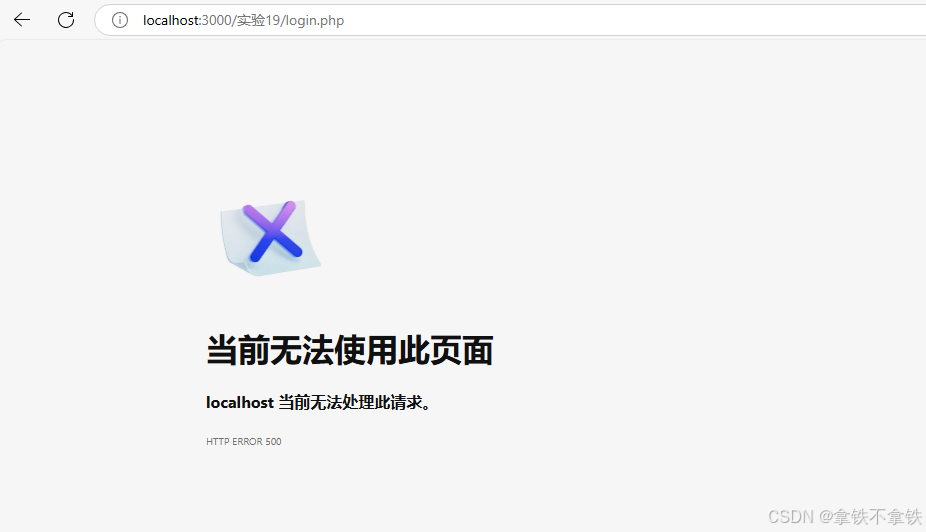
为了快速定位问题,由于我点击登录是post数据到login.php。
所以我在login.php添加错误报告
php
// 开启错误报告
error_reporting(E_ALL);
ini_set('display_errors', 1);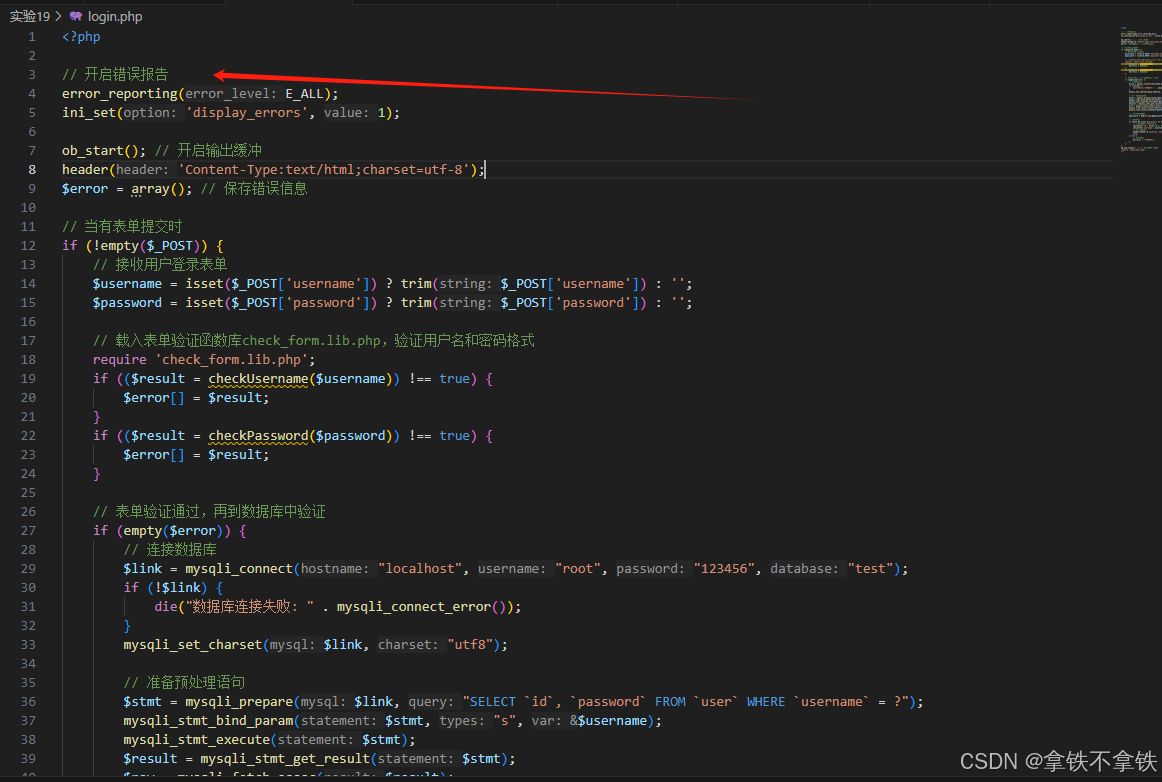
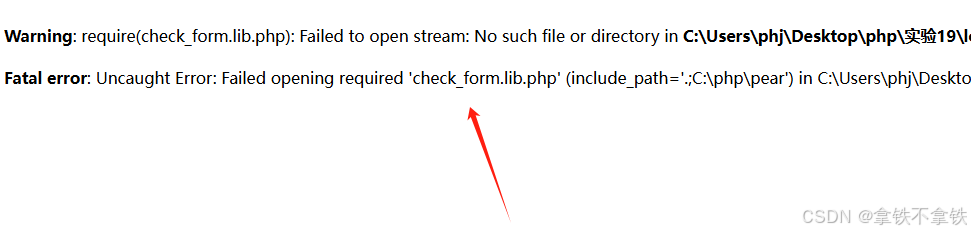
再次点击登录,可以在web页面看到完整报错。
原来是我login.php代码里,找不到check_form.lib.php
那么简单喽,注释掉就可以了