1 transform
CSS属性 - transform

transform的用法
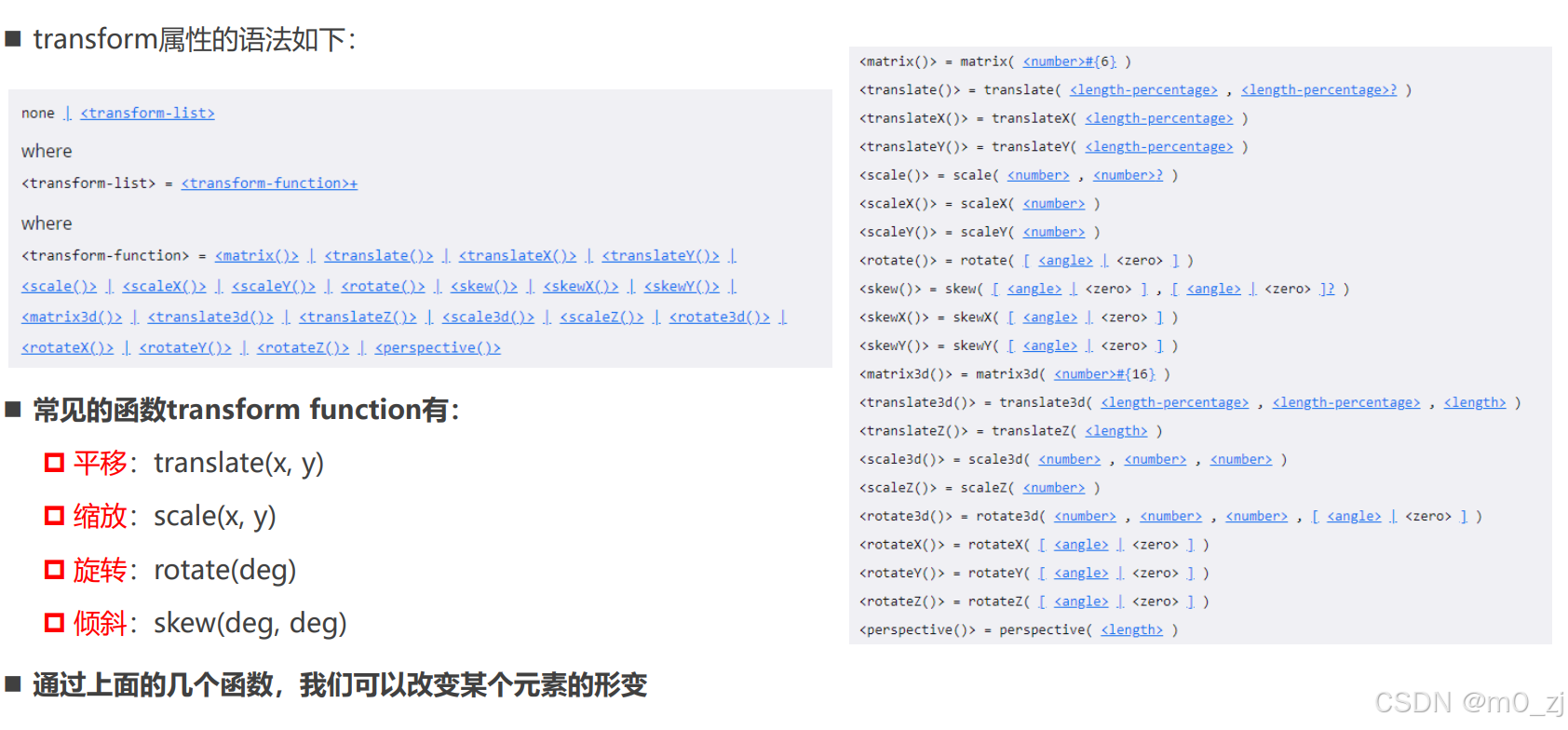
+表示一个或者多个
不用记住全部的函数,只用掌握这四个常用的函数即可
位移 - translate
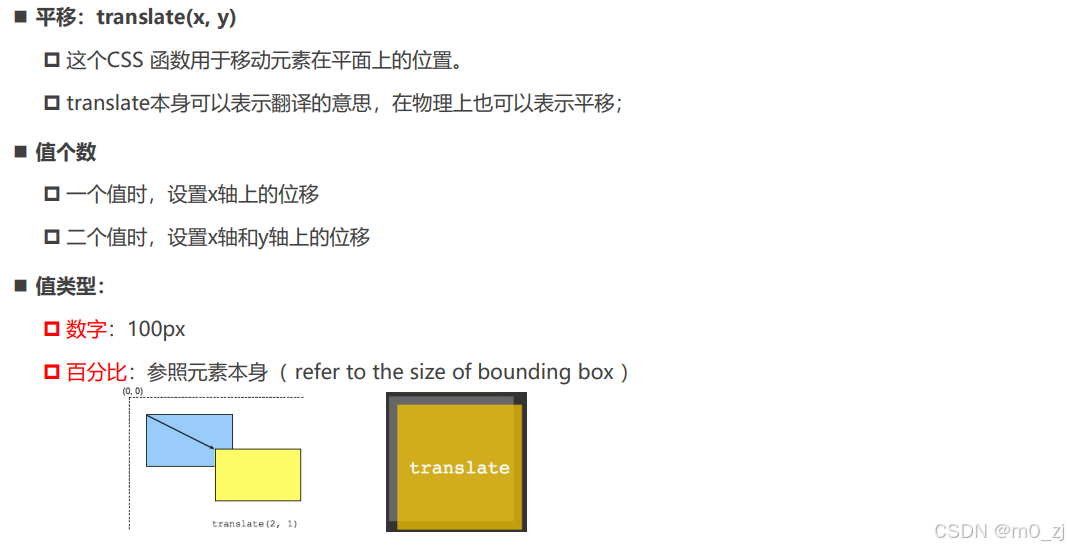
html<!DOCTYPE html> <html lang="en"> <head> <meta charset="UTF-8"> <meta http-equiv="X-UA-Compatible" content="IE=edge"> <meta name="viewport" content="width=device-width, initial-scale=1.0"> <title>Document</title> <style> .container { display: inline-block; border: 5px solid #f00; } .container .box { width: 200px; height: 200px; background-color: orange; transform: translate(100px, 100px); } </style> </head> <body> <div class="container"> <div class="box"></div> </div> </body> </html>translate百分比
html<!DOCTYPE html> <html lang="en"> <head> <meta charset="UTF-8"> <meta http-equiv="X-UA-Compatible" content="IE=edge"> <meta name="viewport" content="width=device-width, initial-scale=1.0"> <title>Document</title> <style> .container { display: inline-block; border: 5px solid #f00; } .container .box { width: 200px; height: 100px; background-color: orange; /* 百分比: 你的百分比是相对于谁? */ /* 不同地方的百分比相对参照物是不一样 */ /* traslate的百分比是相对于自身的 */ /* 如果设置的x位移: 那么参考的是自身的宽度 */ /* 如果设置的y位移: 那么参考的是自身的高度 */ transform: translate(100%, 100%); /* transform: translate(x, y); */ /* transform: translateX(); transform: translateY(); */ } </style> </head> <body> <div class="container"> <div class="box"></div> </div> </body> </html>


translate的补充
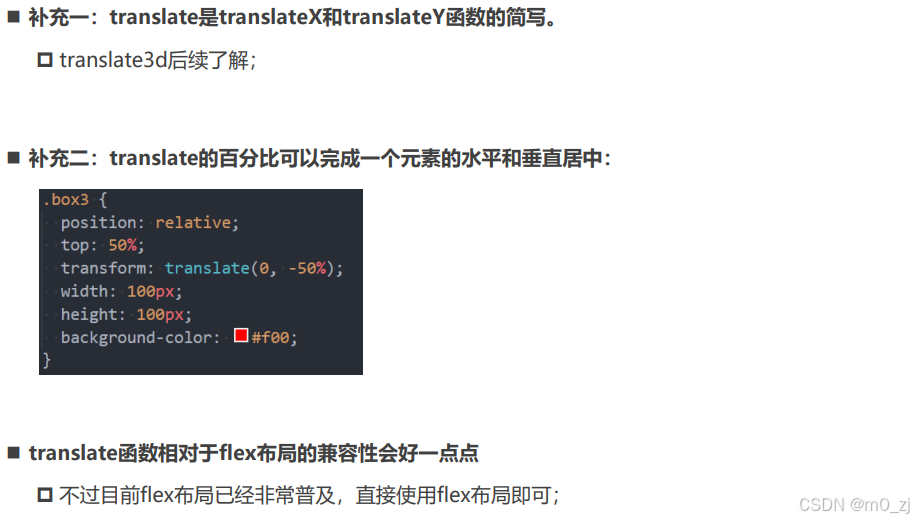
html<!DOCTYPE html> <html lang="en"> <head> <meta charset="UTF-8"> <meta http-equiv="X-UA-Compatible" content="IE=edge"> <meta name="viewport" content="width=device-width, initial-scale=1.0"> <title>Document</title> <style> .container { /* position: relative; */ /* display: flex; align-items: center; */ height: 300px; background-color: orange; } .box1 { position: absolute; width: 100px; /* height: 100px; */ top: 0; bottom: 0; margin: auto 0; background-color: #f00; } .box2 { background-color: #f00; } .box3 { display: inline-block; height: 100px; background-color: #f00; /* 两件事情: 1.让元素向下位移父元素的50% 2.让元素向上位移自身的50% */ /* margin-top的百分比是相对于包含块(父元素)的宽度 */ /* margin-top: 50%; */ position: relative; top: 50%; transform: translate(0, -50%); } </style> </head> <body> <!-- 水平居中: 1.行内级元素: * 设置父元素的text-align: center 2.块级元素: * 设置当前块级元素(宽度) margin: 0 auto; 3.绝对定位 * 元素有宽度情况下, left0/right0/margin: 0 auto; 4.flex * justify-content: center --> <!-- 垂直居中: 1.绝对定位 * 元素有高度情况下, top0/bottom0/margin: auto 0; --> <!-- 1.垂直居中: 绝对定位 弊端: 1> 必须使用定位(脱离标准流) 2> 必须给元素设置高度 --> <!-- <div class="container"> <div class="box1">coderwhy</div> </div> --> <!-- 2.垂直居中: flex布局(直接使用flex) 弊端: 1> 当前flex局部中所有的元素都会被垂直居中 2> 相对来说, 兼容性差一点点(基本可以忽略) --> <!-- <div class="container"> <div class="box2">flex布局的居中</div> aaaa </div> --> <!-- 3.垂直居中: top/translate(个人推荐, 不好理解) --> <div class="container"> <div class="box3">coderwhy</div> aaaaa </div> </body> </html>补充:水平居中和垂直居中
水平居中:
1.行内级元素:
* 设置父元素的text-align: center
2.块级元素:
* 设置当前块级元素(宽度) margin: 0 auto;
3.绝对定位
* 元素有宽度情况下, left0/right0/margin: 0 auto;
4.flex
* justify-content: center
垂直居中:
1.绝对定位
元素有高度情况下, top0/bottom0/margin: auto 0;
css.container { position: relative; height: 300px; background-color: orange; } .box1 { position: absolute; width: 100px; height: 100px; top: 0; bottom: 0; margin: auto 0; background-color: red; }1.垂直居中: 绝对定位
弊端:
1> 必须使用定位(脱离标准流)
2> 必须给元素设置高度
2.垂直居中:flex布局(直接使用flex)
弊端:
1> 当前flex局部中所有的元素都会被垂直居中
2> 相对来说, 兼容性差一点点(基本可以忽略)
css.container { display: flex; align-items: center; height: 300px; background-color: orange; } .box2 { background-color: #f00; }3.垂直居中: top/translate(个人推荐, 不好理解)
css.container { height: 300px; background-color: orange; } .box3 { display: inline-block; height: 100px; background-color: #f00; /* 两件事情: 1.让元素向下位移父元素的50% 2.让元素向上位移自身的50% */ /* margin-top的百分比是相对于包含块(父元素)的宽度 */ /* margin-top: 50%; */ position: relative; top: 50%; transform: translate(0, -50%); }
缩放 - scale
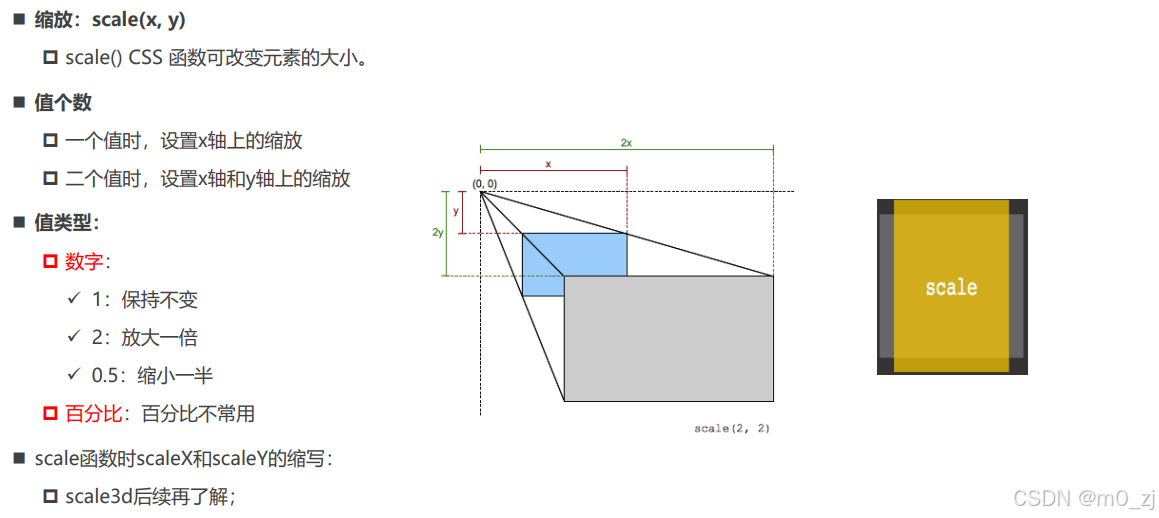
html<!DOCTYPE html> <html lang="en"> <head> <meta charset="UTF-8"> <meta http-equiv="X-UA-Compatible" content="IE=edge"> <meta name="viewport" content="width=device-width, initial-scale=1.0"> <title>Document</title> <style> body { text-align: center; padding-top: 200px; } .container { display: inline-block; border: 20px solid #f00; } .box { border: 20px solid #0f0; width: 200px; height: 200px; background-color: orange; /* 形变 */ transform: scale(60%, 60%); } .box1 { border: 20px solid #0f0; width: 200px; height: 200px; background-color: purple; /* 形变 */ /* 0~1 对元素进行缩小 */ /* 大于1 对元素进行放大 */ /* transform: scale(1.2, 1.2); */ } .box1:hover { transform: scale(1.1, 1.1); } </style> </head> <body> <div class="container"> <div class="box"></div> </div> <div class="container"> <div class="box1"></div> </div> </body> </html>
旋转 - rotate
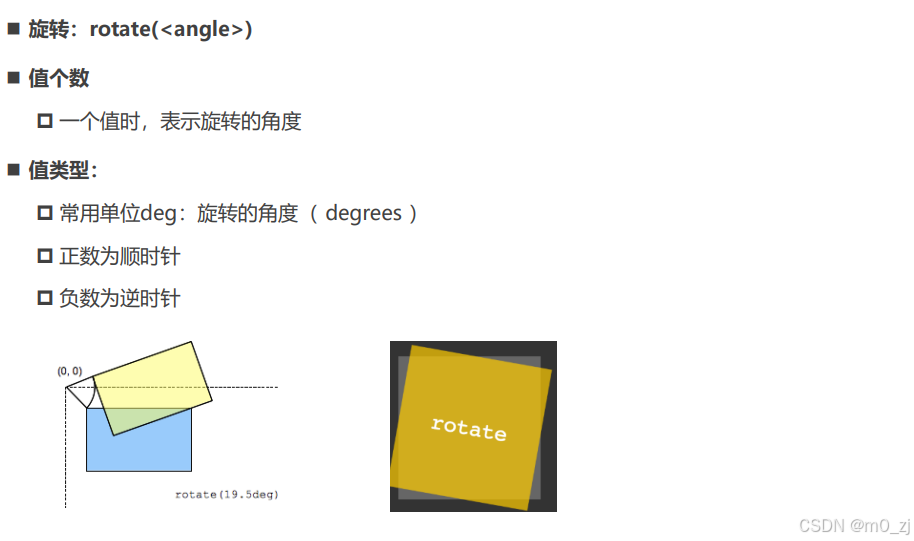
html<!DOCTYPE html> <html lang="en"> <head> <meta charset="UTF-8"> <meta http-equiv="X-UA-Compatible" content="IE=edge"> <meta name="viewport" content="width=device-width, initial-scale=1.0"> <title>Document</title> <style> body { text-align: center; padding-top: 200px; } .container { display: inline-block; border: 10px solid #f00; } .box { width: 200px; height: 100px; background-color: orange; } .box:hover { transform: rotate(-45deg); } </style> </head> <body> <div class="container"> <div class="box"></div> </div> </body> </html>
rotate补充
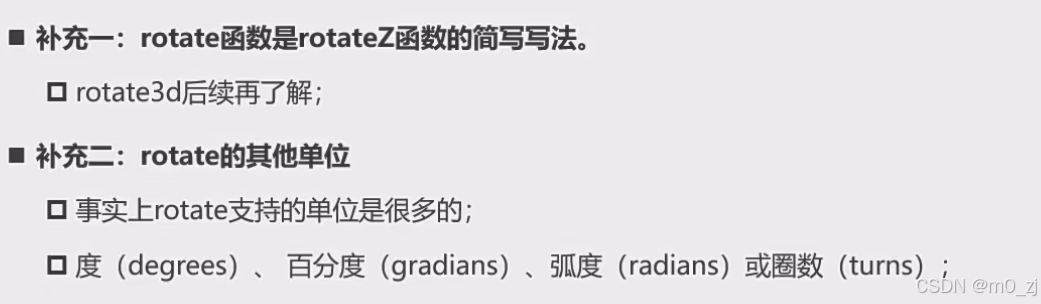
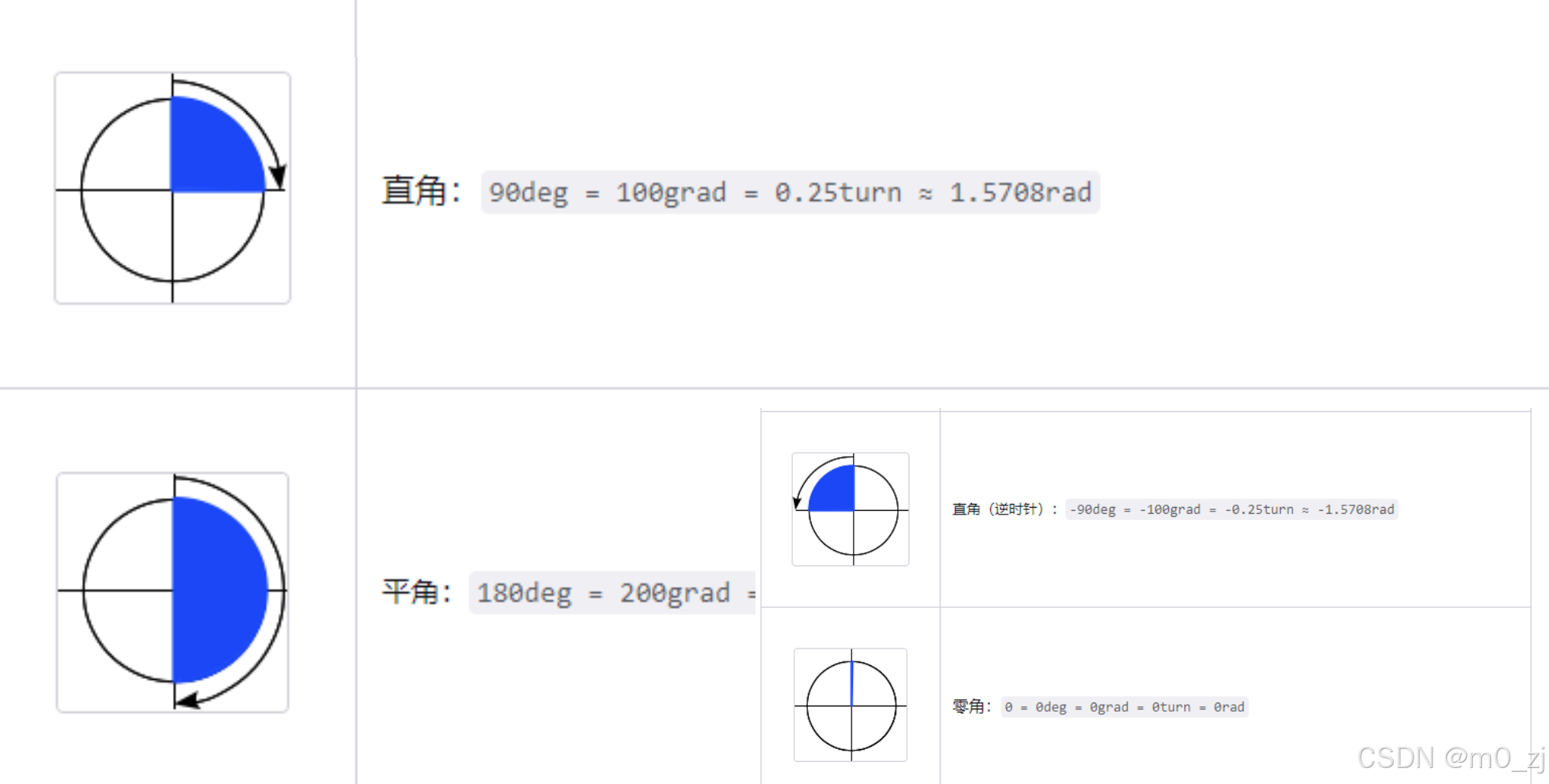
transform-origin
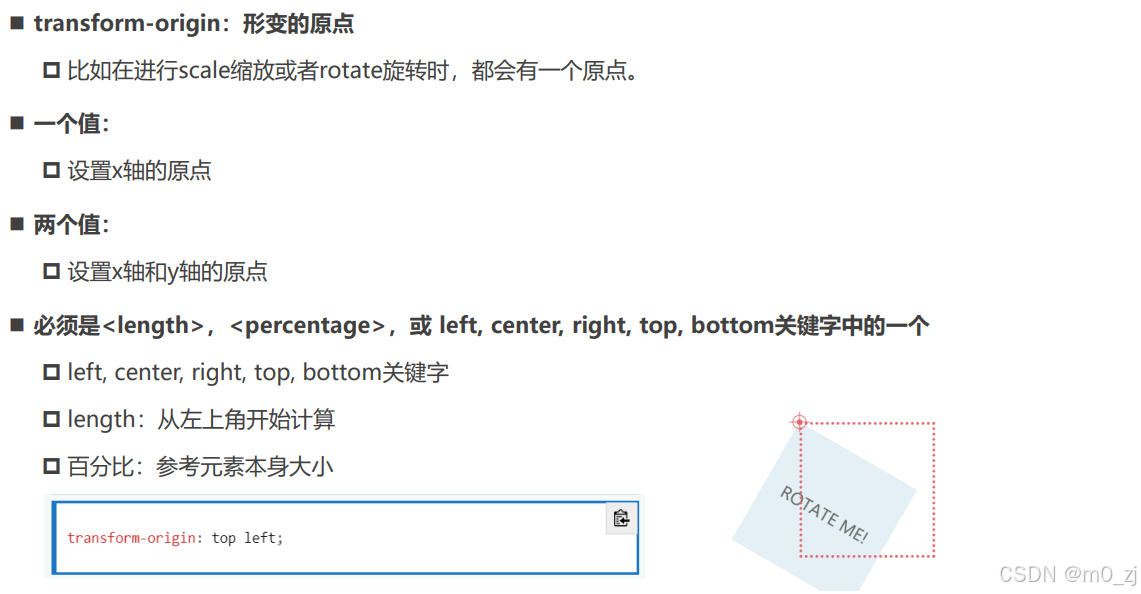
html<!DOCTYPE html> <html lang="en"> <head> <meta charset="UTF-8"> <meta http-equiv="X-UA-Compatible" content="IE=edge"> <meta name="viewport" content="width=device-width, initial-scale=1.0"> <title>Document</title> <style> body { text-align: center; padding-top: 200px; } .container { display: inline-block; border: 10px solid #f00; } .box { width: 200px; height: 100px; background-color: orange; /* 修改当前元素的形变的原点位置 */ /* transform-origin: center top; */ /* transform-origin: 20px 20px; */ transform-origin: 10% 10%; } .box:hover { transform: rotate(45deg) scale(0.5); } </style> </head> <body> <div class="container"> <div class="box"></div> </div> </body> </html>
倾斜 - skew(理解)
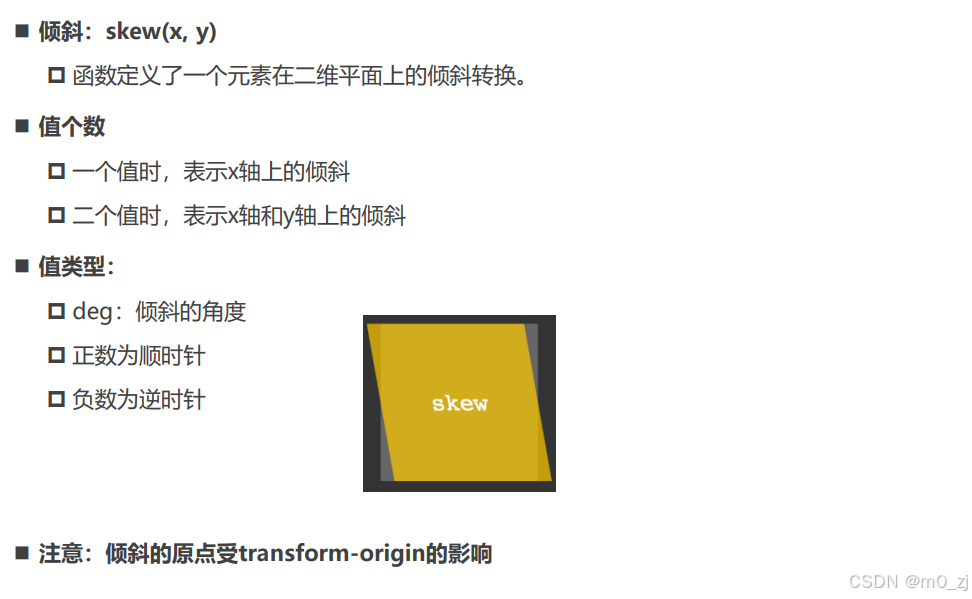
html<!DOCTYPE html> <html lang="en"> <head> <meta charset="UTF-8"> <meta http-equiv="X-UA-Compatible" content="IE=edge"> <meta name="viewport" content="width=device-width, initial-scale=1.0"> <title>Document</title> <style> .box { font-style: italic; width: 200px; height: 100px; background-color: orange; } .box:hover { transform: skew(10deg, 10deg); } </style> </head> <body> <div class="box">我是div元素</div> </body> </html>
transform设置多个值
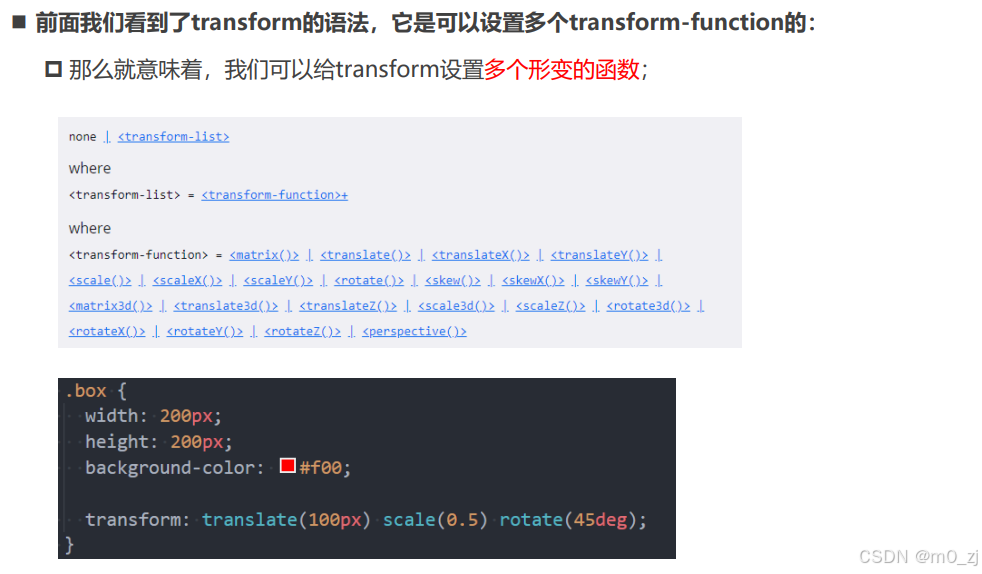
html<!DOCTYPE html> <html lang="en"> <head> <meta charset="UTF-8"> <meta http-equiv="X-UA-Compatible" content="IE=edge"> <meta name="viewport" content="width=device-width, initial-scale=1.0"> <title>Document</title> <style> .box { width: 200px; height: 100px; background-color: orange; } .box:hover { /* transform: translateX(50px); transform: scale(1.2); transform: rotate(45deg); */ /* <transform-function>+ +: 一个或者多个, 并且多个之间以空格分隔 transform: scale() translate(); <box-shadow># #: 一个或者多个, 多个之间以, 分隔 box-shadow: 1px 1px 1px 1px #f00, */ transform: translate(50px) scale(1.2) rotate(45deg); } </style> </head> <body> <div class="box"></div> </body> </html>
2 垂直居中总结
(见上补充知识)
3 transition动画
认识transition动画
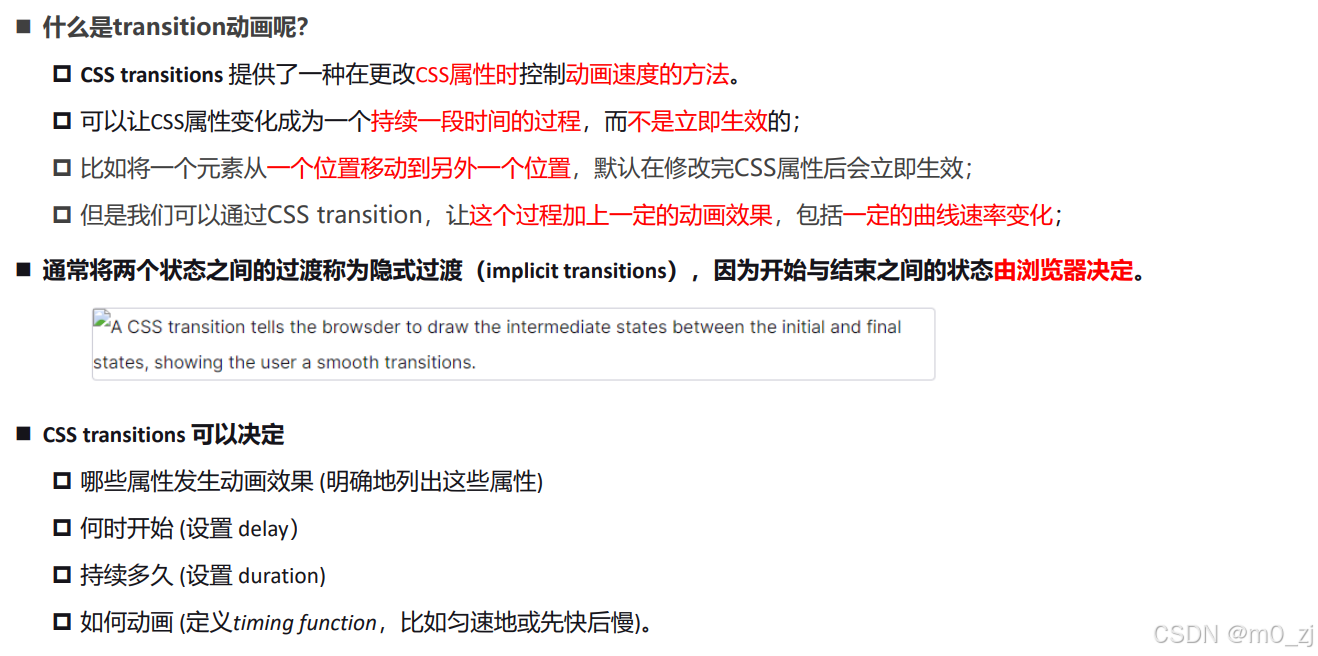
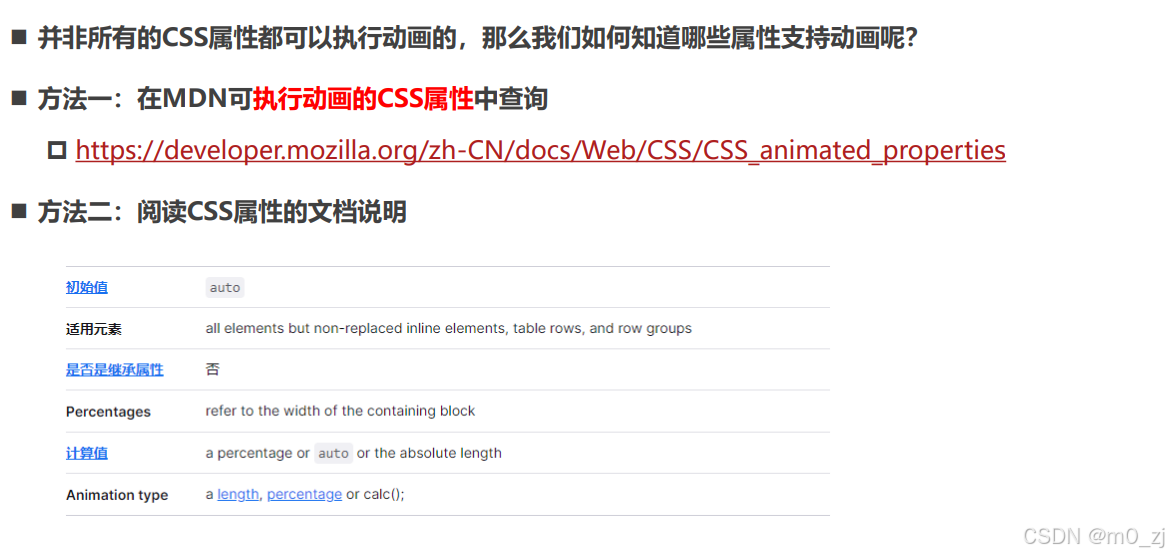
哪些CSS属性可以做动画呢?
过渡动画 - transition

html<!DOCTYPE html> <html lang="en"> <head> <meta charset="UTF-8"> <meta http-equiv="X-UA-Compatible" content="IE=edge"> <meta name="viewport" content="width=device-width, initial-scale=1.0"> <title>Document</title> <style> .container { background-color: #f00; } .box { position: relative; left: 0; width: 200px; height: 100px; background-color: orange; /* 告知浏览器 box 在进行一些CSS属性变化的时候有一个过渡效果 */ /* transition-property: transform, left; */ /* transition-property: all; transition-duration: 1s; transition-timing-function: ease-in; transition-delay: 1s; */ /* 简写属性 */ transition: all 1s ease-in 1s; } .container:hover .box { left: 100px; transform: translate(100px); width: 500px; } </style> </head> <body> <div class="container"> <div class="box"></div> </div> </body> </html>
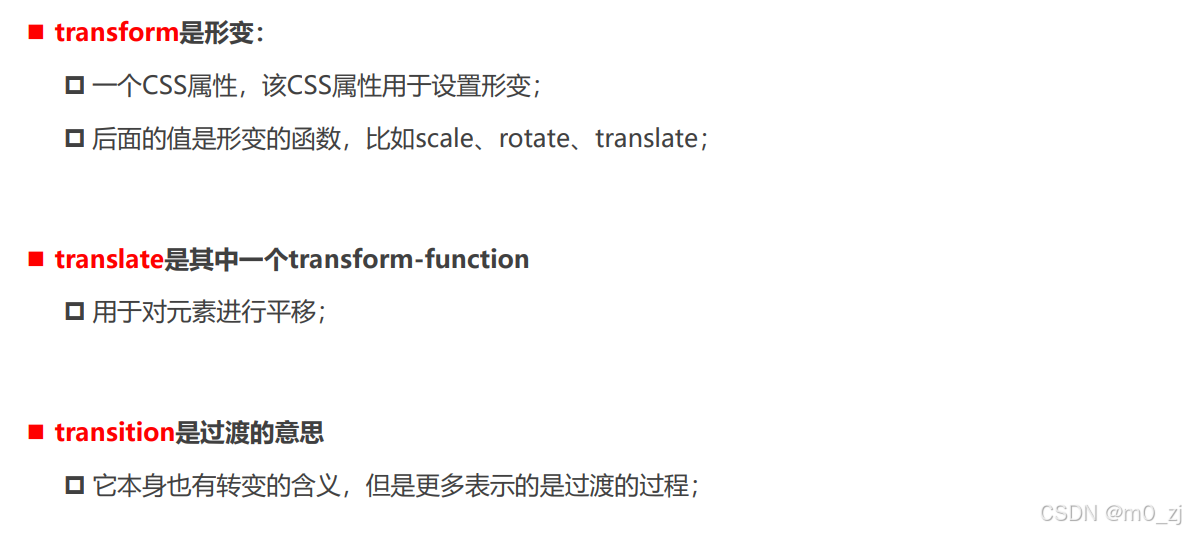
几个英语词汇的区分(理解)
举例 transform:translate(10px,10px)
transition适用于给各种属性做动画的,可以给width/color/transform等属性做动画
补充:宽度的变化方向
html<!DOCTYPE html> <html lang="en"> <head> <meta charset="UTF-8"> <meta http-equiv="X-UA-Compatible" content="IE=edge"> <meta name="viewport" content="width=device-width, initial-scale=1.0"> <title>Document</title> <style> .box { position: fixed; right: 0; width: 400px; height: 100px; background-color: orange; } </style> </head> <body> <div class="box"></div> </body> </html>
4 animation动画
认识CSS Animation
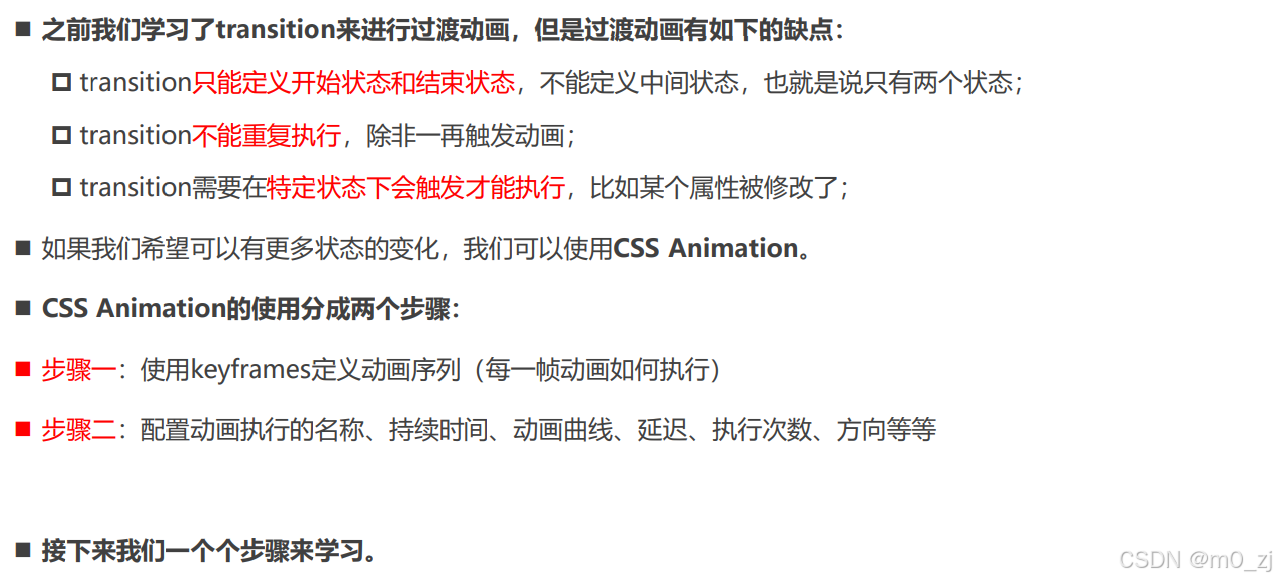
@keyframes规则
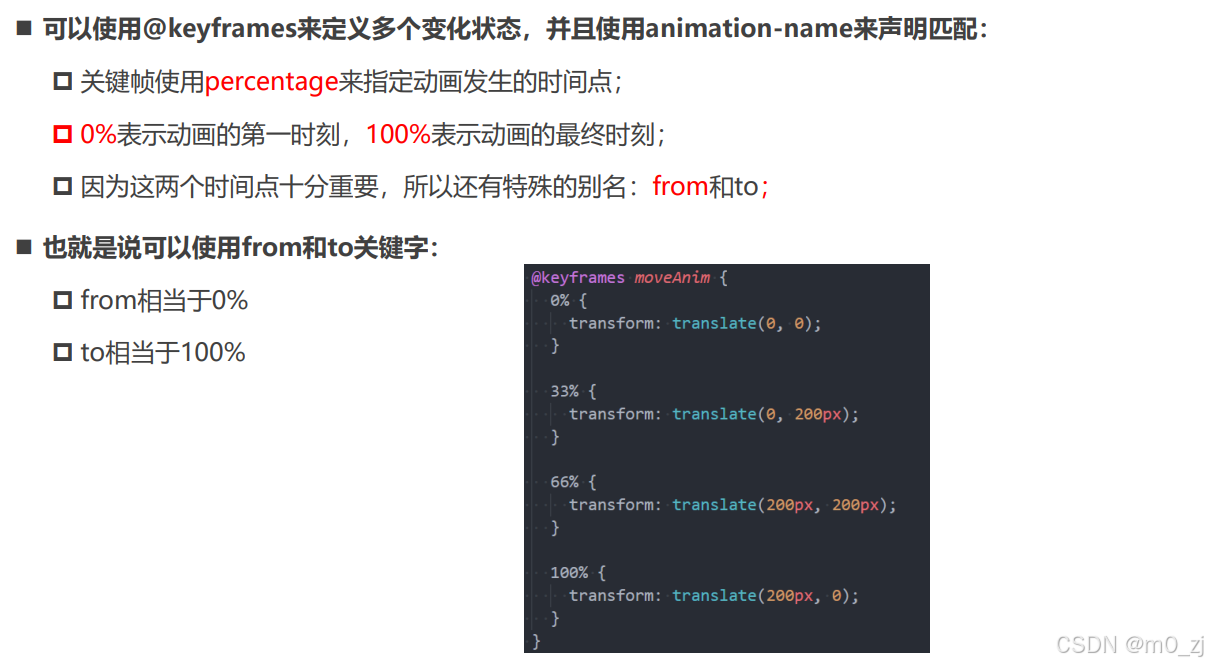
html<!DOCTYPE html> <html lang="en"> <head> <meta charset="UTF-8"> <meta http-equiv="X-UA-Compatible" content="IE=edge"> <meta name="viewport" content="width=device-width, initial-scale=1.0"> <title>Document</title> <style> .box { width: 200px; height: 100px; background-color: orange; /* box要执行moveAnim的动画 */ animation-name: moveAnim; animation-duration: 3s; animation-timing-function: ease-in-out; /* 其他属性: */ /* 动画执行的次数 */ /* animation-delay: 2s; */ /* animation-iteration-count: 2; */ /* animation-direction: reverse; */ /* 元素停留在动画的哪一个位置 */ /* animation-fill-mode: forwards; */ /* js动态修改 */ /* animation-play-state: paused; */ animation: moveAnim 3s linear 1s 2 normal forwards, ; } @keyframes moveAnim { 0% { transform: translate(0, 0) scale(0.5, 0.5); } 33% { transform: translate(0, 200px) scale(1.2, 1.2); } 66% { transform: translate(400px, 200px) scale(1, 1); } 100% { transform: translate(400px, 0) scale(0.5, 0.5); } } </style> </head> <body> <div class="box"> </div> </body> </html>
animation属性

5 vertical-align
CSS属性 - vertical-align
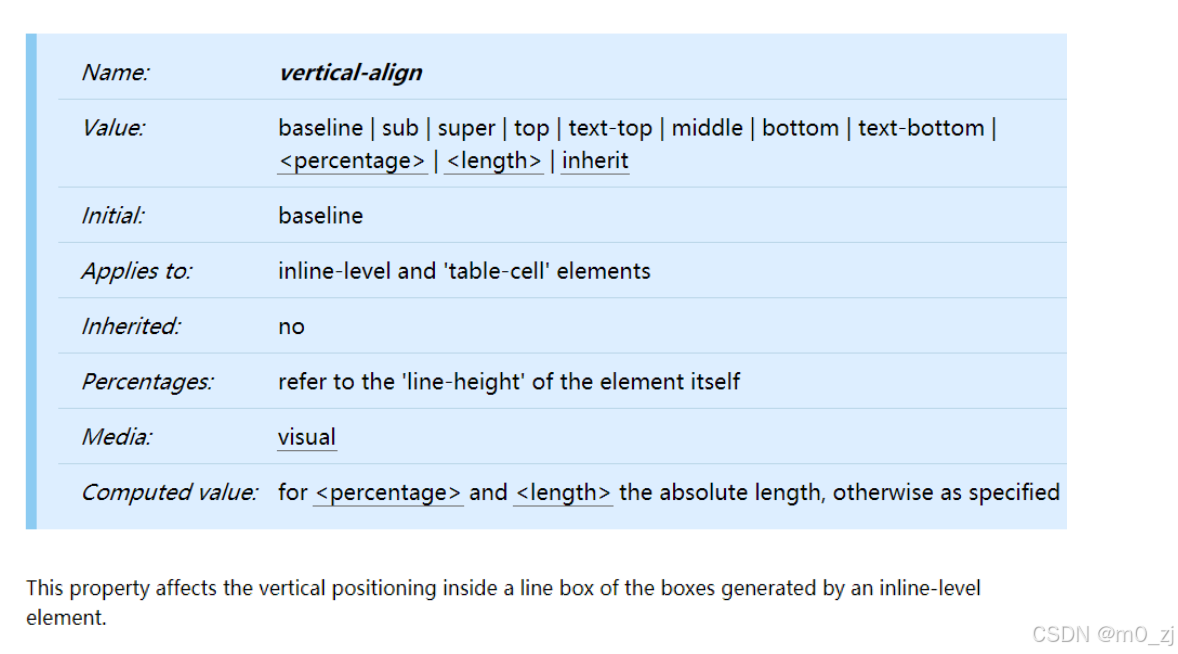
行盒(inline-box),我们可以把每一行的文本,看成在一个行盒里。
其作用为:将当前行里面所有的内容包裹在一起。
html<!DOCTYPE html> <html lang="en"> <head> <meta charset="UTF-8"> <meta http-equiv="X-UA-Compatible" content="IE=edge"> <meta name="viewport" content="width=device-width, initial-scale=1.0"> <title>Document</title> <style> /* 当前box有没有高度: 会有高度 */ /* 为什么有高度: 由内容的撑起来 */ /* 本质: 内容的行高撑起来 */ .box { background-color: orange; } .small { display: inline-block; width: 100px; height: 100px; background-color: #f00; } </style> </head> <body> <div class="box"> 我是div元素 <span class="small"></span> 虽然说,现在想吃什么用什么海外产品,都能代购,但是自己去购买,感觉还是不同。 一个人在路上,心情也会不同,路上的行程,可以听书看书,到达后,疯狂的游玩。书的种类很多,旅行的书本真的不少,常常看到人们去各地游玩,自己心中也跟着想去。有时间,可以试着一个人去旅行,那是一种享受一种幸福。女人不必限制于单身生活,才会各地旅行,婚后的女性,有时间,也可以一个人去旅行,那是一种不同的感受,有些人也可以带小孩老公一起去旅行。独自游玩是一种幸福,家庭一起去旅行,也是一种幸福。单身的女性,可以一个人独游。婚后的女性,也可以一个人独游。当然,婚后若是自己一个人不方便,那就全家人旅行。 </div> </body> </html>【我们可以理解为,div里面有行盒,是为了包裹里面每行的文本内容】
2.行盒中的多种行内元素:
html<!DOCTYPE html> <html lang="en"> <head> <meta charset="UTF-8"> <meta http-equiv="X-UA-Compatible" content="IE=edge"> <meta name="viewport" content="width=device-width, initial-scale=1.0"> <title>Document</title> <style> .box { background-color: orange; } .box img { width: 200px; } .box .small { display: inline-block; width: 100px; height: 200px; background-color: #f00; } </style> </head> <body> <div class="box"> 我是普通的文本, 323fdafdafxxxx322 <img src="../images/kobe01.jpg" alt=""> <span class="small"></span> </div> </body> </html>3。行盒内包裹多个内容如何对齐
html<!DOCTYPE html> <html lang="en"> <head> <meta charset="UTF-8"> <meta http-equiv="X-UA-Compatible" content="IE=edge"> <meta name="viewport" content="width=device-width, initial-scale=1.0"> <title>Document</title> <style> .box { background-color: orange; } .box img { width: 200px; } .box .small { display: inline-block; width: 100px; height: 200px; background-color: #f00; } </style> </head> <body> <div class="box"> 我是普通的文本, 323fdafdafxqgxxx322 <img src="../images/kobe01.jpg" alt=""> <span class="small"></span> </div> </body> </html>行盒里的东西如何对齐?里面有文字,图片。。。如何对齐?


深入理解vertical-align -- line boxes
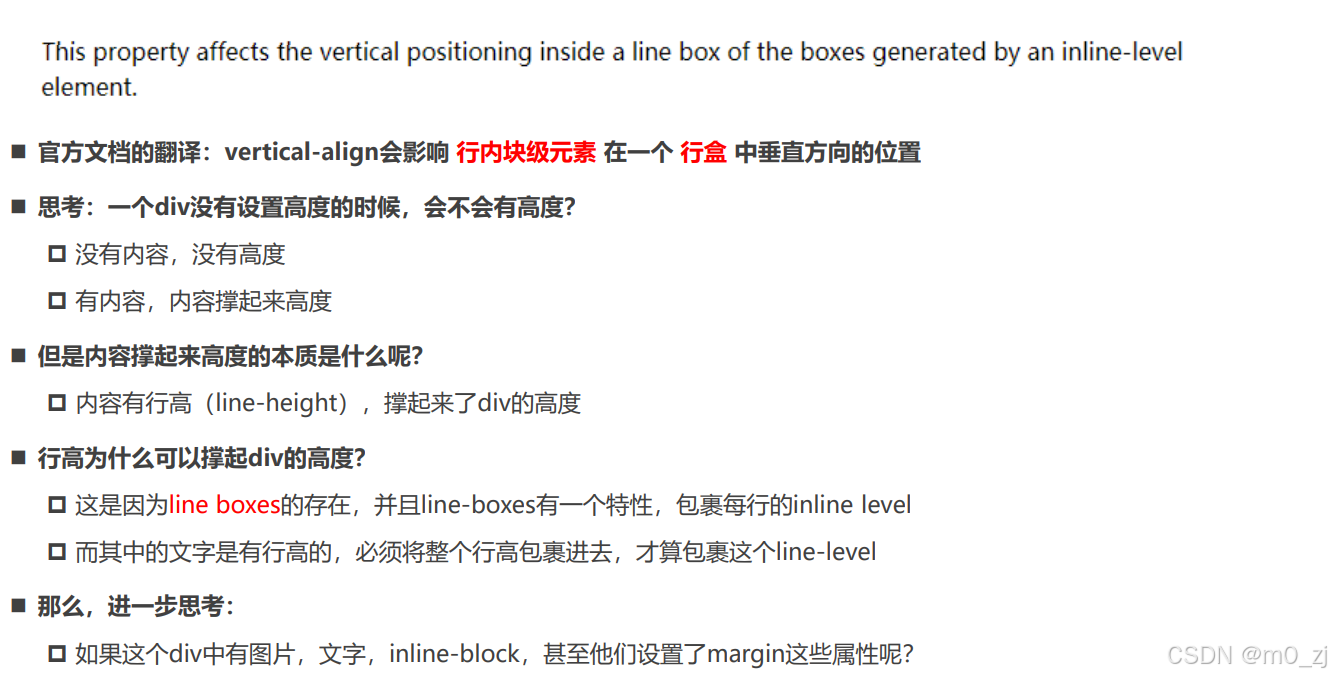
深入理解vertical-align -- 不同情况分析

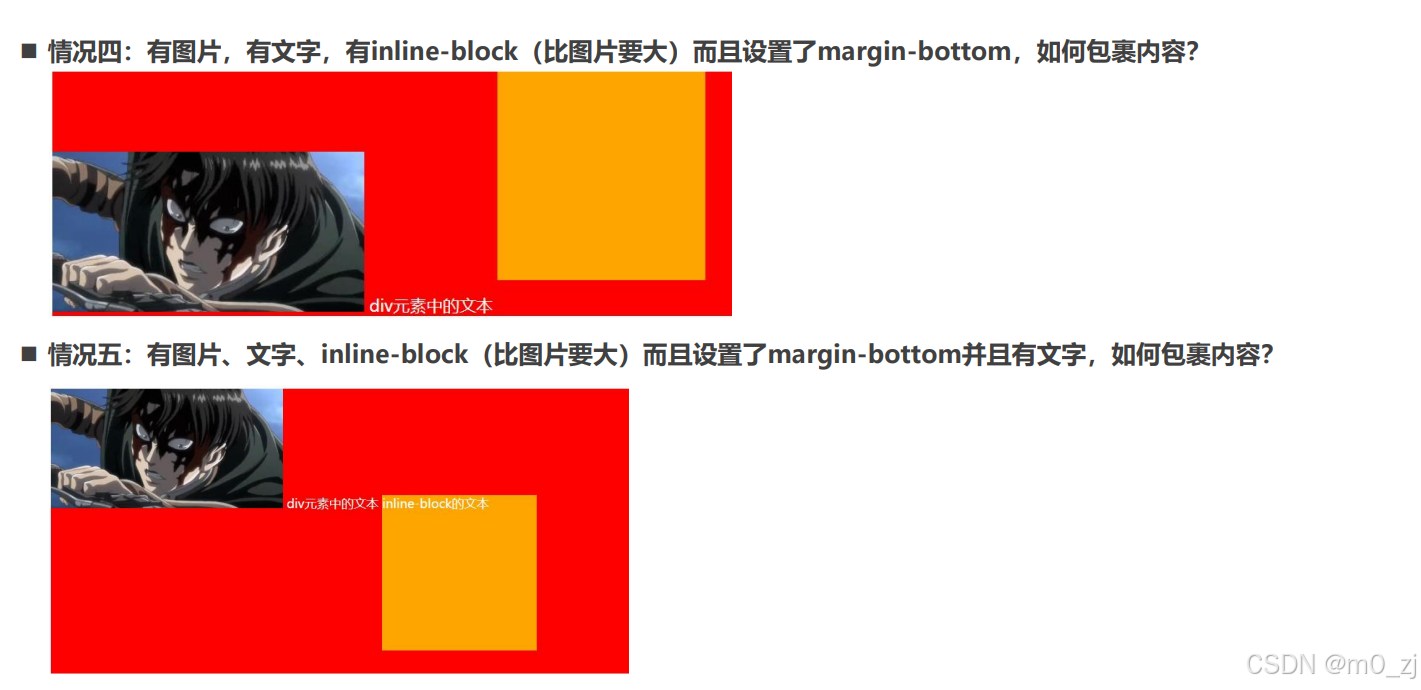
vertical-align的baseline
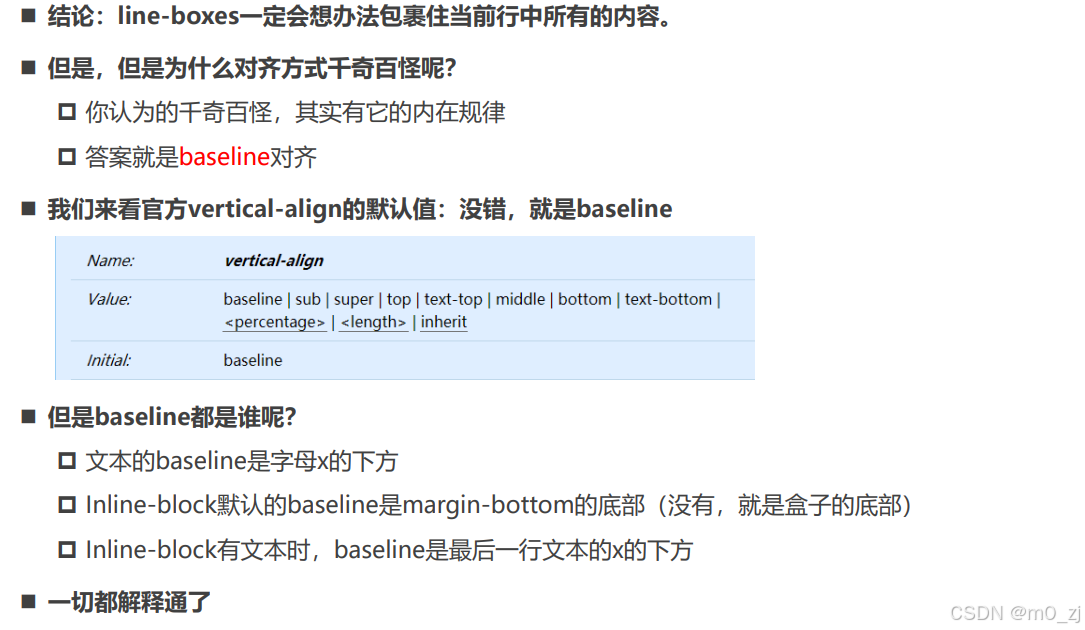
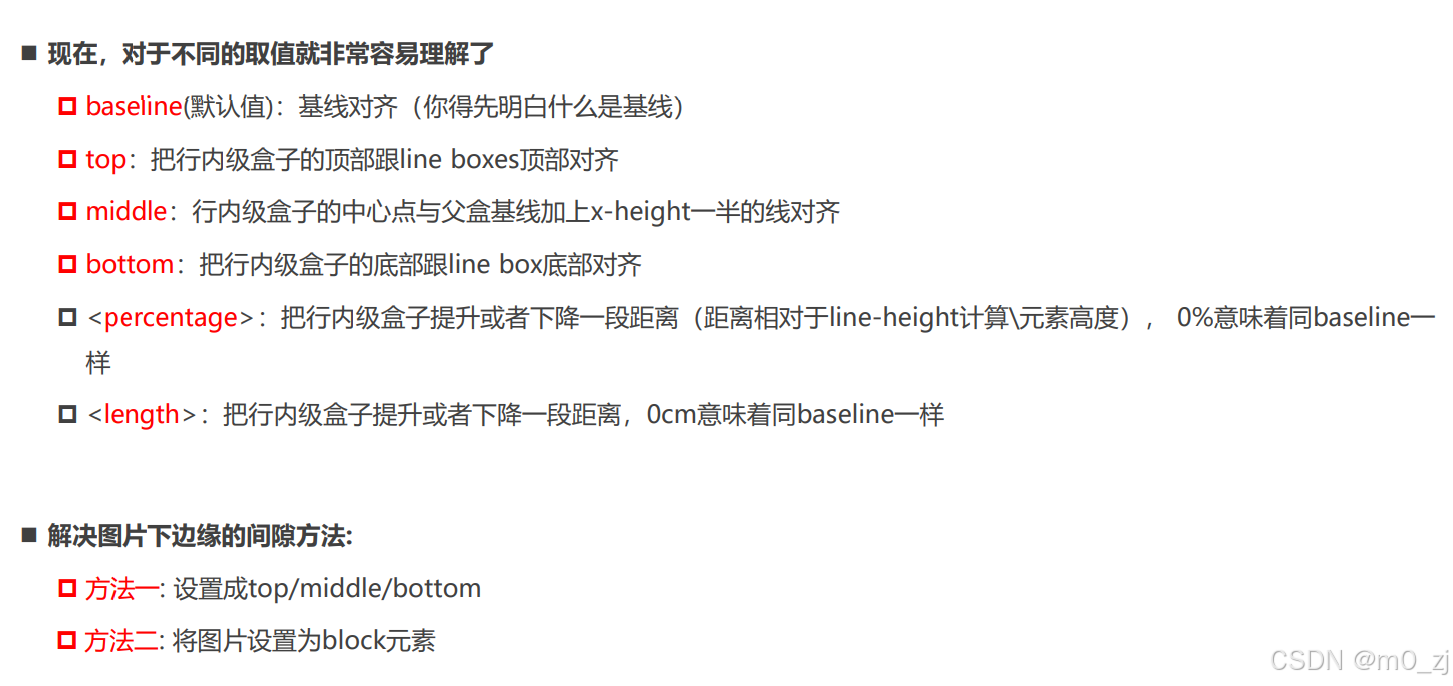
vertical-align的其他值
练习
一. 完成所有的代码练习
见vscode
二. 说出常见的CSS Transform形变有哪些
transform属性允许对某一个元素进行某些形变, 包括旋转,缩放,倾斜或平移等。transform对于行内级非替换元素(如a,span)是无效的。
-
translate(x, y) :平移,用于移动元素在平面上的位置
-
scale(x, y) :缩放,可改变元素的大小。
-
rotate(deg) :旋转,表示旋转的角度 。
-
skew(deg, deg) :倾斜,定义了一个元素在二维平面上的倾斜转换
三. 说出CSS Transition和Animation动画的区别
-
transition:
-
只能定义两个状态:开始状态和结束状态,不能定义中间状态
-
不能重复执行动画,除非一再触发动画
-
需要在特定状态触发后才能执行,比如某属性修改了
-
-
animation:
-
可以用@keyframes定义动画序列(每一帧如何执行)
-
通过设置animation-iteration-count来规定动画执行的次数
-
不需要触发特定状态即可执行
-
-
animation动画比transition多了animation-iteration-count, animation-direction, animation-fill-mode 和 animation-play-state属性
四. 理解vertical-align的作用以及应用场景
vertical-align影响行内级元素在一个行盒中垂直方向的位置,默认值为baseline对齐/
-
baseline(默认值):基线对齐
-
top:把行内级盒子的顶部跟line boxes顶部对齐
-
middle:行内级盒子的中心点与父盒基线加上x-height一半的线对齐
-
bottom:把行内级盒子的底部跟line box底部对齐
不同应用情景分析:
-
只有文字时:行盒包裹内容,文字的bottom-line和行盒底部对齐
-
有图片和文字时:图片的底部和文字的baseline对齐
-
有图片,有文字,有inline-block(比图片要大 : 图片的底部,行内块底部和文字的baseline对齐
-
有图片,有文字,有inline-block(比图片要大)而且设置了margin-bottom: 图片的底部,行内块margin-bottom底部和文字的baseline对齐
-
有图片、文字、 inline-block(比图片要大)而且设置了margin-bottom并且有文字 :文字的baseline和图片的底部,行内块内最后一行文字的baseline对齐
五. 完成小米布局中的动画效果
见vscode
六. 自己找一个包含动画的网页案例(比如考拉页面)
见vscode
总结
一. transform
1.1. transform作用以及语法
1.2. translate(x, y)
1.3. translate的百分比(总结垂直居中的方案)
- 利用百分比做垂直居中
1.4. scale(x, y)
1.5. rotate
-
deg
-
正值: 顺时针
-
负值: 逆时针
-
-
rad
1.6. transform-origin
- 修改形变的坐标原点
1.7. skew倾斜
- deg
1.8. transform设置多个值
二. transition
2.1. 理解过渡动画
- 哪些是可执行动画的属性
2.2. 过渡常见属性
-
transition-property
-
transition-duration
-
transition-timing-function
-
transition-delay
2.3. 总结几个单词的作用
transform
translate
transition
三. animation
3.1. transition弊端和animation介绍
3.2. animation的使用过程
-
@keyframes定义每一帧的属性
-
animation属性
-
animation-name
-
animation-duration
-
animation-timing-function
-
animation-delay
-
animation-iteration-count
-
animation-direction 方向
-
animation-fill-mode
-
animation-play-state: js用
-