Apple Login for JavaScript
参数说明
Response type
控制登录后返回的类型,可选是code,id_token等,如果是id_token,下面的response_mode则必须是form_post
Response Mode
控制登录后code/id_token返回方式;
- 如果
response_type是query则会拼接在下面配置的redirect_uri的后面 - 如果
response_type是id_token,则需要配置form_post,则会以post方法请求redirect_uri
Client Id
在Apple 开发者账户创建Identifier:
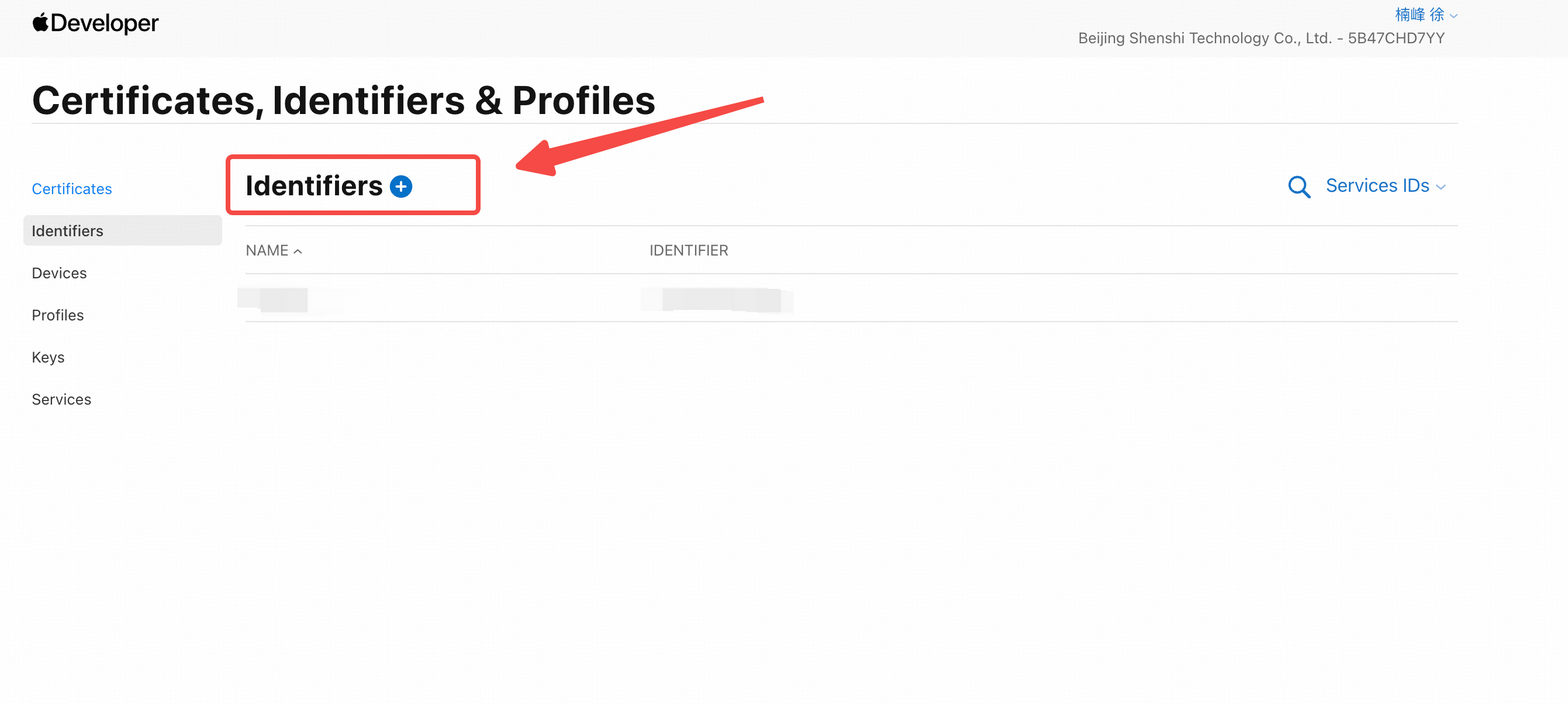
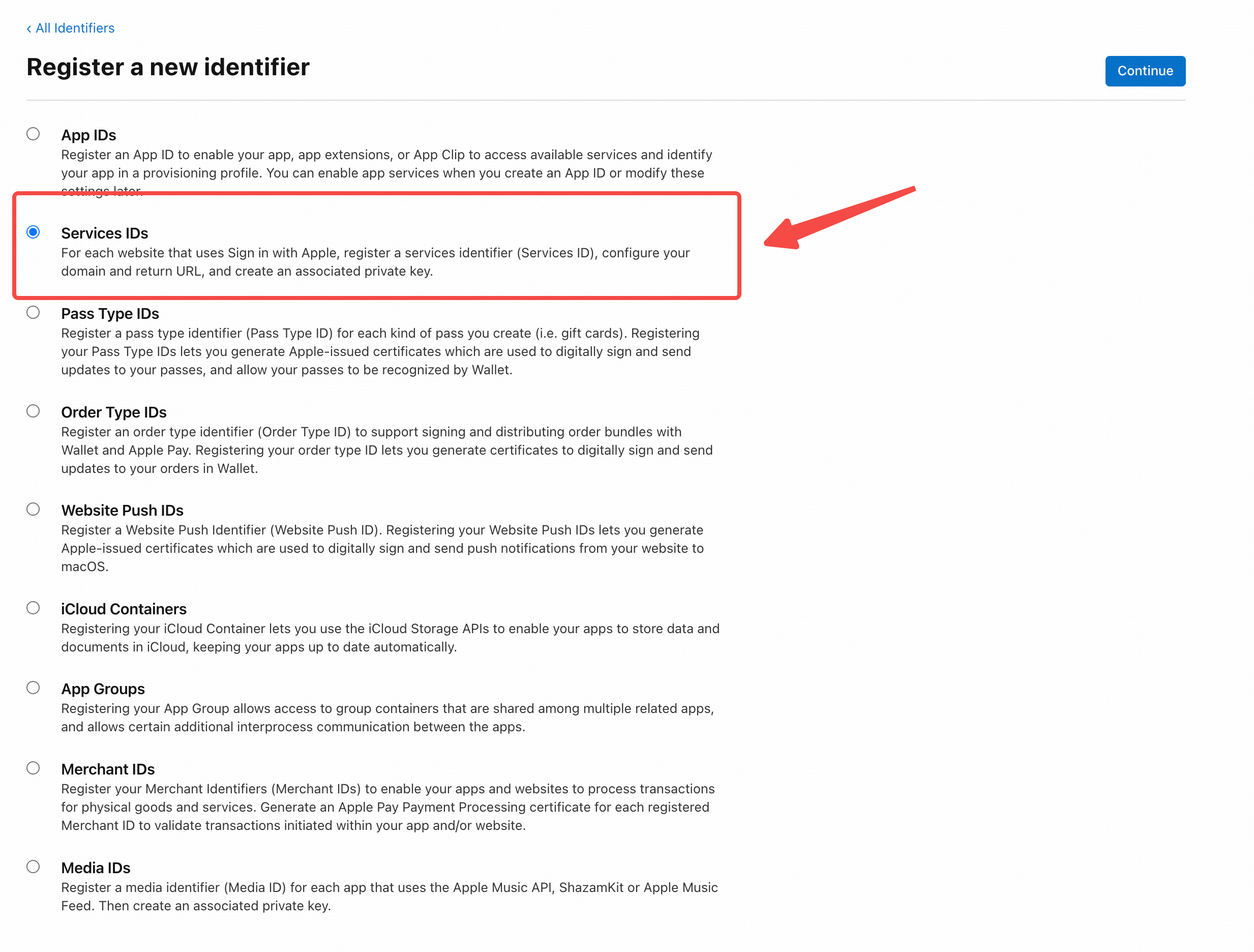
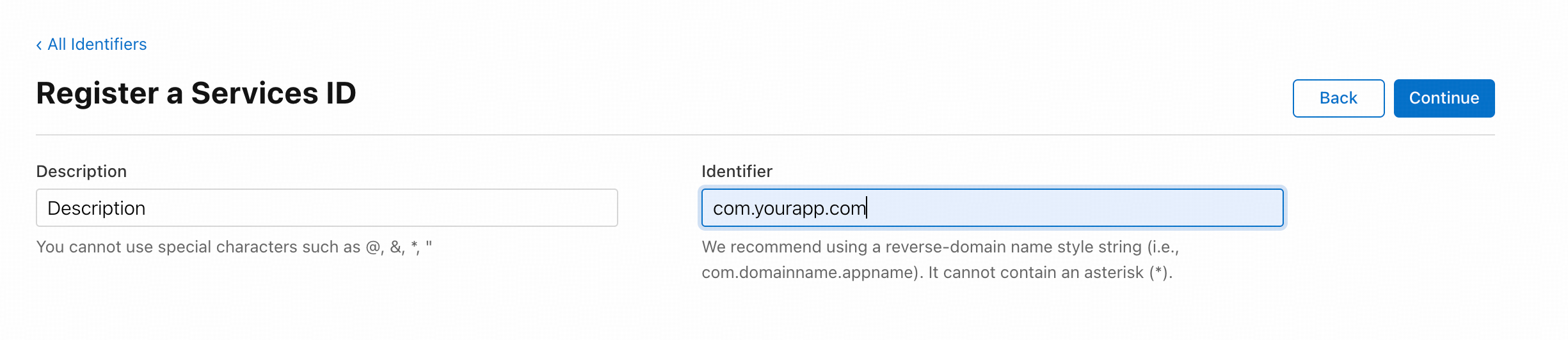
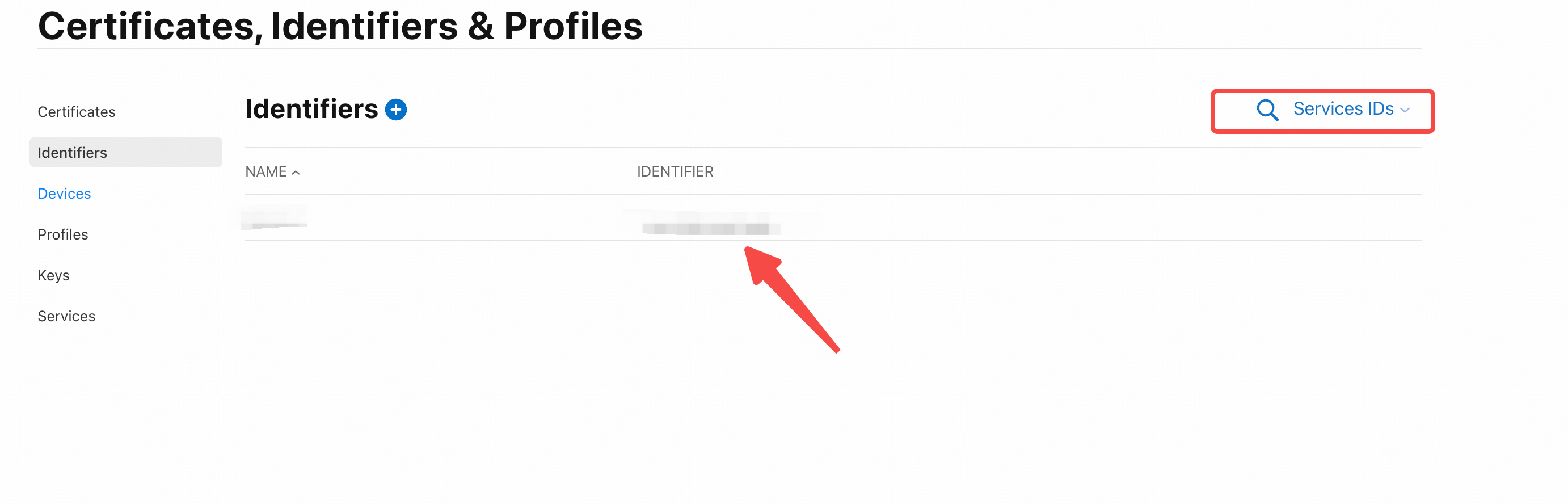
注册成功则Identifier则是Client Id;
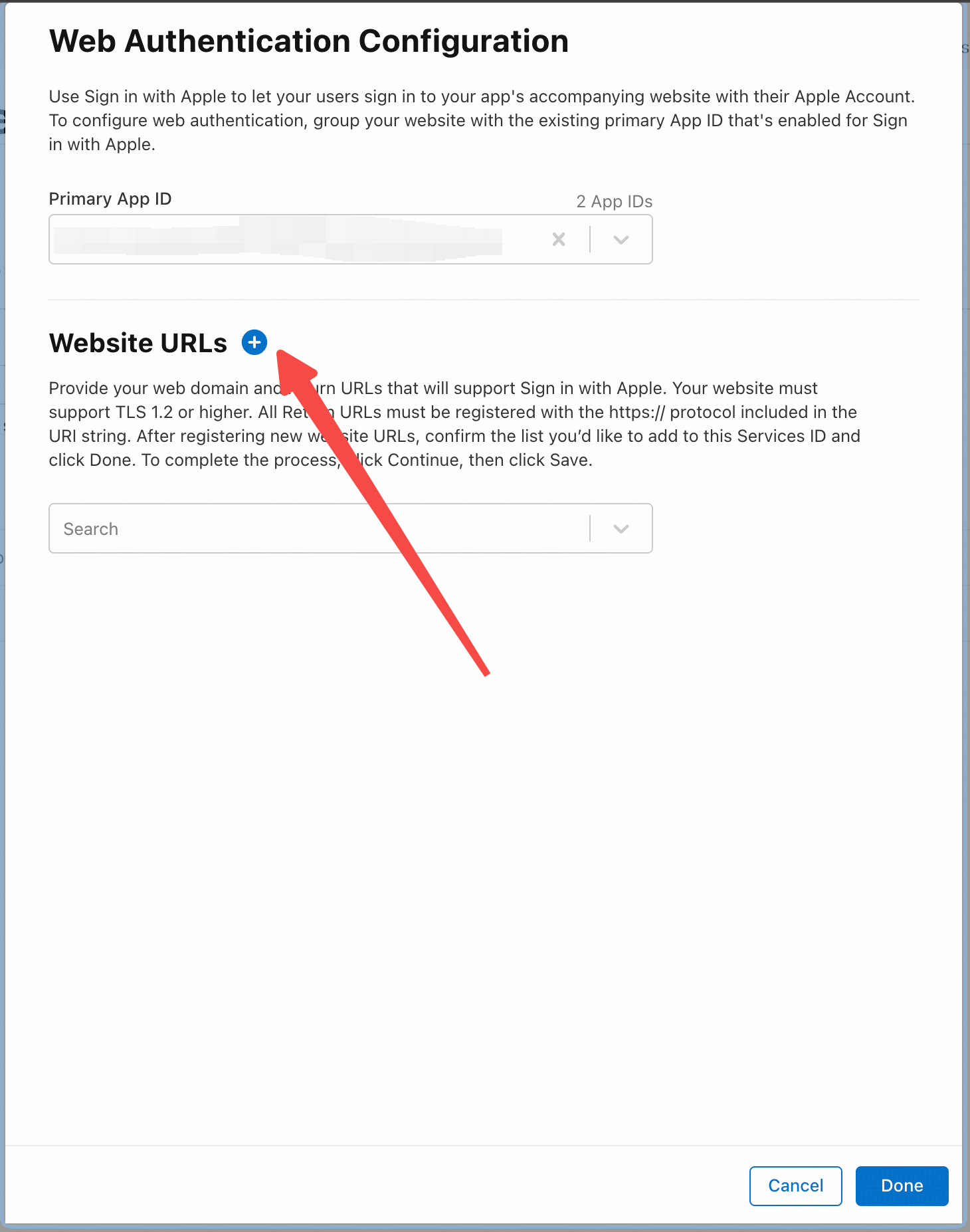
Redirect uri
- 如果
response_type是query则登录获取的code则会拼接在url后面 - 如果
response_type是id_token,则需要配置form_post,则会以post方法请求返回该url
!编辑(/Users/moki/Library/Application Support/typora-user-images/image-20250331005459622.png)
Scope
向Apple请求的用户信息, 比如name email使用空格分割
JS使用Apple登录(前端部分)
使用url
可以使用拼接的url打开苹果登录页,文档: developer.apple.com/documentati...:
typescript
const baseUrl = "https://appleid.apple.com/auth/authorize";
const url = new URL(baseUrl);

url.searchParams.append("response_type", "code");
url.searchParams.append("response_mode", "query");
url.searchParams.append("client_id", "xxx");
url.searchParams.append("nonce", "name email");
url.searchParams.append("redirect_uri", "https://xxx.com");

window.open(url.torString(), "_blank");
使用JS SDK
在body中引入js文件:
html
<body>
        <script
                type="text/javascript"           src="https://appleid.cdnapple.com/appleauth/static/jsapi/appleid/1/en_US/appleid.auth.js"></script>
        </script>
    </body>
初始化:
js
// 参数值同上
AppleID.auth.init({
    clientId : '[CLIENT_ID]',
    scope : '[SCOPES]',
    redirectURI : '[REDIRECT_URI]',
    usePopup : true
});
主动调用登录:
typescript
interface SignResponseType {
  authorization: {
    code: string;
    id_token: string;
    state: string;
  },
  user: {
       email: string,
       name: {
         firstName: string,
         lastName: string
       }
     }
}

const onCode = () => {
  try {
    // AppleID是根据上面 body 中导入的 js 挂载
    window.AppleID.auth
      .signIn()
      .then((res: SignResponseType) => {
              console.log("code: ", res?.authorization?.code)
      })
      .catch(console.log);
  }catch(err) {
    // TODO...
  }
}

onCode();
校验Apple Code (后端部分)
该部分以 Node 为例子,处理前端获取到
apple code传递给后端进行校验
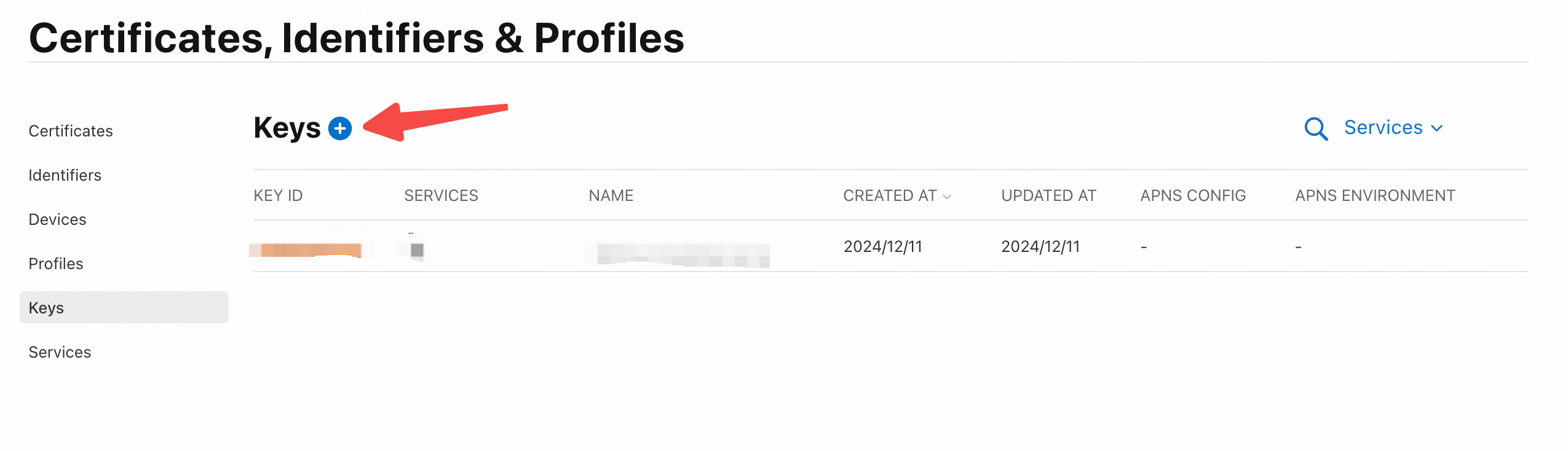
首选需要登录apple开发者账户创建一个keys:
需要勾选上Sign in with Apple:
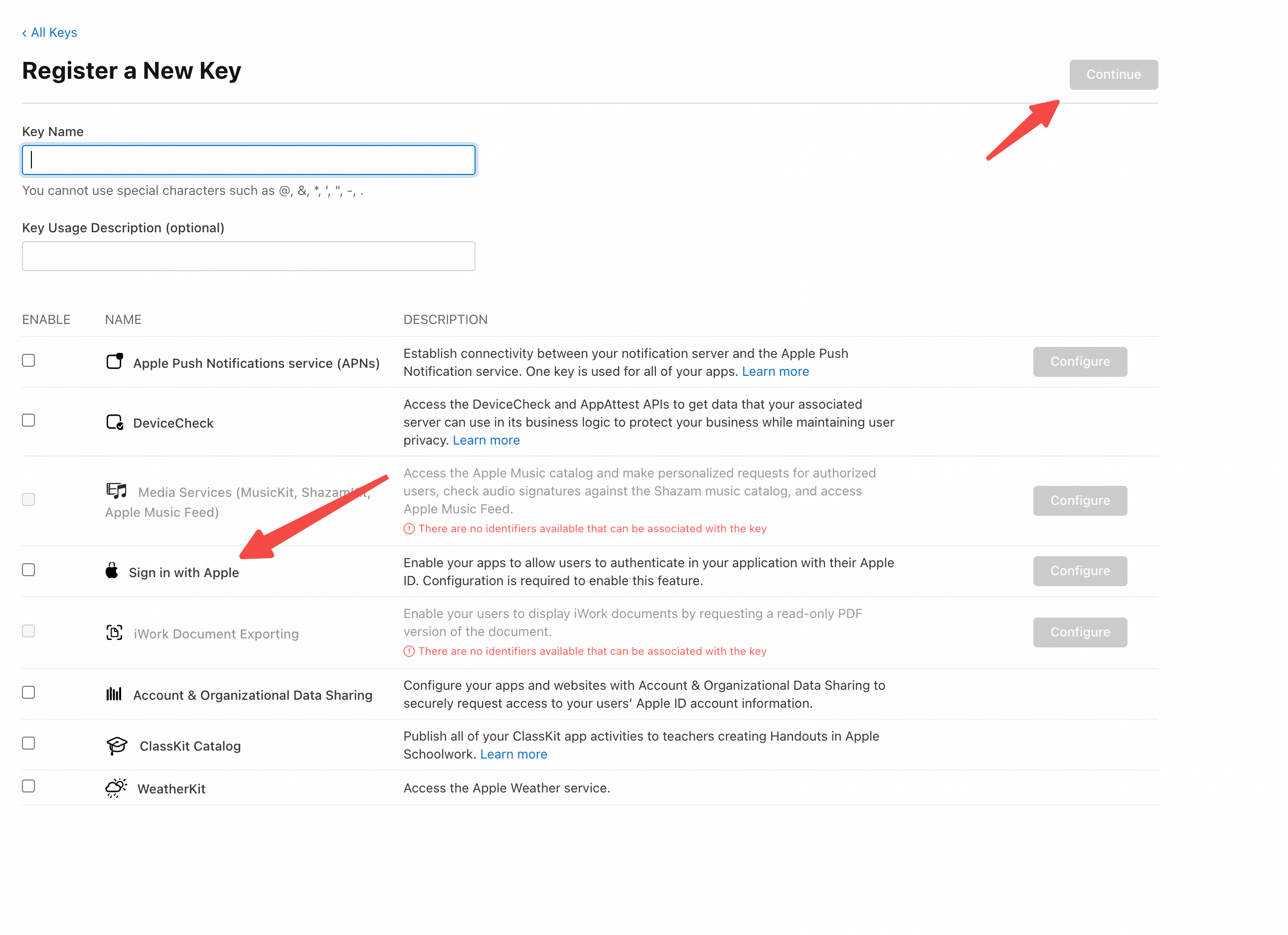
记住 key的id和保存证书为xx.p8格式,该证书只能下载一次!
!image-20250331011349189(/Users/moki/Library/Application Support/typora-user-images/image-20250331011349189.png)
使用 apple-signin-auth处理:
typescript
import appleSignin from 'apple-signin-auth';


const clientSecret = appleSignin.getClientSecret({
    clientID: 'xxxx', // 与上面创建的 clientID 为同一个
    teamID: 'x x x x', // Appl 开发者账户的 唯一标识符
    privateKey: '', // 该值为上面导出的`xxx.p8`的证书的值,可用文本编辑器打开
    // privateKeyPath: "", // 不想用 privateKey 可以用 该属性代替,表示 xxx.p8 证书的地址
    keyIdentifier: '', // 上面创建 key 的 key Id
    expAfter: 15777000,
});
const options = {
    clientID: '', // Apple Client ID
    redirectUri: '', // use the same value which you passed to authorisation URL.
    clientSecret: clientSecret
};


// 测试前端的token是否有效
try {
    const tokenResponse = await appleSignin.getAuthorizationToken("x x x", options);

} catch (err) {
    console.error(err);
}