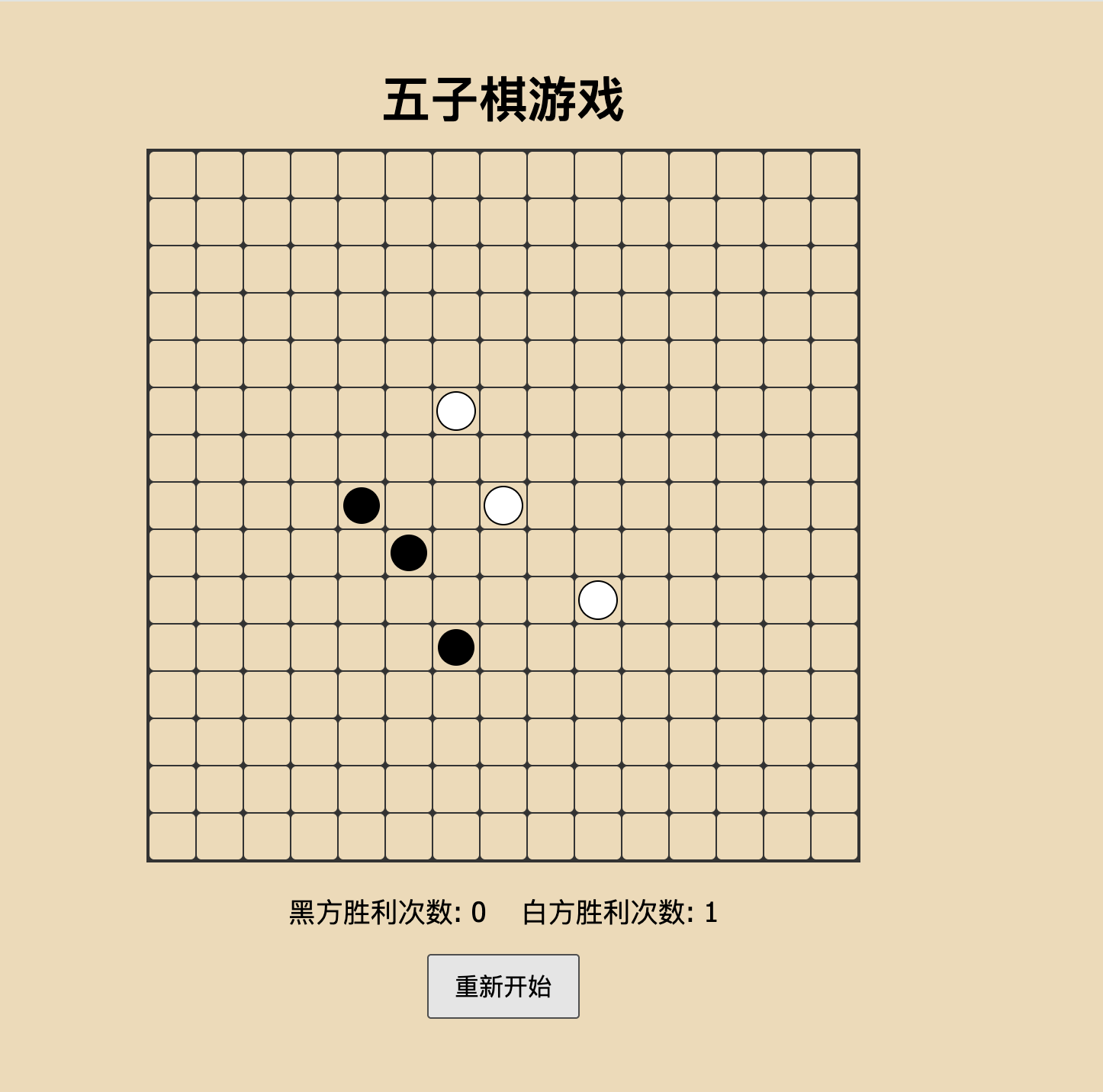
<!DOCTYPE html>
<html lang="zh-CN">
<head>
<meta charset="UTF-8" />
<meta name="viewport" content="width=device-width, initial-scale=1" />
<title>五子棋游戏</title>
<style>
body {
display: flex;
flex-direction: column;
align-items: center;
background: #f0d9b5;
font-family: "Segoe UI", Tahoma, Geneva, Verdana, sans-serif;
margin: 0;
padding: 20px;
}
h1 {
margin-bottom: 10px;
}
#board {
display: grid;
grid-template-columns: repeat(15, 30px);
grid-template-rows: repeat(15, 30px);
gap: 1px;
background-color: #333;
border: 2px solid #333;
}
.cell {
width: 30px;
height: 30px;
background-color: #f0d9b5;
border-radius: 3px;
cursor: pointer;
position: relative;
}
.cell:hover {
background-color: #e0cfa3;
}
.stone {
position: absolute;
top: 50%;
left: 50%;
width: 24px;
height: 24px;
border-radius: 50%;
transform: translate(-50%, -50%);
}
.black {
background-color: black;
}
.white {
background-color: white;
border: 1px solid black;
}
#scoreboard {
margin-top: 20px;
font-size: 18px;
}
#resetBtn {
margin-top: 15px;
padding: 8px 16px;
font-size: 16px;
cursor: pointer;
}
</style>
</head>
<body>
<h1>五子棋游戏</h1>
<div id="board"></div>
<div id="scoreboard">
黑方胜利次数: <span id="blackWins">0</span> 白方胜利次数: <span id="whiteWins">0</span>
</div>
<button id="resetBtn">重新开始</button>
<script>
const boardSize = 15;
const board = document.getElementById('board');
const blackWinsSpan = document.getElementById('blackWins');
const whiteWinsSpan = document.getElementById('whiteWins');
const resetBtn = document.getElementById('resetBtn');
let currentPlayer = 'black';
let boardState = Array(boardSize).fill(null).map(() => Array(boardSize).fill(null));
let blackWins = 0;
let whiteWins = 0;
let gameOver = false;
function createBoard() {
board.innerHTML = '';
for (let row = 0; row < boardSize; row++) {
for (let col = 0; col < boardSize; col++) {
const cell = document.createElement('div');
cell.classList.add('cell');
cell.dataset.row = row;
cell.dataset.col = col;
cell.addEventListener('click', onCellClick);
board.appendChild(cell);
}
}
}
function onCellClick(e) {
if (gameOver) return;
const row = parseInt(e.target.dataset.row);
const col = parseInt(e.target.dataset.col);
if (boardState[row][col] !== null) return;
boardState[row][col] = currentPlayer;
const stone = document.createElement('div');
stone.classList.add('stone', currentPlayer);
e.target.appendChild(stone);
if (checkWin(row, col, currentPlayer)) {
gameOver = true;
if (currentPlayer === 'black') {
blackWins++;
blackWinsSpan.textContent = blackWins;
setTimeout(() => alert('黑方获胜!'), 0);
} else {
whiteWins++;
whiteWinsSpan.textContent = whiteWins;
setTimeout(() => alert('白方获胜!'), 0);
}
return;
}
currentPlayer = currentPlayer === 'black' ? 'white' : 'black';
}
function checkWin(row, col, player) {
return (
checkDirection(row, col, player, 1, 0) || // 横向
checkDirection(row, col, player, 0, 1) || // 纵向
checkDirection(row, col, player, 1, 1) || // 斜向 \
checkDirection(row, col, player, 1, -1) // 斜向 /
);
}
function checkDirection(row, col, player, deltaRow, deltaCol) {
let count = 1;
// 向一个方向计数
let r = row + deltaRow;
let c = col + deltaCol;
while (r >= 0 && r < boardSize && c >= 0 && c < boardSize && boardState[r][c] === player) {
count++;
r += deltaRow;
c += deltaCol;
}
// 向相反方向计数
r = row - deltaRow;
c = col - deltaCol;
while (r >= 0 && r < boardSize && c >= 0 && c < boardSize && boardState[r][c] === player) {
count++;
r -= deltaRow;
c -= deltaCol;
}
return count >= 5;
}
resetBtn.addEventListener('click', () => {
gameOver = false;
boardState = Array(boardSize).fill(null).map(() => Array(boardSize).fill(null));
currentPlayer = 'black';
createBoard();
});
createBoard();
</script>
</body>
</html>