一、准备工作
figma MCP需要通过figma key来获取设计稿权限,key的生成步骤如下
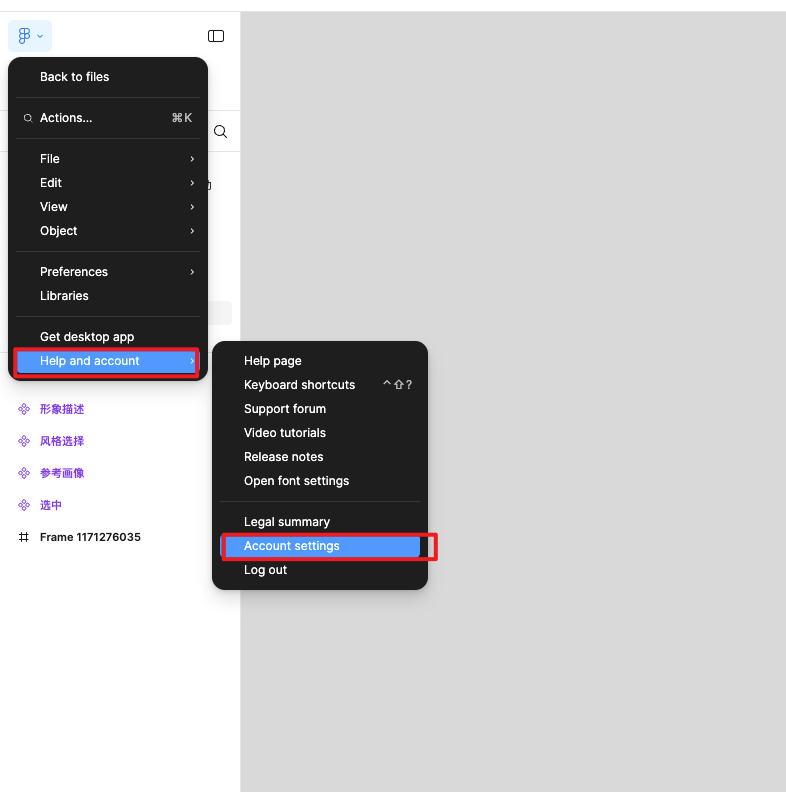
1. 打开figma网页版/APP,进入账户设定
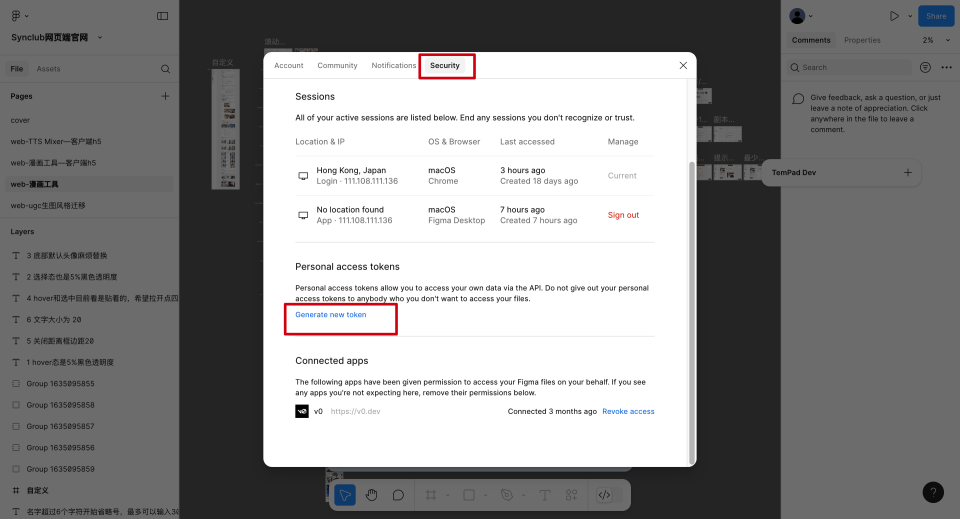
2. 点击生成token
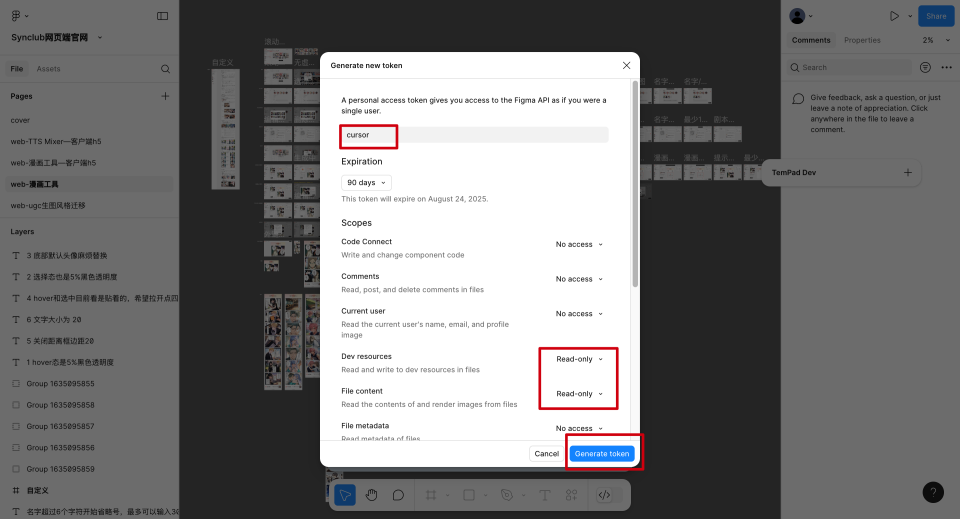
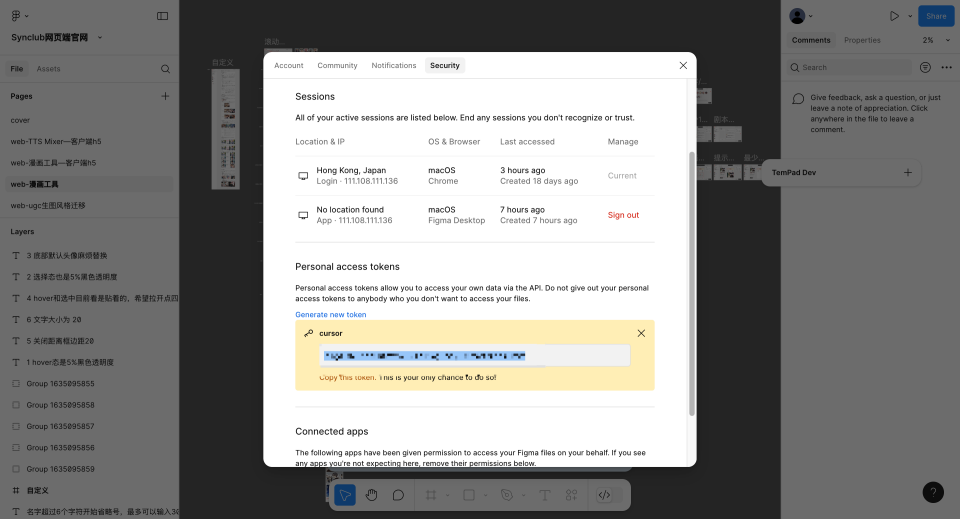
3. 填写内容生成token(一定要确认复制了,不然关闭弹窗后就不会显示了)
二、配置MCP
4. 进入到cursor setting
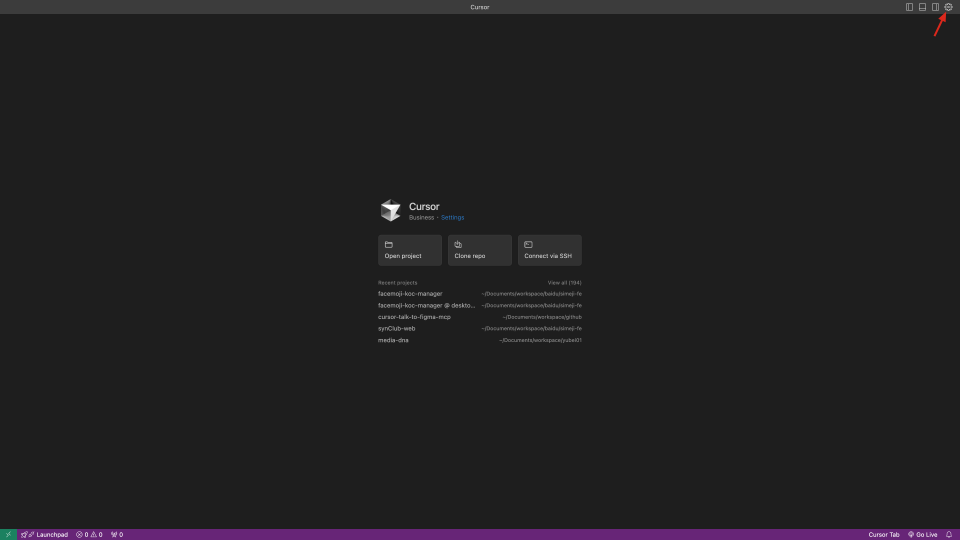
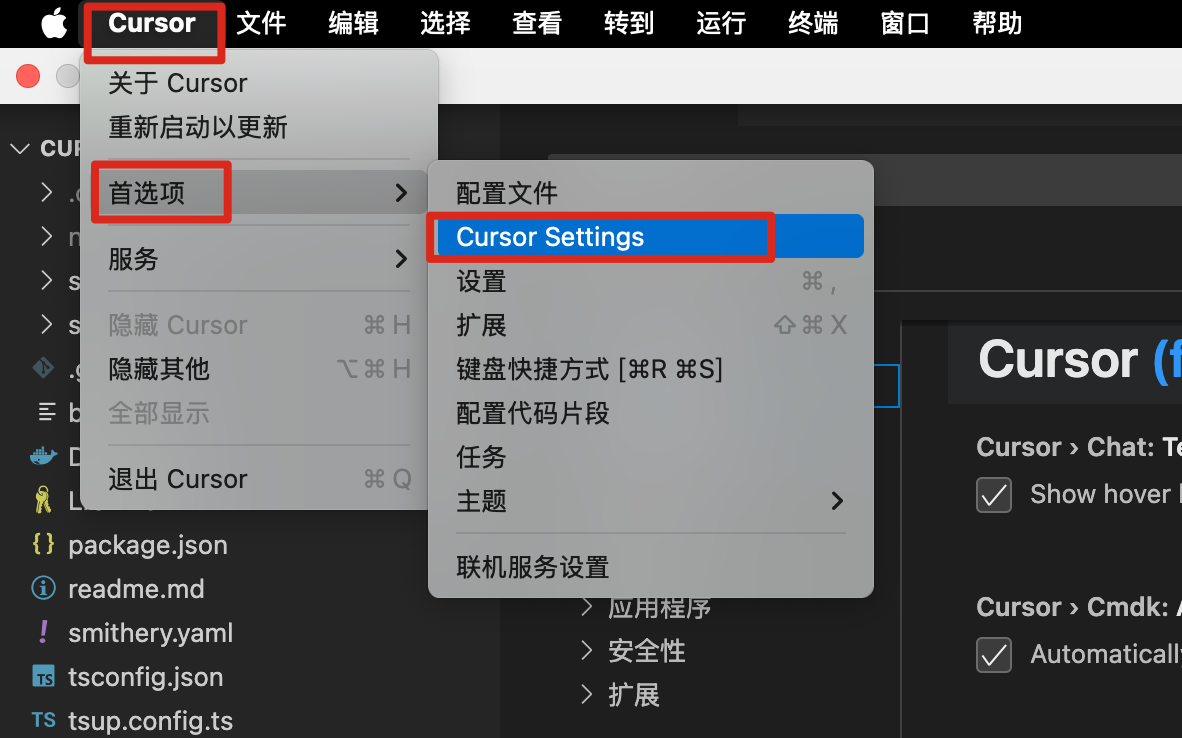
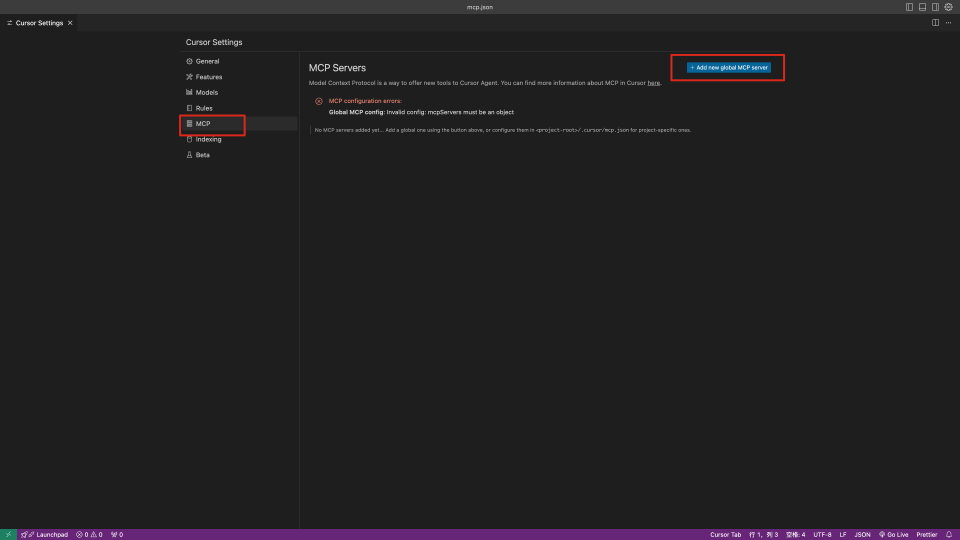
5. 点击新增按钮
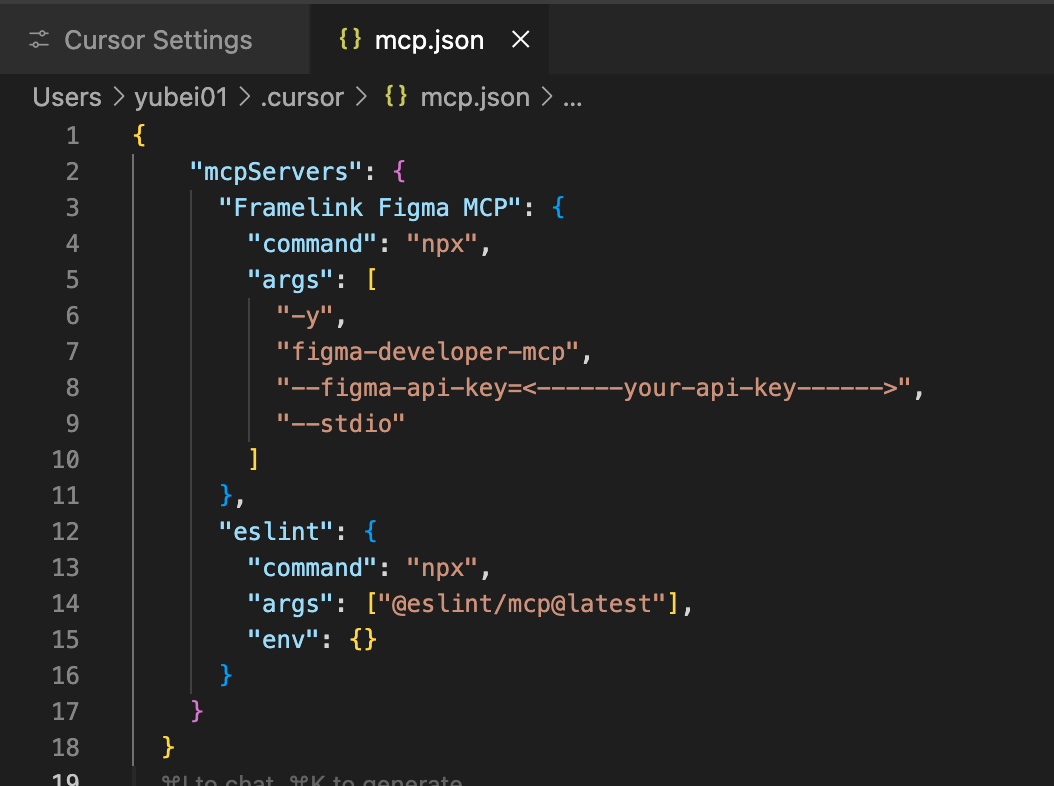
6. 会弹出配置文件,用之前生成的figma token替换"<------your-api-key------>"部分后,填充以下内容。
bash
{
  "mcpServers": {
    "Framelink Figma MCP": {
      "command": "npx",
      "args": [
        "-y",
        "figma-developer-mcp",
        "--figma-api-key=<------your-api-key------>", // 这里需要替换成之前生成的figma key
        "--stdio"
      ]
    },
    "eslint": {
      "command": "npx",
      "args": ["@eslint/mcp@latest"],
      "env": {}
    }
  }
}
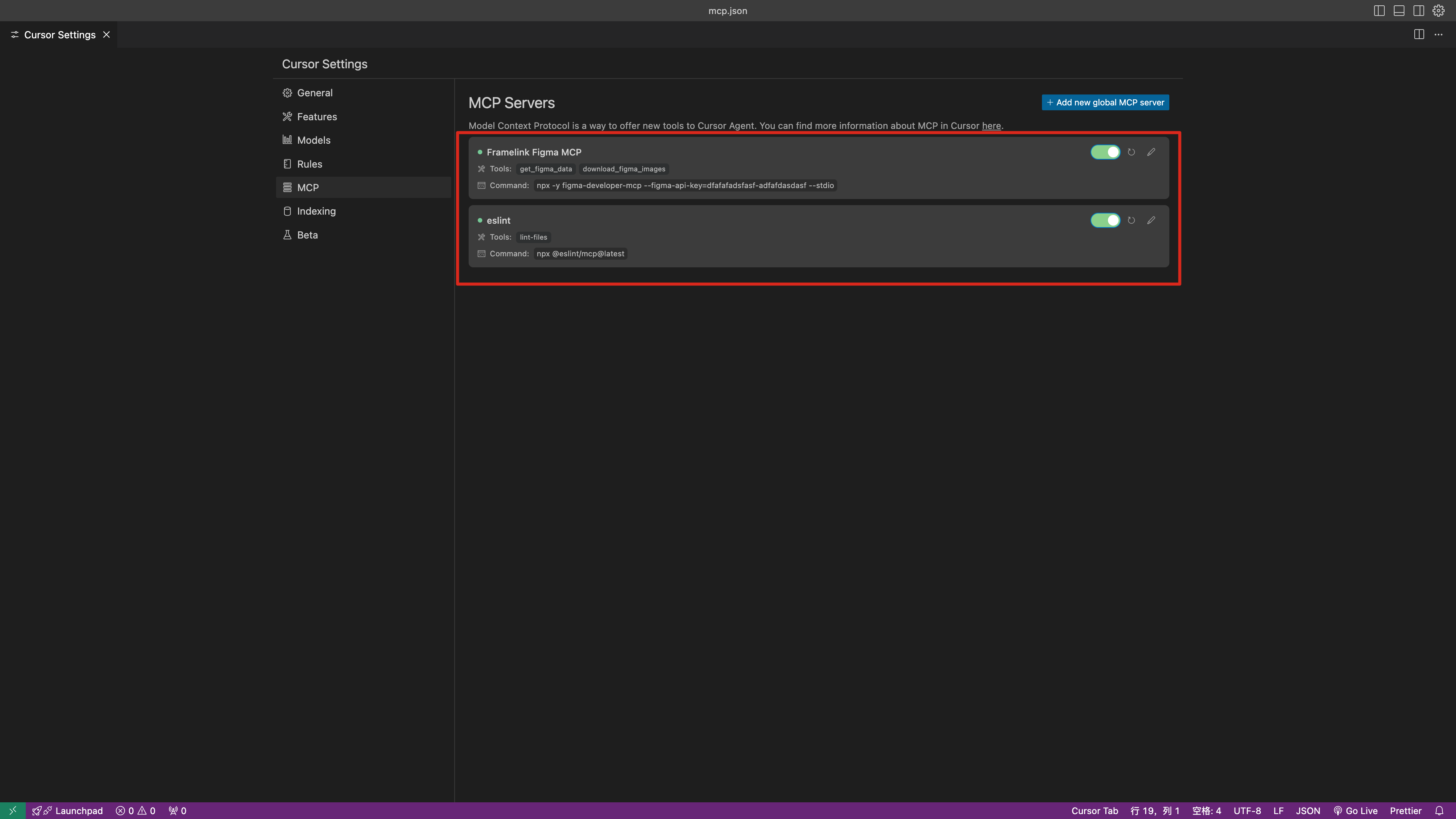
7. 配置好后,打开开关,应该会出现以下工具列表。如果没出现试试重启cursor
三:代码生成规则配置
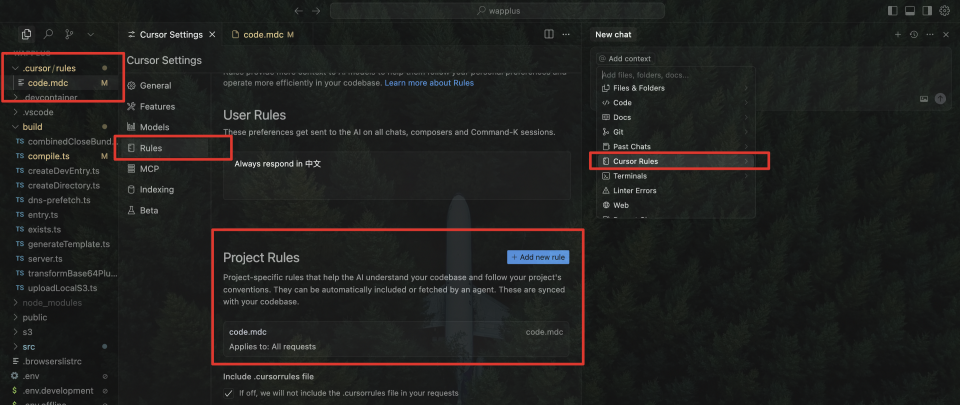
添加rules
允许你为代理和 AI 提供系统级指导。可以将它们视为一种持久的方式来编码上下文、偏好或工作流程,用于你的项目或个人
bash
    You are an expert in TypeScript, Node.js, Vite, Vue.js, Vue Router, Pinia, VueUse, Element Plus, and Sass, with a deep understanding of best practices and performance optimization techniques in these technologies.

    Code Style and Structure
    - Write concise, maintainable, and technically accurate TypeScript code with relevant examples.
    - Use functional and declarative programming patterns; avoid classes.
    - Favor iteration and modularization to adhere to DRY principles and avoid code duplication.
    - Use descriptive variable names with auxiliary verbs (e.g., isLoading, hasError).
    - Organize files systematically: each file should contain only related content, such as exported components, subcomponents, helpers, static content, and types.

    Naming Conventions
    - Use lowercase with dashes for directories (e.g., components/auth-wizard).
    - Favor named exports for functions.

    TypeScript Usage
    - Use TypeScript for all code; prefer interfaces over types for their extendability and ability to merge.
    - Avoid enums; use maps instead for better type safety and flexibility.
    - Use functional components with TypeScript interfaces.

    Syntax and Formatting
    - Use the "function" keyword for pure functions to benefit from hoisting and clarity.
    - Always use the Vue Composition API script setup style.

    UI and Styling
    - Use Element Plus, and Sass for components and styling.
    - Implement responsive design with Sass;  use a mobile-first approach.

    Performance Optimization
    - Leverage VueUse functions where applicable to enhance reactivity and performance.
    - Wrap asynchronous components in Suspense with a fallback UI.
    - Use dynamic loading for non-critical components.
    - Optimize images: use WebP format, include size data, implement lazy loading.
    - Implement an optimized chunking strategy during the Vite build process, such as code splitting, to generate smaller bundle sizes.

    Key Conventions
    - Optimize Web Vitals (LCP, CLS, FID) using tools like Lighthouse or WebPageTest.
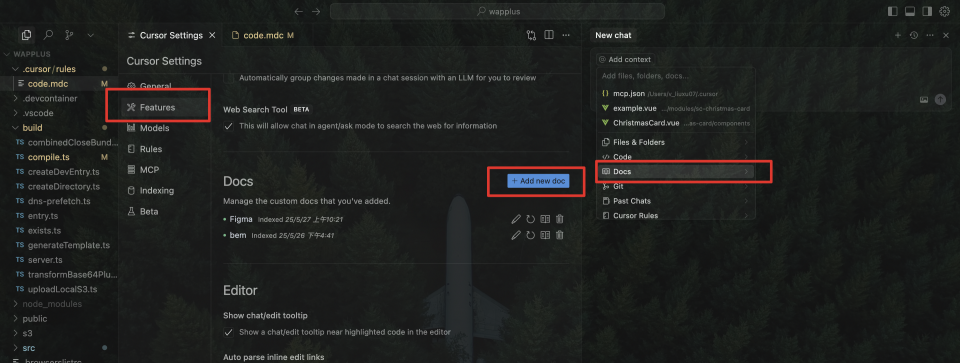
2、添加docs
- Figma file 帮助cursor了解figma设计稿文件 - https://www.figma.com/developers/api#files
- bem 提供class name命名规则 - https://juejin.cn/post/7405834903370154022、https://bemcss.com/#
3、添加figma link
- 拷贝需要实现的页面link
4、添加截图
- 上传需要实现的页面截图
5、添加prompts
- 从提供的Figma设计稿中获取页面视觉布局的信息,然后参考Figma字段说明文档链接理解布局信息里面的字段含义,参考视觉截图理解页面框架,最后将理解的布局信息内容还原成vue页面,与Figma设计中的视觉效果保持一致。要求:1.生成vue页面,代码存放在src/views目录。2.从Figma导出的图片格式采用png格式,并且以.png格式为扩展名,例如icon-xxx.png,不要使用svg格式,图片命名中不能带中文等非法字符。图片以3倍大小导出,导出的图片存放新建项目目录的src/assets/images目录下。3.处理好页面元素间距。4.可以给出调用示例,不用添加调用示例入口。5.尽可能在原有代码风格基础上做新的代码开发。6.css class遵循bem,style 遵循sass嵌套