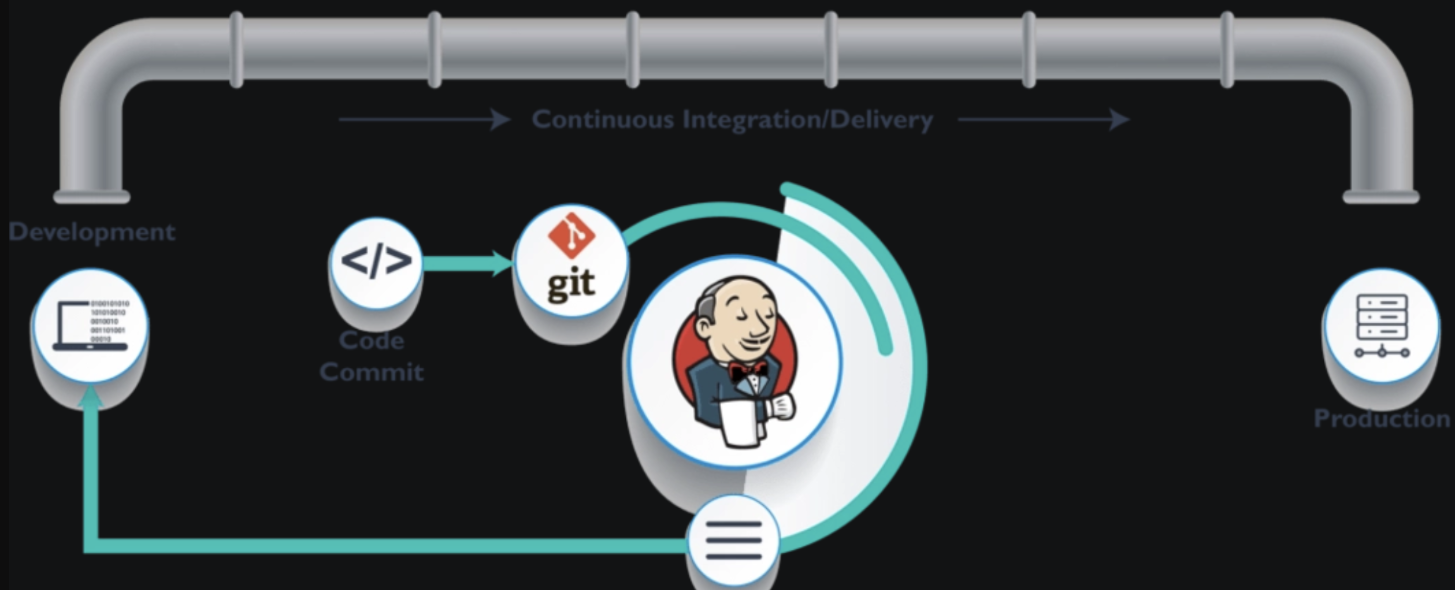
在 Jenkins Pipeline 中,git 命令是用于从版本控制系统(如 Git)拉取代码的核心步骤。其用法灵活,支持多种配置参数,但需要遵循 Jenkins 流水线语法规范。
一、基础语法
1. 声明式流水线(Declarative Pipeline)
pipeline {
    agent any
    stages {
        stage('Clone Code') {
            steps {
                git(
                    url: 'https://github.com/user/repo.git',
                    branch: 'main',
                    credentialsId: 'your-credentials-id',
                    extensions: [
                        [$class: 'CloneOption', depth: 1, timeout: 10]
                    ]
                )
            }
        }
    }
}
2. 脚本式流水线(Scripted Pipeline)
node {
    stage('Clone Code') {
        checkout([
            $class: 'GitSCM',
            branches: [[name: 'main']],
            userRemoteConfigs: [[
                url: 'https://github.com/user/repo.git',
                credentialsId: 'your-credentials-id'
            ]],
            extensions: [
                [$class: 'CloneOption', depth: 1, timeout: 10]
            ]
        ])
    }
}
二、核心参数详解
1. 必选参数
| 参数名 | 描述 |
|---|---|
url |
Git 仓库地址,如 https://github.com/user/repo.git |
branch |
指定克隆的分支,如 main、dev,或使用通配符 */main |
2. 可选参数
| 参数名 | 描述 |
|---|---|
credentialsId |
Jenkins 凭证 ID,用于私有仓库认证(SSH 密钥或用户名密码) |
changelog |
是否生成变更日志(默认 true) |
poll |
是否轮询代码变更(默认 true,用于触发构建) |
3. 扩展参数(extensions)
通过 extensions 配置高级克隆行为,常用选项:
| 扩展类名 | 作用 |
|---|---|
CloneOption |
控制克隆深度、超时等,如 depth: 1 表示仅克隆最近一次提交 |
SubmoduleOption |
处理子模块,如 recursive: true 递归克隆子模块 |
SparseCheckoutPaths |
稀疏检出(仅拉取指定目录) |
LocalBranch |
强制本地分支名,如 localBranch: 'main' |
三、实战场景示例
1. 克隆私有仓库(SSH 密钥认证)
git(
    url: 'git@github.com:user/private-repo.git',
    branch: 'dev',
    credentialsId: 'ssh-key-credential-id',
    extensions: [
        [$class: 'CloneOption', depth: 1]
    ]
)
2. 克隆指定标签(Tag)
git(
    url: 'https://github.com/user/repo.git',
    branch: 'refs/tags/v1.0.0',  // 指定标签
    credentialsId: 'cred-id'
)
3. 稀疏检出(仅拉取特定目录)
git(
    url: 'https://github.com/user/repo.git',
    branch: 'main',
    extensions: [
        [$class: 'SparseCheckoutPaths', sparseCheckoutPaths: [[path: 'src/']]]
    ]
)
4. 递归克隆子模块
git(
    url: 'https://github.com/user/repo.git',
    branch: 'main',
    extensions: [
        [$class: 'SubmoduleOption', recursive: true]
    ]
)
四、凭证管理(Credentials)
1. 创建凭证
-
进入 Jenkins > Manage Jenkins > Credentials
-
添加凭证类型:
-
Username with Password:HTTP(S) 仓库认证
-
SSH Username with Private Key:SSH 仓库认证
-
2. 在流水线中引用
git(
    url: 'https://github.com/user/repo.git',
    credentialsId: 'your-credential-id'  // 与 Jenkins 凭证管理中显示的 ID 一致
)
五、常见错误及解决
1. No such credentialsId
-
原因:凭证 ID 不存在或权限不足
-
解决:检查凭证配置并确保流水线有权访问该凭证
2. Branch not found
-
原因:分支名称拼写错误或远程仓库无此分支
-
解决 :确认分支存在,或使用通配符
*/main
3. Permission denied (publickey)
-
原因:SSH 密钥配置错误
-
解决:检查私钥格式(需为 PEM 格式)及凭证绑定
4. Timeout after 10 minutes
-
原因:网络不稳定或仓库过大
-
解决 :增大
CloneOption中的timeout值(单位分钟)
六、高级技巧
1. 动态分支选择
使用参数化构建动态指定分支:
pipeline {
    parameters {
        string(name: 'BRANCH', defaultValue: 'main', description: 'Target branch')
    }
    stages {
        stage('Clone') {
            steps {
                git(
                    url: 'https://github.com/user/repo.git',
                    branch: params.BRANCH
                )
            }
        }
    }
}
2. 多仓库克隆
多次调用 git 命令拉取多个仓库:
steps {
    dir('frontend') {
        git(url: 'https://github.com/user/frontend.git', branch: 'main')
    }
    dir('backend') {
        git(url: 'https://github.com/user/backend.git', branch: 'dev')
    }
}
七、最佳实践
-
使用
depth: 1加速克隆仅拉取最新提交,减少构建时间(适用于不需要历史记录的场景)。
-
避免硬编码凭证
通过 Jenkins 凭证管理动态注入敏感信息。
-
定期清理工作区
在 Pipeline 开头添加
cleanWs()清理旧文件,避免残留数据干扰。 -
检查 Git 插件版本
确保
Git Plugin为最新版本。