1 总体流程
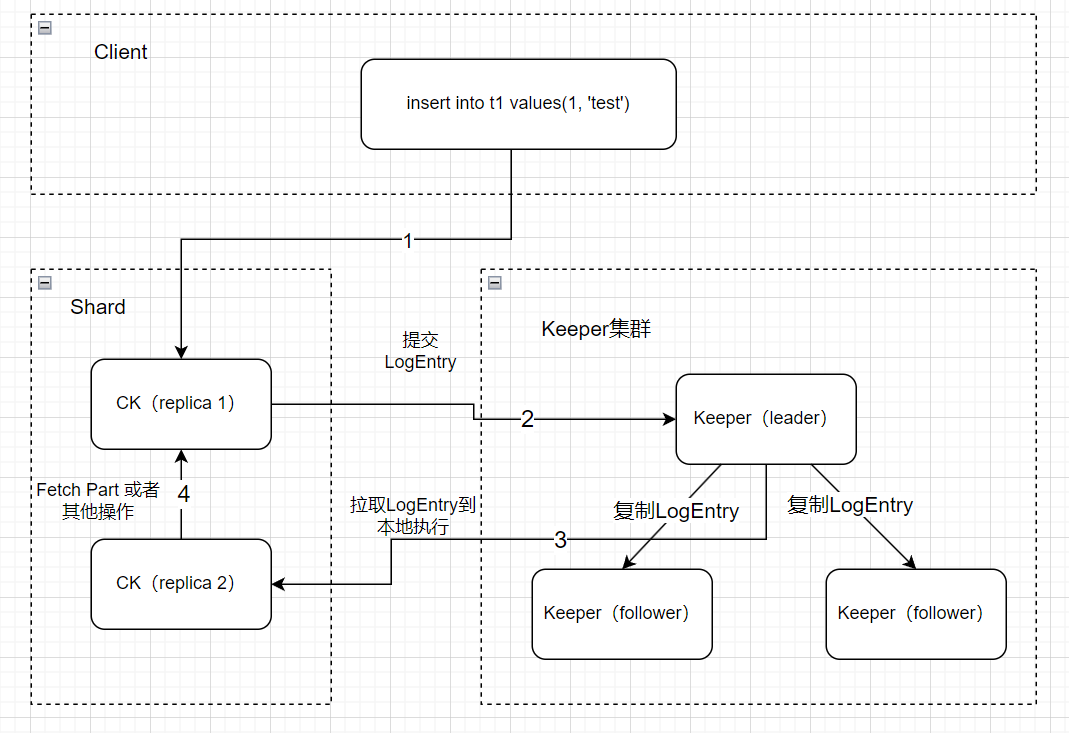
上图说明了一条insert语句最后如何被副本同步到的流程(图中ck集群为单shard,双副本)。
(1)从客户端发出,写入ck
(2)ck提交LogEntry到Keeper
(3)另外一个副本从Keeper拉取LogEntry到本地执行
2 参数说明
此部分介绍以下整个链路涉及的一些参数。
mergetree settings:
1.zookeeper_session_expiration_check_period
检查keeper session是否到期,每个以上参数的时间检查一次,默认为60S:
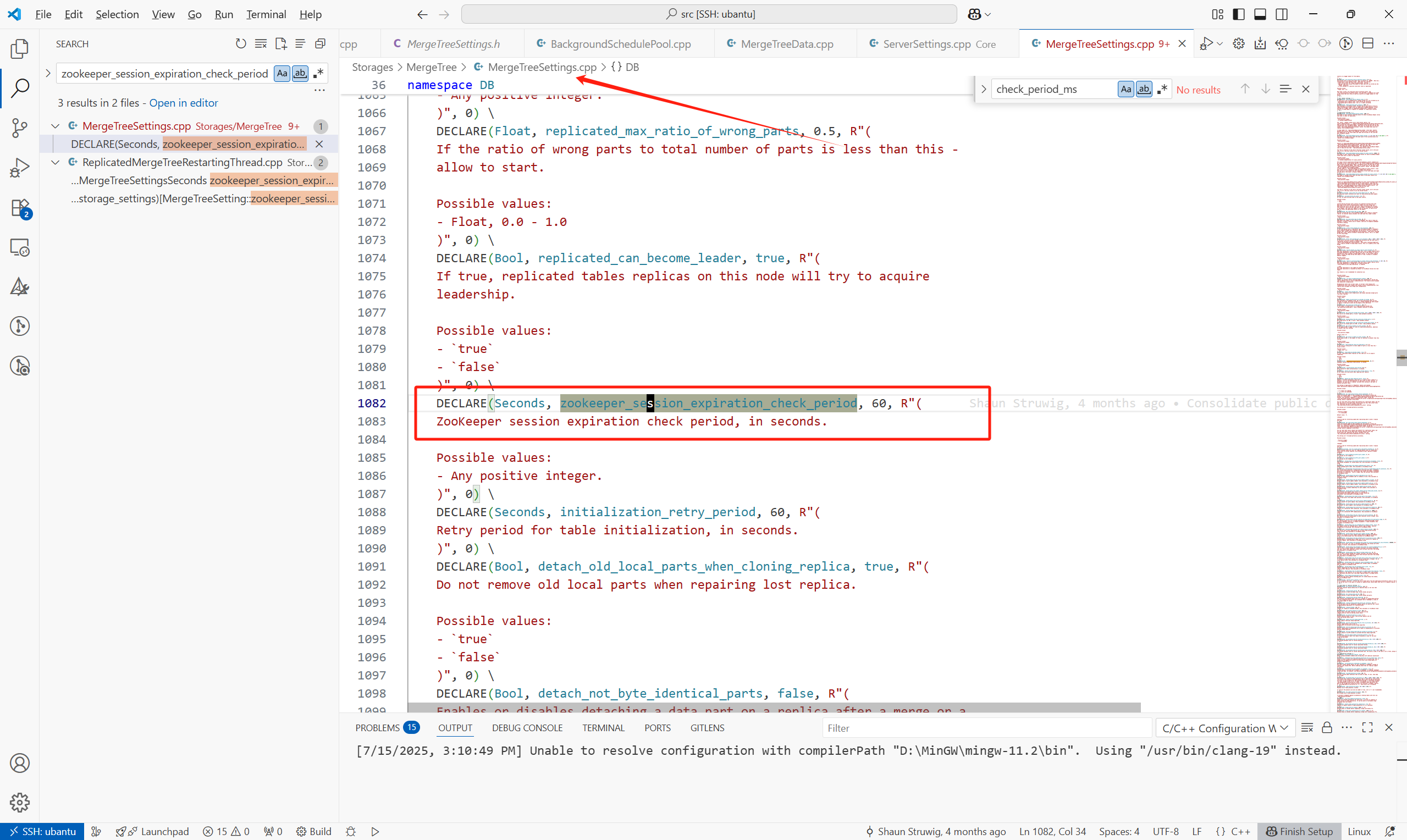
每个引擎为Replicated的MergeTree表在启动的时候,会运行以下任务来检查与keeper 之间的session是否过期。
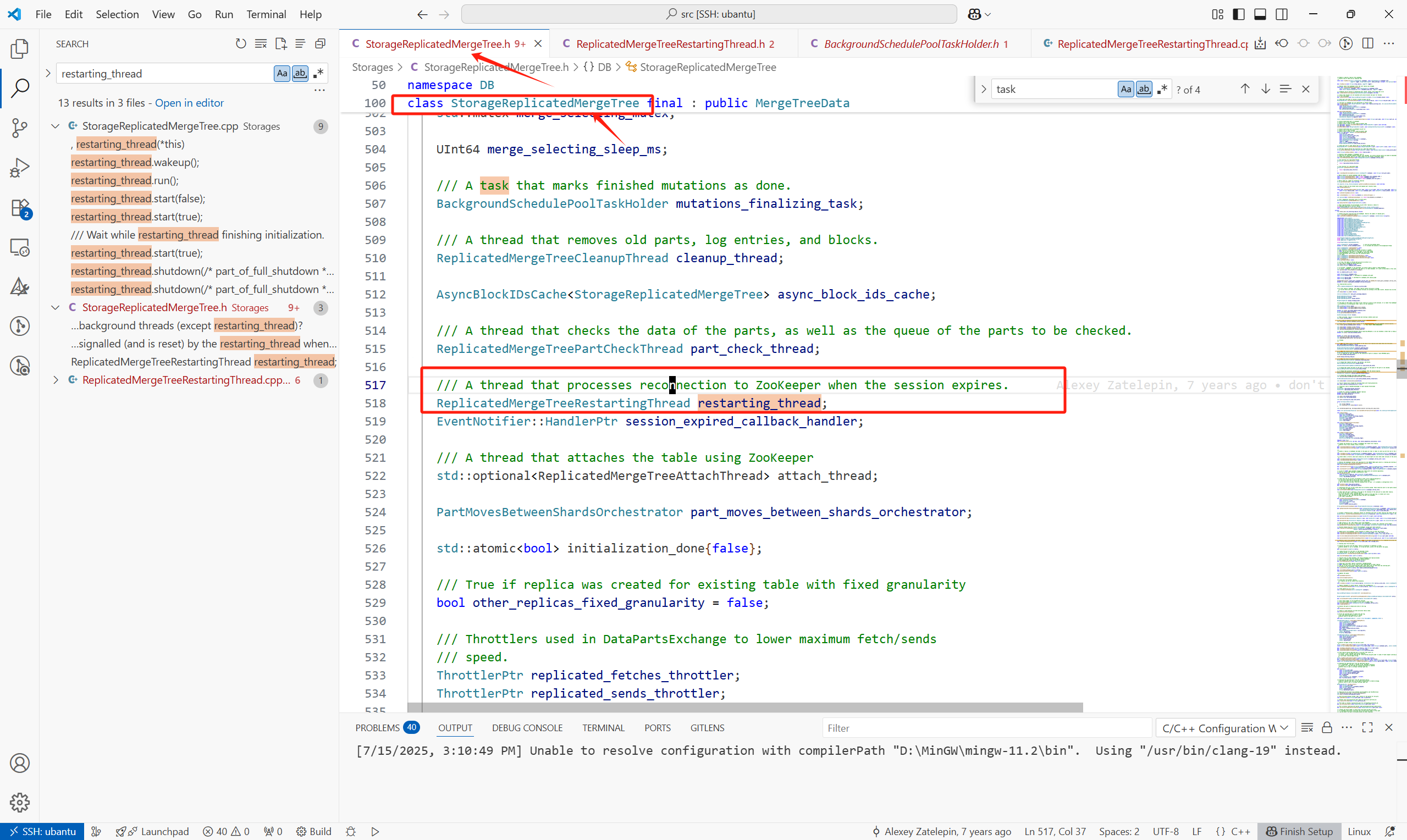
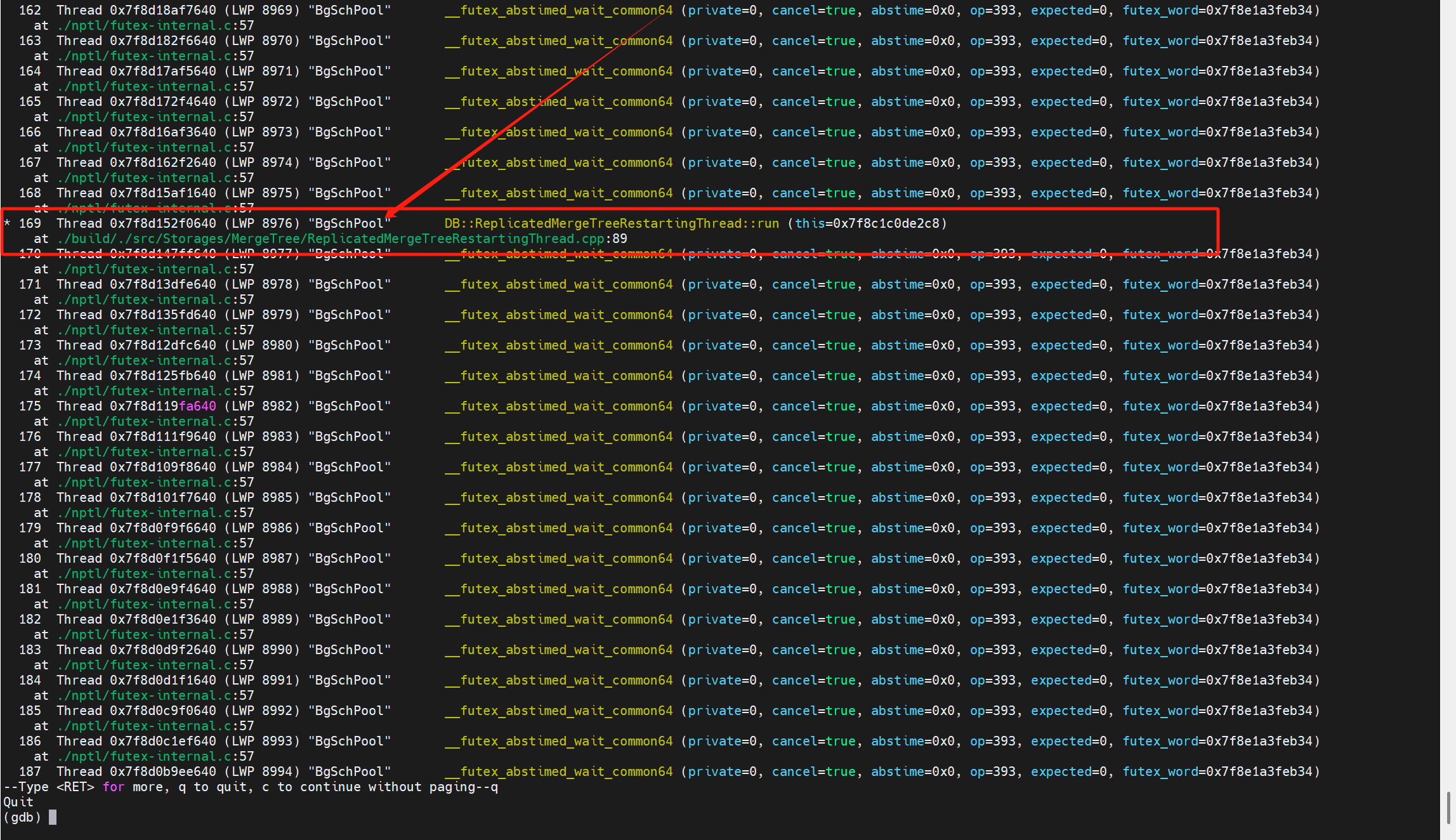
创建复制表时,内核会启动这个复制表的引擎,
之后在ReplicatedMergeTreeRestartingThread::runImpl()中启动各种后台调度任务:
(1)background_operations_assignee:执行merge,fetch操作
(2)merge_selecting_task:主要功能为选择合并的part
(3)cleanup_thread:线程,清理过期part等
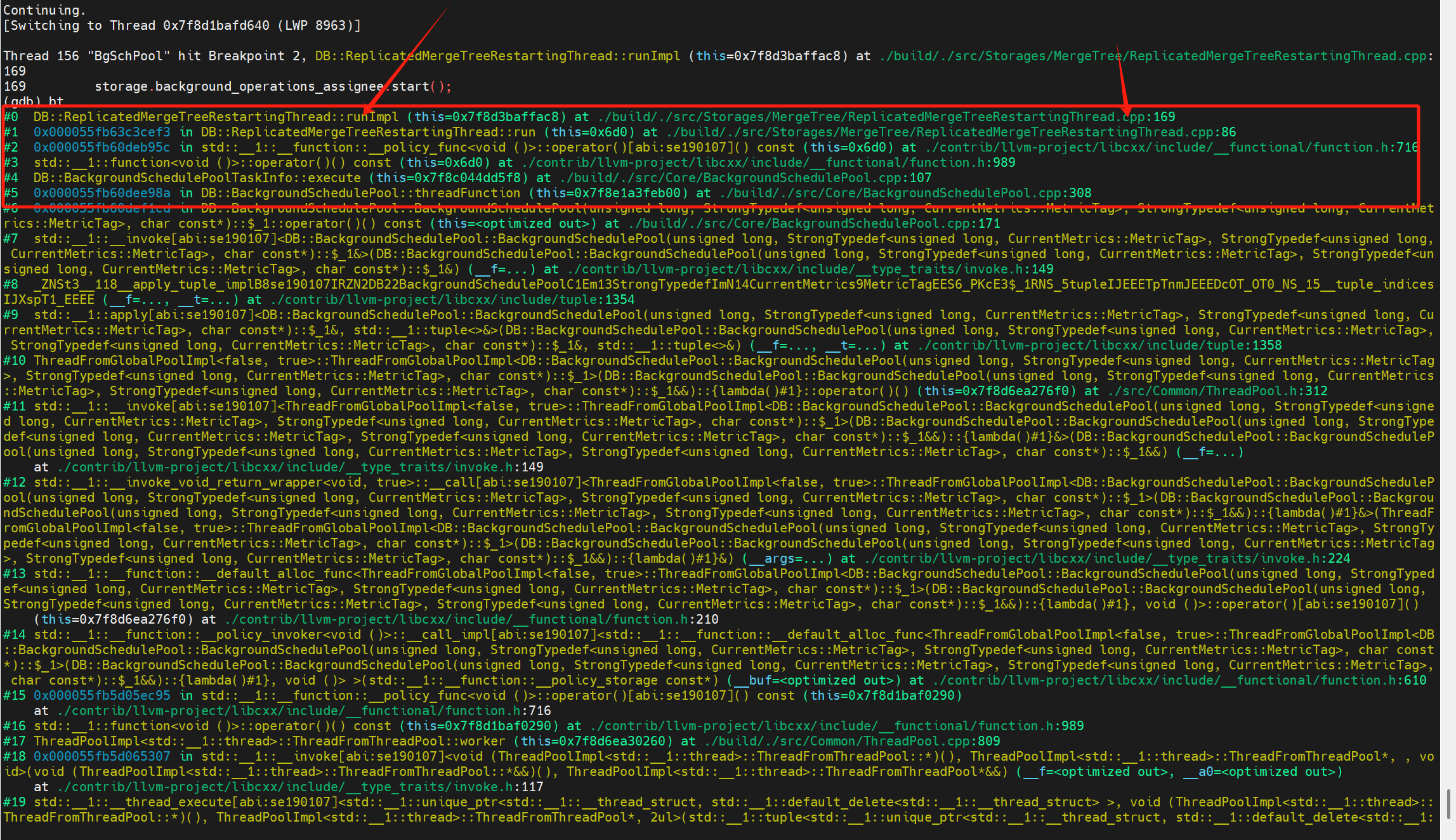
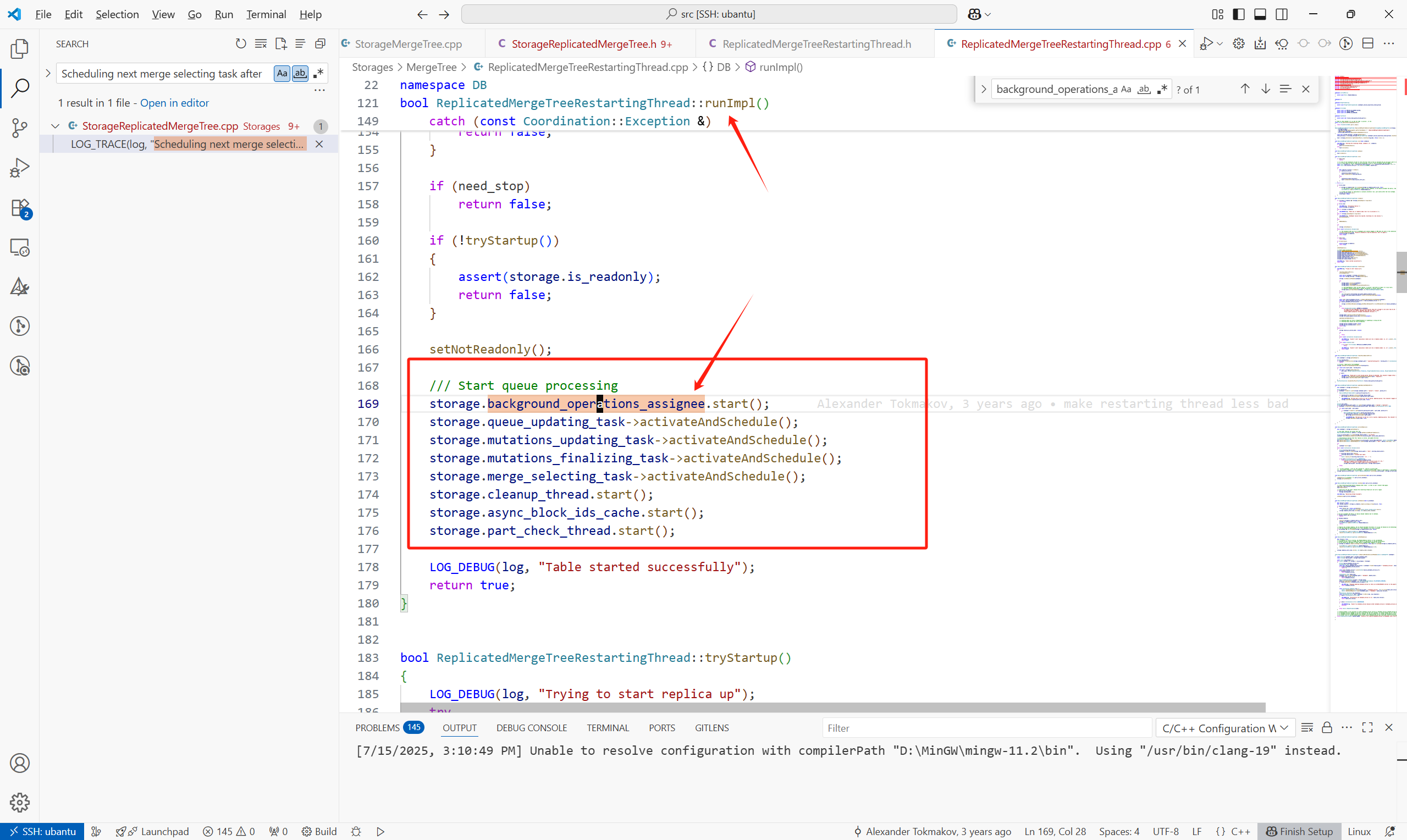
这些任务的调度有点任务内递归的感觉:
都是任务执行的最后在继续重复上个任务(只是任务的内容不一样)。
2.max_insert_delayed_streams_for_parallel_write
当part所在的存储系统支持并行写入时,这个参数默认为100,否则为0。


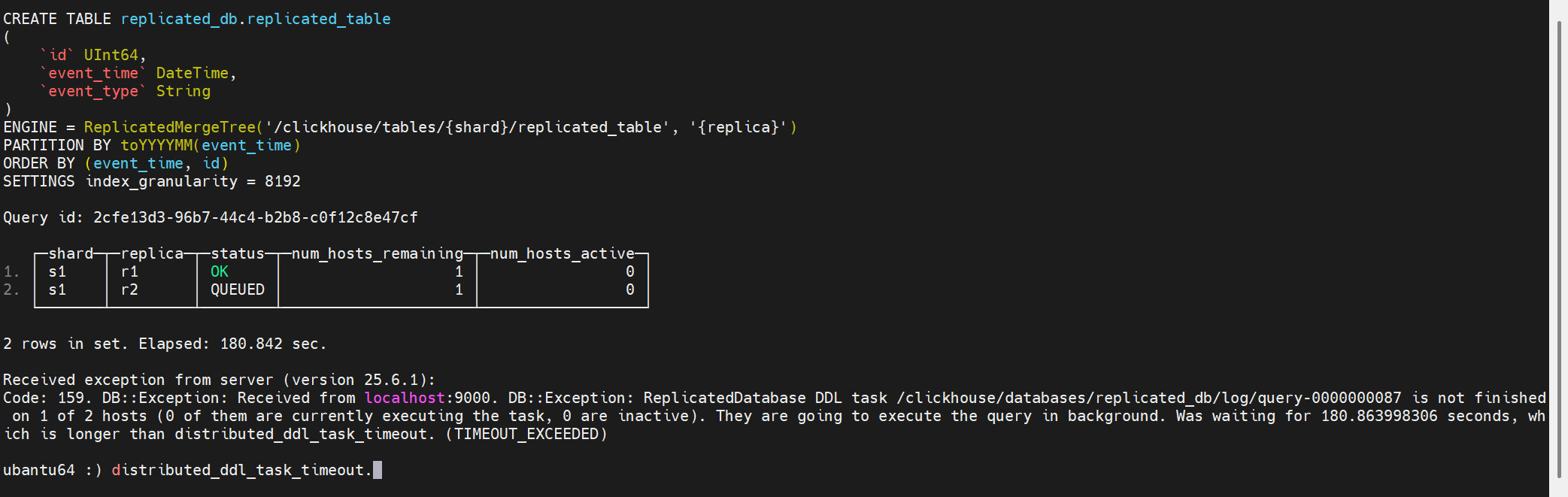
3.distributed_ddl_task_timeout
设置来自集群中所有主机的 DDL 查询响应的超时时间。如果某个 DDL 请求未能在所有主机上执行完成,响应中将包含一个 timeout 错误,并且该请求将以异步模式执行。负值表示无限超时时间。
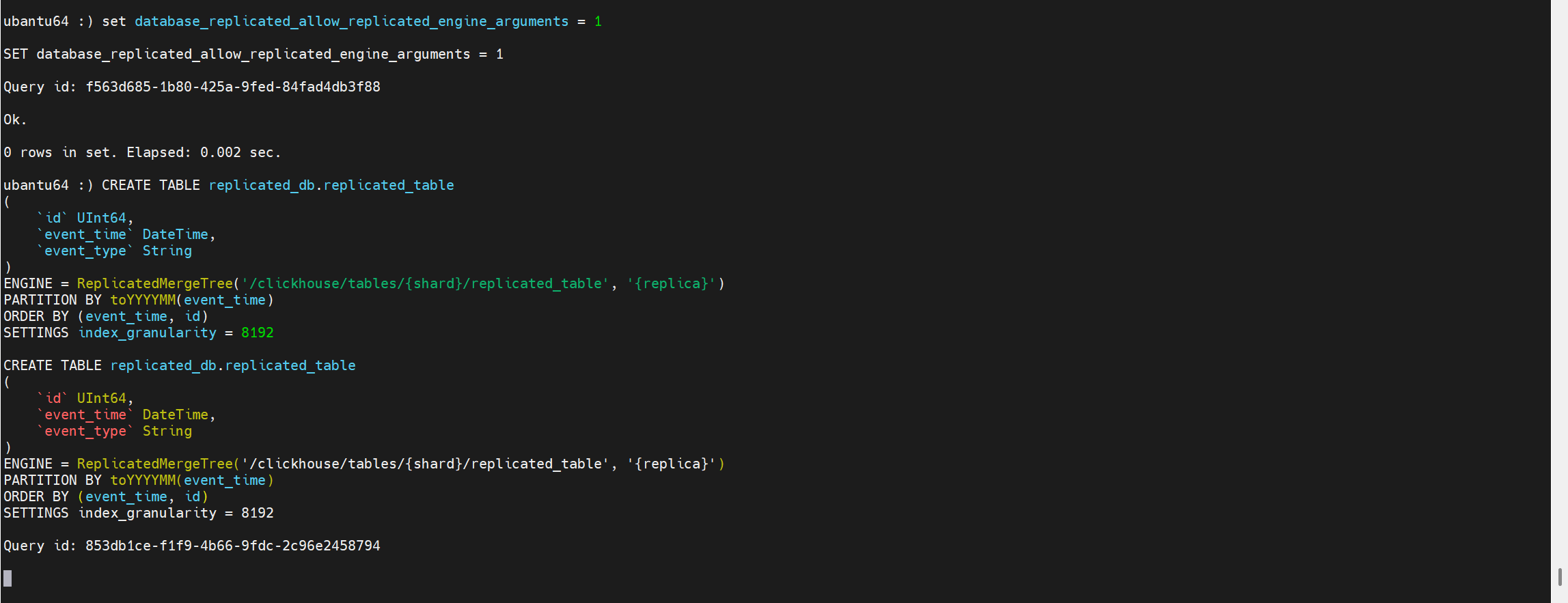
3 示例表结构
db:
CREATE DATABASE replicated_db
ENGINE = Replicated('/clickhouse/databases/replicated_db', '{shard}', '{replica}')
table:
CREATE TABLE replicated_db.replicated_table
(
`id` UInt64,
`event_time` DateTime,
`event_type` String
)
ENGINE = ReplicatedMergeTree('/clickhouse/tables/{shard}/replicated_table', '{replica}')
PARTITION BY toYYYYMM(event_time)
ORDER BY (event_time, id)
SETTINGS index_granularity = 8192
1 单节点生成LogEntry
这里我们忽略掉词语法解析,优化器,计划生成层以及执行层的部分算子,直接来到写数据到磁盘以及提交LogEntry的算子 - ReplicatedMergeTreeSinkImpl。
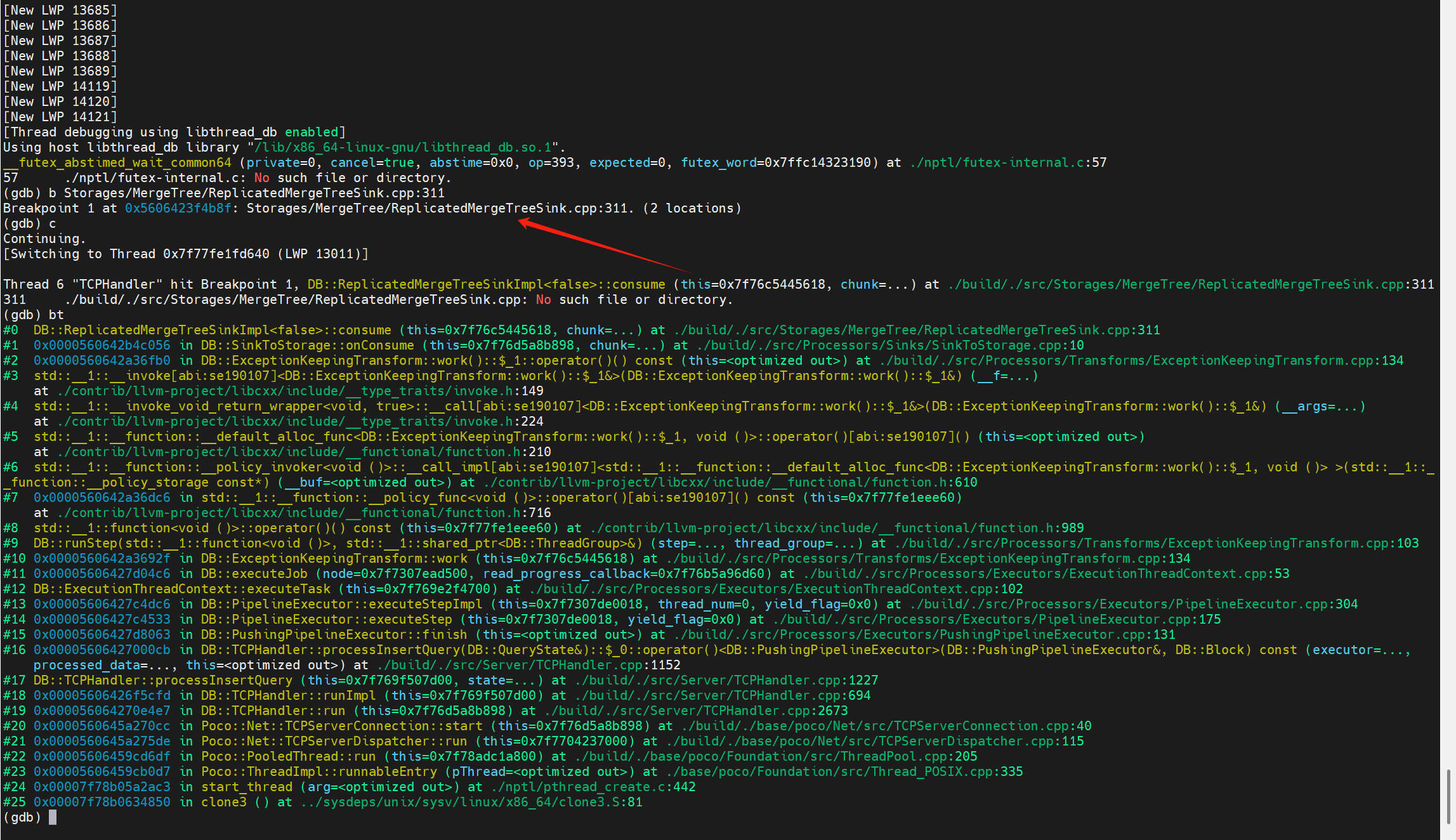
这里的输入参数chunk就是插入的数据在内存中的组织结构。
在ReplicatedMergeTreeSinkImpl<async_insert>::consume(Chunk & chunk)中,主要有以下步骤:
1.将插入的数据通过分区键拆成part,此过程通过MergeTreeDataWriter::splitBlockIntoParts完成

2.遍历每一个拆分出来的part
(1)通过writeNewTempPart将这个拆分出来的part写到临时目录中。
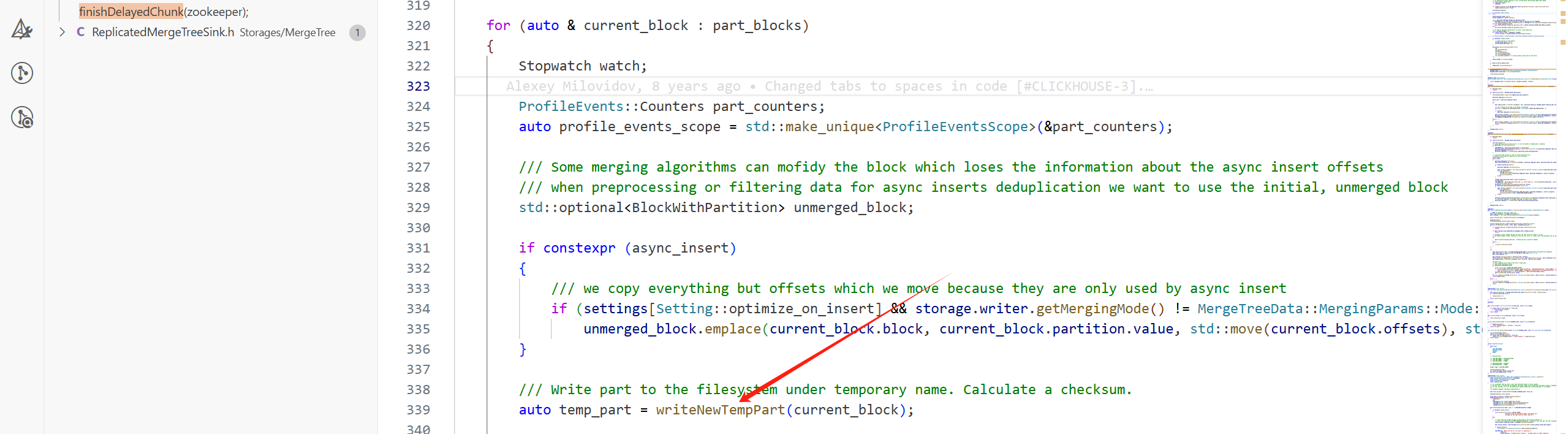
(2)在这个分支,提交写入的part到keeper中:

如果开启了并行写入,part会攒够一定的数量后,整体提交到Keeper上,这个默认数量为100。
2 提交LogEntry到Keeper
2.1 提交重试的参数控制
1.insert_keeper_max_retries
insert_keeper_max_retries 参数控制向复制表(Replicated MergeTree)插入数据时,对 ClickHouse Keeper(或 ZooKeeper)请求的最大重试次数。默认值为20。
只有以下三种错误会触发重试:
(1)network error
(2)Keeper session timeout
(3)request timeout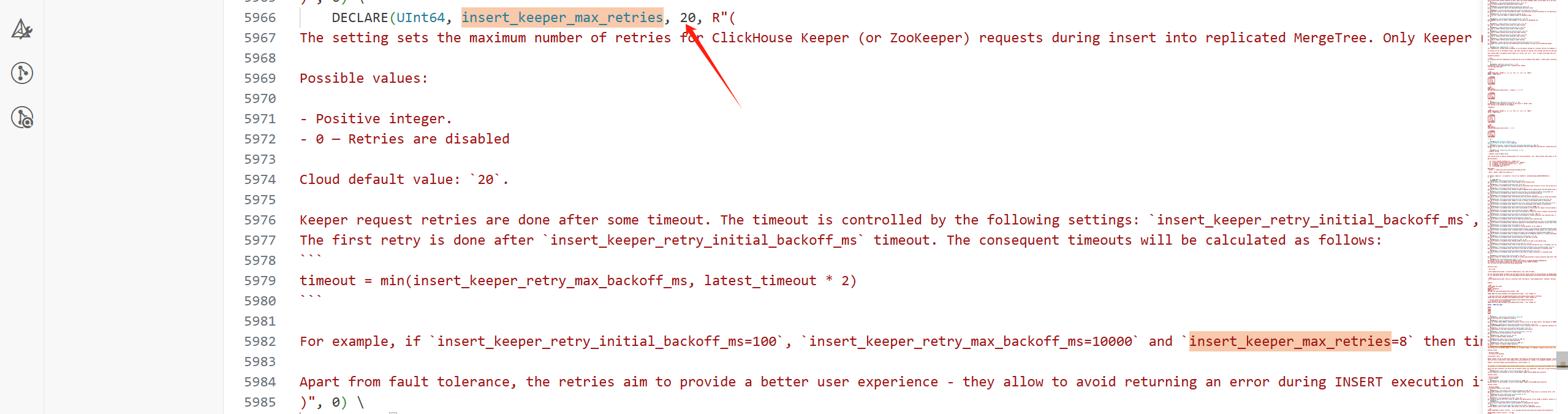
2.insert_keeper_retry_initial_backoff_ms
insert_keeper_retry_initial_backoff_ms 参数定义了在INSERT执行期间,对失败的Keeper(ZooKeeper)请求进行重试时的初始退避等待时间(毫秒)。默认值为100ms。

3.insert_keeper_retry_max_backoff_ms
insert_keeper_retry_max_backoff_ms 参数设定了在 INSERT 查询执行期间,对失败的 Keeper/ZooKeeper 请求进行重试时的最大退避等待时间上限(毫秒)。默认值为10s。

2.2 提交流程
注意这里提交的并不是写入的数据,而是写入part的元信息。
提交主要通过ReplicatedMergeTreeSinkImpl<async_insert>::commitPart完成。
block_id_path
/clickhouse/tables/s1/replicated_table/blocks/202507_12141418273484448060_16681511374997932159
retries_ctl.retryLoop为提交的驱动:
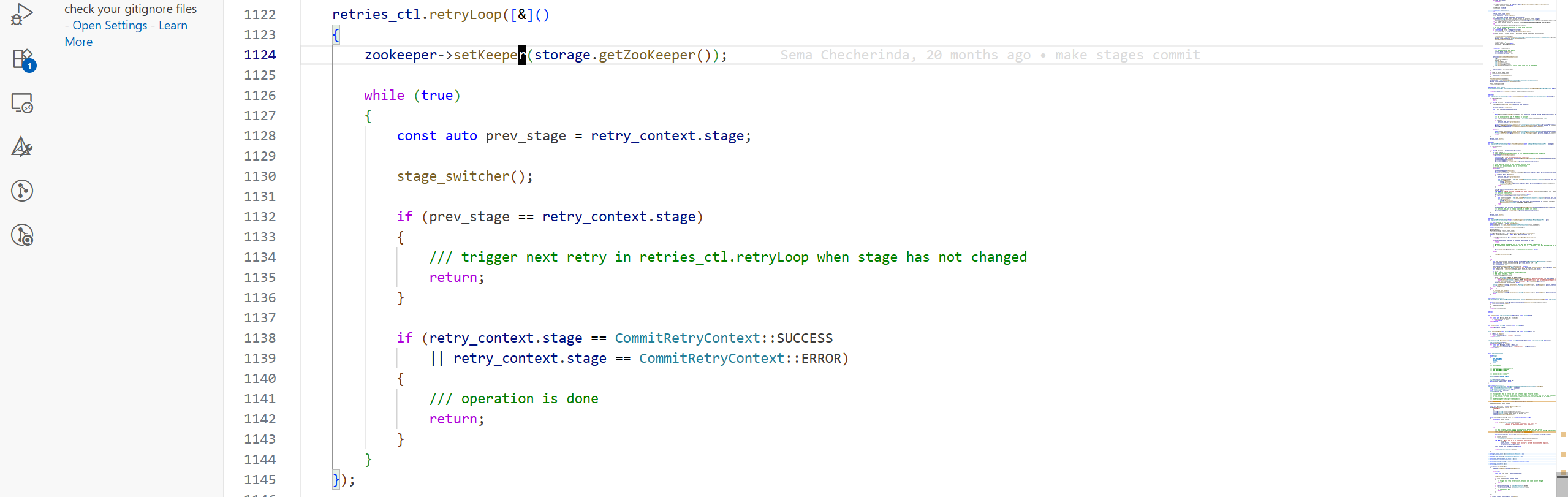
提交的状态转化通过stage_switcher这个匿名函数完成:
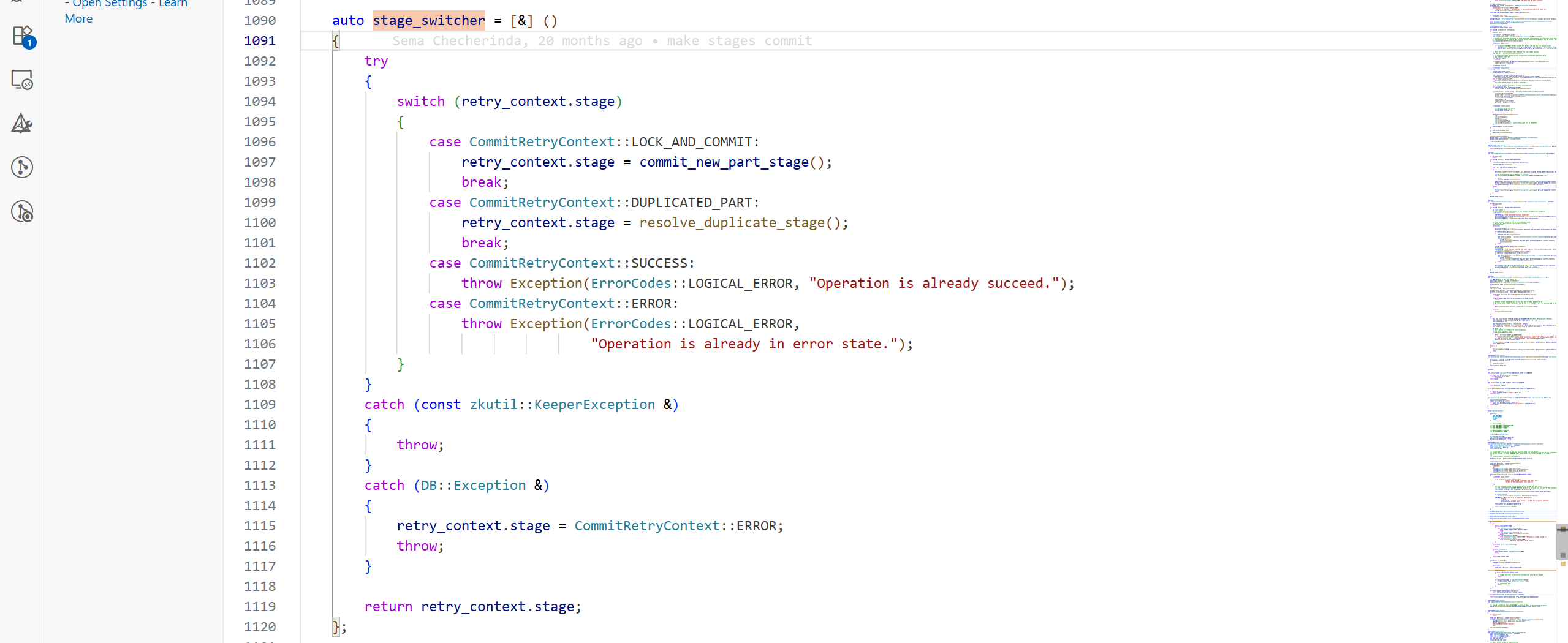
初始时retry_context.stage为LOCK_AND_COMMIT,所以进入commit_new_part_stage:
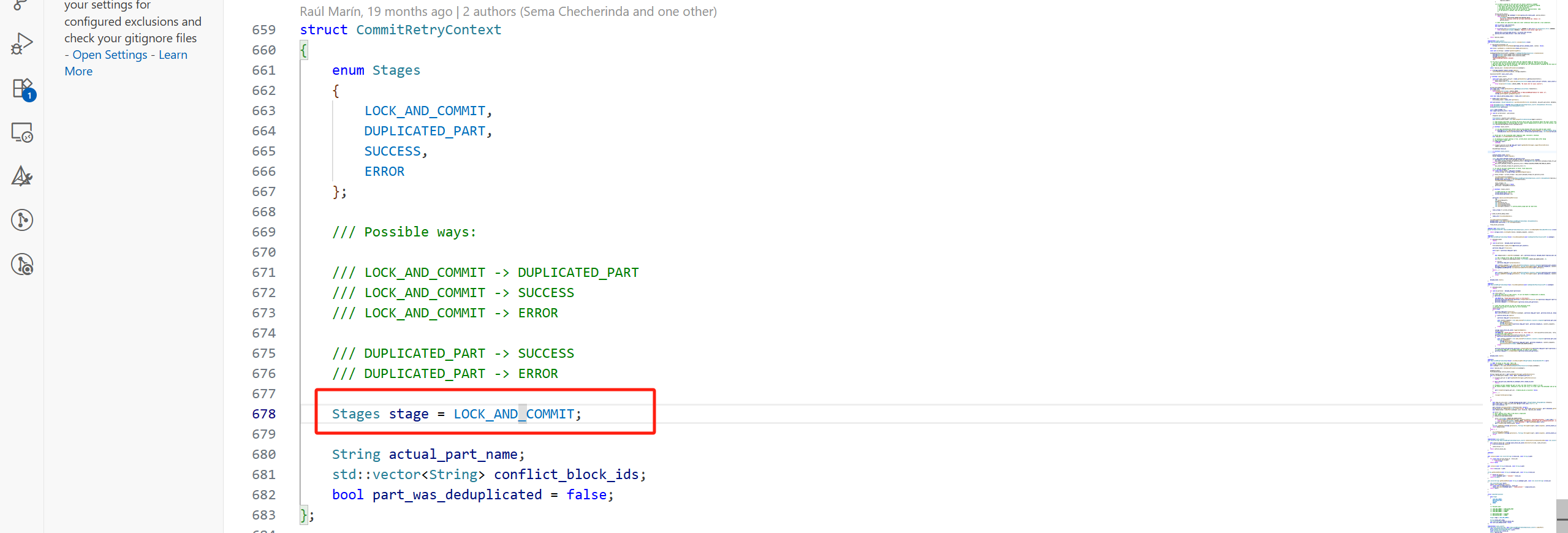
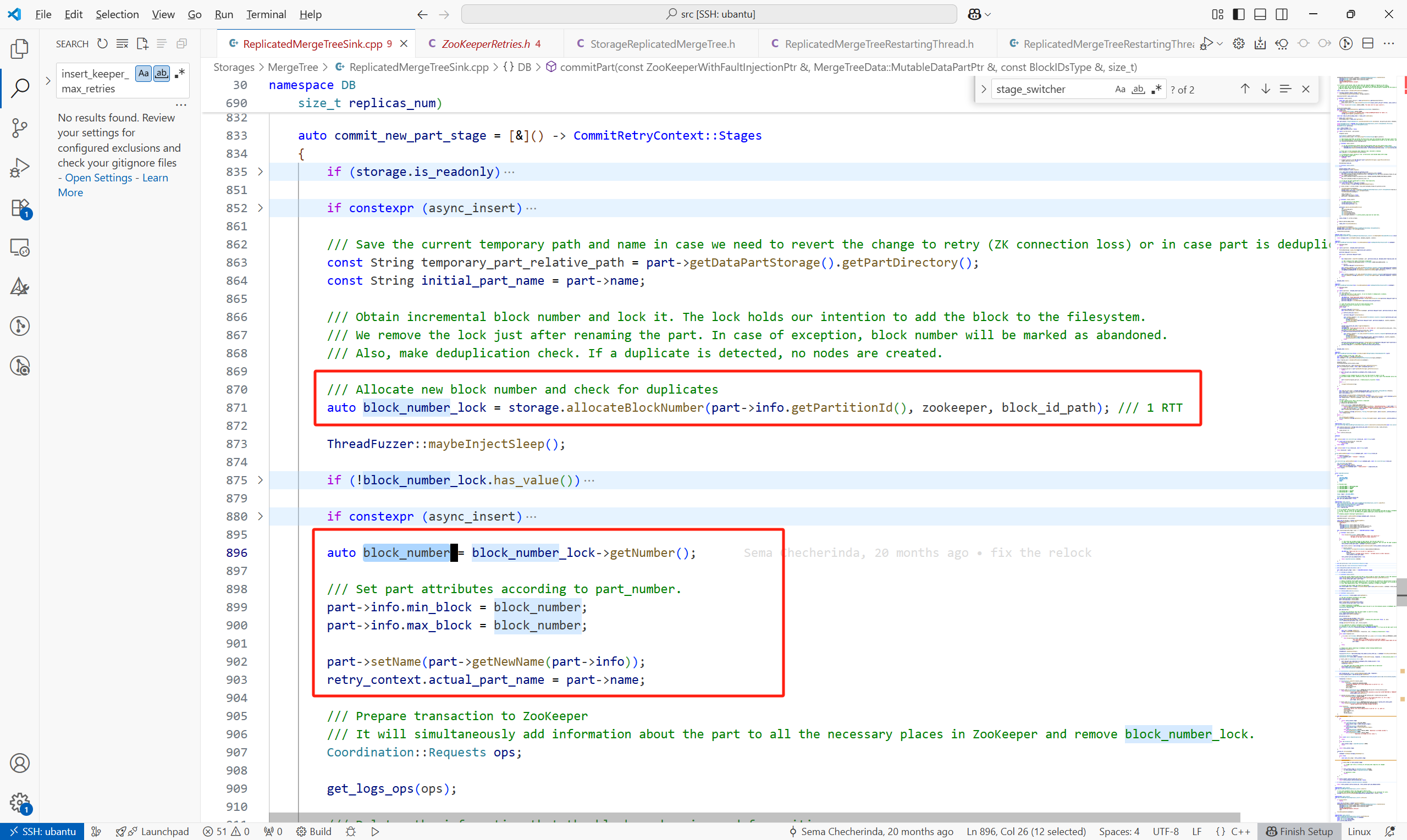
commit_new_part_stage主要做了以下几件事:
(1)设置要提交part的基本信息,例如block_number,part 名。对于New Part来说,block_number在一个复制表引擎中是全局递增的。
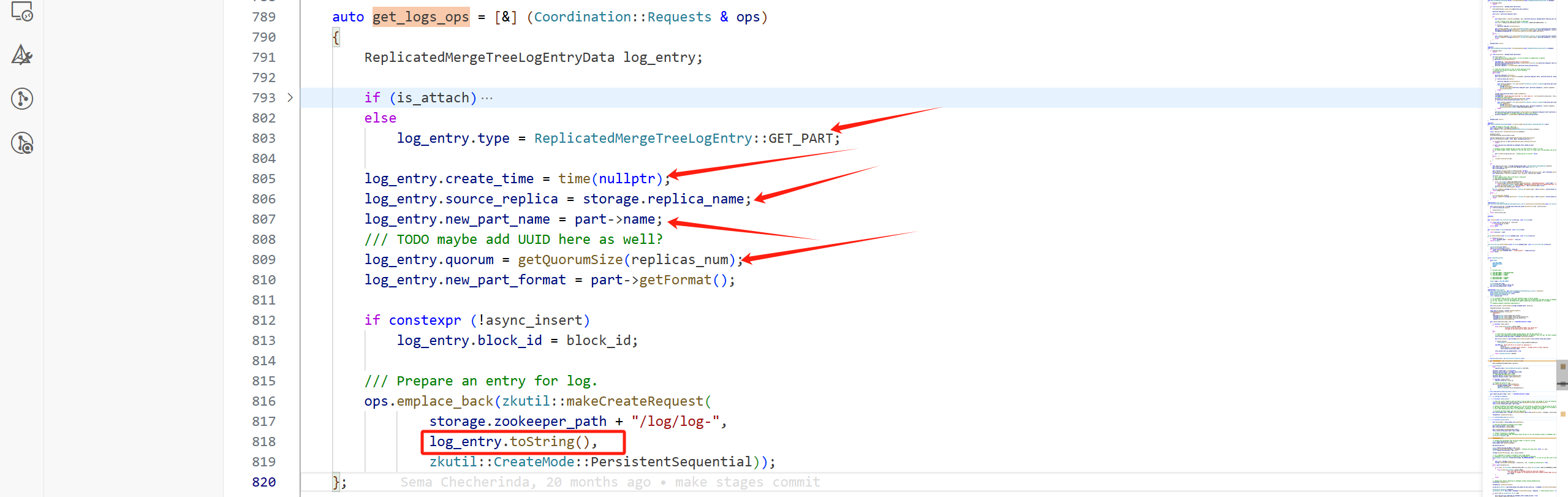
(2)构造要在Keeper上执行的请求,例如
构造在Keeper上创建的LogEntry的请求,通过get_logs_ops完成。对于一个New Part来说,这个LogEntry的type为GET_PART,还包括其他的一些信息,例如:
-
create_time:创建时间
-
source_replica:哪个副本创建的这个part
-
new_part_name:part名
等等。最后将这个LogEntry封装为一个CreateRequest。
一次Part的提交会带着很多其他的请求:
RemoveRequest有:


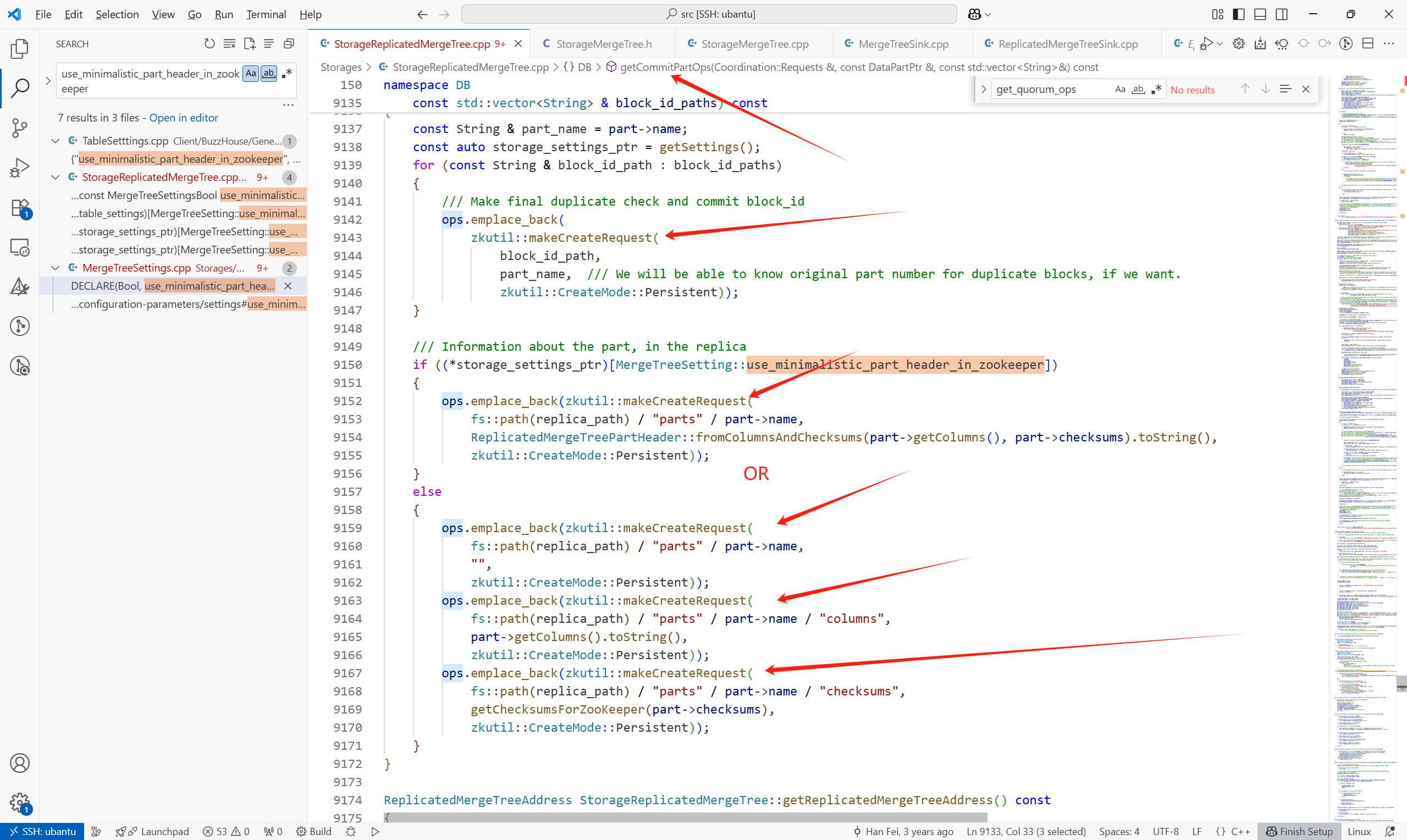
其他的CreateRequest有:
get_quorum_ops只有在副本大于2时,会有携带请求。
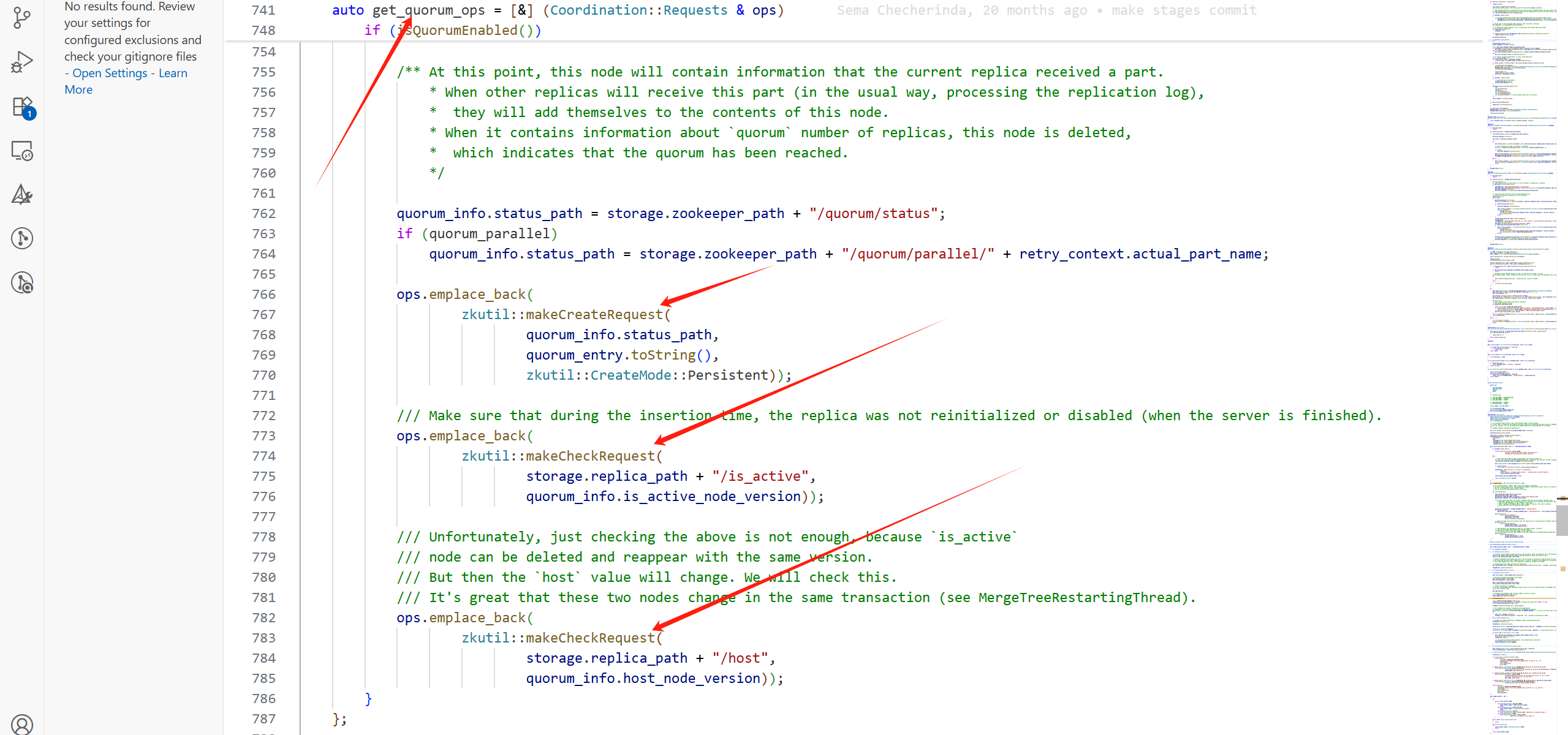
getCommitPartOps中的CreateRequest:
(3)开启事务,在提交LogEntry到Keeper失败时,回滚,进行状态的恢复
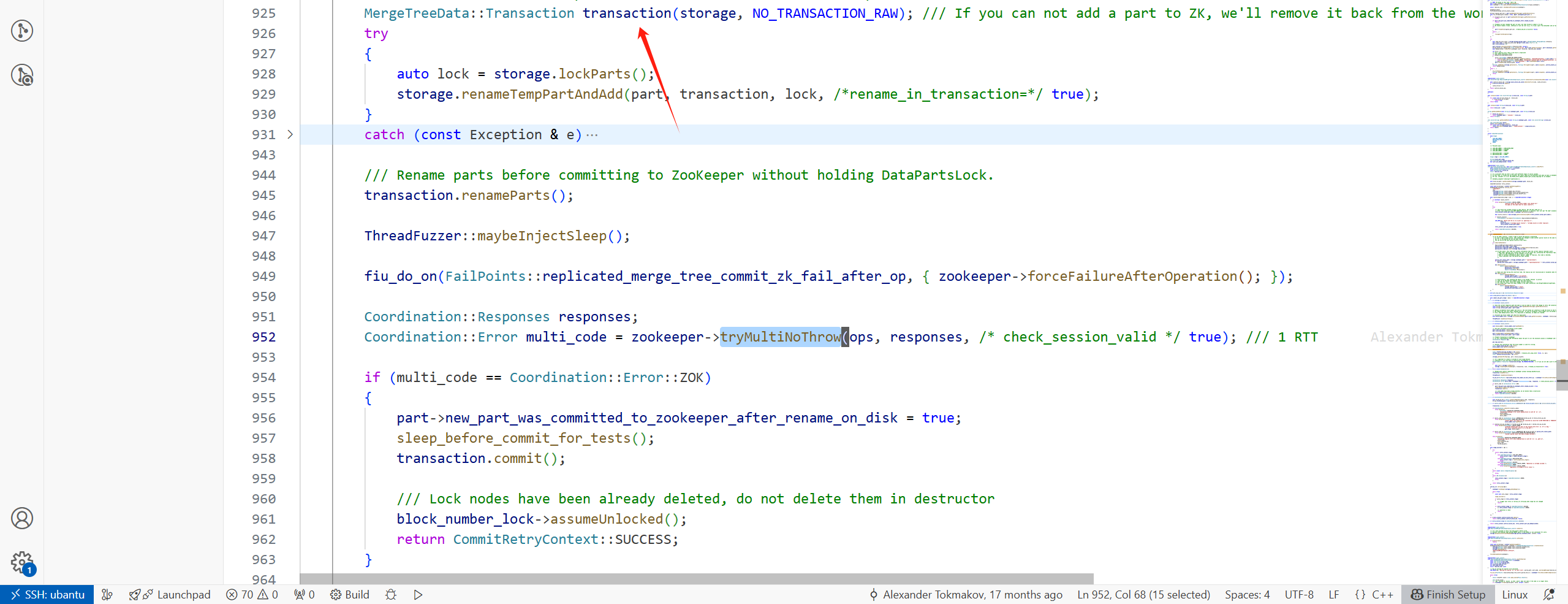
(4)将LogEntry发送到Keeper上

由于是多个请求,所以会调用ZooKeeper::multiImpl

此处流程,可用下图表示(如果是写请求达到了follower,follower会转发给leader):
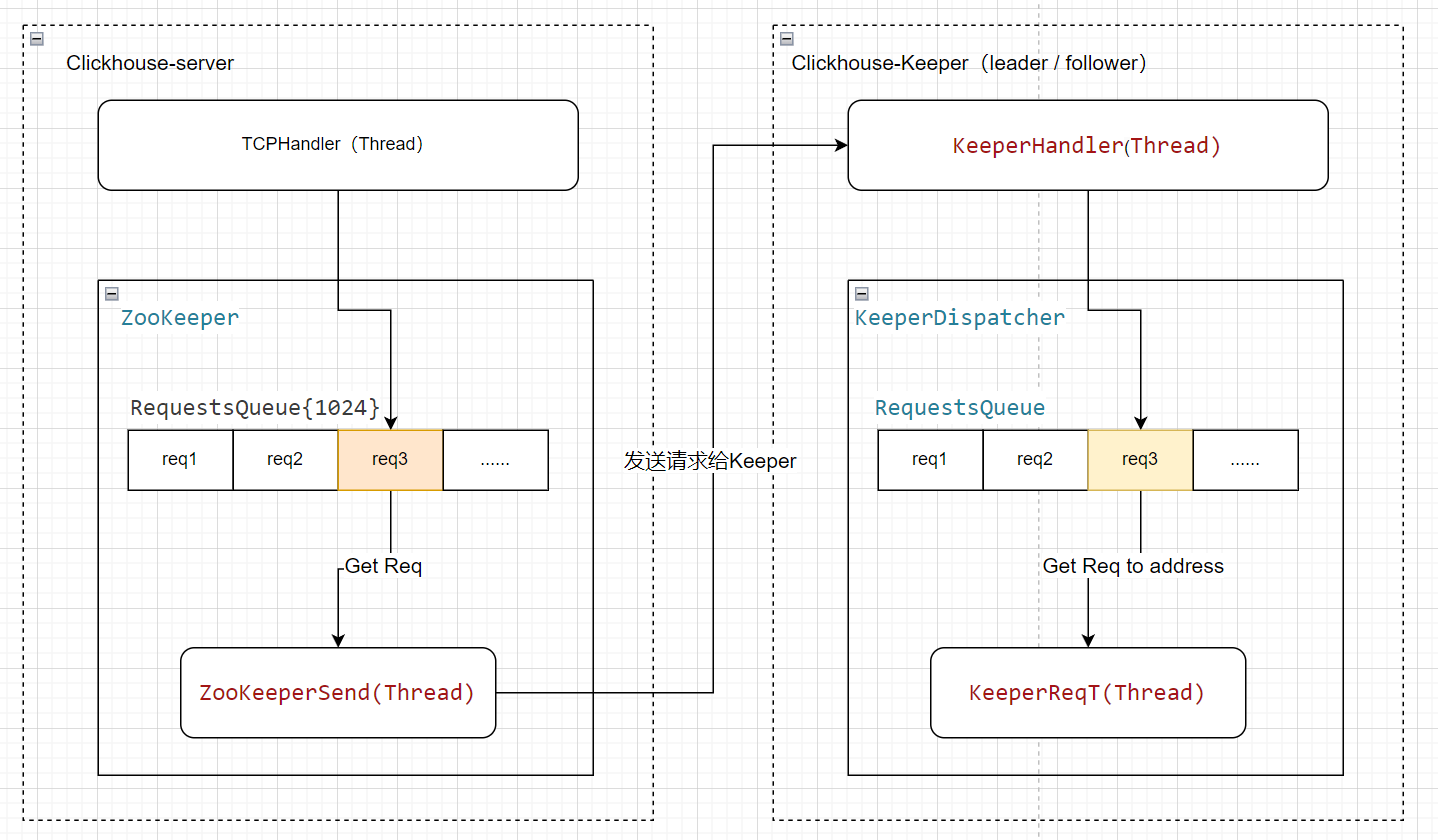
非阻塞等待异步操作结果,最大等待时间为args.operation_timeout_ms毫秒
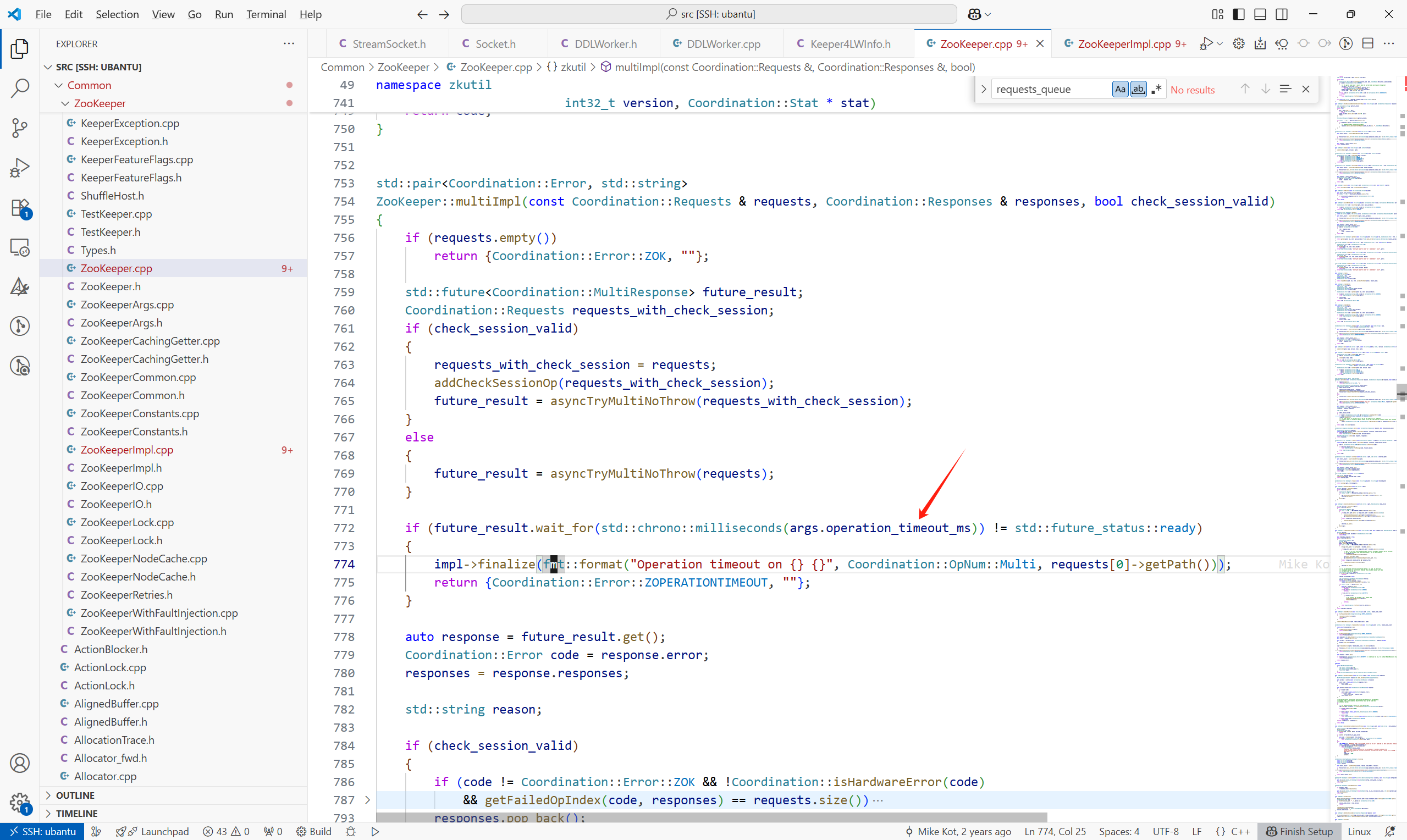
操作超时时间的参数,Coordination/CoordinationSettings.cpp
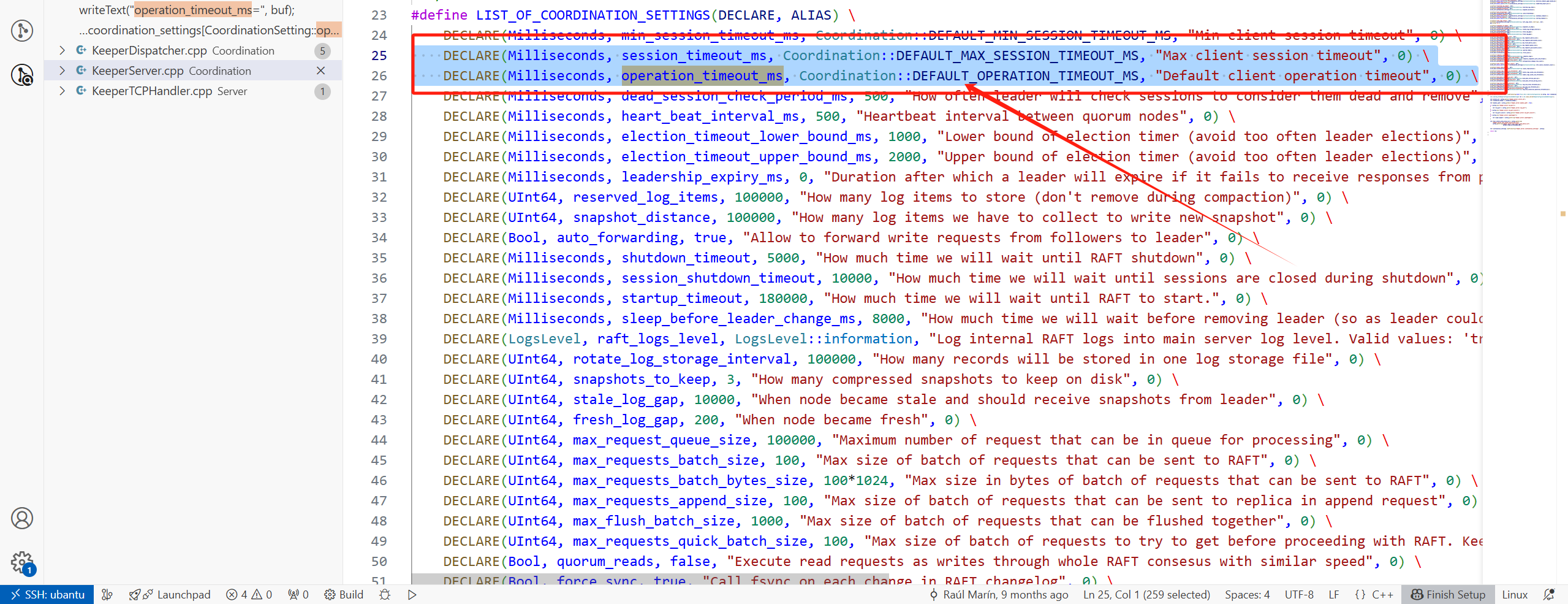
默认值为10S,Common/ZooKeeper/ZooKeeperConstants.h

3 副本拉取LogEntry
3.1 问题记录
问题1:创建表报Session was killed
这个问题可以跳过,暂时采用另一种方法解决,在此保留,以后有时间了继续追。
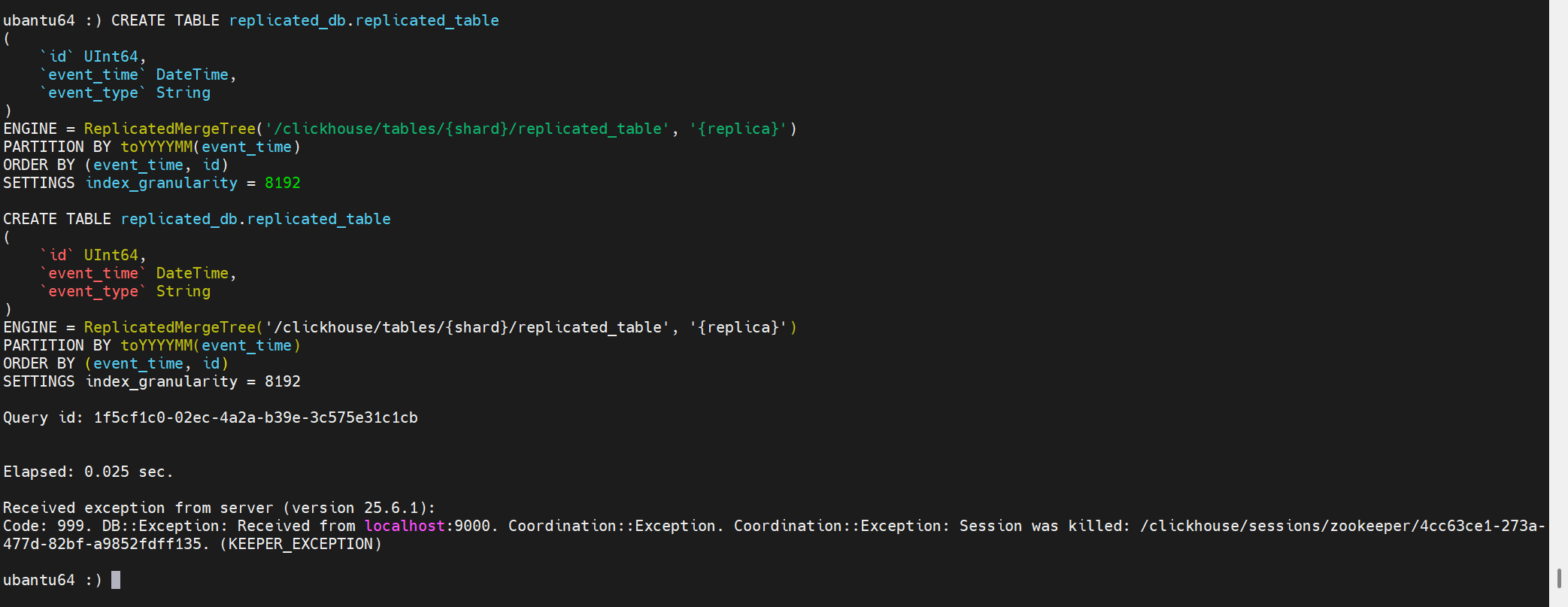
创建表时报错:Coordination::Exception: Session was killed
原因时,长时间未操作,ch-client与Keeper之间的session断开。
但是这有一个问题是:虽然创建表失败,但是建表的元信息可能会提交到Keeper上。

此时你会发现,虽然这个库并没有这个表,但是无法创建:
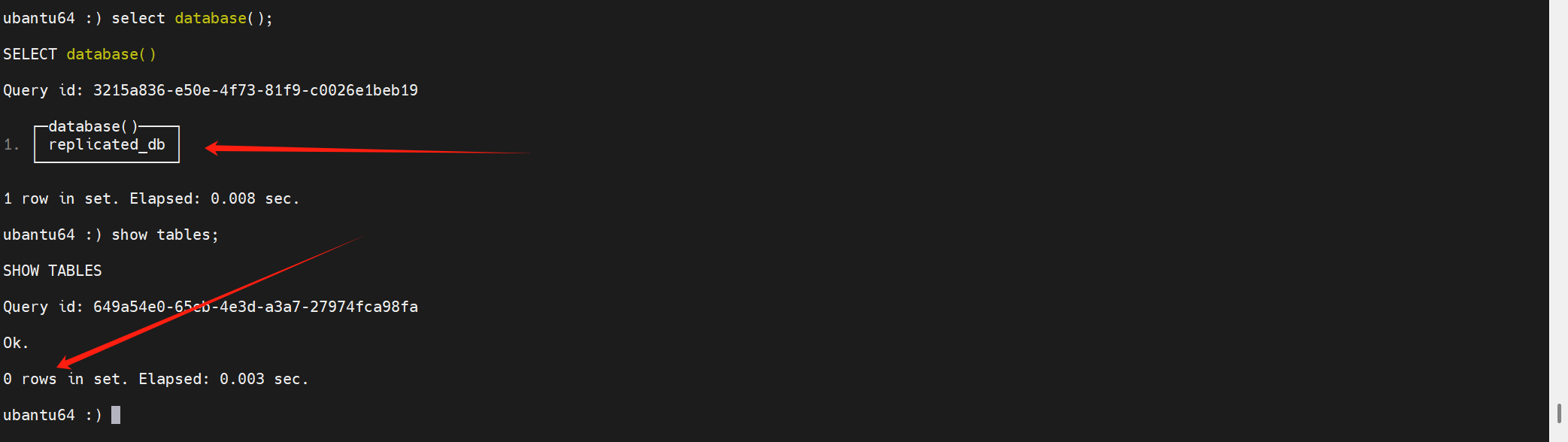
再次创建表报错如下:
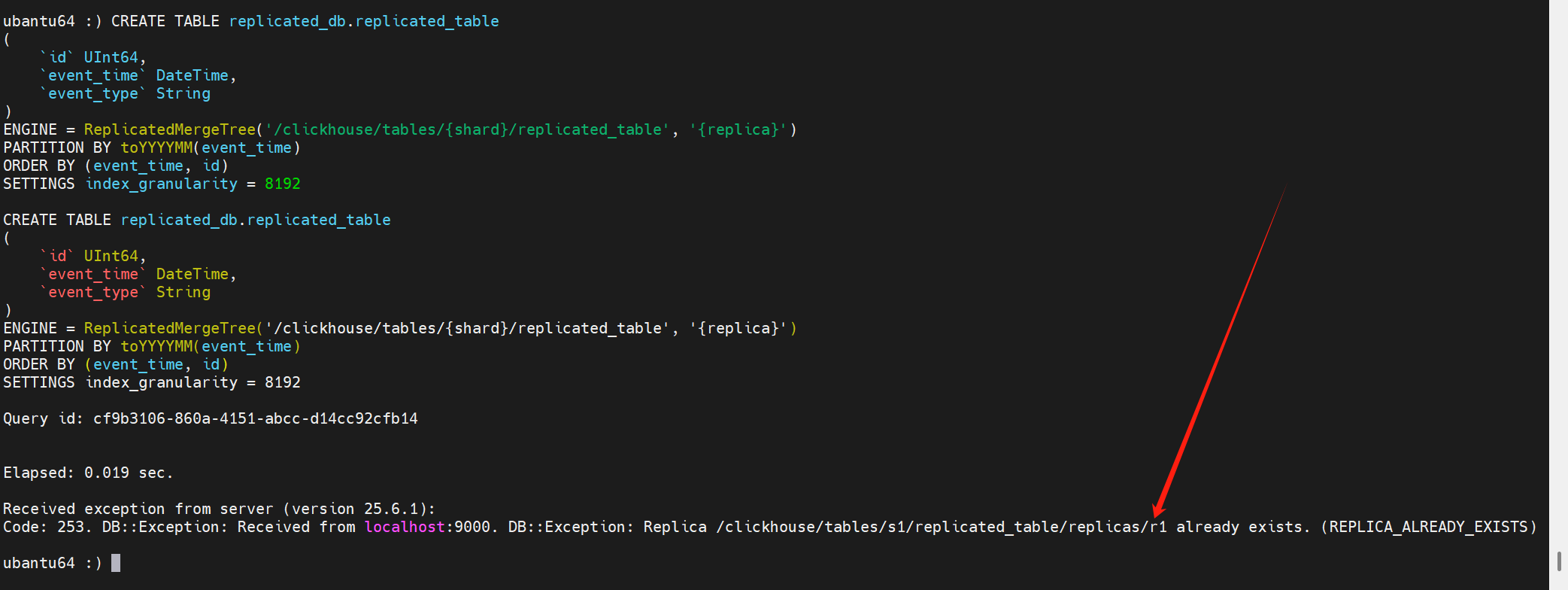
此时可以使用以下语句剔除在keeper上的元信息:
SYSTEM DROP REPLICA 'r1' FROM ZKPATH '/clickhouse/tables/s1/replicated_table';
剔除在keeper上的元信息后,再次创建表,会发现此时会卡在创建这里:
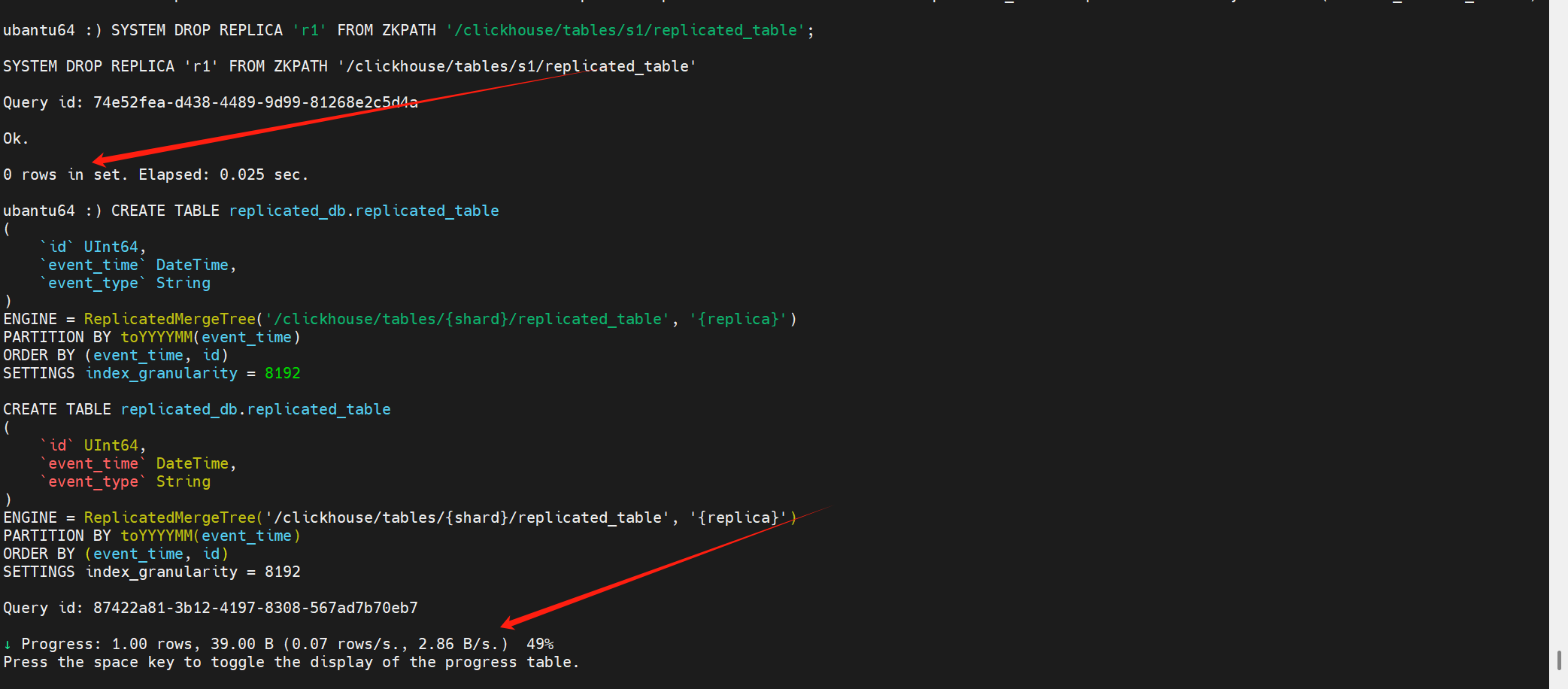
之后翻看副本2的日志,发现副本2之前已经拉到了replicated_table这张表,并为它创建了数据目录。
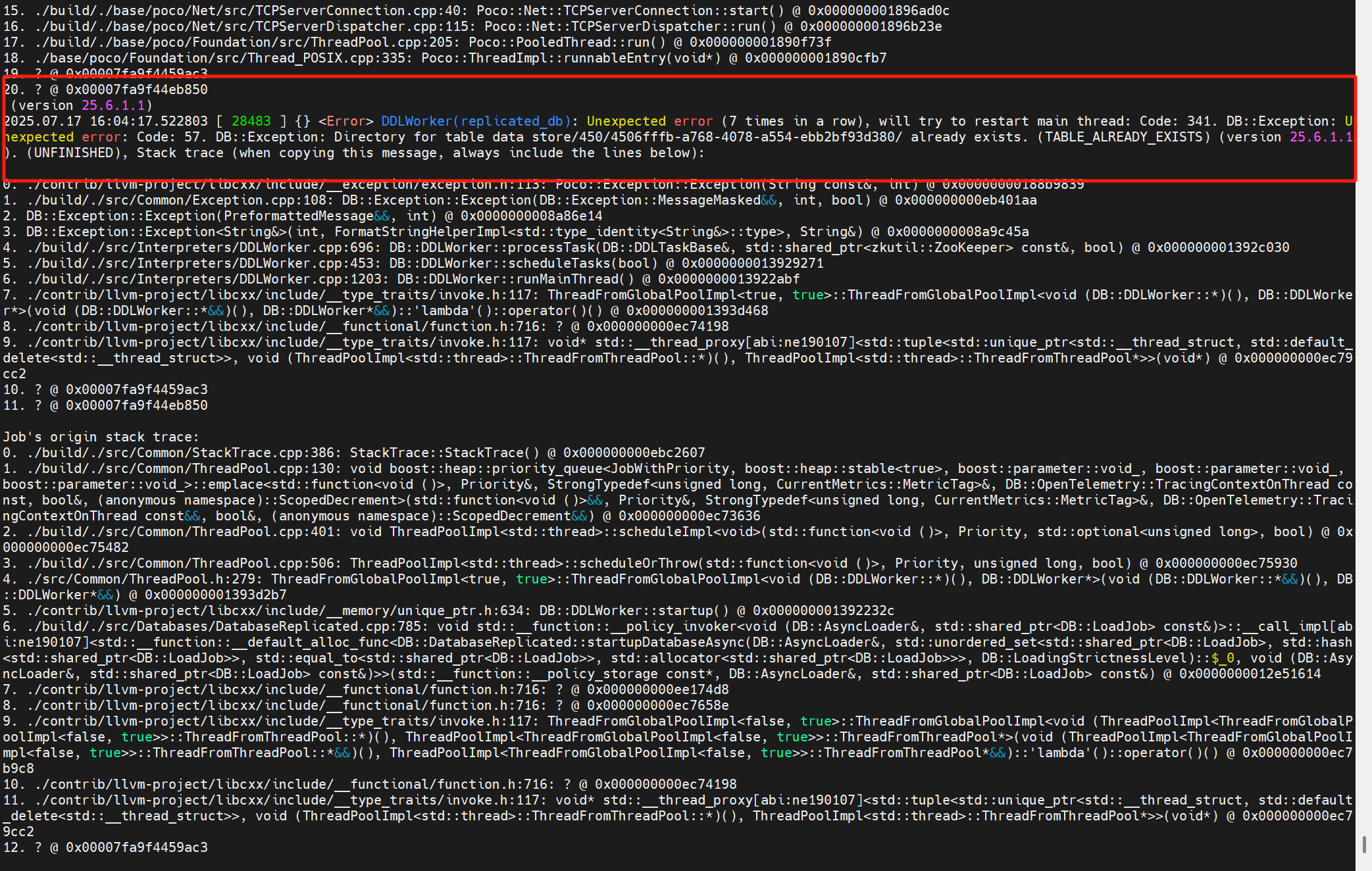
解决:去副本2上删除对应得表目录

此时,会发现replicated_table表已经成功创建。
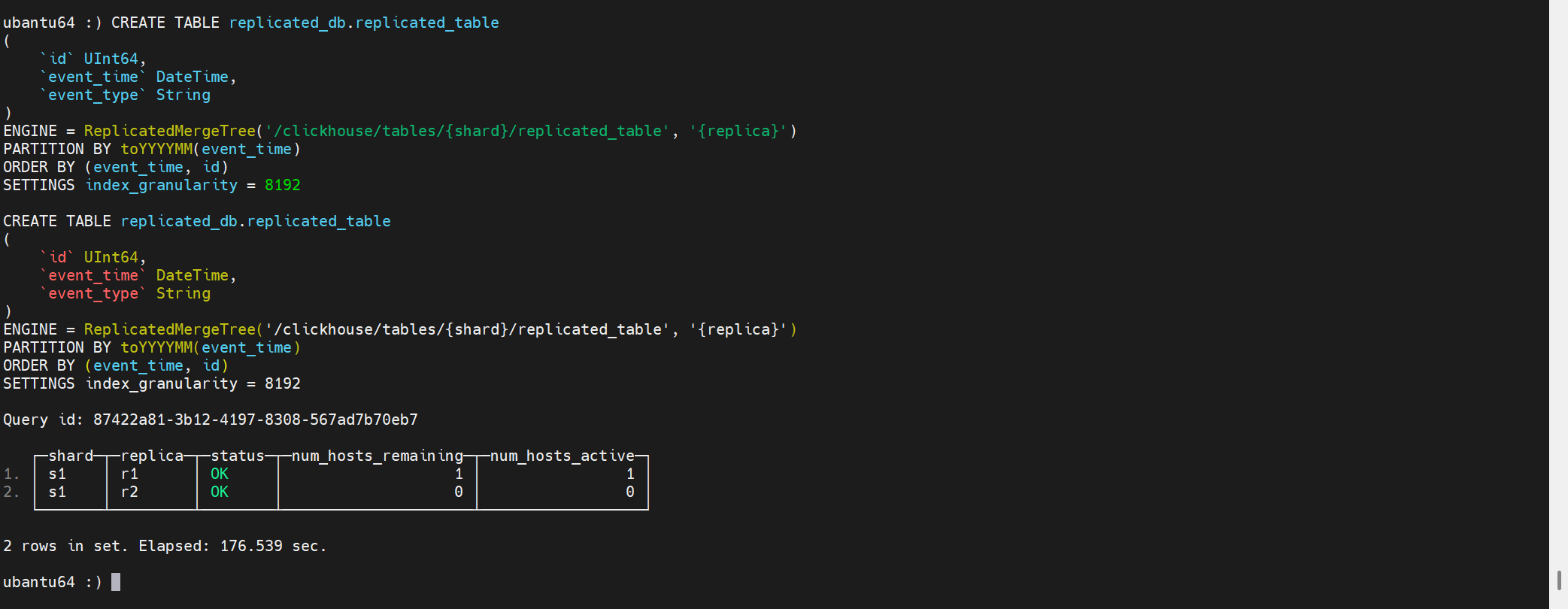
删除表同样有这个问题:
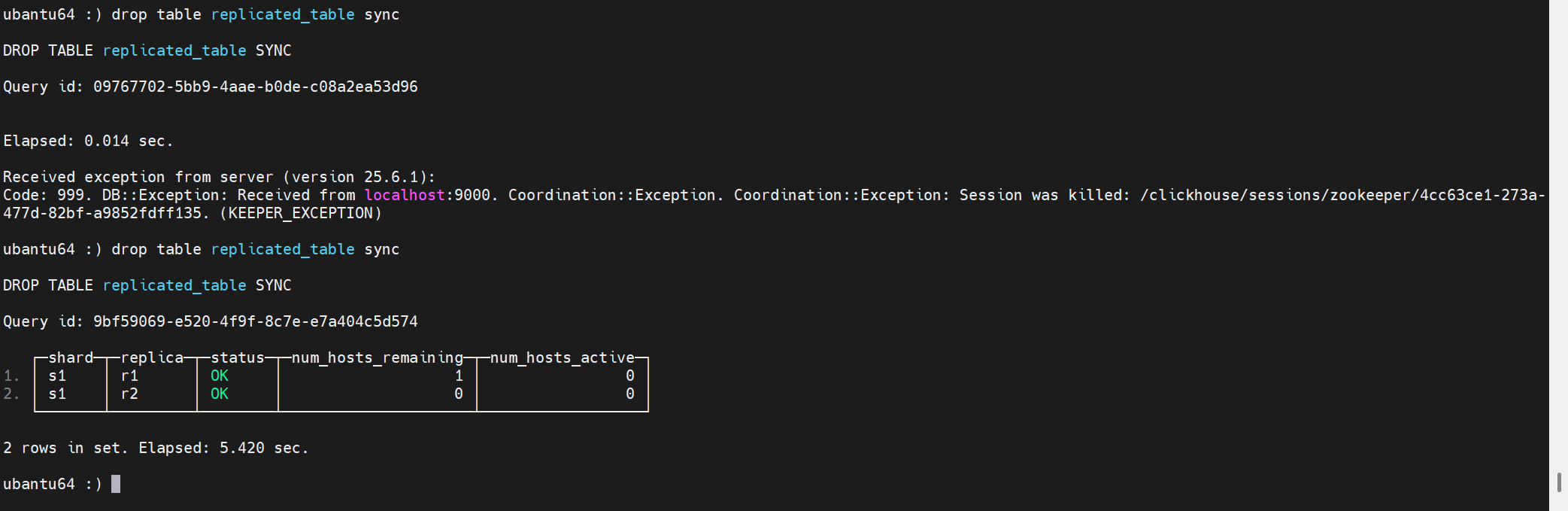
最终解决需要调整session超时时间。根因不是这个参数。以下继续分析:
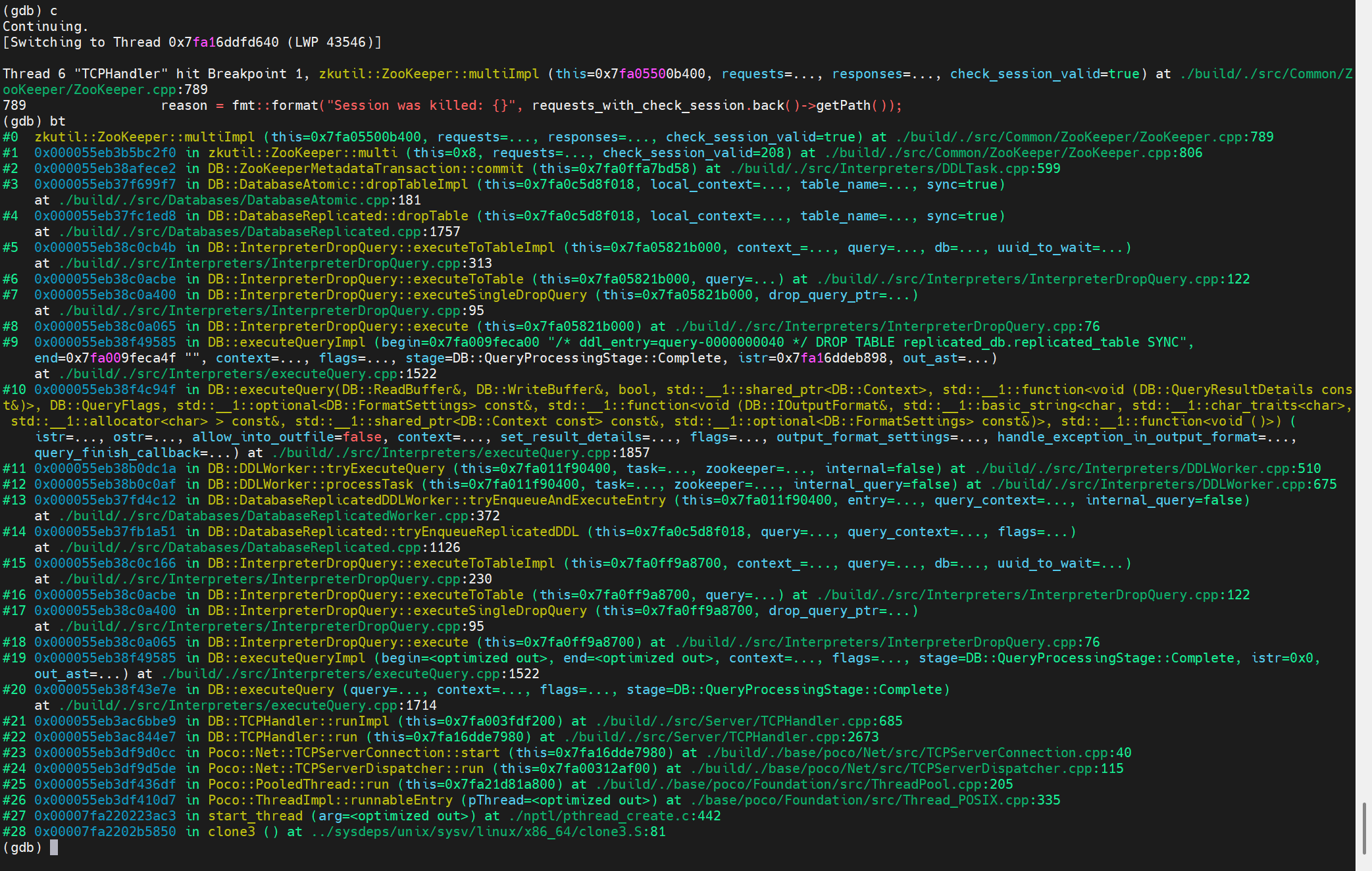
其中code为:
下一步调试Keeper看为什么会有这个错误码。
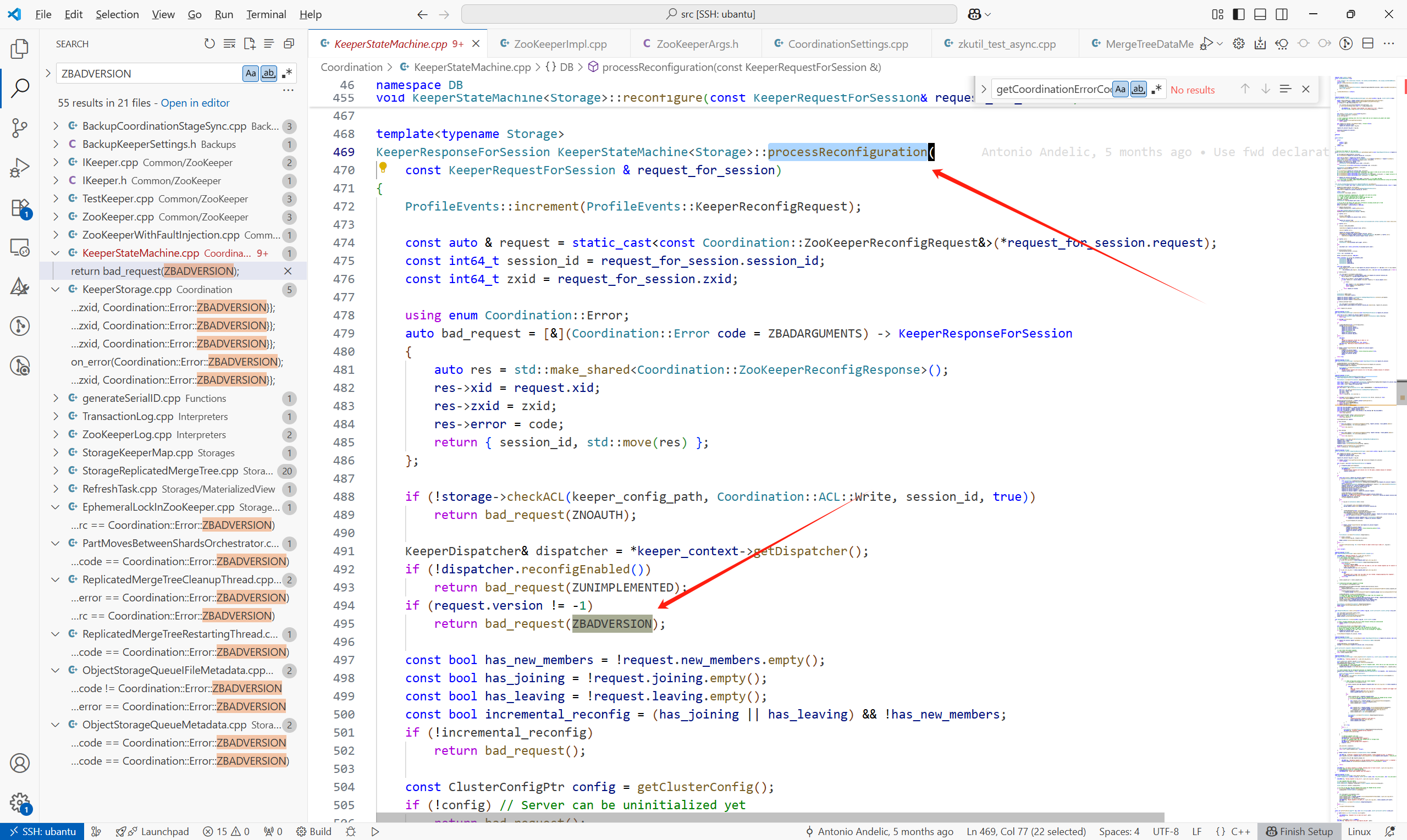
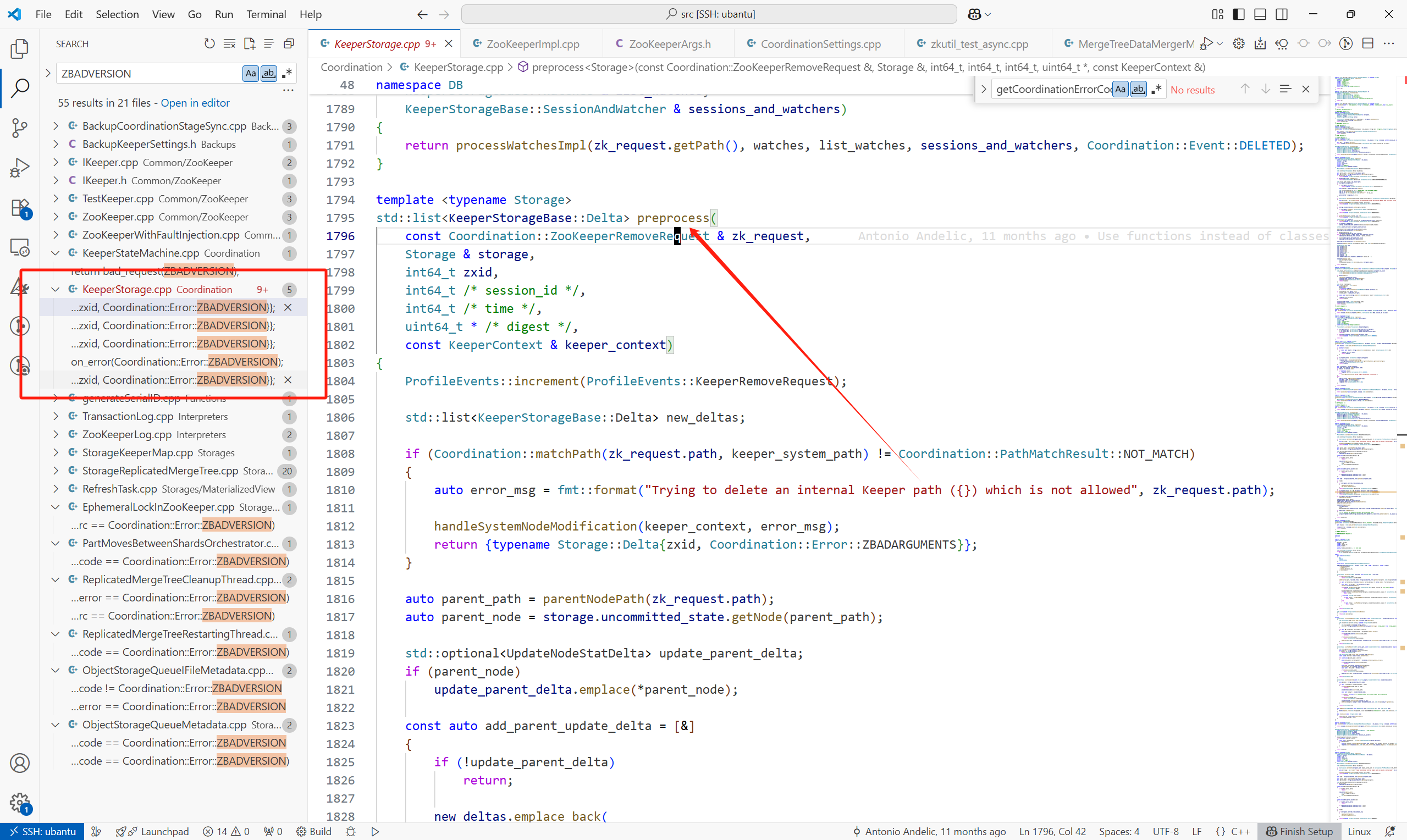
这个错误码的设置位置:
(1)KeeperStateMachine<Storage>::processReconfiguration
(2)各个预处理不同请求的地方,preprocess
TODO:比较怀疑是不是我的两个ck使用的是不同版本的问题


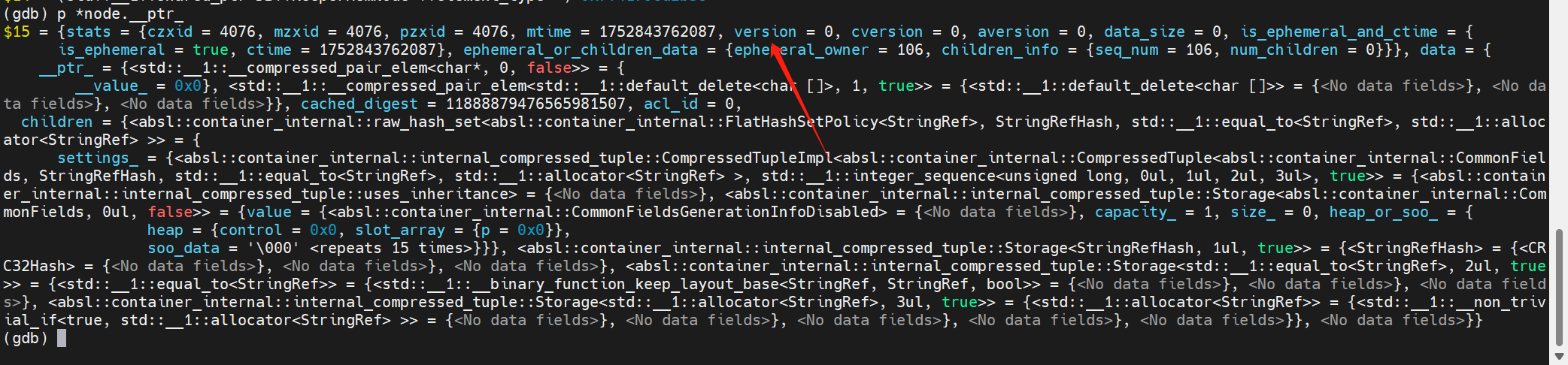
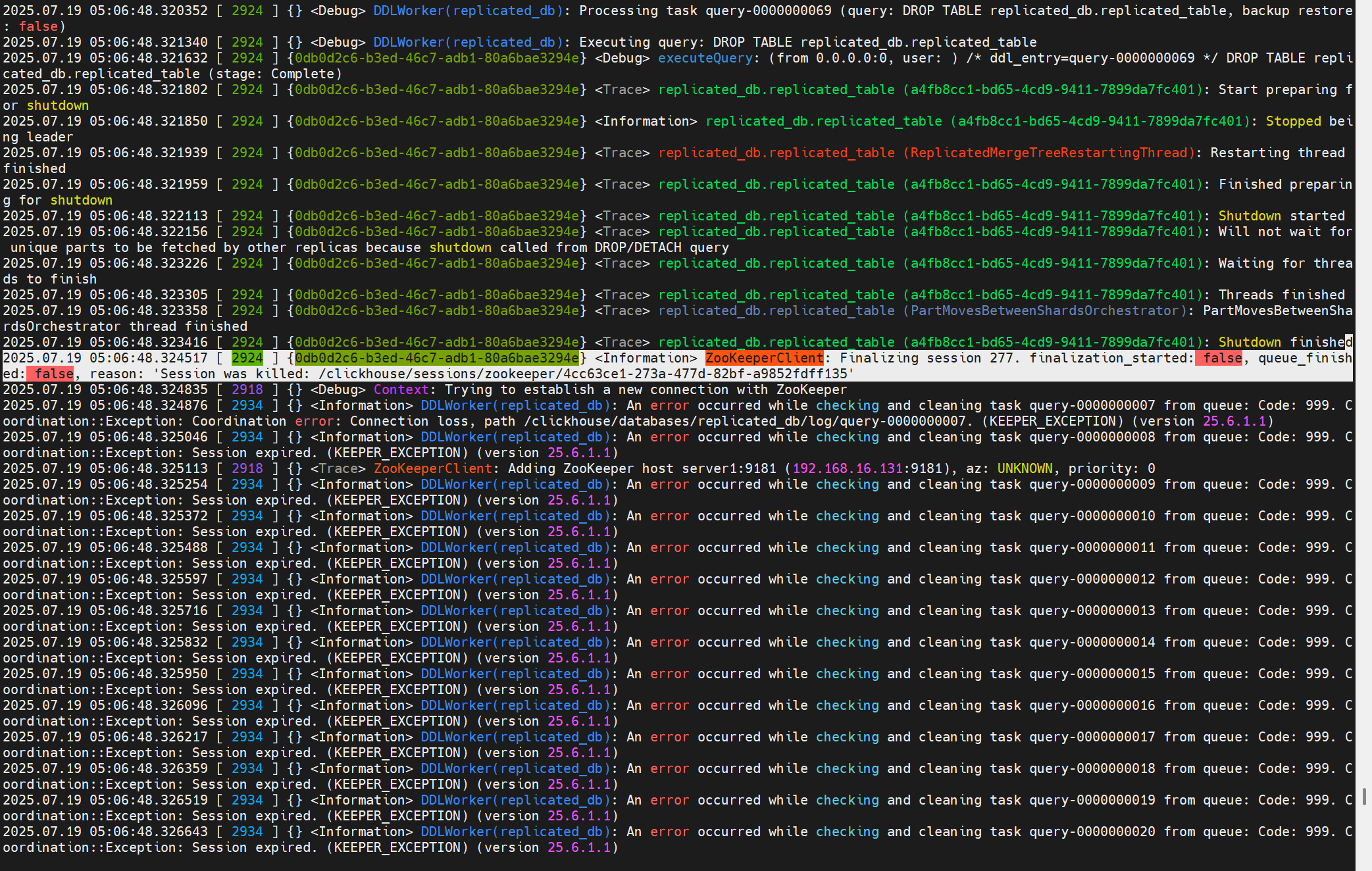
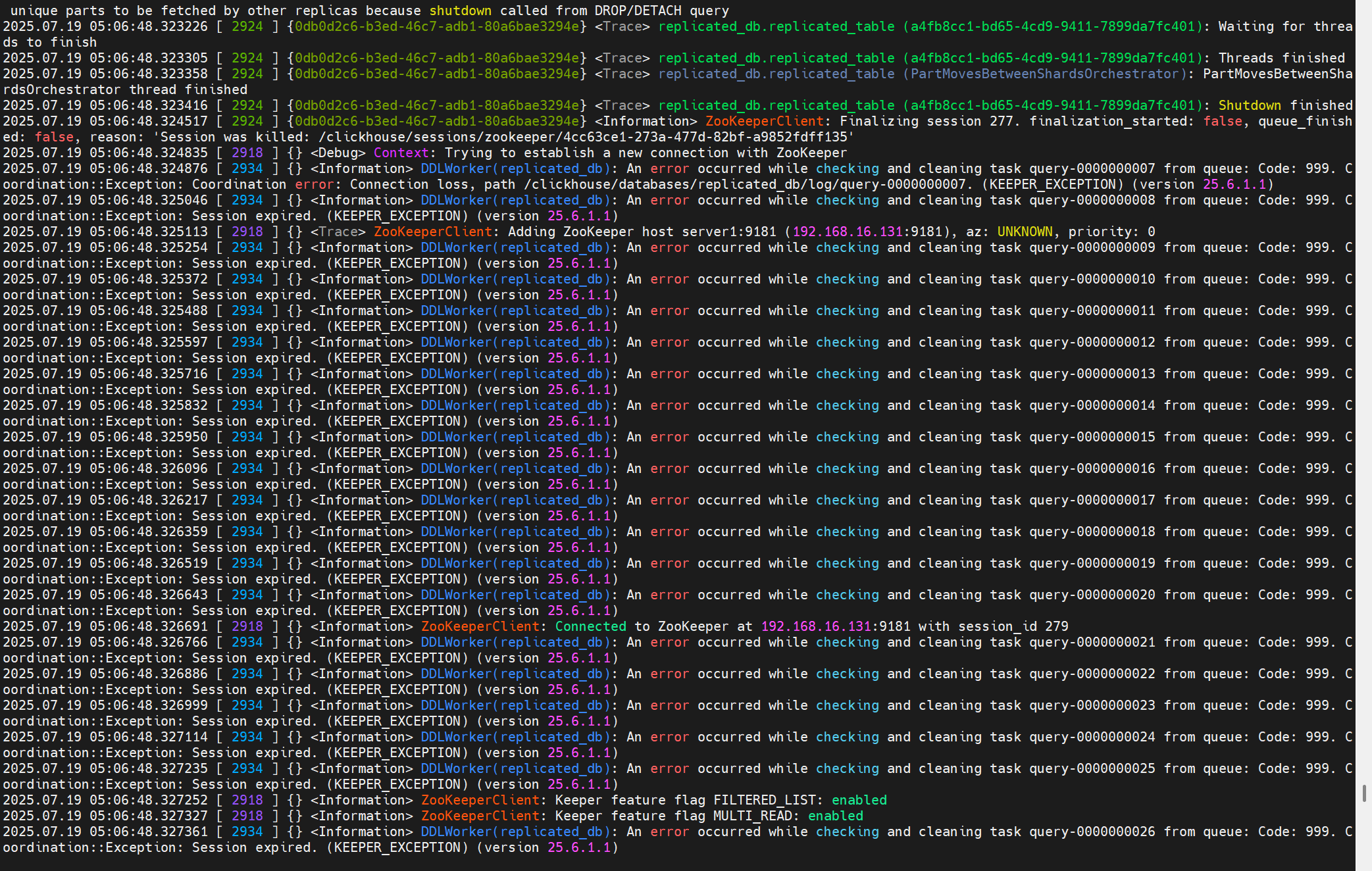

这个问题最后没追下去,暂时只知道报错大概位置。
问题2:关于副本同步part失败的问题记录
此时在副本r1上的replicated_table有一个part为202507_0_9_3。
在副本2在同步这个part的过程中,虽然它从keeper上取到了这个LogEnetry:
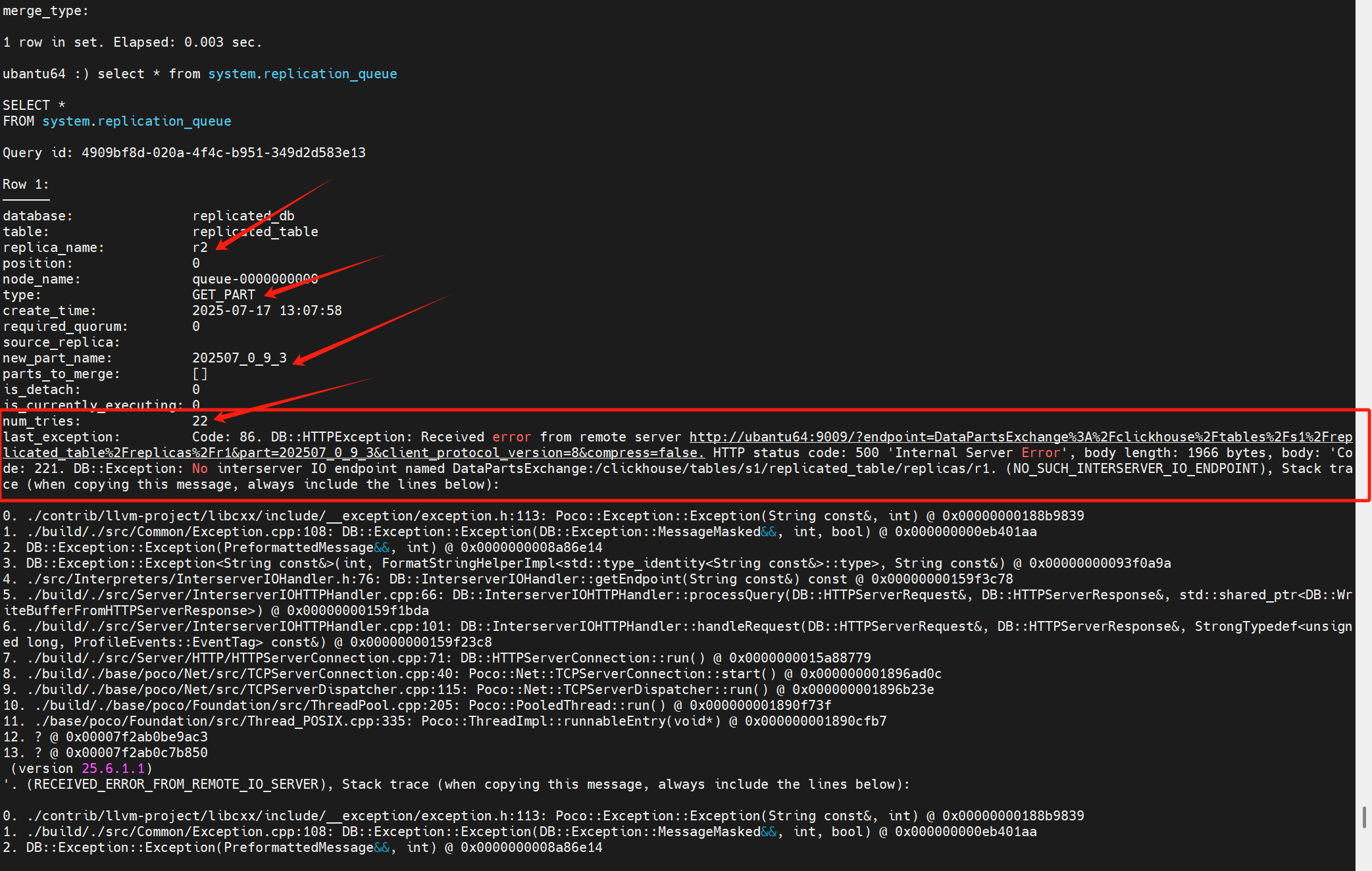
但是一直报错,并且从num_tries可以得知,这个任务已经重试了22次了。
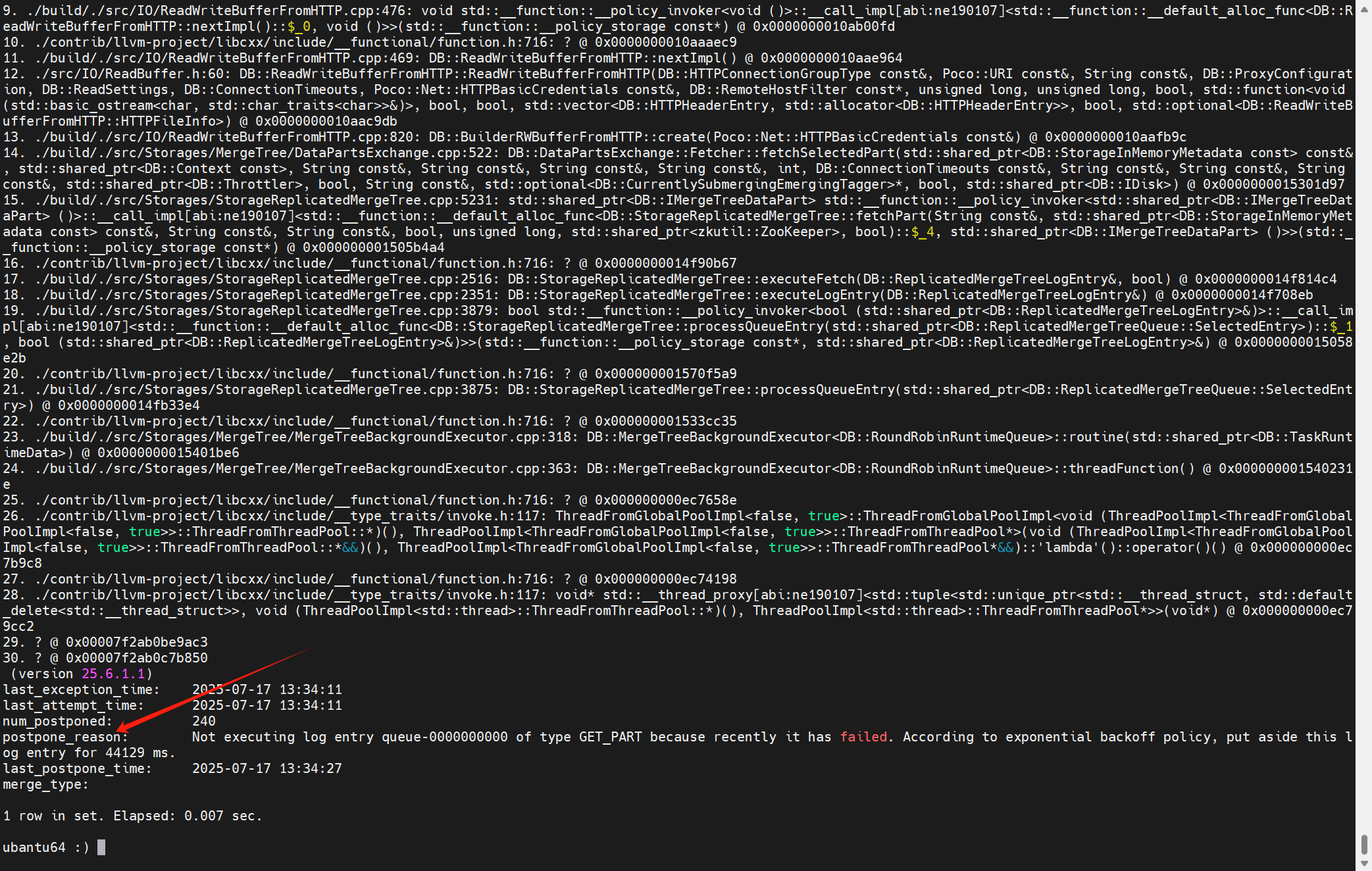
日志中的报错提示:
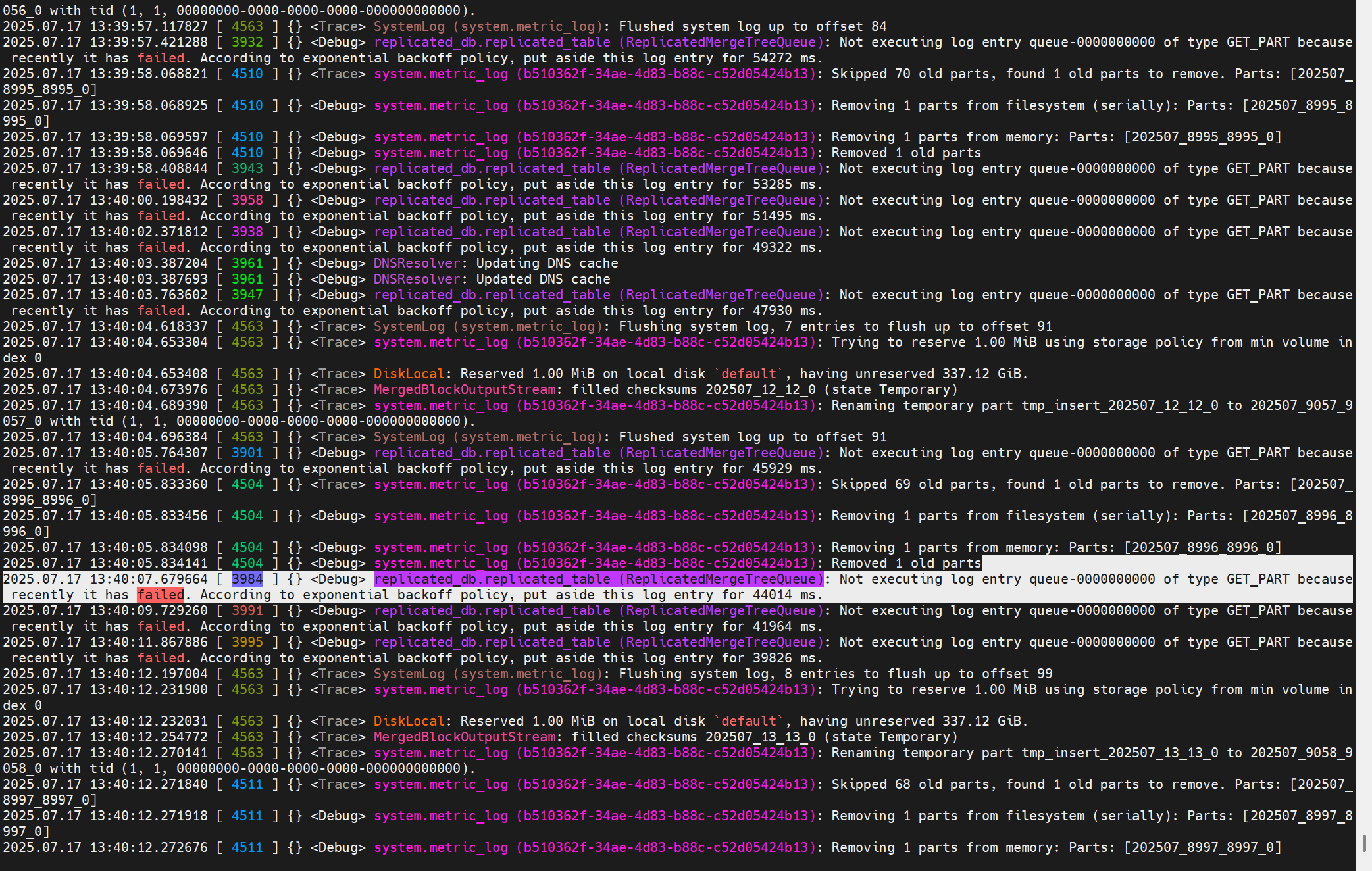
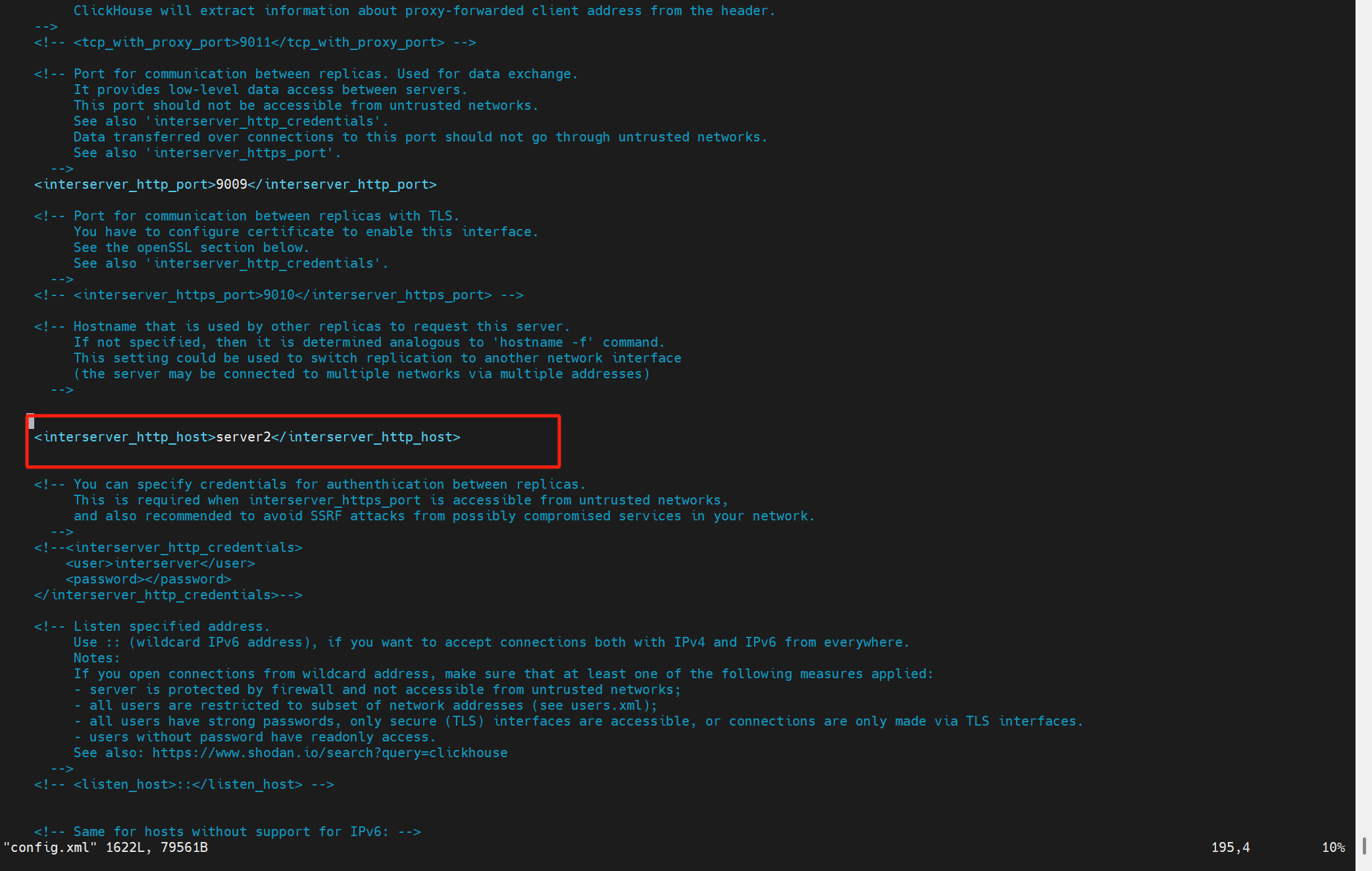
没有配置这个参数interserver_http_host
keeper上存副本1的replicated_table这个表的part的地方:/clickhouse/tables/s1/replicated_table/replicas/r1/parts
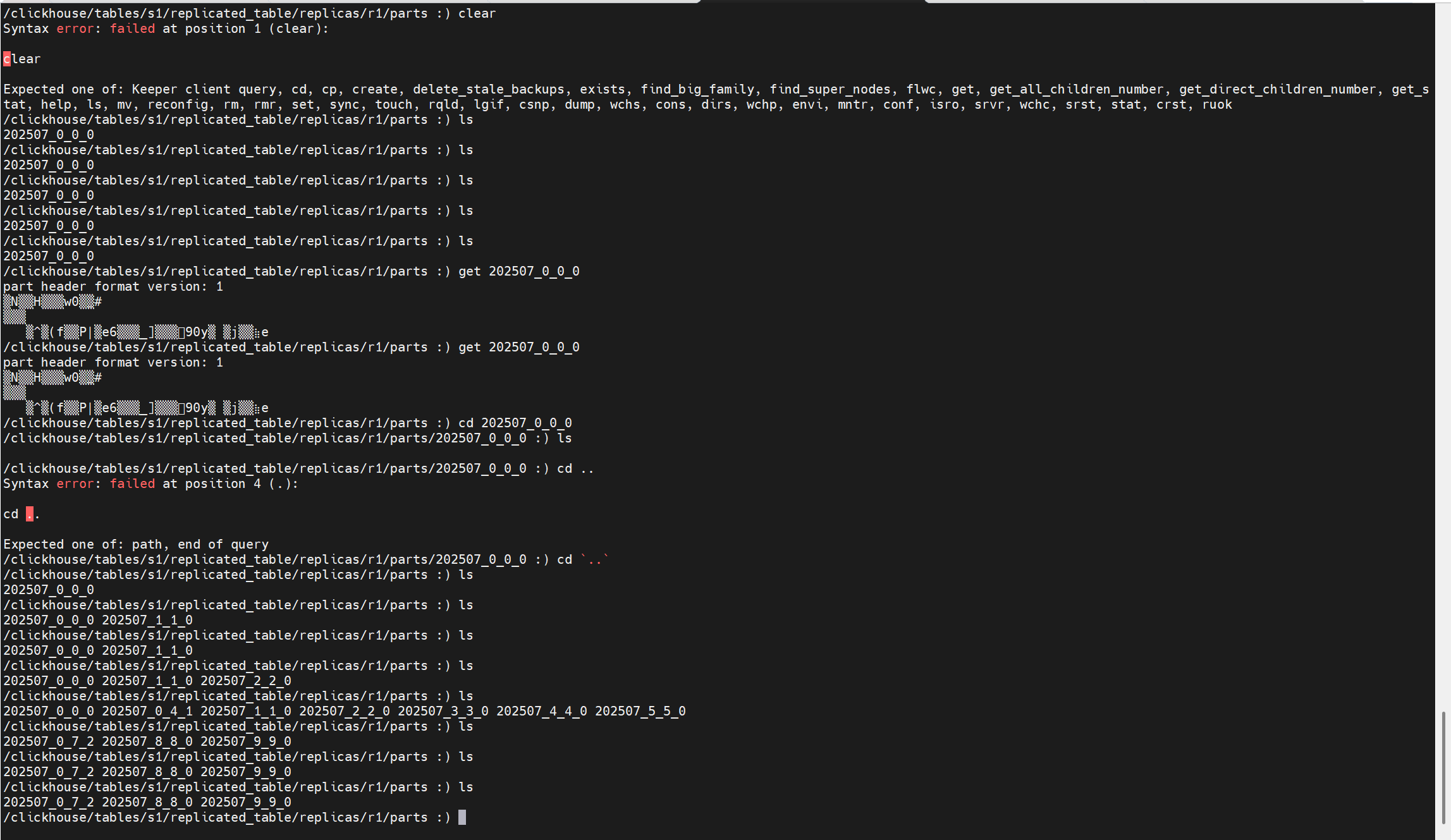
调整完之后,两个副本的parts目录下内容一致:


3.2 拉取LogEntry任务启动
一段核心注释:(Storages\StorageReplicatedMergeTree.h)
/** The replicated tables have a common log (/log/log-...).
* Log - a sequence of entries (LogEntry) about what to do.
* Each entry is one of:
* - normal data insertion (GET),
* - data insertion with a possible attach from local data (ATTACH),
* - merge (MERGE),
* - delete the partition (DROP).
*
* Each replica copies (queueUpdatingTask, pullLogsToQueue) entries from the log to its queue (/replicas/replica_name/queue/queue-...)
* and then executes them (queueTask).
* Despite the name of the "queue", execution can be reordered, if necessary (shouldExecuteLogEntry, executeLogEntry).
* In addition, the records in the queue can be generated independently (not from the log), in the following cases:
* - when creating a new replica, actions are put on GET from other replicas (createReplica);
* - if the part is corrupt (removePartAndEnqueueFetch) or absent during the check
* (at start - checkParts, while running - searchForMissingPart), actions are put on GET from other replicas;
*
* The replica to which INSERT was made in the queue will also have an entry of the GET of this data.
* Such an entry is considered to be executed as soon as the queue handler sees it.
*
* The log entry has a creation time. This time is generated by the clock of server that created entry
* - the one on which the corresponding INSERT or ALTER query came.
*
* For the entries in the queue that the replica made for itself,
* as the time will take the time of creation the appropriate part on any of the replicas.
*/
解释如下:
所有副本共享一个日志目录 /log/log-...,每个日志项(LogEntry)描述一项操作。
-
这个"日志"是指 ZooKeeper 中的节点
/log/log-0000001,/log/log-0000002等。 -
所有的副本会从这个共享日志中拉取操作(如插入、合并、删除等)。
日志项类型包括:(定义在Storages\MergeTree\ReplicatedMergeTreeLogEntry.h)
-
GET:常规插入数据;
-
ATTACH:插入数据时可能会使用本地已有的数据;
-
MERGE:后台合并多个 part;
-
DROP:删除某个分区的数据。
每个副本会把这些日志项复制到自己的执行队列中 (
/replicas/<replica_name>/queue/queue-00000...),通过:
queueUpdatingTask(周期性任务)
pullLogsToQueue()(从/log/拉取 log 到/queue/)
副本随后会启动后台线程执行队列里的任务(queueTask())。
虽然叫"队列",但实际上执行顺序可以根据依赖进行重排 (由
shouldExecuteLogEntry()控制依赖,决定某 entry 是否可执行)。
举个例子,如果 MERGE 依赖的 part 还没拉取完成,就会延后执行。
某些队列任务并非从日志而来,而是副本本地生成的,比如:
- 创建新副本时,会向队列中加入从其他副本
GET所有已有 part 的任务;
如果发现某个 part 损坏(removePartAndEnqueueFetch)或缺失(启动时用 checkParts(),运行时用 searchForMissingPart()),
也会生成 GET 请求从其他副本拉取缺失的 part。
即使某个副本自己是写入的目标,它也会有一个 GET 类型的 entry 表示这次插入。
这类 entry 在队列中会立即视为"已完成",因为本地已经有数据,不需要再拉取。
日志项有创建时间戳,这个时间由"发起该写入的server"产生(即 INSERT / ALTER 语句在哪个副本执行)。
对于某个副本自己给自己生成的队列项(比如 GET 缺失 part),会使用已有副本上该 part 的创建时间作为时间戳。
正如前文提到的当创建一个引擎为Replicated族的表时,内核会启动这个复制表引擎,之后在ReplicatedMergeTreeRestartingThread::runImpl()中启动各种后台任务,拉取LogEntry的任务也在这个地方调度:
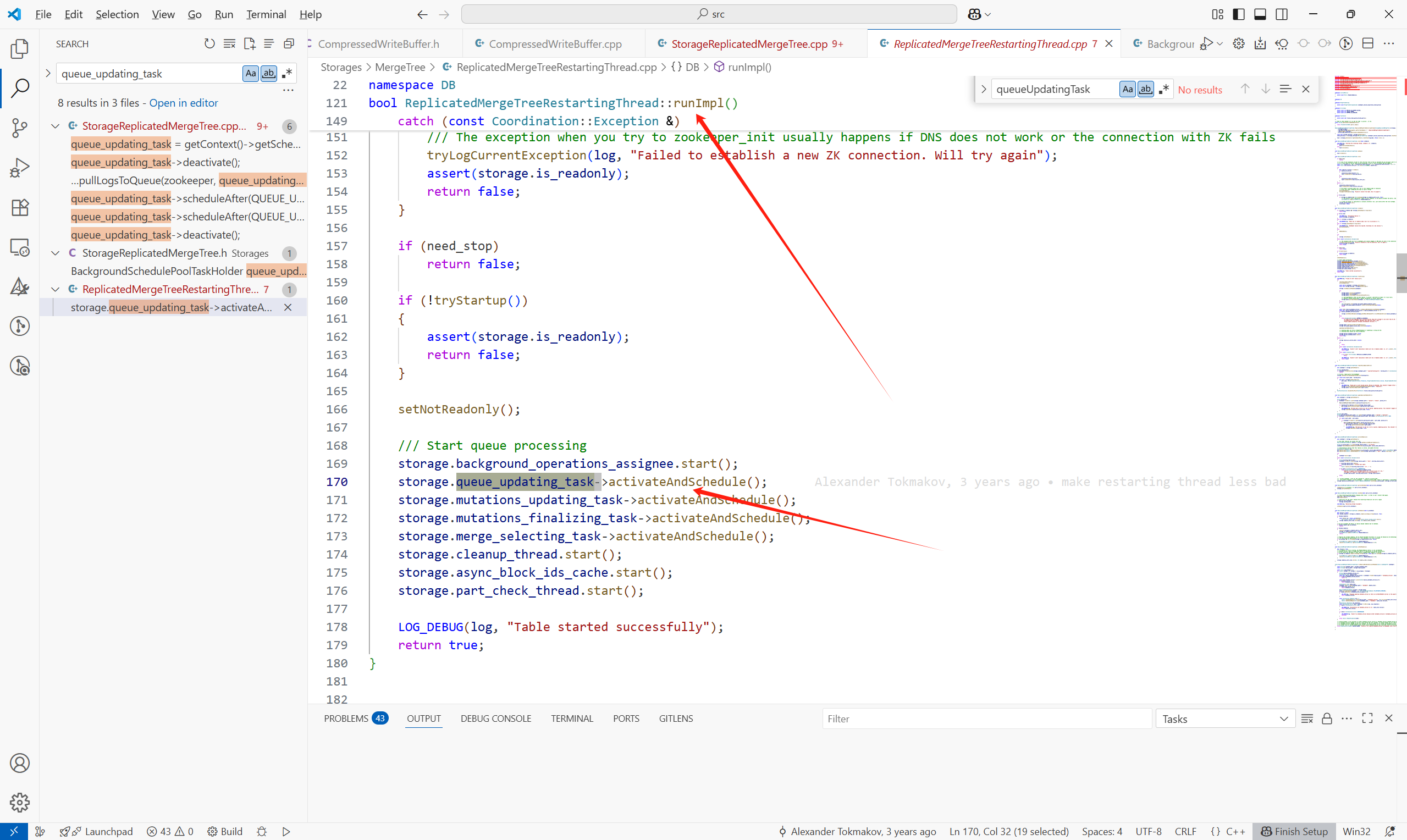
这个任务的主要内容如下所示:(核心为queue.pullLogsToQueue)
void StorageReplicatedMergeTree::queueUpdatingTask()
{
if (!queue_update_in_progress)
{
last_queue_update_start_time.store(time(nullptr));
queue_update_in_progress = true;
}
try
{
auto zookeeper = getZooKeeperAndAssertNotStaticStorage();
if (is_readonly)
{
/// Note that we need to check shutdown_prepared_called, not shutdown_called, since the table will be marked as readonly
/// after calling StorageReplicatedMergeTree::flushAndPrepareForShutdown().
if (shutdown_prepared_called)
return;
throw Exception(ErrorCodes::TABLE_IS_READ_ONLY, "Table is in readonly mode (replica path: {}), cannot update queue", replica_path);
}
queue.pullLogsToQueue(zookeeper, queue_updating_task->getWatchCallback(), ReplicatedMergeTreeQueue::UPDATE);
last_queue_update_finish_time.store(time(nullptr));
queue_update_in_progress = false;
}
......
}
3.3 日志同步位点(log-pointer)
首先创建一个复制表之后,它在Keeper上的元数据都有哪些呢?
例如:
CREATE TABLE my_db.my_table ( ... ) ENGINE = ReplicatedMergeTree('/clickhouse/tables/{shard}/my_table', '{replica}') ORDER BY ...
其中:
{shard} = s1
{replica} = r1
所以表的 ZooKeeper 路径会解析为:/clickhouse/tables/s1/my_table
副本路径为:/clickhouse/tables/s1/my_table/replicas/r1
ZooKeeper 路径结构图:
/clickhouse/
└── tables/
└── s1/ ← shard = s1
└── my_table/ ← 表名
├── log/ ← 主日志目录(所有副本共享)
│ ├── log-0000000000
│ ├── log-0000000001
│ └── ...
├── replicas/
│ ├── r1/ ← 当前副本,replica = r1
│ │ ├── queue/ ← 待处理的日志操作队列
│ │ │ ├── queue-0000000000
│ │ │ └── ...
│ │ ├── log_pointer ← 当前副本已同步日志的游标
│ │ ├── host ← 当前副本的主机地址信息
│ │ ├── is_active ← 当前副本是否存活
│ │ └── ...
│ ├── r2/ ← 其他副本(如果有)
│ └── ...
├── mutations/ ← 所有的 mutation 操作
├── block_numbers/ ← 每个分区的最大 block number
├── temp/ ← 临时节点
└── ...
在 ClickHouse Keeper中,log_pointer 是 每个副本(replica)维护的一个游标(cursor) ,它的作用是在分布式表(如 ReplicatedMergeTree)中 记录该副本已经处理到哪个日志 entry。
3.4 拉取LogEntry流程
明白了log-pointer(日志同步位点)之后,再看看Keeper是如何具体拉取LogEntry的。
流程如下:
1.主表路径: /clickhouse/tables/{shard}/{table}/log/ 存放主日志(所有副本共享)。
2.每个副本路径: /clickhouse/tables/{shard}/{table}/replicas/{replica}/log_pointer 存储该副本处理进度。
3.副本执行拉取任务:
-
获取当前副本的 log_pointer
-
读取 /log 目录下的所有日志节点
-
过滤日志列表,删除所有索引小于当前 log_pointer 指向的日志条目。
-
如果过滤后log_entries不为空,先sort
-
for循环逻辑:
-
批次划分,以
current_multi_batch_size(初始较小)为批大小,从log_entries中取一段连续日志作为本批处理目标。last指向本批最后一个日志条目。 -
更新循环索引和批大小。
entry_idx指向下批次起点,批大小指数级增长(最多增长到MAX_MULTI_OPS),加速同步过程。 -
生成 ZooKeeper 路径列表,批量读取日志数据
cppfor (auto it = begin; it != end; ++it) get_paths.emplace_back(fs::path(zookeeper_path) / "log" / *it); auto get_results = zookeeper->get(get_paths); -
构造 ZooKeeper 操作列表,准备批量写入 queue 和更新指针
cppfor (size_t i = 0; i < get_num; ++i) { // 解析日志数据,构造 LogEntry 对象 copied_entries.emplace_back(LogEntry::parse(res.data, res.stat, format_version)); // 创建 queue 节点的请求(持久顺序节点) ops.emplace_back(zkutil::makeCreateRequest( fs::path(replica_path) / "queue/queue-", res.data, zkutil::CreateMode::PersistentSequential)); // 处理 create_time,更新 min_unprocessed_insert_time(用于后续处理优先级等) } -
更新 log_pointer 和 min_unprocessed_insert_time 的请求。更新本副本的日志处理进度指针,指向最后处理的日志后一个索引。如果有最早插入时间更新,同步写入。
-
使用 ZooKeeper
multi()提交以上所有操作cppauto responses = zookeeper->multi(ops, /* check_session_valid */ true); -
将LogEntry加到复制表queue中
cppinsertUnlocked(copied_entries[copied_entry_idx], unused, state_lock);
-
-
唤醒表的后台任务执行线程去执行LogEntry任务
cppstorage.background_operations_assignee.trigger();
注意点:
//这只是读到所有的任务的名字,不读具体的内容
Strings log_entries = zookeeper->getChildrenWatch(fs::path(zookeeper_path) / "log", nullptr, watch_callback);
//读到log的具体内容
auto get_results = zookeeper->get(get_paths);
4 副本执行LogEntry
拉取到LogEntry到queue中后,最后会通过storage.background_operations_assignee.trigger()调度执行LogEntry的线程。
调度任务的内容为:
cpp
bool StorageReplicatedMergeTree::scheduleDataProcessingJob(BackgroundJobsAssignee & assignee)
{
    cleanup_thread.wakeupEarlierIfNeeded();

    /// If replication queue is stopped exit immediately as we successfully executed the task
    if (queue.actions_blocker.isCancelled())
        return false;

    /// This object will mark the element of the queue as running.
    ReplicatedMergeTreeQueue::SelectedEntryPtr selected_entry = selectQueueEntry();

    if (!selected_entry)
        return false;

    auto job_type = selected_entry->log_entry->type;

    /// Depending on entry type execute in fetches (small) pool or big merge_mutate pool
    if (job_type == LogEntry::GET_PART || job_type == LogEntry::ATTACH_PART)
    {
        assignee.scheduleFetchTask(std::make_shared<ExecutableLambdaAdapter>(
            [this, selected_entry] () mutable
            {
                return processQueueEntry(selected_entry);
            }, common_assignee_trigger, getStorageID()));
        return true;
    }
    if (job_type == LogEntry::MERGE_PARTS)
    {
        auto task = std::make_shared<MergeFromLogEntryTask>(selected_entry, *this, common_assignee_trigger);
        assignee.scheduleMergeMutateTask(task);
        return true;
    }
    if (job_type == LogEntry::MUTATE_PART)
    {
        auto task = std::make_shared<MutateFromLogEntryTask>(selected_entry, *this, common_assignee_trigger);
        assignee.scheduleMergeMutateTask(task);
        return true;
    }

    assignee.scheduleCommonTask(
        std::make_shared<ExecutableLambdaAdapter>(
            [this, selected_entry]() mutable { return processQueueEntry(selected_entry); }, common_assignee_trigger, getStorageID()),
        /* need_trigger */ true);
    return true;
}
这里主要说明任务的选择和执行:
1.从队列中选择一个待处理任务
cpp
ReplicatedMergeTreeQueue::SelectedEntryPtr selected_entry = selectQueueEntry();
if (!selected_entry)
    return false;
2.根据任务类型选择线程池调度
- 类型:
GET_PART/ATTACH_PART
cpp
if (job_type == LogEntry::GET_PART || job_type == LogEntry::ATTACH_PART)
{
    assignee.scheduleFetchTask(...);
    return true;
}- 类型:
MERGE_PARTS
cpp
if (job_type == LogEntry::MERGE_PARTS)
{
    auto task = std::make_shared<MergeFromLogEntryTask>(...);
    assignee.scheduleMergeMutateTask(task);
    return true;
}
等等。
以下我们聚焦于GET_PART任务的执行逻辑:
processQueueEntry ->
executeLogEntry ->
executeFetch
的核心流程为:
1.找到拥有 entry.new_part_name 或覆盖它的 part 的 其它副本(replica)
cpp
    /// Looking for covering part. After that entry.actual_new_part_name may be filled.
String replica = findReplicaHavingCoveringPart(entry, true);-
获取所有副本名,并随机打乱(防止偏好某个副本)
*cppStrings replicas = zookeeper->getChildren(...); std::shuffle(replicas.begin(), replicas.end(), thread_local_rng); -
遍历所有副本,跳过自身和不活跃副本
*cppif (replica == replica_name) continue; if (active && !zookeeper->exists(.../replica/is_active)) continue; -
获取该副本上的所有 part,并检查是否包含所需 part 或其覆盖 part
- 如果找到完全一致的 part,直接接受;
- 如果是覆盖的 part,则选覆盖面最大的那个(如
all_0_0_10优于all_0_0_3); MergeTreePartInfo::contains判断某个 part 是否逻辑上包含另一个。
cppStrings parts = zookeeper->getChildren(.../replica/parts); for (const String & part_on_replica : parts) { if (part_on_replica == part_name || MergeTreePartInfo::contains(part_on_replica, part_name, format_version)) { if (largest_part_found.empty() || MergeTreePartInfo::contains(part_on_replica, largest_part_found, format_version)) { largest_part_found = part_on_replica; } } } -
如果找到了覆盖的 part,还要做一个额外检查-queue.addFuturePartIfNotCoveredByThem,这个函数暂未细看
2.确定 fetch 的 part 名称
cpp
String part_name = entry.actual_new_part_name.empty() ? entry.new_part_name : entry.actual_new_part_name;

if (!entry.actual_new_part_name.empty())
LOG_DEBUG(log, "Will fetch part {} instead of {}", entry.actual_new_part_name, entry.new_part_name);-
如果
findReplicaHavingCoveringPart选中的 replica 拥有 更大的覆盖 part ,比如:你需要的是part_0_1_1, 它有的是part_0_3_1,则entry.actual_new_part_name会被设置成那个覆盖的部分。 -
然后将其作为 fetch 的目标
3.拼接 source_replica 的 ZooKeeper 路径
cpp
String source_replica_path = fs::path(zookeeper_path) / "replicas" / replica;构造这个副本在 ZooKeeper 中的路径,例如:
/clickhouse/tables/s1/my_table/replicas/r2
4.执行 fetchPart
该函数会尝试将 part 拉取到本地,执行以下操作:
- 前置检查与准备工作
- 如果是静态只读表,禁止 fetch 操作。
cpp
if (isStaticStorage())
throw Exception(ErrorCodes::TABLE_IS_READ_ONLY, "Table is in readonly mode due to static storage");
- 如果不是 fetch 到
detached目录,先检查是否已有旧的同名 part(可能是上次拉取失败的残留),如有,则触发后台清理线程。
cpp
if (!to_detached) {
    if (auto part = getPartIfExists(...)) {
        cleanup_thread.wakeup();
        return false;
    }
}- 检查是否有其它线程正在拉取这个 part。
cpp
std::lock_guard lock(currently_fetching_parts_mutex);
if (!currently_fetching_parts.insert(part_name).second) {
    return false; // 已在拉取中,避免重复工作
}- 日志记录,可以看到副本拉取过来的part,对应的类型为DOWNLOAD_PART
cpp
    /// Logging
    Stopwatch stopwatch;
    MutableDataPartPtr part;
    DataPartsVector replaced_parts;
    ProfileEventsScope profile_events_scope;

    auto write_part_log = [&] (const ExecutionStatus & execution_status)
    {
        writePartLog(
            PartLogElement::DOWNLOAD_PART, execution_status, stopwatch.elapsed(),
            part_name, part, replaced_parts, nullptr,
            profile_events_scope.getSnapshot());
};3.决定拉取方式:clone or fetch
如果目标 part 是一个 part mutation 的结果,尝试查找其 source part,并将其 checksums 与目标 part 的 checksums 进行比较。如果两者一致,则可以直接 clone 本地的 part。
cpp
    DataPartPtr part_to_clone;
    {
        /// If the desired part is a result of a part mutation, try to find the source part and compare
        /// its checksums to the checksums of the desired part. If they match, we can just clone the local part.

        /// If we have the source part, its part_info will contain covered_part_info.
        auto covered_part_info = part_info;
        covered_part_info.mutation = 0;
        auto source_part = getActiveContainingPart(covered_part_info);

        /// Fetch for zero-copy replication is cheap and straightforward, so we don't use local clone here
        if (source_part && !is_zero_copy_part(source_part))
        {
            auto source_part_header = ReplicatedMergeTreePartHeader::fromColumnsAndChecksums(
                source_part->getColumns(), source_part->checksums);

            String part_path = fs::path(source_replica_path) / "parts" / part_name;
            String part_znode = zookeeper->get(part_path);

            std::optional<ReplicatedMergeTreePartHeader> desired_part_header;
            if (!part_znode.empty())
            {
                desired_part_header = ReplicatedMergeTreePartHeader::fromString(part_znode);
            }
            else
            {
                String columns_str;
                String checksums_str;

                if (zookeeper->tryGet(fs::path(part_path) / "columns", columns_str) &&
                    zookeeper->tryGet(fs::path(part_path) / "checksums", checksums_str))
                {
                    desired_part_header = ReplicatedMergeTreePartHeader::fromColumnsAndChecksumsZNodes(columns_str, checksums_str);
                }
                else
                {
                    LOG_INFO(log, "Not checking checksums of part {} with replica {}:{} because part was removed from ZooKeeper",
                        part_name, source_zookeeper_name, source_replica_path);
                }
            }

            /// Checking both checksums and columns hash. For example we can have empty part
            /// with same checksums but different columns. And we attaching it exception will
            /// be thrown.
            if (desired_part_header
                && source_part_header.getColumnsHash() == desired_part_header->getColumnsHash()
                && source_part_header.getChecksums() == desired_part_header->getChecksums())
            {
                LOG_TRACE(log, "Found local part {} with the same checksums and columns hash as {}", source_part->name, part_name);
                part_to_clone = source_part;
            }
        }
    }
远程 fetch :获取源副本的 host 地址和端口信息,准备 HTTP 拉取所需的认证信息和参数,构造 get_part(),使用 fetcher.fetchSelectedPart()。
接下来看一下远程拉取,在fetchSelectedPart中:
数据在构造HttpReadBuffer中已经获取到。
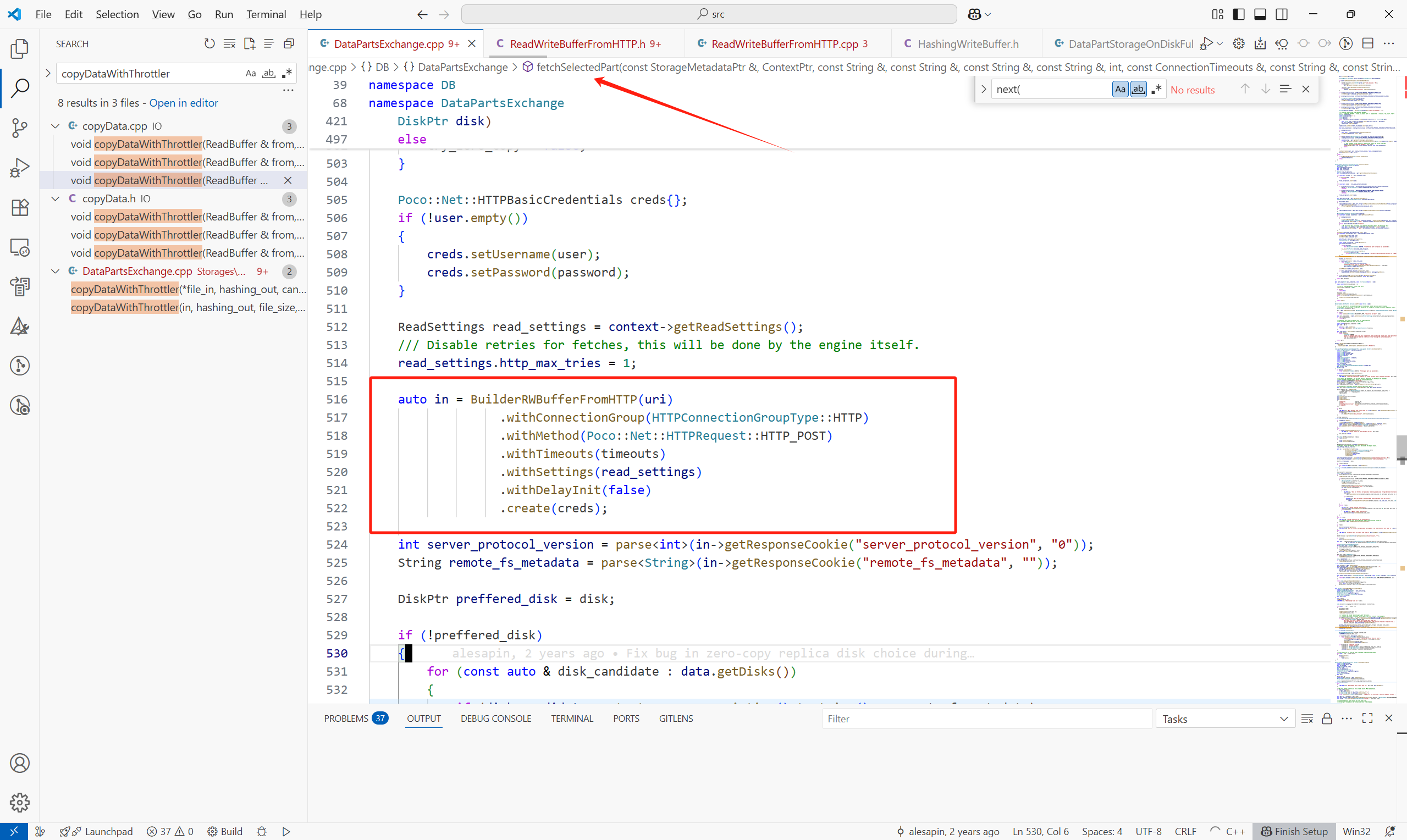
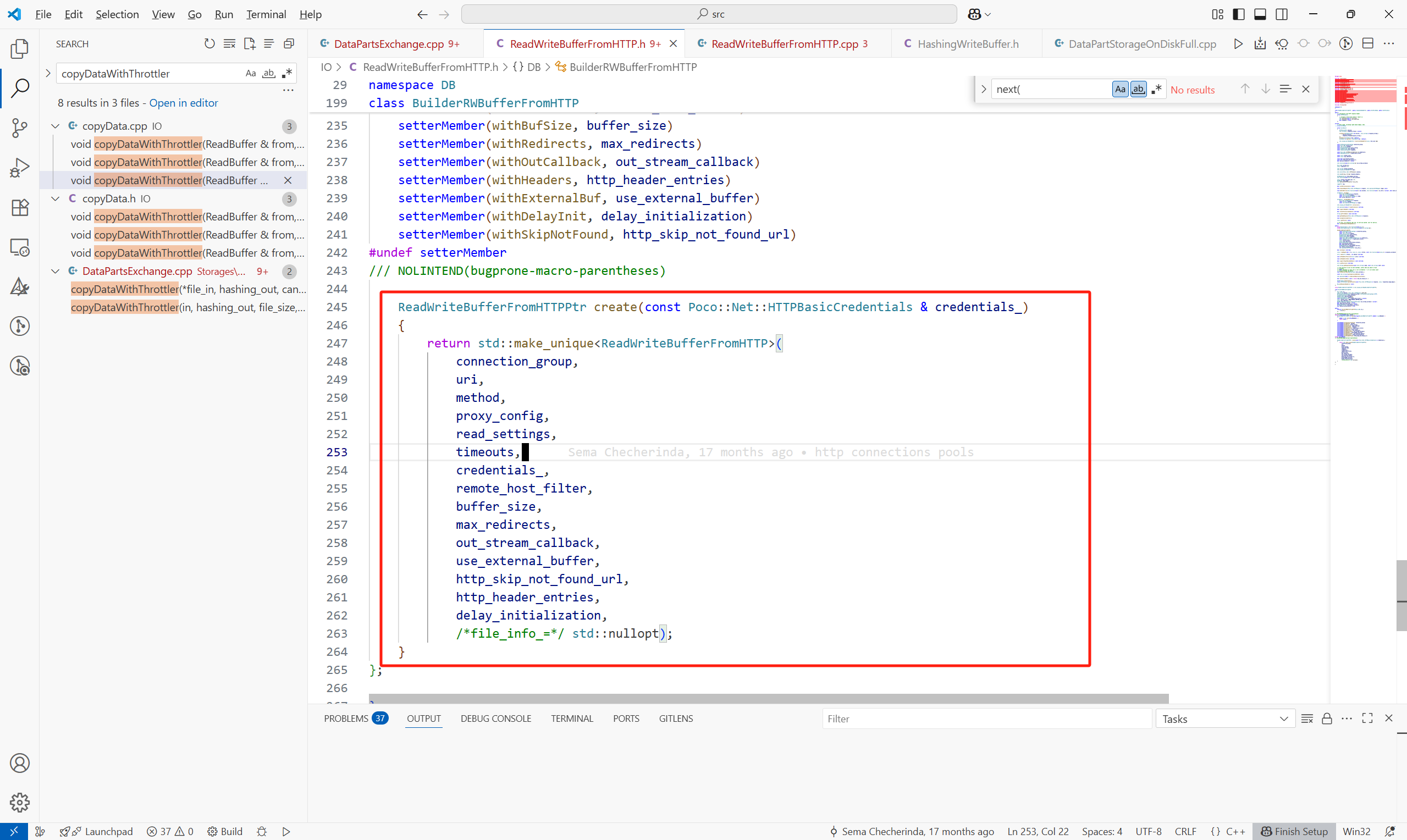
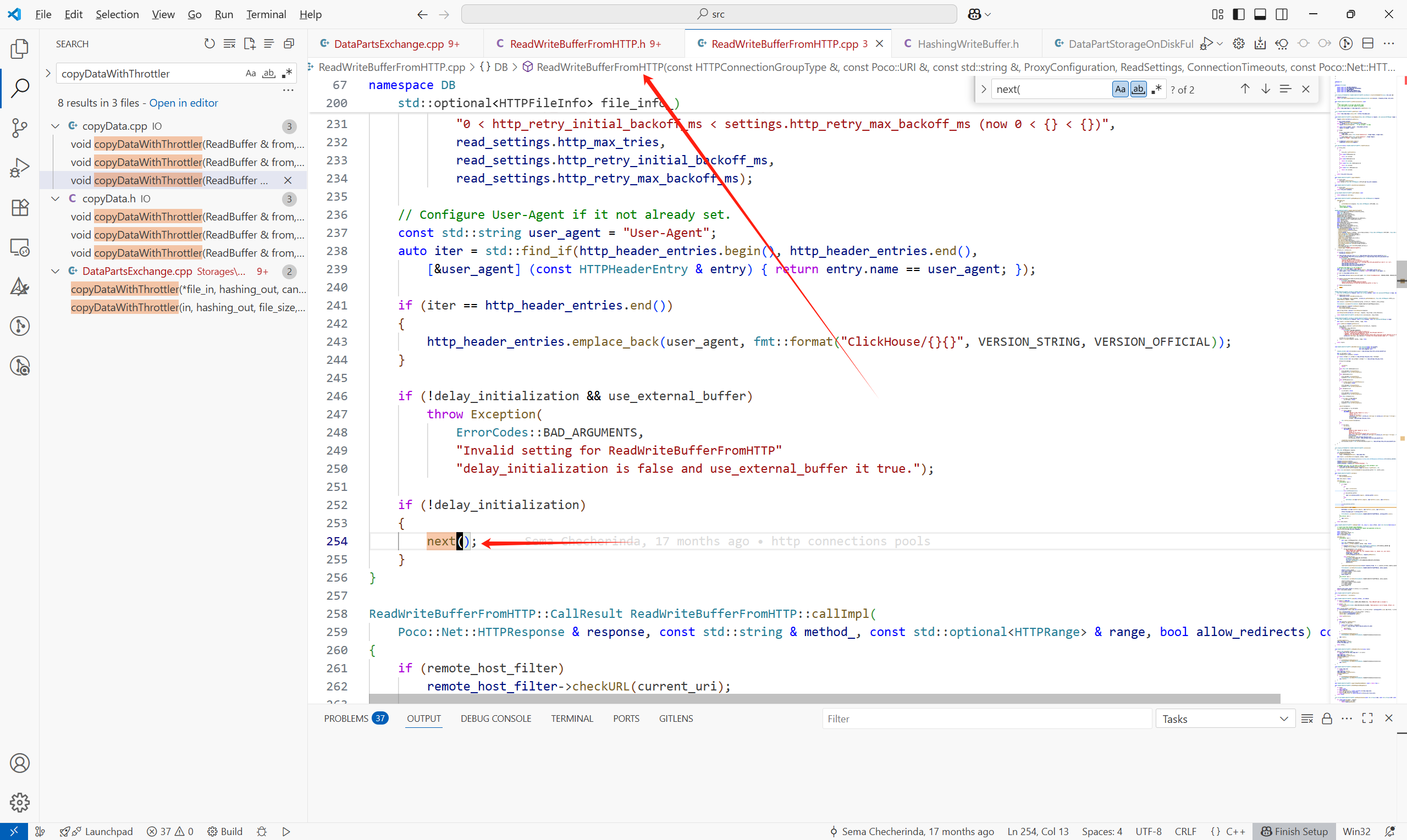
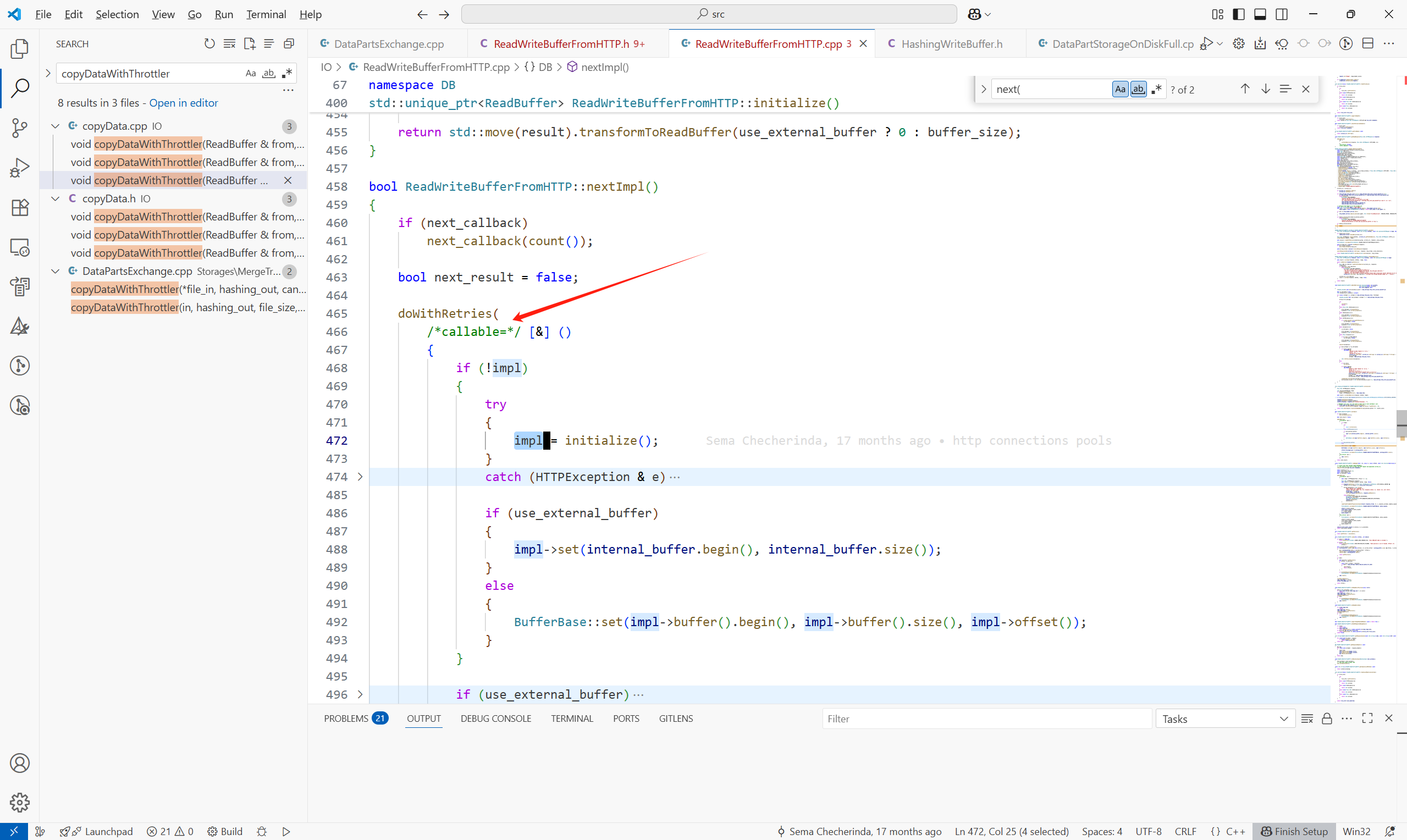
主体流程如下:
1.准备临时下载目录(如 tmp-fetch_<part_name>),用于避免写入中直接影响数据目录,后续成功后才正式提交。
cpp
    static const String TMP_PREFIX = "tmp-fetch_";
    String tmp_prefix = tmp_prefix_.empty() ? TMP_PREFIX : tmp_prefix_;
2.传统 Fetch 分支 - downloadPartToDisk
downloadPartToDisk中调用downloadBaseOrProjectionPartToDisk来取Part或者是Projection的Part:
cpp
    try
    {
        for (size_t i = 0; i < projections; ++i)
        {
            String projection_name;
            readStringBinary(projection_name, in);
            MergeTreeData::DataPart::Checksums projection_checksum;

            auto projection_part_storage = part_storage_for_loading->getProjection(projection_name + ".proj");
            projection_part_storage->createDirectories();

            downloadBaseOrProjectionPartToDisk(
                replica_path, projection_part_storage, in, output_buffer_getter, projection_checksum, throttler, sync);

            data_checksums.addFile(
                projection_name + ".proj", projection_checksum.getTotalSizeOnDisk(), projection_checksum.getTotalChecksumUInt128());
        }

        downloadBaseOrProjectionPartToDisk(
            replica_path, part_storage_for_loading, in, output_buffer_getter, data_checksums, throttler, sync);
    }
downloadBaseOrProjectionPartToDisk中,遍历part中的每一个文件,例如.bin , .mrk等等
cpp
    for (size_t i = 0; i < files; ++i)
    {
        String file_name;
        UInt64 file_size;

        readStringBinary(file_name, in);
        readBinary(file_size, in);

        /// File must be inside "absolute_part_path" directory.
        /// Otherwise malicious ClickHouse replica may force us to write to arbitrary path.
        String absolute_file_path = fs::weakly_canonical(fs::path(data_part_storage->getRelativePath()) / file_name);
        if (!startsWith(absolute_file_path, fs::weakly_canonical(data_part_storage->getRelativePath()).string()))
            throw Exception(ErrorCodes::INSECURE_PATH,
                "File path ({}) doesn't appear to be inside part path ({}). "
                "This may happen if we are trying to download part from malicious replica or logical error.",
                absolute_file_path, data_part_storage->getRelativePath());

        written_files.emplace_back(output_buffer_getter(*data_part_storage, file_name, file_size));
        HashingWriteBuffer hashing_out(*written_files.back());
        copyDataWithThrottler(in, hashing_out, file_size, blocker.getCounter(), throttler);
        hashing_out.finalize();

        if (blocker.isCancelled())
        {
            /// NOTE The is_cancelled flag also makes sense to check every time you read over the network,
            /// performing a poll with a not very large timeout.
            /// And now we check it only between read chunks (in the `copyData` function).
            throw Exception(ErrorCodes::ABORTED, "Fetching of part was cancelled");
        }

        MergeTreeDataPartChecksum::uint128 expected_hash;
        readPODBinary(expected_hash, in);

        if (expected_hash != hashing_out.getHash())
            throw Exception(ErrorCodes::CHECKSUM_DOESNT_MATCH,
                "Checksum mismatch for file {} transferred from {} (0x{} vs 0x{})",
                (fs::path(data_part_storage->getFullPath()) / file_name).string(),
                replica_path,
                getHexUIntLowercase(expected_hash),
                getHexUIntLowercase(hashing_out.getHash()));

        if (file_name != "checksums.txt" &&
            file_name != "columns.txt" &&
            file_name != IMergeTreeDataPart::DEFAULT_COMPRESSION_CODEC_FILE_NAME &&
            file_name != IMergeTreeDataPart::METADATA_VERSION_FILE_NAME)
            checksums.addFile(file_name, file_size, expected_hash);
    }
之后将Part涉及的文件写到磁盘:
cpp
    /// Call fsync for all files at once in attempt to decrease the latency
    for (auto & file : written_files)
    {
        file->finalize();
        if (sync)
            file->sync();
    }
5 扩展
如何判断一个Part是否包含另一个Part通过这个函数完成:
cpp
    bool contains(const MergeTreePartInfo & rhs) const
    {
        /// Containing part may have equal level iff block numbers are equal (unless level is MAX_LEVEL)
        /// (e.g. all_0_5_2 does not contain all_0_4_2, but all_0_5_3 or all_0_4_2_9 do)
        bool strictly_contains_block_range = (min_block == rhs.min_block && max_block == rhs.max_block) || level > rhs.level
            || level == MAX_LEVEL || level == LEGACY_MAX_LEVEL;
        return partition_id == rhs.partition_id        /// Parts for different partitions are not merged
            && min_block <= rhs.min_block
            && max_block >= rhs.max_block
            && level >= rhs.level
            && mutation >= rhs.mutation
            && strictly_contains_block_range;
    }
同步删除表:
DROP DATABASE IF EXISTS my_database SYNC;
删database目录的信息:
cpp
system drop database replica '分片名|副本名' from database db_name;删replica下信息:
cpp
system drop replica '副本名' from database db_name;剔除表的元信息:
SYSTEM DROP REPLICA 'r1' FROM ZKPATH '/clickhouse/tables/s1/replicated_table5';
在集群中创建表:
CREATE TABLE replicated_db.replicated_table ON CLUSTER my_cluster
(
`id` UInt64,
`event_time` DateTime,
`event_type` String
)
ENGINE = ReplicatedMergeTree('/clickhouse/tables/{shard}/replicated_table', '{replica}')
PARTITION BY toYYYYMM(event_time)
ORDER BY (event_time, id)
SETTINGS index_granularity = 8192