电脑的时间同步的电池没电了,每天开机时间都不对,要打开时间同步按钮来设置时间
解决方案
1.找到这个设置并打开,实际上,要打开这个界面,时间才会同步,可能是我的电脑原因,所以我没办法打开这个就结束了
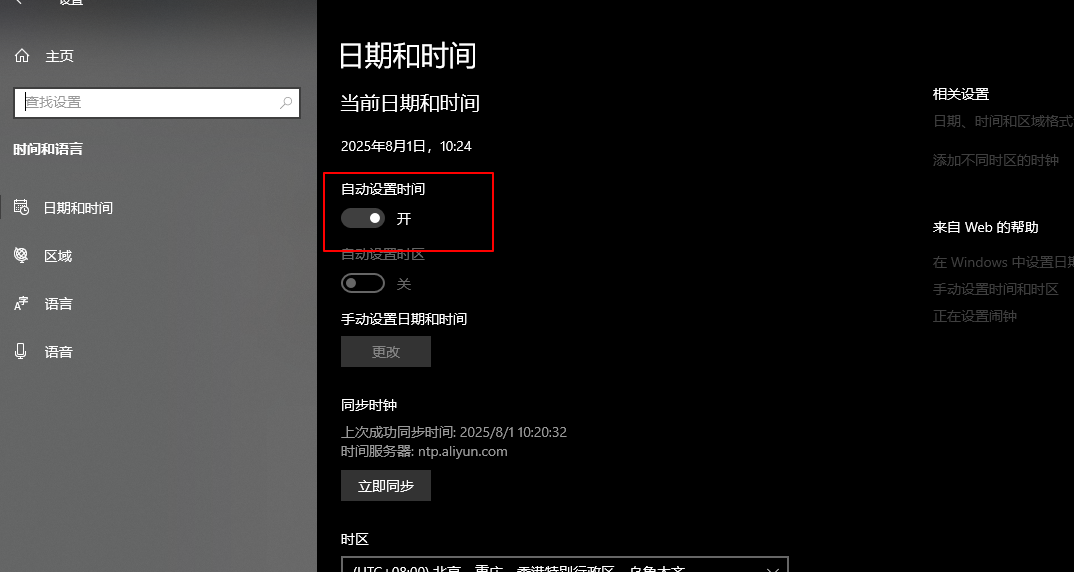
2.写一个bat脚本,后缀为.bat就可以了
@echo off
title Network Time Sync Tool
color 0A

echo =========================================
echo           Network Time Sync Tool
echo =========================================
echo.
echo This tool will help you sync network time through Windows settings
echo.
echo Preparing...
echo.

:: Check for administrator privileges
net session >nul 2>&1
if %errorLevel% equ 0 (
    echo Administrator privileges detected, attempting automatic time sync...
    echo.
    w32tm /resync /force

    if %errorLevel% equ 0 (
        echo =========================================
        echo Time synchronization successful!
        echo.
        echo Current system time: %date% %time%
        echo =========================================
        echo.
        echo Your system time has been successfully synced with network time.
        pause
        exit /b
    ) else (
        echo Automatic sync failed, will open time settings interface...
    )
)

echo =========================================
echo Please follow these steps to sync time manually:
echo 1. Select the "Sync" button in the popup window
echo 2. The window will close automatically after 3 seconds
echo =========================================
echo.

:: Open Windows time settings
start ms-settings:dateandtime

echo Time settings window has opened, please complete the synchronization.
echo Window will close automatically in 3 seconds...
echo.

:: Wait for 3 seconds
timeout /t 3 /nobreak >nul

:: Close the time settings window
taskkill /f /im SystemSettings.exe >nul 2>&1
3.把bat文件放到启动文件夹里面
看我的路径,找不到的就win+r,然后输入下面的指令
shell:Common Startup