文章目录
- [1 C# wpf 创建工程](# wpf 创建工程)
- [2 添加界面代码 及运行效果](#2 添加界面代码 及运行效果)
- [3 重点代码解释](#3 重点代码解释)
1 C# wpf 创建工程
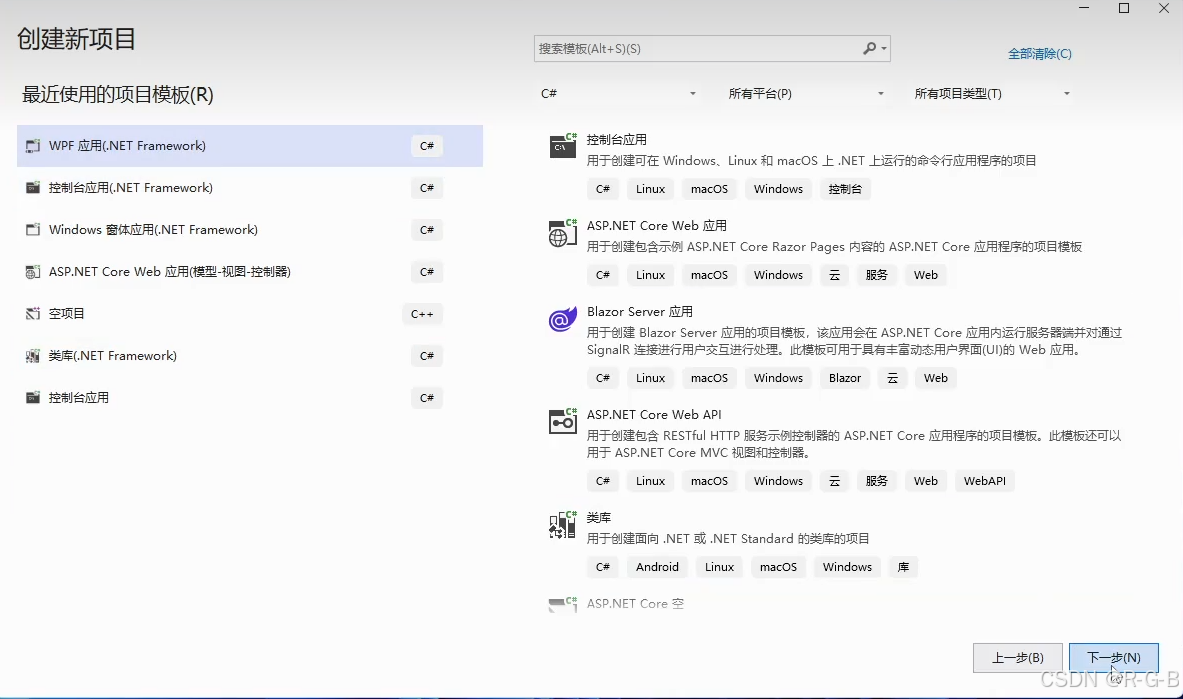
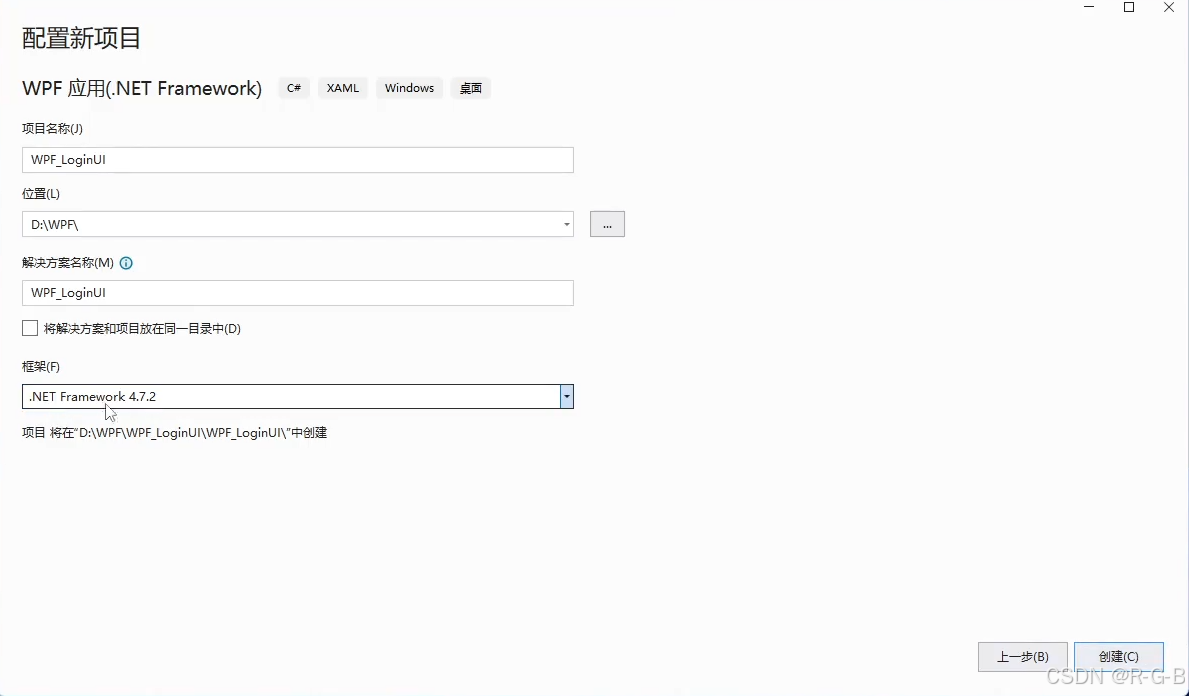
MainWindow.xaml 主界面如下
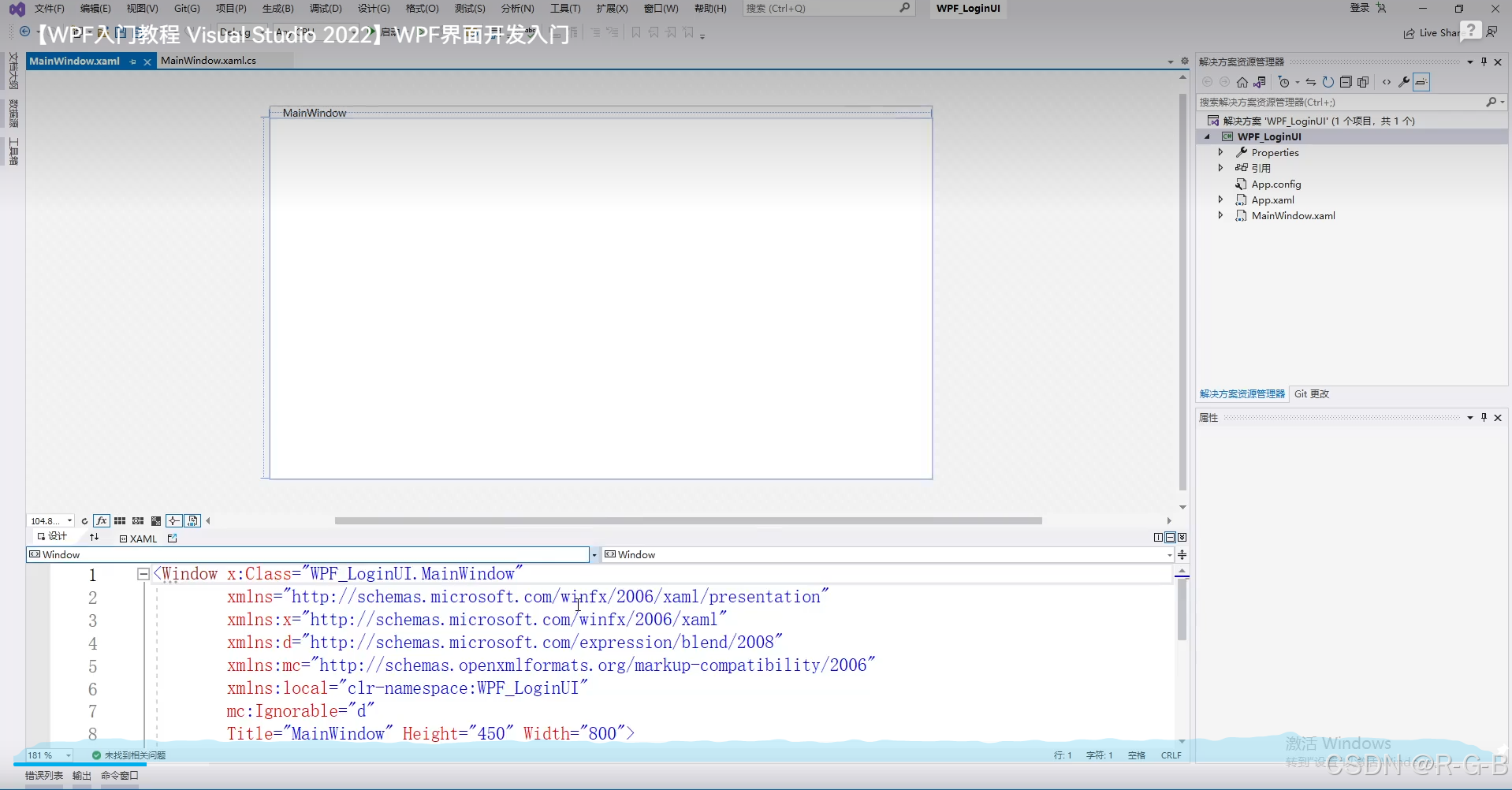
MainWindow.xaml 主界面 布局系统自带代码如下
php
<Window x:Class="WpfApp1.MainWindow"
        xmlns="http://schemas.microsoft.com/winfx/2006/xaml/presentation"
        xmlns:x="http://schemas.microsoft.com/winfx/2006/xaml"
        xmlns:d="http://schemas.microsoft.com/expression/blend/2008"
        xmlns:mc="http://schemas.openxmlformats.org/markup-compatibility/2006"
        xmlns:local="clr-namespace:WpfApp1"
        mc:Ignorable="d"
        Title="MainWindow" Height="450" Width="800">
    <Grid>

    </Grid>
</Window>
2 添加界面代码 及运行效果
我们需要在<Grid> </Grid> 之间天界主界面布局代码
我们的目标界面如下
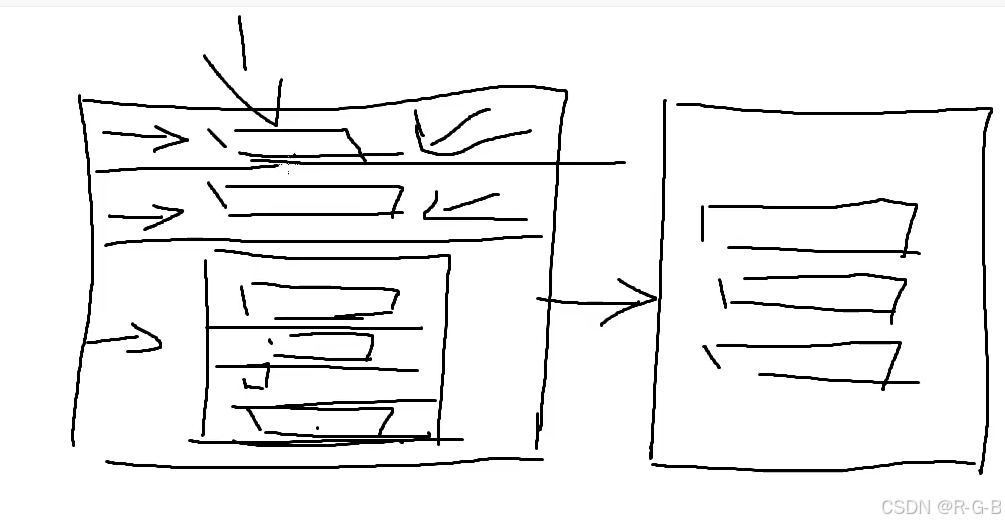
我添加的代码如下
php
<Window x:Class="WpfApp1.MainWindow"
        xmlns="http://schemas.microsoft.com/winfx/2006/xaml/presentation"
        xmlns:x="http://schemas.microsoft.com/winfx/2006/xaml"
        xmlns:d="http://schemas.microsoft.com/expression/blend/2008"
        xmlns:mc="http://schemas.openxmlformats.org/markup-compatibility/2006"
        xmlns:local="clr-namespace:WpfApp1"
        mc:Ignorable="d"
        Title="MainWindow" Height="450" Width="800">
    <Grid>
        <Grid.RowDefinitions>
            <RowDefinition Height="Auto"/>
            <RowDefinition Height="Auto"/>
            <RowDefinition Height="1*"/>
            <RowDefinition Height="9*"/>
            <RowDefinition/>
        </Grid.RowDefinitions>

        <TextBlock Grid.Row="0" Grid.Column="0" Text="深圳大学图书馆"  FontSize="18" HorizontalAlignment="Center"/>

        <StackPanel Margin="5"  Grid.Row="1" Background="#0078d4">
            <TextBlock Text="登录"  FontSize="22" HorizontalAlignment="Center" Foreground="White" />
        </StackPanel>

        <Grid Grid.Row="3" HorizontalAlignment="Center">
            <Grid.RowDefinitions>
                <RowDefinition Height="30"/>
                <RowDefinition Height="30"/>
                <RowDefinition Height="30"/>
                <RowDefinition Height="30"/>
            </Grid.RowDefinitions>

            <Grid.ColumnDefinitions>
                <ColumnDefinition Width="Auto"/>
                <ColumnDefinition Width="200"/>
            </Grid.ColumnDefinitions>

            <TextBlock Text="用户名" Grid.Row="0" Grid.Column="0" VerticalAlignment="Center"  FontSize="20"/>
            <TextBox Grid.Row="0" Grid.Column="1" Margin="2"/>

            <TextBlock Text="密码" Grid.Row="1" VerticalAlignment="Center" FontSize="20"/>
            <TextBox Grid.Row="1" Grid.Column="1" Margin="2"/>

            <CheckBox Content="记住密码"   Grid.Row="2" Grid.ColumnSpan="2"  VerticalAlignment="Center" FontSize="20"/>

            <Button Content="登录" Grid.Row="3" Grid.ColumnSpan="2"  VerticalAlignment="Center" FontSize="20"/>
        </Grid>

    </Grid>
</Window>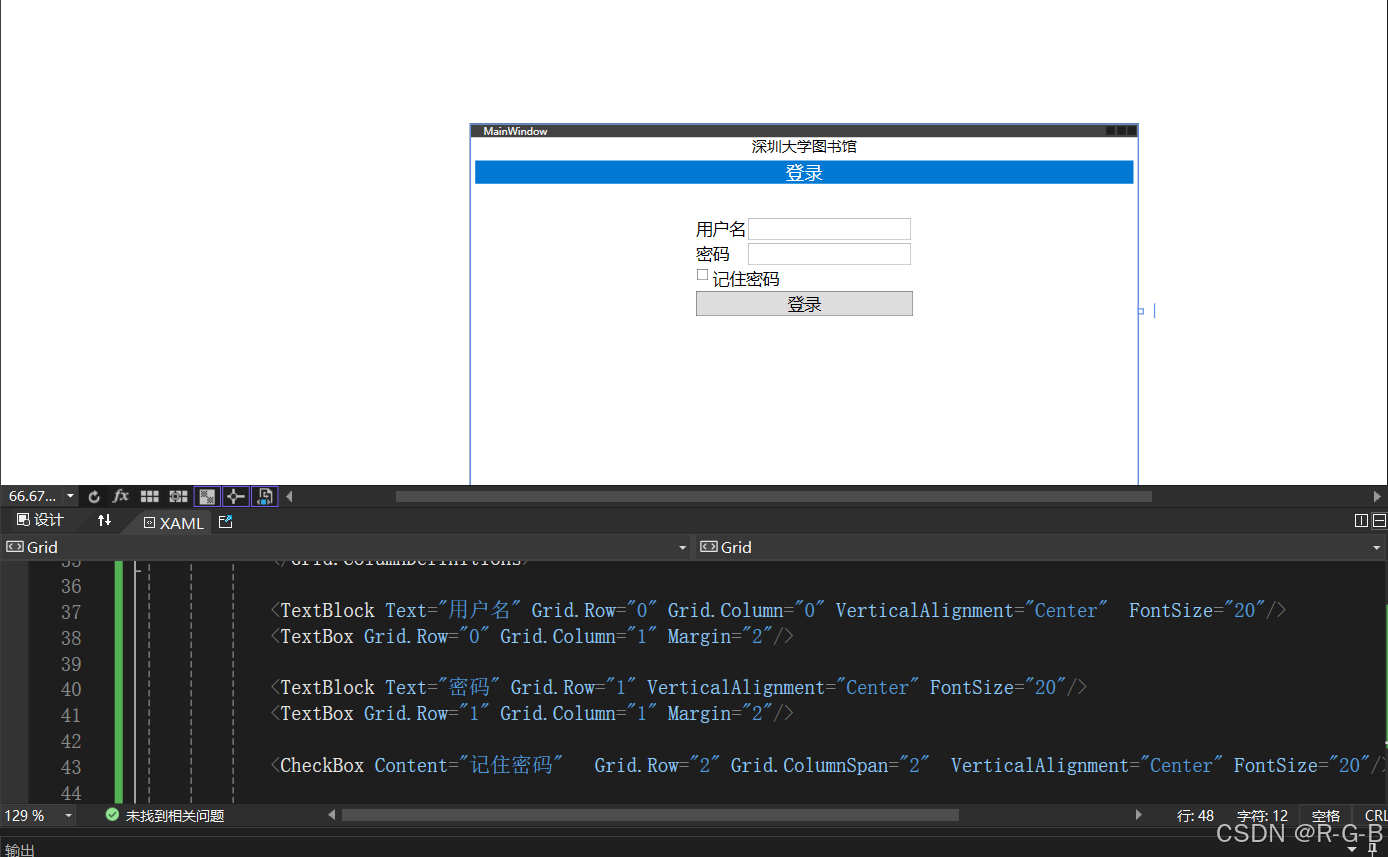
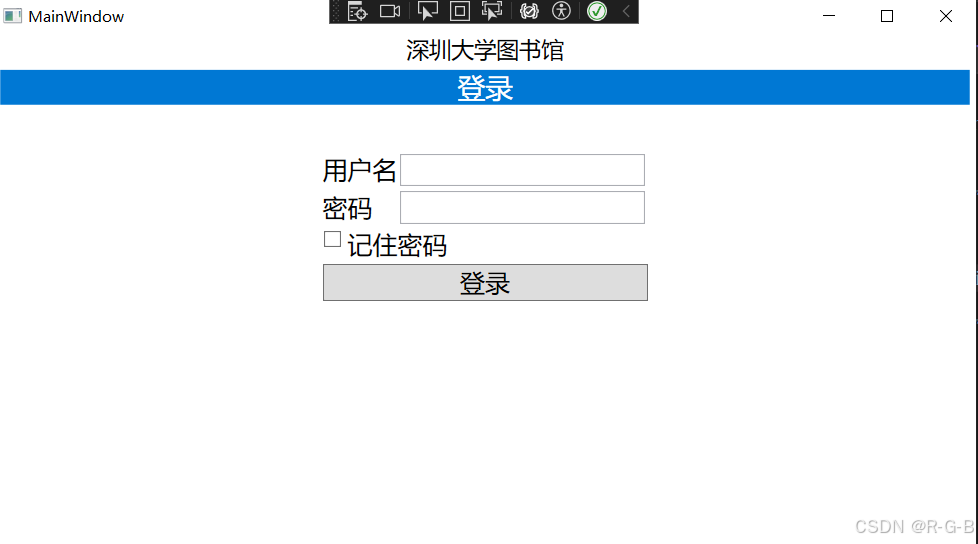
3 重点代码解释
php
			//总高度的1/10,
            <RowDefinition Height="1*"/>
            //总高度的9/10分,
            <RowDefinition Height="9*"/>
c
//默认0列,所以Grid.Column="0"可以不写
<TextBlock Grid.Row="0" Grid.Column="0" Text="深圳大学图书馆"  FontSize="18" HorizontalAlignment="Center"/>

//Margin="5" 与上一行间距5 , HorizontalAlignment="Center"水平居中,VerticalAlignment="Center"垂直居中
<StackPanel Margin="5"  Grid.Row="1" Background="#0078d4">
php
//Grid.ColumnSpan="2"  合并2列,默认从0列开始
 <CheckBox Content="记住密码"   Grid.Row="2" Grid.ColumnSpan="2"  VerticalAlignment="Center" FontSize="20"/>