大致流程
甲骨文 ram 服务器制作镜像 -> 测试通过 -> 导入镜像至政务云 ram 服务器 -> 解决跨域 -> 测试通过
实操
kkFileView-4.4.0-beta 请至文章资源绑定处下载
Dockerfile
FROM ubuntu:20.04

# 设置环境变量
ENV LANG=C.UTF-8 TZ=Asia/Shanghai
RUN ln -snf /usr/share/zoneinfo/$TZ /etc/localtime && echo $TZ > /etc/timezone

# 安装必要软件:Java、LibreOffice、中文字体等
RUN apt-get update && \
    DEBIAN_FRONTEND=noninteractive apt-get install -y \
    openjdk-8-jre-headless \
    libreoffice \
    fonts-wqy-zenhei \
    ttf-mscorefonts-installer \
    unzip && \
    apt-get clean

# 创建目录并复制本地 kkfileview 文件
RUN mkdir -p /opt/kkFileView-4.4.0-beta
COPY kkFileView-4.4.0-beta/ /opt/kkFileView-4.4.0-beta/

# 设置工作目录
WORKDIR /opt/kkFileView-4.4.0-beta

# 暴露端口
EXPOSE 8012

# 启动命令
CMD ["bash", "/opt/kkFileView-4.4.0-beta/bin/startup.sh"]
build_and_save.sh
shell
#!/bin/bash
set -e

# 构建镜像
docker build -t kkfileview-arm64:4.4.0 .

# 导出 tar 包
docker save kkfileview-arm64:4.4.0 -o kkfileview-arm64-4.4.0.tar

echo "✅ 镜像构建完成:kkfileview-arm64.tar"
docker-compose.yml
yml
version: '3'
services:
  kkfileview:
    image: kkfileview-arm64:4.4.0
    container_name: kkfileview
    working_dir: /app
    restart: always
    ports:
      - "8013:8012"
    environment:
      - KK_BASE_URL=https://10.xxx:1xxx/kkfileview
    volumes:
      - ./data:/data
      - ./file:/opt/kkFileView-4.4.0-beta/file
验证过程
cmd
109
docker cp kkfileview:/opt/kkFileView-4.4.0-beta /home/kkfileview/

甲骨文ram服务器146.xxx,导出
cd /home/ubuntu/kkfileview
docker save -o kkfileview_4.4.0_linux_arm64.tar kkfileview-arm64:4.4.0

政务云ram服务器82,导入
cd /data1/kkfileview
docker load -i kkfileview_4.4.0_linux_arm64.tar

nginx:
location ~* ^/(kkfileview) {
     rewrite ^/kkfileview(.*)$ $1 break;
     proxy_pass http://1.xxx:8013;
}

测试链接:可直接在向日葵密信打开
内网文件:http://xxx/file/cd79c7b6ab344771a1bd3bcfbb992e0f.docx


https://10.xxx:1xxx/kkfileview/
https://10.xxx:1xxx/kkfileview/onlinePreview?url=aHR0cxxxjeA==


进入容器:
docker exec -it kkfileview bash
which soffice

甲骨文arm服务器输出:/usr/bin/soffice
政务云arm服务器输出:/usr/bin/soffice

测试后,还是无法转换成功,很奇怪了。页面一直转圈,后台日志无报错信息。

后来F12查看到控制台图片加载报 CORS,是因为没有在 application.properties 配置 KK_BASE_URL 导致应用使用的是默认的内网地址。
导致前端在预览图片的时候无法打开内网地址。

后续在 docker-compose 上配置环境变量 KK_BASE_URL:https://10.xxx:1xxx/kkfileview 就可以了。


政务云 arm 服务器 docker 容器启动日志,页面也能正常预览了。
kkfileview  | 2025-08-04 13:50:26.155  INFO 13 --- [er-offprocmng-0] o.j.local.office.OfficeDescriptor        : soffice info (from exec path): Product: LibreOffice - Version: ??? - useLongOptionNameGnuStyle: true
kkfileview  | 2025-08-04 13:50:26.274  INFO 13 --- [er-offprocmng-0] o.j.local.office.OfficeDescriptor        : soffice info (from help output): Product: LibreOffice - Version: 6.4.7.2 - useLongOptionNameGnuStyle: true
kkfileview  | 2025-08-04 13:50:26.275  INFO 13 --- [er-offprocmng-1] o.j.local.office.OfficeDescriptor        : soffice info (from help output): Product: LibreOffice - Version: 6.4.7.2 - useLongOptionNameGnuStyle: true
kkfileview  | 2025-08-04 13:50:26.286  INFO 13 --- [er-offprocmng-0] o.j.l.office.LocalOfficeProcessManager   : Starting process with --accept 'socket,host=127.0.0.1,port=2001,tcpNoDelay=1;urp;StarOffice.ServiceManager' and profileDir '/tmp/.jodconverter_socket_host-127.0.0.1_port-2001_tcpNoDelay-1'
kkfileview  | 2025-08-04 13:50:26.286  INFO 13 --- [er-offprocmng-1] o.j.l.office.LocalOfficeProcessManager   : Starting process with --accept 'socket,host=127.0.0.1,port=2002,tcpNoDelay=1;urp;StarOffice.ServiceManager' and profileDir '/tmp/.jodconverter_socket_host-127.0.0.1_port-2002_tcpNoDelay-1'
kkfileview  | 2025-08-04 13:50:26.846  WARN 13 --- [er-offprocmng-1] o.j.l.o.StartProcessAndConnectRetryable  : Office process died with exit code 81; restarting it
kkfileview  | 2025-08-04 13:50:26.846  WARN 13 --- [er-offprocmng-0] o.j.l.o.StartProcessAndConnectRetryable  : Office process died with exit code 81; restarting it
kkfileview  | 2025-08-04 13:50:26.925  INFO 13 --- [           main] o.s.s.concurrent.ThreadPoolTaskExecutor  : Initializing ExecutorService 'applicationTaskExecutor'
kkfileview  | 2025-08-04 13:50:27.098  INFO 13 --- [           main] cn.keking.config.WebConfig               : Add resource locations: /opt/kkFileView-4.4.0-beta/file/
kkfileview  | 2025-08-04 13:50:27.379  INFO 13 --- [           main] o.s.s.c.ThreadPoolTaskScheduler          : Initializing ExecutorService 'taskScheduler'
kkfileview  | 2025-08-04 13:50:27.405  INFO 13 --- [           main] o.e.j.s.h.ContextHandler.application     : Initializing Spring DispatcherServlet 'dispatcherServlet'
kkfileview  | 2025-08-04 13:50:27.406  INFO 13 --- [           main] o.s.web.servlet.DispatcherServlet        : Initializing Servlet 'dispatcherServlet'
kkfileview  | 2025-08-04 13:50:27.407  INFO 13 --- [           main] o.s.web.servlet.DispatcherServlet        : Completed initialization in 1 ms
kkfileview  | 2025-08-04 13:50:27.429  INFO 13 --- [           main] o.e.jetty.server.AbstractConnector       : Started ServerConnector@65045a87{HTTP/1.1, (http/1.1)}{0.0.0.0:8012}
kkfileview  | 2025-08-04 13:50:27.430  INFO 13 --- [           main] o.s.b.web.embedded.jetty.JettyWebServer  : Jetty started on port(s) 8012 (http/1.1) with context path '/'
kkfileview  | 2025-08-04 13:50:27.458  INFO 13 --- [           main] cn.keking.ServerMain                     : kkFileView 服务启动完成,耗时:4.01348573s,演示页请访问: http://127.0.0.1:8012
kkfileview  | 2025-08-04 13:50:27.668  INFO 13 --- [er-offprocmng-0] o.j.local.office.OfficeConnection        : Connected: 'socket,host=127.0.0.1,port=2001,tcpNoDelay=1'
kkfileview  | 2025-08-04 13:50:27.668  INFO 13 --- [er-offprocmng-1] o.j.local.office.OfficeConnection        : Connected: 'socket,host=127.0.0.1,port=2002,tcpNoDelay=1'
kkfileview  | 2025-08-04 13:50:27.669  INFO 13 --- [er-offprocmng-1] o.j.l.office.LocalOfficeProcessManager   : Started process; pid: 131
kkfileview  | 2025-08-04 13:50:27.669  INFO 13 --- [er-offprocmng-0] o.j.l.office.LocalOfficeProcessManager   : Started process; pid: 132
kkfileview  | 2025-08-04 13:50:38.811  INFO 13 --- [qtp244185498-74] c.k.w.c.OnlinePreviewController          : 预览文件url:http://1.xxx/file/cd79c7b6ab344771a1bd3bcfbb992e0f.docx,previewType:OFFICE
kkfileview  | 2025-08-04 13:50:39.857  INFO 13 --- [ter-poolentry-2] o.j.local.task.LocalConversionTask       : Executing local conversion task [docx -> pdf]...
观察政务云宿主机映射的文件夹,也有转换好的图片和 PDF(kkfileview 的原理就是将各种文档转为图片和PDF)

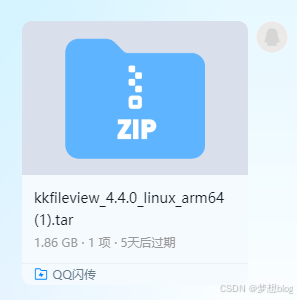
编译好的镜像大概 1.86GB