版本兼容性矩阵
https://tomcat.apache.org/whichversion.html
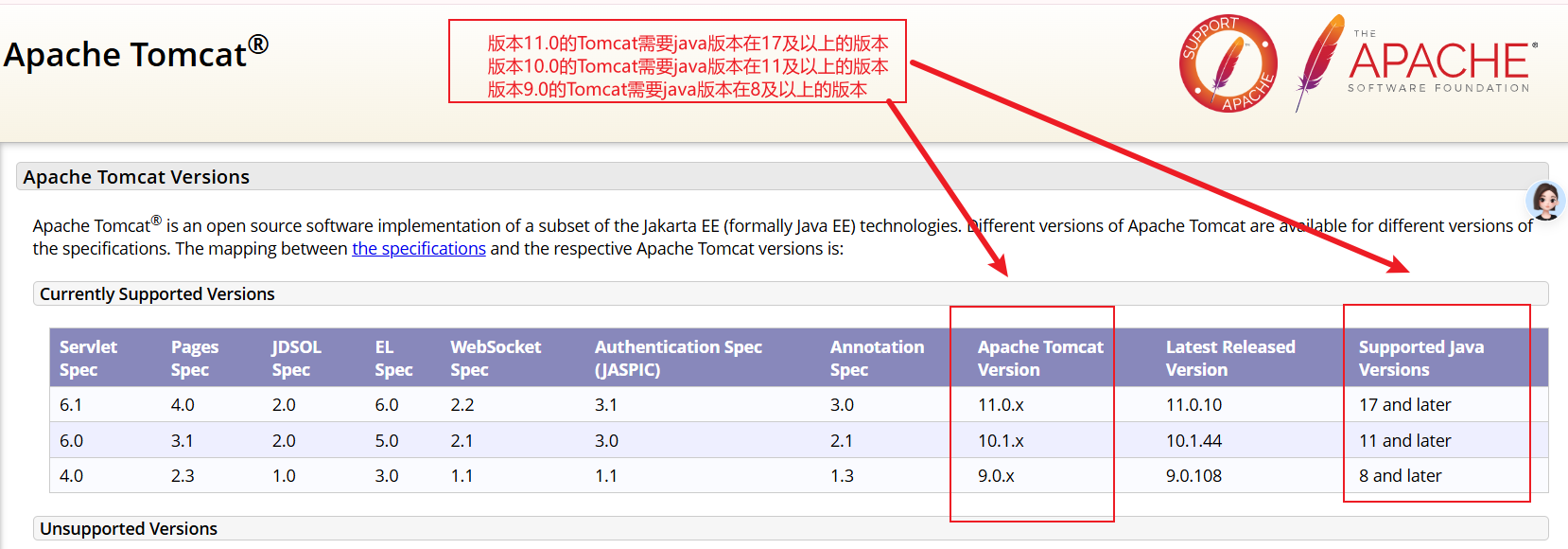
https://tomcat.apache.org/download-11.cgi
介绍一下这些版本的不同点 :
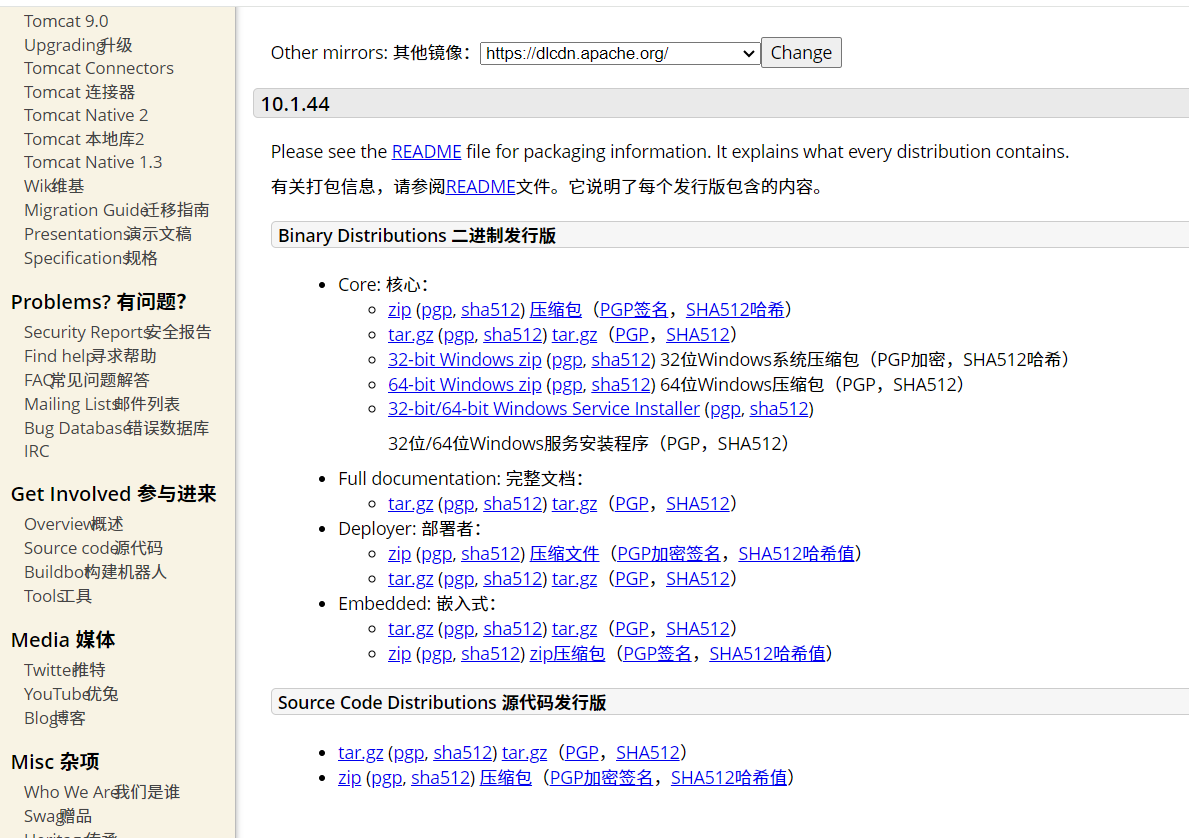
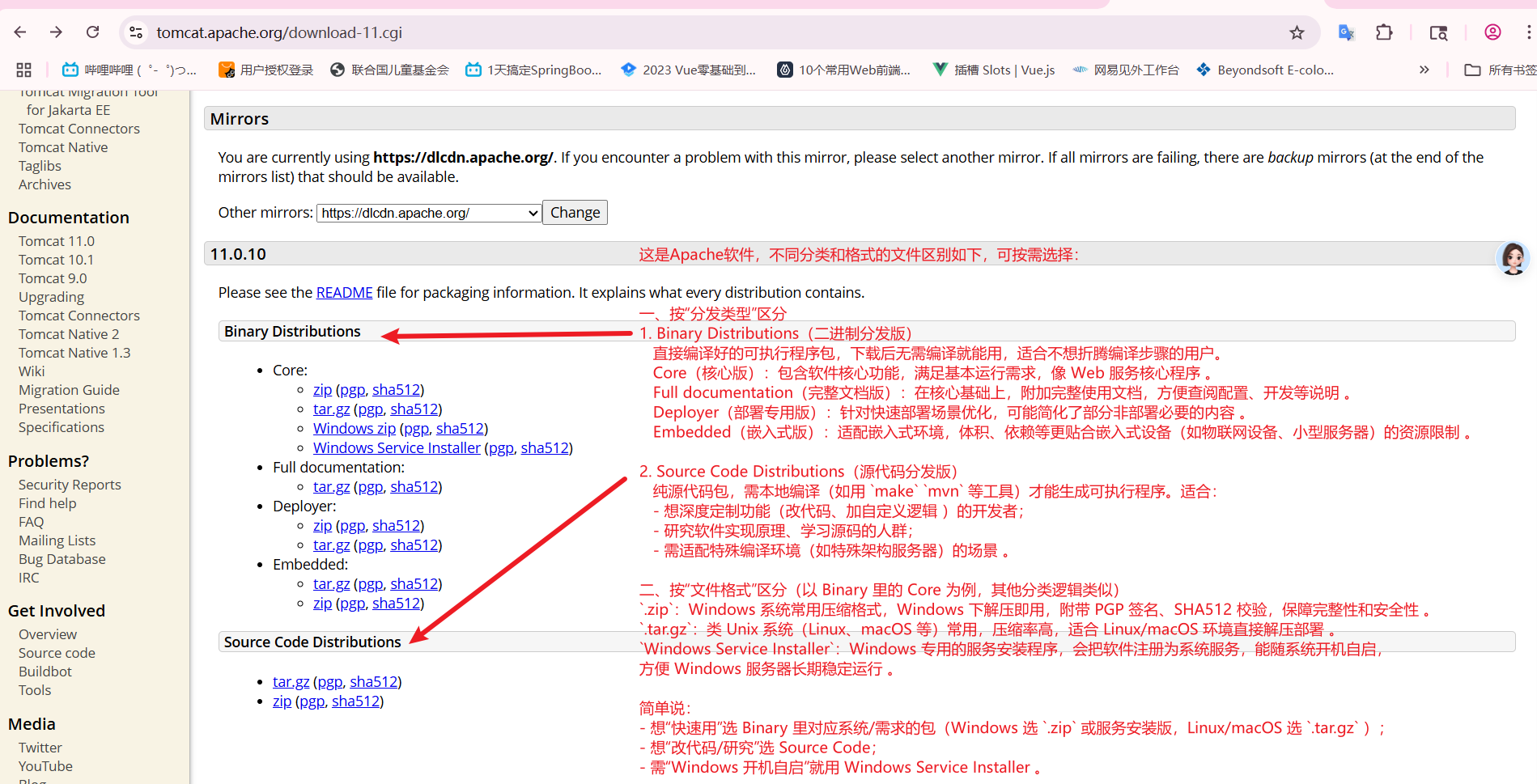
一、按系统选(优先看这个)
1.Windows 系统(普通使用,非服务自启)
选 Binary Distributions → Core → Windows zip ,下载后解压就能用,适合手动启动、测试或开发场景 。
2.Windows 系统(想当系统服务,开机自启)
选 Binary Distributions → Core → Windows Service Installer ,安装后自动注册为 Windows 服务,系统开机它跟着启动,适合生产环境长期稳定运行 。
3.Linux、macOS 系统
选 Binary Distributions → Core → tar.gz,下载后用 tar -zxvf 文件名.tar.gz 解压,就能部署运行,是类 Unix 系统的标准用法 。
二、特殊需求补充
想研究/改代码:不管啥系统,都选 Source Code Distributions 里的 .tar.gz 或 .zip ,拿到源码自己编译 。
需要完整文档辅助:选 Full documentation里的 .tar.gz(类 Unix)或 .zip(Windows),解压后有详细使用说明 。
总结:
普通 Windows 开发/测试 → Core → Windows zip
Windows 生产环境(开机自启) → Core → Windows Service Installer
Linux/macOS 环境 → Core → tar.gz
开发/改源码 → Source Code里的包