
Aspose.HTML for Python via .NET 是一个完整的解决方案,用于以编程方式创建和处理HTML文件。这款强大的 HTML SDK 实现了自动化,无需手动编写标记。您可以使用 Python 代码高效地生成 Web 内容、报告和仪表板。在本篇博文中,我们将讲解如何使用 Python 创建 HTML 页面。此外,我们还将介绍如何使用 **Aspose.HTML for Python via .NET**加载和读取现有的 HTML 文件。
HTML SDK 安装
但是,我们需要先进行安装。在系统中打开终端/CMD并运行以下命令:
pip install aspose-html-net **直接从此链接**下载 SDK 文件。
使用 Python 创建 HTML 页面 - 代码示例
在本节中,我们将创建一个网页。该网页将包含一些仅用于演示的内容。您可以根据需要设计 HTML 文档。
步骤如下:
- 设置输出目录并加载许可证。
- 通过创建HTMLDocument类的对象来初始化一个空的 HTML 文档。
- 调用create_text_node方法创建文本节点并将其添加到文档中。
- append_child方法将向文档主体添加一个节点。
- 通过调用保存方法将文档保存为 HTML 文件。
以下代码示例展示了如何使用 Python 生成网页
import os
import aspose.html as html
from aspose.html import *

# Set up an output directory and load the License.
output_dir = "file.html"
License = html.License()
License.set_license("License.lic")
# Initialize an empty HTML document by creating an object of the HTMLDocument class.
with HTMLDocument() as document:
    # Invoke the create_text_node method to create a text node and add it to the document.
    text = document.create_text_node("Hello, World!")
    # The append_child method will add a node to the body of the document.
    document.body.append_child(text)
    # Save the document as an HTML file by calling the save method.
    document.save(output_dir)
输出:
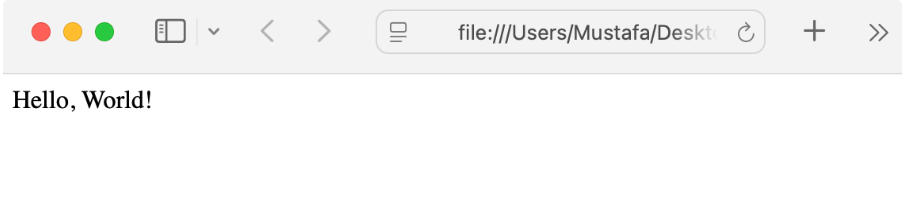
使用 Python 读取 HTML
此外,您还可以使用此 SDK 加载文件并解析 HTML。请参阅以下代码片段:
import os
import aspose.html as html
from aspose.html import *

# Setup an output directory and load the License.
output_dir = "file.html"
License = html.License()
License.set_license("License.lic")
# Load the source HTML file.
document = HTMLDocument(output_dir)
# Write the document content to the output stream.
print(document.document_element.outer_html)
输出:

同样,您也可以通过 URL 加载 HTML 文件,并进行流式传输。
总结
以编程方式生成网页可以使 Web 开发更加高效和稳健。Aspose.HTML **for Python via .NET**是一款处理 Web 内容的强大 SDK。在本指南中,我们介绍了如何使用 Python 创建 HTML 页面。此外,您还学习了如何读取现有的 HTML 文件。