前言
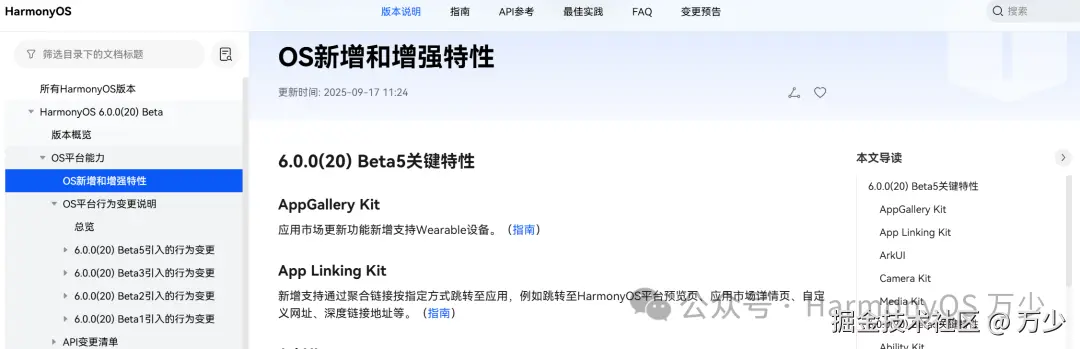
HarmonyOS 6的beta版本来到了 beta5,也是给我们带来了不少的有趣的新特性。
应用评论服务
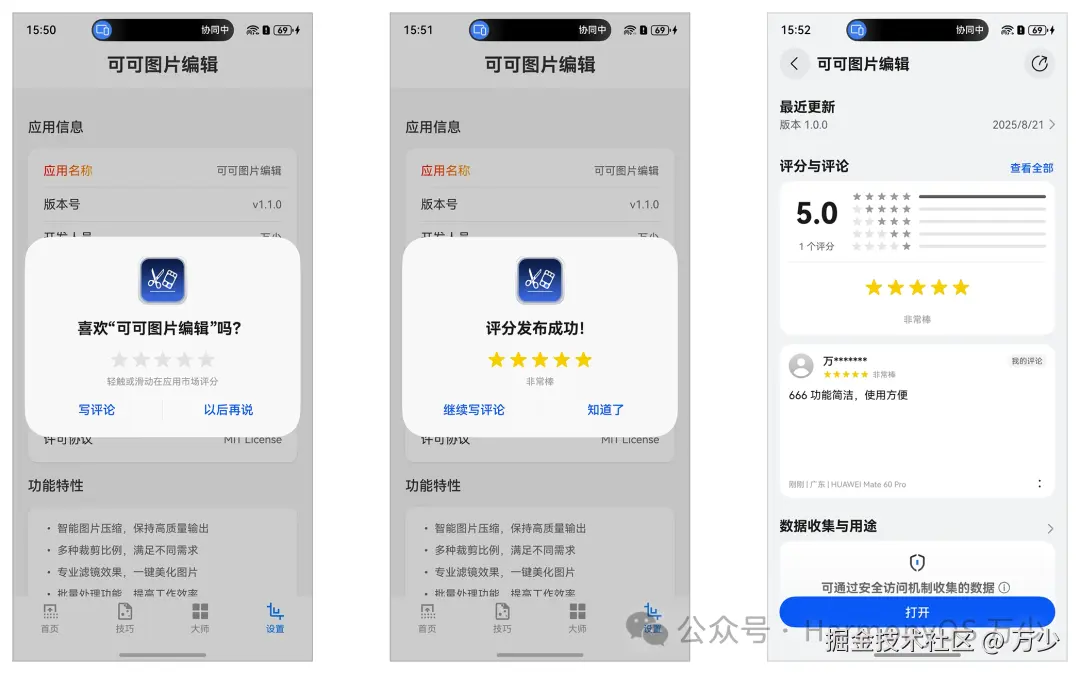
这里要介绍是beta 2 推出的 应用评论服务功能,用户无需进入应用市场应用详情页,可直接在应用内进行评论。
接入步骤
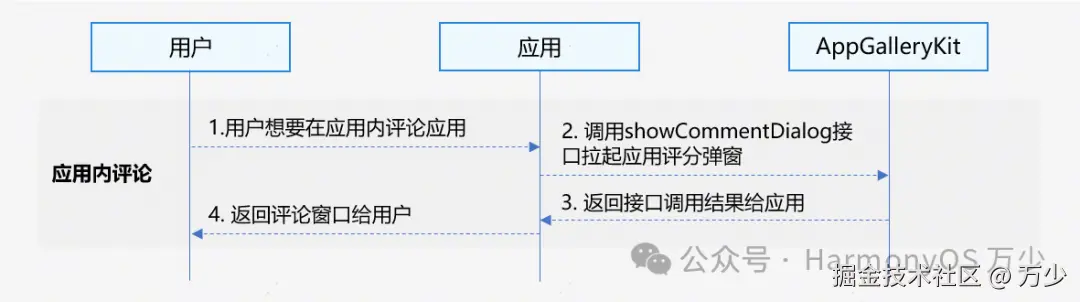
- 用户需要在应用内评论应用。
- 应用调用showCommentDialog接口拉起应用评论弹窗。
- AppGalleryKit返回接口调用结果给应用。
- 应用返回评论窗口给用户。
开发步骤
-
导入commentManager模块及相关公共模块。
pythonimport { commentManager} from '@kit.AppGalleryKit'; import { hilog } from '@kit.PerformanceAnalysisKit'; import { BusinessError } from '@kit.BasicServicesKit'; import type { common } from '@kit.AbilityKit'; -
调用showCommentDialog方法拉起评论弹窗。
javascripttry { const uiContext = this.getUIContext().getHostContext() as common.UIAbilityContext; commentManager.showCommentDialog(uiContext).then(()=>{ hilog.info(0, 'TAG', "succeeded in showing commentDialog."); }).catch((error: BusinessError<Object>) => { hilog.error(0, 'TAG', `showCommentDialog failed, Code: ${error.code}, message: ${error.message}`); }); } catch (error) { hilog.error(0, 'TAG', `showCommentDialog failed, Code: ${error.code}, message: ${error.message}`); } -
注意事项
-
需要使用真机
-
真机需要登录华为账号
-
一年内评论过的不能再次评论
-
常见错误
错误码ID
错误信息
1021500001
Internal system error.
1021500002
Service request failed.
1021500003
Failed to connect to AppGallery.
1021500004
Failed to write parameters.
1021500005
The app context is invalid.
1021500006
The user has not signed in to their HUAWEI ID.
1021500007
The user has already commented on the current version.
1021500008
The number of comments has reached the maximum limit.
1021500009
The user has already left a comment, and less than a year has elapsed since then.
总结
这样就可以在你的项目中接入应用评论服务了。