前言:
bindPopup可以为组件绑定Popup气泡。
还是老样子,我们参考官方文档进行学习和实践,链接如下:
 https://developer.huawei.com/consumer/cn/doc/harmonyos-references/ts-universal-attributes-popup#bindpopup
直接上效果图和练习代码:
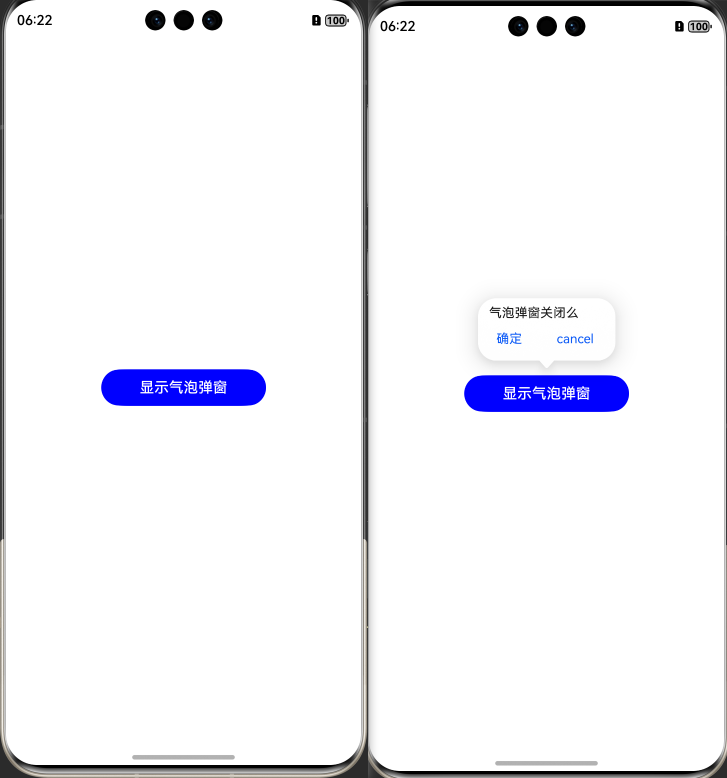
Index.ets
@Entry
@Component
struct Index {
  @State showWarning: boolean = false;

  @Styles
  good(){
    .bindPopup(this.showWarning, {
      message: '气泡弹窗关闭么',
      width: 150,
      messageOptions: {},
      arrowPointPosition: ArrowPointPosition.CENTER,
      placement: Placement.Top,
      showInSubWindow: false,
      keyboardAvoidMode: KeyboardAvoidMode.DEFAULT, // 设置气泡避让软键盘
      primaryButton: {
        value: '确定',
        action: () => {
          this.showWarning = !this.showWarning;
          console.info('confirm Button click');
        },


      },
      // 第二个按钮
      secondaryButton: {
        value: '取消',
        action: () => {
          this.showWarning = !this.showWarning;
          console.info('cancel Button click');
        }
      },
      onStateChange: (e) => {
        console.info(JSON.stringify(e.isVisible))
        if (!e.isVisible) {
          this.showWarning = false;
        }
      }

    })
  }

  build() {
    Column() {
      Button("显示气泡弹窗")
        .width(180)
        .height(40)
        .backgroundColor(Color.Blue)
        .onClick(() => {
          this.showWarning = !this.showWarning;
        })
        .good()
    }
    .backgroundColor(Color.White)
    .width("100%")
    .height("100%")
    .justifyContent(FlexAlign.Center)
  }
}
以上是个人经验分享。