一个完整的React单位系统方案。这个方案将支持单位定义、转换、系统分组等功能。支持多种单位(如长度、压强、温度)和多个单位系统(如系统1和系统2)。该系统允许用户在不同单位之间进行转换,并能够按系统过滤单位。
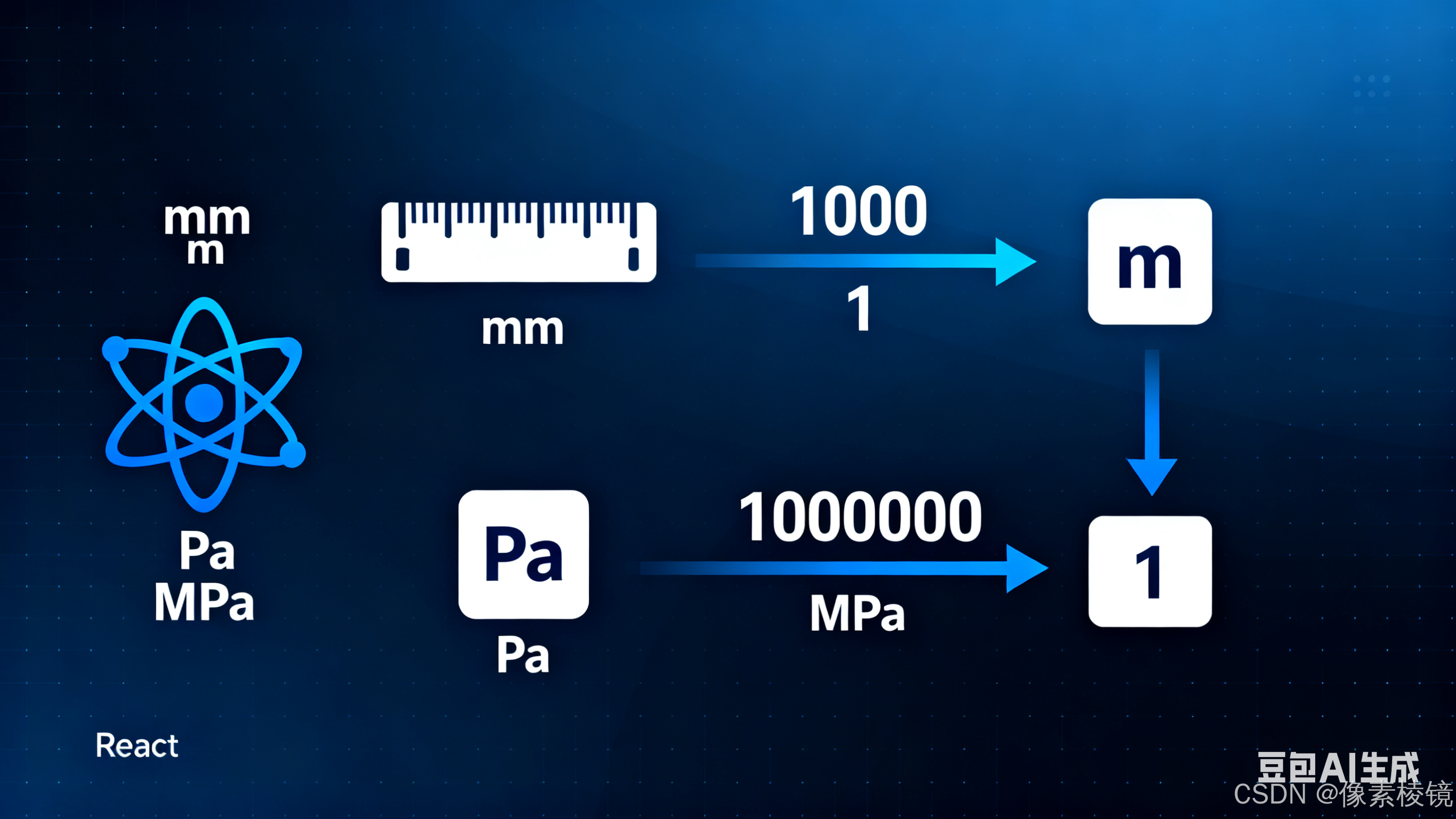
常用的单位
| 物理量类别 | 物理量名称 | 国际单位制 (SI) | 工程常用单位 (MMKS) | 备注/换算关系 |
|---|---|---|---|---|
| 📏 几何尺寸 | 长度 | 米 (m) | 毫米 (mm) | 1 m = 1000 mm |
| ⚖️ 质量与力 | 质量 | 千克 (kg) | 吨 (t) 或 克 (g) | 1 t = 1000 kg, 1 kg = 1000 g |
| 力 | 牛顿 (N) | 千牛 (kN) | 1 kN = 1000 N | |
| 压力/应力 | 帕斯卡 (Pa) | 兆帕 (MPa) | 1 MPa = 10⁶ Pa = 1 N/mm² | |
| ⏱️ 时间 | 时间 | 秒 (s) | 秒 (s) | 压射过程常用毫秒 (ms), 1 s = 1000 ms |
| 🌡️ 温度 | 温度 | 开尔文 (K) | 摄氏度 (°C) | 数值关系: °C = K - 273.15 |
| 🔥 能量与功率」 | 能量 | 焦耳 (J) | 千焦 (kJ) | 1 kJ = 1000 J |
| 功率 | 瓦特 (W) | 千瓦 (kW) | 1 kW = 1000 W | |
| 🧪 材料属性」 | 密度 | kg/m³ | g/cm³ 或 t/mm³ | 1 g/cm³ = 1000 kg/m³ (注意量纲转换) |
| 动力粘度 | Pa·s | mPa·s | 1 Pa·s = 1000 mPa·s | |
| 热导率 | W/(m·K) | W/(m·K) 常用 | ||
| 比热容 | J/(kg·K) | kJ/(kg·K) | 1 kJ/(kg·K) = 1000 J/(kg·K) | |
| 热膨胀系数 | 1/K | 1/°C | 数值相同,注意温度基准 |
单位系统设计
我们设计一个单位系统,需要考虑以下几个方面:
单位定义:每个单位需要有一个唯一的编码(id),名称,类型(长度、压强等),以及转换系数(相对于基准单位)。
单位系统:可以定义多个单位系统,每个系统包含一组单位(例如单位系统1包含mm和Pa,单位系统2包含m和MPa)。
单位转换:能够将同一个物理量的值从一个单位转换到另一个单位。
设计思路
定义单位类型(维度),如长度、压强等。
每个单位类型有一个基准单位(如长度的基准单位是米m,压强的基准单位是帕斯卡Pa),其他单位相对于基准单位有转换系数。
单位系统是单位的集合,每个单位系统包含多个单位(每个维度一个单位?或者可以多个?但通常一个单位系统内每个维度使用一个单位,比如国际单位制中长度用米m,压强用帕斯卡Pa;而工程单位制可能长度用毫米mm,压强用兆帕Pa)。但这里需求是单位系统1包含mm和Pa,单位系统2包含m和MPa,所以一个单位系统包含多个维度的单位。
实现步骤:
定义单位维度(类型)枚举。
定义单位类,包含:id, 名称,维度,转换系数(转换为基准单位所需的乘数)。
定义单位系统类,包含:id, 名称,单位集合(每个维度一个单位,但也可以多个?这里我们设计为每个维度一个单位,因为同一个维度在一个单位系统中通常只用一个单位)。
提供单位转换函数,它可以根据给定的值、原单位、目标单位进行转换。也可以根据单位系统进行批量转换。
但是,注意:单位转换可能涉及不同维度之间的转换吗?不,我们只转换同一维度的单位。
另外,我们还需要一个单位管理器来管理所有的单位和单位系统。
考虑到单位转换可能涉及复杂的公式(比如温度转换不仅乘系数还要加常数),我们可以设计一个转换函数,对于线性转换(乘系数)可以简单处理,对于非线性转换需要特殊处理。但这里我们假设都是线性转换。
设计:
单位维度(Dimension):
长度(Length)
压强(Pressure)
单位(Unit):
id: string
name: string
dimension: Dimension
toBase: (value: number) => number // 将当前单位的值转换为基准单位的值
fromBase: (value: number) => number // 将基准单位的值转换为当前单位的值
但是,对于线性单位,我们可以用一个转换系数(factor)来表示。假设基准单位是u0,当前单位u1,则有:
baseValue = value * factor
value = baseValue / factor
因此,我们可以这样定义单位:
toBase: (value) => value * factor
fromBase: (value) => value / factor
但是,对于非线性单位(如温度),我们需要自定义函数。为了通用,我们使用两个函数。
然而,为了简单,我们先考虑线性单位。我们可以创建一个线性单位类,而非线性单位则特殊处理。
我们设计一个接口Unit:
interface Unit {
id: string;
name: string;
dimension: string; // 维度id
toBase: (value: number) => number;
fromBase: (value: number) => number;
}
然后,我们可以创建一个创建线性单位的工厂函数。
单位系统(UnitSystem):
interface UnitSystem {
id: string;
name: string;
units: Map<string, Unit>; // key为维度id,value为该维度下在此单位系统中使用的单位
}
单位管理器(UnitManager):
管理所有单位
管理所有单位系统
提供单位转换方法
也可以根据单位id进行转换。
另外,我们还需要在单位系统中提供转换方法,比如在单位系统1中,我们使用mm和Pa,如果我们要将单位系统1中的长度转换为单位系统2中的长度(即从mm到m),我们可以通过单位管理器找到对应的单位进行转换。
但是,我们也可以设计一个在单位系统之间转换的函数,例如,给定一个值、原单位系统、目标单位系统,以及值的维度,进行转换。
步骤:
根据维度,在原单位系统中找到对应的单位。
在目标单位系统中找到对应维度的单位。
使用convert函数进行转换。
我们来实现这个系统。
注意:我们假设每个单位系统对每个维度都有一个单位。如果某个维度在单位系统中没有定义,则转换时可能会出错。
代码结构:
定义维度(Dimensions)枚举或常量。
定义Unit接口和线性单位创建函数。
定义UnitSystem接口和类。
定义UnitManager类,用于注册单位、单位系统,以及进行转换。
代码实现
1. 核心类型定义
javascript
// types/unit.ts
export interface Unit {
  code: string;        // 单位编码,如 'mm', 'MPa'
  name: string;        // 单位名称,如 '毫米', '兆帕'
  dimension: string;   // 物理量维度,如 'length', 'pressure'
  system: string;      // 所属系统编码,如 'system1', 'system2'
  factor: number;      // 相对于基准单位的转换系数
  offset?: number;     // 偏移量(用于温度等非线性转换)
}

export interface UnitSystem {
  code: string;        // 系统编码
  name: string;        // 系统名称
  description?: string; // 系统描述
}

export interface QuantityValue {
  value: number;
  unit: string;        // 单位编码
}

export interface ConversionResult extends QuantityValue {
  originalValue: number;
  originalUnit: string;
}
2. 单位管理器
javascript
// services/UnitManager.ts
class UnitManager {
  private units: Map<string, Unit> = new Map();
  private systems: Map<string, UnitSystem> = new Map();
  private dimensionUnits: Map<string, Unit[]> = new Map();

  // 注册单位系统
  registerSystem(system: UnitSystem): void {
    this.systems.set(system.code, system);
  }

  // 注册单位
  registerUnit(unit: Unit): void {
    this.units.set(unit.code, unit);

    // 按维度分组
    if (!this.dimensionUnits.has(unit.dimension)) {
      this.dimensionUnits.set(unit.dimension, []);
    }
    this.dimensionUnits.get(unit.dimension)!.push(unit);
  }

  // 批量注册单位
  registerUnits(units: Unit[]): void {
    units.forEach(unit => this.registerUnit(unit));
  }

  // 获取单位
  getUnit(unitCode: string): Unit | undefined {
    return this.units.get(unitCode);
  }

  // 获取同一维度的所有单位
  getUnitsByDimension(dimension: string): Unit[] {
    return this.dimensionUnits.get(dimension) || [];
  }

  // 获取同一系统的所有单位
  getUnitsBySystem(systemCode: string): Unit[] {
    return Array.from(this.units.values())
      .filter(unit => unit.system === systemCode);
  }

  // 单位转换
  convert(value: number, fromUnitCode: string, toUnitCode: string): number {
    const fromUnit = this.getUnit(fromUnitCode);
    const toUnit = this.getUnit(toUnitCode);

    if (!fromUnit || !toUnit) {
      throw new Error(`Unit not found: ${fromUnitCode} or ${toUnitCode}`);
    }

    if (fromUnit.dimension !== toUnit.dimension) {
      throw new Error(`Cannot convert between different dimensions: ${fromUnit.dimension} and ${toUnit.dimension}`);
    }

    // 线性转换: value * (fromUnit.factor / toUnit.factor) + offset
    const baseValue = (value - (fromUnit.offset || 0)) * fromUnit.factor;
    return baseValue / toUnit.factor + (toUnit.offset || 0);
  }

  // 批量转换
  convertValue(quantity: QuantityValue, toUnitCode: string): ConversionResult {
    const result = this.convert(quantity.value, quantity.unit, toUnitCode);

    return {
      value: result,
      unit: toUnitCode,
      originalValue: quantity.value,
      originalUnit: quantity.unit
    };
  }

  // 获取可转换的单位列表
  getConvertibleUnits(unitCode: string): Unit[] {
    const unit = this.getUnit(unitCode);
    if (!unit) return [];

    return this.getUnitsByDimension(unit.dimension)
      .filter(u => u.code !== unitCode);
  }
}

// 创建单例实例
export const unitManager = new UnitManager();
3. 初始化单位数据
javascript
// data/units.ts
import { Unit, UnitSystem } from '../types/unit';

// 定义单位系统
export const unitSystems: UnitSystem[] = [
  { code: 'system1', name: '系统1', description: '使用毫米和帕斯卡的系统' },
  { code: 'system2', name: '系统2', description: '使用米和兆帕的系统' }
];

// 定义单位
export const units: Unit[] = [
  // 长度单位
  { code: 'mm', name: '毫米', dimension: 'length', system: 'system1', factor: 0.001 },
  { code: 'cm', name: '厘米', dimension: 'length', system: 'system1', factor: 0.01 },
  { code: 'm', name: '米', dimension: 'length', system: 'system2', factor: 1 },
  { code: 'km', name: '千米', dimension: 'length', system: 'system2', factor: 1000 },

  // 压强单位
  { code: 'Pa', name: '帕斯卡', dimension: 'pressure', system: 'system1', factor: 1 },
  { code: 'kPa', name: '千帕', dimension: 'pressure', system: 'system1', factor: 1000 },
  { code: 'MPa', name: '兆帕', dimension: 'pressure', system: 'system2', factor: 1000000 },
  { code: 'bar', name: '巴', dimension: 'pressure', system: 'system2', factor: 100000 },

  // 温度单位(非线性转换示例)
  { code: '°C', name: '摄氏度', dimension: 'temperature', system: 'system1', factor: 1, offset: 0 },
  { code: '°F', name: '华氏度', dimension: 'temperature', system: 'system2', factor: 5/9, offset: -32 * 5/9 },
  { code: 'K', name: '开尔文', dimension: 'temperature', system: 'system2', factor: 1, offset: -273.15 }
];
4. React Hooks
javascript
// hooks/useUnitSystem.ts
import { useState, useCallback, useMemo } from 'react';
import { Unit, QuantityValue, ConversionResult } from '../types/unit';
import { unitManager } from '../services/UnitManager';

export const useUnitSystem = () => {
  const [currentSystem, setCurrentSystem] = useState<string>('system1');

  // 获取当前系统的单位
  const getCurrentSystemUnits = useCallback((): Unit[] => {
    return unitManager.getUnitsBySystem(currentSystem);
  }, [currentSystem]);

  // 按维度获取当前系统的单位
  const getUnitsByDimensionInCurrentSystem = useCallback((dimension: string): Unit[] => {
    const allUnits = unitManager.getUnitsByDimension(dimension);
    return allUnits.filter(unit => unit.system === currentSystem);
  }, [currentSystem]);

  // 转换到当前系统的对应单位
  const convertToCurrentSystem = useCallback((
    value: number,
    fromUnitCode: string
  ): ConversionResult | null => {
    try {
      const fromUnit = unitManager.getUnit(fromUnitCode);
      if (!fromUnit) return null;

      // 找到当前系统中同维度的单位
      const targetUnits = getUnitsByDimensionInCurrentSystem(fromUnit.dimension);
      if (targetUnits.length === 0) return null;

      // 通常选择第一个单位作为目标单位
      const targetUnit = targetUnits[0];
      return unitManager.convertValue({ value, unit: fromUnitCode }, targetUnit.code);
    } catch (error) {
      console.error('Conversion error:', error);
      return null;
    }
  }, [getUnitsByDimensionInCurrentSystem]);

  // 批量转换到当前系统
  const convertMultipleToCurrentSystem = useCallback((
    values: QuantityValue[]
  ): (ConversionResult | null)[] => {
    return values.map(value => convertToCurrentSystem(value.value, value.unit));
  }, [convertToCurrentSystem]);

  return {
    currentSystem,
    setCurrentSystem,
    getCurrentSystemUnits,
    getUnitsByDimensionInCurrentSystem,
    convertToCurrentSystem,
    convertMultipleToCurrentSystem,
    unitManager
  };
};
5. 单位选择器组件
javascript
// components/UnitSelector.tsx
import React from 'react';
import { Unit } from '../types/unit';
import { unitManager } from '../services/UnitManager';

interface UnitSelectorProps {
  dimension: string;
  value: string;
  onChange: (unitCode: string) => void;
  excludeUnits?: string[];
  className?: string;
}

export const UnitSelector: React.FC<UnitSelectorProps> = ({
  dimension,
  value,
  onChange,
  excludeUnits = [],
  className = ''
}) => {
  const units = unitManager.getUnitsByDimension(dimension)
    .filter(unit => !excludeUnits.includes(unit.code));

  return (
    <select
      value={value}
      onChange={(e) => onChange(e.target.value)}
      className={className}
    >
      {units.map(unit => (
        <option key={unit.code} value={unit.code}>
          {unit.name} ({unit.code})
        </option>
      ))}
    </select>
  );
};
6. 单位转换器组件
javascript
// components/UnitConverter.tsx
import React, { useState, useMemo } from 'react';
import { UnitSelector } from './UnitSelector';
import { unitManager } from '../services/UnitManager';

interface UnitConverterProps {
  dimension: string;
  initialValue?: number;
  initialUnit?: string;
}

export const UnitConverter: React.FC<UnitConverterProps> = ({
  dimension,
  initialValue = 0,
  initialUnit
}) => {
  const units = unitManager.getUnitsByDimension(dimension);
  const defaultUnit = initialUnit || units[0]?.code;

  const [inputValue, setInputValue] = useState<number>(initialValue);
  const [inputUnit, setInputUnit] = useState<string>(defaultUnit);
  const [outputUnit, setOutputUnit] = useState<string>(
    units.find(u => u.code !== defaultUnit)?.code || defaultUnit
  );

  const convertedValue = useMemo(() => {
    if (!inputUnit || !outputUnit) return null;

    try {
      return unitManager.convert(inputValue, inputUnit, outputUnit);
    } catch (error) {
      return null;
    }
  }, [inputValue, inputUnit, outputUnit]);

  const convertibleUnits = unitManager.getConvertibleUnits(inputUnit);

  return (
    <div className="unit-converter">
      <div className="input-section">
        <input
          type="number"
          value={inputValue}
          onChange={(e) => setInputValue(parseFloat(e.target.value) || 0)}
          className="value-input"
        />
        <UnitSelector
          dimension={dimension}
          value={inputUnit}
          onChange={setInputUnit}
          excludeUnits={[outputUnit]}
        />
      </div>

      <div className="output-section">
        <span className="converted-value">
          {convertedValue !== null ? convertedValue.toFixed(4) : 'N/A'}
        </span>
        <UnitSelector
          dimension={dimension}
          value={outputUnit}
          onChange={setOutputUnit}
          excludeUnits={[inputUnit]}
        />
      </div>

      {convertibleUnits.length > 0 && (
        <div className="quick-conversions">
          <h4>快速转换:</h4>
          {convertibleUnits.map(unit => (
            <button
              key={unit.code}
              onClick={() => setOutputUnit(unit.code)}
              className={`quick-btn ${outputUnit === unit.code ? 'active' : ''}`}
            >
              {unit.name}
            </button>
          ))}
        </div>
      )}
    </div>
  );
};
7. 系统初始化
javascript
// App.tsx
import React from 'react';
import { unitManager } from './services/UnitManager';
import { unitSystems, units } from './data/units';
import { UnitConverter } from './components/UnitConverter';
import { useUnitSystem } from './hooks/useUnitSystem';
import './App.css';

// 初始化单位系统
unitSystems.forEach(system => unitManager.registerSystem(system));
unitManager.registerUnits(units);

function App() {
  const { currentSystem, setCurrentSystem, getCurrentSystemUnits } = useUnitSystem();

  return (
    <div className="App">
      <header className="app-header">
        <h1>单位转换系统</h1>
        <div className="system-selector">
          <label>当前系统: </label>
          <select
            value={currentSystem}
            onChange={(e) => setCurrentSystem(e.target.value)}
          >
            {unitSystems.map(system => (
              <option key={system.code} value={system.code}>
                {system.name}
              </option>
            ))}
          </select>
        </div>
      </header>

      <main className="app-main">
        <div className="converter-section">
          <h2>长度转换</h2>
          <UnitConverter dimension="length" initialValue={1000} initialUnit="mm" />
        </div>

        <div className="converter-section">
          <h2>压强转换</h2>
          <UnitConverter dimension="pressure" initialValue={1} initialUnit="MPa" />
        </div>

        <div className="converter-section">
          <h2>温度转换</h2>
          <UnitConverter dimension="temperature" initialValue={25} initialUnit="°C" />
        </div>

        <div className="current-system-units">
          <h3>当前系统单位列表</h3>
          <ul>
            {getCurrentSystemUnits().map(unit => (
              <li key={unit.code}>
                {unit.name} ({unit.code}) - {unit.dimension}
              </li>
            ))}
          </ul>
        </div>
      </main>
    </div>
  );
}

export default App;
8. 使用示例
javascript
// 在组件中使用
import React from 'react';
import { useUnitSystem } from './hooks/useUnitSystem';

const MyComponent: React.FC = () => {
  const {
    currentSystem,
    convertToCurrentSystem,
    unitManager
  } = useUnitSystem();

  // 示例:将不同系统的值转换为当前系统
  const values = [
    { value: 1000, unit: 'mm' },
    { value: 1, unit: 'MPa' },
    { value: 25, unit: '°C' }
  ];

  const convertedValues = convertMultipleToCurrentSystem(values);

  return (
    <div>
      <h3>当前系统: {currentSystem}</h3>
      {convertedValues.map((result, index) => (
        result && (
          <div key={index}>
            {values[index].value} {values[index].unit} = {result.value} {result.unit}
          </div>
        )
      ))}
    </div>
  );
};