前言
之前分享了如何在Windows 平台上,使用palera1n 2.0.0 beta7/8 越狱iPhone X iOS 16.7.11
详见:https://blog.csdn.net/qq_39441603/article/details/148475198
本篇介绍如何在MacOS平台上,使用Palera1n越狱iPhone X iOS 16.7.11
安装Palera1n
参见:https://palera.in/download/?tab=macos
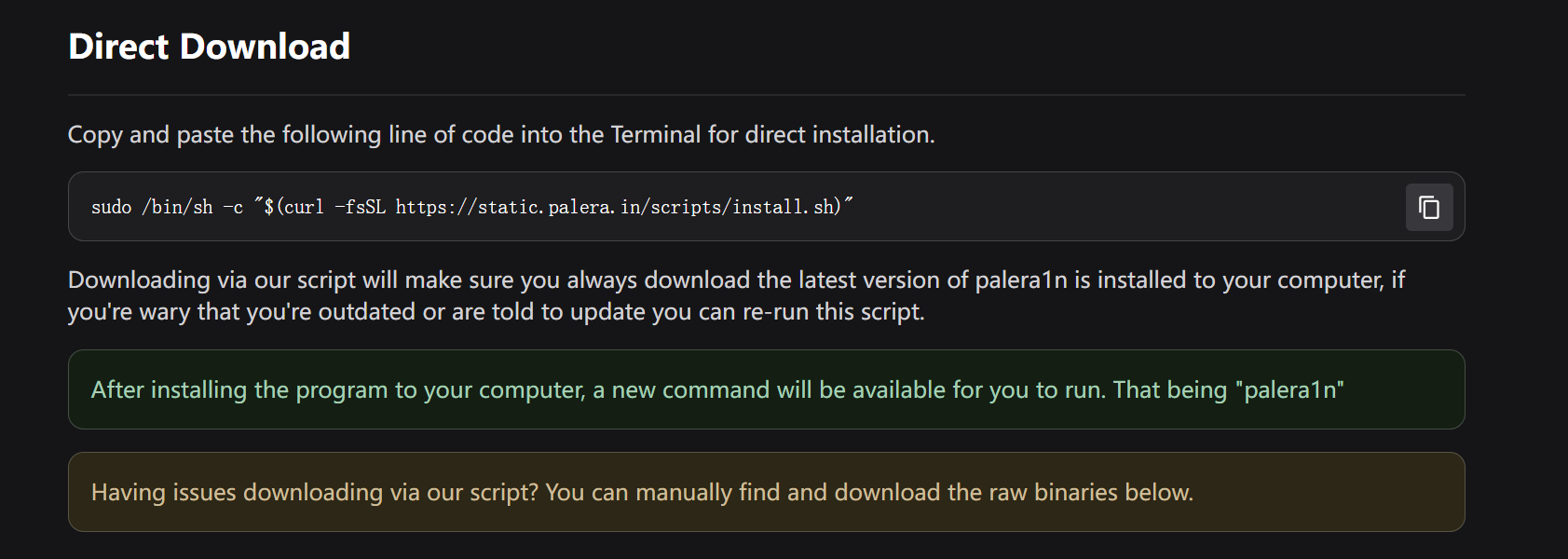
sudo /bin/sh -c "$(curl -fsSL https://static.palera.in/scripts/install.sh)"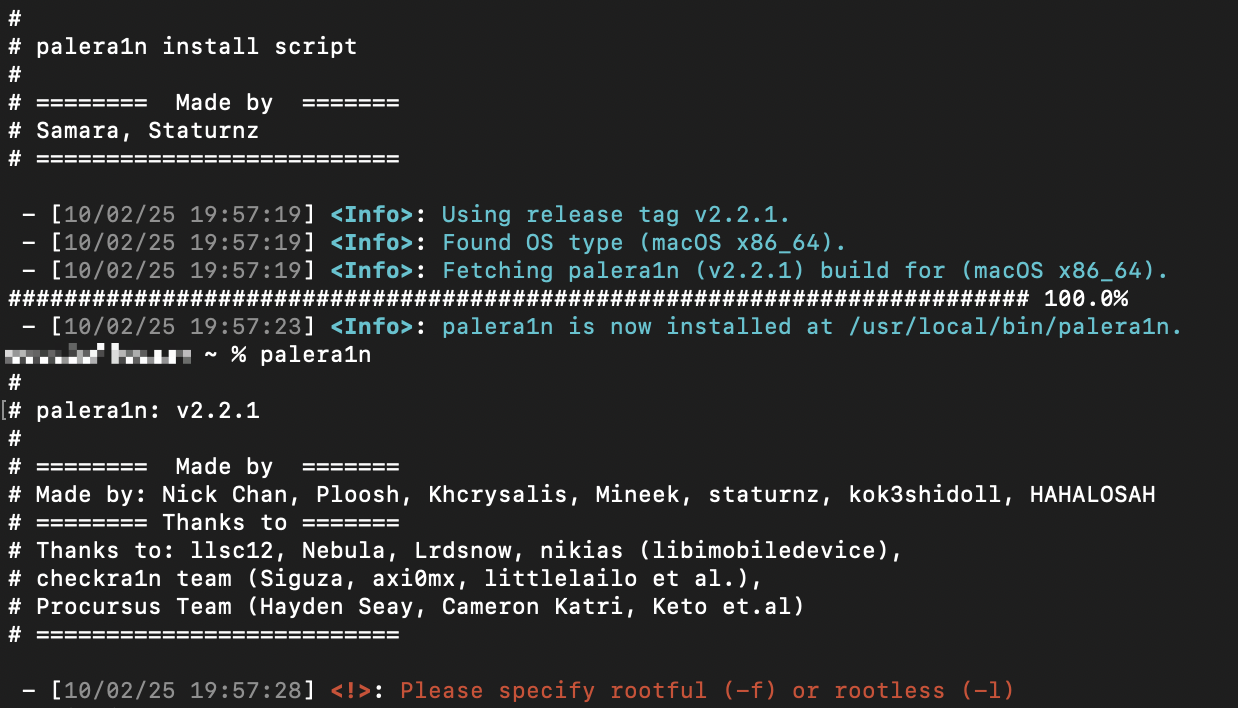
命令行使用Palera1n
iPhone通过USB连接至MacBook
palera1n -l
c
xxx@xxx ~ % palera1n -l
#
# palera1n: v2.2.1
#
# ========  Made by  =======
# Made by: Nick Chan, Ploosh, Khcrysalis, Mineek, staturnz, kok3shidoll, HAHALOSAH
# ======== Thanks to =======
# Thanks to: llsc12, Nebula, Lrdsnow, nikias (libimobiledevice),
# checkra1n team (Siguza, axi0mx, littlelailo et al.),
# Procursus Team (Hayden Seay, Cameron Katri, Keto et.al)
# ==========================

 - [10/02/25 19:58:42] <Info>: Waiting for devices
 - [10/02/25 19:58:42] <Info>: Entering recovery mode
 - [10/02/25 19:58:53] <Info>: Press Enter when ready for DFU mode

Hold volume down + side button (0)
Hold volume down button (2)
 - [10/02/25 19:59:21] <Info>: Device entered DFU mode successfully
 - [10/02/25 19:59:21] <Info>: About to execute checkra1n
#
# Checkra1n 0.1337.3
#
# Proudly written in nano
# (c) 2019-2023 Kim Jong Cracks
#
#========  Made by  =======
# argp, axi0mx, danyl931, jaywalker, kirb, littlelailo, nitoTV
# never_released, nullpixel, pimskeks, qwertyoruiop, sbingner, siguza
#======== Thanks to =======
# haifisch, jndok, jonseals, xerub, lilstevie, psychotea, sferrini
# Cellebrite (ih8sn0w, cjori, ronyrus et al.)
#==========================

 - [10/02/25 19:59:21] <Verbose>: Starting thread for Apple TV 4K Advanced board
 - [10/02/25 19:59:21] <Info>: Waiting for DFU mode devices
 - [10/02/25 19:59:21] <Verbose>: DFU mode device found
 - [10/02/25 19:59:21] <Info>: Checking if device is ready
 - [10/02/25 19:59:21] <Verbose>: Attempting to perform checkm8 on 8015 11
 - [10/02/25 19:59:21] <Info>: Setting up the exploit
 - [10/02/25 19:59:21] <Verbose>: == checkm8 setup stage ==
 - [10/02/25 19:59:21] <Verbose>: Entered initial checkm8 state after 1 steps
 - [10/02/25 19:59:21] <Verbose>: Stalled input endpoint after 9 steps
 - [10/02/25 19:59:21] <Verbose>: DFU mode device disconnected
 - [10/02/25 19:59:22] <Verbose>: DFU mode device found
 - [10/02/25 19:59:22] <Verbose>: == checkm8 trigger stage ==
 - [10/02/25 19:59:22] <Info>: Checkmate!
 - [10/02/25 19:59:22] <Verbose>: Device should now reconnect in download mode
 - [10/02/25 19:59:22] <Verbose>: DFU mode device disconnected
 - [10/02/25 19:59:29] <Info>: Entered download mode
 - [10/02/25 19:59:29] <Verbose>: Download mode device found
 - [10/02/25 19:59:29] <Info>: Booting PongoOS...
 - [10/02/25 19:59:31] <Info>: Found PongoOS USB Device
 - [10/02/25 19:59:32] <Info>: Booting Kernel...
xxx@xxx ~ %
越狱成功