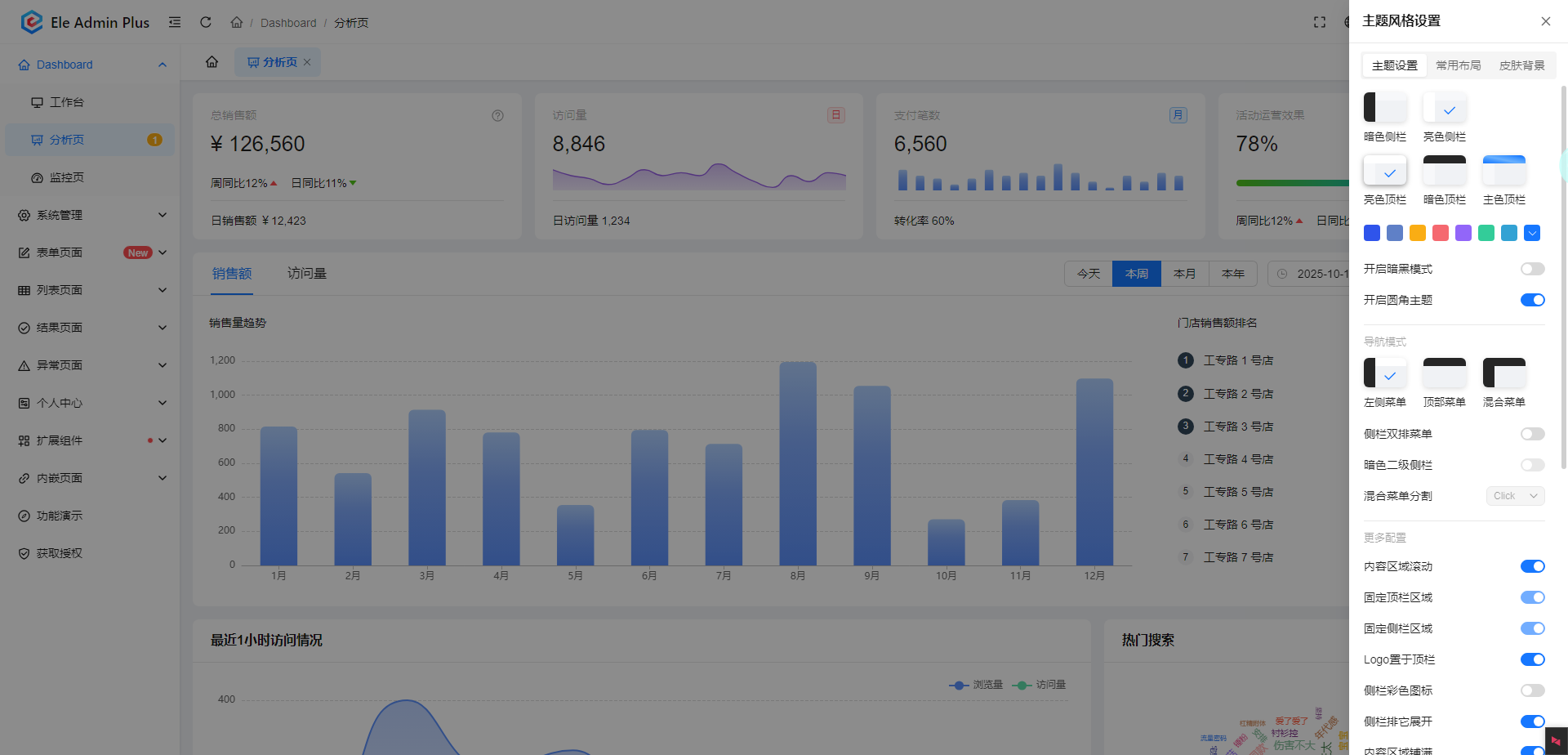
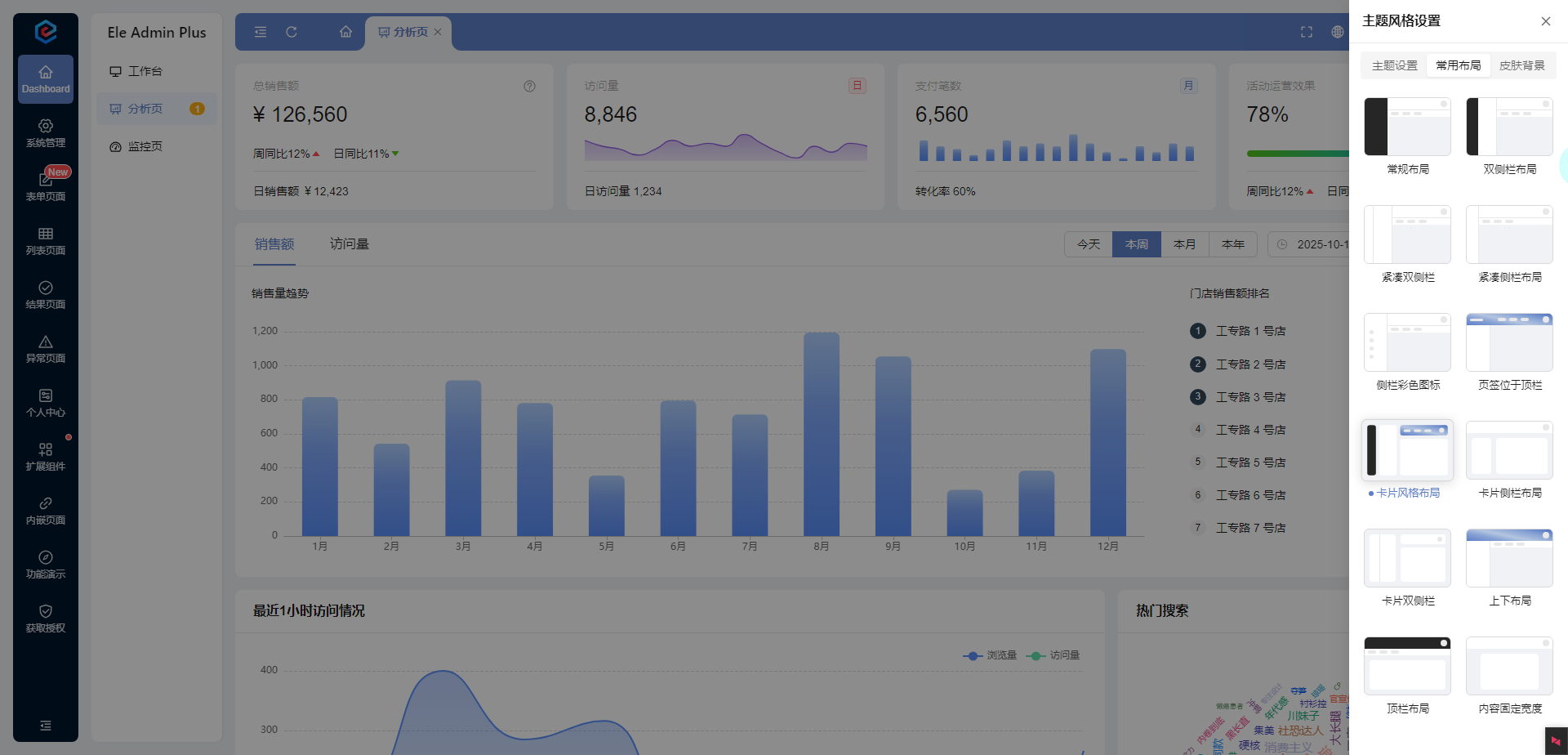
本文详细说一下管理系统切换布局的原理,特别是导航在不同位置(上、左、右)的实现。
布局切换比换肤更复杂,因为它涉及到HTML结构、CSS布局方式和JavaScript动态控制的协同工作。
核心原理
通过JavaScript动态改变CSS布局规则和HTML结构,实现不同布局方案的切换。
主要技术方案
方案一:CSS类名切换 + 不同布局样式(推荐)
这是最常用且维护性最好的方案。
1. HTML结构设计
首先需要设计一个灵活、可重排的HTML结构:
<div class="layout-container layout-left"> <!-- 默认左侧布局 -->
  <div class="header">顶部公共头部</div>

  <div class="main-container">
    <nav class="sidebar">导航菜单</nav>

    <main class="content">主要内容区域</main>

  </div>

</div>
2. CSS布局实现
为每种布局编写对应的CSS类:
/* 公共基础样式 */
.layout-container {
  min-height: 100vh;
  display: flex;
  flex-direction: column;
}

.main-container {
  flex: 1;
  display: flex;
}

.sidebar {
  width: 200px;
  background: #f5f5f5;
  transition: all 0.3s ease;
}

.content {
  flex: 1;
  padding: 20px;
  transition: all 0.3s ease;
}

/* 左侧导航布局 (默认) */
.layout-left .main-container {
  flex-direction: row;
}

.layout-left .sidebar {
  order: 1;
}

.layout-left .content {
  order: 2;
}

/* 顶部导航布局 */
.layout-top .main-container {
  flex-direction: column;
}

.layout-top .sidebar {
  width: 100%;
  height: 50px;
  order: 1;
  display: flex;
  /* 顶部导航可能需要水平排列菜单项 */
}

.layout-top .content {
  order: 2;
}

/* 右侧导航布局 */
.layout-right .main-container {
  flex-direction: row;
}

.layout-right .sidebar {
  order: 2;
}

.layout-right .content {
  order: 1;
}
3. JavaScript切换逻辑
通过切换容器元素的类名来改变布局:
class LayoutManager {
  constructor() {
    this.container = document.querySelector('.layout-container');
    this.currentLayout = localStorage.getItem('layout') || 'layout-left';
    this.init();
  }

  init() {
    // 应用保存的布局
    this.switchLayout(this.currentLayout);

    // 绑定布局切换事件
    document.getElementById('layout-left-btn').addEventListener('click', () => {
      this.switchLayout('layout-left');
    });

    document.getElementById('layout-top-btn').addEventListener('click', () => {
      this.switchLayout('layout-top');
    });

    document.getElementById('layout-right-btn').addEventListener('click', () => {
      this.switchLayout('layout-right');
    });
  }

  switchLayout(layoutName) {
    // 移除所有布局类
    this.container.classList.remove('layout-left', 'layout-top', 'layout-right');
    // 添加新的布局类
    this.container.classList.add(layoutName);

    // 保存到本地存储
    localStorage.setItem('layout', layoutName);
    this.currentLayout = layoutName;

    // 触发自定义事件,通知其他组件布局已改变
    window.dispatchEvent(new CustomEvent('layoutChange', { detail: layoutName }));
  }
}

// 初始化布局管理器
new LayoutManager();
方案二:CSS Grid 布局 + 区域模板切换
对于更复杂的布局,CSS Grid 提供了更强的控制能力。
1. HTML结构
<div class="grid-layout">
  <header class="header">顶部头部</header>

  <nav class="sidebar">导航菜单</nav>

  <main class="content">主要内容</main>

  <footer class="footer">底部信息</footer>

</div>
2. CSS Grid 布局
.grid-layout {
  display: grid;
  min-height: 100vh;
  transition: all 0.3s ease;
}

.header { grid-area: header; }
.sidebar { grid-area: sidebar; }
.content { grid-area: content; }
.footer { grid-area: footer; }

/* 左侧导航布局 */
.layout-left {
  grid-template-areas:
    "header header"
    "sidebar content"
    "footer footer";
  grid-template-columns: 200px 1fr;
  grid-template-rows: auto 1fr auto;
}

/* 顶部导航布局 */
.layout-top {
  grid-template-areas:
    "header header"
    "sidebar sidebar"
    "content content"
    "footer footer";
  grid-template-columns: 1fr;
  grid-template-rows: auto auto 1fr auto;
}

/* 右侧导航布局 */
.layout-right {
  grid-template-areas:
    "header header"
    "content sidebar"
    "footer footer";
  grid-template-columns: 1fr 200px;
  grid-template-rows: auto 1fr auto;
}
方案三:CSS变量动态控制
结合CSS变量,可以更灵活地控制布局:
:root {
  --sidebar-position: left; /* left, top, right */
  --sidebar-width: 200px;
  --sidebar-height: auto;
}

.layout-container {
  display: flex;
  flex-direction: column;
  min-height: 100vh;
}

.main-container {
  flex: 1;
  display: flex;
  flex-direction: var(--layout-direction, row);
}

.sidebar {
  width: var(--sidebar-width);
  height: var(--sidebar-height);
  order: var(--sidebar-order, 1);
}

.content {
  flex: 1;
  order: var(--content-order, 2);
}

/* 通过JavaScript修改变量值来实现布局切换 */
function switchLayout(layout) {
  const root = document.documentElement;

  switch(layout) {
    case 'left':
      root.style.setProperty('--layout-direction', 'row');
      root.style.setProperty('--sidebar-width', '200px');
      root.style.setProperty('--sidebar-height', 'auto');
      root.style.setProperty('--sidebar-order', '1');
      root.style.setProperty('--content-order', '2');
      break;

    case 'top':
      root.style.setProperty('--layout-direction', 'column');
      root.style.setProperty('--sidebar-width', '100%');
      root.style.setProperty('--sidebar-height', '50px');
      root.style.setProperty('--sidebar-order', '1');
      root.style.setProperty('--content-order', '2');
      break;

    case 'right':
      root.style.setProperty('--layout-direction', 'row');
      root.style.setProperty('--sidebar-width', '200px');
      root.style.setProperty('--sidebar-height', 'auto');
      root.style.setProperty('--sidebar-order', '2');
      root.style.setProperty('--content-order', '1');
      break;
  }
}
方案四:组件化框架中的实现(Vue/React)
在现代前端框架中,布局切换通常通过条件渲染或动态组件实现:
Vue 示例
<template>
  <div class="app" :class="`layout-${currentLayout}`">
    <header class="header">顶部头部</header>


    <div class="main-container">
      <!-- 左侧导航 -->
      <nav v-if="currentLayout === 'left'" class="sidebar">
        <LeftNavigation />
      </nav>


      <!-- 主要内容 -->
      <main class="content">
        <router-view />
      </main>


      <!-- 右侧导航 -->
      <nav v-if="currentLayout === 'right'" class="sidebar">
        <RightNavigation />
      </nav>

    </div>


    <!-- 顶部导航(单独处理) -->
    <nav v-if="currentLayout === 'top'" class="top-nav">
      <TopNavigation />
    </nav>

  </div>

</template>

<script>
export default {
  data() {
    return {
      currentLayout: localStorage.getItem('layout') || 'left'
    }
  },
  methods: {
    switchLayout(layout) {
      this.currentLayout = layout;
      localStorage.setItem('layout', layout);
    }
  }
}
</script>
关键考虑因素
1. 状态持久化
- 使用
localStorage或sessionStorage保存用户布局偏好
- 服务器端保存(如果用户登录)
2. 响应式适配
布局切换需要考虑不同屏幕尺寸:
/* 移动端强制顶部布局 */
@media (max-width: 768px) {
  .layout-container {
    flex-direction: column !important;
  }

  .sidebar {
    width: 100% !important;
    height: auto !important;
    order: 1 !important;
  }

  .content {
    order: 2 !important;
  }
}
3. 动画过渡
为布局切换添加平滑动画:
.layout-container * {
  transition: all 0.3s cubic-bezier(0.4, 0, 0.2, 1);
}
4. 组件通信
布局变化可能需要通知其他组件:
// 发布布局变化事件
const layoutEvent = new CustomEvent('layoutChanged', {
  detail: { layout: newLayout }
});
window.dispatchEvent(layoutEvent);

// 其他组件监听
window.addEventListener('layoutChanged', (event) => {
  console.log('布局已改变:', event.detail.layout);
  // 调整组件行为
});
总结
|--------------|-------------|------------|------------|
| 方案 | 适用场景 | 优点 | 缺点 |
| 类名切换 | 大多数场景 | 简单直观,维护性好 | 需要预先定义所有布局 |
| CSS Grid | 复杂网格布局 | 布局能力强,代码简洁 | 兼容性要求较高 |
| CSS变量 | 需要动态调整 | 高度灵活,可配置性强 | 实现相对复杂 |
| 框架组件 | Vue/React项目 | 与框架深度集成 | 框架绑定 |
最佳实践推荐 :
对于大多数管理系统,方案一(CSS类名切换) 是最实用和可维护的选择。它结合了清晰的HTML结构、灵活的CSS布局和简单的JavaScript控制,能够很好地满足导航位置切换的需求。