目录
[实现 commit 和 dispatch](#实现 commit 和 dispatch)
Vuex4 是 Vue 的状态管理工具,Vuex 和单纯的全局对象有以下两点不同:
- Vuex 的状态存储是响应式的
- 不能直接改变 store 中的状态。改变 store 中的状态的唯一途径就是显式地 提交 (commit) mutation。
本文手写部分分为八个部分,基本包含了 Vuex 的功能。
- 实现获取state并响应式修改state
- 实现getters
- 实现 commit 和 dispatch
- 注册模块
- 注册模块上的 getters,mutations,actions 到 store 上
- 命名空间
- 严格模式
- 插件模式
准备工作
创建名字叫 vuex_source 的工程
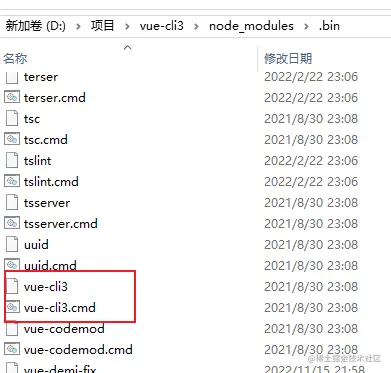
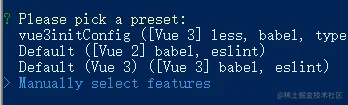
vue-cli3 create vuex_source上面命令和使用 vue create vuex_source 创建项目是等价的,我电脑安装了 vue-cli2 和 vue-cli3,在 vue-cli3里面修改了 cmd 文件,所以可以用上面命令。
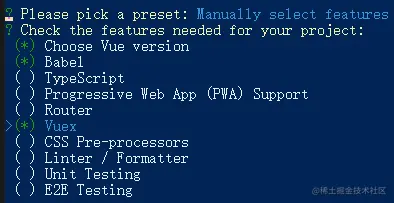
选择 Vuex,使用空格选择或取消选择
启动项目如果如下图报错
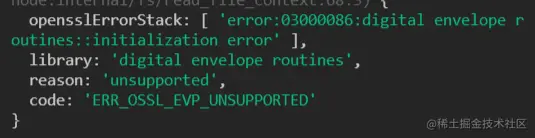
可以试试输入命令
$env:NODE_OPTIONS="--openssl-legacy-provider"
基本使用
使用 createStore 创建一个 store
import { createStore } from 'vuex'

export default createStore({
  strict:true,
  state: {
    count:1
  },
  getters: {
    double(state){
      return state.count * 2
    }
  },
  mutations: {
    mutationsAdd(state,preload){
      state.count += preload
    }
  },
  actions:{
    actionAdd({commit},preload){
      setTimeout(() => {
        commit('mutationsAdd',preload)
      }, 1000);
    }
  }
})
main.js 中引入
import { createApp } from 'vue'
import App from './App.vue'
import store from './store'

createApp(App).use(store).mount('#app')
在 app.vue 中使用 store
<template>
  数量:{{count}} {{$store.state.count}}
  <br>
  double:{{double}} {{$store.getters.double}}
  <br>
  <!-- 严格模式下会报错 -->
  <button @click="$store.state.count++">错误增加</button>
  <br>
  <button @click="mutationsAdd">正确增加mutation</button>
  <br>
  <button @click="actionAdd">正确增加 action</button>
</template>
<script>
import { computed } from "vue";
import { useStore } from "vuex";
export default {
  name: 'App',
  setup(){
    const store = useStore()
    const mutationsAdd = () =>{
      store.commit('mutationsAdd',1)
    }
    const actionAdd = () =>{
      store.dispatch('actionAdd',1)
    }
    return {
      // 来自官网解释:从 Vue 3.0 开始,getter 的结果不再像计算属性一样会被缓存起来。这是一个已知的问题,将会在 3.1 版本中修复。
      // 使用 count:store.state.count 返回的话,模板中的 {{count}}并不是响应式的,这里必须加上 computed 此时响应式的
      count:computed(() => store.state.count),
      double:computed(() => store.getters.double),
      mutationsAdd,
      actionAdd,
    }
  }
}
</script>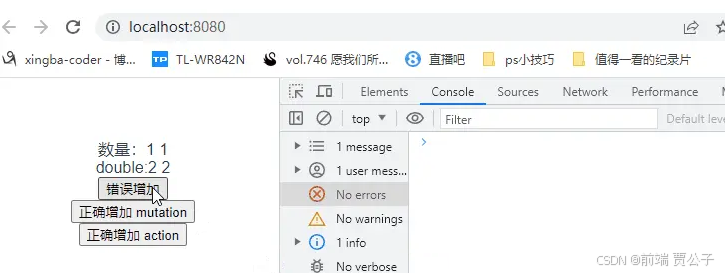
编写源码
实现获取state并响应式修改state
修改 App.vue 的引用,@/vuex 是需要编写的源码的文件夹
import { useStore } from "@/vuex"; // 之前是import { useStore } from "vuex";修改 store 的引用
import { createStore } from '@/vuex'在 src 目录下创建 vuex文件夹,里面添加 index.js
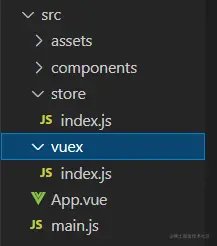
在 index.js 中添加 createStore 和 useStore 函数,createStore 用来创建 store,useStore 供页面调用
// vuex/index.js

class Store{
    constructor(options){
    }
}
// 创建 store,多例模式
export function createStore(options){
    return new Store(options)
}

// 使用 store
export function useStore(){}
createStore 创建出的store,在main.js 中 调用 use 方法
createApp(App).use(store)use 会调用 store 的 install 方法,将 store 安装到 Vue 上,所以 Store 类中还需要添加 install 方法
const storeKey = 'store' // 默认一个 store 名

class Store{
    constructor(options){
    }
    install(app,name){
        // app 是vue3暴露的对象
        // 在根组件上绑定了 store,子组件要用到 store
        // 根组件就需要 provide 出去,子组件 inject 接收
        app.provide(name || storeKey,this)
    }
}

// 创建 store
export function createStore(options){
    return new Store(options)
}
// 使用 store
export function useStore(name){
    // inject 去找父组件的 provide 的东西
    return inject(name!==undefined?name:storeKey)
}
此时在 App.vue 中打印的就是一个空对象
// App.vue
const store = useStore()
console.log(store);
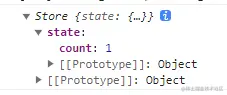
在 Store 类中绑定传进来的 state
constructor(options){ this.state = options.state }打印就是
App.vue 中添加如下模板
<template>
  数量:{{count}}  // 正常打印 1
  数量:{{$store.state.count}} // 报错了
  <br>
  <button @click="$store.state.count++">错误增加</button>
</template>

<script>
import { computed } from "vue";
import { useStore } from "@/vuex";
export default {
  name: 'App',
  setup(){
    const store = useStore()
    console.log(store);
    return {
      count:computed(() => store.state.count)
    }
  }
}
</script>
上面模板中的 {``{$store.state.count}} 会报错,是因为 $store 没有绑定到 this 上。vue3 中绑定到 this 可以用 app.config.globalProperties属性名
    // createApp(App).use(store,name)会调用store的install方法
    install(app,name){
        // app 是vue3暴露的对象
        app.provide(name || storeKey,this)
        app.config.globalProperties.$store = this
    }
}
store 绑定到 this 后就不会报错了
但此时点击 错误增加 的按钮没有任何效果,
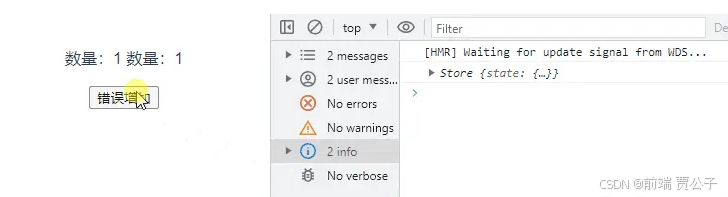
因为此时 store.state 并不是响应式的,需要增加响应式效果,vue3 为复杂数据提供了 reactive
class Store{
    constructor(options){
        // 这里给options.state加了一层,用 data 包裹是为了重新赋值的时候可以直接 this._store.data = 。。。 ,而不用再使用 reactive
        this._store = reactive({data:options.state})
        this.state = this._store.data
    }
    // createApp(App).use(store,name)会调用store的install方法
    install(app,name){
        // app 是vue3暴露的对象
        app.provide(name || storeKey,this)
        app.config.globalProperties.$store = this
    }
}
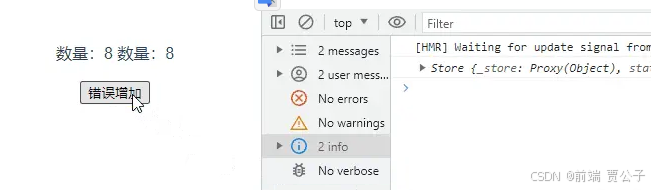
这时候 错误增加 的按钮就有效果了
实现getters
模板中是使用 getters 是以属性的方式:
// App.vue
数量:{{count}}
数量:{{$store.state.count}}
<br>
double:{{double}}
double:{{$store.getters.double}}
<br>
<button @click="$store.state.count++">错误增加</button>
在 store.js 中定义的getters 是由一个大对象里面包含多个函数组成
getters: {
    double(state){
      return state.count * 2
    }
},
在 store 中 double 是函数,返回的 state.count * 2的结果。 在模板中使用的是 $store.getters.double ,这个 double 是 getters 上的一个属性。所以这里需要进行转换
const forEachValue = function(obj,fn){
    return Object.keys(obj).forEach((key) =>{
        fn(obj[key],key)
    })
}

class Store{
    constructor(options){
        this._store = reactive({data:options.state})
        this.state = this._store.data
        this.getters = Object.create(null)
        forEachValue(options.getters,(fn,key) => {
            // 当模板解析 $store.getters.double 时,
            // 就去执行 options.getters里面对应属性的函数,并将函数结果赋予该属性
            Object.defineProperty(this.getters,key,{
                // vue3.2之前的vuex中不能使用计算属性 computed,导致每次访问的时候都会执行函数引发潜在性能问题
                // vue3.2修复了这个bug
                get:() => {
                    return fn(this.state)
                }
            })
        })
    }
    // createApp(App).use(store,name)会调用store的install方法
    install(app,name){
        // app 是vue3暴露的对象
        app.provide(name || storeKey,this)
        app.config.globalProperties.$store = this
    }
}
forEachValue 函数接收一个对象参数 obj 和一个处理函数参数 fn;里面会遍历对象,循环调用 fn;
这里遍历 options.getters ,响应式注册到 this.getters 上,这样当模板解析 $store.getters.double 时,就会执行对应的 fn
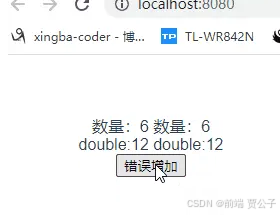
点击错误增加按钮,改变 $store.state.count 的值进而导致 getters 值的变化
实现 commit 和 dispatch
commit 和 dispatch 在组件中是这样使用的:
<template>
  <button @click="mutationsAdd">正确增加 mutation</button>
  <br>
  <button @click="actionAdd">正确增加 action</button>
</template>

<script>
import { useStore } from "@/vuex";
export default {
  name: 'App',
  setup(){
    const store = useStore()
    const mutationsAdd = () =>{
      store.commit('mutationsAdd',1)
    }
    const actionAdd = () =>{
      store.dispatch('actionAdd',1)
    }
    return {
      mutationsAdd,
      actionAdd,
    }
  }
}
</script>
store.js 中定义的是这样的:
mutations: {
    mutationsAdd(state,preload){
      state.count += preload
    }
},
actions:{
    // 异步调用
    actionAdd({commit},preload){
      setTimeout(() => {
        commit('mutationsAdd',preload)
      }, 1000);
    }
}
调用 mutation : store.commit(mutation类型,参数)
调用 action : store.dispatch(action类型,参数)
在 Store 类中实现 commit:
class Store{
    constructor(options){
        // 将 store.js 中定义的 mutations 传进来
        this._mutations = options.mutations
        this.commit = function(name,preload){
            if(this._mutations[name]!==undefined){
                // 根据传进来的类型,调用对应的方法
                this._mutations[name](this.state,preload)
            }
        }
    }
}
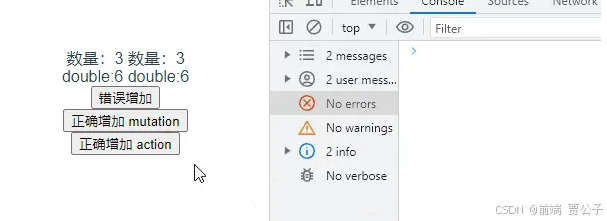
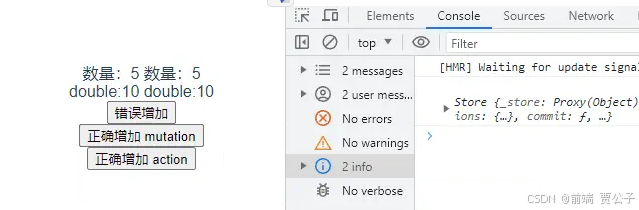
效果如下,数量每次增加 1
在 Store 类中实现 dispatch:
class Store{
    constructor(options){
        // 将 store.js 中定义的 actions 传进来
        this._actions = options.actions
        this.dispatch = function(name,preload){
            if(this._actions[name]!==undefined){
                // 根据传进来的类型,调用对应的方法
                let fn = this
                // dispatch 进来调用的是 actionAdd({commit},preload)
                this._actions[name].apply(fn,[fn].concat(preload))
            }
        }
    }
}
dispatch 调用的参数是({commit},preload),所以这里传进去需要是 (this,preload)
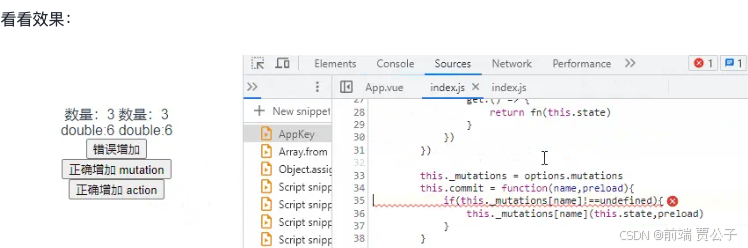
这里报了错,由 dispatch 触发 actions 正常,但 actions 触发 对应的 mutations 出错了,显示 this 是 undefined。那么这里就要修改下之前的 commit 实现了,先用一个变量将 Store 类实例的 this 保存起来
class Store{
    constructor(options){
        // 这里创建一个 store 变量保存 this 是方便之后嵌套函数里面访问当前 this
        let store = this

        this._mutations = options.mutations
        this.commit = function(name,preload){
            if(store._mutations[name]!==undefined){
                store._mutations[name](store.state,preload)
            }
        }

        this._actions = options.actions
        this.dispatch = function(name,preload){
            if(store._actions[name]!==undefined){
                store._actions[name].apply(store,[store].concat(preload))
            }
        }
    }
}
这样就可以了