一、背景:在中后台系统中有时需要实现合同打印(包含连接物理打印机、输出PDF等)
二、print-js安装
npm i print-js
三、代码实现
javascript
<template>
  <div class="print-container">
    <!-- 打印按钮 -->
    <a-button type="primary" @click="handlePrint">
      <PrinterOutlined />
      打印
    </a-button>

    <!-- 打印区域 - 只有这个区域的内容会被打印 -->
    <div id="printContent" class="print-area">
      <h2>员工信息表</h2>
      <!-- Antd表格组件 -->
      <a-table
        :dataSource="data"
        :columns="columns"
        :pagination="false"
        size="small"
      >
        <template #footer>共 {{ data.length }} 条记录</template>
      </a-table>
    </div>
  </div>
</template>

<script setup>
import { ref } from 'vue';
import { Button, Table } from 'ant-design-vue';
import { PrinterOutlined } from '@ant-design/icons-vue';
import printJS from 'print-js';

// 表格数据
const data = ref([
  { key: '1', name: '张三', age: 25, department: '技术部' },
  { key: '2', name: '李四', age: 30, department: '市场部' },
]);

// 表格列配置
const columns = ref([
  { title: '姓名', dataIndex: 'name' },
  { title: '年龄', dataIndex: 'age' },
  { title: '部门', dataIndex: 'department' }
]);

// 打印功能
const handlePrint = () => {
  printJS({
    printable: 'printContent',     // 指定要打印的DOM元素ID
    type: 'html',                  // 打印类型为HTML
    scanStyles: false,             // 关键:禁用样式扫描,使用组件内的@media print样式
  });
};
</script>

<style scoped>
/* 屏幕显示样式 */
.print-container {
  padding: 20px;
}

.print-area {
  margin-top: 20px;
  padding: 20px;
  border: 1px solid #d9d9d9;
  background: white;
}

/* 打印媒体查询 - 只在打印时生效 */
@media print {
  /* 隐藏打印按钮和其他非打印元素 */
  .print-container > button {
    display: none;
  }

  /* 打印页面整体设置 */
  body {
    margin: 10mm;                   /* 设置打印边距 */
    font-family: "Microsoft YaHei", sans-serif; /* 设置打印字体 */
  }

  /* 打印区域样式调整 */
  .print-area {
    margin: 0;                      /* 去除外边距 */
    padding: 0;                     /* 去除内边距 */
    border: none;                   /* 去除边框 */
  }

  /* 标题打印优化 */
  h2 {
    text-align: center;             /* 标题居中 */
    color: #000;                    /* 确保黑色打印 */
  }

  /* 深度选择器:影响Antd子组件样式 */
  :deep(.ant-table) {
    border: 1px solid #000;         /* 表格边框 */
  }

  :deep(.ant-table-thead > tr > th) {
    background: #f5f5f5 !important; /* 表头背景色 */
  }
}
</style>
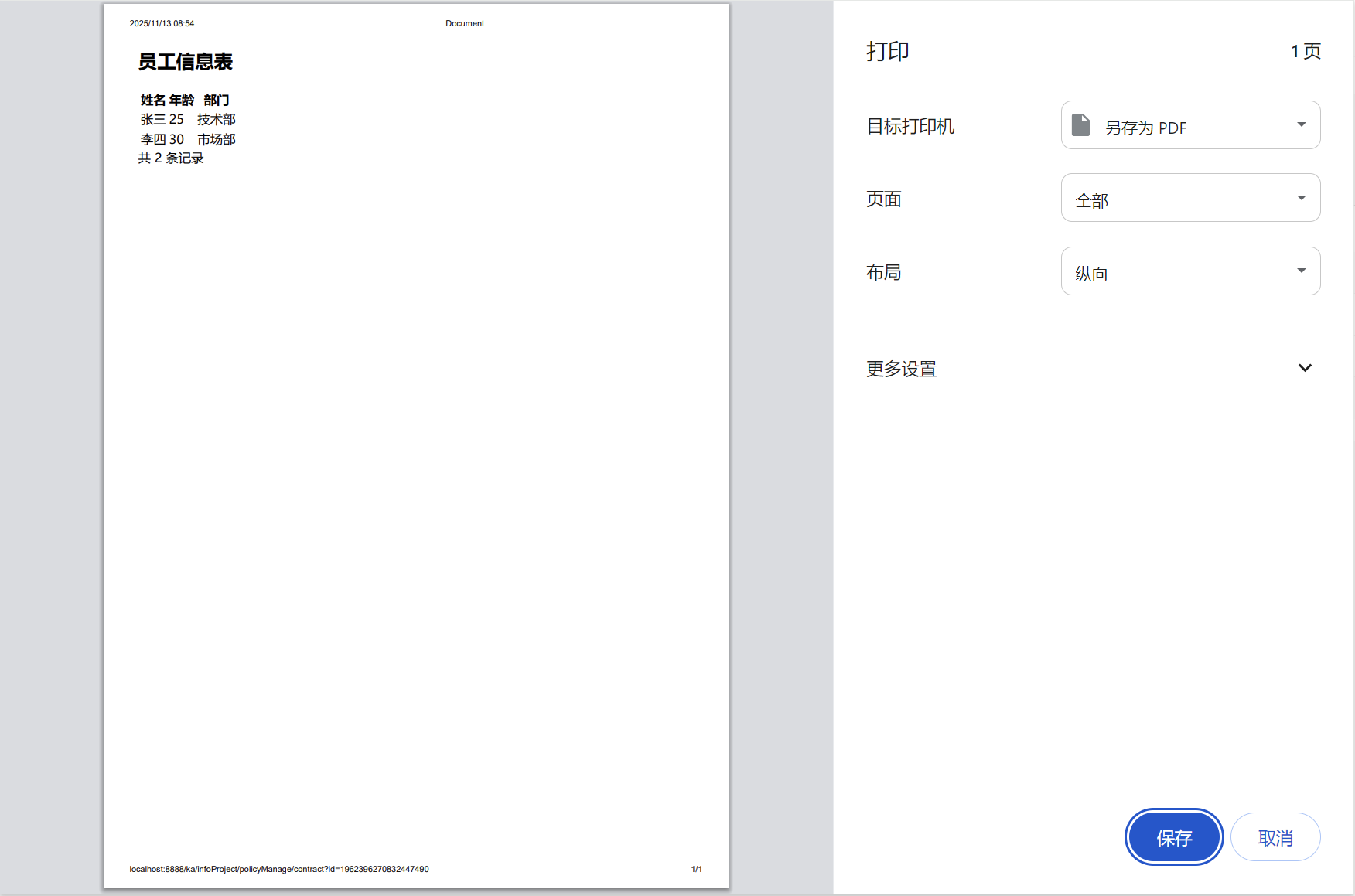
四、效果图