文章目录
-
-
- 第一章:环境准备
-
- [1.1 系统要求](#1.1 系统要求)
- [1.2 网络配置](#1.2 网络配置)
- [1.3 安全配置](#1.3 安全配置)
- [第二章:Packstack 安装前准备](#第二章:Packstack 安装前准备)
-
- [2.1 软件仓库配置](#2.1 软件仓库配置)
- [2.2 主机名解析配置](#2.2 主机名解析配置)
- [2.3 时间同步配置](#2.3 时间同步配置)
- [第三章:Packstack 安装配置](#第三章:Packstack 安装配置)
-
- [3.1 安装 Packstack 工具](#3.1 安装 Packstack 工具)
- [3.2 生成应答文件](#3.2 生成应答文件)
- [3.3 编辑应答文件](#3.3 编辑应答文件)
- [3.4 执行安装](#3.4 执行安装)
- 第四章:安装验证与后续配置
-
- [4.1 登录验证](#4.1 登录验证)
- [4.2 启用 network 服务](#4.2 启用 network 服务)
-
CentOS Stream 8 通过 Packstack 安装开源 OpenStack(Victoria版本)
第一章:环境准备
1.1 系统要求
| 主机名 | IP | 网关/DNS | CPU/内存 | 磁盘 | 角色 | 备注 |
|---|---|---|---|---|---|---|
| controller01 | 192.168.100.101 | 192.168.100.2 | 4C/8G | 100G | 控制/网络/计算节点 | 必须开启虚拟化引擎 |
| compute02 | 192.168.100.102 | 192.168.100.2 | 4C/8G | 100G | 计算节点 | 必须开启虚拟化引擎 |
1.2 网络配置
控制节点网络配置
bash
[root@controller01 ~]# cat /etc/sysconfig/network-scripts/ifcfg-ens160
TYPE=Ethernet
BOOTPROTO=none
NAME=ens160
DEVICE=ens160
ONBOOT=yes
IPADDR=192.168.100.101
NETMASK=255.255.255.0
GATEWAY=192.168.100.2
DNS1=192.168.100.2
计算节点网络配置
bash
[root@compute02 ~]# cat /etc/sysconfig/network-scripts/ifcfg-ens160
TYPE=Ethernet
BOOTPROTO=none
NAME=ens160
DEVICE=ens160
ONBOOT=yes
IPADDR=192.168.100.102
NETMASK=255.255.255.0
GATEWAY=192.168.100.2
DNS1=192.168.100.2
1.3 安全配置
控制节点安全配置
bash
# 关闭防火墙
[root@controller01 ~]# systemctl stop firewalld
[root@controller01 ~]# systemctl disable firewalld

# 关闭 Selinux
[root@controller01 ~]# setenforce 0
[root@controller01 ~]# sed -i 's/SELINUX=enforcing/SELINUX=disabled/g' /etc/selinux/config

# 关闭 NetworkManager
[root@controller01 ~]# systemctl stop NetworkManager
[root@controller01 ~]# systemctl disable NetworkManager
计算节点安全配置
bash
# 关闭防火墙
[root@compute02 ~]# systemctl stop firewalld
[root@compute02 ~]# systemctl disable firewalld

# 关闭 Selinux
[root@compute02 ~]# setenforce 0
[root@compute02 ~]# sed -i 's/SELINUX=enforcing/SELINUX=disabled/g' /etc/selinux/config

# 关闭 NetworkManager
[root@compute02 ~]# systemctl stop NetworkManager
[root@compute02 ~]# systemctl disable NetworkManager注意:CentOS 8 版本默认使用 NetworkManager 管理网络,NetworkManager 会和 OpenStack 网络组件产生冲突,从而导致告警或错误:
- Warning: NetworkManager is active on 192.168.100.101, 192.168.100.102. OpenStack networking currently does not work on systems that have the Network Manager service enabled.
- 翻译:警告:NetworkManager在192.168.100.101,192.168.100.102上处于活动状态。OpenStack组网目前不支持启用Network Manager服务的系统。
第二章:Packstack 安装前准备
2.1 软件仓库配置
控制节点仓库配置
bash
[root@controller01 ~]# mkdir /etc/yum.repos.d/bak
[root@controller01 ~]# mv /etc/yum.repos.d/*.repo /etc/yum.repos.d/bak/

# 配置 yum 源
cat <<EOF > /etc/yum.repos.d/cloudcs.repo

[highavailability]
name=CentOS Stream 8 - HighAvailability
baseurl=https://mirrors.aliyun.com/centos-vault/8-stream/HighAvailability/x86_64/os/
gpgcheck=0

[nfv]
name=CentOS Stream 8 - NFV
baseurl=https://mirrors.aliyun.com/centos-vault/8-stream/NFV/x86_64/os/
gpgcheck=0

[rt]
name=CentOS Stream 8 - RT
baseurl=https://mirrors.aliyun.com/centos-vault/8-stream/RT/x86_64/os/
gpgcheck=0

[resilientstorage]
name=CentOS Stream 8 - ResilientStorage
baseurl=https://mirrors.aliyun.com/centos-vault/8-stream/ResilientStorage/x86_64/os/
gpgcheck=0

[extras-common]
name=CentOS Stream 8 - Extras packages
baseurl=https://mirrors.aliyun.com/centos-vault/8-stream/extras/x86_64/extras-common/
gpgcheck=0

[extras]
name=CentOS Stream  - Extras
baseurl=https://mirrors.aliyun.com/centos-vault/8-stream/extras/x86_64/os/
gpgcheck=0

[centos-ceph-pacific]
name=CentOS - Ceph Pacific
baseurl=https://mirrors.aliyun.com/centos-vault/8-stream/storage/x86_64/ceph-pacific/
gpgcheck=0

[centos-rabbitmq-38]
name=CentOS-8 - RabbitMQ 38
baseurl=https://mirrors.aliyun.com/centos-vault/8-stream/messaging/x86_64/rabbitmq-38/
gpgcheck=0

[centos-nfv-openvswitch]
name=CentOS Stream 8 - NFV OpenvSwitch
baseurl=https://mirrors.aliyun.com/centos-vault/8-stream/nfv/x86_64/openvswitch-2/
gpgcheck=0


[centos-openstack-victoria]
name=CentOS 8 - OpenStack victoria
baseurl=https://mirrors.aliyun.com/centos-vault/8-stream/cloud/x86_64/openstack-victoria/
gpgcheck=0

[powertools]
name=CentOS Stream 8 - PowerTools
baseurl=https://mirrors.aliyun.com/centos-vault/8-stream/PowerTools/x86_64/os/
gpgcheck=0


[baseos]
name=CentOS Stream $releasever - BaseOS
baseurl=https://mirrors.aliyun.com/centos/8-stream/BaseOS/$basearch/os/
gpgcheck=1
gpgkey=file:///etc/pki/rpm-gpg/RPM-GPG-KEY-centosofficial
enabled=1

[appstream]
name=CentOS Stream $releasever - AppStream
baseurl=https://mirrors.aliyun.com/centos/8-stream/AppStream/$basearch/os/
gpgcheck=1
gpgkey=file:///etc/pki/rpm-gpg/RPM-GPG-KEY-centosofficial
enabled=1

[extras-common]
name=CentOS Stream $releasever - Extras
baseurl=https://mirrors.aliyun.com/centos/8-stream/extras/$basearch/os/
gpgcheck=1
gpgkey=file:///etc/pki/rpm-gpg/RPM-GPG-KEY-centosofficial
enabled=1

[centosplus]
name=CentOS Stream $releasever - Plus
baseurl=https://mirrors.aliyun.com/centos/8-stream/centosplus/$basearch/os/
gpgcheck=1
gpgkey=file:///etc/pki/rpm-gpg/RPM-GPG-KEY-centosofficial
enabled=0
EOF

# 验证仓库配置
[root@controller01 ~]# ls /etc/yum.repos.d/
bak  cloudcs.repo

[root@controller01 ~]# dnf clean all
[root@controller01 ~]# dnf makecache
[root@controller01 ~]# dnf repolist
计算节点仓库配置
bash
[root@compute02 ~]# mkdir /etc/yum.repos.d/bak
[root@compute02 ~]# mv /etc/yum.repos.d/*.repo /etc/yum.repos.d/bak/

# 从控制节点复制仓库配置
[root@compute02 ~]# scp controller01:/etc/yum.repos.d/cloudcs.repo /etc/yum.repos.d/

# 验证仓库配置
[root@compute02 ~]# dnf clean all
[root@compute02 ~]# dnf makecache
2.2 主机名解析配置
控制节点配置
bash
[root@controller01 ~]# echo '192.168.100.101 controller01' >> /etc/hosts
[root@controller01 ~]# echo '192.168.100.102 compute02' >> /etc/hosts
[root@controller01 ~]# cat /etc/hosts

# 安装基础包
[root@controller01 ~]# yum install -y vim net-tools bash-completion chrony.x86_64 centos-release-openstack-victoria.noarch
计算节点配置
bash
[root@compute02 ~]# echo '192.168.100.101 controller01' >> /etc/hosts
[root@compute02 ~]# echo '192.168.100.102 compute02' >> /etc/hosts
[root@compute02 ~]# cat /etc/hosts

# 安装基础包
[root@compute02 ~]# yum install -y vim net-tools bash-completion chrony.x86_64 centos-release-openstack-victoria.noarch
2.3 时间同步配置
注意:Linux 8 版本开始默认不再支持 ntpdate 工具,换用 chronyd 进行同步
控制节点时间同步配置
bash
[root@controller01 ~]# vim /etc/chrony.conf

# 修改内容如下:
#pool 2.centos.pool.ntp.org iburst  # 注释掉
pool ntp.aliyun.com iburst  # 添加
allow 192.168.100.0/24  # 用于允许指定网络段的设备通过NTP协议与本机时间服务器同步时间
计算节点时间同步配置
bash
[root@compute02 ~]# vim /etc/chrony.conf

# 修改内容如下:
#pool 2.centos.pool.ntp.org iburst   # 注释此行
pool controller01 iburst   # 添加此行
第三章:Packstack 安装配置
3.1 安装 Packstack 工具
bash
[root@controller01 ~]# yum install -y openstack-packstack3.2 生成应答文件
bash
[root@controller01 ~]# packstack -h |grep ans
  --gen-answer-file=GEN_ANSWER_FILE
                        Generate a template of an answer file.
  --validate-answer-file=VALIDATE_ANSWER_FILE
                        Check if answerfile contains unexpected options.
  --answer-file=ANSWER_FILE
                        answerfile will also be generated and should be used
  -o, --options         Print details on options available in answer file(rst
                        Packstack a second time with the same answer file and
                        attribute where "y" means an account is disabled.
    --manila-netapp-transport-type=MANILA_NETAPP_TRANSPORT_TYPE
                        The transport protocol used when communicating with

[root@controller01 ~]# packstack  --gen-answer-file=response.txt
Packstack changed given value  to required value /root/.ssh/id_rsa.pub
Additional information:
 * Parameter CONFIG_NEUTRON_L2_AGENT: You have chosen OVN Neutron backend. Note that this backend does not support the VPNaaS plugin. Geneve will be used as the encapsulation methodor tenant networks
[root@controller01 ~]# ll
total 56
-rw-------. 1 root root  1333 Nov 15 09:32 anaconda-ks.cfg
-rw-------  1 root root 51370 Nov 16 01:44 response.txt
3.3 编辑应答文件
重要提示 :注意设置参数
CONFIG_NEUTRON_OVN_BRIDGE_IFACES,OVN 会自动创建 br-ex 虚拟交换机并使 ens160 桥接到 br-ex 虚拟交换机上,未来云主机通过 br-ex 可以连通外部网络。
bash
[root@controller01 ~]# vim response.txt

# 修改以下参数内容:
CONFIG_COMPUTE_HOSTS=192.168.100.101,192.168.100.102
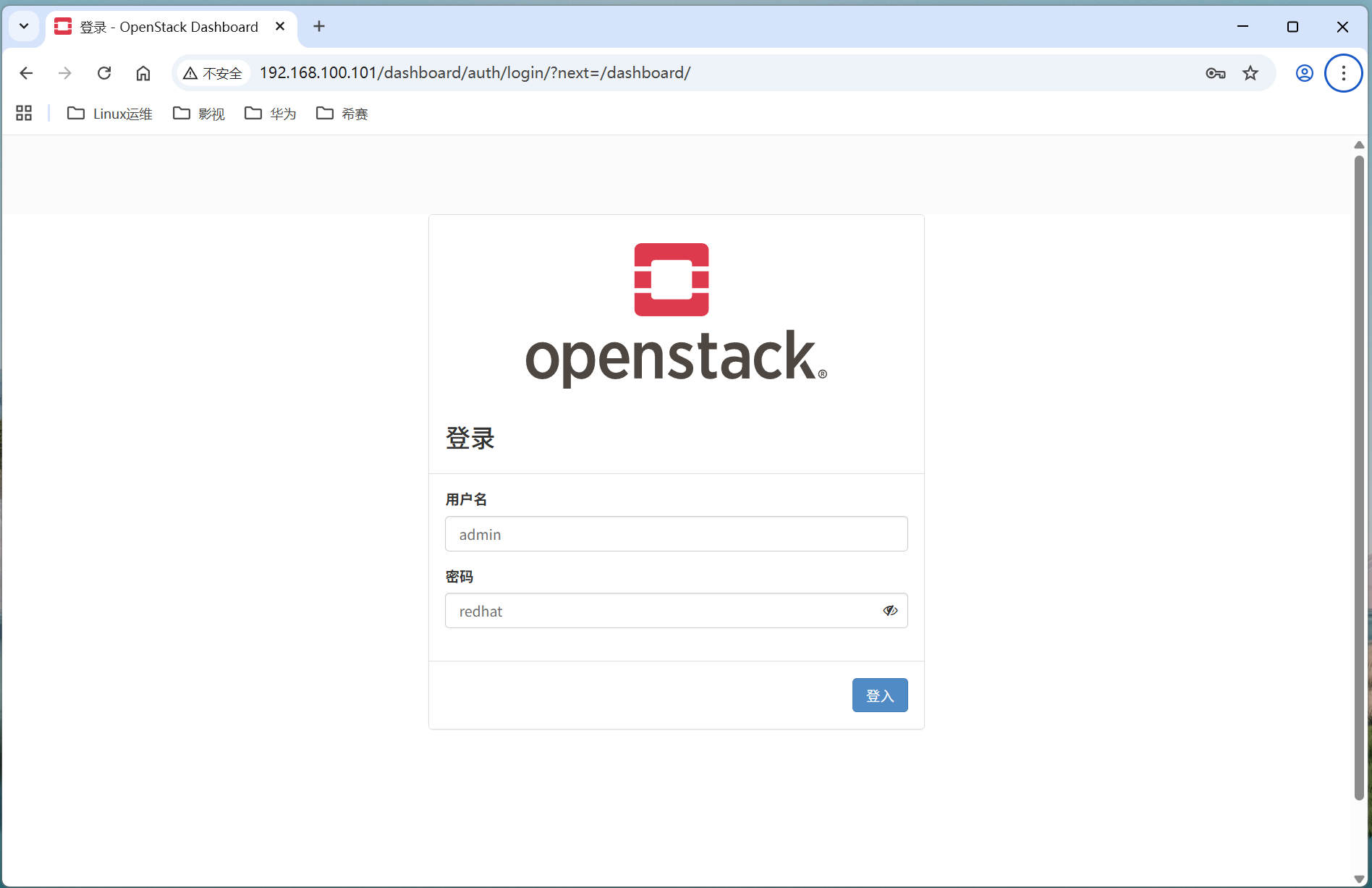
CONFIG_KEYSTONE_ADMIN_PW=redhat  # 此处是登录openstack网页后密码,用户是admin
CONFIG_PROVISION_DEMO=n
CONFIG_HEAT_INSTALL=y
CONFIG_NEUTRON_OVN_BRIDGE_IFACES=br-ex:ens160
3.4 执行安装
bash
[root@controller01 ~]# packstack --answer-file=response.txt
Welcome to the Packstack setup utility

The installation log file is available at: /var/tmp/packstack/20251116-022910-zp8yiya3/openstack-setup.log

Installing:
Clean Up                                             [ DONE ]
Discovering ip protocol version                      [ DONE ]
Setting up ssh keys                                  [ DONE ]
Preparing servers                                    [ DONE ]
Pre installing Puppet and discovering hosts' details [ DONE ]
Preparing pre-install entries                        [ DONE ]
Setting up CACERT                                    [ DONE ]
Preparing AMQP entries                               [ DONE ]
Preparing MariaDB entries                            [ DONE ]
Fixing Keystone LDAP config parameters to be undef if empty[ DONE ]
Preparing Keystone entries                           [ DONE ]
Preparing Glance entries                             [ DONE ]
Checking if the Cinder server has a cinder-volumes vg[ DONE ]
Preparing Cinder entries                             [ DONE ]
Preparing Nova API entries                           [ DONE ]
Creating ssh keys for Nova migration                 [ DONE ]
Gathering ssh host keys for Nova migration           [ DONE ]
Preparing Nova Compute entries                       [ DONE ]
Preparing Nova Scheduler entries                     [ DONE ]
Preparing Nova VNC Proxy entries                     [ DONE ]
Preparing OpenStack Network-related Nova entries     [ DONE ]
Preparing Nova Common entries                        [ DONE ]
Preparing Neutron API entries                        [ DONE ]
Preparing Neutron L3 entries                         [ DONE ]
Preparing Neutron L2 Agent entries                   [ DONE ]
Preparing Neutron DHCP Agent entries                 [ DONE ]
Preparing Neutron Metering Agent entries             [ DONE ]
Checking if NetworkManager is enabled and running    [ DONE ]
Preparing OpenStack Client entries                   [ DONE ]
Preparing Horizon entries                            [ DONE ]
Preparing Swift builder entries                      [ DONE ]
Preparing Swift proxy entries                        [ DONE ]
Preparing Swift storage entries                      [ DONE ]
Preparing Heat entries                               [ DONE ]
Preparing Heat CloudFormation API entries            [ DONE ]
Preparing Gnocchi entries                            [ DONE ]
Preparing Redis entries                              [ DONE ]
Preparing Ceilometer entries                         [ DONE ]
Preparing Aodh entries                               [ DONE ]
Preparing Puppet manifests                           [ DONE ]
Copying Puppet modules and manifests                 [ DONE ]
Applying 192.168.100.101_controller.pp
192.168.100.101_controller.pp:                       [ DONE ]
Applying 192.168.100.101_network.pp
192.168.100.101_network.pp:                          [ DONE ]
Applying 192.168.100.101_compute.pp
Applying 192.168.100.102_compute.pp
192.168.100.102_compute.pp:                          [ DONE ]
192.168.100.101_compute.pp:                          [ DONE ]
Applying Puppet manifests                            [ DONE ]
Finalizing                                           [ DONE ]

 **** Installation completed successfully ******

Additional information:
 * Parameter CONFIG_NEUTRON_L2_AGENT: You have chosen OVN Neutron backend. Note that this backend does not support the VPNaaS plugin. Geneve will be used as the encapsulation methodor tenant networks
 * Time synchronization installation was skipped. Please note that unsynchronized time on server instances might be problem for some OpenStack components.
 * Warning: NetworkManager is active on 192.168.100.101, 192.168.100.102. OpenStack networking currently does not work on systems that have the Network Manager service enabled.
 * File /root/keystonerc_admin has been created on OpenStack client host 192.168.100.101. To use the command line tools you need to source the file.
 * To access the OpenStack Dashboard browse to http://192.168.100.101/dashboard .
Please, find your login credentials stored in the keystonerc_admin in your home directory.
 * The installation log file is available at: /var/tmp/packstack/20251116-022910-zp8yiya3/openstack-setup.log
 * The generated manifests are available at: /var/tmp/packstack/20251116-022910-zp8yiya3/manifests
[root@controller01 ~]#
第四章:安装验证与后续配置
4.1 登录验证

4.2 启用 network 服务
说明:因关闭 NetworkManager 服务,会导致节点重启后网络无法自动启用,也会导致 OpenStack 组件异常,所以启用 network 来替代 NetworkManager 服务。
控制节点启用 network
bash
[root@controller01 ~]# systemctl start network
[root@controller01 ~]# systemctl enable network
计算节点启用 network
bash
[root@compute02 ~]# systemctl start network
[root@compute02 ~]# systemctl enable network

[root@compute02 ~]# systemctl status network
● network.service - LSB: Bring up/down networking
   Loaded: loaded (/etc/rc.d/init.d/network; generated)
   Active: active (exited) since Sun 2025-11-16 02:44:42 EST; 14s ago
     Docs: man:systemd-sysv-generator(8)
    Tasks: 0 (limit: 49262)
   Memory: 0B
   CGroup: /system.slice/network.service