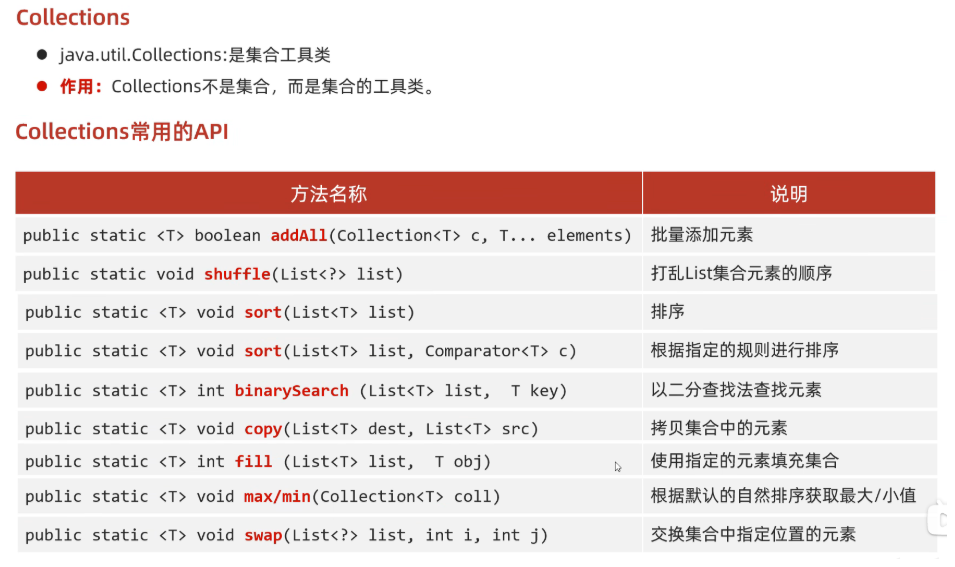
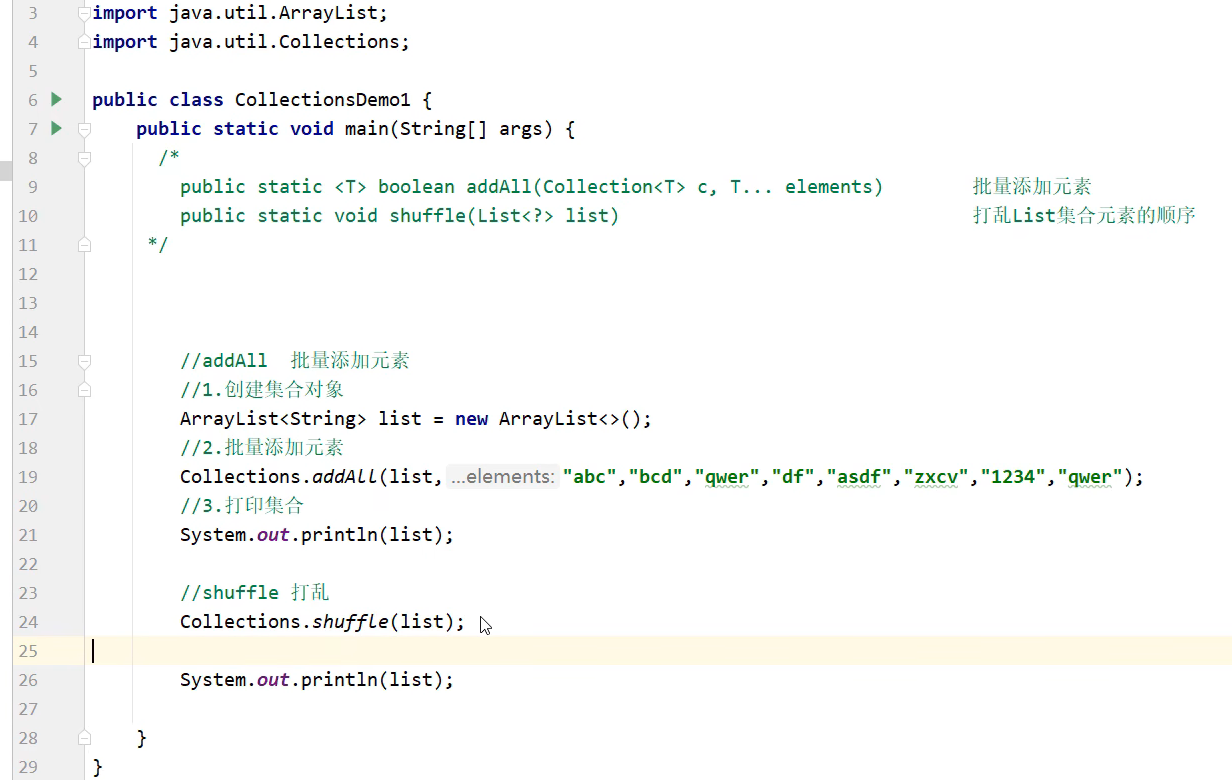
B站:【黑马程序员Java零基础视频教程_上部(Java入门,含斯坦福大学练习题+力扣算法题和大厂java面试题)】https://www.bilibili.com/video/BV17F411T7Ao?vd_source=902cae974409091c868112996a85ad70
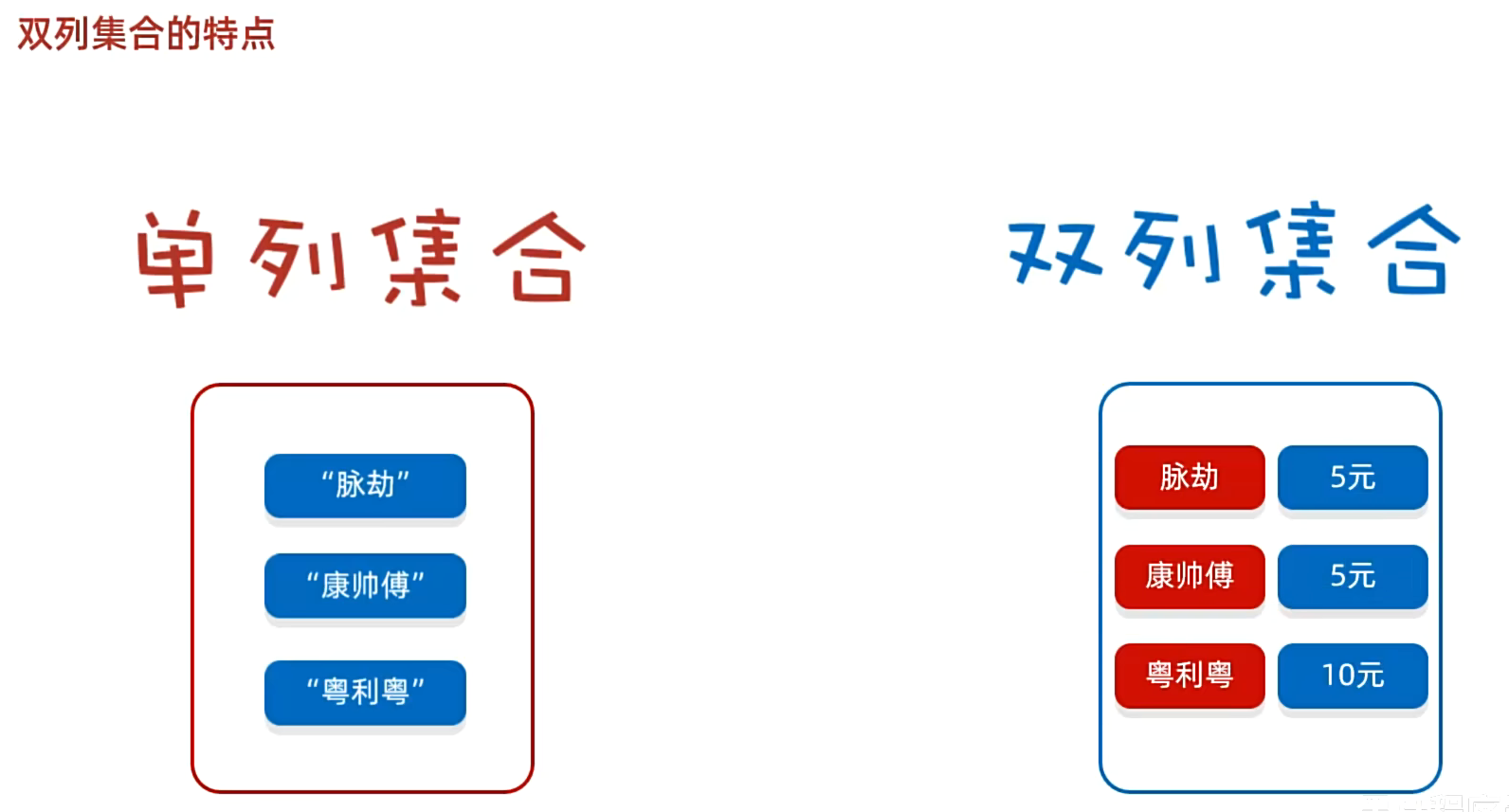
一. 双列集合
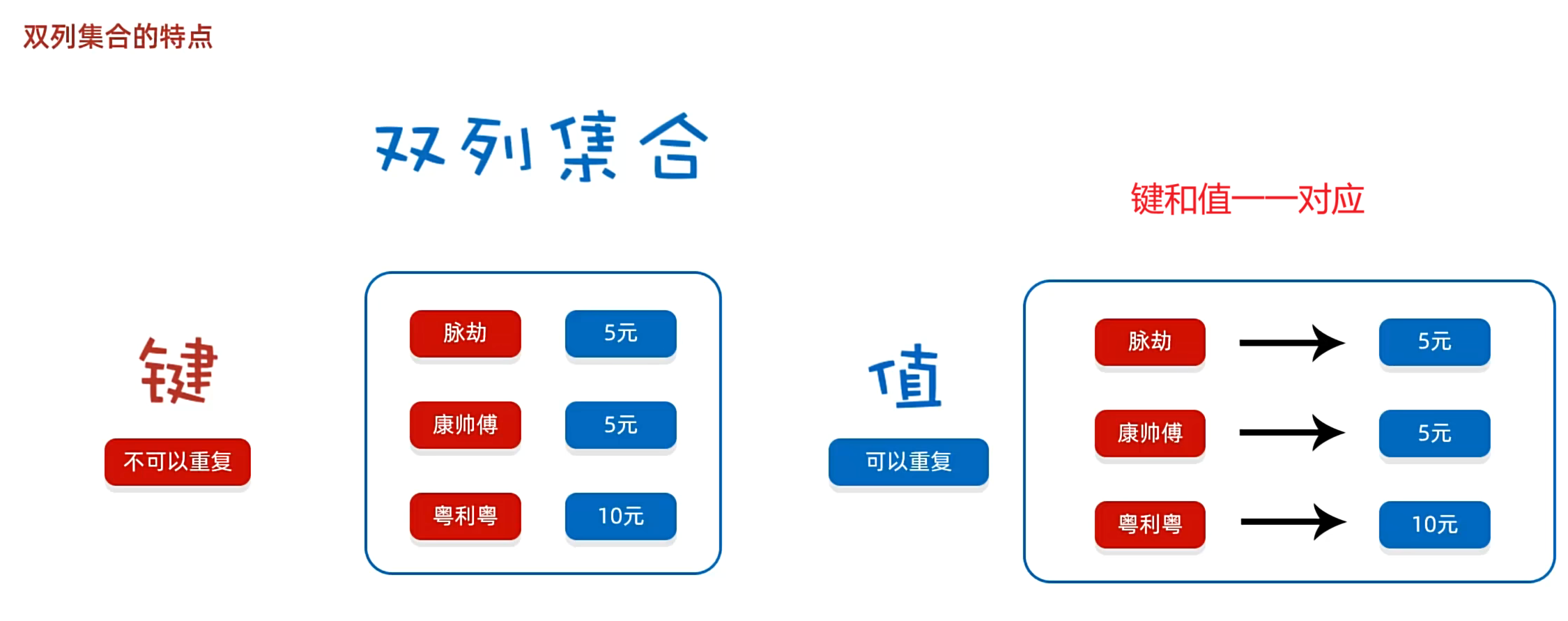
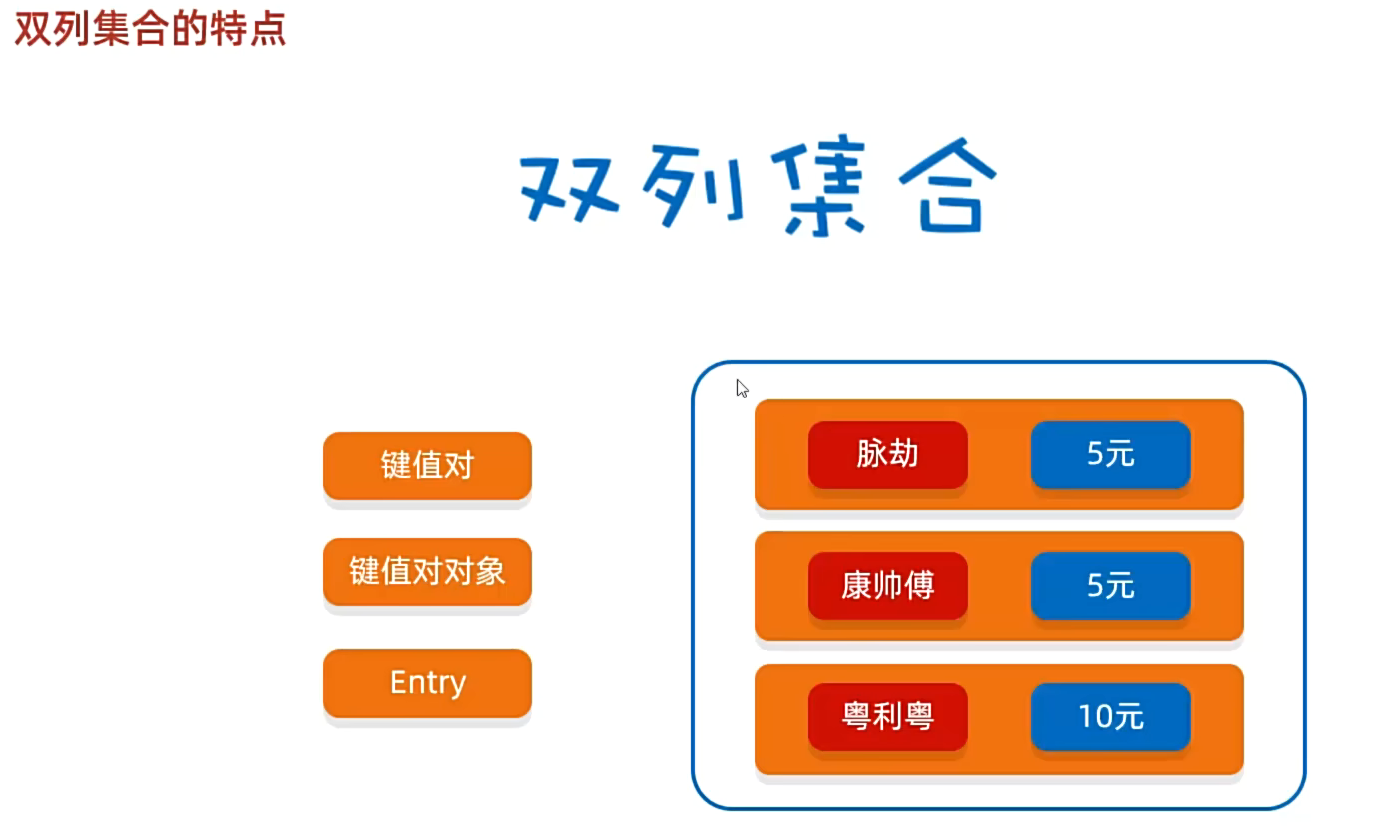
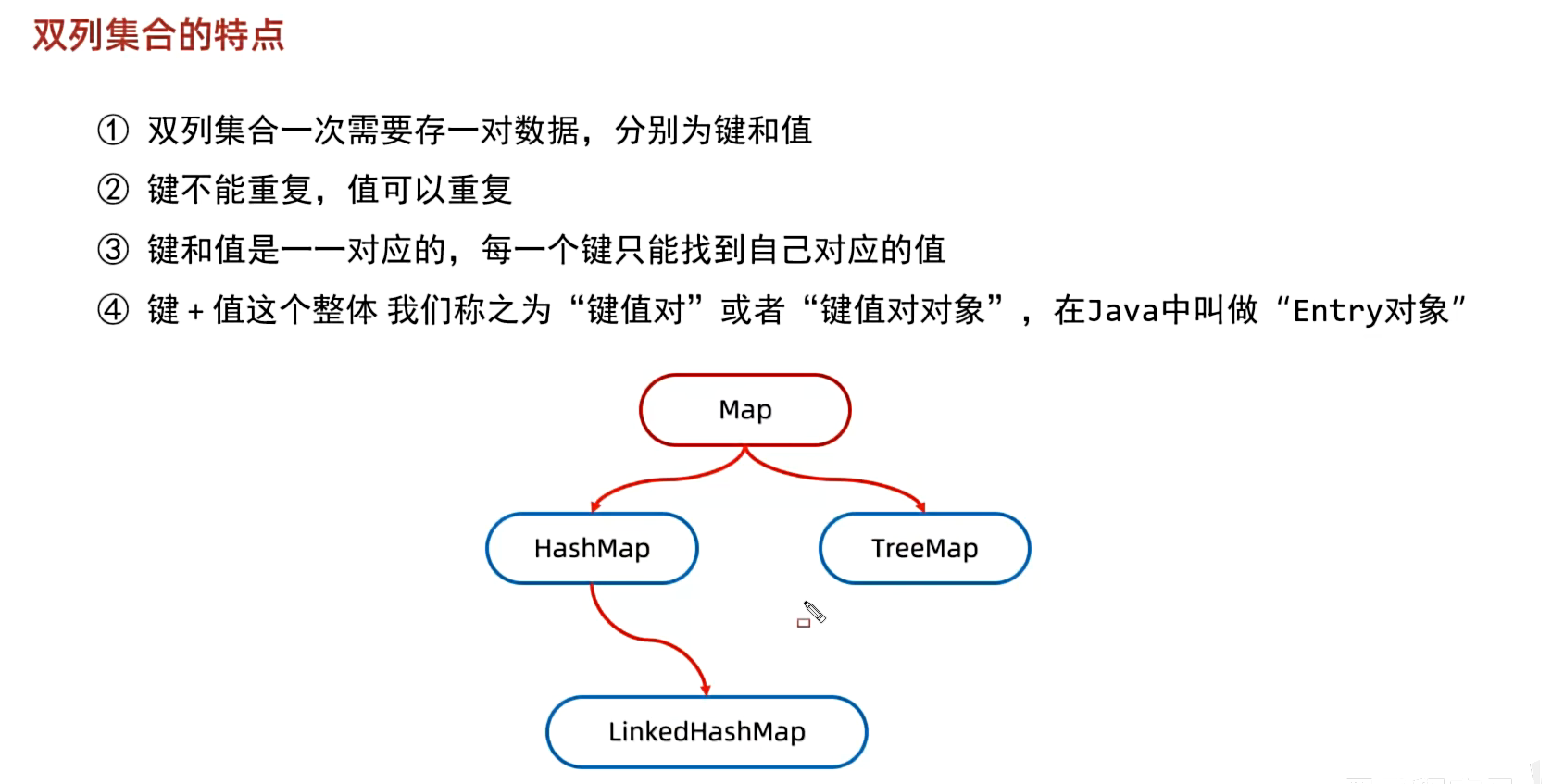
1. 双列集合的特点
2. Map
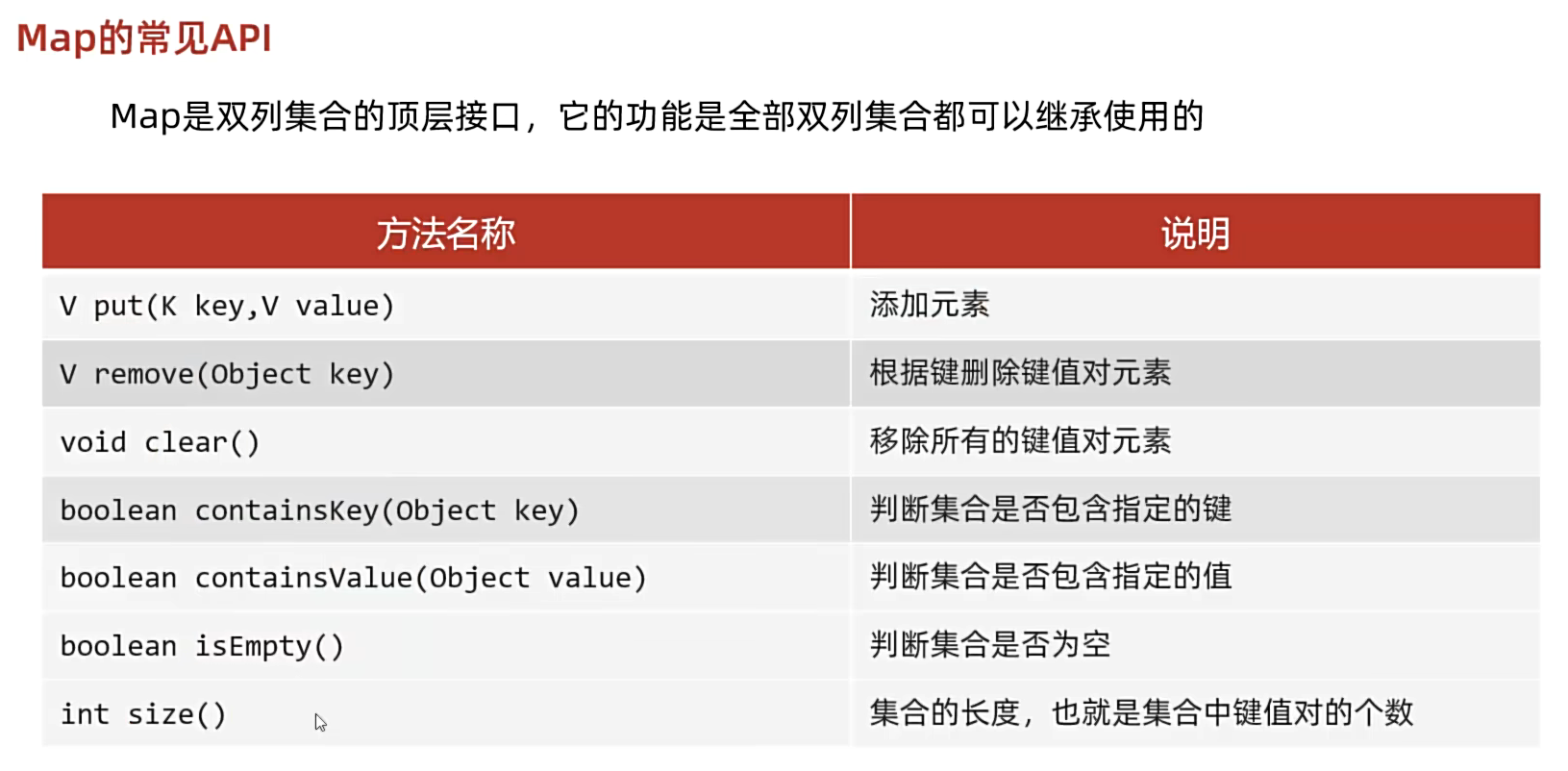
2.1 Map的常见 API
java
package pracitce2.daily.test1;

import java.util.HashMap;
import java.util.Map;

public class MapDemo1 {
    public static void main(String[] args) {
        /*
         * V put(K key,V value)                 添加元素
         * remove(Object key)                   根据键删除键值对元素
         * void clear()                         移除所有的键值对元素
         * boolean containsKey(Object key)      判断集合是否包含指定的键
         * boolean containsValue(Object value)  判断集合是否包含指定的值
         * boolean isEmpty()                    判断集合是否为空
         * int size()                           集合的长度,也就是集合中键值对的个数
         * */

        //1. 创建Map集合的对象
        Map<String, String> m = new HashMap<>();

        //2.添加元素
        //put方法的细节:
        //添加/覆盖
        //在添加数据的时候,如果键不存在,那么直接把键值对对象添加到map集合当中,方法返回null
        //在添加数据的时候,如果键存在,那么会把原有的键值对对象覆盖,会把被覆盖的值进行返回
        String value1 = m.put("郭靖", "黄蓉");//null
        System.out.println(value1);
        m.put("韦小宝", "沐剑英");
        m.put("尹志平", "小龙女");
        String value2 = m.put("韦小宝", "双儿");
        System.out.println(value2);//沐剑英

        //删除
        //String result = m.remove("郭靖");
        //System.out.println(result);//黄蓉

        //清空
        //m.clear();//{}

        //判断是否包含
        //boolean keyResult = m.containsKey("郭靖");
        //System.out.println(keyResult);//true

        //boolean valueResult = m.containsValue("小明");
        //System.out.println(valueResult);//false

        //判断是否为空
        boolean result = m.isEmpty();
        System.out.println(result);//false

        //集合长度
        int size = m.size();
        System.out.println(size);//3

        //3.打印集合
        System.out.println(m);//{韦小宝=双儿, 尹志平=小龙女, 郭靖=黄蓉}
    }
}
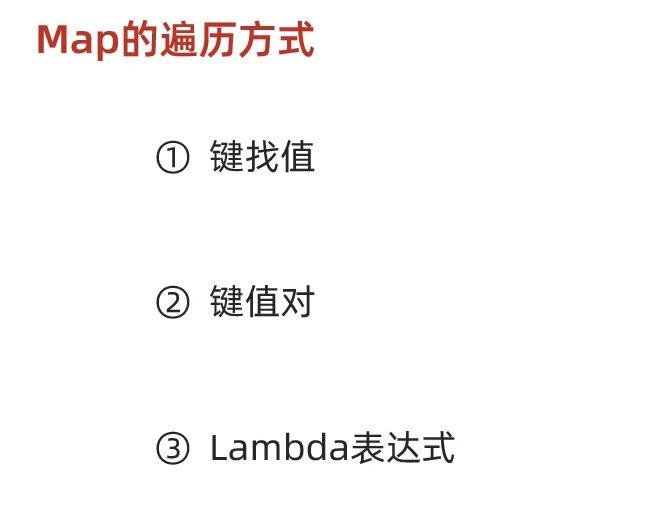
2.2 Map 的遍历方式
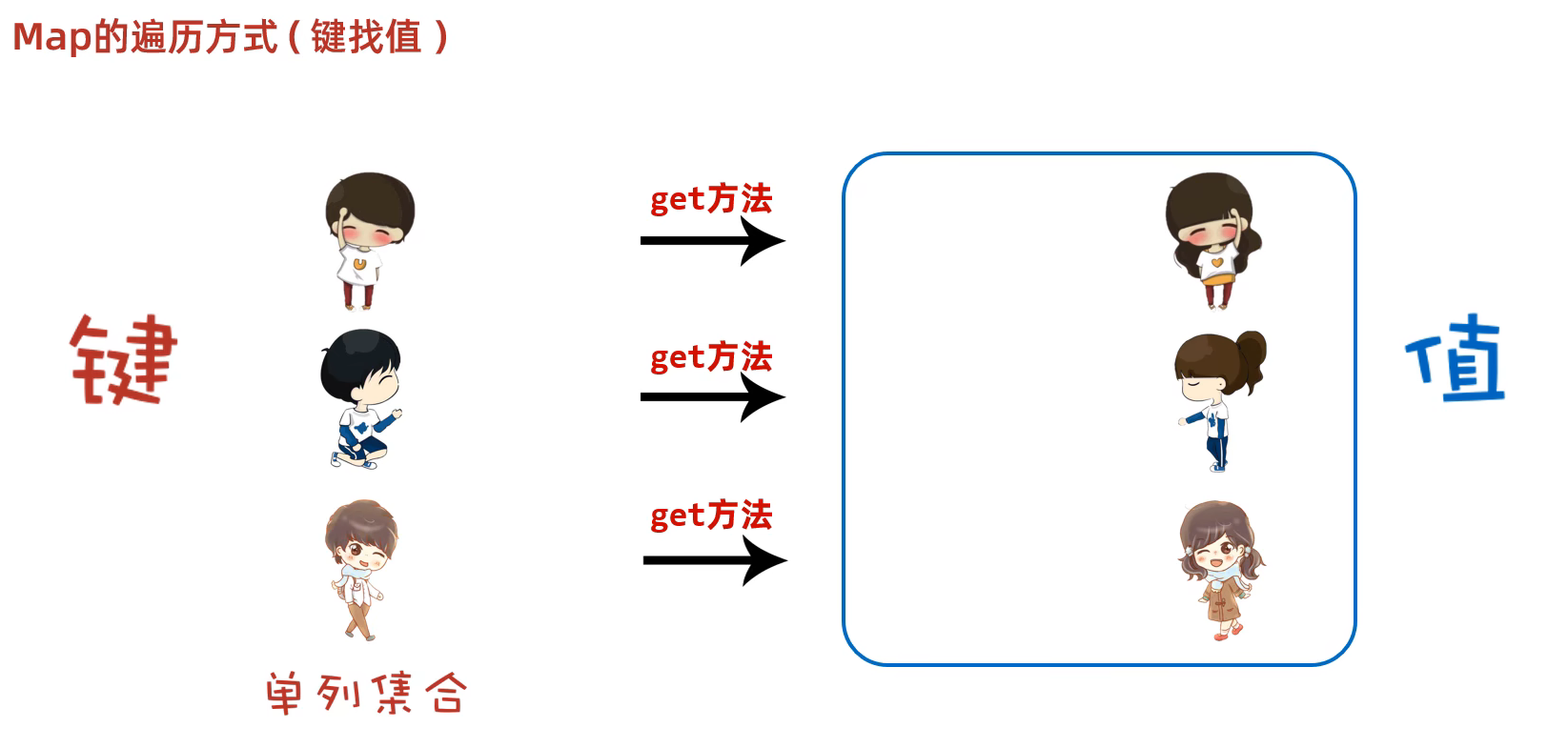
键找值:
键不可以重复,值可以重复
java
package pracitce2.daily.test1;

import java.util.HashMap;
import java.util.Iterator;
import java.util.Map;
import java.util.Set;


public class MapDemo2 {
    public static void main(String[] args) {
        //Map集合的第一种遍历方式:键找值

        //1.创建Mao集合的对象
        Map<String, String> map = new HashMap<>();

        //2.添加元素
        map.put("郭靖", "黄蓉");
        map.put("韦小宝", "沐剑英");
        map.put("尹志平", "小龙女");

        //3.通过键找值

        //3.1 获取所有的键,把这些键放到一个单列集合当中
        Set<String> keys = map.keySet();
        //3.2 遍历单列集合,得到每一个键
        //增强for循环遍历
        /*for (String key : keys) {
            //System.out.println(key);
            //3.3 利用ma集合中的键获取对应的值,用get方法
            String values = map.get(key);
            System.out.println(key + " = " + values);
        }*/
        //迭代器遍历
        /*Iterator<String> it = keys.iterator();
        while(it.hasNext()){
            String key = it.next();
            String values = map.get(key);
            System.out.println(key + " = " + values);
        }*/
        //lambda表达式遍历
        keys.forEach(key -> System.out.println(key + " = " + map.get(key)));
    }
}
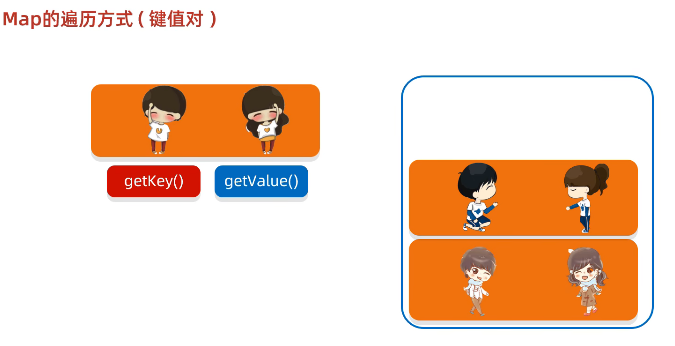
键值对:
java
package pracitce2.daily.test1;

import java.util.HashMap;
import java.util.Iterator;
import java.util.Map;
import java.util.Set;

public class MapDemo3 {
    public static void main(String[] args) {
        //Map集合的第二种遍历方式:键值对

        //1.创建Map集合的对象
        Map<String, String> map = new HashMap<>();

        //2.添加元素
        map.put("郭靖", "黄蓉");
        map.put("韦小宝", "沐剑英");
        map.put("尹志平", "小龙女");

        //3.键值对
        //3.1 通过一个方法获取所有的键值对对象,返回一个Set集合
        Set<Map.Entry<String, String>> entries = map.entrySet();
        //3.2 遍历entries这个集合,得到里面每一个键值对对象
        //增强for循环遍历
        /*for (Map.Entry<String, String> entry : entries) {
            //System.out.println(entry);
            //3.3 利用entry调用get方法获取键和值
            String key = entry.getKey();
            String value = entry.getValue();
            System.out.println(key + " = " + value);
        }*/
        //迭代器遍历
        /*Iterator<Map.Entry<String, String>> it = entries.iterator();
        while (it.hasNext()) {
            Map.Entry<String, String> next = it.next();
            String key = next.getKey();
            String value = next.getValue();
            System.out.println(key + " = " + value);
        }*/
        //lambda表达式遍历
        entries.forEach(entry -> System.out.println(entry.getKey() + " = " + entry.getValue()));
    }
}
Lambda表达式:

java
package pracitce2.daily.test1;

import java.util.HashMap;
import java.util.Map;
import java.util.function.BiConsumer;

public class MapDemo4 {
    public static void main(String[] args) {
        //Map集合的第三种遍历方式:Lambda表达式

        //1.创建Map集合的对象
        Map<String, String> map = new HashMap<>();

        //2.添加元素
        map.put("1001", "张三");
        map.put("1002", "李四");
        map.put("1003", "王五");

        //3.利用lambda表达式进行遍历
        //匿名内部类
        /*map.forEach(new BiConsumer<String, String>() {
            @Override
            public void accept(String key, String value) {
                System.out.println(key + " = " + value);
            }
        });*/
        //将匿名内部类改写为lambda的方式
        map.forEach((key, value) -> System.out.println(key + " = " + value));
    }
}
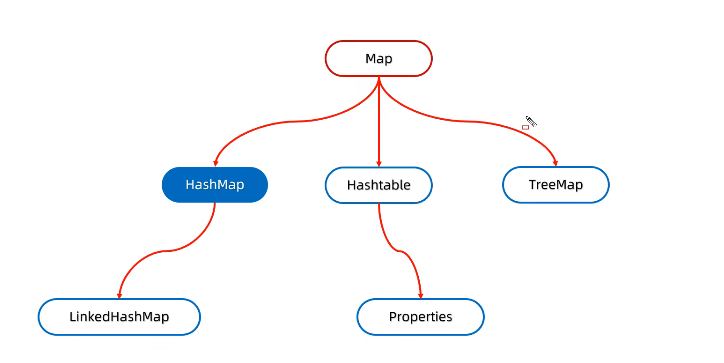
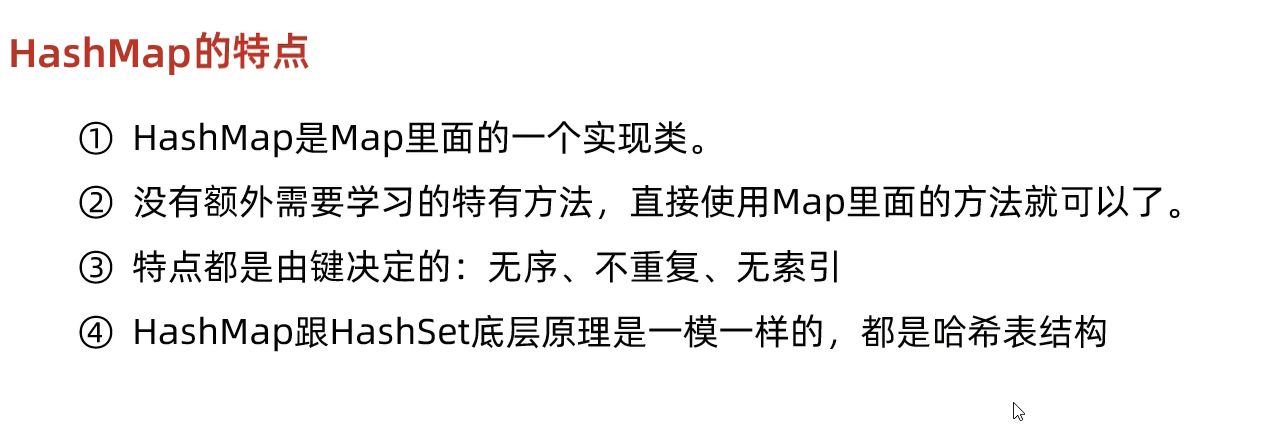
二. HashMap
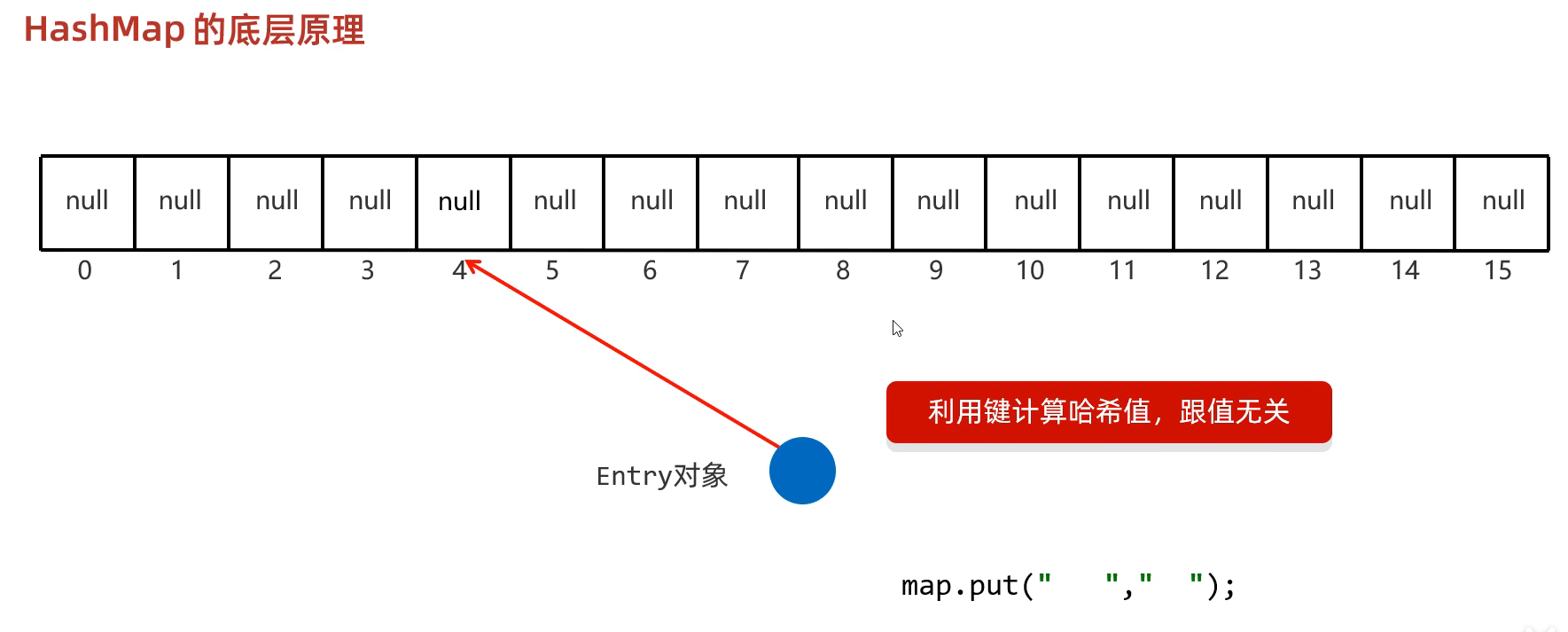
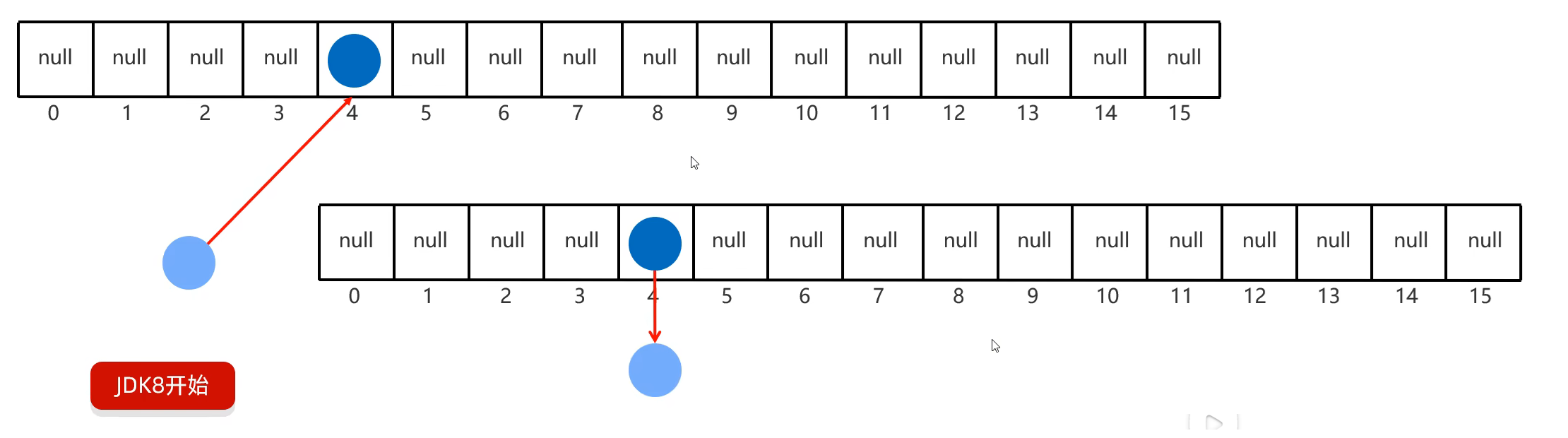
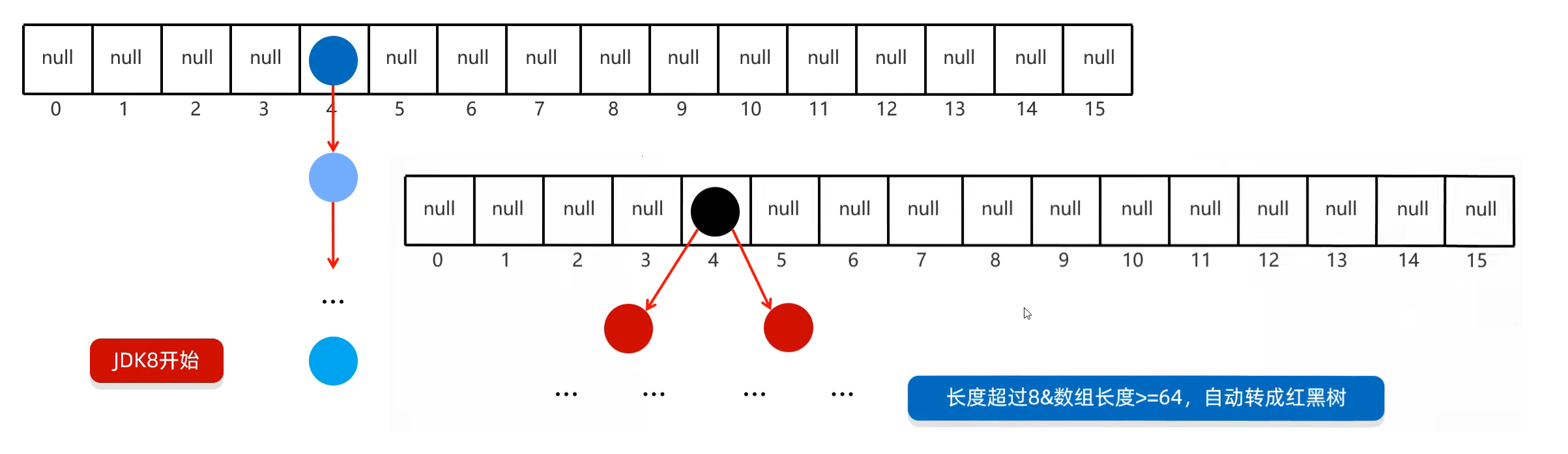
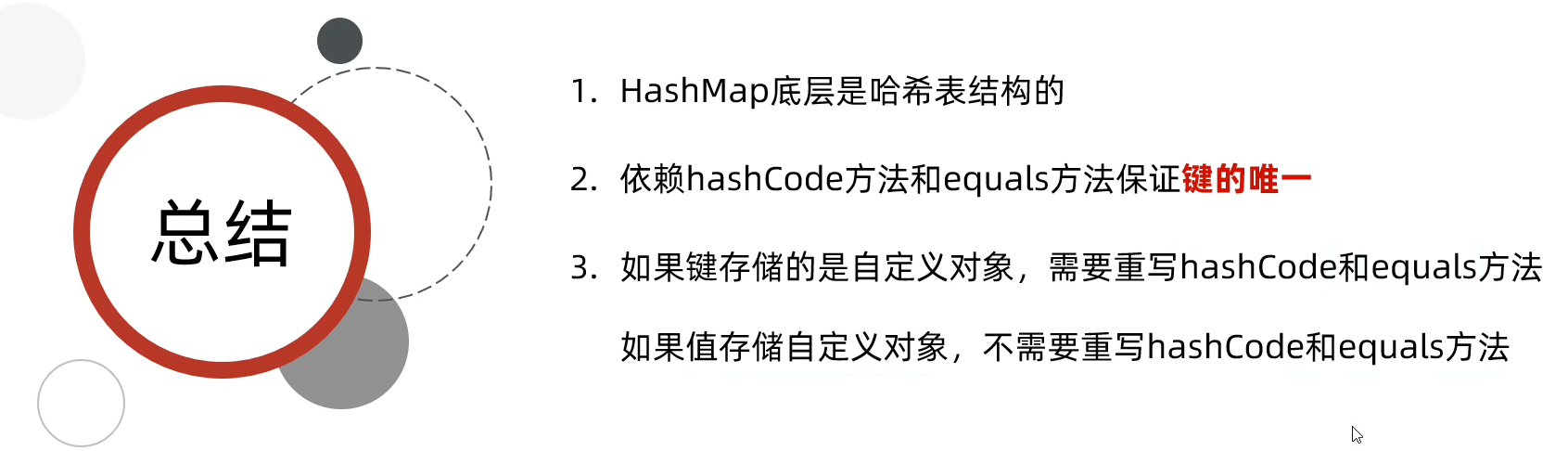
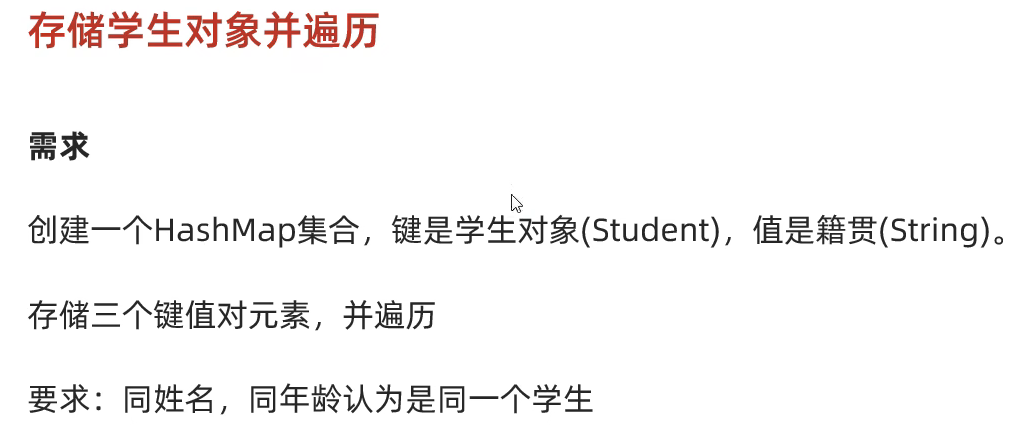
练习一:
java
package pracitce2.daily.test1;

import java.util.HashMap;
import java.util.Map;
import java.util.Set;

public class HashMapDemo1 {
    public static void main(String[] args) {
        //核心点;
        //HashMapde的键位置如果存储的是自定义对象,需要重写hashCode和equals方法

        //1.创建HashMap对象
        HashMap<Student, String> hm = new HashMap<>();

        //2.创建三个学生对象
        Student s1 = new Student("zhangsan", 23);
        Student s2 = new Student("lisi", 24);
        Student s3 = new Student("wangwu", 25);
        Student s4 = new Student("wangwu", 25);

        //3.添加元素
        hm.put(s1, "北京");
        hm.put(s2, "上海");
        hm.put(s3, "广州");
        hm.put(s4, "山东");

        //4.遍历集合
        //键找值
        Set<Student> keys = hm.keySet();
        for (Student key : keys) {
            String value = hm.get(key);
            System.out.println(key + " = " + value);
        }

        System.out.println("-----------------------------------------");

        //键值对
        Set<Map.Entry<Student, String>> entries = hm.entrySet();
        for (Map.Entry<Student, String> entry : entries) {
            Student key = entry.getKey();
            String value = entry.getValue();
            System.out.println(key + " = " + value);
        }

        System.out.println("-----------------------------------------");

        //Lambda表达式
        hm.forEach((key, value) -> System.out.println(key + " = " + value));
    }
}
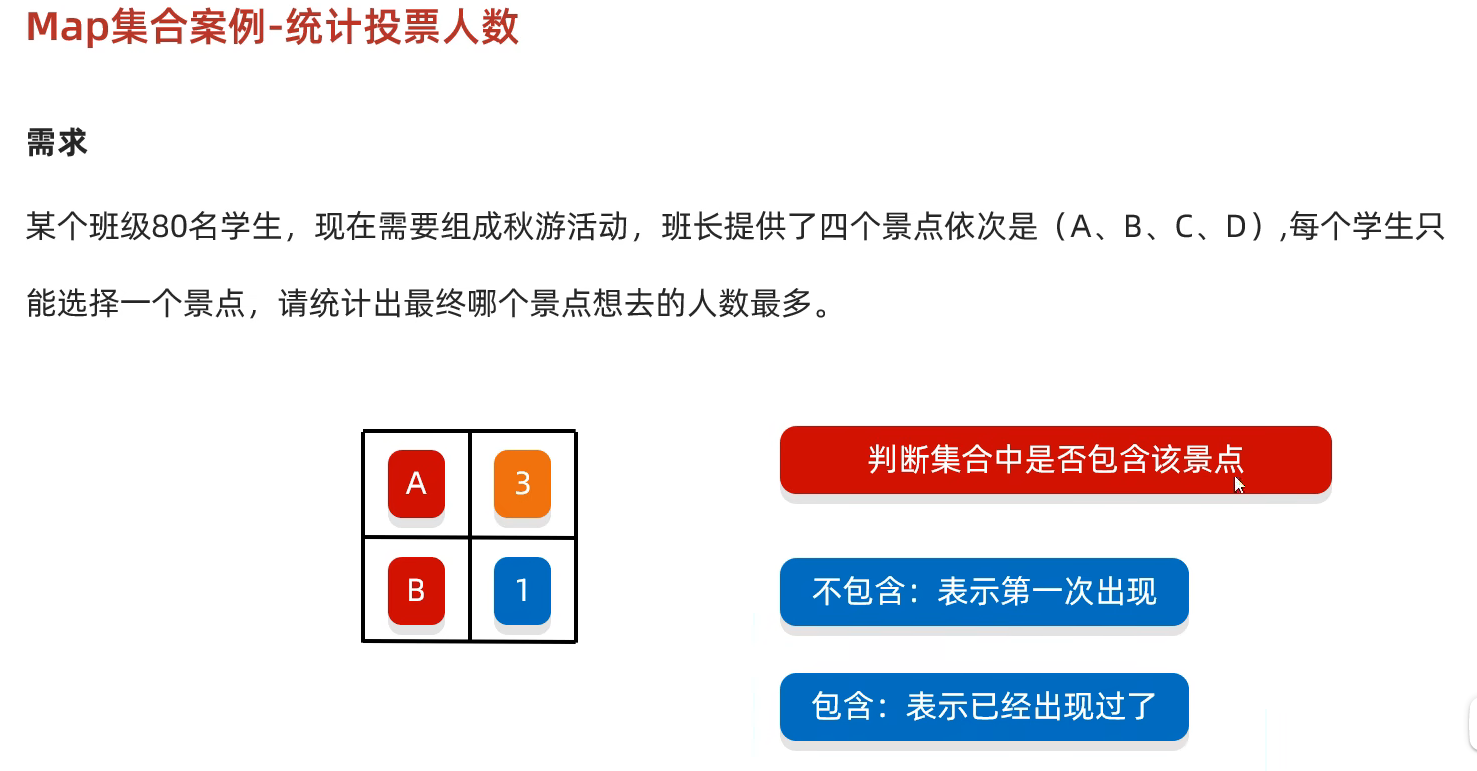
练习二:
java
package pracitce2.daily.test1;

import java.util.*;

public class HashMapDemo2 {
    public static void main(String[] args) {
        //1.先让同学们投票
        //定义一个数组,存储4个景点
        String[] arr = {"A", "B", "C", "D"};

        //利用随机数模拟80个同学的投票,并把投票结果存储起来
        ArrayList<String> list = new ArrayList<>();
        Random r = new Random();
        for (int i = 0; i < 80; i++) {
            int index = r.nextInt(arr.length);
            list.add(arr[index]);
        }
        //System.out.println(list);

        //2.利用集合进行统计
        //如果要统计的东西比较多,不方便使用计数器思想,就可以定义map集合,利用集合进行统计
        HashMap<String, Integer> hm = new HashMap<>();

        for (String name : list) {
            //判断当前景点在map集合中是否存在
            if (hm.containsKey(name)) {
                //存在
                //获取当前景点已经被投票的次数
                int count = hm.get(name);
                //次数加1,表示当前景点又被投了一次
                count++;
                //把新的次数再次添加到集合中
                hm.put(name, count);
            } else {
                //不存在
                //添加至map集合
                hm.put(name, 1);
            }
        }
        System.out.println(hm);

        //3.求最大值
        //遍历集合
        int max = 0;
        Set<Map.Entry<String, Integer>> entries = hm.entrySet();
        for (Map.Entry<String, Integer> entry : entries) {
            int count = entry.getValue();
            //max = count > max ? count : max;
            if (count > max) {
                max = count;
            }
        }
        System.out.println(max);

        //4.判断哪个景点的次数跟最大值一样,如果一样,就打印
        for (Map.Entry<String, Integer> entry : entries) {
            int count = entry.getValue();
            //max = count > max ? count : max;
            if (count == max) {
                System.out.println(entry.getKey());
            }
        }
    }
}
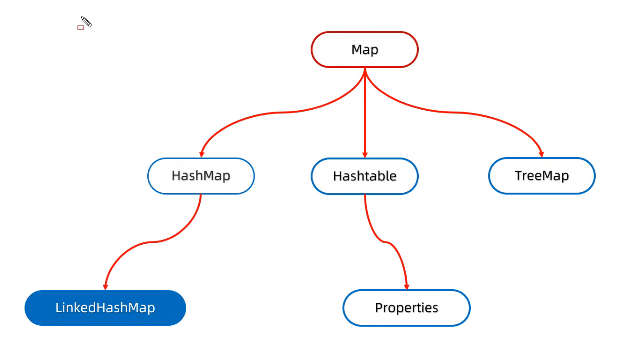
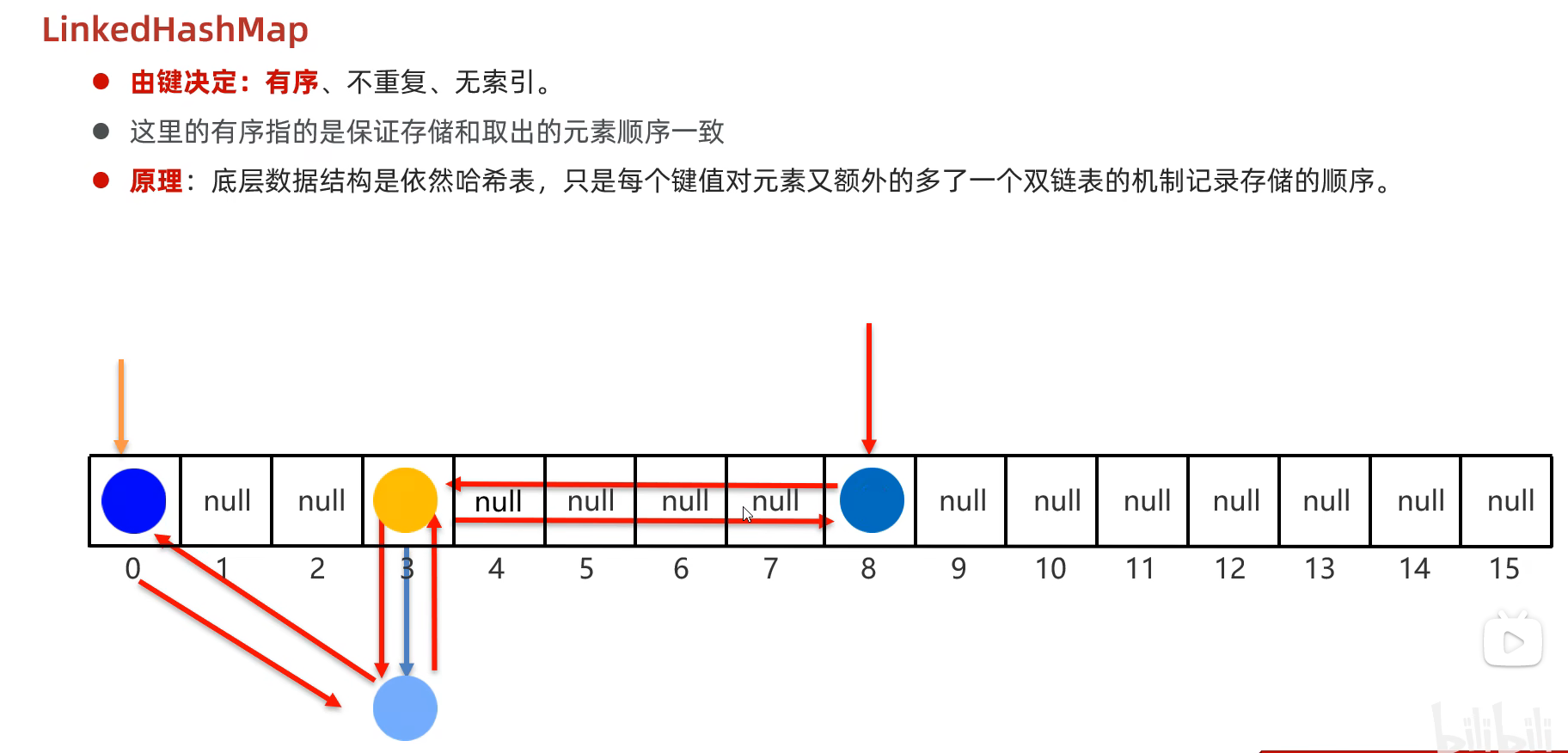
三. LinkedHashMap
java
package pracitce2.daily.test1;

import java.util.LinkedHashMap;

public class LinkedHashMapDemo1 {
    public static void main(String[] args) {
        //1.创建集合
        LinkedHashMap<String, Integer> lhm = new LinkedHashMap<>();

        //2.添加元素
        lhm.put("a", 234);
        lhm.put("b", 123);
        lhm.put("a", 456);
        lhm.put("d", 789);

        //3.打印集合
        System.out.println(lhm);//{a=456, b=123, d=789}
    }
}
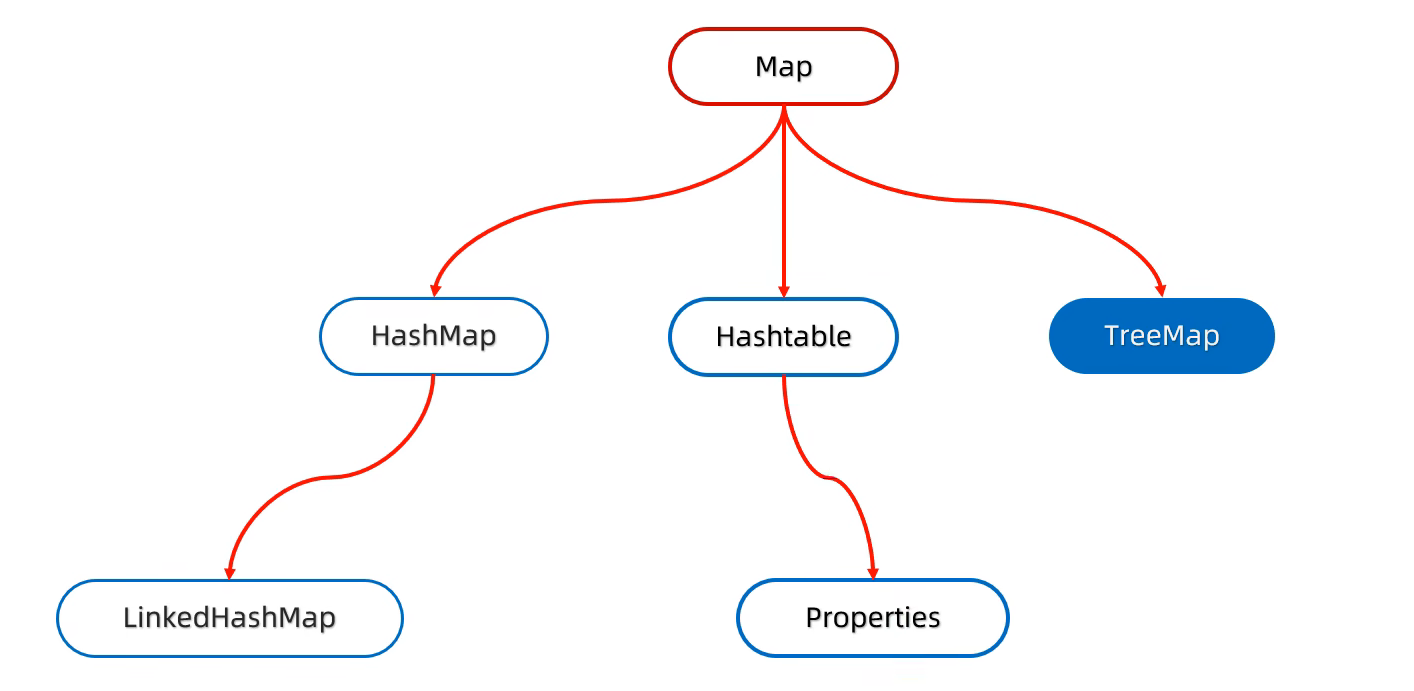
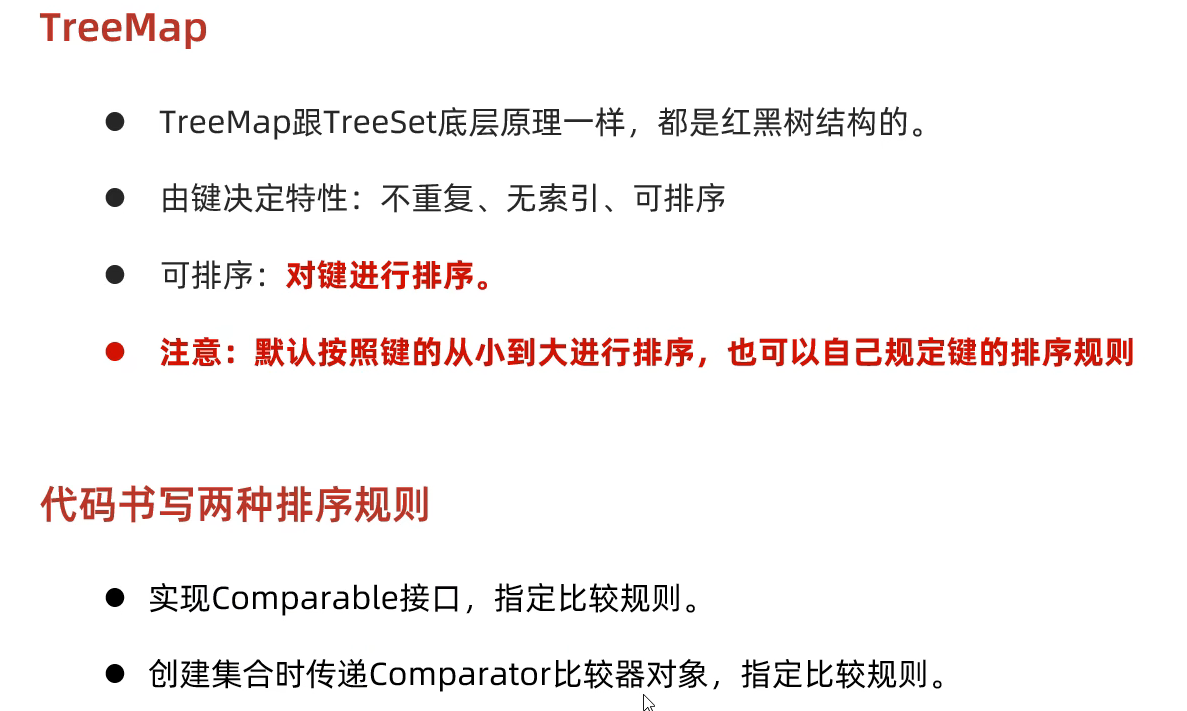
四. TreeMap
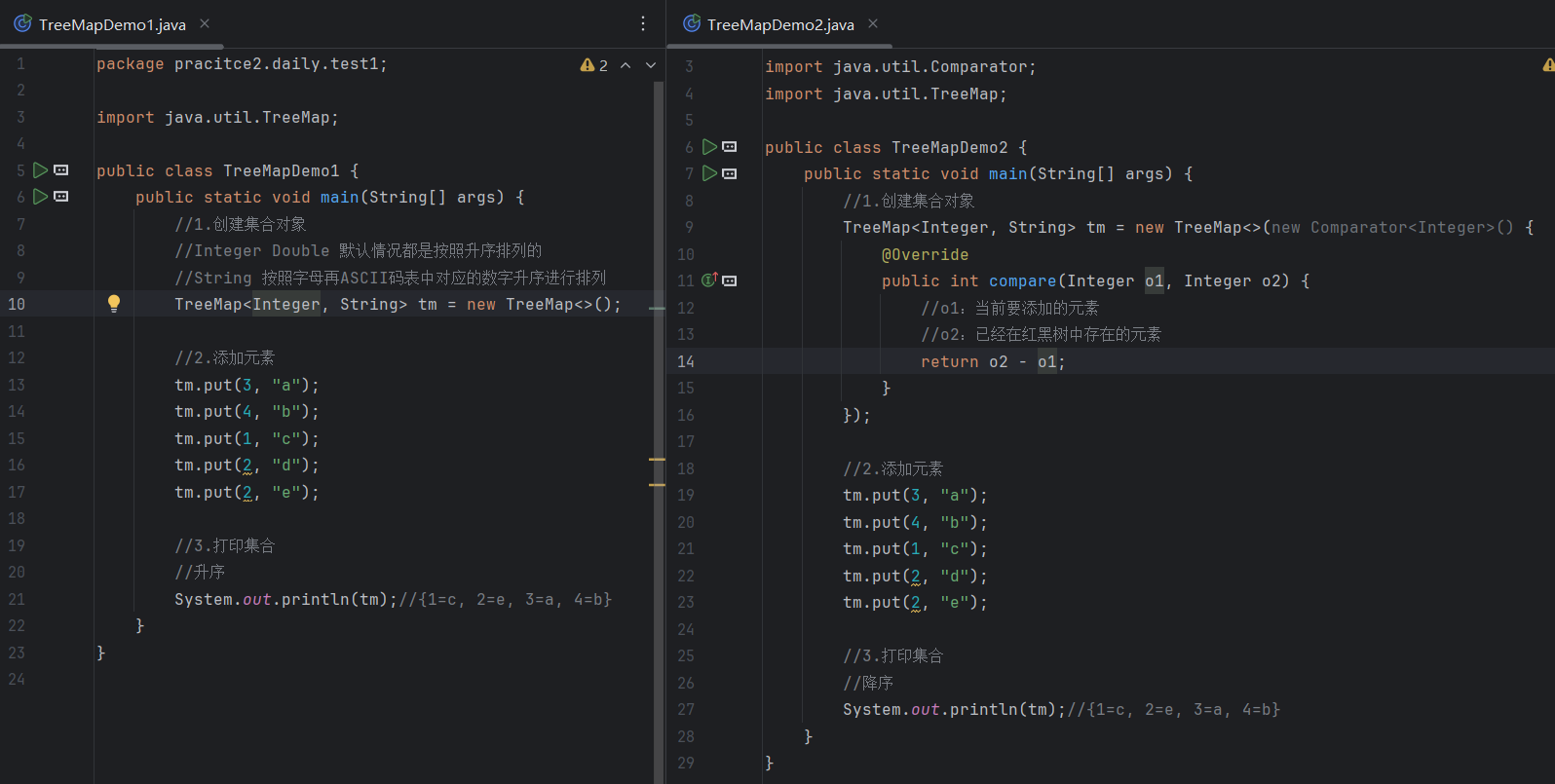
练习:
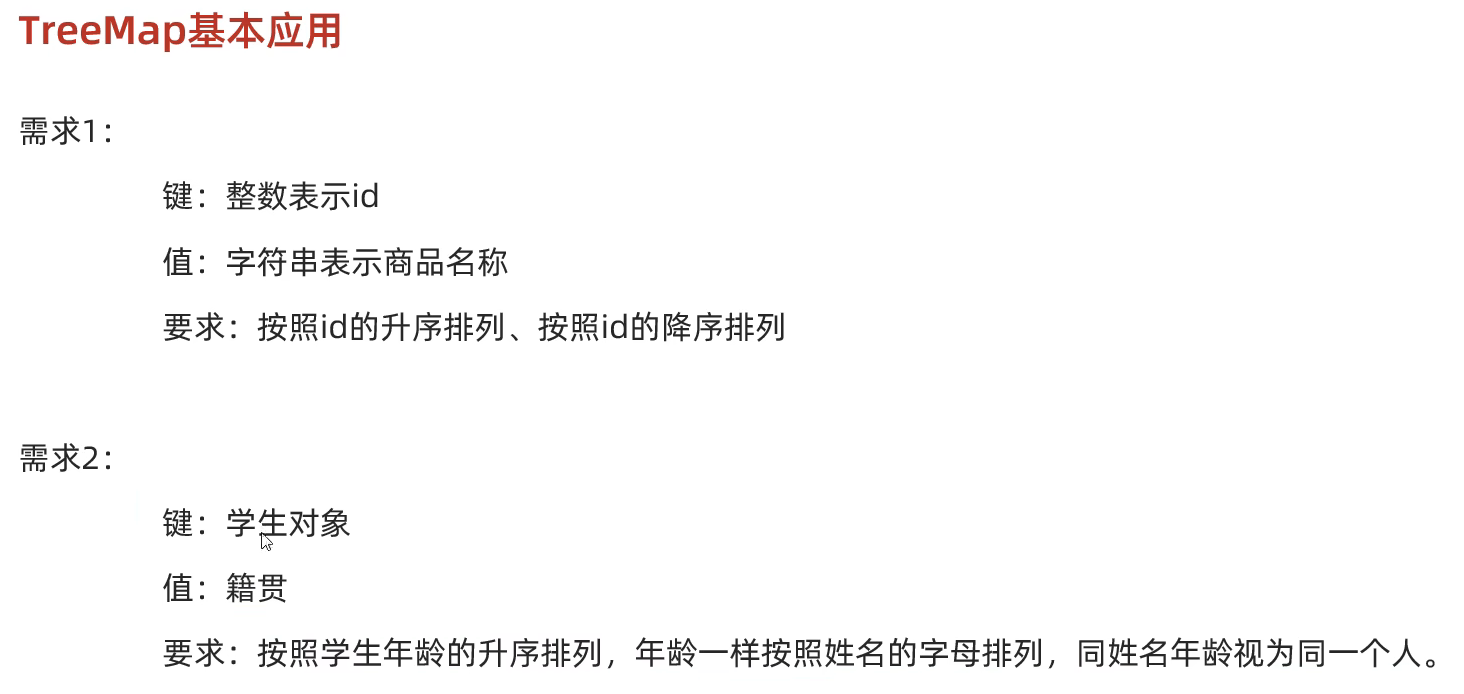
需求1:
需求2:
五. 可变参数
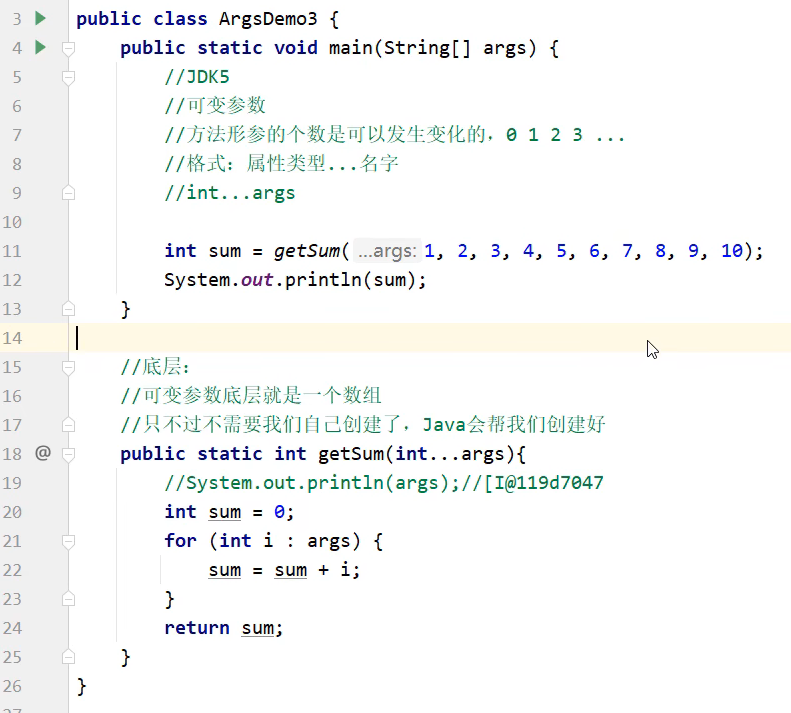
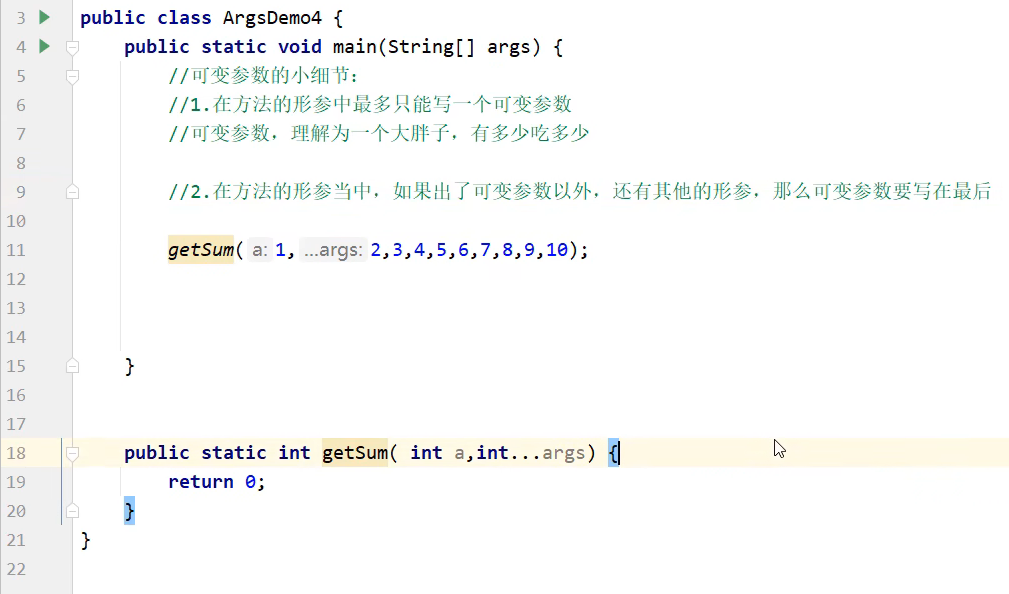
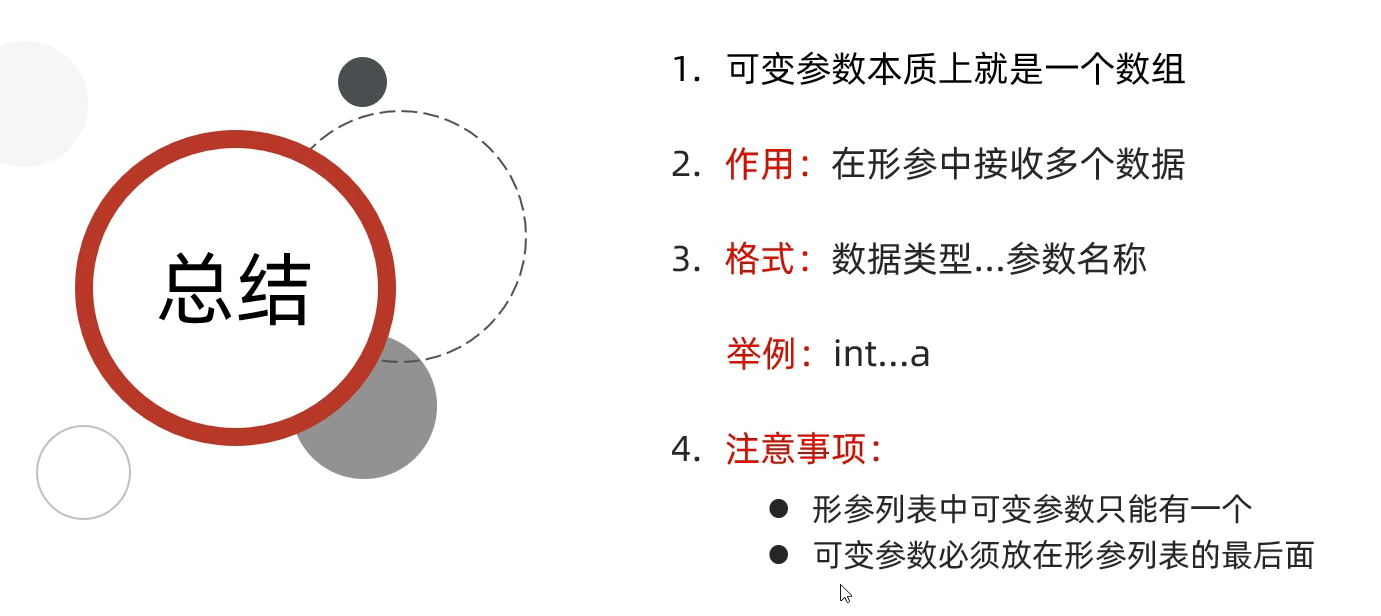
六. 集合工具类 Collections