🎯 案例集合List:模拟附近人列表插入
🌍 案例集合List
🏷️ 效果图(录制有点掉帧)
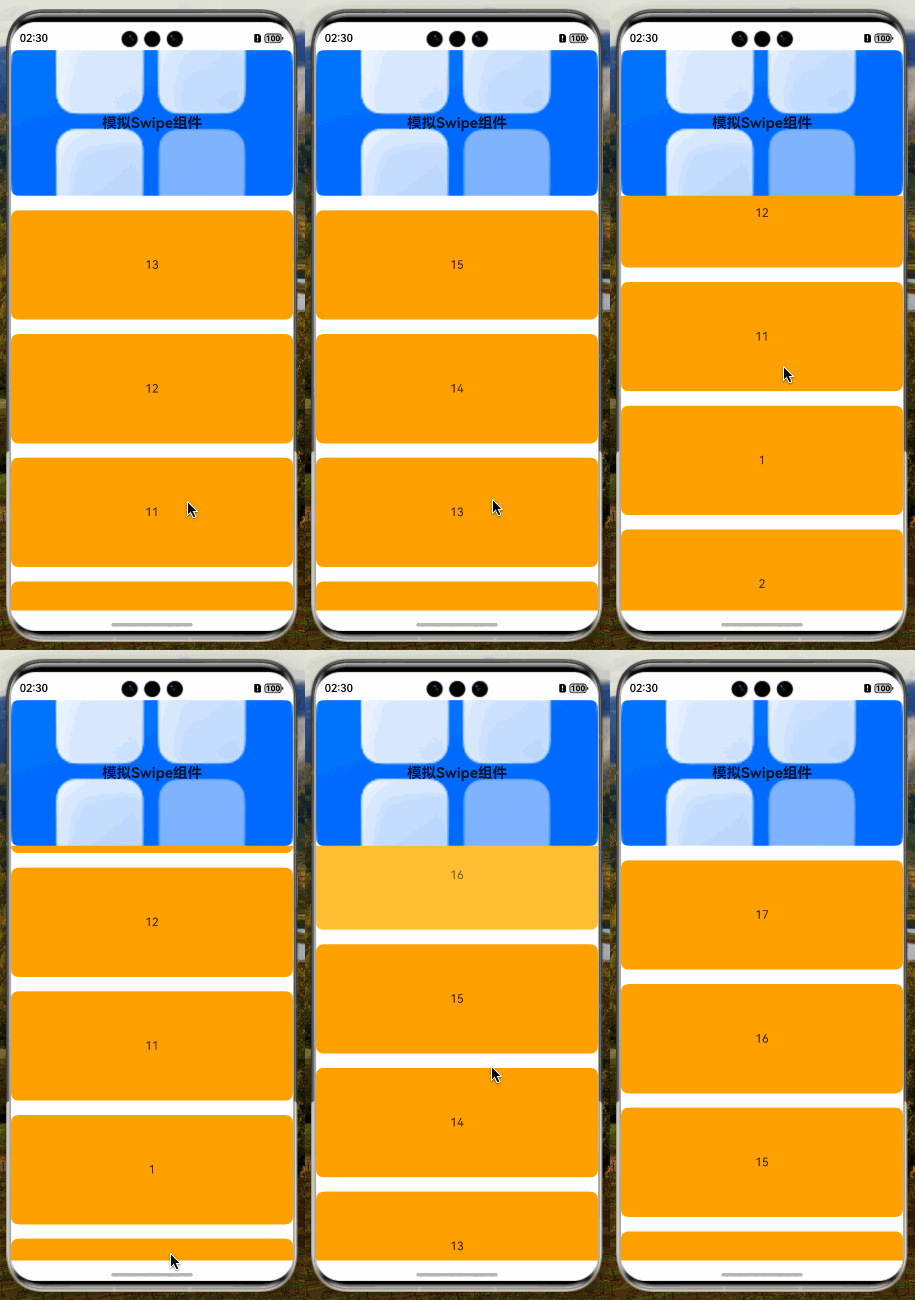
📖 参考
🧩 拆解
- 从列表前面插入(后续会增加高性能的方式)
javascript
@Component
export struct ListItemUnshiftAnimation {
  /**
   * 模拟数据
   */
  @State mockData: number[] = [1, 2, 3, 4, 5, 6, 7, 8, 9, 10]
  /**
   * 监听是否滑动到List顶部
   */
  @State @Watch('isListTopChange') isListTop: boolean = false
  /**
   * 定时器ID
   */
  @State timerId: number = -1

  /**
   * 滑动到头开启延时器追加数据
   */
  isListTopChange() {
    if (this.isListTop) {
      this.timerId = setInterval(() => {
        this.getUIContext().animateTo({ duration: 300, curve: Curve.Smooth }, () => {
          this.mockData.unshift(this.mockData.length + 1)
        })
      }, 2000)
    }
  }

  /**
   * 模拟Swipe组件或者banner组件
   */
  @Builder
  mockSwipeBuilder() {
    Stack({ alignContent: Alignment.Center }) {
      Image($r('app.media.startIcon'))
        .width('100%')
        .height(200)
        .draggable(false)
        .borderRadius(10)
      Text('模拟Swipe组件')
        .fontSize(20)
        .fontWeight(FontWeight.Bold)
    }
    .height(200)
    .width('100%')
  }

  aboutToDisappear(): void {
    this.isListTop = false // 关闭追加数据
    clearInterval(this.timerId) // 清空延时器
  }

  build() {
    Column() {
      this.mockSwipeBuilder()

      List({ space: 20 }) {
        ListItem() // 这里处理是否滑动到顶部占位组件
        ForEach(this.mockData, (item: number) => {
          ListItem() {
            Text(item.toString())
              .height(150)
              .width('100%')
              .borderRadius(10)
              .backgroundColor(Color.Orange)
              .textAlign(TextAlign.Center)
          }
          // 170 = 150的组件高度 20的组件边距,这样设置不会有挤压 | 割裂的效果
          .transition(TransitionEffect.OPACITY.combine(TransitionEffect.translate({ y: -170 })))

          // 这里在实际业务中需要取字段中的唯一做标识,不然会有很奇怪的问题
        }, (item: number) => item.toString())
      }
      .cachedCount(1, true) // 预加载数量1,true代表需要显示
      .width('100%')
      .layoutWeight(1)
      .scrollBar(BarState.Off) // 关闭滚动条
      .onReachStart(() => this.isListTop = true) // 是否滑动到头
      .onScrollIndex(() => {
        this.isListTop = false // 关闭追加数据
        clearInterval(this.timerId) // 清空延时器
      })
    }
    .height('100%')
    .width('100%')
  }
}
🌸🌼🌺