Flutter路由
最近在学习Flutter中有用到路由,借此回顾一下Flutter路由跳转的方式.
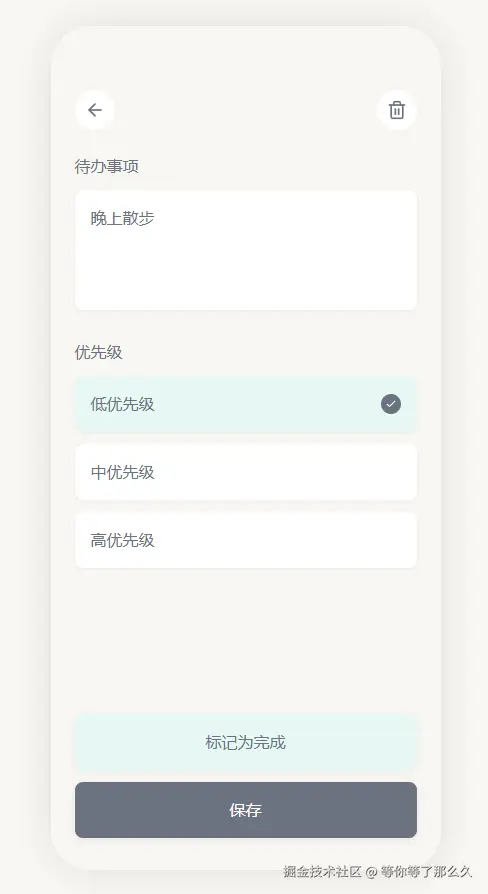
编写的TODO示例Demo总共有两个界面:
主界面;

编辑界面
1.编写路由地址信息
dart
abstract final class AppRoutes {
  static const homeRoute = '/';
  static const addEditRoute = '/add_edit_route';
}
2.使用GoRouter
引入依赖
yaml
go_router: ^16.0.0编写GoRouter
dart
import 'package:flutter/material.dart';
import 'package:go_router/go_router.dart';
import 'package:warm_todo/routing/routes.dart';
import 'package:warm_todo/ui/screens/todo_home_screen.dart';

import '../data/entity.dart';
import '../ui/screens/edit_todo_screen.dart';

final GoRouter goRouter = GoRouter(
  routes: [
    GoRoute( //父路由
      path: AppRoutes.homeRoute,
      builder: (BuildContext context, GoRouterState state) =>
          const TodoHomeScreen(),
      routes: [ //要在另一个屏幕之上显示屏幕,通过将其添加到父路由的 routes 列表中添加子路由:
        GoRoute( //子路由
          name: AppRoutes.addEditRoute, //配置命名路由,使用 name 参数
          path: AppRoutes.addEditRoute, //配置path,可根据 URL 导航到路由
          builder: (context, state) {
            //声明跳转子路由要传的参数信息
            final Map<String, dynamic> params =
                state.extra as Map<String, dynamic>;
            final todo = params['editTodo'] as ToDo?; //todo传空,表示跳转的是添加TODO页面,不为空则是编辑TODO页面
            final isEdit = params['isEdit'] as bool; //这里另外传了是否编辑,嗯,看起来不传这个也行

            return EditTodoScreen(isEdit: isEdit, editTodo: todo);
          },
        ),
      ],
    ),
  ],
);注:由于本人目前也是初学Flutter,关于GoRouter使用的更多细节,可查阅官方文档:go_router
配置GoRouter对象
要在应用中使用此配置,请使用 MaterialApp.router 或 CupertinoApp.router 构造函数并将 routerConfig 参数设置为您的 GoRouter 配置对象:
dart
class MyApp extends StatelessWidget {
  const MyApp({super.key});

  // This widget is the root of your application.
  @override
  Widget build(BuildContext context) {
    return MaterialApp.router(
      routerConfig: goRouter, //配置GoRouter对象
      localizationsDelegates: AppLocalizations.localizationsDelegates,
      supportedLocales: [const Locale('en', 'US'), const Locale('zh', 'CN')],
      title: 'Flutter Demo',
      theme: ThemeData(colorScheme: .fromSeed(seedColor: Colors.deepPurple)),
    );
  }
}
3.跳转界面
配置完GoRouter就可以实现界面跳转了,我目前的示例项目是主页面跳转到子页面(编辑界面)
跳转界面(传值跳转)
dart
onPressed: () {
    context.goNamed( //要使用名称导航到路由,调用 goNamed
        AppRoutes.addEditRoute,
        extra: {
            "isEdit": false,
            "editTodo": null,
        }
        // pathParameters: {"isEdit": "false"},
    );
}
返回上一个页面
dart
onPressed: () {
    context.pop();
}
以上就是简单使用Flutter路由的方式了,恭喜!你学会了Flutter 路由跳转,Happpy Coding!
TODO项目地址:warm_todo