目录
Oracle19c-单机版数据库启动、关闭
前提:
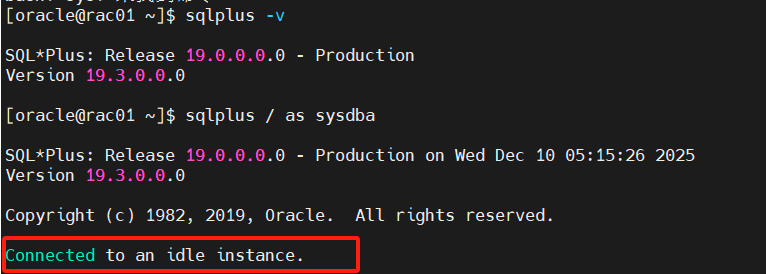
使用sys / as sysdba进入Oracle数据库中的连接方式。此时未连接任何实例。
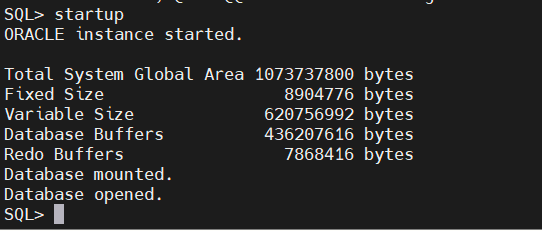
1、启库(一键启动,也可依次进行启动)
命令:startup。该命令用于一键对数据库进行启动
1.1.nomunt阶段
读取参数文件,分配内存(SGA+PGA),启动后台进程,生成实例
startup nomount
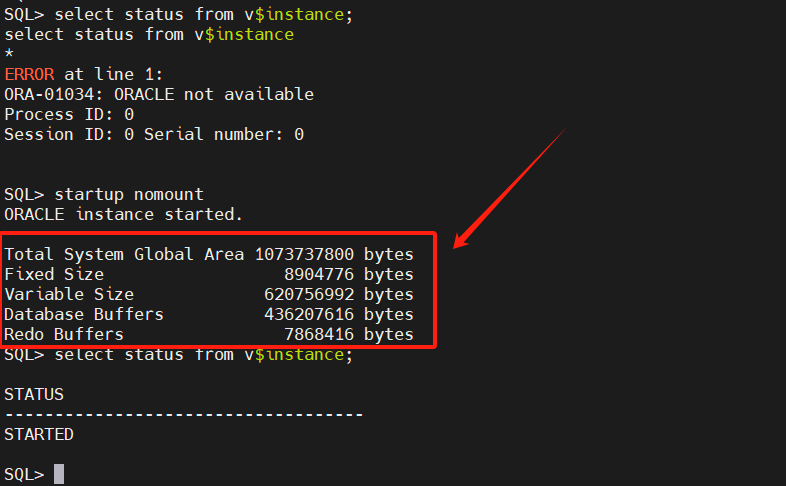
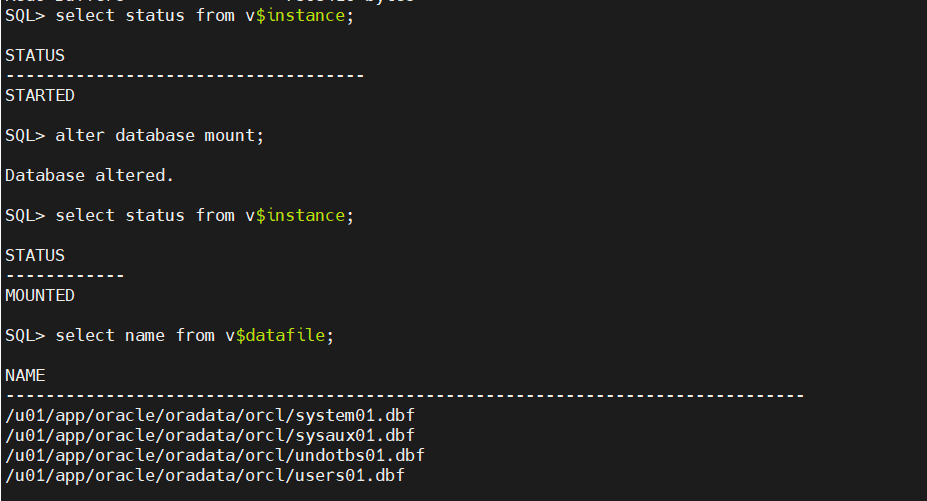
注:可以看出,在没进入nomount阶段的时候,此时查询实例的状态是没有对应的输出的,当进入nomount阶段之后,在独取对应参数文件,分配内存过后,就产生了相应的实例内容,此时进入了数据库启动的第一个状态:started。
状态:STARTED
1.2.mount阶段
读取控制文件,获取文件的位置,记录数据库状态,维护数据库的一致性
alter database mount;
状态:mounted
1.3.open阶段
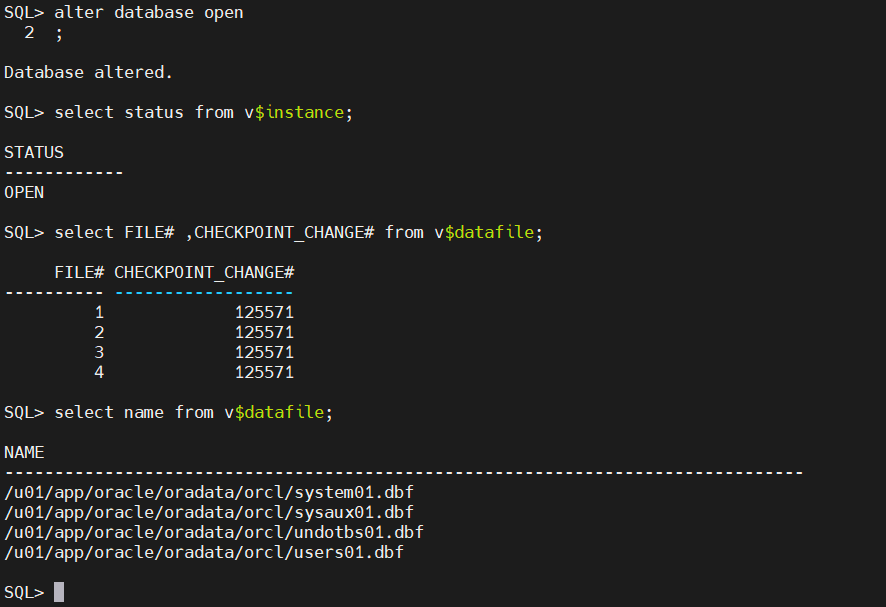
检查三大文件(参数文件、控制文件、在线日志文件),检查数据库一致性
alter database open;
状态:open
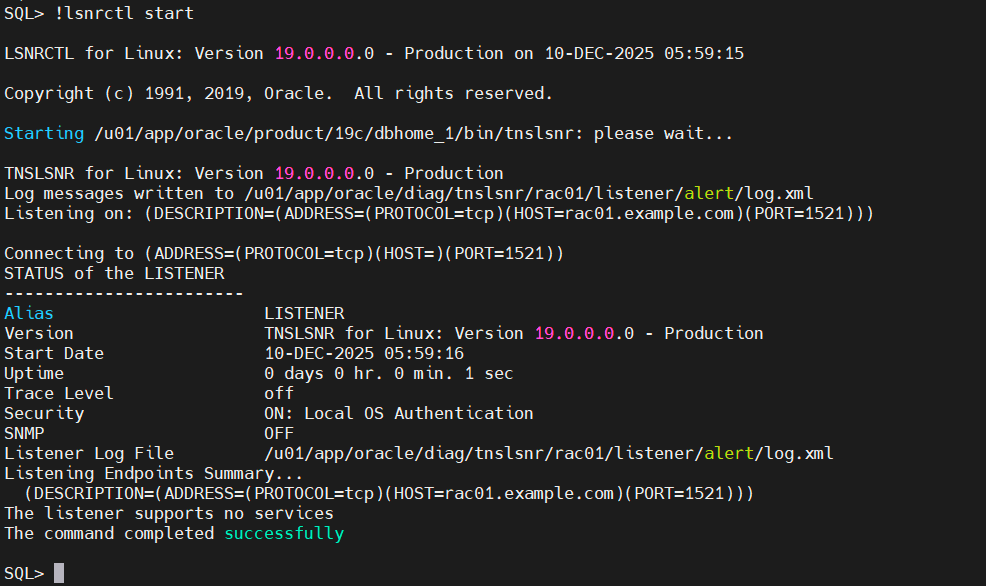
启动监听:!lsnrctl start
注意:带上!号后证明执行的是操作系统中的命令
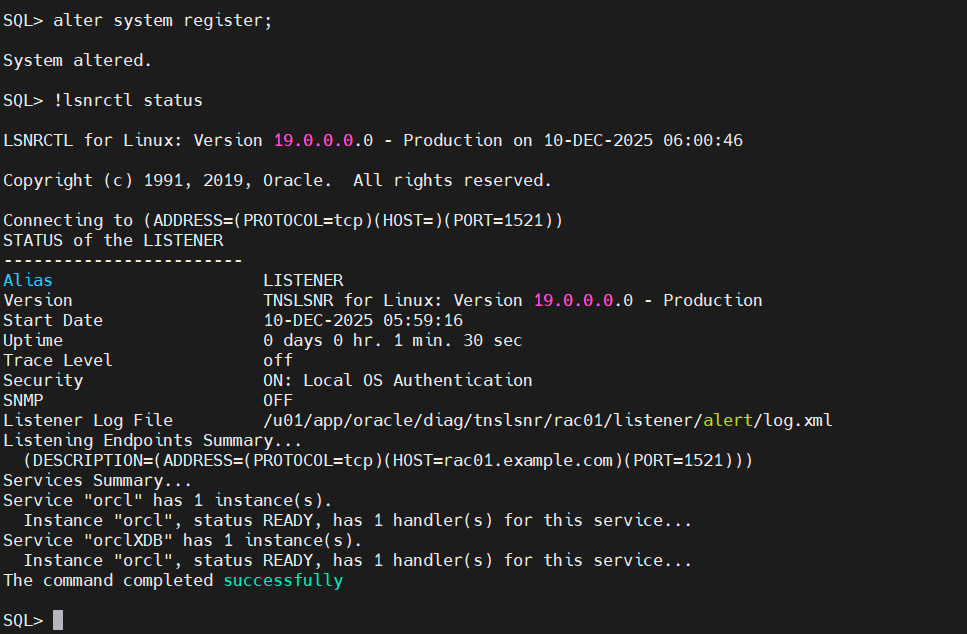
**注册一下实例:**alter system register;
其主要是为了:
-
让监听器知道哪些数据库实例可用
-
客户端连接时,监听器可以将连接请求转发到正确的实例
bash
[root@rac01 dbhome_1]# find / -name listener.ora
/u01/app/oracle/product/19c/dbhome_1/network/admin/samples/listener.ora
[root@rac01 dbhome_1]# cd /u01/app/oracle/product/19c/dbhome_1/network/admin/samples/
[root@rac01 samples]# ll
总用量 44
-rwxrwxr-x 1 oracle oinstall  3867 9月  10 1997 listener.ora
-rwxrwxr-x 1 oracle oinstall 32844 5月  19 2014 sqlnet.ora
-rwxrwxr-x 1 oracle oinstall  2939 2月  14 1997 tnsnames.ora
[root@rac01 samples]# cat listener.ora
# copyright (c) 1997 by the Oracle Corporation
#
# NAME
#   listener.ora
# FUNCTION
#   Network Listener startup parameter file example
# NOTES
#   This file contains all the parameters for listener.ora,
#   and could be used to configure the listener by uncommenting
#   and changing values.  Multiple listeners can be configured
#   in one listener.ora, so listener.ora parameters take the form
#   of SID_LIST_<lsnr>, where <lsnr> is the name of the listener
#   this parameter refers to.  All parameters and values are
#   case-insensitive.

# <lsnr>
#   This parameter specifies both the name of the listener, and
#   it listening address(es). Other parameters for this listener
#   us this name in place of <lsnr>.  When not specified,
#   the name for <lsnr> defaults to "LISTENER", with the default
#   address value as shown below.
#
# LISTENER =
#  (ADDRESS_LIST=
#       (ADDRESS=(PROTOCOL=tcp)(HOST=localhost)(PORT=1521))
#       (ADDRESS=(PROTOCOL=ipc)(KEY=PNPKEY)))

# SID_LIST_<lsnr>
#   List of services the listener knows about and can connect
#   clients to.  There is no default.  See the Net8 Administrator's
#   Guide for more information.
#
# SID_LIST_LISTENER=
#   (SID_LIST=
#       (SID_DESC=
#                       #BEQUEATH CONFIG
#          (GLOBAL_DBNAME=salesdb.mycompany)
#          (SID_NAME=sid1)
#          (ORACLE_HOME=/private/app/oracle/product/8.0.3)
#                       #PRESPAWN CONFIG
#         (PRESPAWN_MAX=20)
#         (PRESPAWN_LIST=
#           (PRESPAWN_DESC=(PROTOCOL=tcp)(POOL_SIZE=2)(TIMEOUT=1))
#         )
#        )
#       )

# PASSWORDS_<lsnr>
#   Specifies a password to authenticate stopping the listener.
#   Both encrypted and plain-text values can be set.  Encrypted passwords
#   can be set and stored using lsnrctl.
#     LSNRCTL> change_password
#       Will prompt for old and new passwords, and use encryption both
#       to match the old password and to set the new one.
#     LSNRCTL> set password
#       Will prompt for the new password, for authentication with
#       the listener. The password must be set before running the next
#       command.
#     LSNRCTL> save_config
#       Will save the changed password to listener.ora. These last two
#       steps are not necessary if SAVE_CONFIG_ON_STOP_<lsnr> is ON.
#       See below.
#
# Default: NONE
#
# PASSWORDS_LISTENER = 20A22647832FB454      # "foobar"

# SAVE_CONFIG_ON_STOP_<lsnr>
#   Tells the listener to save configuration changes to listener.ora when
#   it shuts down.  Changed parameter values will be written to the file,
#   while preserving formatting and comments.
# Default: OFF
# Values: ON/OFF
#
# SAVE_CONFIG_ON_STOP_LISTENER = ON

# USE_PLUG_AND_PLAY_<lsnr>
#   Tells the listener to contact an Onames server and register itself
#   and its services with Onames.
# Values: ON/OFF
# Default: OFF
#
# USE_PLUG_AND_PLAY_LISTENER = ON

# LOG_FILE_<lsnr>
#   Sets the name of the listener's log file.  The .log extension
#   is added automatically.
# Default=<lsnr>
#
# LOG_FILE_LISTENER = lsnr

# LOG_DIRECTORY_<lsnr>
#   Sets the directory for the listener's log file.
# Default: <oracle_home>/network/log
#
# LOG_DIRECTORY_LISTENER = /private/app/oracle/product/8.0.3/network/log

# TRACE_LEVEL_<lsnr>
#   Specifies desired tracing level.
# Default: OFF
# Values: OFF/USER/ADMIN/SUPPORT/0-16
#
# TRACE_LEVEL_LISTENER = SUPPORT

# TRACE_FILE_<lsnr>
#   Sets the name of the listener's trace file. The .trc extension
#   is added automatically.
# Default: <lsnr>
#
# TRACE_FILE_LISTENER = lsnr

# TRACE_DIRECTORY_<lsnr>
#   Sets the directory for the listener's trace file.
# Default: <oracle_home>/network/trace
#
# TRACE_DIRECTORY_LISTENER=/private/app/oracle/product/8.0.3/network/trace
# CONNECT_TIMEOUT_<lsnr>
#   Sets the number of seconds that the listener waits to get a
#   valid database query after it has been started.
# Default: 10
#
# CONNECT_TIMEOUT_LISTENER=10

[root@rac01 samples]# su oracle
[oracle@rac01 samples]$ cat ~/.bash_profile
# .bash_profile

# Get the aliases and functions
if [ -f ~/.bashrc ]; then
        . ~/.bashrc
fi

# User specific environment and startup programs

PATH=$PATH:$HOME/.local/bin:$HOME/bin

export PATH

export ORACLE_BASE=/u01/app/oracle
export ORACLE_HOME=$ORACLE_BASE/product/19c/dbhome_1
export ORACLE_SID=orcl  # 数据库实例名(自定义,如orcl、prod)
export PATH=$ORACLE_HOME/bin:$PATH:$HOME/.local/bin:$HOME/bin
export LD_LIBRARY_PATH=$ORACLE_HOME/lib:/lib:/usr/lib
export NLS_LANG=AMERICAN_AMERICA.AL32UTF8  # 字符集(或ZHS16GBK)

[oracle@rac01 samples]$
2、一致性关库
2.1.关闭监听
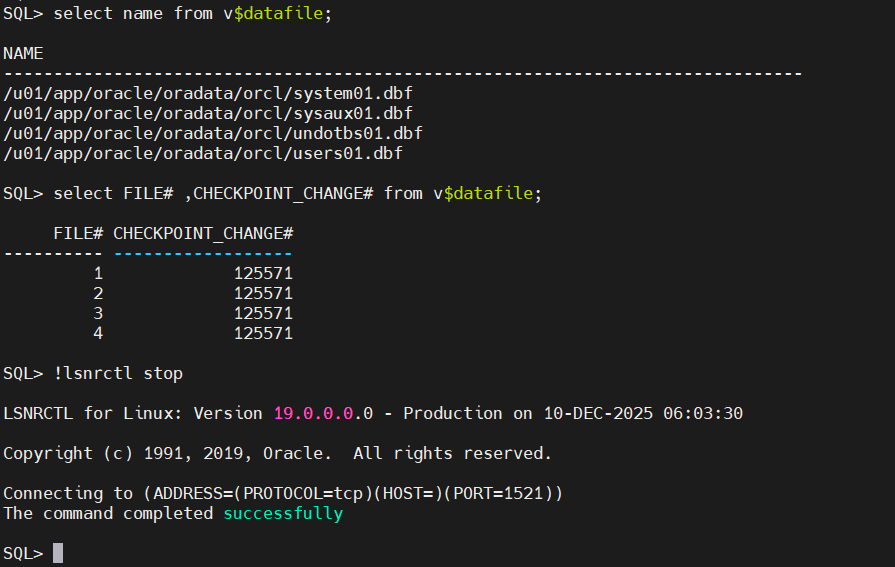
2.2.关闭数据库
shutdown immediate