这个也是近期遇到的一个小项目,开发中遇到的问题。
1、使用hbuilder x创建项目,类型是:Uniapp中的uni-ui项目。

2、工具、插件安装。
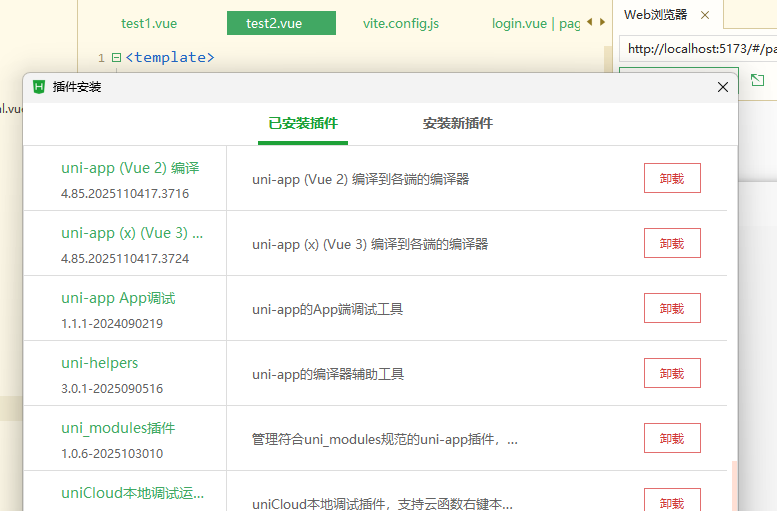
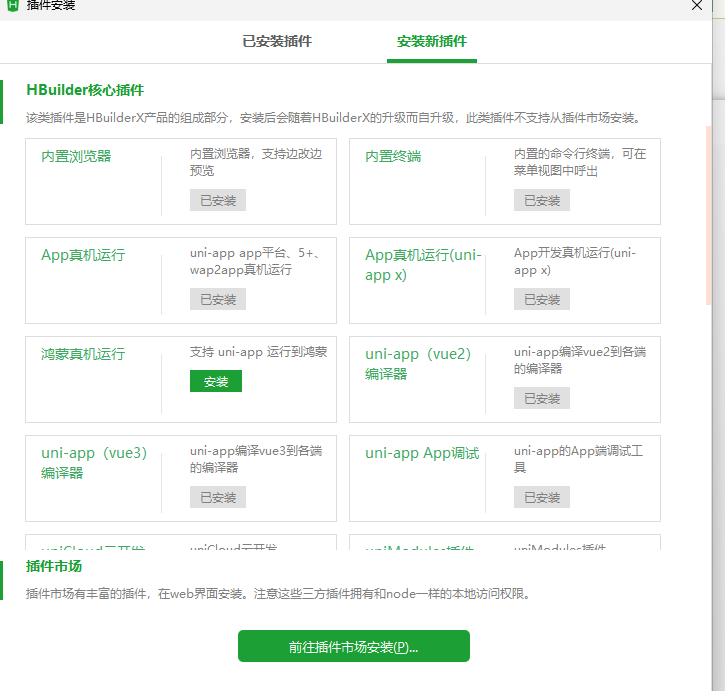
点击安装新插件:
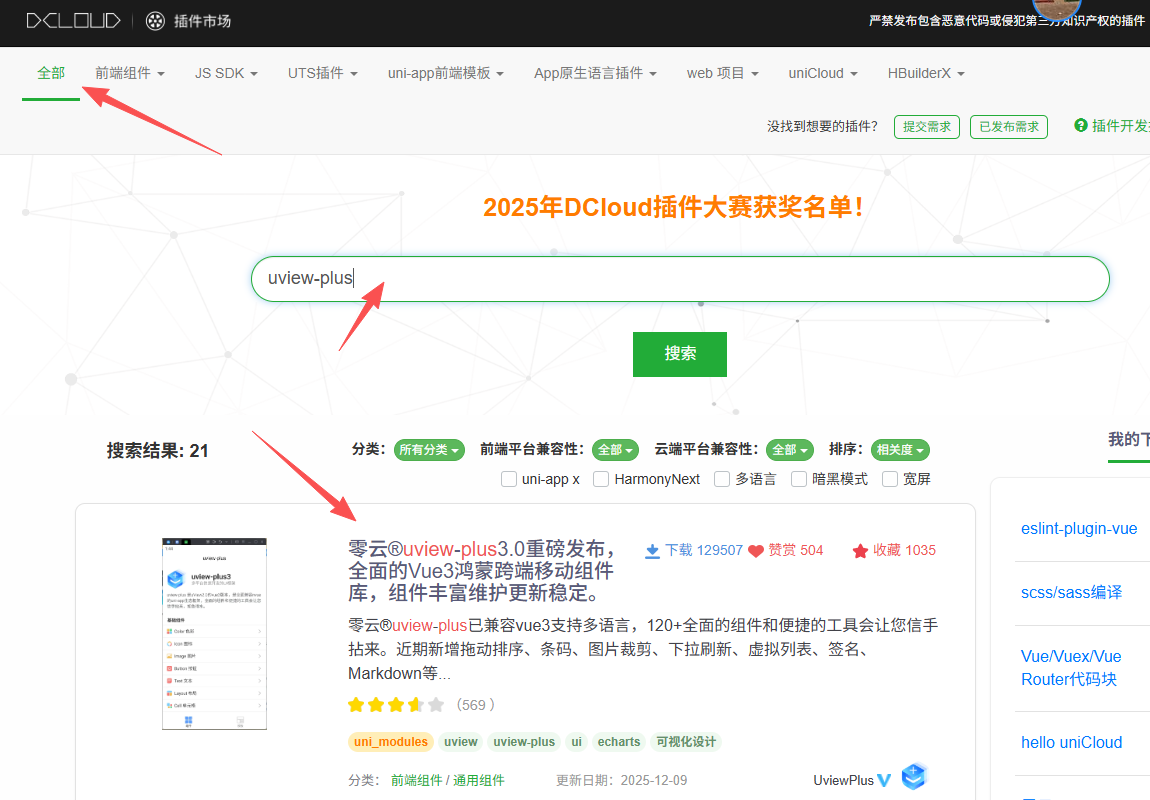
搜索这个。

选择具体项目,确定:

3、App.Vue增加:
增加这行:
@import '@/uni_modules/uview-plus/index.scss';
bash
<style lang="scss">
	/*每个页面公共css */
	@import '@/uni_modules/uni-scss/index.scss';
	@import '@/uni_modules/uview-plus/index.scss';
	/* #ifndef APP-NVUE */
	@import '@/static/customicons.css';
	// 设置整个项目的背景色
	page {
		background-color: #f5f5f5;
	}

	/* #endif */
	.example-info {
		font-size: 14px;
		color: #333;
		padding: 10px;
	}
</style>
4、main.js中,调整:
增加两行:
import uviewPlus from '@/uni_modules/uview-plus'
和
app.use(uviewPlus)
bash
// #ifdef VUE3
import { createSSRApp } from 'vue'
import App from './App.vue'
import uviewPlus from '@/uni_modules/uview-plus'
export function createApp() {
  const app = createSSRApp(App)
  app.use(uviewPlus)
  return {
    app
  }
}
// #endif
5、很重要的,增加vite.config.js
这是解决性能的关键。
bash
import { defineConfig } from 'vite'
import uni from '@dcloudio/vite-plugin-uni'

// 如需按需引入,再补充 AutoImport/Components 插件(后续步骤)
export default defineConfig({
  plugins: [uni()],
  // 基础优化:关闭 SourceMap + 预构建 uview-plus
  build: {
    sourcemap: false // 关闭 SourceMap 提速
  },
  server: {
    sourcemap: false,
    hmr: {
      retry: false // 关闭 Vite 热更新反复重连
    }
  },
  optimizeDeps: {
    include: ['uview-plus'], // 预构建 uview-plus 依赖
    force: true // 强制预构建,避免缓存问题
  }
})
6、具体例子:
在pages/uview-plus中增加新页面,test2.vue,内容为:
bash
<template>
  <view>
    <u-button type="primary">主要按钮</u-button>
    <u-button type="success">成功按钮</u-button>
  </view>
</template>

<script>
export default {
  data() {
    return {};
  },
  methods: {},
};
</script>

<style lang="scss">
</style>
运行到本地,最终效果。
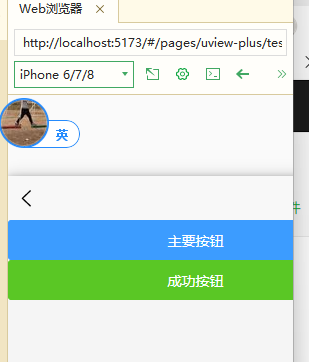
7、之前的错误:
bash
uniapp中:[广告] 10:33:21.904 uni-cdn,比主流云厂商便宜30%,更具性价比!详情
10:33:21.996 项目 uniapp02 开始编译
10:33:26.796 请注意运行模式下,因日志输出、sourcemap 以及未压缩源码等原因,性能和包体积,均不及发行模式。
10:33:26.796 vite是按需编译,运行时点击某个未编译页面会先编译后加载,导致显示较慢,发行后无此问题。
10:33:26.796 编译器版本:4.85(vue3)
10:33:26.798 正在编译中...
10:33:31.647   vite v5.2.8 dev server running at:
10:33:31.647   - Local:   http://localhost:5173/
10:33:31.647   * Network: http://192.168.223.1:5173/
10:33:31.648   * Network: http://192.168.15.1:5173/
10:33:31.650   - Network: http://10.66.1.108:5173/
10:33:31.650 项目 uniapp02 编译成功。前端运行日志,请另行在浏览器的控制台查看。
10:33:31.650 点击控制台右上角debug图标(虫子),可开启断点调试(添加断点:双击编辑器行号添加断点)
10:33:31.650 Web版常见问题参考: https://ask.dcloud.net.cn/article/35232
10:33:31.650   ready in 7785ms.
10:33:36.430 [vite] connecting...
10:33:37.653 [vite] connected.
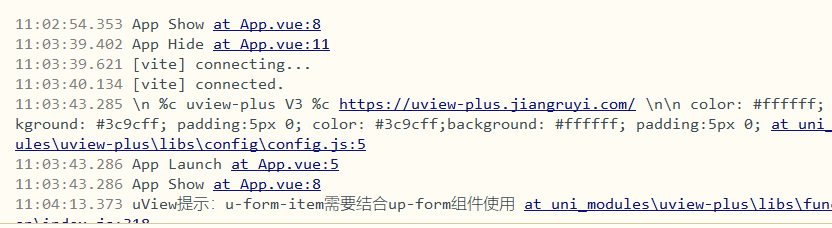
好久才会出结果,不断的connecting。改后,基本没问题了,基本是秒出。