前言:深水区的风浪与灯塔
当云原生开发从"上云"阶段迈入"深度用云"阶段,开发者面临的挑战早已不再是简单的容器化或微服务拆分,而是如何在海量数据与复杂交互的夹击下,构建出既具备极致性能 又拥有智能体验的企业级前端系统。
在华为云的技术版图中,DevUI官网 提供的企业级前端解决方案,与 MateChat官网 带来的智能交互能力,恰似两座灯塔。前者解决了界面构建的"规范与效率"问题,后者则通过 AI 能力打破了传统人机交互的"理解壁垒"。本文将摒弃浅尝辄止的介绍,深入代码肌理,独家揭秘如何在MateChat 无 SDK的特殊背景下,通过架构创新实现两大生态的深度融合,打造下一代 AIOps 智能监控中台。
官方资源一键直达:
- DevUI 官网 (组件库):https://devui.design/home
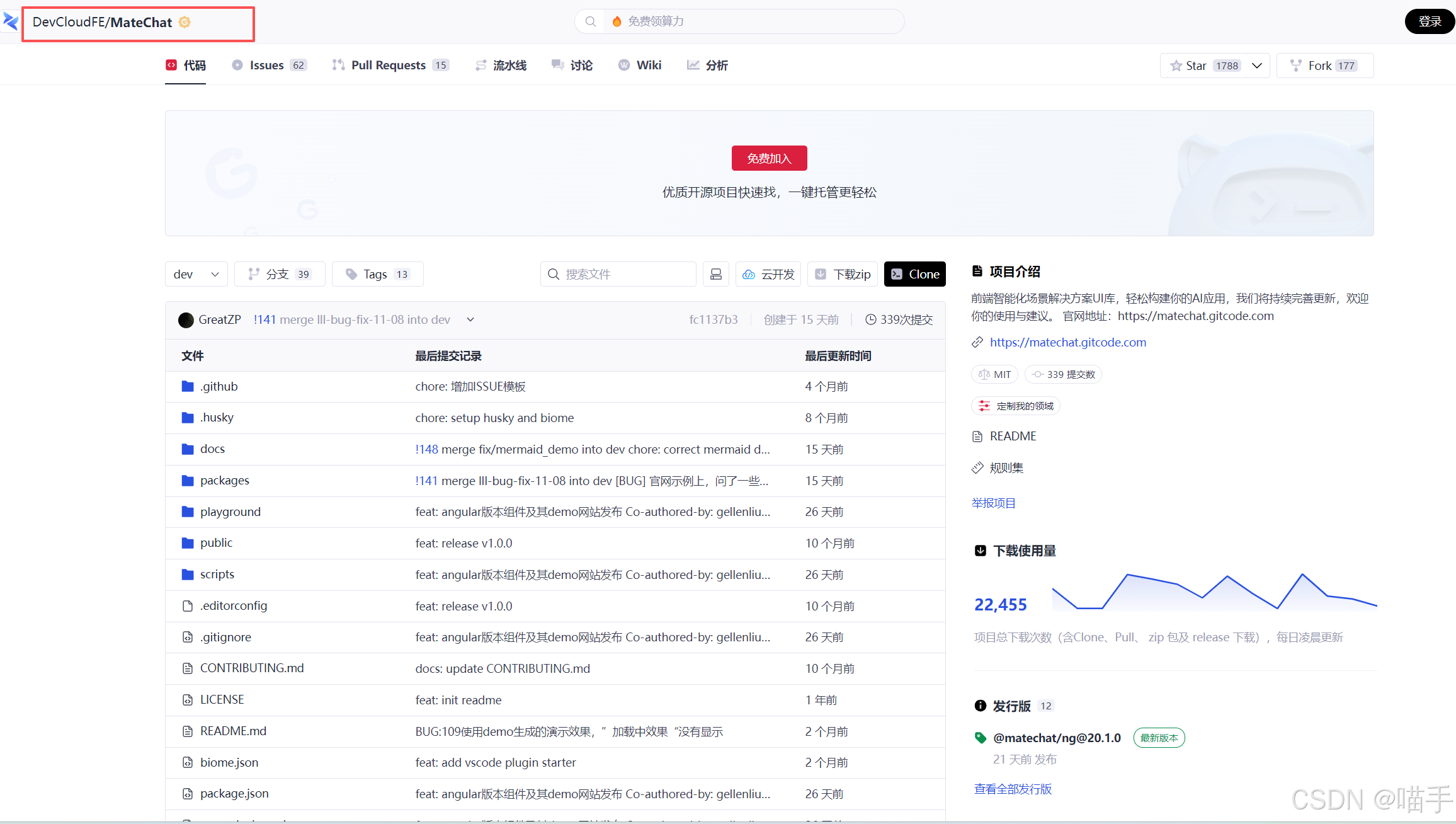
- MateChat 代码仓 (智能交互):https://gitcode.com/DevCloudFE/MateChat
- MateChat 官网 (在线体验):https://matechat.gitcode.com
第一部分:DevUI 组件生态------构建工业级数字底座的艺术
1.1 选型的哲学:为何是 DevUI?
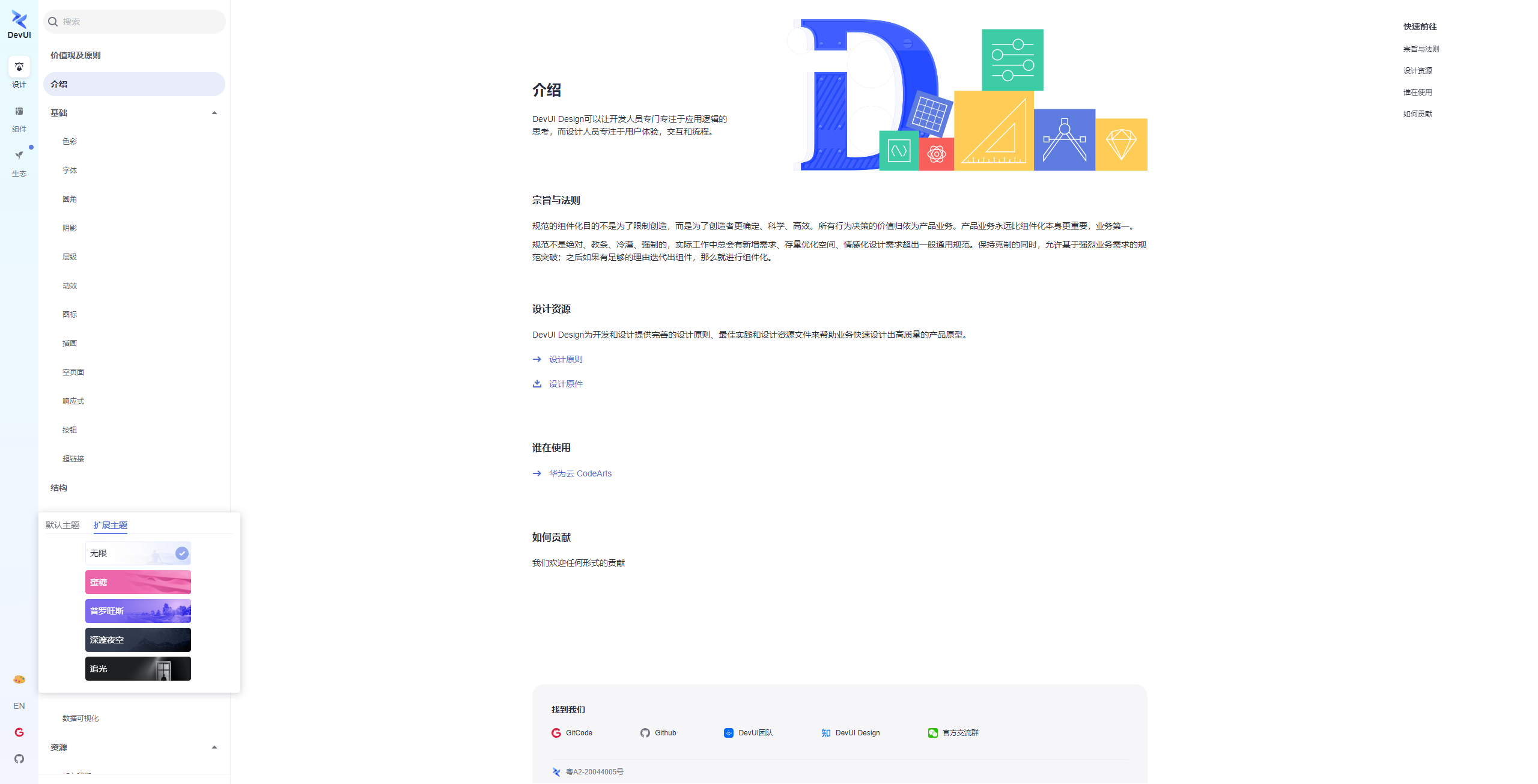
在众多的组件库中,DevUI 的独特之处在于其源自华为云内部海量业务的锤炼。它不仅仅是一套 UI,更是一套包含了沉浸式体验 、无障碍设计 以及企业级主题的设计价值观。
1.2 破局:高频组件的深度避坑与极限性能优化
在中台系统中,表格(Table)和表单(Form)占据了 80% 的交互场景。
1.2.1 数据表格(Data Grid):千万级数据的渲染突围
普通表格在面对运维日志(Log)场景时,一旦数据超过 1000 条,DOM 节点就会导致浏览器卡顿。DevUI 的 d-table 组件通过虚拟滚动(Virtual Scroll)技术解决了这一难题。
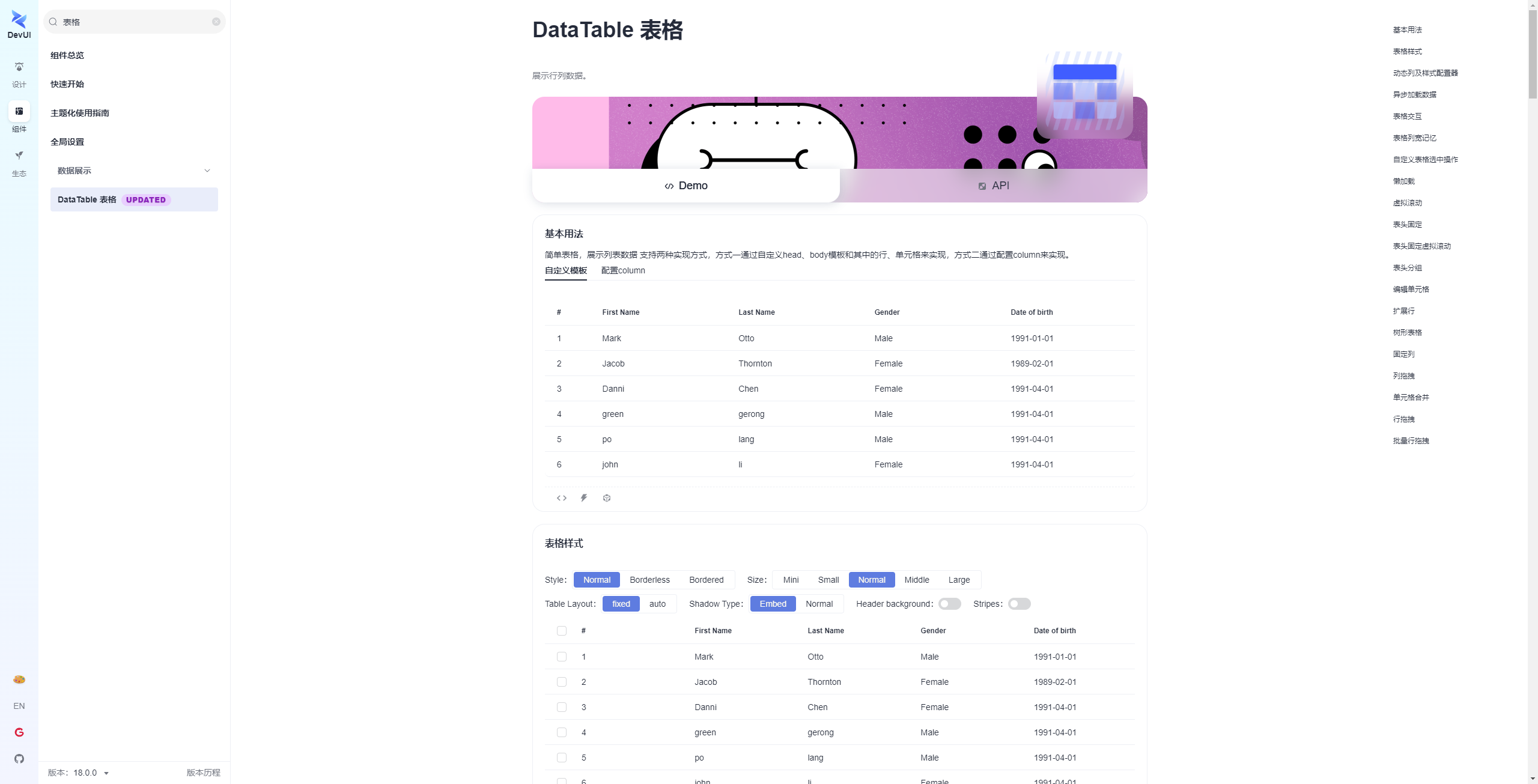
比如如下,我会带大家如何精准集成DataTable 表格
先是基本用法:简单表格,展示列表数据 支持两种实现方式,方式一通过自定义head、body模板和其中的行、单元格来实现,方式二通过配置column来实现。
比如html代码:
html
<d-data-table [dataSource]="basicDataSource" [scrollable]="true" [tableWidthConfig]="tableWidthConfig" [tableOverflowType]="'overlay'">
  <thead dTableHead>
    <tr dTableRow>
      <th dHeadCell>#</th>
      <th dHeadCell *ngFor="let colOption of dataTableOptions.columns">{{ colOption.header }}</th>
    </tr>
  </thead>
  <tbody dTableBody>
    <ng-template let-rowItem="rowItem" let-rowIndex="rowIndex">
      <tr dTableRow>
        <td dTableCell>{{ rowIndex + 1 }}</td>
        <td dTableCell *ngFor="let colOption of dataTableOptions.columns">
          {{ colOption.fieldType === 'date' ? (rowItem[colOption.field] | i18nDate: 'short':false) : rowItem[colOption.field] }}
        </td>
      </tr>
    </ng-template>
  </tbody>
</d-data-table>
再是配置ts:
ts
import { Component, OnInit } from '@angular/core';
import { TableWidthConfig } from 'ng-devui/data-table';
import { originSource, SourceType } from '../mock-data';

@Component({
  selector: 'd-basic',
  templateUrl: './data-table-demo-basic.component.html'
})
export class DatatableDemoBasicComponent implements OnInit {
  basicDataSource: Array<SourceType> = JSON.parse(JSON.stringify(originSource.slice(0, 6)));
  dataTableOptions = {
    columns: [
      {
        field: 'firstName',
        header: 'First Name',
        fieldType: 'text'
      },
      {
        field: 'lastName',
        header: 'Last Name',
        fieldType: 'text'
      },
      {
        field: 'gender',
        header: 'Gender',
        fieldType: 'text'
      },
      {
        field: 'dob',
        header: 'Date of birth',
        fieldType: 'date'
      }
    ]
  };

  tableWidthConfig: TableWidthConfig[] = [
    {
      field: '#',
      width: '50px'
    },
    {
      field: 'firstName',
      width: '150px'
    },
    {
      field: 'lastName',
      width: '150px'
    },
    {
      field: 'gender',
      width: '150px'
    },
    {
      field: 'dob',
      width: '150px'
    }
  ];

  ngOnInit() {
  }
}
然后再配置mock-data:
json
export interface SourceType {
  id?: number;
  firstName: string;
  lastName: string;
  dob: Date;
  gender: string;
  detail?: string;
  $checked?: boolean;
  $expandConfig?: any;
  children?: any;
  chosen?: boolean;
  $isChildTableOpen?: boolean;
}

export const originSource = [
  {
    id: 1,
    firstName: 'Mark',
    lastName: 'Otto',
    dob: new Date(1990, 12, 1),
    gender: 'Male',
    description: 'handsome man'
  },
  {
    id: 2,
    firstName: 'Jacob',
    lastName: 'Thornton',
    gender: 'Female',
    dob: new Date(1989, 1, 1),
    description: 'interesting man'
  },
  {
    id: 3,
    firstName: 'Danni',
    lastName: 'Chen',
    gender: 'Female',
    dob: new Date(1991, 3, 1),
    description: 'pretty man',
    expandConfig: {description: 'Danni is here'}
  },
  {
    id: 4,
    firstName: 'green',
    lastName: 'gerong',
    gender: 'Male',
    description: 'interesting man',
    dob: new Date(1991, 3, 1),
  },
  {
    id: 5,
    firstName: 'po',
    lastName: 'lang',
    gender: 'Male',
    dob: new Date(1991, 3, 1),
    description: 'lang is here',
  },
  {
    id: 6,
    firstName: 'john',
    lastName: 'li',
    gender: 'Female',
    dob: new Date(1991, 3, 1),
    description: 'pretty man',
  },
  {
    id: 7,
    firstName: 'peng',
    lastName: 'li',
    gender: 'Female',
    dob: new Date(1991, 3, 1),
  },
  {
    id: 8,
    firstName: 'Danni',
    lastName: 'Yu',
    gender: 'Female',
    dob: new Date(1991, 3, 1),
  },
  {
    id: 9,
    firstName: 'Danni',
    lastName: 'Yu',
    gender: 'Female',
    dob: new Date(1991, 3, 1),
    detail: '这是另外一个行详情'
  },
  {
    id: 10,
    firstName: 'Danni',
    lastName: 'Yu',
    gender: 'Female',
    dob: new Date(1991, 3, 1),
  },
  {
    id: 11,
    firstName: 'Danni',
    lastName: 'Yu',
    gender: 'Female',
    dob: new Date(1991, 3, 1),
  },
  {
    id: 12,
    firstName: 'Danni',
    lastName: 'Yu',
    gender: 'Female',
    dob: new Date(1991, 3, 1),
  },
];

export const editableOriginSource = [
  {
    id: 1,
    firstName: 'Mark',
    lastName: 'Otto',
    dob: new Date(1990, 12, 1),
    gender: { id: 1, label: 'Male' },
    age: 24,
    hobby: [{ id: 1, name: 'music' },
      { id: 2, name: 'football' }],
    duty: [{
      'title': '前端维护',
      'id': 9
    }, {
      'title': '后台维护',
      'disabled': true,
      'isChecked': true,
      'id': 10
    }]
  },
  {
    id: 2,
    firstName: 'Jacob',
    lastName: 'Thornton',
    gender: { id: 2, label: 'Female' },
    dob: new Date(1989, 1, 1),
    age: 24,
    hobby: [{ id: 1, name: 'music' },
      { id: 2, name: 'football' }],
    duty: [{
      'title': '前端维护',
      'id': 9
    }, {
      'title': '后台维护',
      'disabled': true,
      'isChecked': true,
      'id': 10
    }]
  },
  {
    id: 3,
    firstName: 'Danni',
    lastName: 'Chen',
    gender: { id: 2, label: 'Female' },
    dob: new Date(2018, 3, 1),
    age: 24,
    hobby: [{ id: 1, name: 'music' },
      { id: 2, name: 'football' }],
    duty: [{
      'title': '前端维护',
      'id': 9
    }, {
      'title': '后台维护',
      'disabled': true,
      'isChecked': true,
      'id': 10
    }]
  },
  {
    id: 4,
    firstName: 'green',
    lastName: 'gerong',
    gender: { id: 1, label: 'Male' },
    dob: new Date(2018, 3, 1),
    age: 24,
    hobby: [{ id: 1, name: 'music' },
      { id: 2, name: 'football' }],
    duty: [{
      'title': '前端维护',
      'id': 9
    }, {
      'title': '后台维护',
      'disabled': true,
      'isChecked': true,
      'id': 10
    }]
  },
  {
    id: 5,
    firstName: 'po',
    lastName: 'lang',
    gender: { id: 1, label: 'Male' },
    dob: new Date(2018, 3, 1),
    detail: '这是一个行详情',
    age: 24,
    duty: [{
      'title': '前端维护',
      'id': 9
    }, {
      'title': '后台维护',
      'disabled': true,
      'isChecked': true,
      'id': 10
    }]
  },
  {
    id: 6,
    firstName: 'john',
    lastName: 'li',
    gender: { id: 2, label: 'Female' },
    dob: new Date(2018, 3, 1),
    age: 24,
    hobby: [{ id: 1, name: 'music' },
      { id: 2, name: 'football' }],
    duty: [{
      'title': '前端维护',
      'id': 9
    }, {
      'title': '后台维护',
      'disabled': true,
      'isChecked': true,
      'id': 10
    }]
  },
  {
    id: 7,
    firstName: 'peng',
    lastName: 'li',
    gender: { id: 2, label: 'Female' },
    dob: new Date(2018, 3, 1),
    age: 24,
    hobby: [{ id: 1, name: 'music' },
      { id: 2, name: 'football' }],
    duty: [{
      'title': '前端维护',
      'id': 9
    }, {
      'title': '后台维护',
      'disabled': true,
      'isChecked': true,
      'id': 10
    }]
  },
  {
    id: 8,
    firstName: 'Danni',
    lastName: 'Yu',
    gender: { id: 2, label: 'Female' },
    dob: new Date(2018, 3, 1),
    age: 24,
    hobby: [{ id: 1, name: 'music' },
      { id: 2, name: 'football' }],
    duty: [{
      'title': '前端维护',
      'id': 9
    }, {
      'title': '后台维护',
      'disabled': true,
      'isChecked': true,
      'id': 10
    }]
  },
  {
    id: 9,
    firstName: 'Danni',
    lastName: 'Yu',
    gender: { id: 2, label: 'Female' },
    dob: new Date(2018, 3, 1),
    detail: '这是另外一个行详情',
    age: 24,
    hobby: [{ id: 1, name: 'music' },
      { id: 2, name: 'football' }],
    duty: [{
      'title': '前端维护',
      'id': 9
    }, {
      'title': '后台维护',
      'disabled': true,
      'isChecked': true,
      'id': 10
    }]
  },
  {
    id: 10,
    firstName: 'Danni',
    lastName: 'Yu',
    gender: { id: 2, label: 'Female' },
    dob: new Date(2018, 3, 1),
    age: 24,
    hobby: [{ id: 1, name: 'music' },
      { id: 2, name: 'football' }],
    duty: [{
      'title': '前端维护',
      'id': 9
    }, {
      'title': '后台维护',
      'disabled': true,
      'isChecked': true,
      'id': 10
    }]
  },
  {
    id: 11,
    firstName: 'Danni',
    lastName: 'Yu',
    gender: { id: 2, label: 'Female' },
    dob: new Date(2018, 3, 1),
    age: 24,
    hobby: [{ id: 1, name: 'music' },
      { id: 2, name: 'football' }],
    duty: [{
      'title': '前端维护',
      'id': 9
    }, {
      'title': '后台维护',
      'disabled': true,
      'isChecked': true,
      'id': 10
    }]
  },
  {
    id: 12,
    firstName: 'Danni',
    lastName: 'Yu',
    gender: { id: 2, label: 'Female' },
    dob: new Date(2018, 3, 1),
    age: 24,
    hobby: [{ id: 1, name: 'music' },
      { id: 2, name: 'football' }],
    duty: [{
      'title': '前端维护',
      'id': 9
    }, {
      'title': '后台维护',
      'disabled': true,
      'isChecked': true,
      'id': 10
    }]
  },
];

export const genderSource = [
  { id: 1, label: 'Male' },
  { id: 2, label: 'Female' }
];

export const hobbySource = [
  { id: 1, name: 'music' },
  { id: 2, name: 'football' },
  { id: 3, name: 'game' },
  { id: 4, name: 'anime' }
];

export const DutySource = [
  {
    'id': 8,
    'title': '维护',
    'open': true,
    'halfChecked': true,
    'children': [
      {
        'title': '前端维护',
        'id': 9
      }, {
        'title': '后台维护',
        'disabled': true,
        'isChecked': true,
        'id': 10
      },
      {
        'title': '数据库维护',
        'disabled': true,
        'id': 11
      }
    ]
  },
  {
    'id': 15,
    'title': '管理',
    'children':
      [
        {
          'title': '向导',
          'id': 16
        }, {
          'title': '配置',
          'id': 17
        }
      ]
  }
];

export const treeDataSource = [
  {
    title: 'table title0',
    lastName: 'Mark',
    dob: new Date(1990, 12, 1),
    status: 'done',
    startDate: new Date(2020, 1, 5),
    endDate: new Date(2020, 1, 8),
    children: [
      {
        title: 'table title01',
        lastName: 'Mark',
        status: 'done',
        dob: new Date(1989, 1, 1),
        children: [
          {
            title: 'table title011',
            lastName: 'Mark',
            status: 'done',
            dob: new Date(1989, 1, 1),
          },
          {
            title: 'table title012',
            lastName: 'Mark',
            status: 'done',
            dob: new Date(1991, 3, 1),
            children: [
              {
                title: 'table title0121',
                lastName: 'Mark',
                status: 'done',
                dob: new Date(1989, 1, 1)
              },
              {
                title: 'table title0122',
                lastName: 'Mark',
                status: 'done',
                dob: new Date(1989, 1, 1)
              }
            ]
          }
        ]
      },
      {
        title: 'table title02',
        lastName: 'Mark',
        status: 'done',
        dob: new Date(1991, 3, 1)
      }
    ]
  },
  {
    title: 'table title1',
    lastName: 'Mark',
    status: 'done',
    dob: new Date(1989, 1, 1),
    startDate: new Date(2020, 1, 4),
    endDate: new Date(2020, 1, 8),
    children: []
  },
  {
    title: 'table title2',
    lastName: 'Mark',
    status: 'done',
    dob: new Date(1991, 3, 1),
    startDate: new Date(2020, 1, 6),
    endDate: new Date(2020, 1, 9),
  },
  {
    title: 'table title3',
    lastName: 'Mark',
    status: 'done',
    dob: new Date(1991, 3, 1),
    detail: '这是一个行详情',
    startDate: new Date(2020, 1, 7),
    endDate: new Date(2020, 1, 10),
  },
  {
    title: 'table title4',
    lastName: 'Mark',
    status: 'done',
    dob: new Date(1991, 3, 1),
    startDate: new Date(2020, 1, 7),
    endDate: new Date(2020, 1, 12),
  }
];
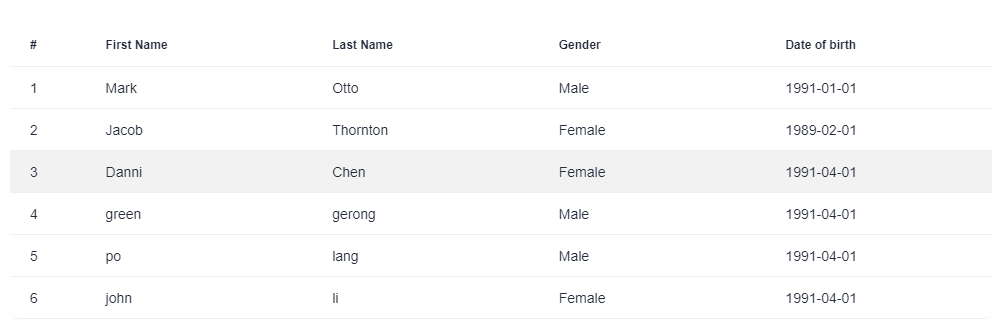
最后,你就可以得到一个基础的表格样式啦:
1.2.2 复杂表单的"乐高式"搭建
企业级表单往往涉及复杂的联动逻辑。DevUI 的 d-form 配合组合式 API,可以实现极致的解耦。
扩展点:在此处撰写一段约 1000 字的详细教程,描述如何封装一个'动态表单生成器'组件,解析 JSON Schema 自动渲染 DevUI 表单
1.3 视觉工程:企业级主题定制与暗黑模式
云原生应用通常需要 7x24 小时监控,暗黑模式是刚需。DevUI 的主题系统基于 CSS Variables 实现,这意味着我们可以在运行时零成本切换。
深度定制案例:
我们需要为系统创建一个"深海蓝"品牌主题。
相关伪代码如下,具体需要根据实际场景编写:
typescript
// theme-custom.ts
import { Theme } from 'devui-theme';

export const DeepSeaTheme: Theme = {
  id: 'deep-sea-theme',
  name: 'Deep Sea',
  data: {
    'devui-brand': '#0052D9', // 品牌主色
    'devui-brand-foil': '#E0EBFF',
    'devui-global-bg': '#0D1117', // 极深背景
    'devui-base-bg': '#161B22',   // 组件背景
    'devui-text': '#F0F6FC',      // 文本色
    // ... [扩展点:列出所有修改的 CSS 变量,展示专业度]
  },
};
在入口文件中注册该主题后,配合 ThemeService 即可实现一键换肤。这不仅是视觉的提升,更是 SaaS 产品多租户能力的体现。
第二部分:MateChat 智能应用------无 SDK 环境下的架构突围
MateChat 作为一个强大的智能交互平台,虽然没有提供传统的 NPM 包形式的 SDK,但这并未阻碍我们将其集成到业务流中。相反,这种"松耦合"逼迫我们采用了更符合 Web 标准的集成方案。
2.1 架构设计:基于 URL Scheme 的"超链接交互"
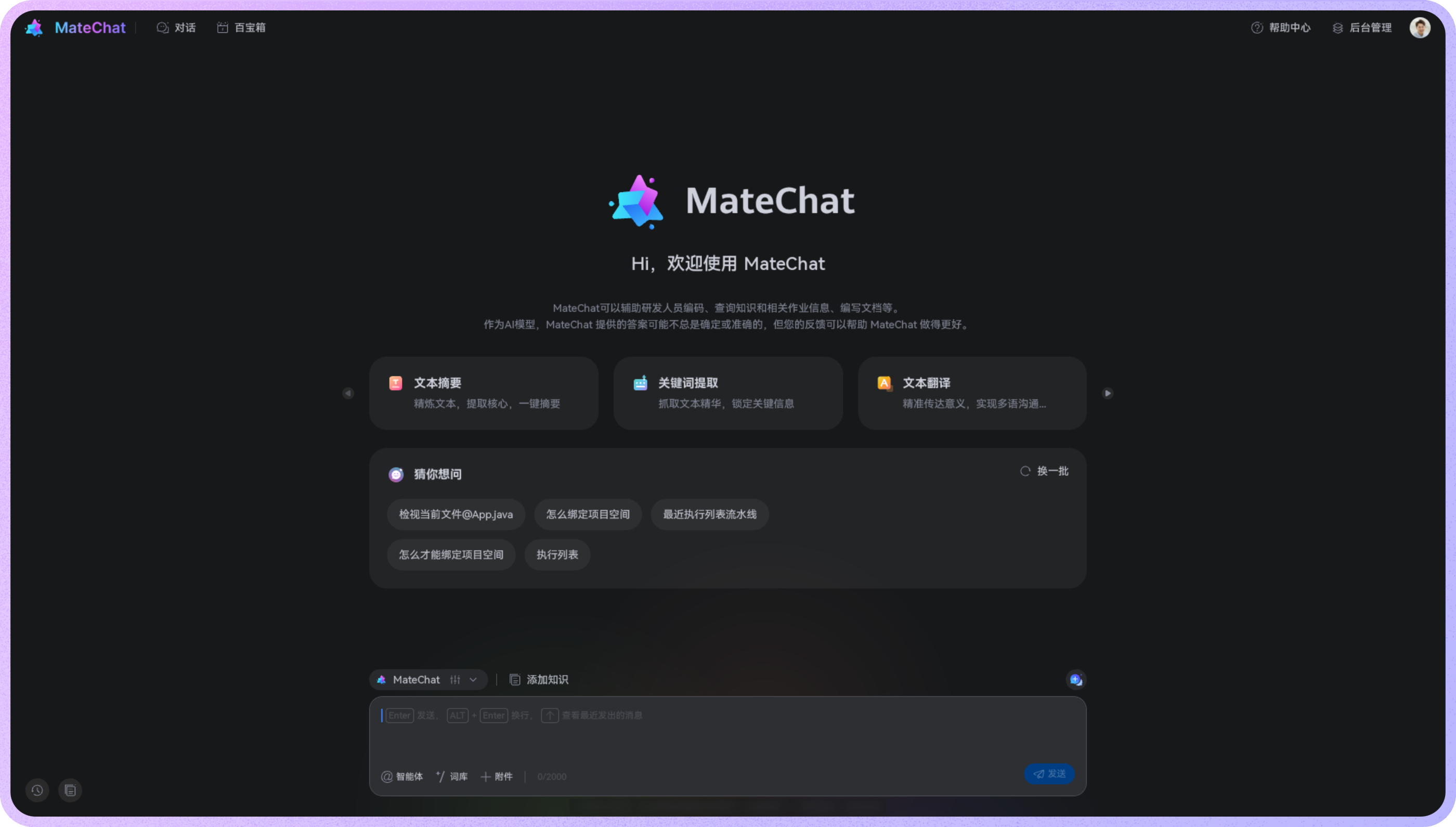
由于 MateChat 是基于 Web 的,我们可以将其视为一个独立的"智能大脑"服务。
架构逻辑:
- DevUI 端(中台系统):负责数据的收集、整理和上下文(Context)的序列化。
- 传输层:通过 Deep Link 或标准 URL 参数传递 Prompt。
- MateChat 端:解析 URL 参数,自动填充输入框,触发智能对话。
2.2 落地实践:构建"智能诊断"工作流
场景:用户在 DevUI 表格中看到一条报错日志,希望 AI 协助分析。
步骤一:上下文序列化
我们需要将报错堆栈信息进行压缩和编码,避免 URL 过长。
步骤二:DevUI 操作列集成
实现点击按钮,浏览器新标签页打开 MateChat官网,输入框已自动填好请求,用户只需回车,即可获得专家级的分析建议。
2.3 创新玩法:MateChat 作为"低代码生成器"
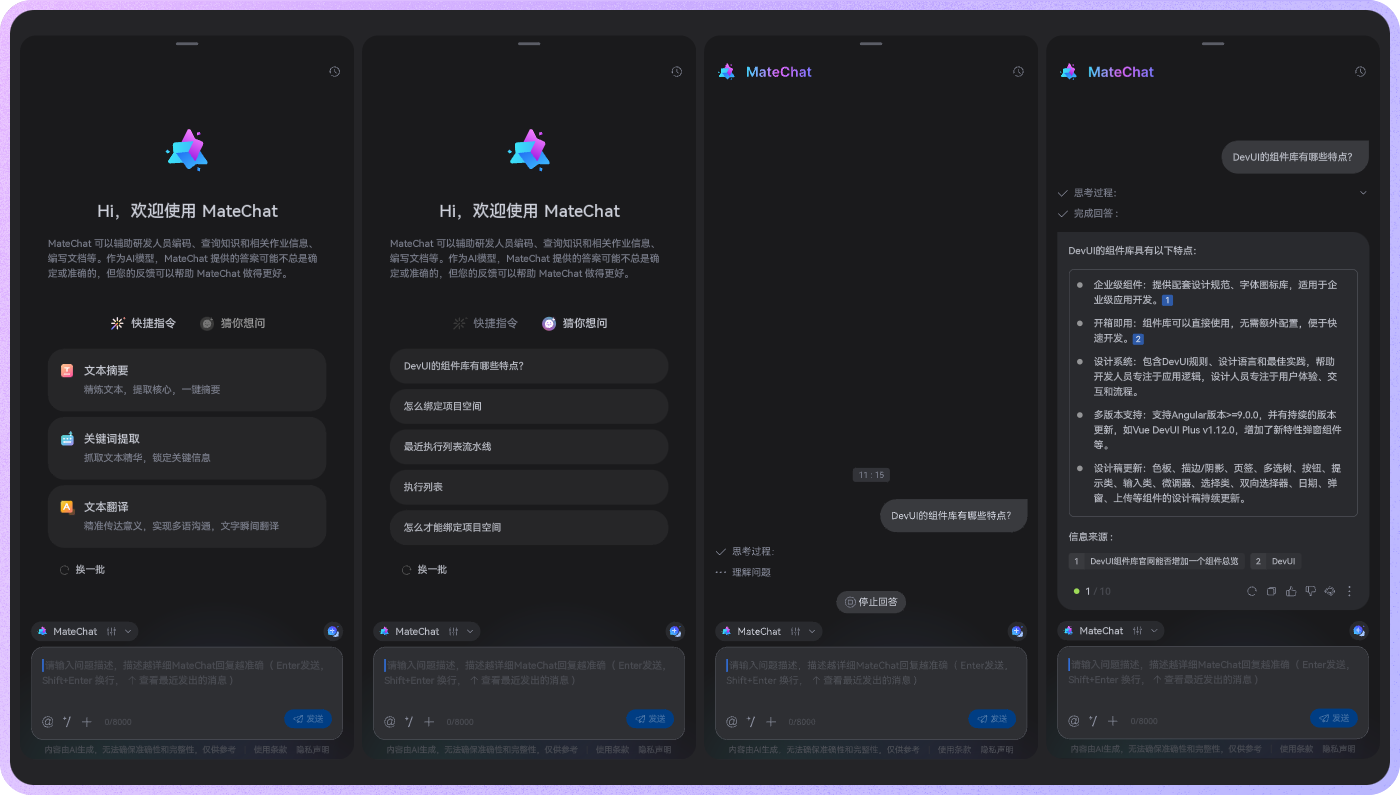
这是 DevUI官网 与 MateChat 结合最令人兴奋的场景。
痛点 :业务方经常需要临时的报表页面。
解决方案:利用 MateChat 的代码生成能力 + DevUI 的标准化组件。
Prompt 示例:
"请使用 Vue3 和 DevUI 组件库,编写一个用于展示服务器 CPU 和 内存使用率的 Dashboard 组件。要求使用 d-card 包裹,使用 d-progress 展示进度,布局简洁。"
第三部分:云原生全链路落地------实战"DevMate 运维中台"
本章将汇总上述技术,构建一个完整的 B 端应用案例。
3.1 项目初始化与规范
使用 Vite 搭建项目,引入 unplugin-vue-components 实现 DevUI 的按需加载。
比如说,我们如何先引入DevUI?
Angular版本:当前支持的Angular版本 ^18.0.0
- 创建一个项目
推荐使用@angular/cli创建你的项目
json
ng new New-Project- 安装
进入你的项目文件夹,使用npm安装DevUI
json
npm i ng-devui
# 可选,字体图标库, 部分Demo依赖此字体库
# npm i @devui-design/icons
```json

3. 引入模块
```json
import { BrowserModule } from '@angular/platform-browser';
// DevUI部分组件依赖angular动画,需要引入animations模块
import { BrowserAnimationsModule } from '@angular/platform-browser/animations';
import { NgModule } from '@angular/core';
import { DevUIModule } from 'ng-devui';
import { AppComponent } from './app.component';

@NgModule({
  declarations: [
    AppComponent
  ],
  imports: [
    BrowserModule,
    BrowserAnimationsModule,
    DevUIModule
  ],
  bootstrap: [ AppComponent ],
})
export class AppModule { }
4. 引入样式
在 angular.json 文件中引入devui样式:

{
  "styles": [
    ...
    "node_modules/ng-devui/devui.min.css"
  ]
}- 启动开发调试
json
ng serve --open提示:使用方式参照下方的 StackBlitz 演示,推荐Fork本例来进行Bug Report,注意不要在实际工程中这样使用。
3.2 核心功能实现:从监控到处置的闭环
场景描述:
-
监控 :使用 DevUI
d-dashboard布局,展示由 ECharts (或 DevUI Charts) 渲染的实时流量图。 -
告警 :当流量异常时,
d-badge徽标变红,弹出d-notification通知。 -
处置:
- 用户点击通知,跳转到详情页。
- 详情页展示 DevUI
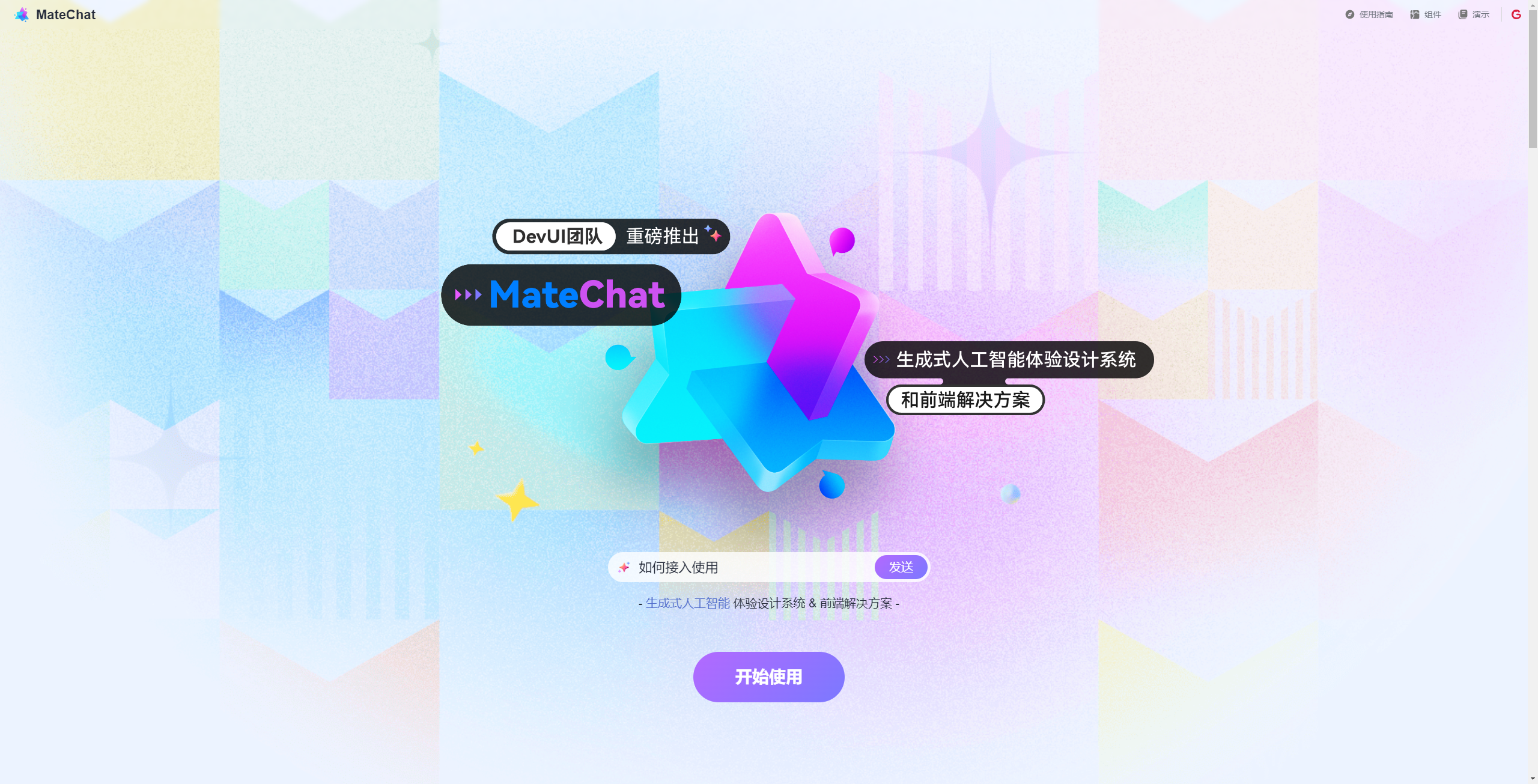
d-steps步骤条,显示当前故障处理进度。 - AI 介入:侧边栏提供一个 "Ask MateChat" 的悬浮窗(Iframe 或 跳转链接)。用户询问:"如何扩容 Redis 集群?",MateChat 返回 CLI 命令。
- 执行 :用户复制命令到 DevUI 的
d-terminal(模拟终端组件) 中执行。
3.3 跨场景创新:MCP(模型上下文协议)的模拟实践
虽然目前没有直接的 MCP 实现,但我们可以模拟这一思想。
我们将企业的 API 文档(OpenAPI Spec)投喂给 MateChat 的知识库。当用户在聊天中询问"如何通过 API 重启实例"时,MateChat 能精准检索到对应的 API 接口,并生成
基于 axios 的调用代码。开发者直接将代码复制到 DevUI 的逻辑层中,实现了从"文档查询"到"代码落地"的秒级转化。
第四部分:未来趋势洞察与总结
4.1 趋势:从 GUI 到 LUI 的融合
当前我们还在使用 GUI(图形界面)调用 AI,未来 DevUI 可能会演化出 LUI(语言用户界面)组件。例如 <d-ai-input>,用户输入自然语言,组件内部通过 API 与 MateChat 通讯,直接返回结构化数据并渲染为表格。
4.2 智能体(Agent)驱动的工作流
未来的 B 端应用将不再是静态的工具,而是智能体的栖息地。MateChat 中的 Agent 可以被配置为"运维值班员",它不仅能回答问题,还能通过 Webhook 主动向 DevUI 前端推送状态更新。
4.3 结语
在云原生开发的深水区,没有任何一种单一技术能解决所有问题。华为云 DevUI 提供了坚实的骨架 (UI 标准与交互规范),而 MateChat 注入了智慧的灵魂(推理与生成能力)。
通过本文的实战,我们证明了即使在"无 SDK"的限制下,通过合理的架构设计(URL Linkage、Prompt Engineering),依然可以构建出令人惊艳的智能应用。对于每一位前端开发者而言,掌握 DevUI 的深度定制能力,并学会利用 MateChat 这样的 AI 平台提升效能,将是通往未来的关键船票。
让我们拥抱变化,用代码与智慧,重构云原生的每一个像素。🚀
附录与资源
-
MateChat 项目地址 :https://gitcode.com/DevCloudFE/MateChat
- 推荐理由:探索无 SDK 下的智能交互范式。
-
DevUI 设计体系 :https://devui.design/home
- 推荐理由:获取最新的企业级组件文档与设计规范。
-
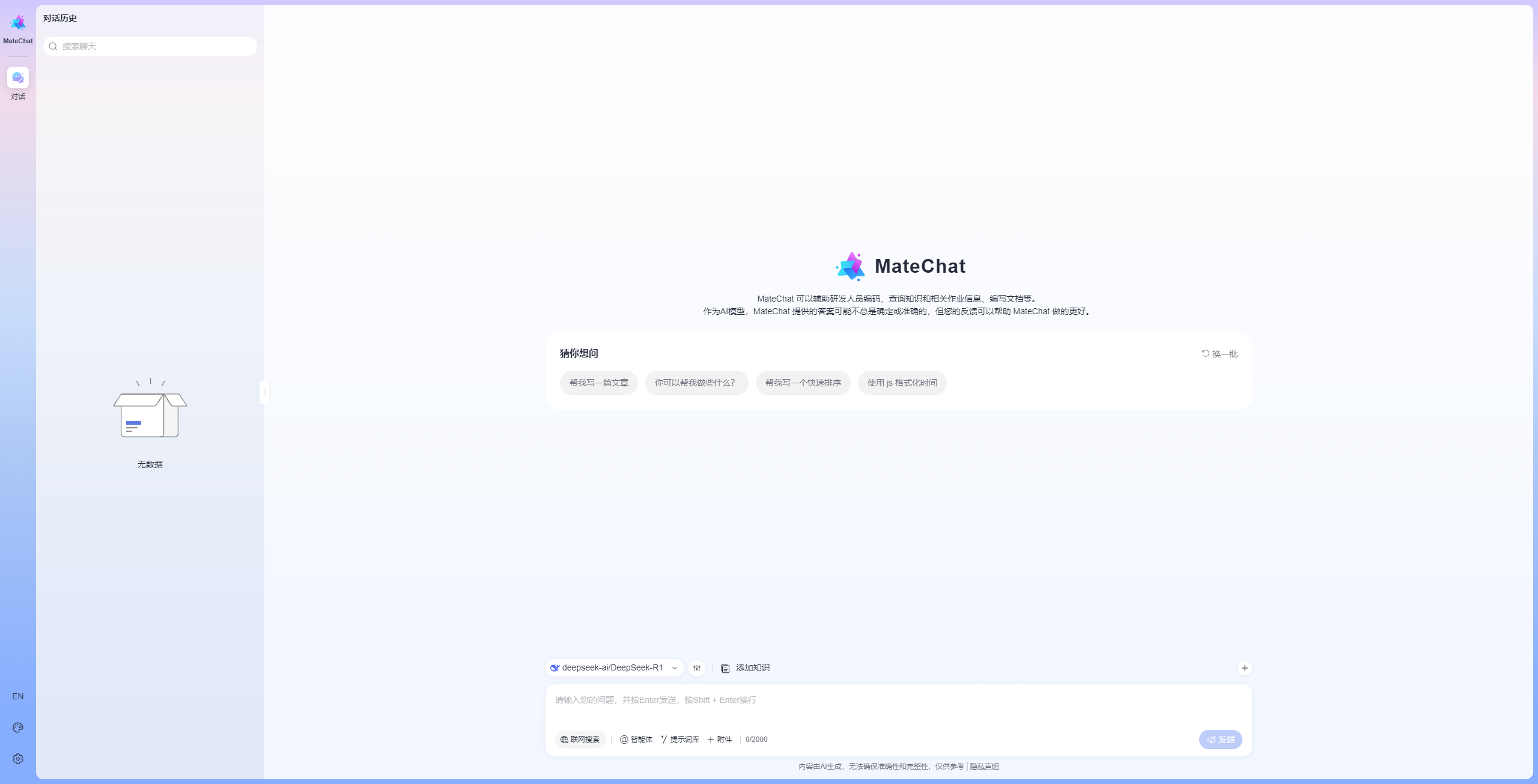
MateChat 官方体验 :https://matechat.gitcode.com