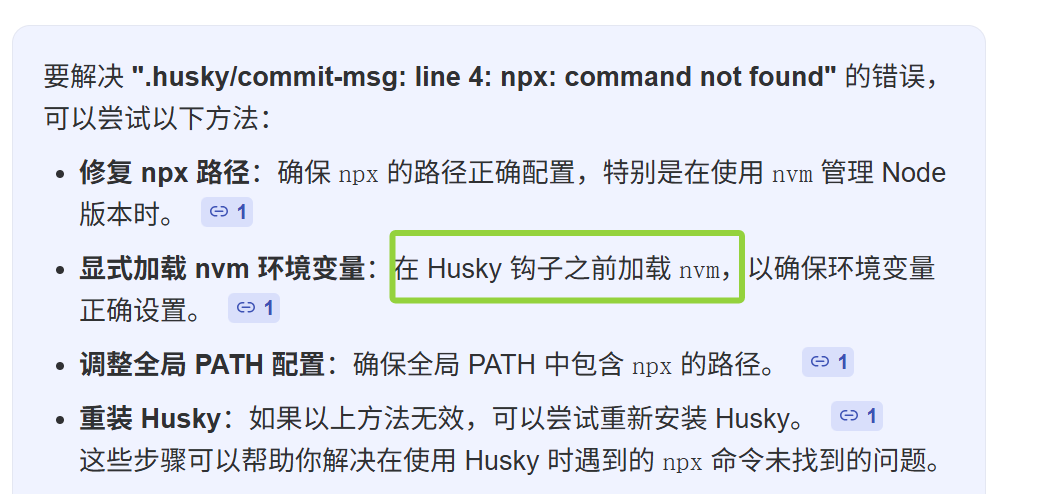
报错:.husky/commit-msg: line 4: npx: command not found
背景:使用 nvm 管理 node 版本时,用 git bash 进行 git commit -m ''代码提交时,出现 husky 报错
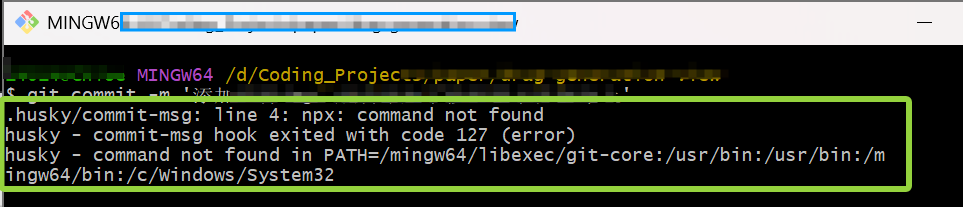
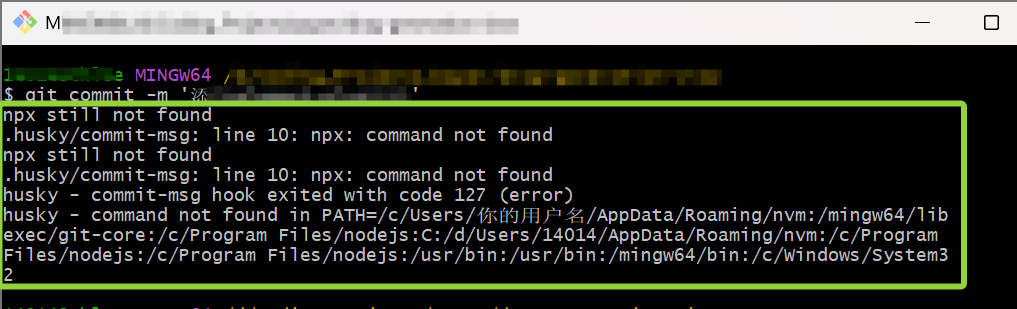
本质 :cmd 能找到 node/npm/npx/nvm(nvm-windows) ,但在 Git Bash 看不到 ,所以 Git Bash 的****PATH 没把 【 NVM for Windows 的 node 目录 】包含进来;
另外
nvm(nvm-windows)在 Git Bash 里也不是 bash 的函数/命令,所以会提示command not found。
解决:
① 找到 nvm 的路径:
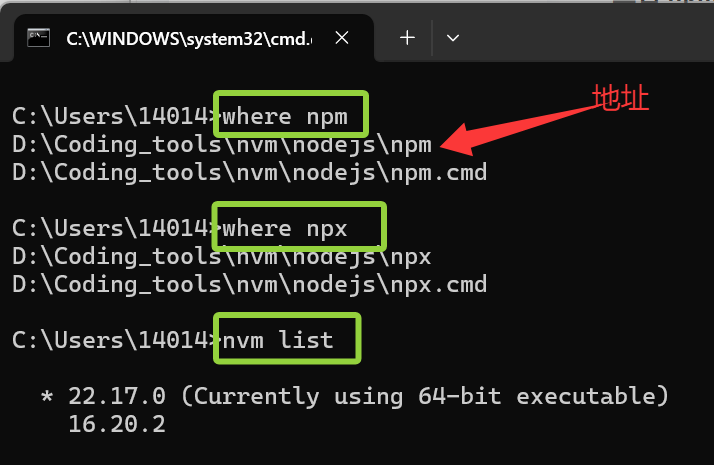
在 cmd 中依次执行:
查看 npm 真实路径
where npm
查看 npx 真实路径
where npx
查看 node 的版本目录
nvm list
你应该能看到类似:
C:\Program Files\nodejs\npm C:\Users\14014\AppData\Roaming\nvm\22.12.0\npm
如果 npx 没出现,那说明 npx 没被正确安装(Node 18+ 默认去掉 npx)。
例 :输入 where npm ,我的输出是D:\Coding_tools\nvm\nodejs\npm
那么我的 nvm 的 地址是D:\Coding_tools\nvm\nodejs
即 path 地址是**/d/Coding_tools/nvm/nodejs:$PATH**
原因:
你用的是 nvm-windows (Windows 版 NVM),它把 node 放在
D:\Coding_tools\nvm\nodejs\...,这个路径已在 Windows 命令行的 PATH 中,但 Git Bash 的 PATH 没包含这个目录;
nvm-windows并不会自动在 Git Bash 中暴露nvmshell 函数,所以nvm在 Git Bash 上不可用(除非安装 nvm(unix 版))。
② 把 nodejs 的安装目录加入 git bash 的 PATH 中
在 git bash 中未能找到路径,但在 cmd 中输入上述 可以正确显示路径,则在git bash 中执行(一行一条):
bash
# 1) 备份现有 bashrc(保险起见)
cp ~/.bashrc ~/.bashrc.backup

# 2) 把 nodejs 安装目录加入 PATH(追加到 ~/.bashrc)
# 【 PATH 是 你在 cmd 中用 where npm 输出的地址 去除 npm 的部分】+ $PATH
# 注意:这里斜杠的方向,和 cmd 的斜杠方向相反。
echo 'export PATH="/d/Coding_tools/nvm/nodejs:$PATH"' >> ~/.bashrc

# 3) 立即生效
source ~/.bashrc

# 4) 验证
which npm
which npx
command -v node
node -v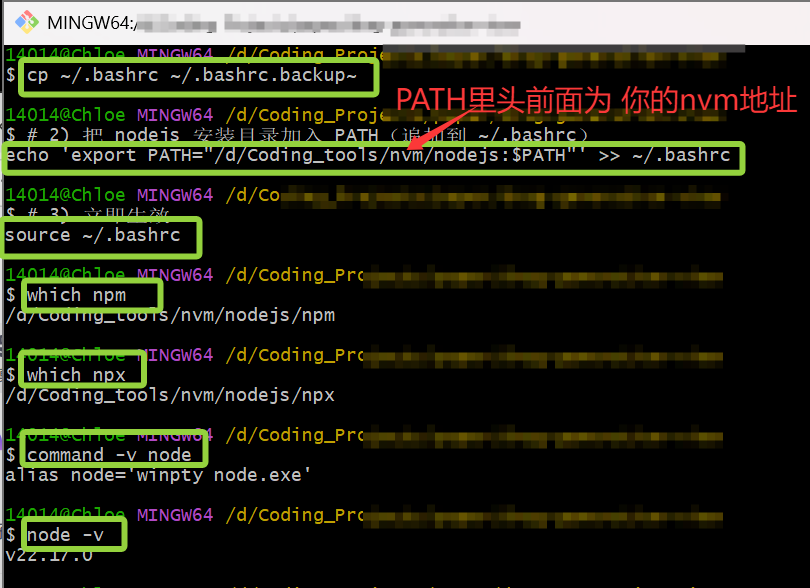
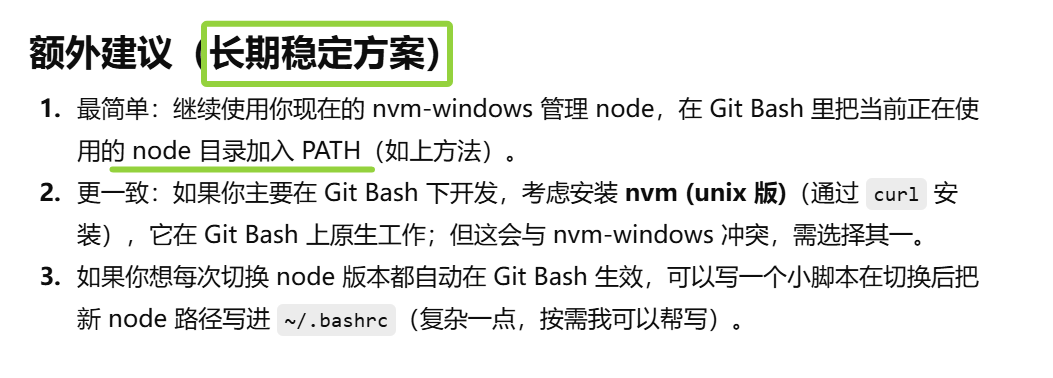
其他------where 和 which的区别
where(Windows 命令)
which(git bash)
在 Windows cmd 里你用
where(Windows 命令)能找到D:\Coding_tools\nvm\nodejs\npm。
仓库提交规范问题:
问题 :**Git 提交被 Husky 的 commit-msg 钩子(配合 commitlint)**拦下来了
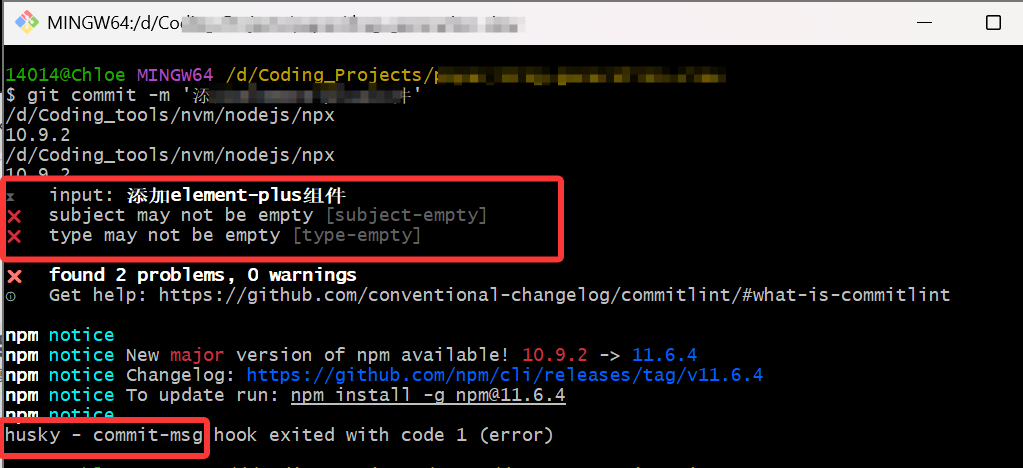
husky - commit-msg hook exited with code 1:表示 hook 检测不通过,退出码为 1,所以 Git 阻止了提交。
提示:
✖ subject may not be empty [subject-empty]
✖ type may not be empty [type-empty]
分析 :仓库要求 Conventional Commits(规范化提交信息) 的格式,提交信息必须包含 type(例如 feat/fix/chore 等)和 subject(简短描述)。
查看项目中的 husky/commit-msg 文件中,commitlint 要求规范提交信息
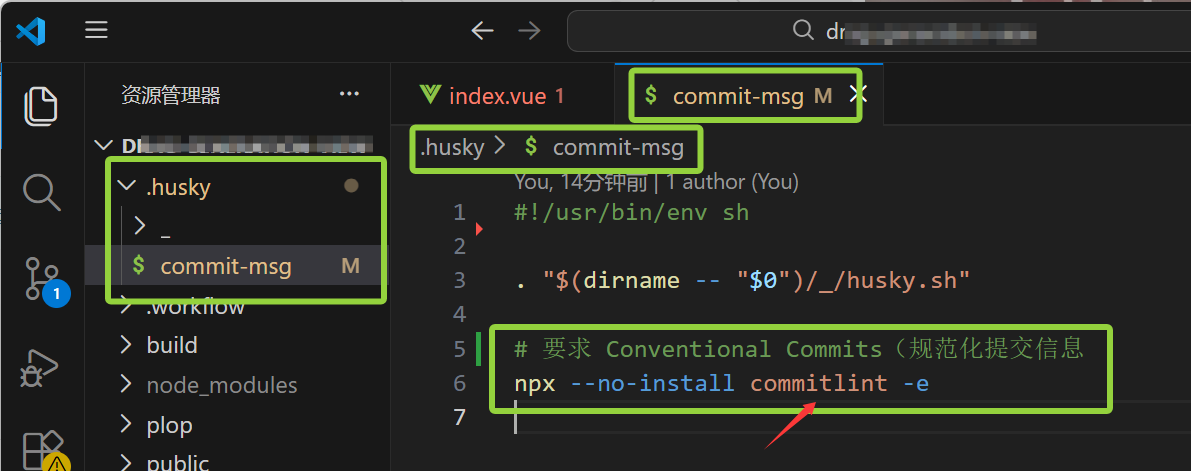
导致,你写了 git commit -m '添加xxxx',commitlint 也会判断缺少 type: 前缀而拒绝。
解决:使用正确的提交信息格式:
仓库常见的格式示例(最常见):
<type>(<scope>): <subject>
中文也可以,只要有 type: 和 subject。
★ 常用 type:
-
feat --- 新功能
-
fix --- 修复 bug
-
chore --- 构建/工具/杂项
-
docs --- 文档
-
refactor --- 重构
-
test --- 测试
-
style --- 格式(不影响功能)
示例命令(直接复制使用):
git add .
git commit -m "feat: 添加 xxxx库"或者带 scope(更严谨):
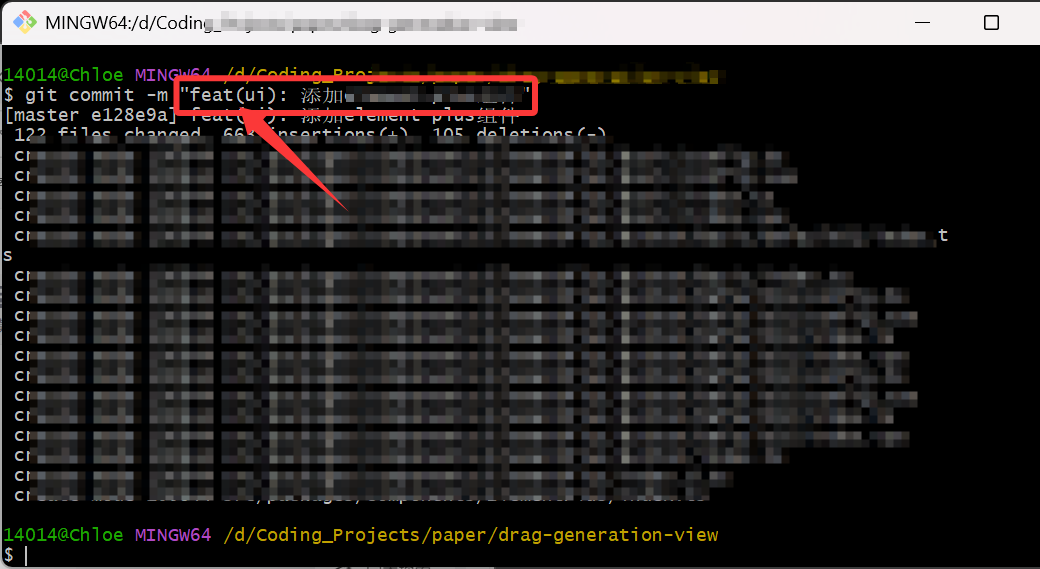
git commit -m "feat(ui): 添加 xxxx库"如果这是修复某事改动,应使用
fix::
git commit -m "fix: 修复 添加 xxxx 未引入的问题"
例:按照规范写,成功!
若要临时跳过钩子(不推荐)------ 添加--no-verify可以跳过验证
git commit -m "添加element-plus组件" --no-verify
注意:
--no-verify会跳过所有 pre-commit / commit-msg 钩子,可能会把不合规的提交推到仓库,应该谨慎使用。
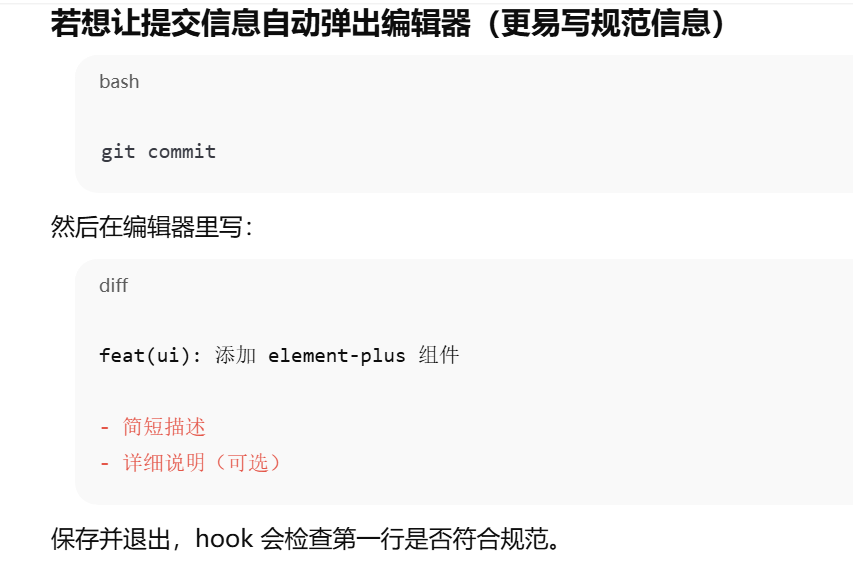
git提交时报错 npx: command not found问题: git提交时报错 npx: command not - 掘金安装了node新版本 使用sourcetree提交代码报错_husky - pre-commit hook exited with code 127 (erro-CSDN博客