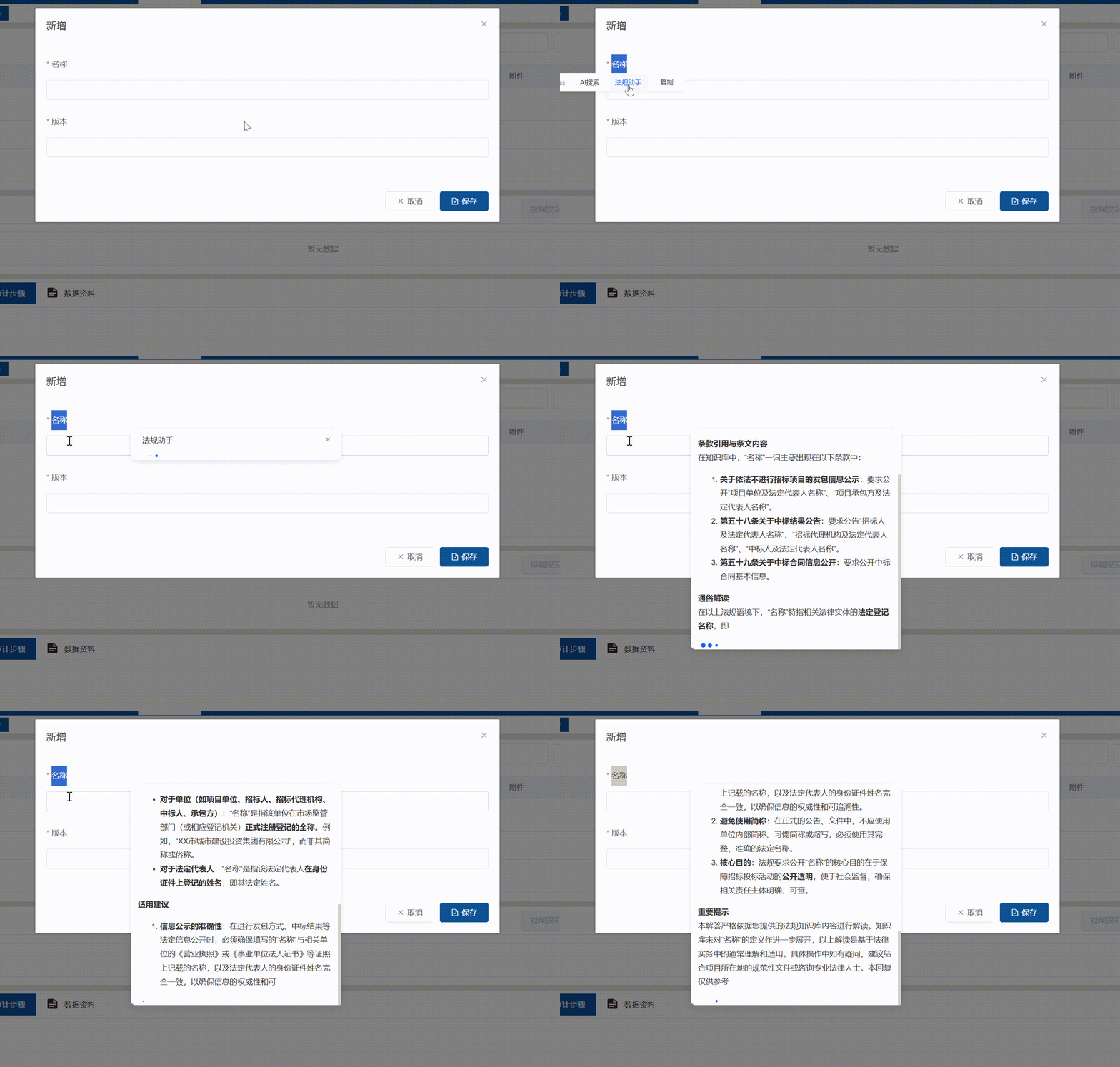
 实现原理: 通过监听鼠标 mouseup mousedown等事件 定位选中的词语 然后计算浮窗位置
javascript
    handleMouseUp(e) {
      // 排除拖动图标、no-word-select类的元素
      if (e.target.closest('.drag-icon') || e.target.closest(".no-word-select")) return;

      let selectedText = '';
      let positionData = null; // 存储定位所需的数据(Range或鼠标坐标+元素)
      const target = e.target;
      const targetTag = target.tagName;

      // 处理textarea/input的选中文本
      if (targetTag === 'TEXTAREA' || (targetTag === 'INPUT' && target.type === 'text')) {
        const el = target;
        const start = el.selectionStart;
        const end = el.selectionEnd;
        if (start < end) {
          selectedText = el.value.substring(start, end).trim();
          // 存储鼠标坐标和元素本身(用于输入框定位)
          positionData = {
            type: 'input',
            clientX: e.clientX,
            clientY: e.clientY,
            element: el
          };
        }
      } else {
        // 普通元素的选中文本
        const selection = window.getSelection();
        selectedText = selection.toString().trim();
        if (selectedText) {
          positionData = {
            type: 'normal',
            range: selection.getRangeAt(0)
          };
        }
      }

      // 赋值选中文本
      this.selectedText = selectedText;

      // 有选中文本且有定位数据时,显示浮窗并计算位置
      if (this.selectedText && positionData) {
        this.calculatePosition(positionData);
        this.visible = true;
      } else {
        // 无选中文本时隐藏浮窗
        this.visible = false;
        this.explainVisible = false;
      }
    },
    // 计算浮窗位置
    calculatePosition(positionData) {
      const scrollTop = window.pageYOffset || document.documentElement.scrollTop;
      const scrollLeft = window.pageXOffset || document.documentElement.scrollLeft;
      const floatWidth = 240;
      const floatHeight = 34;

      if (positionData.type === 'input') {
        // 输入框的定位逻辑:基于鼠标松开的坐标
        const { clientX, clientY, element } = positionData;
        // 浮窗位置:鼠标位置下方8px,水平居中于鼠标位置
        this.top = clientY + scrollTop + 8;
        this.left = clientX + scrollLeft - floatWidth / 2;

        // 额外处理:防止浮窗超出输入框的右侧/左侧
        const elRect = element.getBoundingClientRect();
        const elRight = elRect.right + scrollLeft;
        const elLeft = elRect.left + scrollLeft;
        // 浮窗右边界超出输入框右边界时,左移
        if (this.left + floatWidth > elRight) {
          this.left = elRight - floatWidth - 8;
        }
        // 浮窗左边界超出输入框左边界时,右移
        if (this.left < elLeft) {
          this.left = elLeft + 8;
        }
      } else {
        // 普通元素的定位逻辑:基于Range的坐标
        const rect = positionData.range.getBoundingClientRect();
        this.top = rect.bottom + scrollTop + 8;
        this.left = rect.left + scrollLeft + (rect.width - floatWidth) / 2;
      }

      // 全局边界处理:防止浮窗超出屏幕
      const screenWidth = document.documentElement.clientWidth;
      const screenHeight = document.documentElement.clientHeight;

      if (this.left + floatWidth > screenWidth) this.left = screenWidth - floatWidth - 8;
      if (this.left < 0) this.left = 8;
      if (this.top + floatHeight > screenHeight) this.top = this.top - floatHeight - 16; // 向上偏移
    },
获取到所选词语后,调用相应的大模型,我这边用的是Dify的API,另外一个文章有写实现方法