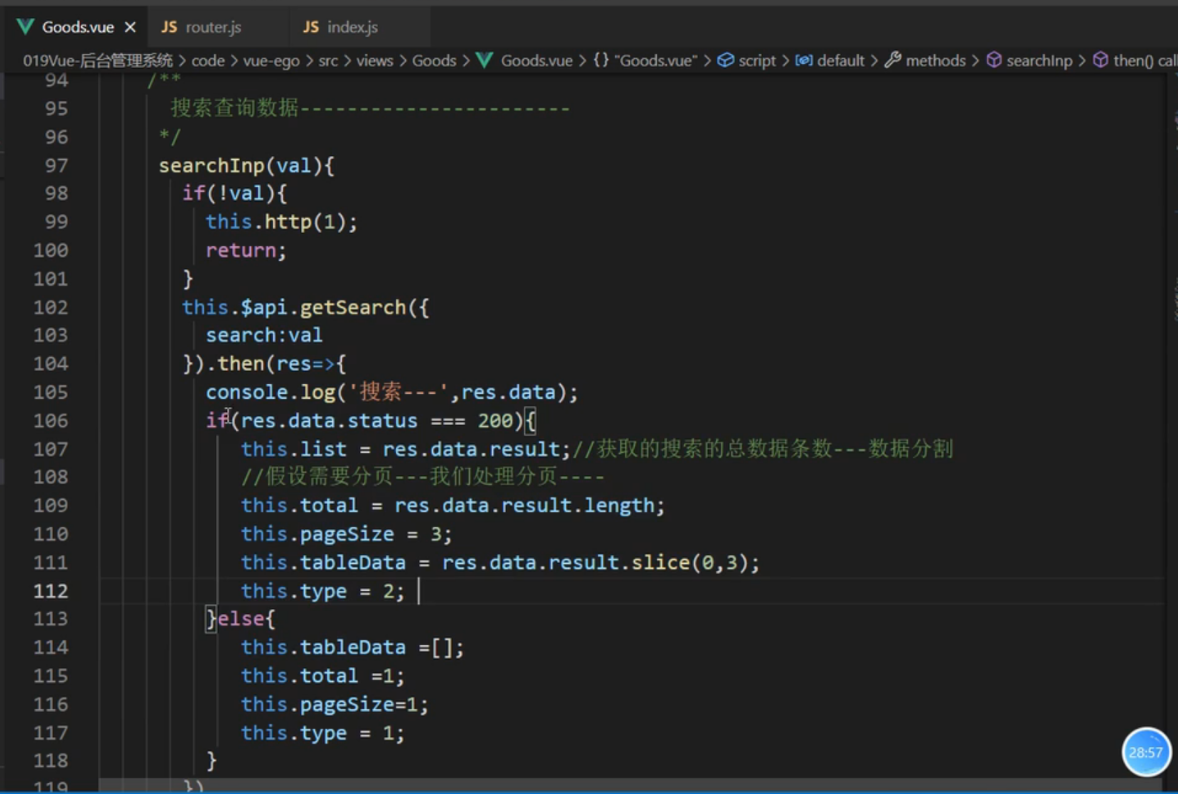
1, src/views/Goods/Goods.vue

<template>
	<div class="goods">
		<!-- 1,搜索区域 -->
		<div class="header">
			<!-- 仅在输入框失去焦点或用户按下回车时触发 -->
			<el-input @change="searchInput" v-model="input" placeholder="请输入内容"></el-input>
			<el-button type="primary">查询</el-button>
			<el-button type="primary">添加</el-button>
		</div>
		<!-- 2, 表格区域 展示视图数据  -->
		<div class="wrapper">
			<el-table :data="tableData" border @selection-change="handleSelectionChange">
				<el-table-column type="selection" width="55">
				</el-table-column>
				<el-table-column prop="id" label="商品ID" width="100">
				</el-table-column>
				<el-table-column prop="title" label="商品名称" width="100" show-overflow-tooltip>
				</el-table-column>
				<el-table-column prop="price" label="商品价格" width="100">
				</el-table-column>
				<el-table-column prop="num" label="商品数量" width="100">
				</el-table-column>
				<el-table-column prop="category" label="规格类目" width="100">
				</el-table-column>
				<el-table-column prop="image" label="商品图片" show-overflow-tooltip>
				</el-table-column>
				<el-table-column prop="sellPoint" label="商品卖点" show-overflow-tooltip>
				</el-table-column>
				<el-table-column prop="descs" label="商品描述" show-overflow-tooltip>
				</el-table-column>
				<el-table-column label="操作" width="180">
					<template slot-scope="scope">
						<el-button size="mini" @click="handleEdit(scope.$index, scope.row)">编辑</el-button>
						<el-button size="mini" type="danger"
							@click="handleDelete(scope.$index, scope.row)">删除</el-button>
					</template>
				</el-table-column>
			</el-table>
		</div>

		<!-- 3, 分页展示  接收页码-->
		<MyPagination :total="total" :pageSize="pageSize" @changePage="changePage" />
	</div>
</template>

<script>
	import MyPagination from '@/components/MyPagination.vue';
	export default {
		components: {
			MyPagination
		},
		data() {
			return {
				// 声明变量
				input: "",
				tableData: [],
				total: 10,
				pageSize: 1,
				type: 1,
				list: [],
			}
		},
		methods: {

			// 分页的页码  搜索状态的分页
			changePage(num) {
				if (this.type == 1) {
					this.http(num); // 商品列表分页
				} else {
					// 搜索分页 1,2,3-- list=[1,2,3,4,5,6,7,8]	0-3 3-6 6-9 9-12
					console.log('搜索的分页处理--', 截取分页的长度);
					// (num-1)*3 num*3  安装一个list容器
					this.tableData = this.list.slice((num - 1) * 3, num * 3);
				}
			},
			// 搜索查询的数据
			searchInput(val) {
				// 当没有搜索时,返回到商品列表页
				if (!val) {
					this.http(1);
					return;
				}
				// console.log('搜索---', val);
				this.$api.getSearch({
					search: val
				}).then(res => {
					console.log('搜索---', res.data);
					if (res.data.status === 200) {
						// 获取搜索总数据的条数---数据分割
						this.list = res.data.result;
						// 让前台匹配数据,这个数据就先不要赋值了
						// this.tableData = res.data.result;
						// 假设需要分页----我们处理分页
						// 1, 获取总数据
						this.total = res.data.result.length;
						// 2, 撤数据 正常情况下都是让后台匹配字段,我们这里让前台匹配
						this.pageSize = 3;
						// 3,赋值截取字段
						this.tableData = res.data.result.slice(0, 3);
						// 4, 搜索分页处理
						this.type = 2;
					} else {
						this.tableData = [];
						this.total = 1;
						this.pageSize = 1;
						this.type = 1;
					}
				})
			},
			// 编辑操作
			handleEdit() {},
			// 删除操作
			handleDelete() {},
			// 选择数据
			handleSelectionChange(val) {
				this.multipleSelection = val;
			},
			// 商品列表的获取 封装http 结构赋值
			http(page) {
				this.$api.getGoodsList({
					page,
				}).then((res) => {
					console.log('获取商品列表数据', res.data);
					if (res.data.status === 200) {
						// 数据列表
						this.tableData = res.data.data;
						this.total = res.data.total;
						this.pageSize = res.data.pageSize;
					}
				});
			},
		},
		// 生命周期函数
		created() {
			this.http(1);
		}
	};
</script>

<style lang="less" scoped>
	.goods {
		margin: 20px;
	}

	.header {
		display: flex;

		button {
			margin-left: 20px;
		}
	}

	.wrapper {
		margin: 20px 0;
	}

	// .pagination {
	// 	text-align: center;
	// 	margin: 20px;
	// }
</style>


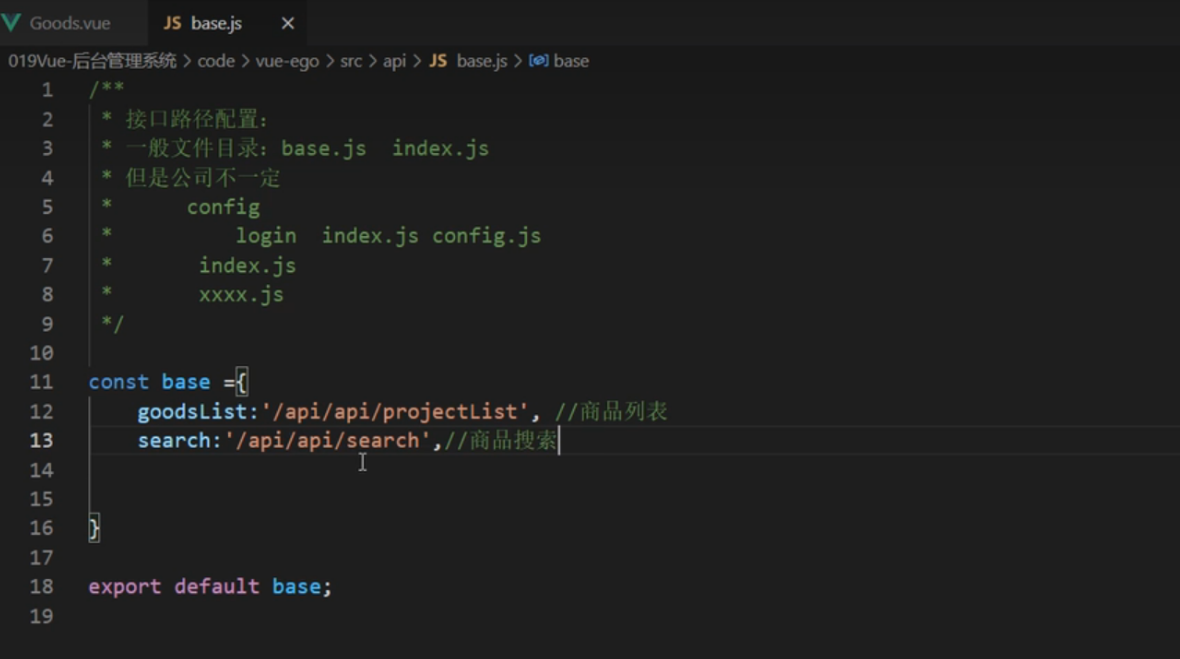
2, src/api/base.js
/**
 * 接口的路径配置:
 * 一般文件目录: base.js index.js
 * 	base.js : 放所有路径的配置
 *  index.js: 放所有请求的方法
 */

const base = {
	goodsList: '/api/api/projectList', // 商品列表
	search: '/api/api/search', // 商品的搜索功能
}

export default base;


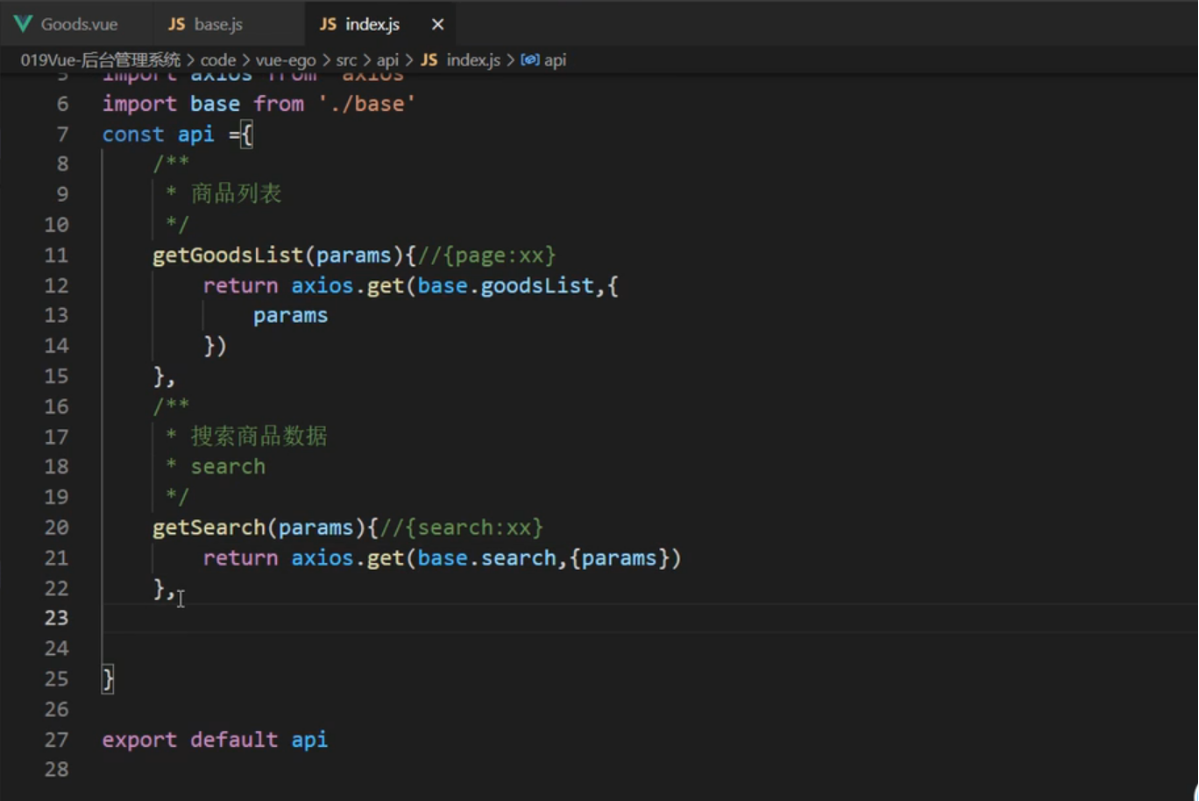
3, src/api/index.js

/**
 * 所有请求的方法
 */

import axios from "axios";
import base from "./base";
const api = {
	/**
	 * 商品列表方法
	 */
	getGoodsList(params) { // {page:xx}
		return axios.get(base.goodsList, {
			params
		})
	},
	/**
	 * 搜索商品数据方法
	 * search
	 */
	getSearch(params) { // {search: xx}
		return axios.get(base.search, {
			params
		})
	},
}

export default api;


4, server/mysql.js	// 数据库连接 sql语句封装
// 连接数据库 1,安装mysql 2, 创建连接
const mysql = require('mysql')

// 创建数据库连接
const client = mysql.createConnection({
	host: 'localhost', // 数据域名 地址
	user: 'zengguoqing', // 数据库用户名称
	password: 'zengguoqing', // 数据库密码 xampp 集成
	database: 'vue_ego',
	port: '3306'
})

// 封装数据库操作语句 sql语句 参数数组 arr callback 成功函数结果 老师的
function sqlFn(sql, arr, callback) {
	client.query(sql, arr, function(error, result) {
		if (error) {
			console.log('数据库语句错误');
			return;
		}
		callback(result);
	})
}

module.exports = sqlFn;


5, server/router.js	// 路由接口代码
// 专门放所有的接口  这里只写一部分大约有二十几个接口

// 导入 express
const express = require('express')
// 使用里面的 Router() 这个方法
const router = express.Router()

// token
// const jwt = require('jsonwebtoken')

// 秘钥
// const config = require('./secert.js')

// 导入数据库 sqlFn('sql',[],res=>{})
const sqlFn = require('./mysql.js')

// 图片上传支持的模块
// const multer = require('multer')
// const fs = require('fs')


// 测试接口
// router.get('/', (req, res) => {
// 	res.send('hello')
// })

// 路由接口

// 登录接口
/**
 * 语法
 * 如 60,'2 day','10h','7d',expiration time 过期时间
 * jwt.sign({},'秘钥','过期时间',{expiresIn: 20*1,'1 day','1h'})
 */
/**
 * 登录 login
 */
// router.post('/login', (req, res) => {
// 	//
// })

/**
 * 注册接口 /register
 */
// router.post('/register', (req, res) => {
// 	//
// })

/**
 * 商品列表:获取分页 {total: '',arr:[{},{},{}],pagesize:8,}
 * 参数:page 页码
 */
router.get('/projectList', (req, res) => {
	const page = req.query.page || 1;
	const sqlLen = "select * from project where id";
	sqlFn(sqlLen, null, data => {
		let len = data.length;
		const sql = "select * from project order by id desc limit 8 offset" + (page - 1) * 8;
		sqlFn(sql, null, result => {
			if (result.length > 0) {
				res.send({
					status: 200,
					data: result,
					pageSize: 8,
					total: len
				})
			} else {
				res.send({
					status: 200,
					msg: "暂无数据"
				})
			}
		})
	})
})


// router.get('/projectList', (req, res) => {
// 	// 接收页码 可以不传 默认为1
// 	const page = req.query.page || 1;
// 	// 根据 id 去查 project 表
// 	const sqlLen = "select * from project where id";

// 	sqlFn(sqlLen, null, data => {
// 		let len = data.length;
// 		const sql = "select * from project order by id desc limit 8 offset" + (page - 1) * 8;
// 		sqlFn(sql, null, result => {
// 			if (result.length > 0) {
// 				// 返回数据
// 				res.send({
// 					status: 200,
// 					data: result,
// 					pageSize: 8,
// 					total: len
// 				})
// 			} else {
// 				// 返回数据
// 				res.send({
// 					status: 500,
// 					msg: "暂无数据"
// 				})
// 			}
// 		})
// 	})
// })


/**
 * 商品查询接口 search
 * 参数: search
 */
router.get("/search", (req, res) => {
	var search = req.query.search;
	const sql = "select * from project where concat(`title`,`sellPoint`,`descs`) like '%" + search + "%'";
	sqlFn(sql, null, (result) => {
		if (result.length > 0) {
			res.send({
				status: 200,
				data: result
			})
		} else {
			res.send({
				status: 500,
				msg: '暂无数据'
			})
		}
	})
})


/**
 * 类目选择
 * 接口说明:接口不同的参数 cid 返回不同的类目数据后台接受变量 id
 */
// router.get("/backend/itemCategory/selectItemCategoryByParentId", (req, res) => {
// 	//
// 	const id = req.query.id || 1;
// 	const sql = "select * from category where id = ?"
// 	var arr = [id];
// 	sqlFn(sql, arr, result => {
// 		if (result.length > 0) {
// 			res.send({
// 				status: 200,
// 			})
// 		}
// 	})
// })


module.exports = router