wokwi.toml
js
[wokwi]
version = 1
elf = ".pio/build/esp32/firmware.elf"
firmware = ".pio/build/esp32/firmware.bin"
rfc2217ServerPort = 4000
platformio.ini
bash
[env:esp32]
platform = espressif32
framework = arduino
board = esp32dev
diagram.json
json
{
  "version": 1,
  "author": "Uri Shaked",
  "editor": "wokwi",
  "parts": [
    { "type": "board-esp32-devkit-c-v4", "id": "esp", "top": 0, "left": -4.76, "attrs": {} },
    {
      "type": "wokwi-resistor",
      "id": "r1",
      "top": 109.55,
      "left": -76.8,
      "attrs": { "value": "1000" }
    },
    {
      "type": "wokwi-resistor",
      "id": "r2",
      "top": 119.15,
      "left": -76.8,
      "attrs": { "value": "1000" }
    },
    {
      "type": "wokwi-led",
      "id": "led1",
      "top": 34.8,
      "left": -111.4,
      "attrs": { "color": "blue" }
    },
    {
      "type": "wokwi-led",
      "id": "led2",
      "top": 63.6,
      "left": -140.2,
      "attrs": { "color": "green" }
    }
  ],
  "connections": [
    [ "esp:TX", "$serialMonitor:RX", "", [] ],
    [ "esp:RX", "$serialMonitor:TX", "", [] ],
    [ "r1:1", "led1:A", "green", [ "v0.07", "h-10" ] ],
    [ "r2:1", "led2:A", "green", [ "h-38.4", "v-19.2" ] ],
    [ "esp:GND.1", "led2:C", "black", [ "h0" ] ],
    [ "esp:GND.1", "led1:C", "black", [ "h0" ] ],
    [ "esp:26", "r1:2", "green", [ "h0" ] ],
    [ "r2:2", "esp:27", "green", [ "v0" ] ]
  ],
  "dependencies": {}
}
main.cpp
c
#include "Arduino.h"

void setup(void) {
    Serial.begin(115200);
    // 修正原注释的小问题,Arduino的Serial不是localhost,这里改为更符合实际的提示
    Serial.println("Serial communication started (Baud rate: 115200)");
}

void loop(void) {
    static int a = 0;
    delay(1000);
    // 原有功能:定时输出AAA和计数
    Serial.printf("AAA %d \r\n", a++);
    // 读取并打印串口接收的数据
    if (Serial.available() > 0) { // 检查是否有串口数据可读取
        // 读取接收到的字符串(直到换行符,适配Serial Monitor的默认发送格式)
        String receivedData = Serial.readStringUntil('\n');
        // 去除字符串中的回车、换行等空白字符,避免输出多余符号
        receivedData.trim();
        // 打印接收到的数据
        Serial.print("Received data: ");
        Serial.println(receivedData);
    }
}
PC 环境准备
bash
# 控制台打开 Anaconda Prompt
(base) C:\Users\PC>conda env list
# conda environments:
#
base                  *  D:\soft\Anaconda3
mingzynq                 D:\soft\Anaconda3\envs\mingzynq
platformio               D:\soft\Anaconda3\envs\platformio
untitled1                D:\soft\Anaconda3\envs\untitled1


(base) C:\Users\PC>conda activate platformio

(platformio) C:\Users\PC>d:

(platformio) D:\>cd D:\workspace\gitee\esp32-http-server-main

(platformio) D:\workspace\gitee\esp32-http-server-main>pip3 install pyserial
Looking in indexes: https://pypi.tuna.tsinghua.edu.cn/simpl
Requirement already satisfied: pyserial in d:\soft\anaconda3\envs\platformio\lib\site-packages (3.5)

(platformio) D:\workspace\gitee\esp32-http-server-main>python fc2217_client.py
Connected. Listening...
AAA 610
AAA 611
Received data: write from pc
AAA 612
Received data: write from pc
AAA 613
Received data: write from pc
AAA 614
Received data: write from pc
不想装python可以直接用clion自带的
bash
# 64位python
&"D:\Program Files\JetBrains\CLion 2023.2\bin\lldb\win\x64\bin\python.exe" fc2217_client.py

# 32位python [测试32位动态库用]
 & "D:\Program Files\JetBrains\CLion 2023.2\bin\lldb\win\x86\bin\python.exe" fc2217_client.py
rfc2217_client.py
pc上运行
py
import serial

# 连接 Wokwi 提供的 rfc2217 虚拟串口
ser = serial.serial_for_url("rfc2217://localhost:4000?ign_set_control=1",
                            baudrate=115200,
                            timeout=0.05)

print("Connected. Listening...")

try:
    while True:
        data = ser.read(1024)
        if data:
            print(data.decode(errors="ignore"), end="")
            ser.write(b"write from pc\r\n")
except KeyboardInterrupt:
    print("\nStopped.")
finally:
    ser.close()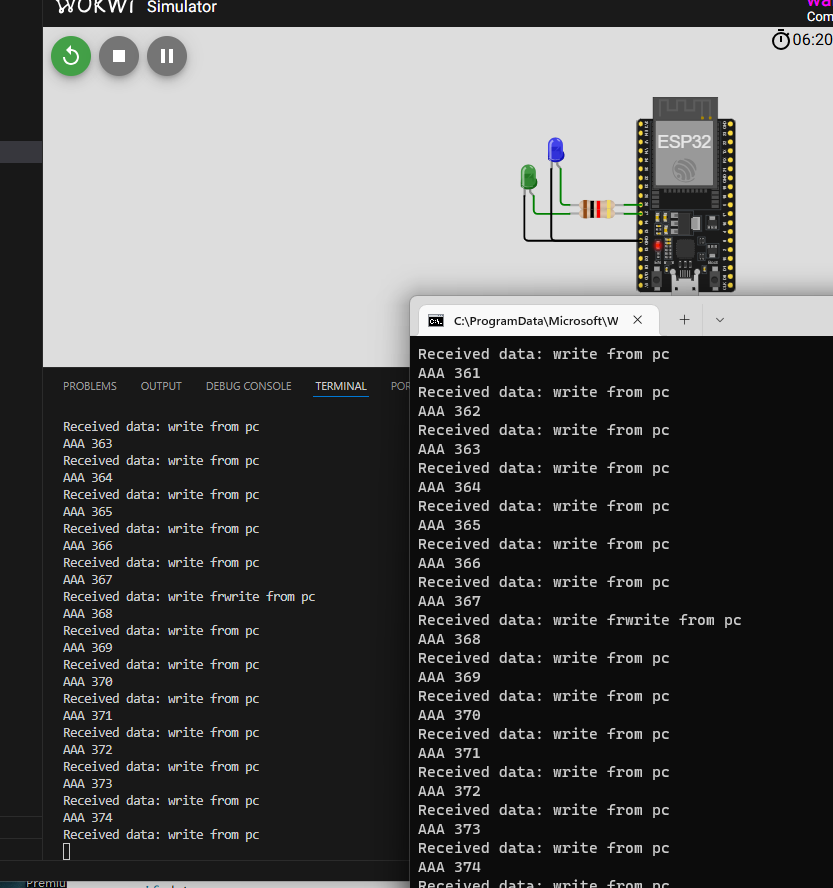
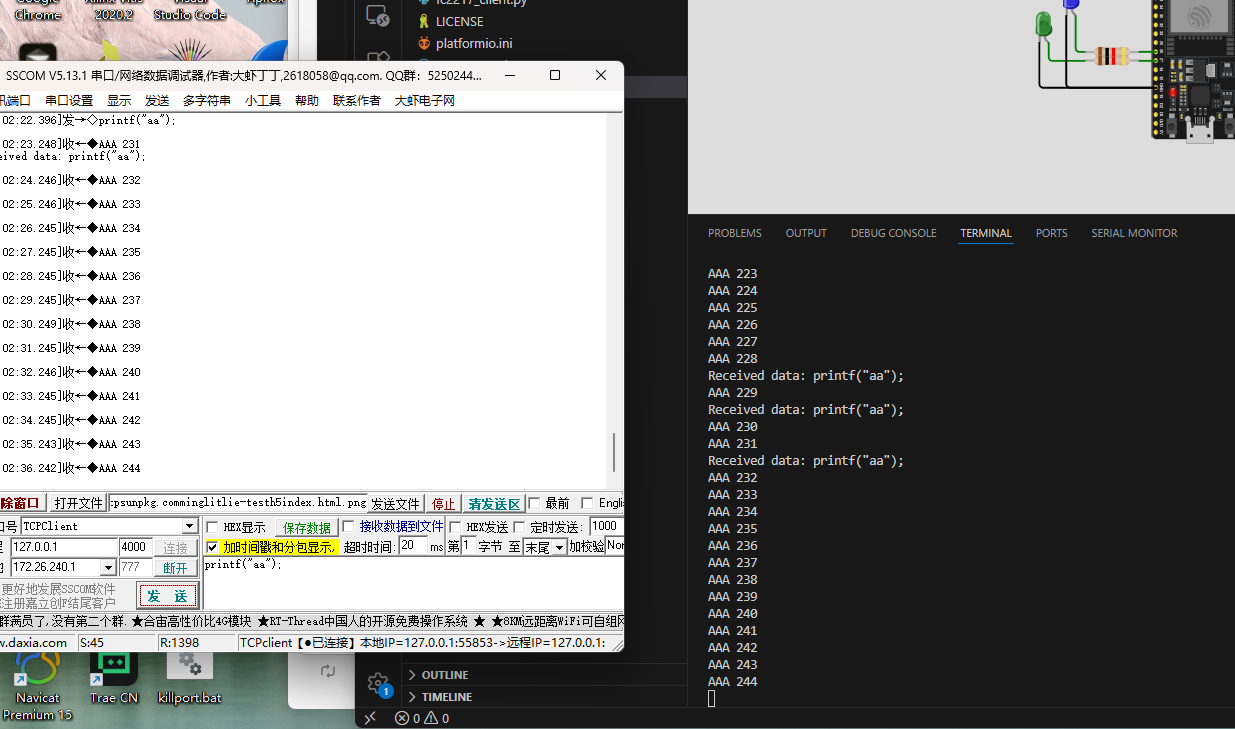
或用带tcpClient的串口助手