效果图
大图通知
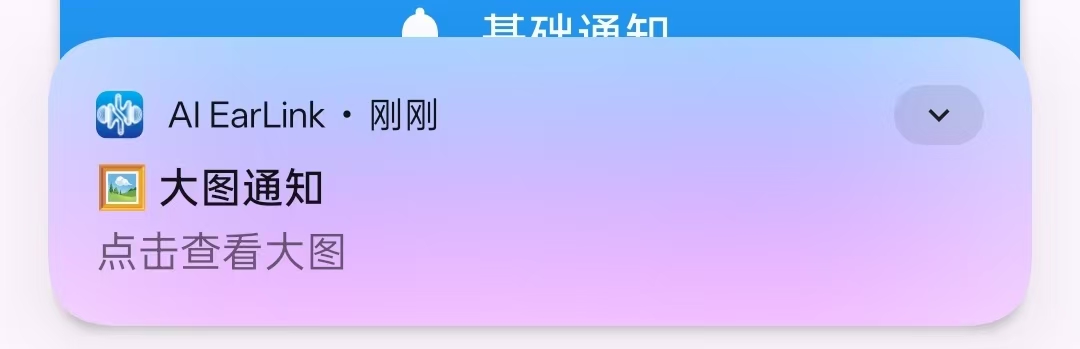
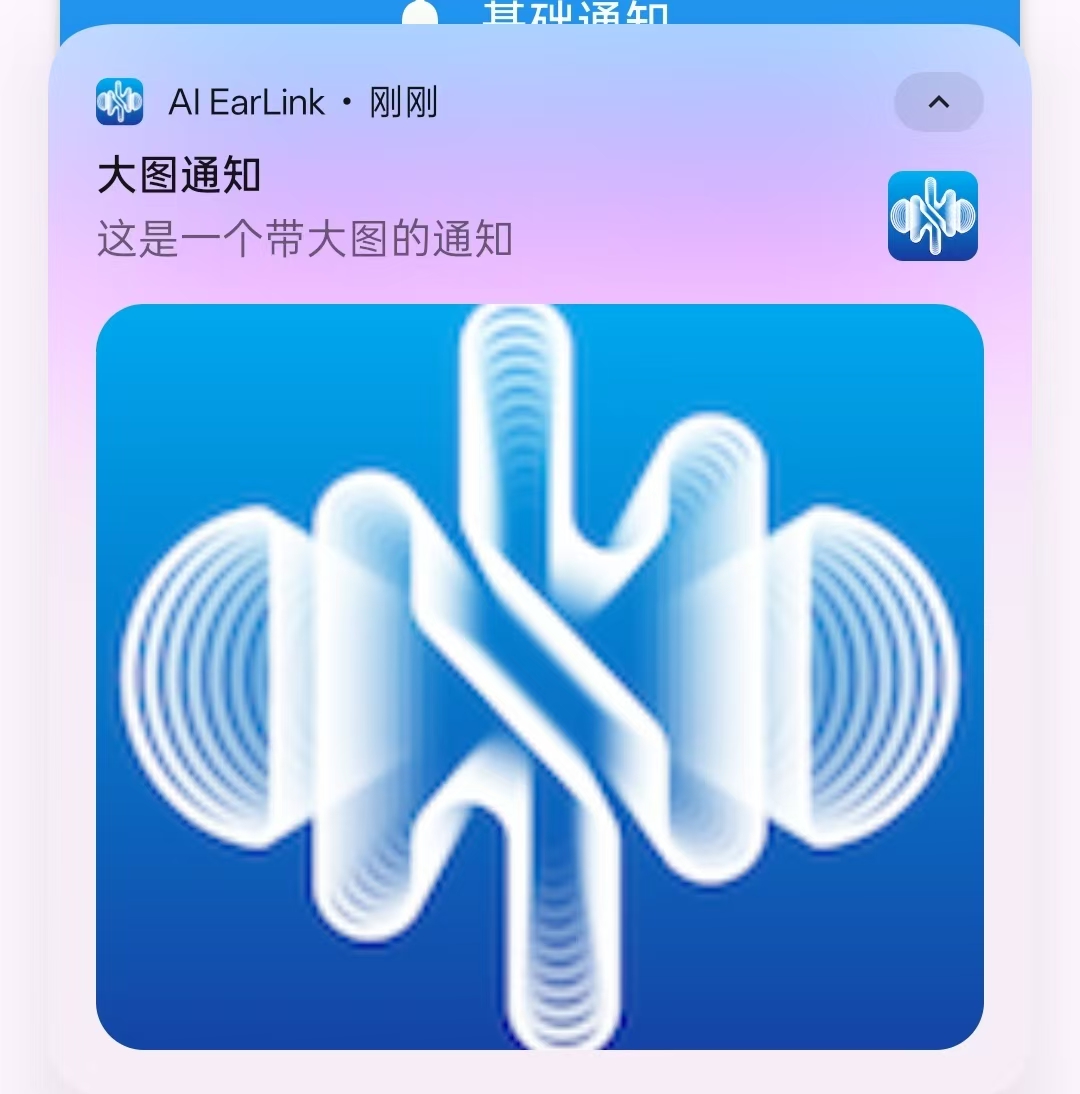
进度条通知
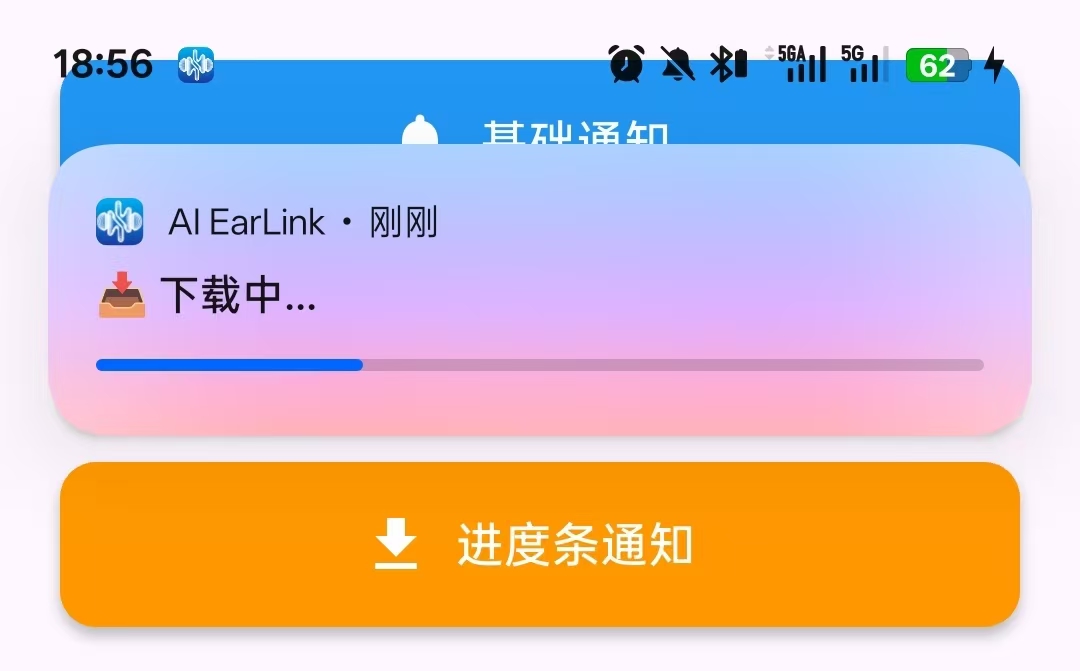
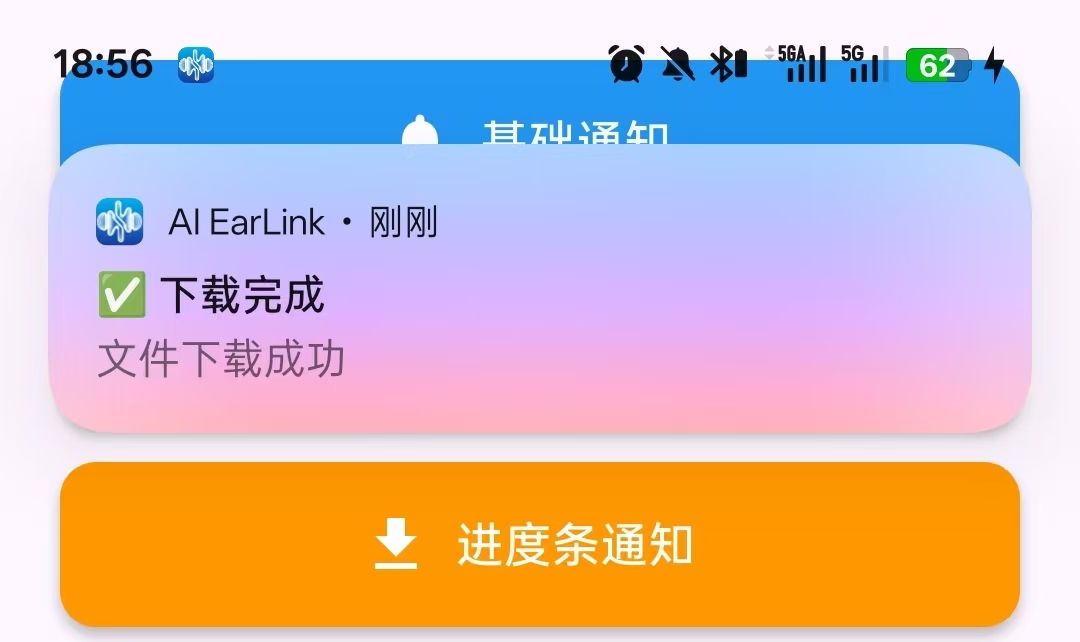
大图通知的实现方法
Dart
  // 方法2: 大图通知
  Future<void> _showBigPictureNotification() async {

    _notificationId++; //确保每个通知有唯一的标识符

    final BigPictureStyleInformation bigPictureStyle =
    const BigPictureStyleInformation(
      //DrawableResourceAndroidBitmap:从资源文件处加载;FilePathAndroidBitmap:从文件路径加载;
      // ByteArrayAndroidBitmap:从字节数据加载;NetworkBitmap:从网络URL加载
      DrawableResourceAndroidBitmap('@mipmap/ic_launcher'),//大图片
      largeIcon: DrawableResourceAndroidBitmap('@mipmap/ic_launcher'),//大图标
      contentTitle: '大图通知',//内容标题
      htmlFormatContentTitle: true, //标题支持HTML格式
      summaryText: '这是一个带大图的通知', //摘要文本
      htmlFormatSummaryText: true, //摘要支持HTML格式
    );

    final AndroidNotificationDetails androidDetails =
    AndroidNotificationDetails(
      'important_channel', //通道ID
      '重要通知', //通道名称
      //其他参数
      // BigTextStyleInformation:大文本样式
      // InboxStyleInformation:收件箱样式
      // MediaStyleInformation:媒体播放样式
      // MessagingStyleInformation:消息样式
      styleInformation: bigPictureStyle, //应用大图样式*****
      importance: Importance.max, //重要级别
      priority: Priority.high, //优先级
    );

    final NotificationDetails details = NotificationDetails(
      android: androidDetails,
      iOS: const DarwinNotificationDetails(),
    );

    await flutterLocalNotificationsPlugin.show(
      _notificationId,
      '🖼️ 大图通知',//ID
      '点击查看大图', //标题
      details,//样式
      payload: 'big_picture',
    );
  }


         // 大图通知
          _buildNotificationButton(
            '大图通知',
            Icons.image,
            _showBigPictureNotification,
            color: Colors.purple,
          ),
          const SizedBox(height: 12),
进度条通知的实现方法
Dart
Future<void> _showProgressNotification() async {

    _notificationId++; //递增全局通知ID

    final int progressId = _notificationId; //保存当前进度通知的ID

    // 初始化进度为0
    final AndroidNotificationDetails initialDetails =
    const AndroidNotificationDetails(
      'progress_channel', //ID
      '进度通知', //名称
      importance: Importance.high, //重要性
      priority: Priority.high, //优先级
      onlyAlertOnce: true, //只提醒一次***
      showProgress: true,//显示进度条***
      maxProgress: 100,//最大进度值***
      progress: 0, //当前进度值***
    );

    await flutterLocalNotificationsPlugin.show(
      progressId, //ID
      '📥 下载中...', //标题
      '进度: 0%',//通知内容(显示当前进度)
      NotificationDetails(android: initialDetails),
    );

    // 模拟进度更新
    for (int progress = 10; progress <= 100; progress += 10) {
      await Future.delayed(const Duration(milliseconds: 500));

      final AndroidNotificationDetails updatedDetails =
      AndroidNotificationDetails(
        'progress_channel',
        '进度通知',
        importance: Importance.high,
        priority: Priority.high,
        onlyAlertOnce: true,
        showProgress: true,
        maxProgress: 100,
        progress: progress,
      );

      await flutterLocalNotificationsPlugin.show(
        progressId,
        '📥 下载中...',
        '进度: $progress%',
        NotificationDetails(android: updatedDetails),
      );
    }

    // 下载完成
    final AndroidNotificationDetails completedDetails =
    const AndroidNotificationDetails(
      'progress_channel',
      '进度通知',
      importance: Importance.high,
      priority: Priority.high,
    );

    await flutterLocalNotificationsPlugin.show(
      progressId,
      '✅ 下载完成',
      '文件下载成功',
      NotificationDetails(android: completedDetails),
    );
  }


         // 进度条通知
          _buildNotificationButton(
            '进度条通知',
            Icons.download,
            _showProgressNotification,
            color: Colors.orange,
          ),
          const SizedBox(height: 12),