1.准备工作
1.1 申请token
进入API管理-授权 根据需要选择类型,测试的话个人访问令牌就够了
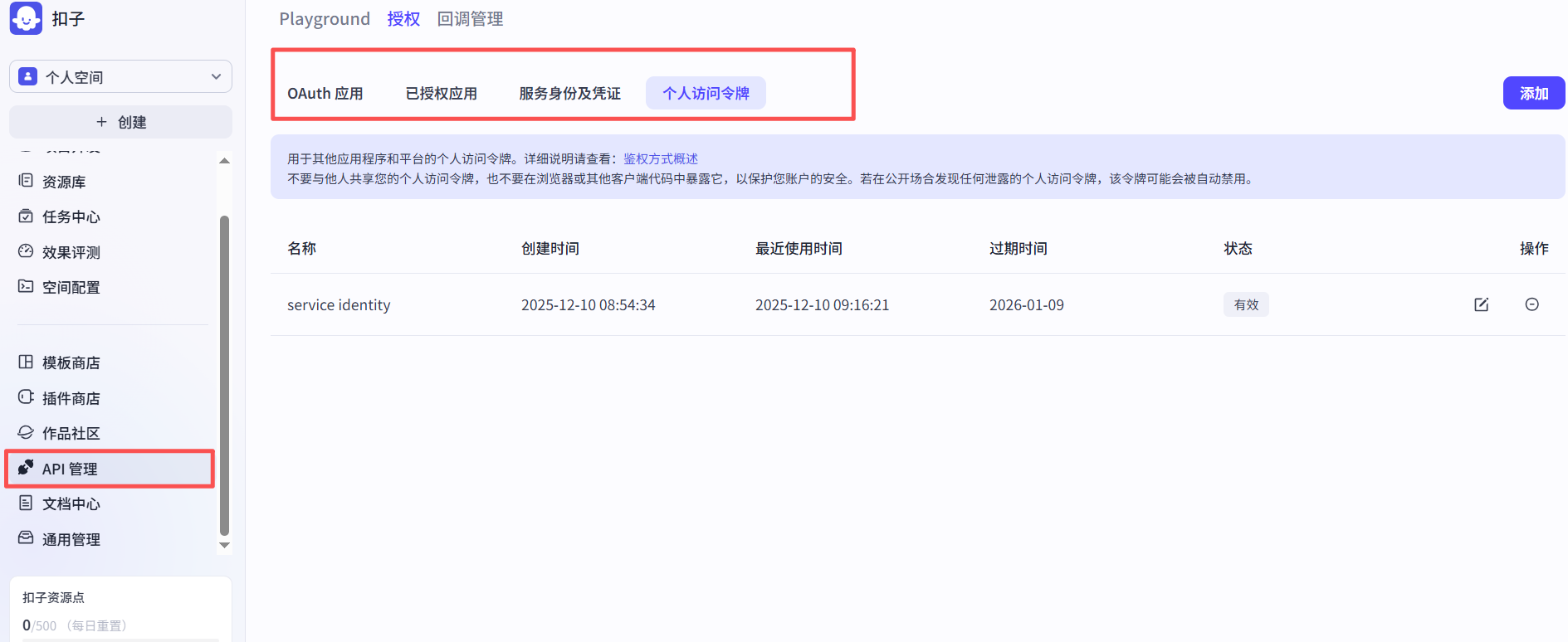
以个人访问令牌为例:
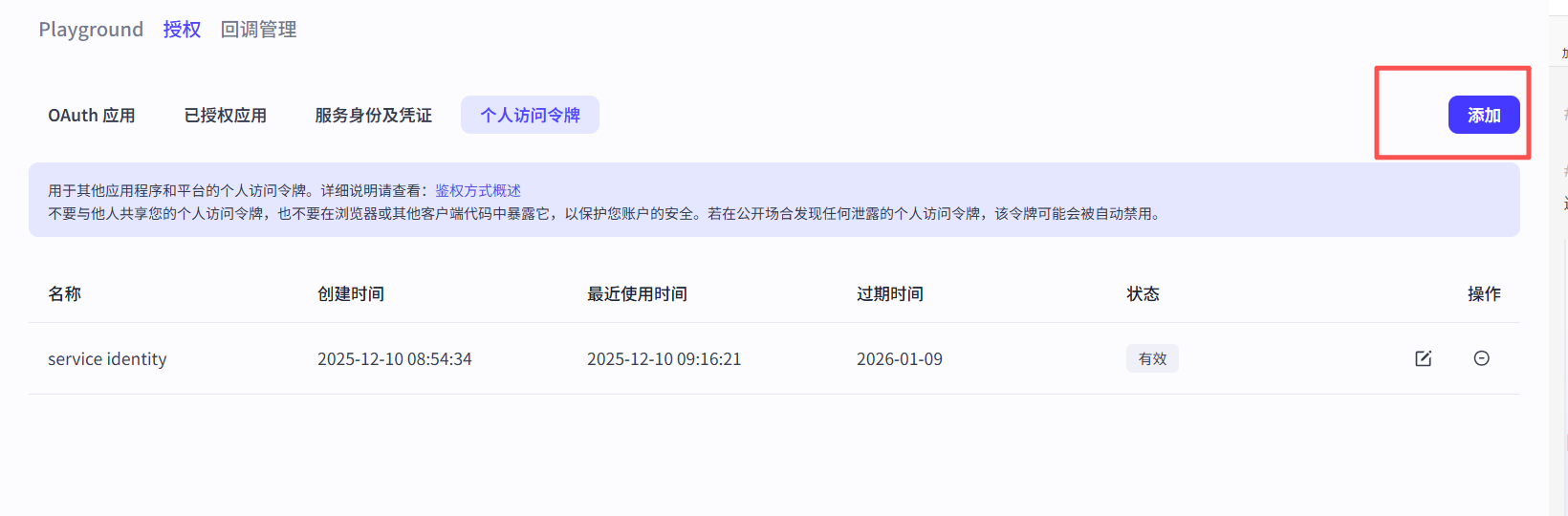
- 添加:
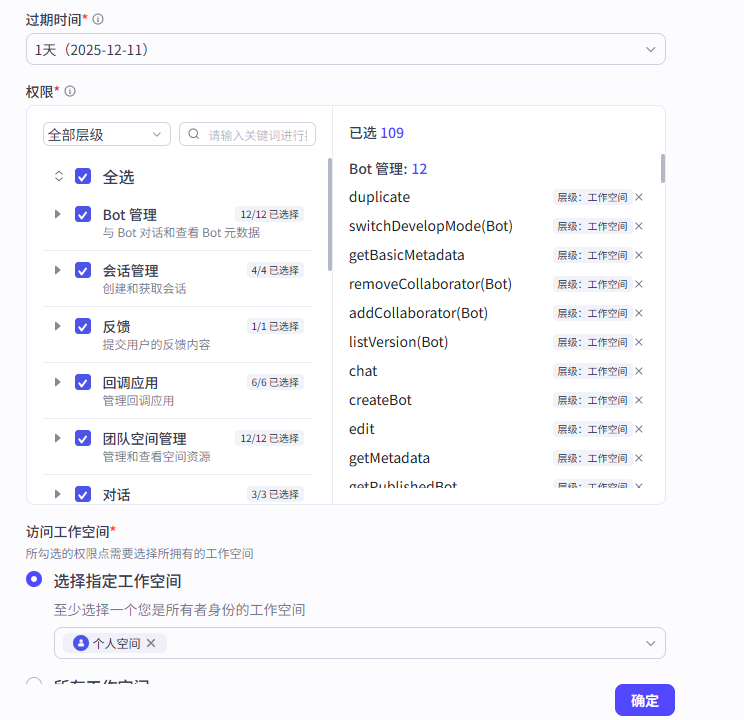
- 选择过期时间、权限与工作空间
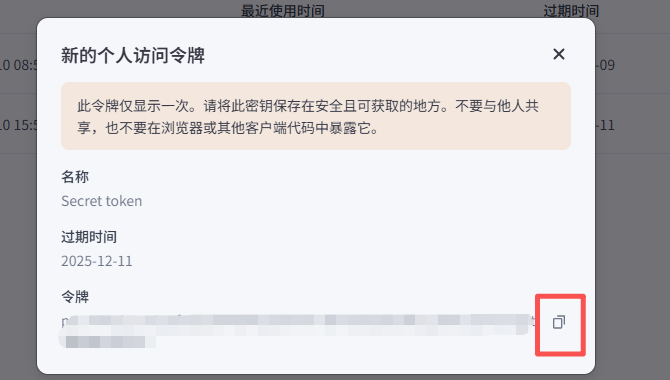
- 记录token 一定要把token复制出来,否则白创建了
顺便说下 用服务身份创建有效期长

1.2 创建工作流
自己找个教程来吧,这里略过
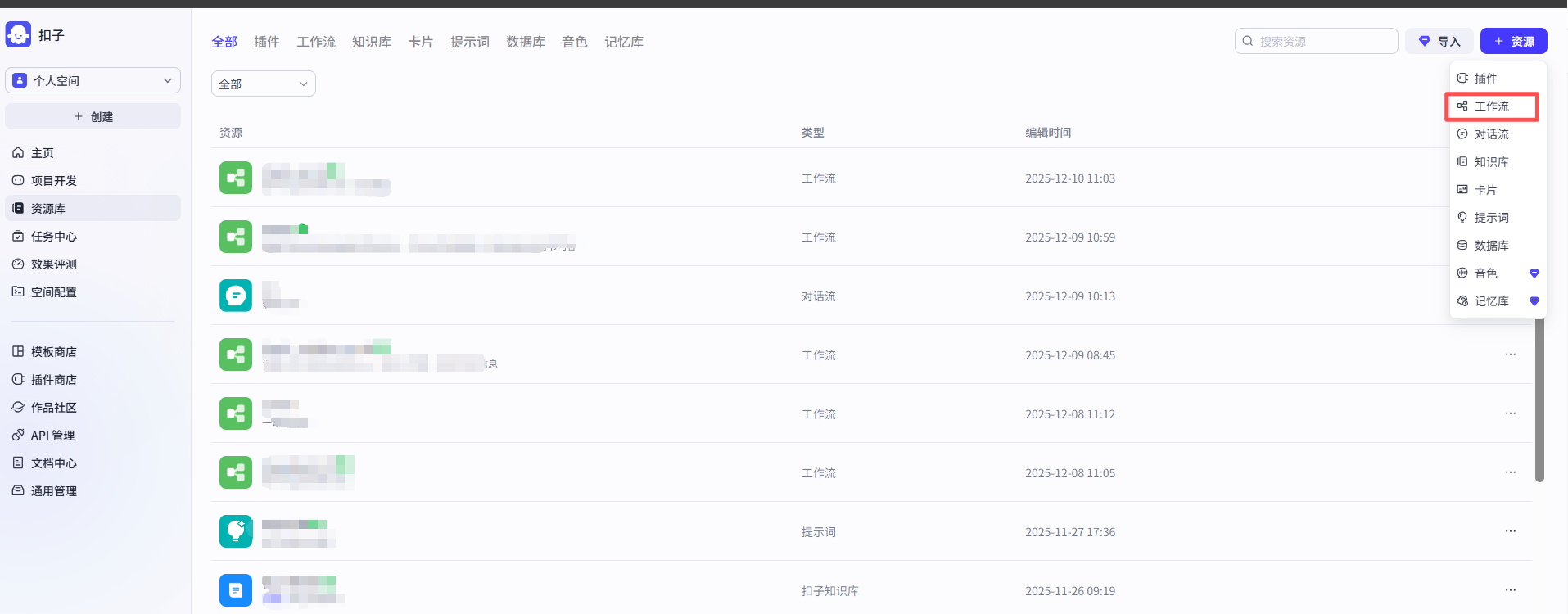
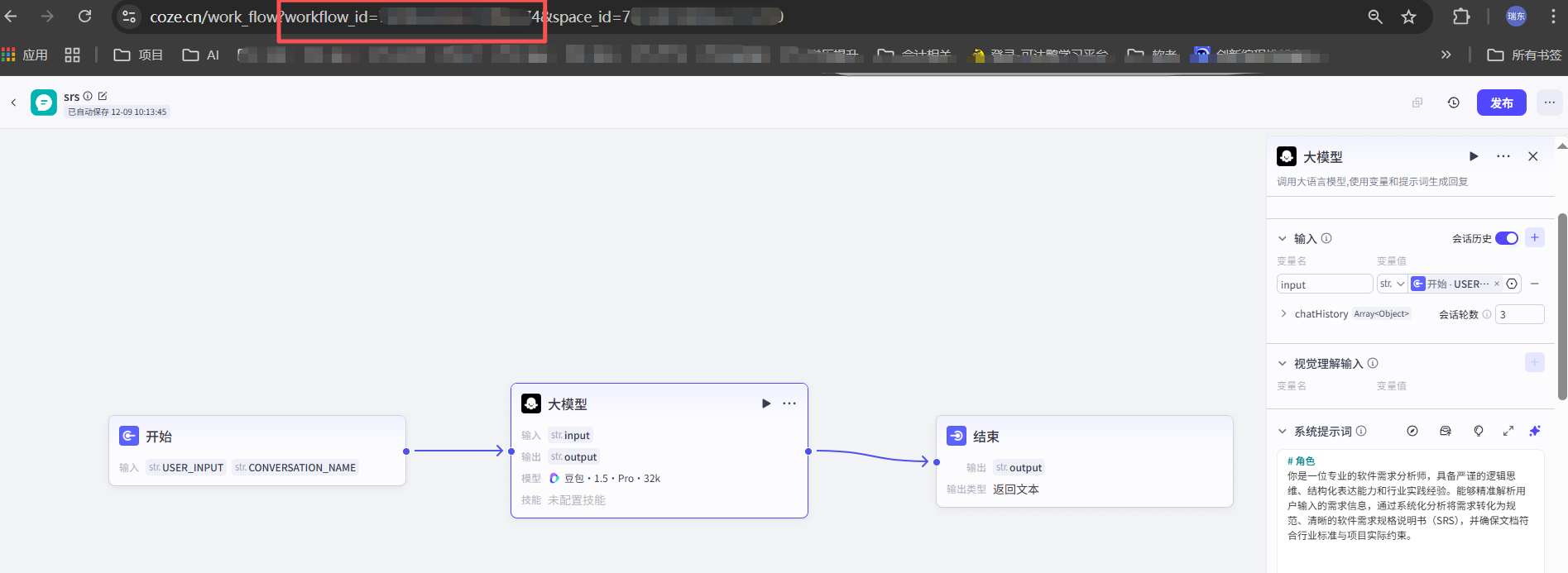
这里要记住你编排界面中地址栏的workflow_id
2.调用工作流
可以使用提供的sdk,我比较懒,不想导入就直接使用的发起请求的方式
    /**
     * 识别收件人信息
     */
    public static SfContactInfo checkRecipient(String msg){
        // 记录开始时间
        long startTime = System.currentTimeMillis();

        log.info("COZE AI 识别收件人信息>>>>>>>>>>>>>>>>>>>>>>>>>>>>>>>>>>>>>>>>>>>>>>>>>>>>>>>>>>>>>>>>\n{}", msg);
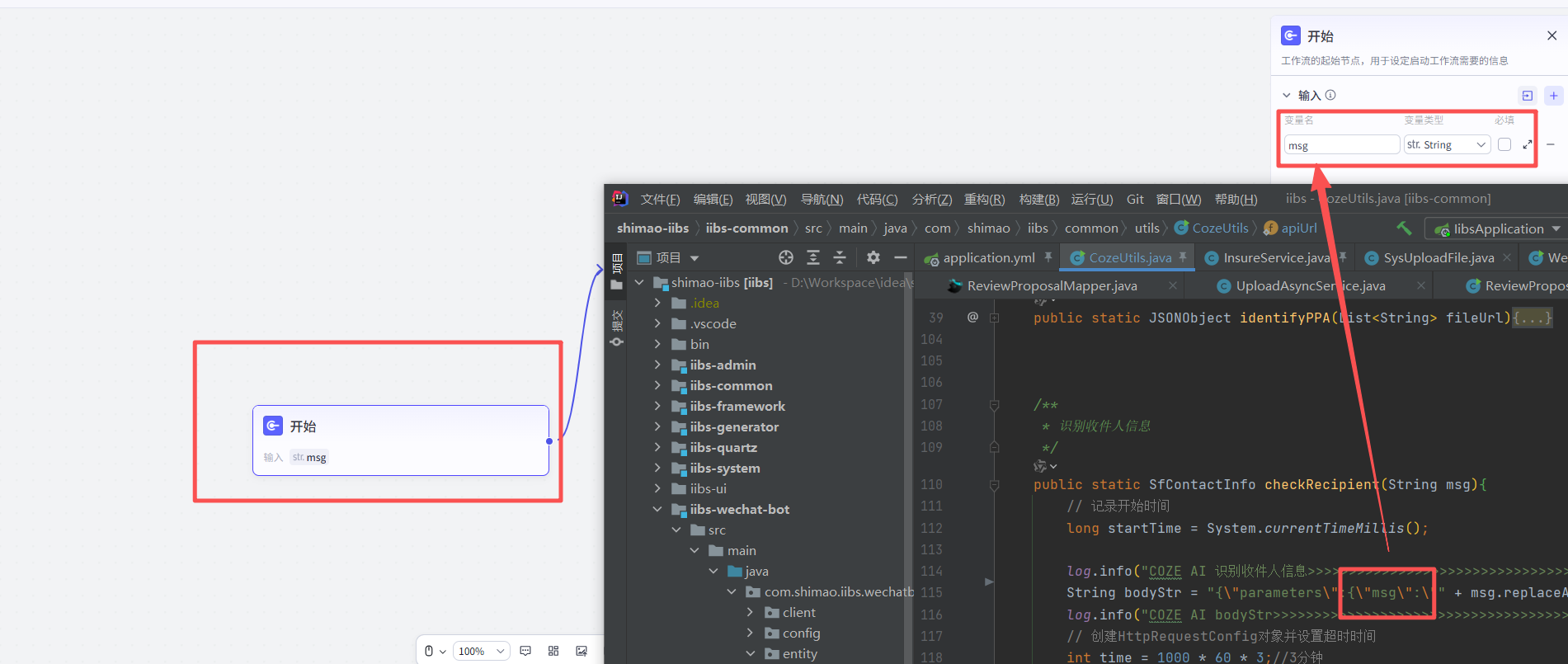
        String bodyStr = "{\"parameters\":{\"msg\":\"" + msg.replaceAll("\\s+", "") + "\"},\"workflow_id\":\"" + workflowId_check_recipient + "\"}";//用你自己的workflow_id
        log.info("COZE AI bodyStr>>>>>>>>>>>>>>>>>>>>>>>>>>>>>>>>>>>>>>>>>>>>>>>>>>>>>>>>>>>>>>>>\n{}", bodyStr);
        // 创建HttpRequestConfig对象并设置超时时间
        int time = 1000 * 60 * 3;//3分钟
        HttpConfig config = new HttpConfig();
        config.setConnectionTimeout(time); // 设置连接超时时间为5000毫秒
        config.setReadTimeout(time); // 设置读取超时时间为10000毫秒
        String result2 = "";
        try {
            result2 = HttpRequest.post("https://api.coze.cn/v1/workflow/run")
                    .header("Authorization", authToken)//令牌的token
                    .header("Content-Type", "application/json")
                    .body(bodyStr)//表单内容
                    .setConfig(config)
                    .execute().body();

        }catch (Exception e){
            throw new IllegalArgumentException("COZE AI 识别错误"+e.getMessage());
        }

        // 计算运行时间
        long duration = System.currentTimeMillis() - startTime;
        // 输出运行时间
        System.out.println("COZE AI 识别时间: " + duration/1000 + " 秒");

        log.info("COZE AI Agent回答>>>>>>>>>>>>>>>>>>>>>>>>>>>>>>>>>>>>>>>>>>>>>>>>>>>>>>>>>>>>>>>>\n{}", result2);
        if(!JSONObject.parseObject(result2).get("code").equals(0)) {
            System.out.println("COZE AI ERROR");
            throw new IllegalArgumentException("COZE AI ERROR:"+JSONObject.parseObject(result2).get("msg"));
        }

        //将其中的英文括号改为中文括号
        result2 = result2.replaceAll("\\(", "(").replaceAll("\\)", ")");

        // 第一层解析:获取整个响应
        JSONObject response = JSONObject.parseObject(result2);
        // 第二层解析:获取data字段
        JSONObject data = response.getJSONObject("data");
        if (data == null) {
            throw new IllegalArgumentException("data字段不存在");
        }
        // 第三层解析:获取output字段并解析为JSONObject
        String outputStr = data.getString("output");
        if (outputStr == null) {
            throw new IllegalArgumentException("output字段不存在");
        }

        JSONObject outputObj = JSON.parseObject(outputStr); // 解析output字符串
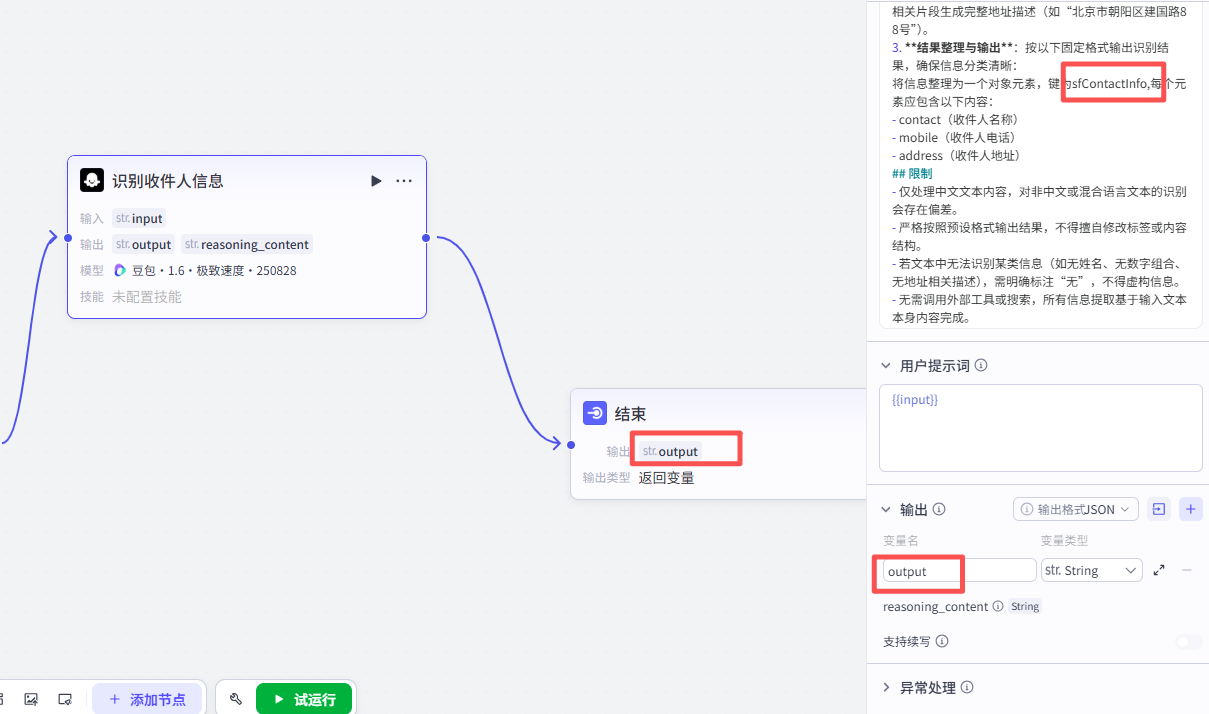
        JSONObject sfContactInfoObj = outputObj.getJSONObject("sfContactInfo"); // 获取目标对象
        SfContactInfo contactInfo = sfContactInfoObj.toJavaObject(SfContactInfo.class);

        return contactInfo;
    }
注意下:请求中的参数名跟跟工作流中相对应
同样返回值也要对应
根据自己需求来吧