前言
你有没有过这种崩溃时刻?写 React 组件 时,想让父子组件互通数据,结果代码越写越乱;兄弟组件想传个值,绕了八层父组件还没搞定...... 为啥别人的 React 组件传值丝滑?别慌!秘密都在这!今天咱们用 「武侠传功」 的思路,React 组件通讯的坑,一篇帮你填平!
一、父子组件:父传子的「单向秘籍」
想象一下:父组件 是武林盟主 ,手里有本 《九阴真经》(变量) ,想传给子组件 这个小徒弟。但规矩是:
徒弟只能看,不能改!
传功步骤:
- 父组件发功:在子组件标签上绑定属性(把秘籍递出去)
- 子组件接功 :通过
props接收(双手接住秘籍)
看个例子:
父组件(盟主)把 state.name 传给子组件:
jsx
// 父组件 Parent.jsx
import Child from "./Child";
export default function Parent(props) {
    const state = {
        name: 'henry' // 这是要传的「秘籍」
    };
    return (
        <div>
            <h2>父组件</h2>
            <Child msg = {state.name}/> {/* 绑定属性 msg,把秘籍递出去 */}
        </div>
    );
}
子组件(徒弟)用 props 接收,但不能修改(秘籍是只读的!):
jsx
// 子组件 Child.jsx
export default function Child(props) {
    console.log(props); // 能看到 {msg: 'henry'}
    // props.msg = 'harvest'; // ❌ 报错!props 是只读的,不能改!
    return (
        {/* 展示接收到的「秘籍」 */}
        <div>子组件 -- {props.msg}</div>
    );
}
打印结果如下:

如果修改值会报错(只读,不能改!):

二、子父组件:子传父的「反向传功」
这次反过来:子组件 是徒弟,练出了新招式(变量) ,想传给父组件盟主。但徒弟不能直接塞给盟主,得让盟主递个「接收袋」(函数),徒弟把招式装进去。
传功步骤:
- 父组件递袋:定义接收数据的函数(准备好接收袋)
- 父传子袋 :把函数通过
props传给子组件(把袋子递过去) - 子组件装招:调用函数并传数据(把新招式装进袋子)
代码例子:
父组件准备「接收袋」getNum,传给子组件:
jsx
// 父组件 Parent.jsx
import Child from "./Child"
import { useState } from "react";
export default function Parent() {
    let [count, setCount] = useState(1);
    // 定义「接收袋」:收到数据后更新自己的状态
    const getNum = (n) => {
        setCount(n);
    }
    return (
        <div>
            <h2>父组件二 -- {count}</h2>
            <Child getNum = {getNum}/> {/* 把袋子递过去 */}
        </div>
    );
}
子组件调用 getNum,把自己的 state.num 传过去:
jsx
// 子组件 Child.jsx
export default function Child(props) {
    const state = {
        num: 100 // 自己练的新招式
    };
    function send() {
        props.getNum(state.num); // 把新招式装进袋子
    }
    return (
        <div>
            <h3>子组件二</h3>
            <button onClick={send}>发送</button> {/* 点按钮传功 */}
        </div>
    )
}
点击发送前:
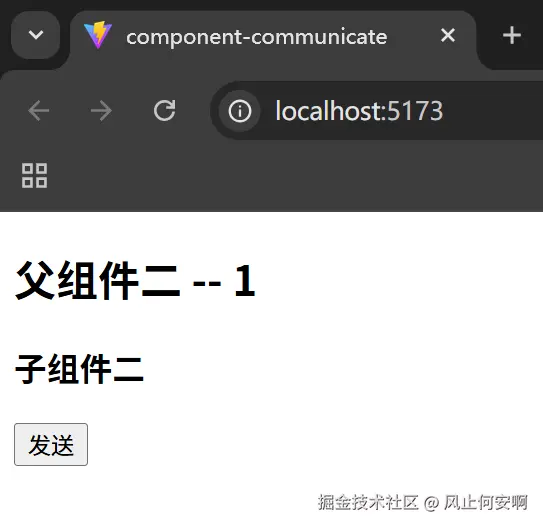
点击发送后:
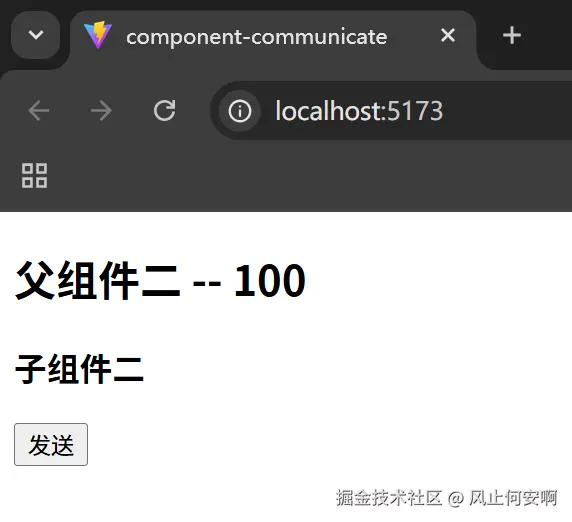
这样我们就成功的把子组件的变量传给了父组件。这里我们用到了useState,至于它的作用我们暂时先不讲,我们先搞懂通讯。
三、兄弟组件:「父组件当中间商」
兄弟组件像两个师兄弟,想互相传功?得先把招式传给盟主父组件(中间商),再让父组件转给另一个兄弟。
传功步骤:
- 弟 1 传父:弟 1 把数据传给父组件
- 父传弟 2:父组件把数据传给弟 2
依旧代码:
父组件当中间商,接收 Child1 的数据,再传给 Child2:
jsx
// 父组件 Parent.jsx
import { useState } from "react";
import Child1 from "./Child1"
import Child2 from "./Child2"
export default function Parent(props) {
    let [message, setMessage] = useState();
    // 接收 Child1 的数据
    const getMeg = (msg) => {
        setMessage(msg);
    }
    return (
        <div>
            <h2>父组件三</h2>
            <Child1 getMeg = {getMeg} /> {/* 收 Child1 的数据 */}
            <Child2 msg = {message}/> {/* 把数据传给 Child2 */}
        </div>
    )
}
Child1(兄) 传数据给父:
jsx
// Child1.jsx
export default function Child1(props) {
    const state = {
        msg: '3.1'
    };
    function send() {
        props.getMeg(state.msg); // 传给父组件
    }
    return (
        <div>
            <h3>子组件3.1</h3>
            <button onClick={send}>发送</button>
        </div>
    )
}
Child2(弟) 接收父组件传来的数据:
jsx
// Child2.jsx
export default function Child2(props) {
    return (
        <div>
            <h3>子组件3.2 -- {props.msg}</h3> {/* 展示兄传来的数据 */}
        </div>
    )
}
发送前:
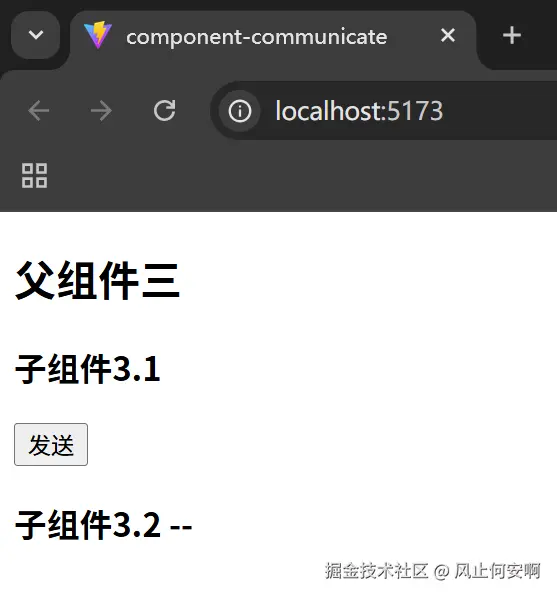
发送后:
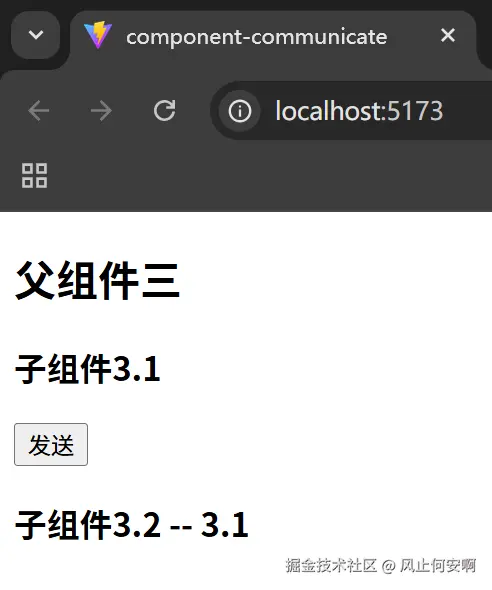
如此这般,子组件3.2 就成功接收到了子组件3.1的传递信息。
四、跨组件通信:「Context 全局广播」
如果组件嵌套了好多层(比如父→子→孙→重孙),一层层传功太麻烦了!这时候用 Context 就像 「武林广播」:父组件把数据广播出去,所有后代组件都能直接收到。
广播步骤:
- 父组件建广播台 :用
createContext创建上下文对象,用Provider广播数据 - 后代组件收广播 :用
useContext接收广播的内容
还是代码:
父组件建广播台,广播「父组件的数据」:
jsx
// 父组件 Parent.jsx
import Child1 from "./Child1";
import { createContext } from 'react';
// 创建上下文对象(广播台)
export const Context = createContext()
export default function Parent() {
    return (
        <div>
            <h2>父组件四</h2>
            {/* 用 Provider 广播数据,value 是要传的内容 */}
            <Context.Provider value={'父组件的数据'}>
                <Child1/>
            </Context.Provider>
        </div>
    );
}
孙组件直接收广播(不用经过子组件):
jsx
// 孙组件 Child2.jsx
import { useContext } from 'react'
import { Context } from './Parent' // 引入广播台
export default function Child2() {
    const msg = useContext(Context) // 直接接收广播内容
    return (
        <div>
            <h4>孙子组件 --- {msg}</h4> {/* 展示广播的内容 */}
        </div>
    );
}
另外附上子组件代码:
jsx
import Child2 from "./Child2"
export default function Child1() {
    return (
        <div>
            <h3>子组件</h3>
            <Child2/>
        </div>
    );
}
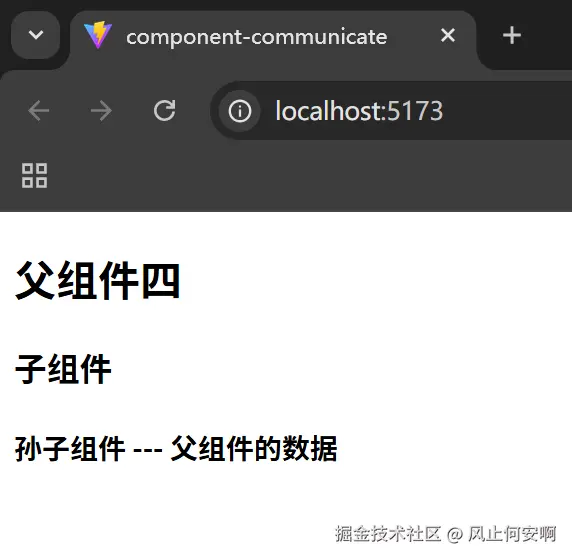
结果孙子组件成功得到父组件的数据:
五、温馨提示
别忘了App.jsx和main.jsx文件!前面的所有结果都需要这两个大佬的支持。
jsx
// App.jsx
// import Parent from "./demo1/Parent"
// import Parent from "./demo2/Parent"
// import Parent from "./demo3/Parent"
import Parent from "./demo4/Parent"

export default function App() {
    return (
        <Parent></Parent>
    )
}
jsx
// main.jsx
import { createRoot } from 'react-dom/client'
import App from './App.jsx'

createRoot(document.getElementById('root')).render(
    <App />
)这两份是创建React自带的,但是还是提醒一下大家别忘了!
六、总结:组件通讯「武功谱」
| 通讯场景 | 方法 | 核心思路 |
|---|---|---|
| 父子组件 | props 传值 | 父传子,子只读 |
| 子父组件 | props 传函数 | 父给函数,子调用传数据 |
| 兄弟组件 | 父组件中转 | 子→父→另一个子 |
| 跨组件 | Context(上下文) | 父广播,后代直接收 |
结语
其实 React 组件通讯的核心,从来都不是死记硬背步骤,而是找准数据的流向 。父子传值用 props 单向传递,子父传值借函数反向搭桥,兄弟组件靠父组件当 "中转站",跨层级通信就用 Context 打破嵌套壁垒。
这些方法没有优劣之分,只有场景之别。新手阶段先把 props 和函数传值练熟,再逐步尝试 Context,甚至后续学习的 Redux 等状态管理库,都是在这个基础上的延伸。
记住:
组件通讯 的本质,就是让数据在合适的组件间有序流动。现在就打开编辑器,把这些例子敲一遍,你会发现,那些曾经让你头疼的传值问题,早就迎刃而解了。