目录
上一篇讲了集成透明升级合约:
https://blog.csdn.net/fyihdg/article/details/155883276
这一篇讲一下UUPS升级合约
1.在Remix中集成UUPS升级合约
首先准备好代码:
javascript
// SPDX-License-Identifier: MIT
pragma solidity ^0.8.26;

import "@openzeppelin/contracts/proxy/utils/UUPSUpgradeable.sol";
import "@openzeppelin/contracts-upgradeable/access/OwnableUpgradeable.sol";

// 导入 ERC1967Utils
import "@openzeppelin/contracts/proxy/ERC1967/ERC1967Utils.sol";
// 导入 ERC1967Proxy(用于测试,不引入这个,部署面板上不会显示ERC1967Proxy)
import "@openzeppelin/contracts/proxy/ERC1967/ERC1967Proxy.sol";
contract UUPSV1 is Initializable, UUPSUpgradeable, OwnableUpgradeable {
    uint public x;

    constructor(uint _var) {
        x = _var;
    }
    function _authorizeUpgrade(address implementation) internal override {}
    function initialize(uint _var) external initializer {
        x = _var;
        __Ownable_init(msg.sender);
    }

    function call() external {
        x = x + 1;
    }
    function showCode() external pure returns (bytes memory) {
        return abi.encodeWithSelector(this.initialize.selector, 1);
    }
}

contract UUPSV2 is Initializable, UUPSUpgradeable, OwnableUpgradeable {
    uint public x;

    constructor(uint _var) {
        x = _var;
    }
    function _authorizeUpgrade(address implementation) internal override {}
    function initialize(uint _var) external initializer {
        x = _var;
        __Ownable_init(msg.sender);
    }
    function showCode() external pure returns (bytes memory) {
        return abi.encodeWithSelector(this.initialize.selector, 1);
    }
    function call() external {
        x = x * 2;
    }
}
然后分别部署
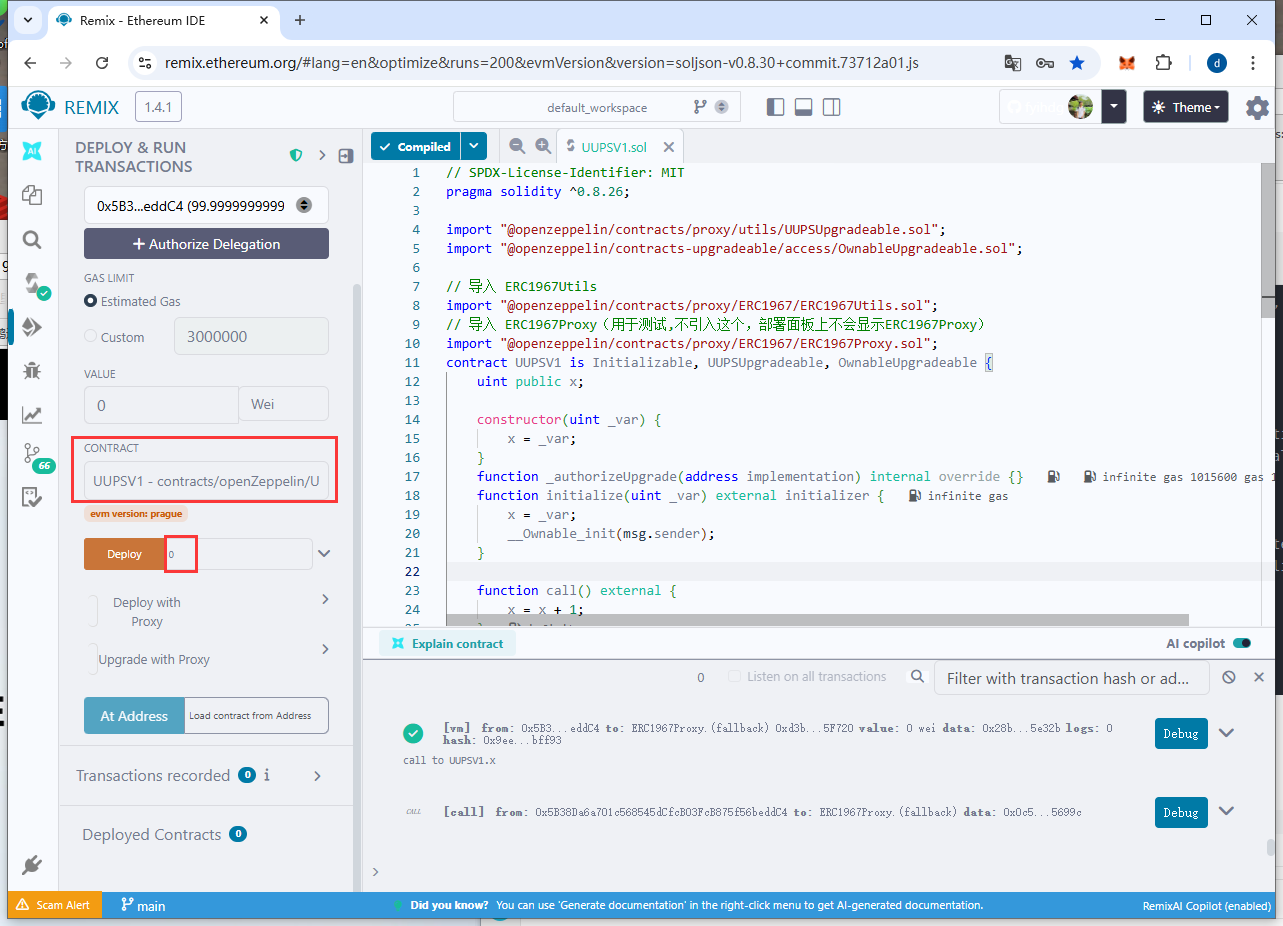

UUPSV1和UUPSV1,部署时,都写0.
然后选择ERC1967Proxy
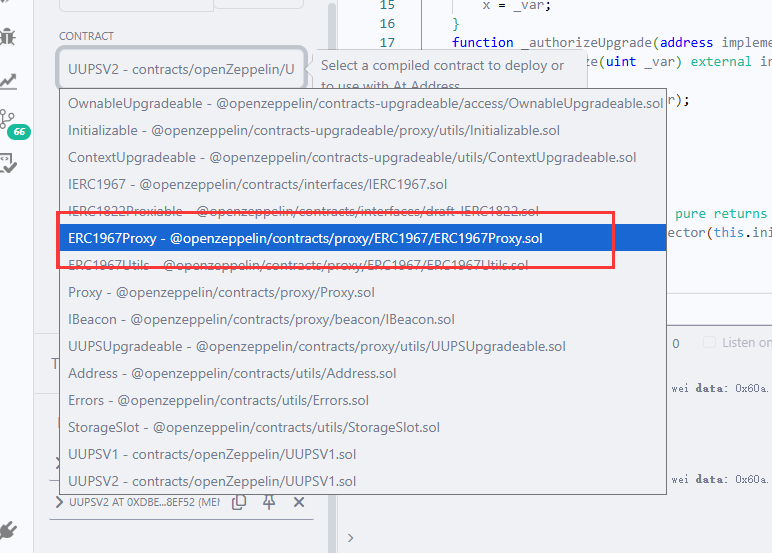
点击"transact",ERC1967Proxy成功
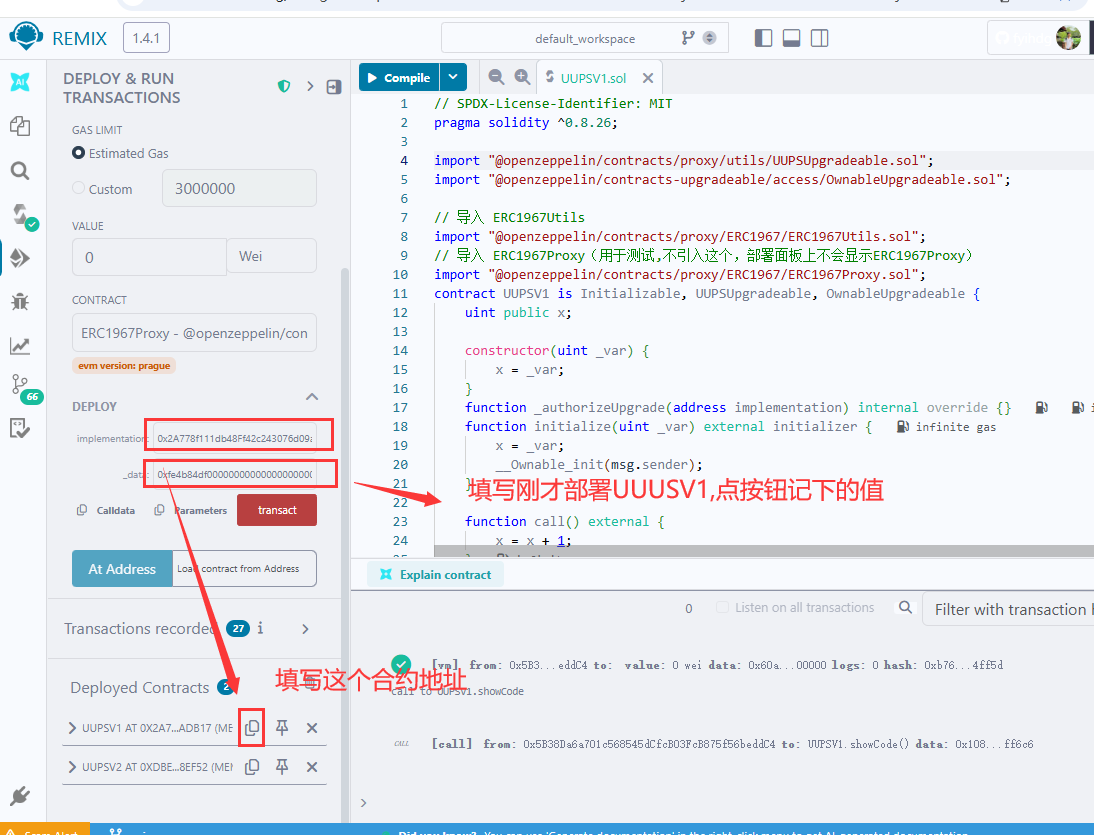
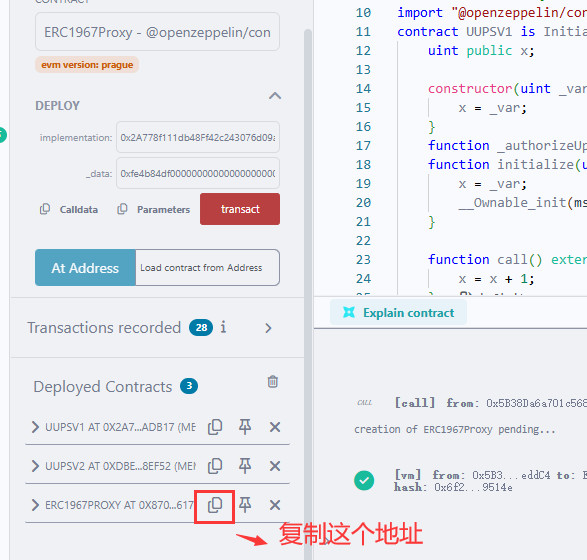
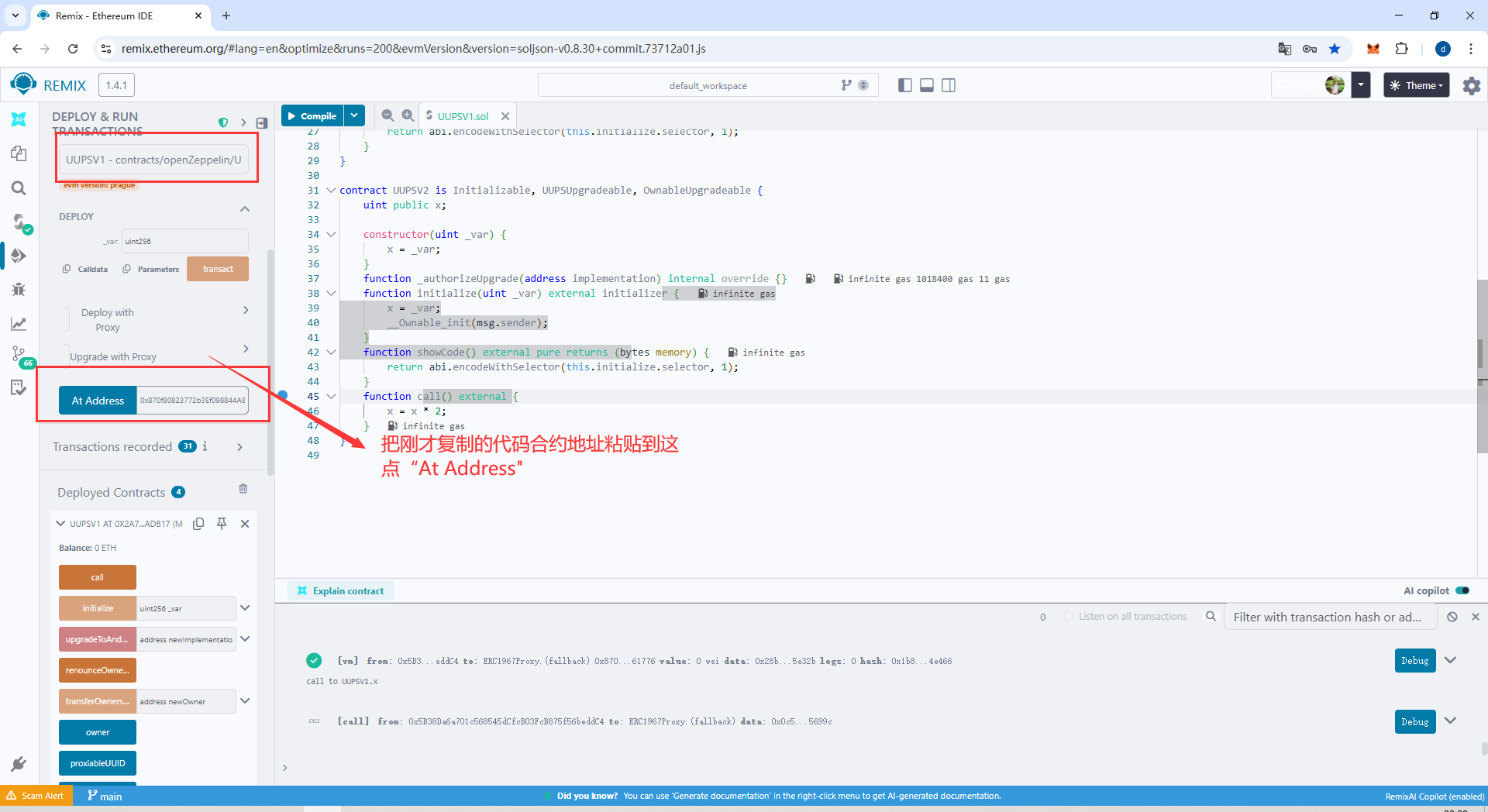
合约地址其实没变,只是名称变了
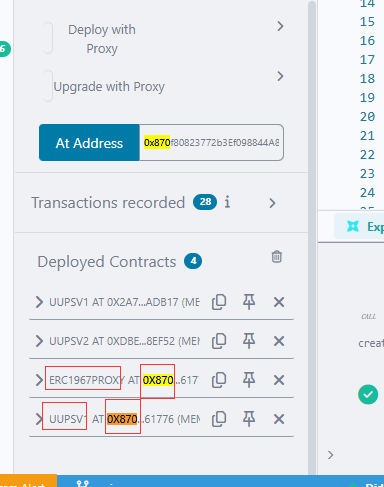
此时测试,点 "x:按钮,显示1,然后点"call"按钮,显示"2"
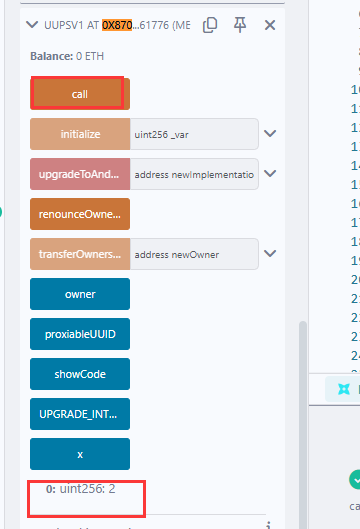
这个时候,我们升级,换成UUPSV2,复制UUPSV2的地址
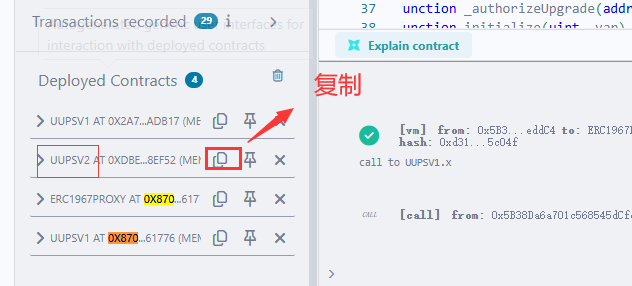
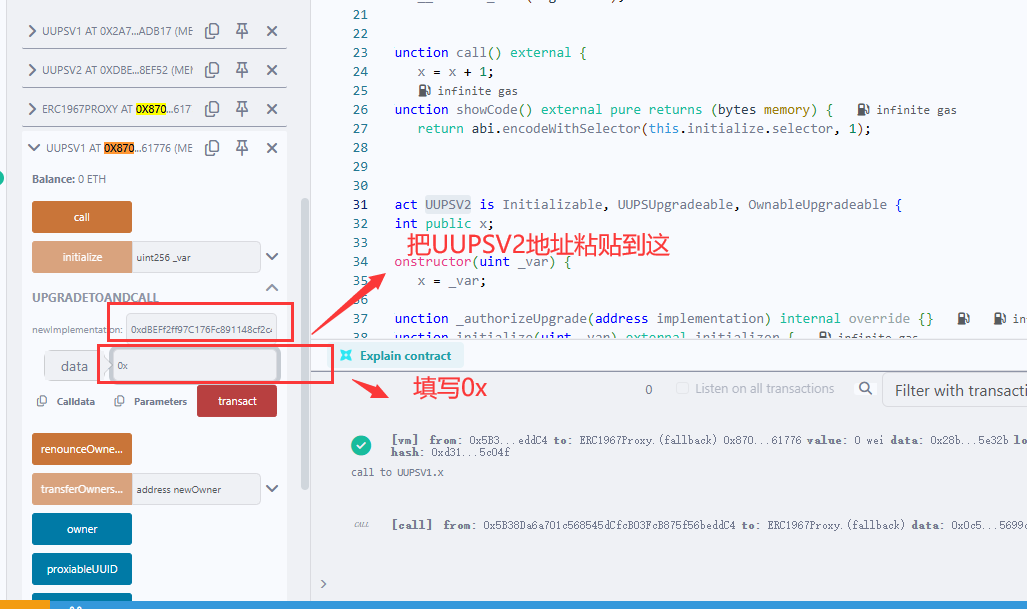
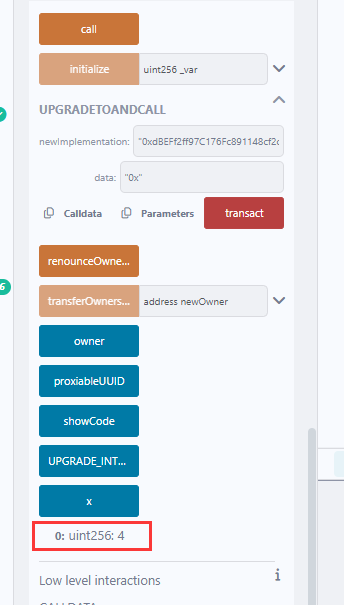
照着图中操作,点upgradeToAndCall中的,"transact"'然后再点,"x"还是显示2,状态没丢,然后点一下"call"按钮,再点"x"按钮,发现值变成4,升级成功了
2.在Hardhat中集成UUPS升级合约
把代码分别复制粘贴到vscode中,但是有编译错误
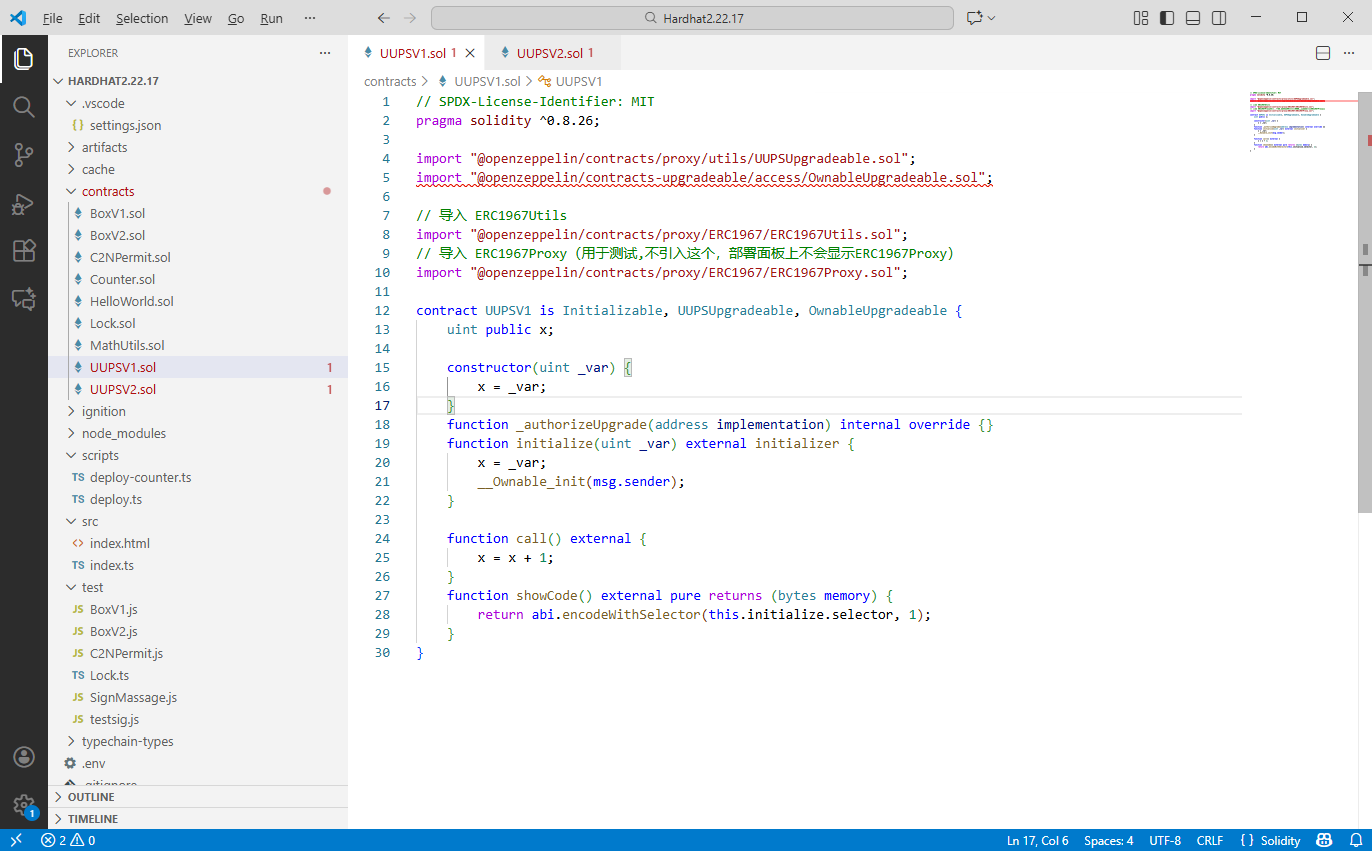
确认你已用 Yarn 正确安装依赖,执行命令(之前都是用yarn命令,所以必须一直保持一致):
javascript
yarn add @openzeppelin/contracts
yarn add @openzeppelin/contracts-upgradeable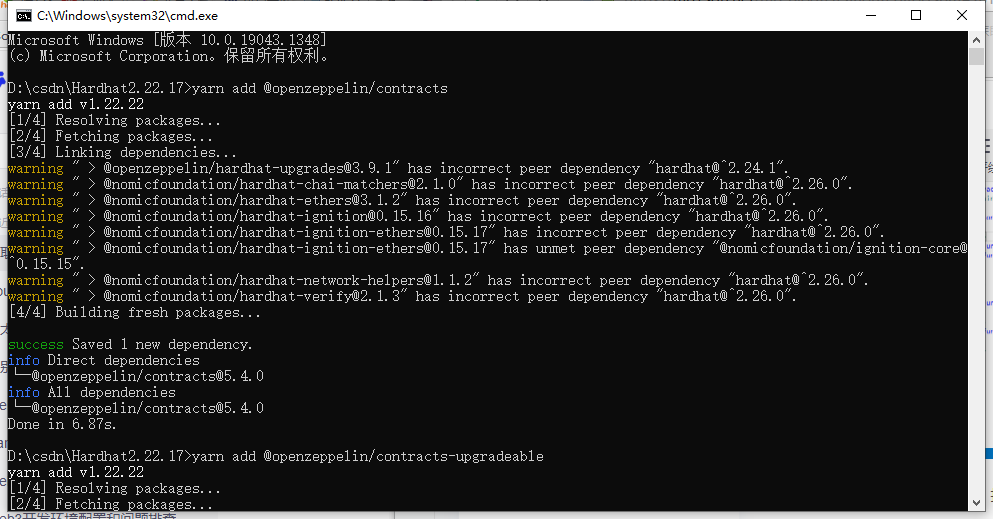
编译
javascript
npx hardhat compile
# 或
yarn hardhat compile
javascript
D:\csdn\Hardhat2.22.17>yarn hardhat compile
yarn run v1.22.22
$ D:\csdn\Hardhat2.22.17\node_modules\.bin\hardhat compile
[dotenv@17.2.3] injecting env (2) from .env -- tip: 🛠️  run anywhere with `dotenvx run -- yourcommand`
Generating typings for: 14 artifacts in dir: typechain-types for target: ethers-v6
Successfully generated 74 typings!
Compiled 14 Solidity files successfully (evm target: paris).
Done in 3.25s.
这说明你的合约代码已经能成功编译!VS Code 中的红色波浪线是"假报错", 虽然不影响编译,但红色波浪线很烦人。你可以通过以下任一方法修复:在项目根目录(和 hardhat.config.js 同级)创建一个文件,每行末尾的 / 不能省略!:
javascript
@openzeppelin/contracts/=node_modules/@openzeppelin/contracts/
@openzeppelin/contracts-upgradeable/=node_modules/@openzeppelin/contracts-upgradeable/
然后 重启 VS Code,新建UUPSV1.sol.UUPSV2.sol,注意要把构造函数去掉
javascript
// SPDX-License-Identifier: MIT
pragma solidity ^0.8.26;

import "@openzeppelin/contracts/proxy/utils/UUPSUpgradeable.sol";
import "@openzeppelin/contracts-upgradeable/access/OwnableUpgradeable.sol";


// 导入 ERC1967Proxy(用于测试,不引入这个,部署面板上不会显示ERC1967Proxy)
import "@openzeppelin/contracts/proxy/ERC1967/ERC1967Proxy.sol";

contract UUPSV1 is Initializable, UUPSUpgradeable, OwnableUpgradeable {
    uint public x;


    function _authorizeUpgrade(address implementation) internal override {}
    function initialize(uint _var) external initializer {
        x = _var;
        __Ownable_init(msg.sender);
    }

    function call() external {
        x = x + 1;
    }
    function showCode() external pure returns (bytes memory) {
        return abi.encodeWithSelector(this.initialize.selector, 1);
    }
}
UUPSV2.js
javascript
// SPDX-License-Identifier: MIT
pragma solidity ^0.8.26;

import "@openzeppelin/contracts/proxy/utils/UUPSUpgradeable.sol";
import "@openzeppelin/contracts-upgradeable/access/OwnableUpgradeable.sol";


// 导入 ERC1967Proxy(用于测试,不引入这个,部署面板上不会显示ERC1967Proxy)
import "@openzeppelin/contracts/proxy/ERC1967/ERC1967Proxy.sol";

contract UUPSV2 is Initializable, UUPSUpgradeable, OwnableUpgradeable {
    uint public x;


    function _authorizeUpgrade(address implementation) internal override {}
    function initialize(uint _var) external initializer {
        x = _var;
        __Ownable_init(msg.sender);
    }
    function showCode() external pure returns (bytes memory) {
        return abi.encodeWithSelector(this.initialize.selector, 1);
    }
    function call() external {
        x = x * 2;
    }
}
在test 目录新建,UUPS.js
javascript
const hre = require("hardhat");

async function deploy() {
    const _UUPSV1 = await hre.ethers.getContractFactory("UUPSV1");
    const v1 = await hre.upgrades.deployProxy(_UUPSV1, [1], {
        initializer: "initialize",
        kind: "UUPS",
    });
    await v1.waitForDeployment();

    console.log(await v1.getAddress());
    console.log(await v1.x());
    await v1.call();
    console.log(await v1.x());

    const _UUPSV2 = await hre.ethers.getContractFactory("UUPSV2");
    await hre.upgrades.upgradeProxy(await v1.getAddress(), _UUPSV2);
    console.log(await v1.x());
    await v1.call();
    console.log(await v1.x());
}

deploy();
然后运行命令:
javascript
npx hardhat run test/UUPS.js可能会报以下错误
javascript
D:\csdn\Hardhat2.22.17>npx hardhat run test/UUPS.js
[dotenv@17.2.3] injecting env (2) from .env -- tip: 👥 sync secrets across teammates & machines: https://dotenvx.com/ops
Compiled 2 Solidity files successfully (evm target: paris).
[dotenv@17.2.3] injecting env (0) from .env -- tip: 🔑 add access controls to secrets: https://dotenvx.com/ops

D:\csdn\Hardhat2.22.17\node_modules\@openzeppelin\upgrades-core\src\utils\pick.ts:4
    res[k] = obj[k];
                ^
TypeError: Cannot read properties of undefined (reading 'address')
    at pick (D:\csdn\Hardhat2.22.17\node_modules\@openzeppelin\upgrades-core\src\utils\pick.ts:4:17)
    at normalizeDeployment (D:\csdn\Hardhat2.22.17\node_modules\@openzeppelin\upgrades-core\src\manifest.ts:347:14)
    at D:\csdn\Hardhat2.22.17\node_modules\@openzeppelin\upgrades-core\src\manifest.ts:333:37
    at Array.map (<anonymous>)
    at normalizeManifestData (D:\csdn\Hardhat2.22.17\node_modules\@openzeppelin\upgrades-core\src\manifest.ts:333:28)
    at Manifest.write (D:\csdn\Hardhat2.22.17\node_modules\@openzeppelin\upgrades-core\src\manifest.ts:272:24)
    at D:\csdn\Hardhat2.22.17\node_modules\@openzeppelin\upgrades-core\src\manifest.ts:197:18
    at async Manifest.lockedRun (D:\csdn\Hardhat2.22.17\node_modules\@openzeppelin\upgrades-core\src\manifest.ts:282:14)
    at async Manifest.addProxy (D:\csdn\Hardhat2.22.17\node_modules\@openzeppelin\upgrades-core\src\manifest.ts:190:5)
    at async Proxy.deployProxy (D:\csdn\Hardhat2.22.17\node_modules\@openzeppelin\hardhat-upgrades\src\deploy-proxy.ts:114:5)

D:\csdn\Hardhat2.22.17>
原因:Hardhat 2.22.17 + OpenZeppelin Hardhat Upgrades v3+ = 不兼容
如果报错,可以这样解决,修改UUPS.js内容为:
javascript
const hre = require("hardhat");

async function deploy() {
    try {
        // 1. 部署 UUPSV1 代理合约(保留小写 kind: "uups")
        const _UUPSV1 = await hre.ethers.getContractFactory("UUPSV1");
        console.log("开始部署 UUPSV1 代理合约...");
        const v1 = await hre.upgrades.deployProxy(_UUPSV1, [1], {
            initializer: "initialize",
            kind: "uups",
        });
        await v1.waitForDeployment(); // Ethers v6 等待部署完成

        // 2. Ethers v6 获取地址(必须用 getAddress())
        const proxyAddress = await v1.getAddress();
        console.log("代理合约地址:", proxyAddress);

        // 3. 验证初始值
        const initialX = await v1.x();
        console.log("初始 x 值:", initialX.toString()); // 预期输出 1

        // 4. 调用 V1 的 call 方法
        await v1.call();
        const afterV1CallX = await v1.x();
        console.log("V1 call 后 x 值:", afterV1CallX.toString()); // 预期输出 2

        // 5. 升级到 UUPSV2
        console.log("开始升级到 UUPSV2...");
        const _UUPSV2 = await hre.ethers.getContractFactory("UUPSV2");
        const v2 = await hre.upgrades.upgradeProxy(proxyAddress, _UUPSV2);
        await v2.waitForDeployment();

        // 6. 验证升级后的值
        const afterUpgradeX = await v2.x();
        console.log("升级后 x 值:", afterUpgradeX.toString()); // 预期输出 2
        await v2.call();
        const afterV2CallX = await v2.x();
        console.log("V2 call 后 x 值:", afterV2CallX.toString()); // 预期输出 4

    } catch (error) {
        console.error("部署失败:", error);
        process.exit(1);
    }
}

deploy();
清理所有缓存
javascript
# 删除 OpenZeppelin 清单缓存
rmdir /s /q .openzeppelin
# 删除编译缓存
npx hardhat clean
# 删除节点缓存(适配 hardhat@2.22.17)
rmdir /s /q %USERPROFILE%\.hardhat\node-cache
重新编译合约
javascript
npx hardhat compile启动本地节点(新开管理员终端):
javascript
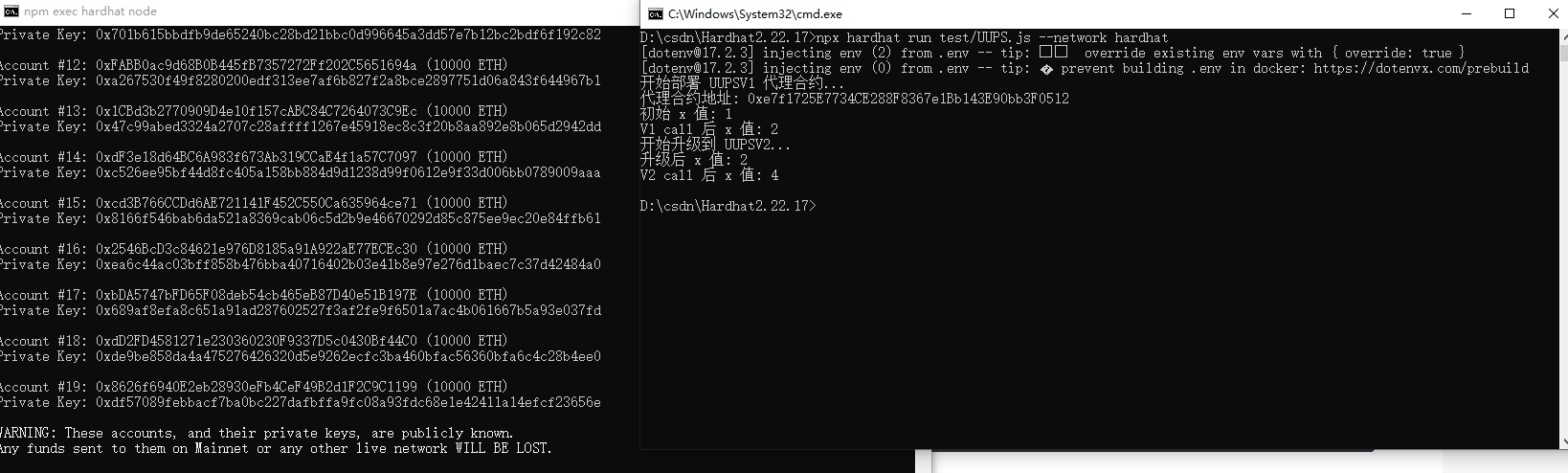
npx hardhat node运行部署脚本(另一个终端):
javascript
npx hardhat run test/UUPS.js --network hardhat