我们在使用Python进行绘制函数图时,如果标题使用汉字,或者是坐标轴再或者是说明使用汉字,就会有可能出现乱码。
解决方法很简单,不用下载任何第三方字体(让下字体的估计里面埋了特洛伊)。可以再matplotlib中设置,使用电脑自带的字体就可以了。
首先是要确认你电脑上支持的字体:
python
from matplotlib import pyplot as plt
import matplotlib
a=sorted([f.name for f in matplotlib.font_manager.fontManager.ttflist])

for i in a:
    print(i)
输出结果:
Gurmukhi MN
Gurmukhi MT
Gurmukhi Sangam MN
Heiti TC
Heiti TC
Helvetica
Helvetica Neue
Herculanum
Hiragino Maru Gothic Pro
Hiragino Mincho ProN
Hiragino Sans
Hiragino Sans
Hiragino Sans
Hiragino Sans
Hiragino Sans
Hiragino Sans
Hiragino Sans
Hiragino Sans
这里我就选一个比较常见的"Heiti TC"
这样设置:
python
plt.rcParams['font.family'] = 'Heiti TC' # 替换为你选择的字体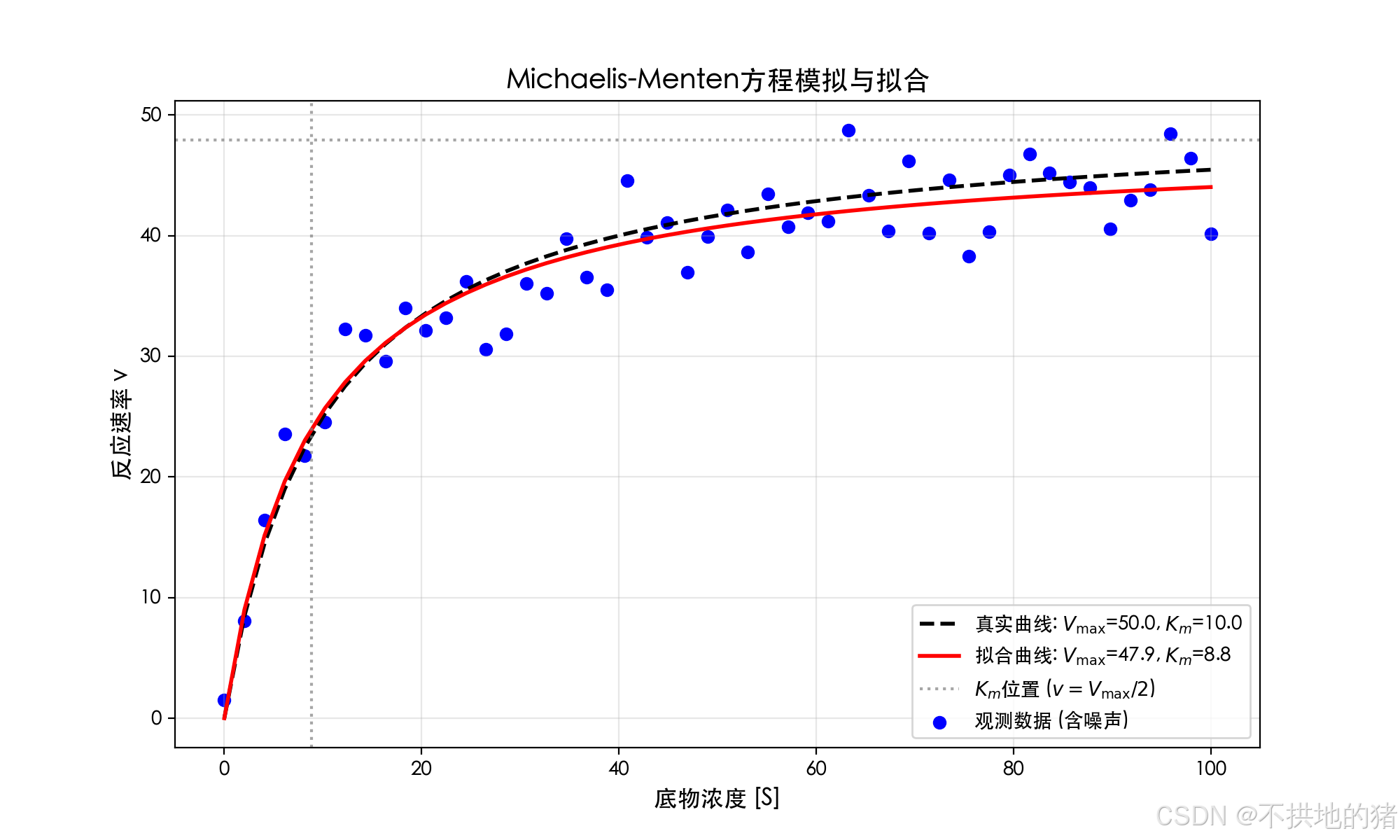
作图的源代码如下:
python
import numpy as np
import matplotlib.pyplot as plt
from scipy.optimize import curve_fit

plt.rcParams['font.family'] = 'Heiti TC'  # 替换为你选择的字体

# 1. 定义Michaelis-Menten方程
def michaelis_menten(s, Vmax, Km):
    return (Vmax * s) / (Km + s)

# 2. 生成模拟数据(添加高斯噪声)
np.random.seed(42)
S = np.linspace(0, 100, 50)  # 底物浓度0-100
Vmax_true, Km_true = 50.0, 10.0  # 真实参数
v_noise = np.random.normal(0, 3, len(S))  # 噪声
v_observed = michaelis_menten(S, Vmax_true, Km_true) + v_noise

# 3. 使用非线性最小二乘拟合
params, cov = curve_fit(michaelis_menten, S, v_observed, p0=[30, 5])
Vmax_fit, Km_fit = params

# 4. 结果可视化
plt.figure(figsize=(10, 6))
plt.scatter(S, v_observed, color='blue', label='观测数据 (含噪声)')
plt.plot(S, michaelis_menten(S, Vmax_true, Km_true),
         'k--', lw=2, label=f'真实曲线: $V_{{\max}}$={Vmax_true}, $K_m$={Km_true}')
plt.plot(S, michaelis_menten(S, Vmax_fit, Km_fit),
         'r-', lw=2, label=f'拟合曲线: $V_{{\max}}$={Vmax_fit:.1f}, $K_m$={Km_fit:.1f}')

plt.axhline(y=Vmax_fit, color='gray', linestyle=':', alpha=0.7)
plt.axvline(x=Km_fit, color='gray', linestyle=':', alpha=0.7,
            label=f'$K_m$位置 ($v=V_{{\max}}/2$)')

plt.title('Michaelis-Menten方程模拟与拟合', fontsize=14)
plt.xlabel('底物浓度 [S]', fontsize=12)
plt.ylabel('反应速率 v', fontsize=12)
plt.legend()
plt.grid(alpha=0.3)
plt.show()