场景:
1、windows 10 电脑
2、服务器A:192.168.10.100
3、服务器B:192.168.20.100
- windows 10 电脑可以与 服务器A 进行通信
- windows 10 电脑上安装了 navicat 工具,能够连接 服务器A 的数据库
- windows 10 电脑不能与 服务器B 通信,且不能连接 服务器B 的数据库
- 服务器A 能与 服务器B 通信,且能访问 服务器B 的数据库
需求:
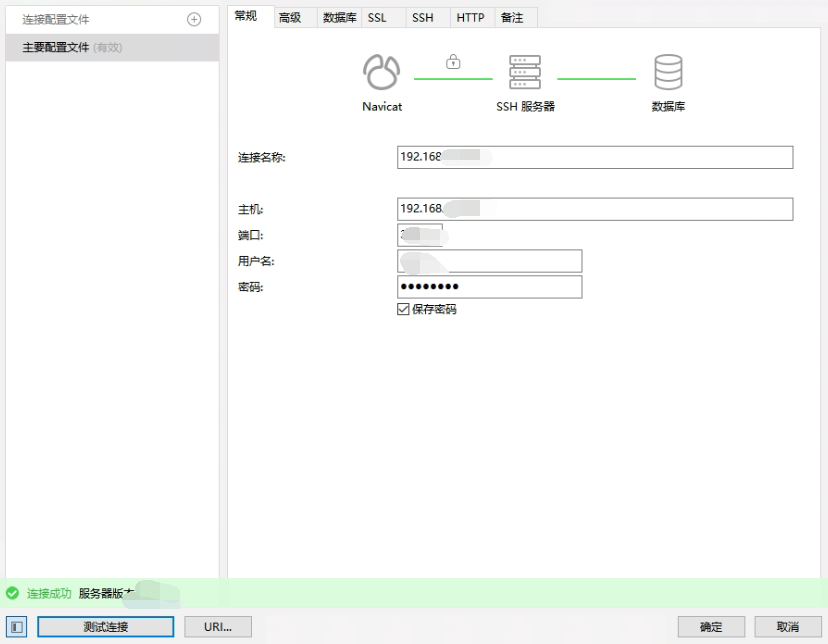
想要在 windows 10 电脑上通过 navicat 工具连接 服务器B 的数据库
解决方案:
通过 navicat 工具的 ssh 代理,前提是 服务器A 需要修改 SSH 配置以允许端口转发:
shell
# 在服务器A上修改SSH配置
sudo vi /etc/ssh/sshd_config

# 找到并修改以下配置:
AllowTcpForwarding yes  # 允许TCP转发
GatewayPorts yes        # 允许网关端口(可选,但建议)

# 重启SSH服务
sudo systemctl restart sshd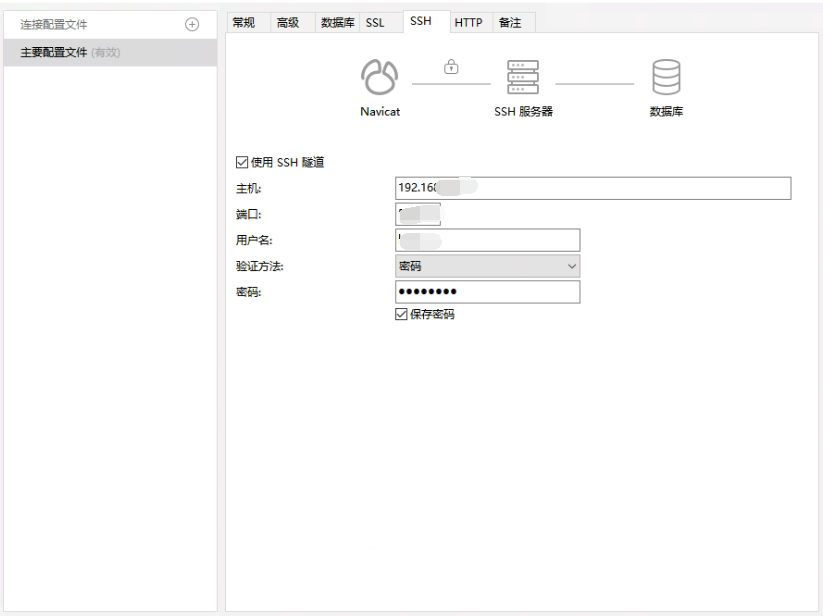
*********************************只要思想不滑坡,办法总比困难多*********************************