DevExpress WPF拥有120+个控件和库,将帮助您交付满足甚至超出企业需求的高性能业务应用程序。通过DevExpress WPF能创建有着强大互动功能的XAML基础应用程序,这些应用程序专注于当代客户的需求和构建未来新一代支持触摸的解决方案。 无论是Office办公软件的衍伸产品,还是以数据为中心的商业智能产品,都能通过DevExpress WPF控件来实现。
本文将演示如何将GridControl绑定到有限制的自定义服务(例如,不兼容的过滤器和排序),由于内容较多,我们将分为几篇文章来阐述,欢迎持续关注我们哟~
在上文中(点击这里回顾>>),我们为大家介绍了如何开始获取数据并启用滚动,本文将继续介绍如何启用排序,欢迎持续关注~
Step 2:启用排序
在将GridControl绑定到虚拟源之后,应该启用数据操作。
在这一步中,我们将描述如何启用排序功能:
- 在虚拟源中实现数据排序操作。
- 然后在GridControl中启用这些数据操作。
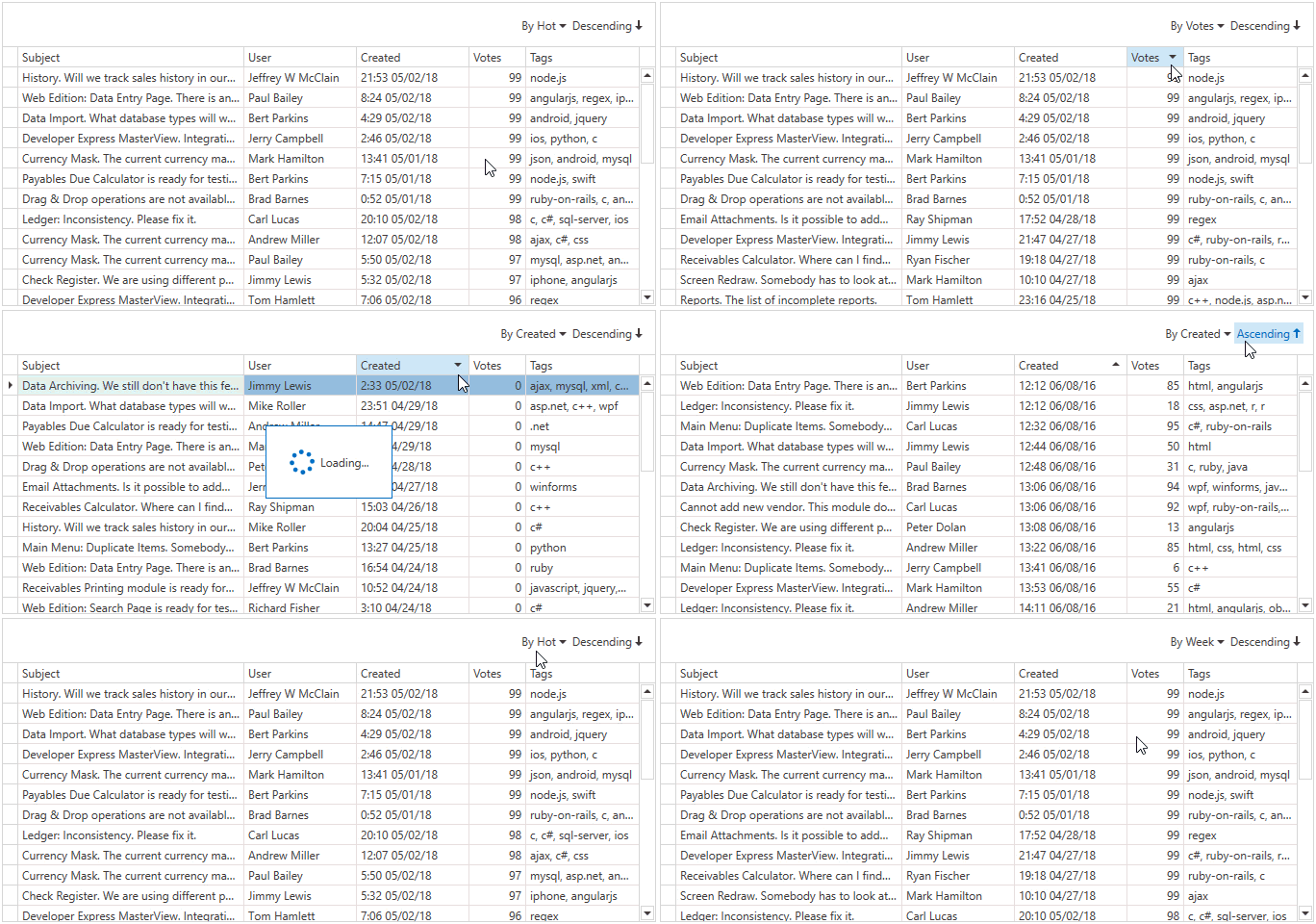
注意 :在本教程中,使用Issues Service作为数据源的示例。
概述
Issues Service允许您应用以下排序顺序:
- Default - 记录从新的到旧的显示
- Hot - 最近几天被关注最多的问题
- Week - 本周浏览量最多的问题
- Created Date(创建日期)
- Votes(投票)
C#
cs
public enum IssueSortOrder {
Default,
Hot,
Week,
CreatedAscending,
CreatedDescending,
VotesAscending,
VotesDescending,
}
在上文中,获取行默认排序顺序:
C#
cs
public MainWindow() {
// ...
source.FetchRows += (o, e) => { e.Result = FetchRowsAsync(e); };
}
static async Task<FetchRowsResult> FetchRowsAsync(FetchRowsAsyncEventArgs e) {
IssueSortOrder sortOrder = GetIssueSortOrder(e);
const int pageSize = 30;
var issues = await IssuesService.GetIssuesAsync(page: e.Skip / pageSize, pageSize: pageSize, sortOrder: sortOrder, filter: null);
return new FetchRowsResult(issues, hasMoreRows: issues.Length == pageSize);
}
static IssueSortOrder GetIssueSortOrder(FetchRowsAsyncEventArgs e) {
return IssueSortOrder.Default;
}
启用排序
- 实现Hot和Week排序命令,注意GridControl没有这些对象的任何值。
- 将How和Week列添加到GridControl中。
- 通过将BaseColumn.Visible属性设置为false来隐藏GridControl视图中的这些列。
- 通过将BaseColumn.ShowInColumnChooser属性设置为false,在列选择器中隐藏它们。
- 为这些列添加自定义属性。
XAML
XML
<dxg:GridControl x:Name="grid" >
<dxg:GridControl.Columns>
<!-- -->
<dxg:GridColumn FieldName="Hot" Visible="False" ShowInColumnChooser="False" />
<dxg:GridColumn FieldName="Week" Visible="False" ShowInColumnChooser="False" />
</dxg:GridControl.Columns>
</dxg:GridControl>
C#
cs
static PropertyDescriptorCollection GetCustomProperties() {
var customProperties = TypeDescriptor.GetProperties(typeof(IssueData))
.Cast<PropertyDescriptor>()
.Where(x => x.Name != "Tags")
.Concat(new[] {
CreateTagsProperty(),
new DynamicPropertyDescriptor("Hot", typeof(string), x => null),
new DynamicPropertyDescriptor("Week", typeof(string), x => null)
})
.ToArray();
return new PropertyDescriptorCollection(customProperties);
}- 在虚拟源中实现排序:
- 使用FetchEventArgsBase.SortOrder属性获取GridControl的排序。
- 解析排序并返回排序顺序,InfiniteAsyncSource.FetchRows事件处理程序在获取行时考虑了这种排序顺序。
C#
cs
static IssueSortOrder GetIssueSortOrder(FetchRowsAsyncEventArgs e) {
if(e.SortOrder.Length == 0)
return IssueSortOrder.Default;
var sort = e.SortOrder.Single();
switch(sort.PropertyName) {
case "Hot":
if(sort.Direction != ListSortDirection.Descending)
throw new InvalidOperationException();
return IssueSortOrder.Hot;
case "Week":
if(sort.Direction != ListSortDirection.Descending)
throw new InvalidOperationException();
return IssueSortOrder.Week;
case "Created":
return sort.Direction == ListSortDirection.Ascending
? IssueSortOrder.CreatedAscending
: IssueSortOrder.CreatedDescending;
case "Votes":
return sort.Direction == ListSortDirection.Ascending
? IssueSortOrder.VotesAscending
: IssueSortOrder.VotesDescending;
default:
return IssueSortOrder.Default;
}
}- 允许在GridControl中排序:
XAML
XML
<dxg:GridColumn FieldName="Created" AllowSorting="True" DefaultSortOrder="Descending" />
<dxg:GridColumn FieldName="Votes" AllowSorting="True" DefaultSortOrder="Descending" />
<dxg:GridColumn x:Name="hotColumn" FieldName="Hot" Visible="False" ShowInColumnChooser="False" AllowSorting="True" AllowedSortOrders="Descending" SortOrder="Descending" />
<dxg:GridColumn x:Name="weekColumn" FieldName="Week" Visible="False" ShowInColumnChooser="False" AllowSorting="True" AllowedSortOrders="Descending" />- Hot和Week列在GridControl中是不可见的。
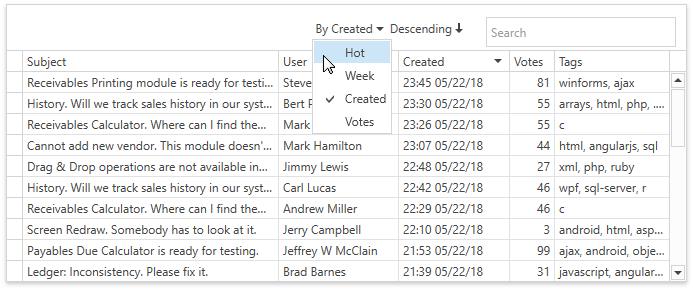
将TableView.CompactPanelShowMode 和 TableView.CompactSortElementShowMode属性设置为Always,来允许最终用户指定紧凑面板中的排序顺序:
XAML
XML
<dxg:TableView CompactPanelShowMode="Always" CompactSortElementShowMode="Always" />下图显示了结果: