eslint 9+相较8版本使用
eslint.config.js和扁平化配置方式。
1.在项目根目录下安装所需的开发依赖包
shell
# 核心代码检查与格式化工具
pnpm add -D eslint prettier

# Vue.js 语法支持
pnpm add -D eslint-plugin-vue

# Prettier 与 ESLint 集成
pnpm add -D eslint-config-prettier eslint-plugin-prettier
💅 2. prettier配置
在vscode中安装插件
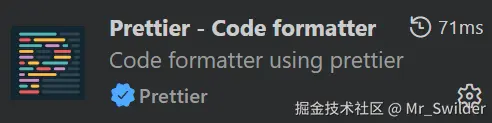
根目录下新建配置文件 .prettierrc
js
{
  "semi": true,
  "singleQuote": true,
  "tabWidth": 2,
  "trailingComma": "es5",
  "printWidth": 100,
  "arrowParens": "avoid",
  "htmlWhitespaceSensitivity": "ignore"
}3.eslint配置并将prettier规则作为eslint一部分,对不符合要求的报错
js
// eslint.config.js
import eslintPluginVue from 'eslint-plugin-vue'
import vueEslintParser from 'vue-eslint-parser'
import eslintPluginPrettierRecommended from 'eslint-plugin-prettier/recommended'
// console.log(eslintPluginPrettierRecommended)
export default [
  // 全局配置:指定环境、解析器选项
  {
    files: ['**/*.js', '**/*.vue'],
    ignores: ['vite.config.js', 'node_modules/', 'dist/', 'public/'],
    languageOptions: {
      ecmaVersion: 'latest',
      sourceType: 'module',
      globals: {
        browser: true, // 浏览器环境全局变量
        node: true, // Node.js 环境全局变量
        es2021: true // ES2021 语法支持
      }
    },
    rules: {
      'no-console': 'warn',
      'no-debugger': 'error',
      'no-unused-vars': ['warn', { varsIgnorePattern: '^_' }]
    }
  },

  // Vue 单文件组件专属配置
  {
    files: ['**/*.vue'],
    // 使用 vue-eslint-parser 解析 .vue 文件
    languageOptions: {
      parser: vueEslintParser,
      parserOptions: {
        parser: 'espree', // 解析 <script> 块内的 JavaScript
        ecmaVersion: 'latest',
        sourceType: 'module'
      }
    },
    plugins: {
      vue: eslintPluginVue
    },
    rules: {
      // 启用 Vue 官方推荐规则
      ...eslintPluginVue.configs['flat/recommended'].rules,
      // 自定义 Vue 规则
      'vue/multi-word-component-names': 'off' // 关闭组件名必须多单词的要求
    }
  },
  //prettier配置
  eslintPluginPrettierRecommended
]
此时运行
shell
npm run lint可以对不符合规则的代码检查,包含不符合eslint规则的

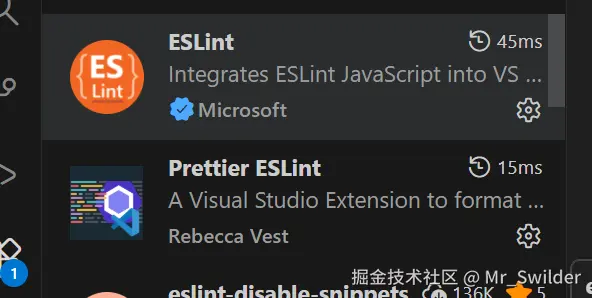
4.配置vscode插件eslint和Prettier ESlint,设置默认格式化工具为Prettier ESlint,让eslint直接报错prettier中的配置,有时修改了.prettierrc中的配置需要重启Prettier ESlint插件才能生效。
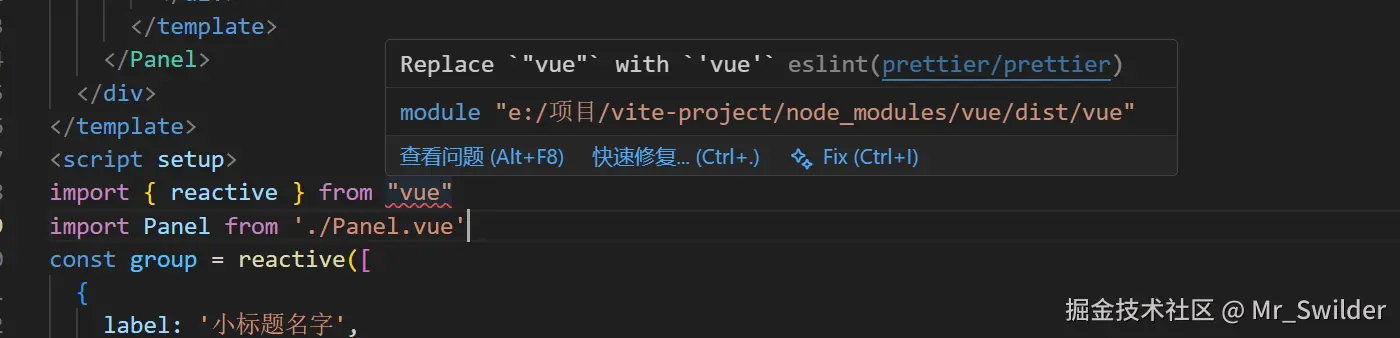
对于
.eslintignore文件缺失时eslint会使用.gitignore文件