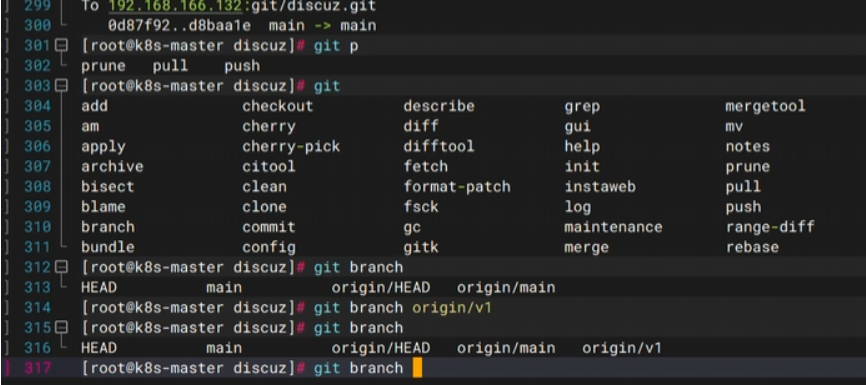
Git是一个版本控制工具:https://git-scm.cn/downloads/win
GitLab、Gitee、GitHub远程仓库:http://gitee.com http://github.com
1、关防火墙
sed -i 's/#PermitRootLogin prohibit-password/PermitRootLogin yes/' /etc/ssh/sshd_config
systemctl restart sshd
systemctl disable --now firewalld.service
setenforce 0
2、安装解压
[root@localhost ~]# yum install -y lrzsz将压缩包拖进
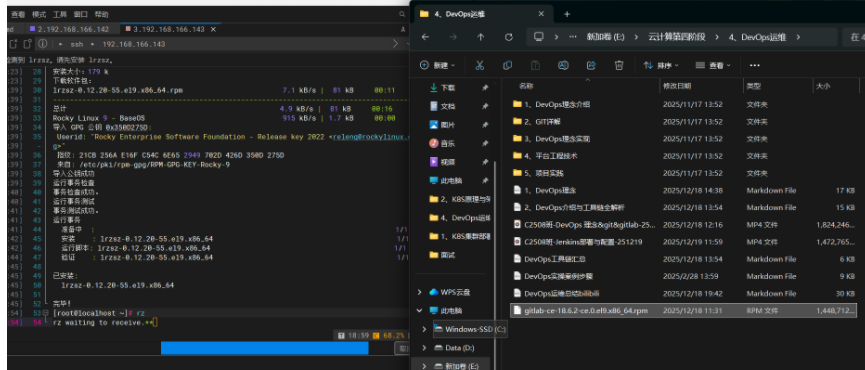
3、解压文件:
rpm -ivh gitlab-ce-18.6.2-ce.0.el9.x86_64.rpm 4、进入修改ip
[root@localhost ~]# cd /etc/gitlab/
[root@localhost gitlab]# ls
gitlab.rb
[root@localhost gitlab]# vim gitlab.rb 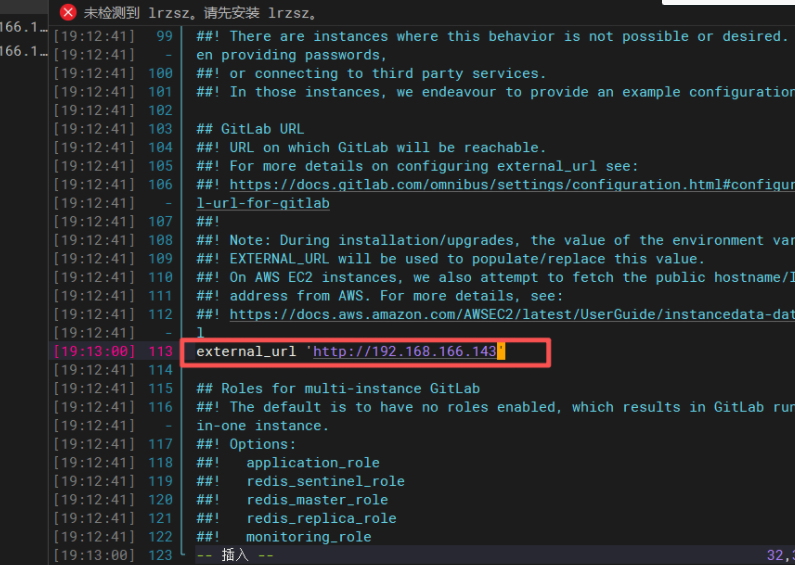
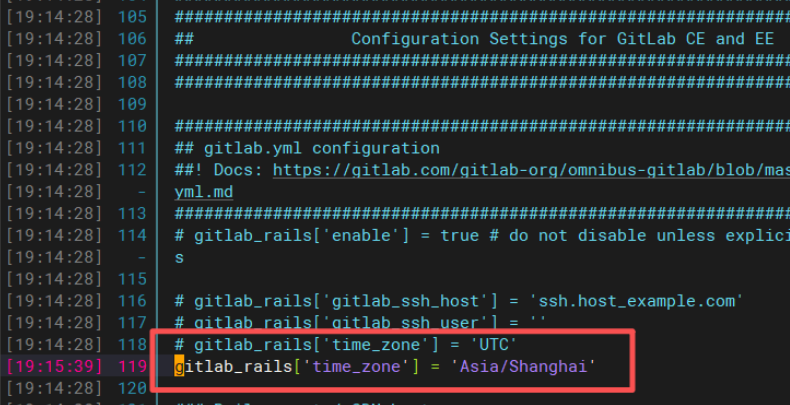
gitlab_rails'time_zone' = 'Asia/Shanghai'
5、初始化:
gitlab-ctl reconfigure
6、启动:
gitlab-ctl start
7、浏览器访问:
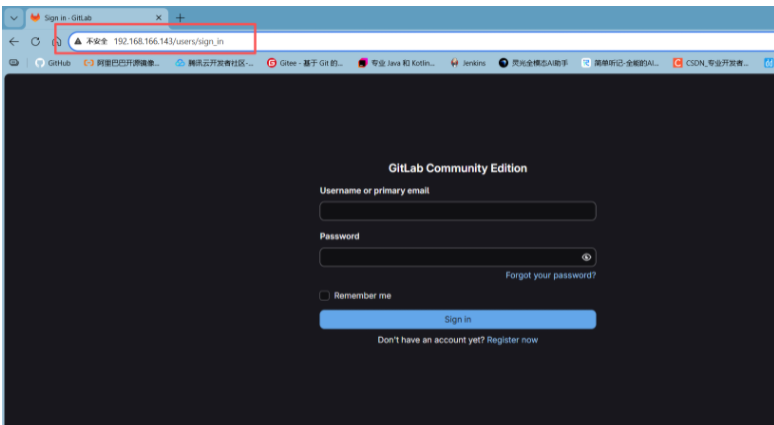
8、获取root密码
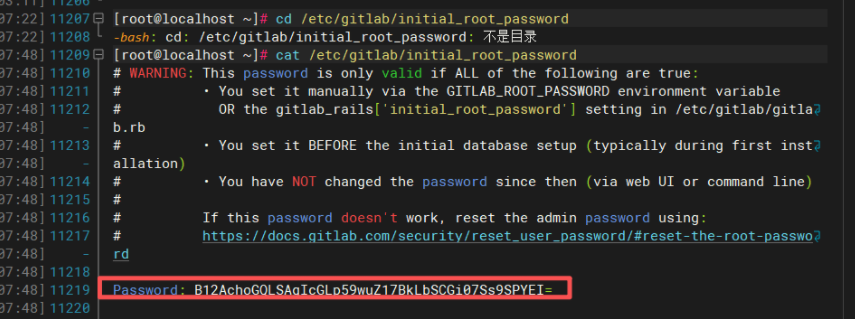
9、复制密码
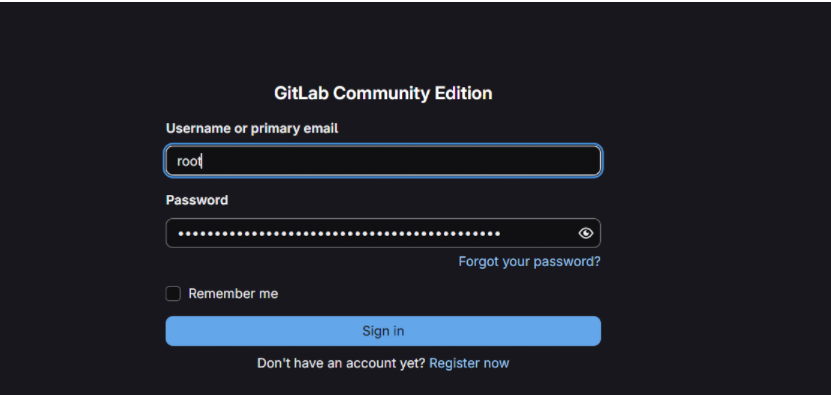
10、更改主页中文
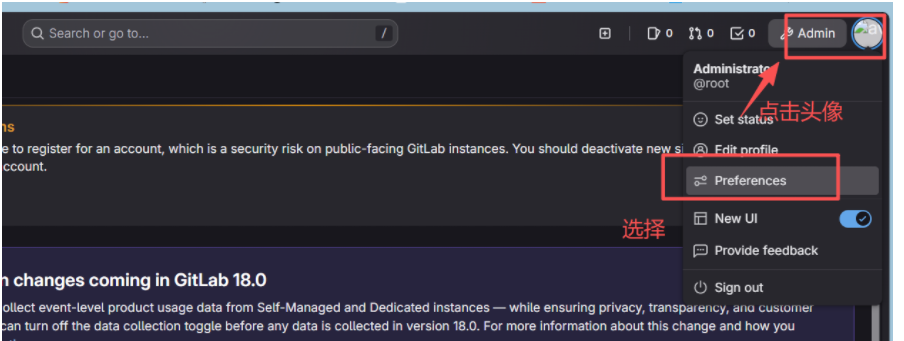
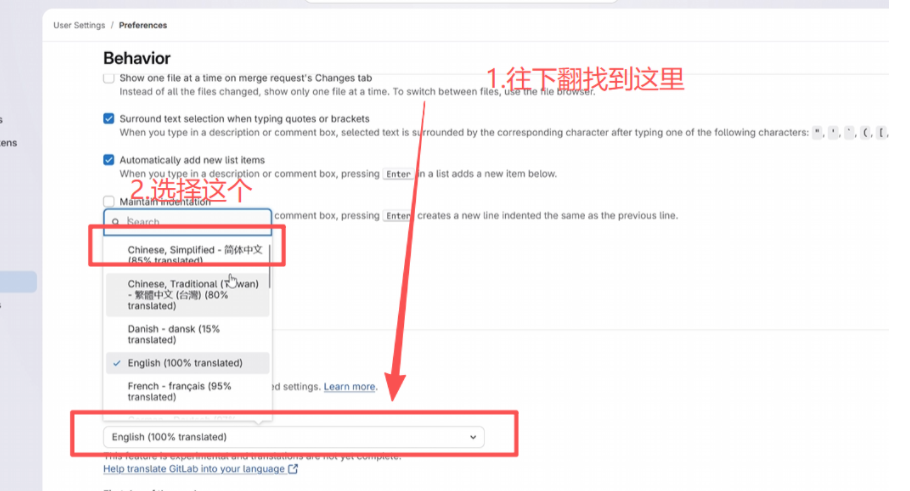
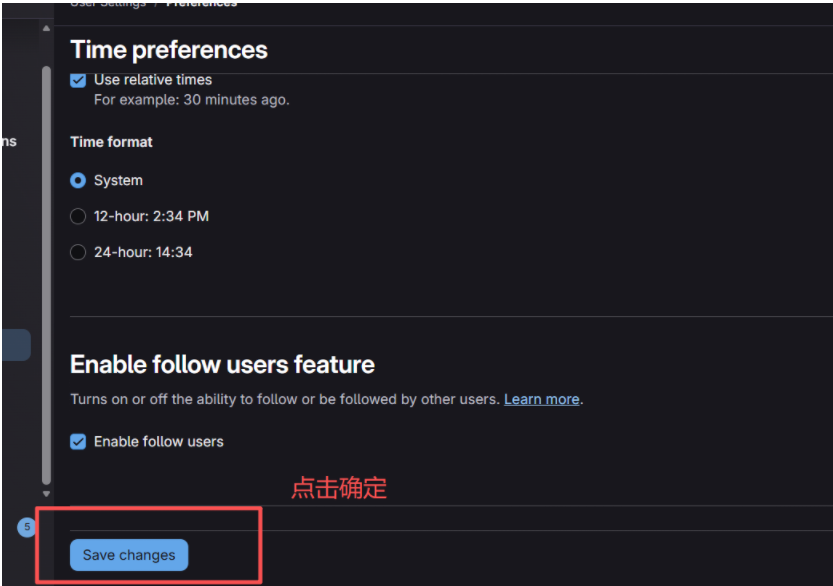
11、更改时间和密码
更改时间:
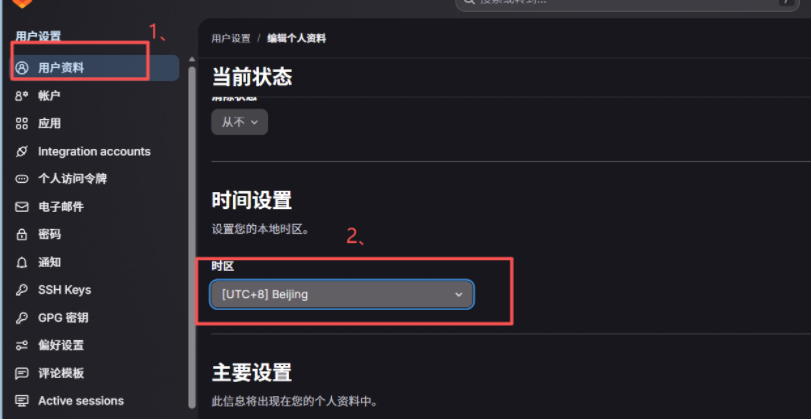
更改密码:
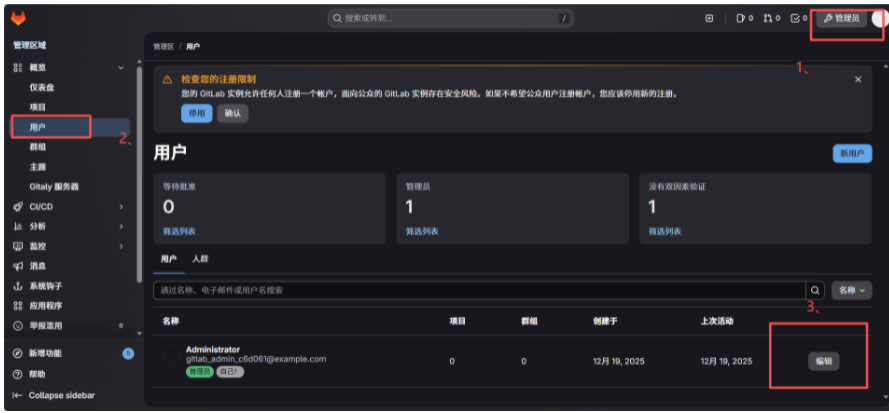
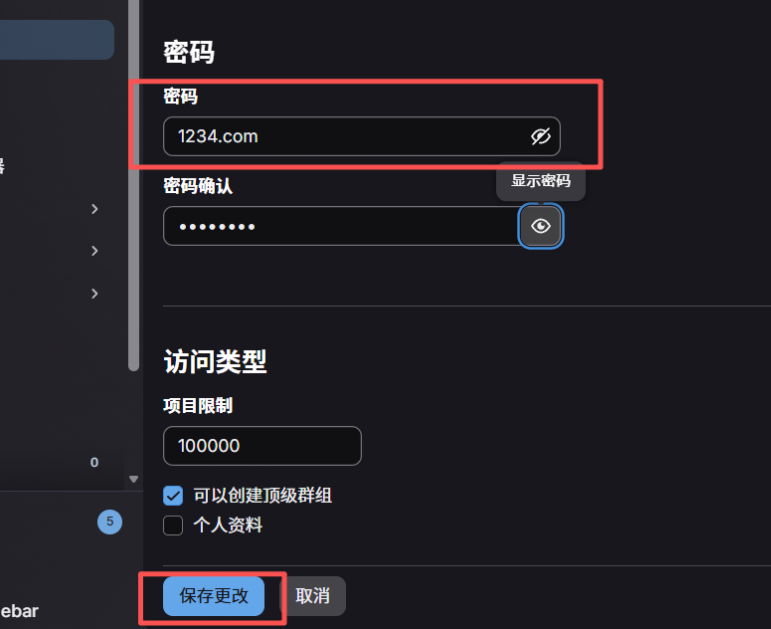
12、创建项目

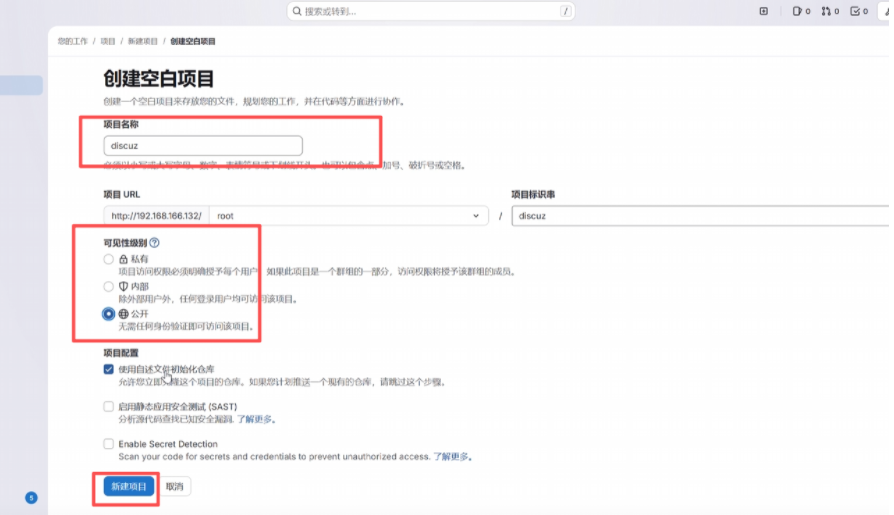
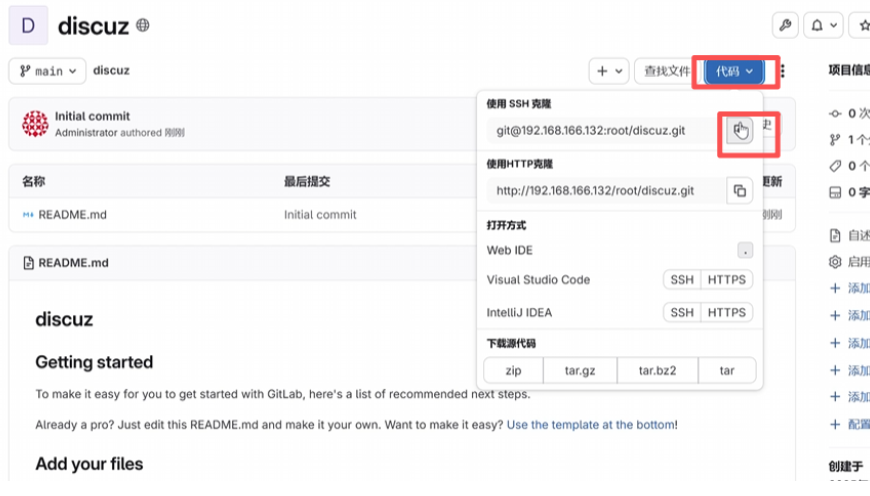
找到任意客户端当用户工作空间
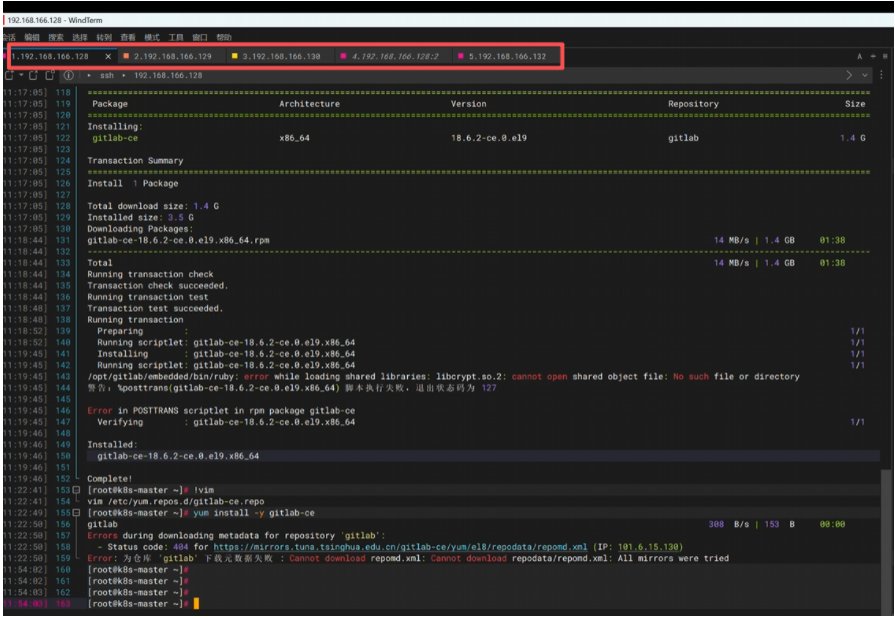
13、gitlab端:修改密码
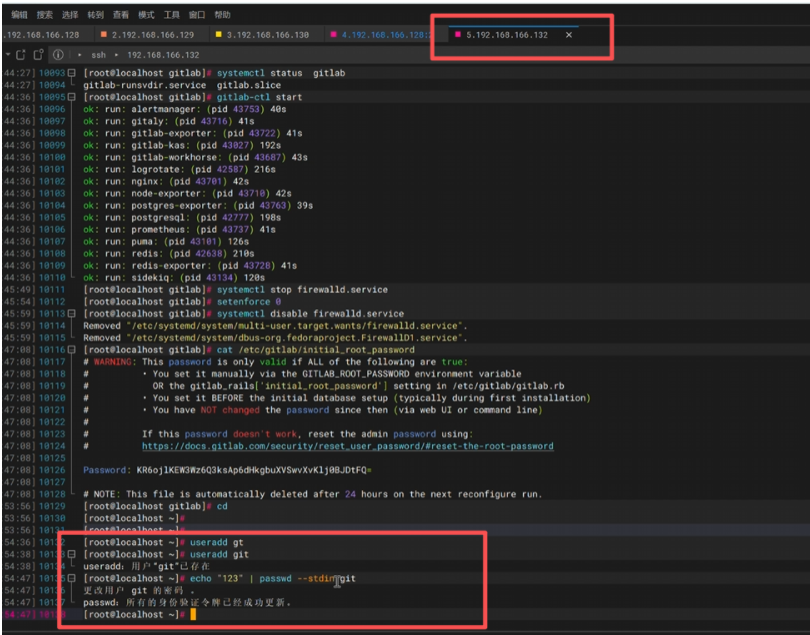
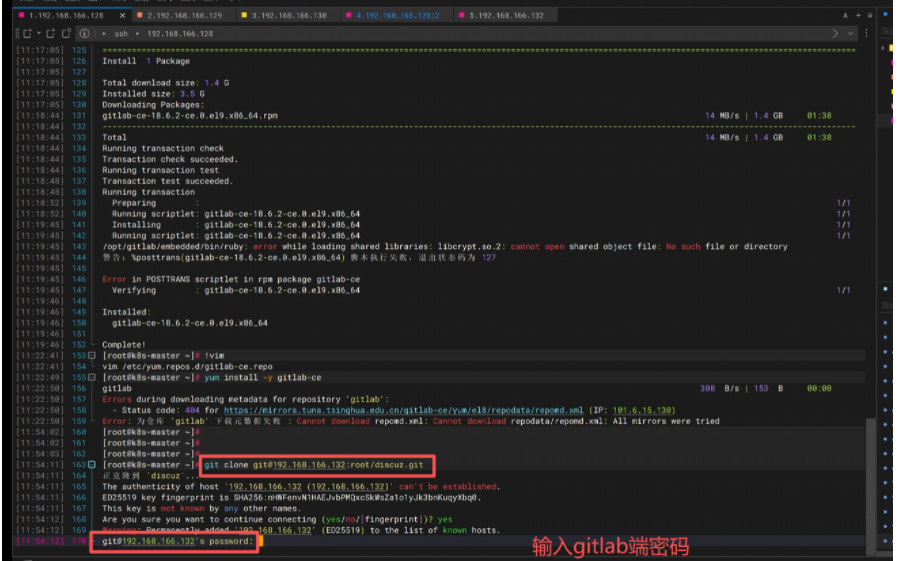
14、新建群组
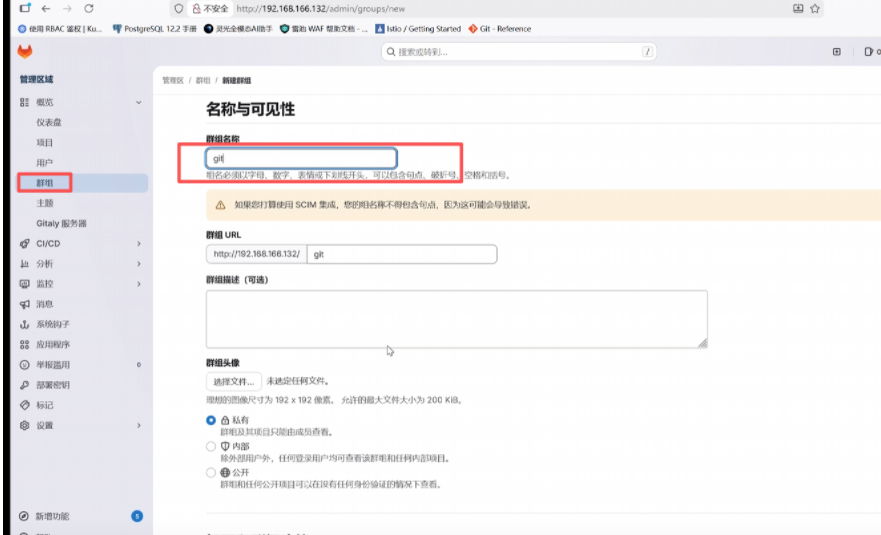
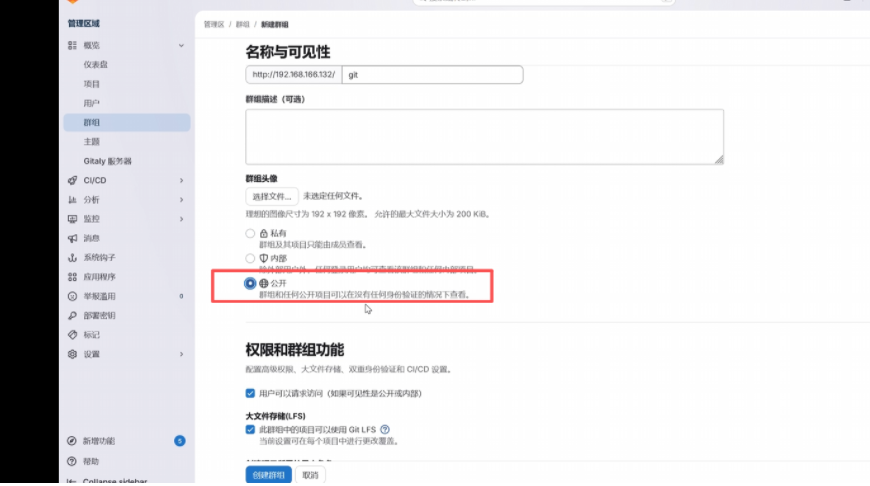
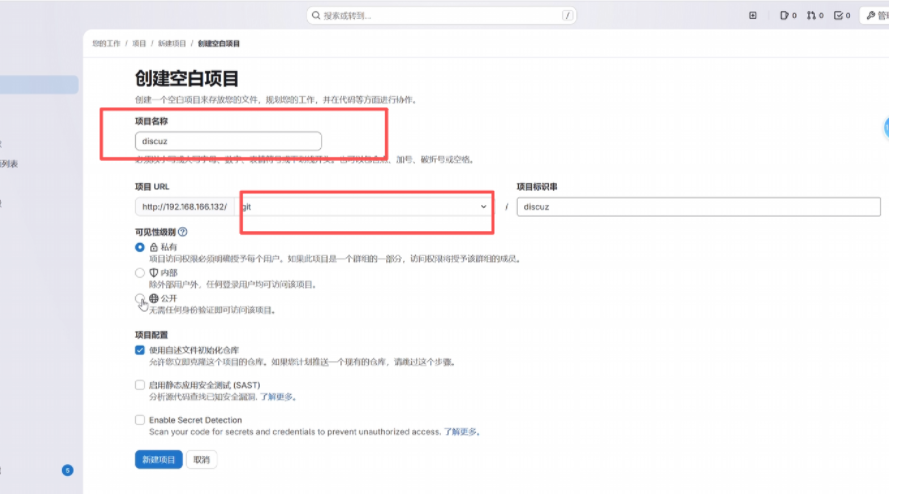
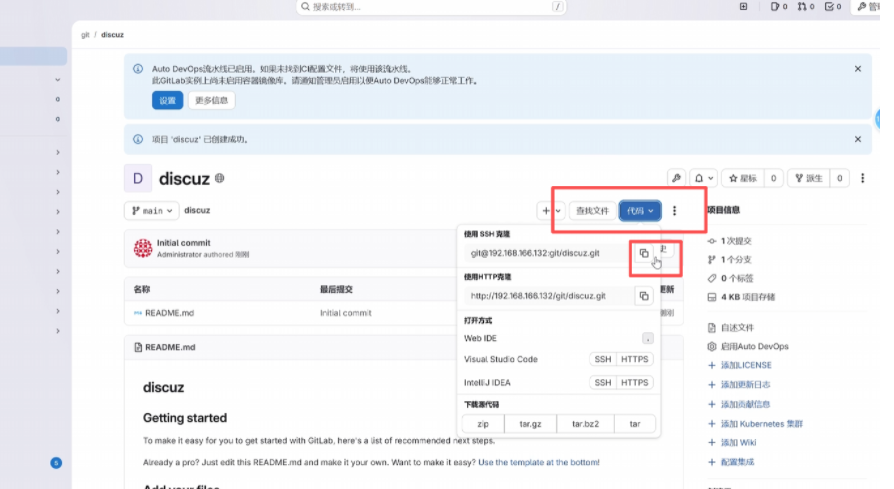
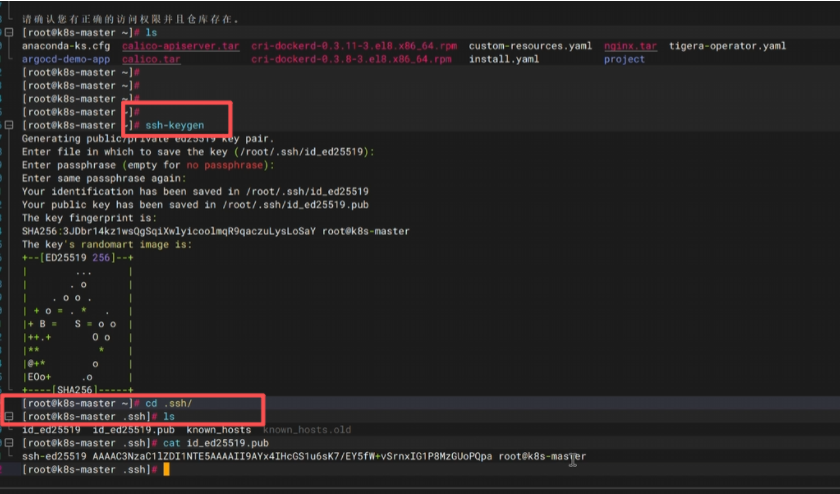
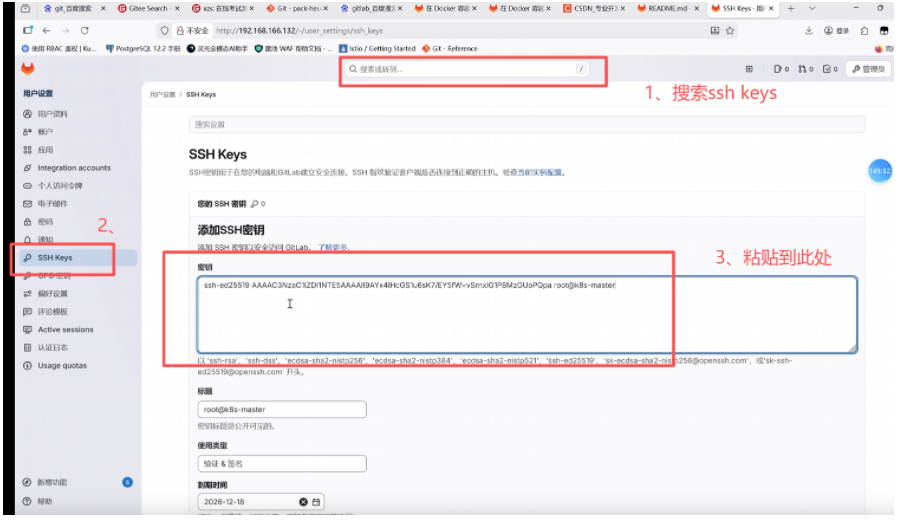
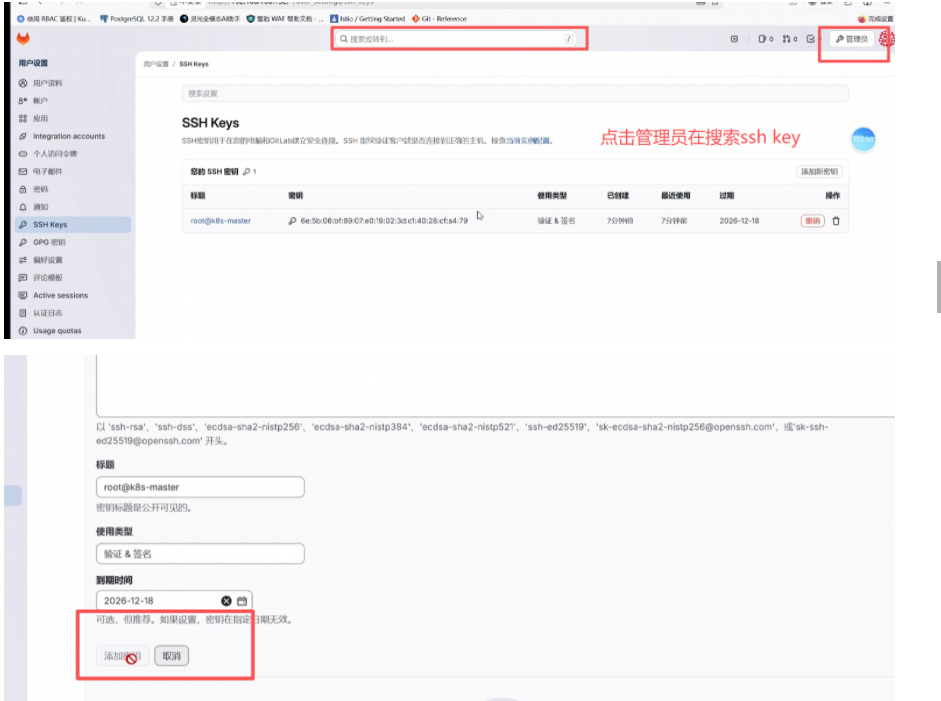
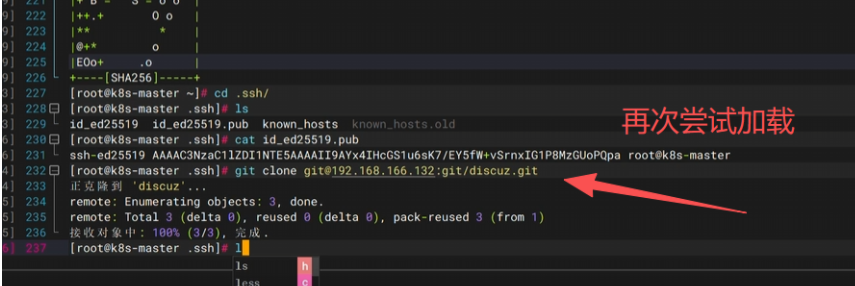
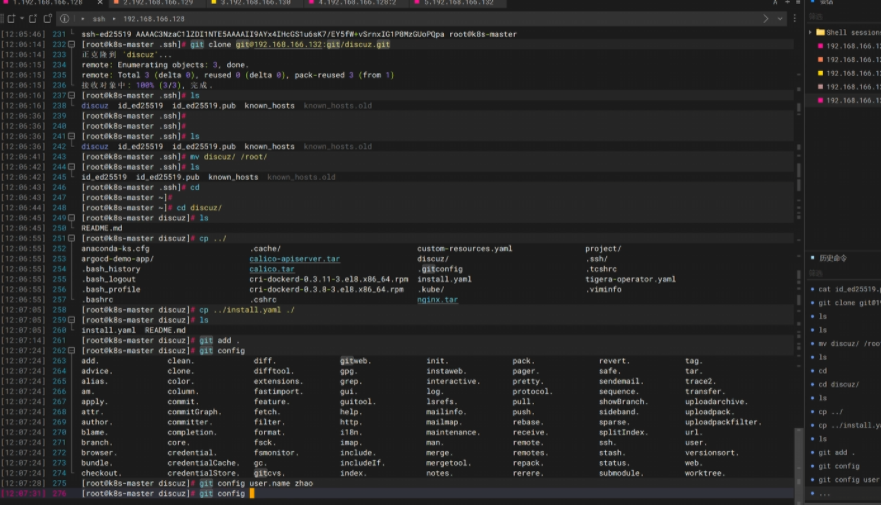
15、SSH KEY密钥设置


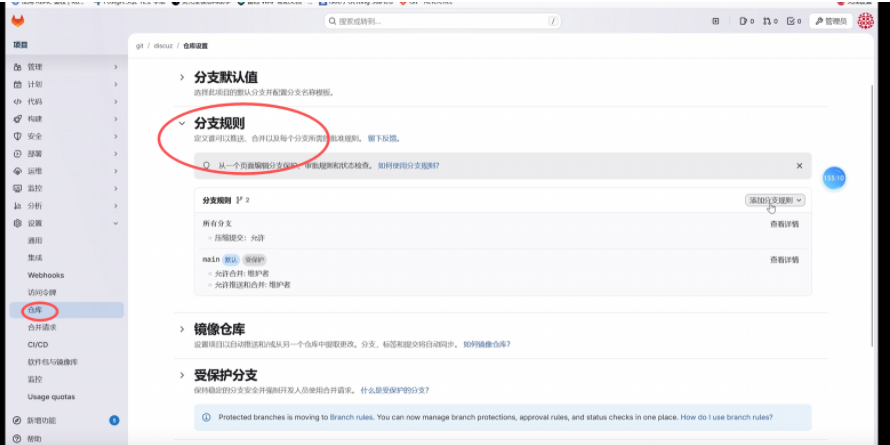
16、创建分支、